PharmaOS Pro - Smart Pharmacy POS System PharmaOS Pro - Smart Pharmacy POS System
Complete pharmacy point-of-sale system in VB.NET + MySQL. Sales, stock, suppliers, reports, multi-cashier. Full source code .
PharmaOS Pro - Smart Pharmacy POS System
Complete pharmacy point-of-sale system in VB.NET + MySQL. Sales, stock, suppliers, reports, multi...
Screenshots





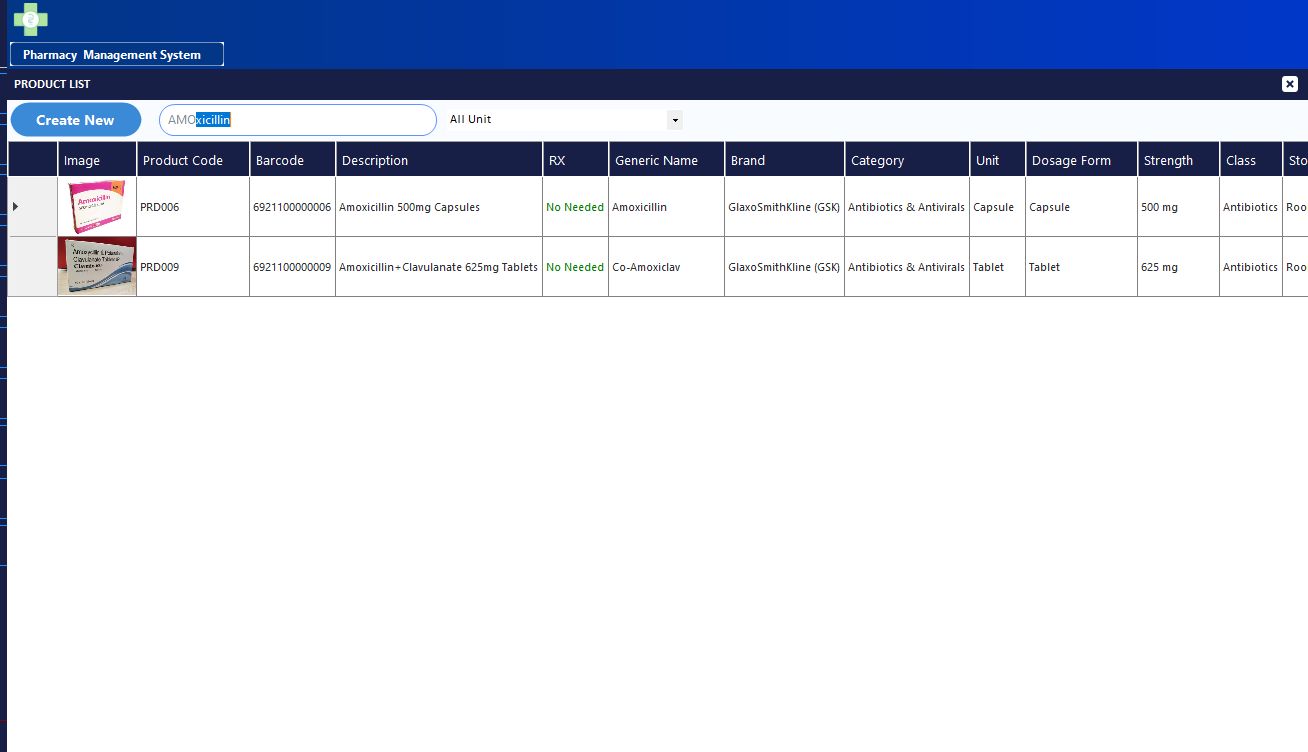



Overview
PharmaOS Pro — Complete Pharmacy POS System
A fully-featured pharmacy point-of-sale system built with VB.NET Windows Forms and MySQL. Covers every daily pharmacy operation — from selling drugs at the counter to managing suppliers, tracking stock batches, recording expenses, and generating professional end-of-day reports.
This is not a demo. You receive 100% of the source code, the complete MySQL database schema with 38+ tables, and ready-to-use sample data so the system runs from day one.
What the system does
- Sell drugs by packet or by piece with barcode support
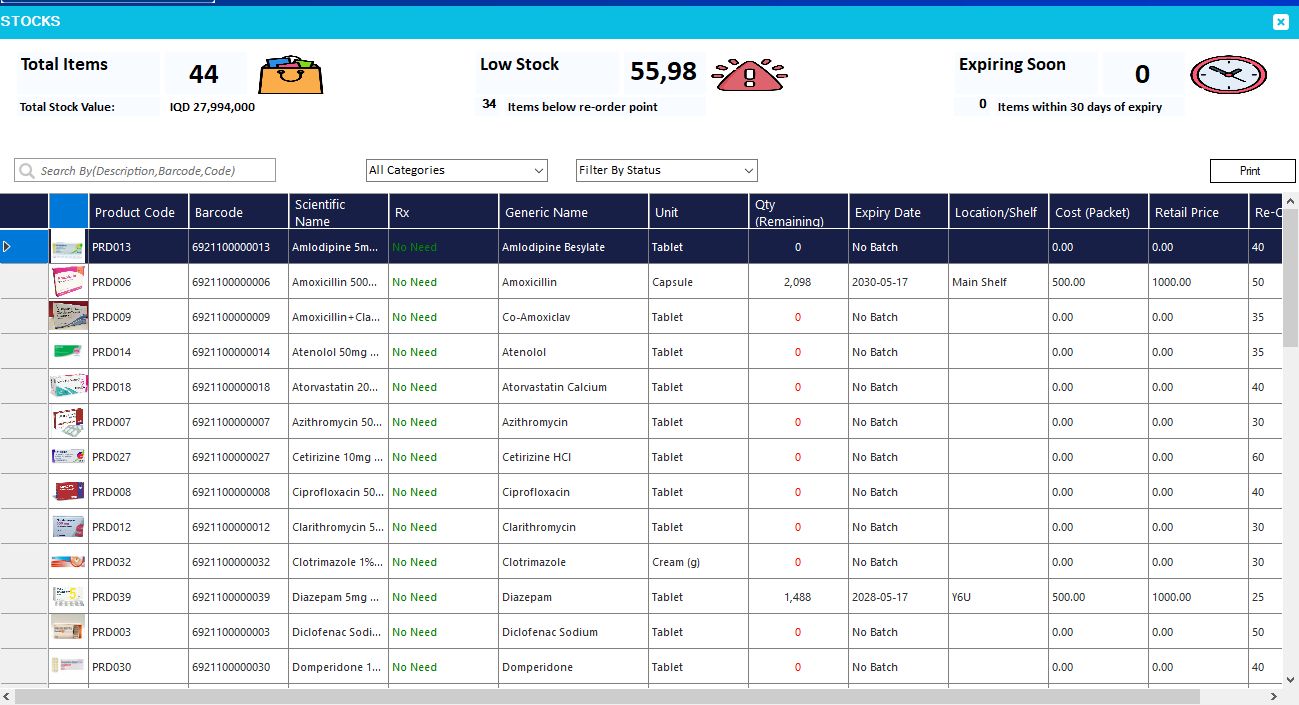
- Manage batches with expiry dates, locations, and alert quantities
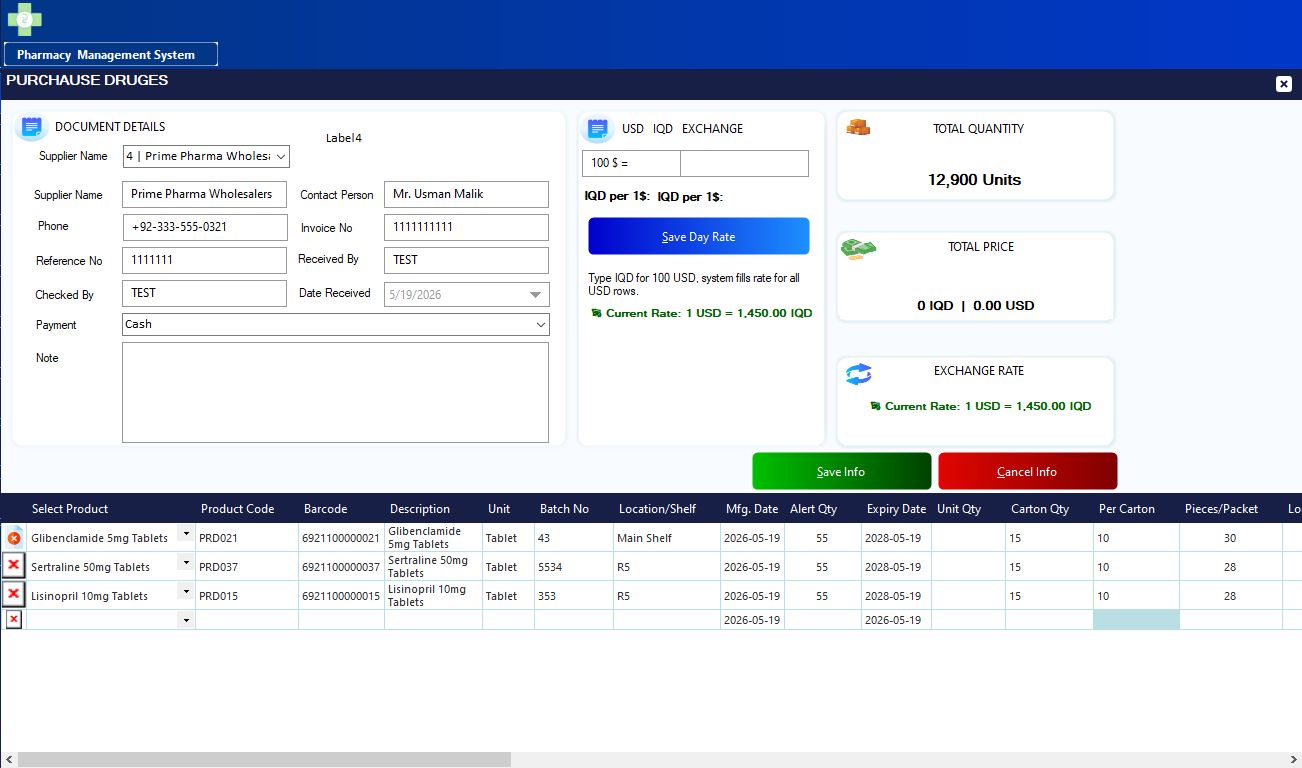
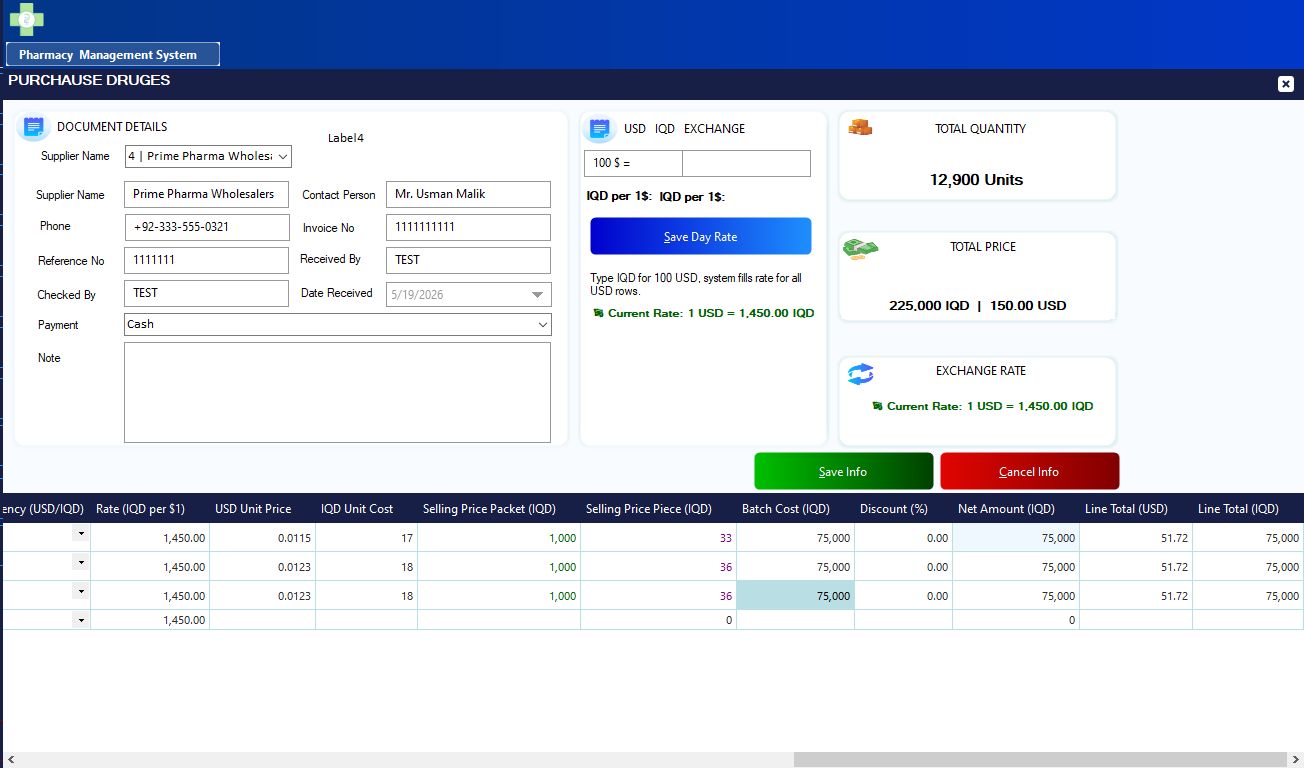
- Receive stock via supplier invoices and track payment status (paid / partial / pending)
- Record supplier payments with full balance and remaining amount tracking
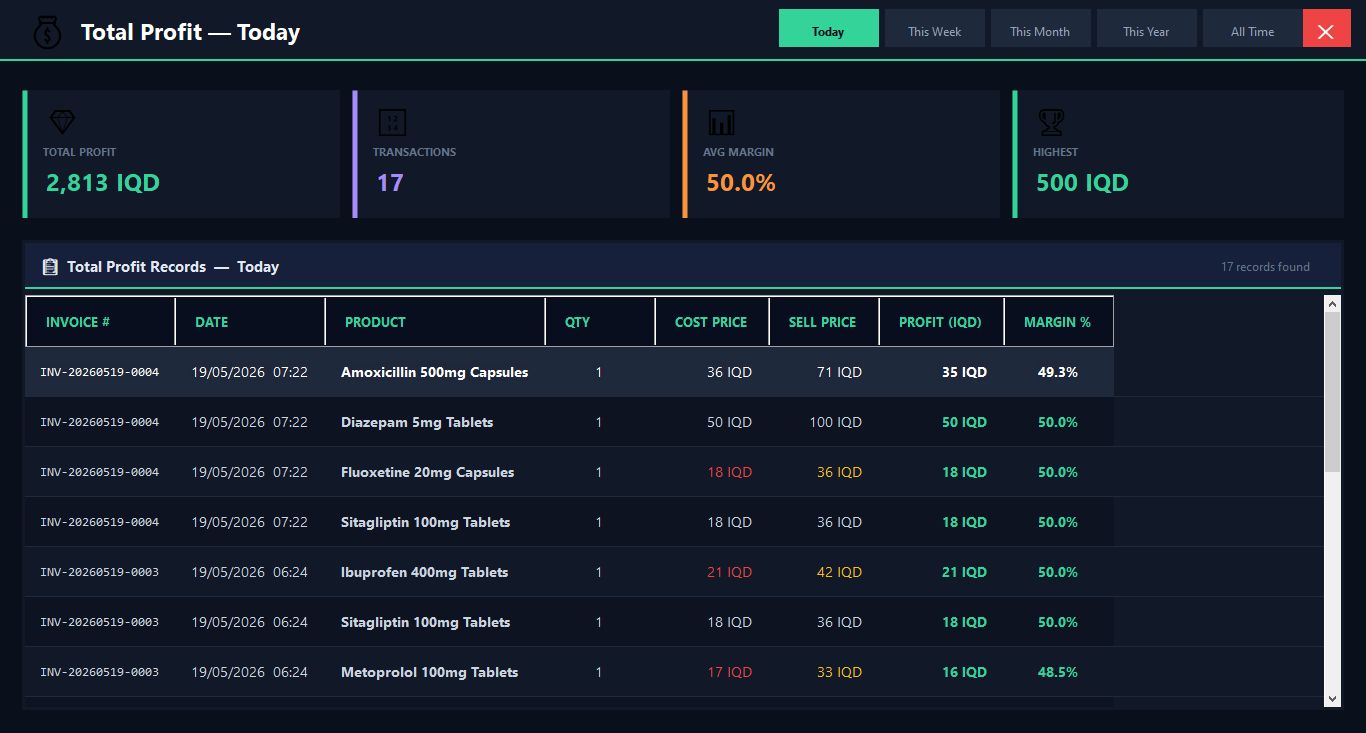
- Daily report (F8 shortcut) with total sales, profit, cash collected, expenses, and top products
- Advanced cashier report with 12 sections: sales detail, by cashier, payment methods, top products, profit margin, voids, expenses, cash drawer, shift log, prescriptions, and exchange rates
- Multi-cashier login tracking with individual performance reporting
- Void and returns management with admin approval
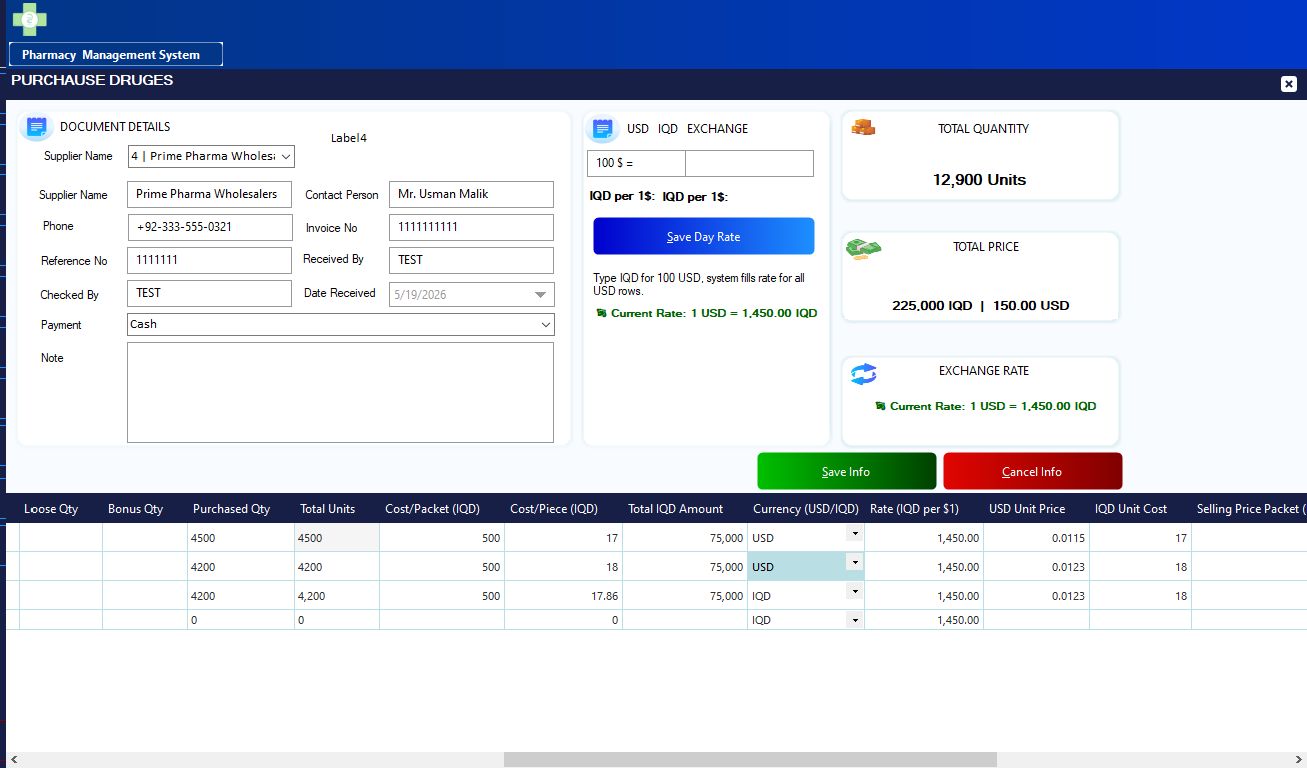
- IQD and USD dual-currency support with live exchange rate module
- Prescription drug tracking and reporting
All modules included
- POS sales screen
- Drug catalog with generics, classes, brands, dosage forms, and strengths
- Purchase order and stock receiving form
- Supplier management and payment form
- Batch tracker with expiry alerts
- Stock adjustment and history log
- Interactive dashboard with live KPI cards
- Daily report (F8) — simple, clean, fast
- Advanced cashier report — 12 report tabs
- Profit and margin analysis
- Void and sales return module
- Cash drawer session log
- Expense tracker
- Shift login and logout log
- Exchange rate manager
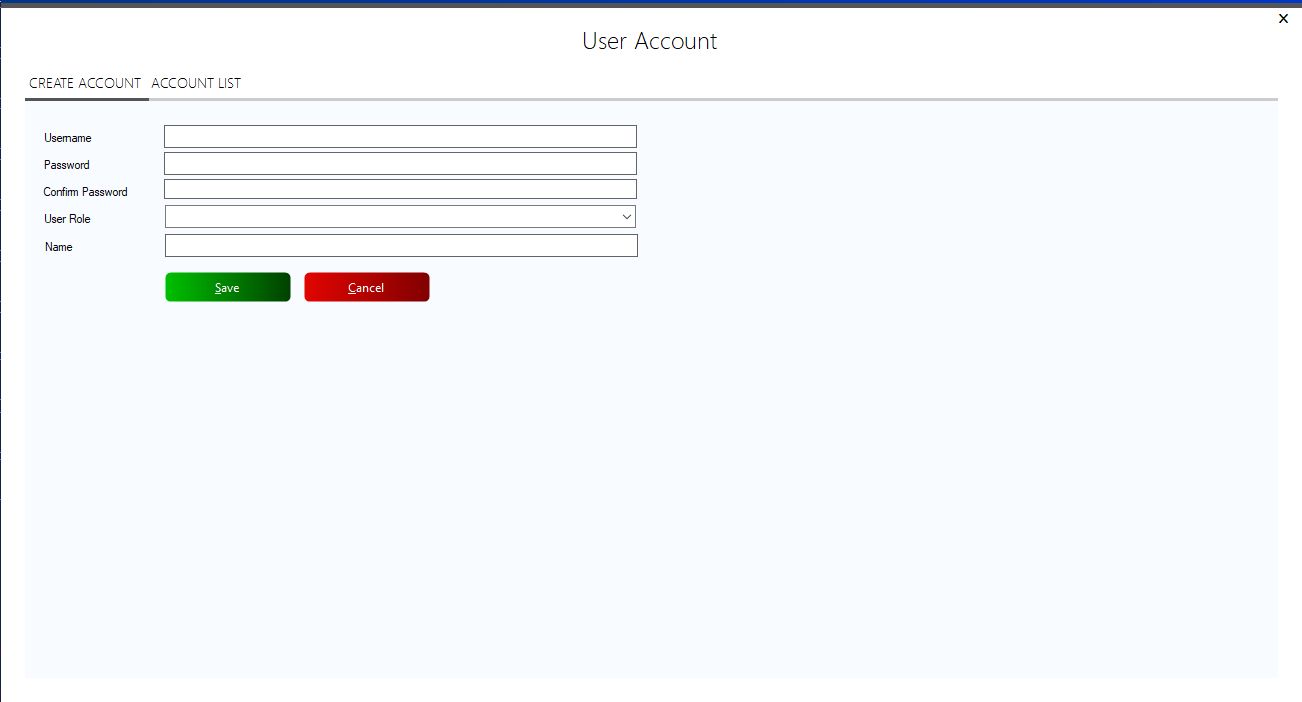
- User and role management
- Audit log
Database
38+ tables covering every aspect of pharmacy management including products, batches, stock-in, sales, cart, payments, voids, returns, users, suppliers, expenses, cash drawer, daily sessions, exchange rates, and audit logs. Full entity relationships with proper foreign keys and indexes.
Technology stack
- Language: VB.NET (Windows Forms, .NET Framework 4.7+)
- Database: MySQL 5.7 or later
- IDE: Visual Studio 2019 or later
- UI library: Guna UI2 (dark professional theme)
- Connector: MySql.Data NuGet package
What you receive
- Full VB.NET project with all forms and modules
- MySQL database creation script (38+ tables)
- Sample data SQL — 40 pharmaceutical products, suppliers, batches, and transactions
- Setup and installation instructions
Built and tested for real pharmacy use. Clean code structure, professional dark UI, and complete documentation. Modify it freely for your pharmacy.
Features
- 100% VB.NET source code — no compiled files, no encryption
- 38+ MySQL tables — complete professional database schema
- POS screen with barcode, packets, pieces, discount, and VAT
- Batch tracking with expiry dates, locations, and stock alerts
- Supplier invoices with paid / partial / pending payment tracking
- One-click supplier payment form with live balance preview
- Daily report via F8 — sales, profit, cash, expenses, top drugs
- Advanced cashier report — 12 sections, date filter, per-cashier filter
- Interactive dashboard with live KPI cards and drill-down detail
- Multi-cashier support with individual shift tracking and performance
- IQD and USD dual currency with exchange rate management
- Prescription drug flagging and dedicated Rx report
- Void transactions with admin approval workflow
- Sales returns with item-level reason and condition tracking
- Expense tracker and net cash reporting
- Cash drawer open/close session log
- Audit log for all user actions
- Sample data included — runs immediately after setup
- Dark professional UI built with Guna UI2
- Fully modifiable — customize for your pharmacy
Requirements
- Operating System: Windows 7, 8, 10, or 11 (64-bit recommended)
- IDE: Visual Studio 2019 or later (Community edition is free)
- Framework: .NET Framework 4.7.2 or later
- Database: MySQL Server 5.7 or later (MySQL 8.0 recommended)
- Database Tool: phpMyAdmin, MySQL Workbench, or HeidiSQL to import the schema
- NuGet Package: MySql.Data (already referenced in the project)
- UI Library: Guna UI2 (trial version works — download free from Guna.io)
- RAM: 4 GB minimum, 8 GB recommended
- Storage: 200 MB free space for project and database
- Screen Resolution: 1280 x 720 minimum, 1920 x 1080 recommended
No internet connection required — the system runs fully offline on a local machine or local network.
Instructions
Step 1 — Set up the database
- Open phpMyAdmin, MySQL Workbench, or HeidiSQL
- Create a new database and name it pharmacypos
- Import the file pharmacypos_schema.sql — this creates all 38+ tables
- Then import pharmacypos_sampledata.sql — this loads products, suppliers, batches, and test transactions
Step 2 — Open the project in Visual Studio
- Extract the downloaded ZIP file
- Open Visual Studio and click Open a project or solution
- Select the .sln file inside the extracted folder
- Wait for NuGet packages to restore automatically (requires internet on first open)
Step 3 — Configure the database connection
- Open the file MainUI.vb or the module named DBConnection.vb
- Find the connection string — it looks like this:
Server=localhost; Database=pharmacypos; Uid=root; Pwd=yourpassword;
- Replace yourpassword with your actual MySQL root password
- If your MySQL runs on a different port, add Port=3307 (or your port) to the connection string
Step 4 — Install Guna UI2
- Go to Tools → NuGet Package Manager → Manage NuGet Packages for Solution
- Search for Guna.UI2.WinForms and install it
- Alternatively download the free trial from guna.io and add the DLL reference manually
Step 5 — Run the project
- Press F5 in Visual Studio to build and run
- The login screen will appear — use the default credentials included in the instructions document
- The POS main screen loads after login
Default login (sample data)
- Username: admin
- Password: admin123
Key shortcuts inside the system
- F5 — Refresh / search products
- F7 — Open expenses form
- F8 — Open daily report
- F9 — Change password
- ESC — Close current form
If you have any issues during setup, use the support message button on the Codeester product page and describe the error — support response within 24 hours.
Other items by this author


| Category | Scripts & Code / VB.NET |
| First release | 19 May 2026 |
| Last update | 19 May 2026 |
| Tags | Point Of Sale, Inventory Management, pharmacy management system, medical store, pharmacy software, pharmacy pos, retail pos, desktop pos, pharmacy inventory, expiry tracking, drugstore pos, vb.net pos, mysql pharmacy, prescription billing, pharmacy source code |