


 nopCommerce Admin Themes
Download professional nopCommerce admin themes to refresh your dashboard UI. These responsive nopCommerce admin templates give you a clean ASP.NET back office with better navigation, dark and light modes, and fast performance for store owners and teams.



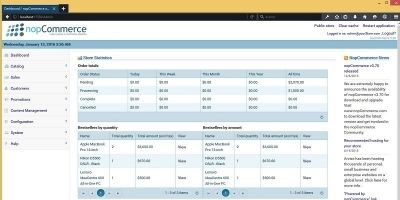
nopCommerce admin themes
The nopCommerce Admin Themes category on Codester is all about making the back office easier to live in every day. Instead of working inside the same default panel for years, you can switch to a modern nopCommerce admin theme that cleans up navigation, improves contrast and makes your dashboard feel faster and more organised for everyone on the team.
Most nopCommerce admin templates in this section focus on the realities of daily store management. That means clearer menus, more readable grids for orders and customers, adjustable column layouts and dashboards that surface the KPIs you actually care about. By starting from a professionally designed admin UI, you spend less time hunting for settings and more time dealing with products, promotions and customer support.
When you compare nopCommerce admin themes on Codester, it is worth looking closely at:
- How the main navigation is structured and whether common tasks are available in one or two clicks.
- Support for multiple colour schemes, including dark and light modes for long working days.
- Responsive layouts that keep the admin area usable on laptops, tablets and smaller screens.
- Readable tables for orders, products and customers, with clear icons and spacing between actions.
Because the admin area sits behind login, it will not affect the SEO of your public nopCommerce store directly, but a well-organised back office does influence how efficiently you can publish and maintain content. If you can create categories, update descriptions and adjust pricing faster, you are more likely to keep your catalogue in sync with campaigns and landing pages. For technical guidance on installing and managing themes, tutorials such as the nopCommerce theme installation guide or community answers in the nopCommerce forums are useful references.
In many stacks, the admin UI and storefront design move forward together. A lot of teams choose a store-facing layout from the main nopCommerce themes collection and then complement it with an admin theme from this category. Others run hybrid setups where nopCommerce powers the ecommerce core and front ends are built with templates from the Website Templates & Themes or HTML website templates sections. Keeping the control panel clean and predictable makes it easier to manage products, orders and content across all of those channels.
If you work as an agency or freelancer, a reusable nopCommerce admin template can become part of your standard toolset. Once your team is comfortable with the layout, new staff can move between different client stores without relearning where everything lives. It is also easier to document processes with screenshots and training videos when every project shares the same admin theme instead of a slightly different variation of the default.
When choosing a theme, do a quick tour of the demo as though you were a store manager. Browse the order list, open a product edit screen, create a new category and check how error messages, validation and success notifications are displayed. Small details like consistent button labels, clear form layouts and visible status indicators make a big difference when you are working in the admin panel all day.
If you are comfortable editing CSS and Razor views, most nopCommerce admin themes can also be extended to match your internal branding. By following best practices from the official nopCommerce documentation and keeping overrides in their own files, you can tweak typography, spacing or icon sets without breaking future upgrades. Combined with a solid template from the nopCommerce Admin Themes category on Codester, that gives you a back office that feels professional, stays maintainable and helps your team work faster as your store grows.