


 ReactJS Code & Templates
Discover 88 ReactJS code templates and scripts for dashboards, landing pages, SaaS apps and admin panels. Download reusable React components, hooks and starter projects to speed up development, integrate APIs and build single page applications with clean code, routing and state management already wired in for clients and internal tools worldwide.











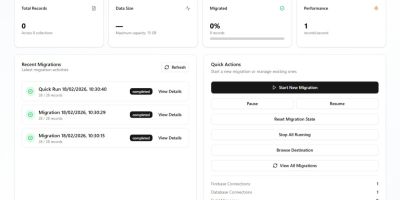


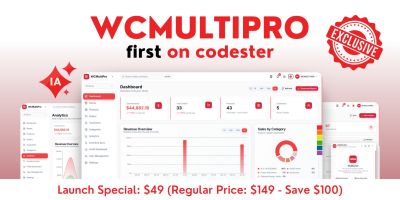











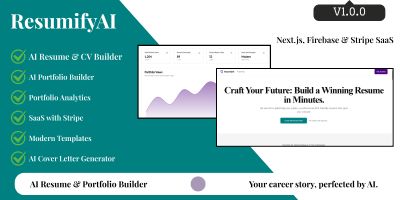

ReactJS Code Templates & Components for Modern Web Apps
The ReactJS Code & Templates section brings together reusable ReactJS code templates, UI kits and starter projects. Instead of wiring up every layout, route and state container from scratch, you can start from production-ready React code for dashboards, admin panels, SaaS frontends, landing pages and more, then adapt it to your stack.
If you like to begin with what other developers already use in real projects, have a quick look at the Top 20 ReactJS Code & Templates page. You’ll usually see React admin dashboards, eCommerce frontends, AI SaaS boilerplates and support tools that are built to be customised and extended.
Why start from a ReactJS code template?
Most templates in this category are designed to solve the same recurring problems: navigation, layout, auth flows and common UI patterns. Typical benefits include:
- Pre-built routing, layout and navigation structures for single page applications.
- Reusable React components and hooks for forms, tables, modals and notifications.
- Ready-to-use React admin template and dashboard layouts with charts and widgets.
- Clean project structure (folders, state management, services) that you can follow.
- Saved time on boilerplate, so you can focus on domain-specific logic.
Many ReactJS templates also integrate popular UI libraries such as Material UI or Tailwind CSS, so you get a modern design and consistent component set out of the box.
How ReactJS templates fit with other Codester categories
A frontend rarely lives alone. It often sits on top of an API or existing back-end. ReactJS code from this category pairs naturally with back-end projects in NodeJS Projects With Source Code , REST and admin panels from PHP Scripts & PHP Code or full-stack projects from Django Projects With Source Code . You keep your favourite server-side stack and let React handle the interface.
If you need mobile and web together, it can be useful to combine a ReactJS web template here with app templates from React App Templates or other mobile categories. That way, you can reuse design language and sometimes even business logic across platforms.
For smaller enhancements rather than full SPAs, you might also explore JavaScript & jQuery Plugins and CSS Templates & Code when you only need a few interactive widgets or styling helpers next to your main React frontend.
Choosing the right ReactJS code template
As you browse the ReactJS Code & Templates list, it helps to keep a specific project in mind:
- Are you building a SaaS dashboard, eCommerce site, internal tool or landing page?
- Do you prefer plain React with hooks, or a stack based on Next.js / Vite?
- Which UI library do you want (Material UI, Bootstrap, Tailwind, or custom)?
- Do you need authentication, roles and protected routes included from day one?
- Will multiple clients or tenants share the same React codebase?
Product pages usually include a live demo and component screenshots. It’s worth clicking through the navigation, forms and tables and checking how easy it feels to imagine your own data inside that layout.
Learning resources to extend your template
To get the most out of any ReactJS template, it helps to be comfortable with core React concepts and modern tooling. The official React documentation Learn section and MDN’s Getting started with React are good places to review components, props, state and effects, while curated template collections from sites like Material UI or Creative Tim can inspire how you structure dashboards and UI kits.
Once you’ve picked a template from this category, most of the work is wiring it into your own stack: swapping dummy data for real API calls, setting up routing and auth, adjusting branding, pruning components you don’t need and adding any domain-specific screens. After that, the ReactJS code template becomes your project’s foundation, letting you spend more time on features instead of boilerplate.