


 WordPress UI And Page Builder Add-ons
Enhance your WordPress UI with interface elements plugins for mega menus, tabs, accordions, modals, tooltips and more. Improve navigation, readability and conversions while keeping layouts clean, responsive and compatible with modern page builders.
 Scripts & Code7801
 App Templates2418
 Themes1067
 Plugins1
 CS-Cart2
 Drupal25
 Joomla43
 Magento2
 nopCommerce47
 Opencart0
 osCommerce31
 Osclass45
 Prestashop217
 WooCommerce602WordPress12
 Advertising36AI5Analytics5Backup12Booking19eCommerce28Forms18Gallery4GDPR57Interface Elements4Maps4Marketing4Membership7Newsletter4Notification13Performance33SEO14Sliders37Social Media30Security20Widgets219Miscellaneous1
 X-Cart51
 Miscellaneous14223
 Graphics


























UI plugins
Interface details are where WordPress sites start to feel truly custom. The WordPress interface elements plugins category collects add‑ons for mega menus, tabs, accordions, popups, tooltips, sticky headers, off‑canvas panels and other front‑end components that make content easier to scan and navigate.
Instead of reinventing the wheel in JavaScript for every project, you can drop in a focused UI plugin that already handles responsiveness, accessibility and browser quirks. Many of these tools integrate with Gutenberg, Elementor or other page builders, exposing UI elements as blocks or widgets so editors can reuse them without touching code. That means marketing teams can ship new landing pages faster while developers stay focused on business logic.
- Build mega menus with icons, columns and featured posts or products.
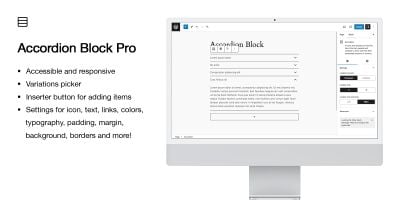
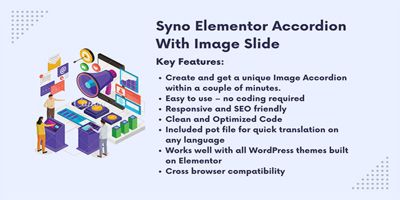
- Use accordions and tabs to keep FAQs, documentation or pricing tidy.
- Add off‑canvas panels, slide‑in carts and mobile‑friendly navigation.
- Trigger popups for signups, announcements or exit‑intent offers.
- Highlight elements with tooltips, badges and micro‑interactions.
These interface elements pair naturally with form plugins, newsletter plugins and sliders. For example, you might open a multi‑step form in a modal, promote your email list with a slide‑in panel instead of a full‑screen popup, or display testimonials inside a carousel that matches your brand typography.
As you add UI layers, keep an eye on SEO and accessibility. Following guidance from the official Block Editor Handbook and modern UX resources will help you avoid issues like layout shifts, keyboard traps and unreadable contrast ratios. Where possible, prefer semantic HTML, respect user motion preferences and let visitors close overlays easily—especially on mobile.
If you’re designing multiple sites, building a small design system around a few reliable interface plugins on Codester can save a lot of time. Agree on a standard set of accordions, sliders and menus, then reuse them across client projects so you’re not debugging a different UI stack every month.