


 Unity Assets
Find premium Unity assets on Codester: mobile control systems, toolkits, 2D sprites, 3D models and editor extensions with full C# source. Import, customise and reuse these Unity assets to speed up prototyping, polish and optimisation for every new game project.

























Unity Assets
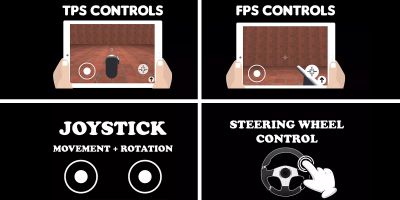
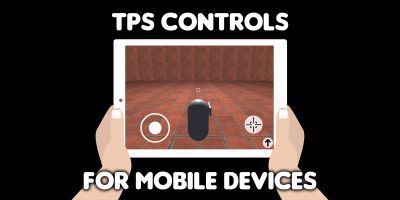
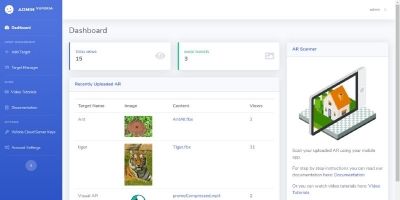
The Unity Assets category on Codester is where you pick up the building blocks that keep turning up in every project: mobile control systems, helper toolkits, 2D and 3D asset packs, data visualisation tools and small editor extensions that remove friction from your workflow.
Instead of reinventing the same joystick controller, leaderboard logic or Firebase integration for each new game, you can import a proven Unity asset, skim through the C# scripts and immediately see how it is wired together. That gives you a reliable reference implementation and the freedom to adapt it to your own code standards and architecture.
Typical downloads in this category include mobile controls and input systems, multiplayer or client–server examples, Firebase and push notification integrations, analytic and recording tools, as well as packs of props, stadiums, vehicles and character models ready to drop into your scenes. Each asset is a standalone Unity project or package, so you can test it in isolation before merging it into a larger codebase.
If you are already browsing the main Unity Assets & Templates hub, it is worth bookmarking both this assets page and the companion Unity game templates section. Many teams use templates to bootstrap their first game, then return to Unity Assets later to add better mobile controls, UI, analytics or back-end connectivity once they know what their audience responds to.
Unity projects rarely live in isolation. When you need supporting code outside the engine, the broader Codester marketplace has you covered as well. You can connect your game to back-end services powered by Android app templates or APIs built with popular scripts & code stacks. If you decide to expand a prototype across engines, categories like Buildbox games & templates and Construct 3 games & templates make it easier to reuse ideas and art direction.
From a search perspective, a well-described asset can also support your SEO and ASO strategy. Clear titles and descriptions give you a chance to appear for queries such as “Unity mobile controls asset”, “Unity Firebase plugin”, “Unity 3D model pack” or “Unity toolkit for data visualisation”. Linking from your own documentation, devlogs or studio website back to the Unity Assets category with descriptive anchor text strengthens those signals over time.
While customising any of these downloads, it helps to keep the official Unity Manual and performance guides close by. Many Codester assets already follow good practices around batching, physics layers and mobile optimisation, but a quick review against Unity’s own advice can highlight simple wins: swapping out heavy materials, trimming unused scripts, tuning quality levels or adjusting light baking for the target device.
Used well, the Unity Assets section becomes the backbone of your internal toolkit. Over time, you can standardise on a handful of control schemes, back-end integrations and editor helpers sourced from Codester, then wrap them in your own conventions. That way every new Unity project starts with a familiar, battle-tested set of assets and you spend more of your development time on gameplay, level design and polish instead of infrastructure.