


 Javascript & jQuery Forms
Download JavaScript and jQuery forms including AJAX contact forms, login and registration forms, multi step form wizards and validation plugins. Use ready-made JavaScript form validation, jQuery contact form plugins and responsive form templates to collect leads, payments and user data faster on any website, landing page or web application.







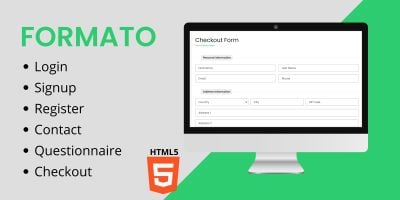



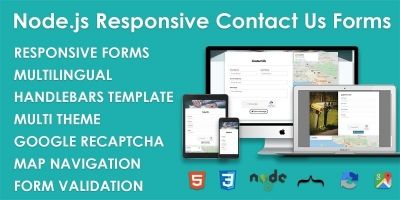




JavaScript & jQuery Form Plugins for Contact, Login & Multi-Step Flows
The JavaScript & jQuery forms category on Codester collects practical JavaScript form plugins and jQuery form plugins you can drop straight into real projects. From simple email jQuery contact forms to multi step form wizards with progress bars and JavaScript form validation, each item is designed to help you capture leads, orders and user data with less custom code.
If you want to see which items other developers use most, start with the Top 20 JavaScript & jQuery forms. This popular overview highlights best-selling AJAX contact forms, login and registration form templates, newsletter signup widgets, quote request forms, survey forms and jQuery form validation plugins that already work in production websites, landing pages and dashboards.
In the main JavaScript & jQuery forms category you’ll find a mix of classic jQuery contact form plugins and lightweight vanilla JavaScript form validation scripts. Many form templates support AJAX submission, client-side validation, spam protection, required field checks, responsive layouts and integrations with back-end scripts, so you can handle form processing securely without reinventing the entire flow.
Common types of JavaScript & jQuery forms available here include:
- AJAX contact form plugins with validation, success/error messages and spam protection.
- Login and registration forms, password reset forms and account activation flows.
- Multi step form wizards with progress indicators and per-step validation.
- Order, quote and booking forms with conditional fields and price calculation.
- Newsletter signup forms, survey forms and feedback forms for marketing campaigns.
- Generic JavaScript form validation plugins reusable across multiple forms and pages.
A form rarely stands alone in a stack. Many developers pair a form plugin from this category with a back end from the larger Scripts & Code marketplace. For example, a JavaScript contact form or checkout form from this page can submit to a script built with PHP scripts & PHP code, Django projects with source code or NodeJS projects with source code. Styling for these forms can be polished using assets from CSS templates and code.
If you need more than just the form itself, take a look at the broader JavaScript & jQuery plugins category and its Top 20 JavaScript & jQuery plugins. There you can find sliders, galleries, modals and navigation plugins that combine well with form plugins on this page. For content-heavy projects with on-page editing, you can also integrate a rich text field from the JavaScript & jQuery WYSIWYG editors category.
Sites built on themes and templates benefit from these form plugins as well. A jQuery contact form plugin or JavaScript multi step form from this category can be embedded in landing pages, blog posts and marketing sites that use WordPress themes or HTML templates. For mobile-first products, you can collect leads or bookings in a web form that complements apps built with Android app templates & source codes .
When you compare different form plugins, this simple workflow helps:
- Browse the JavaScript & jQuery forms overview and sort by popularity, rating, newest or price.
- Open several promising contact forms, login forms or multi-step forms in new tabs and read their feature lists.
- Test the live demos on desktop and mobile to see how validation, error messages and transitions behave.
- Check which files are included (JS, CSS, PHP handlers, configuration docs) and how form data is submitted (AJAX, POST redirect, JSON API).
- Review the documentation to understand how to customize fields, validation rules, messages and integration points.
For fundamentals of JavaScript form validation and how browsers handle forms, you can study MDN Web Docs – Client-side form validation and step-by-step tutorials like JavaScript Tutorial – Form validation . Multi-step patterns and wizards are well illustrated in guides such as W3Schools – How TO: Form with Multiple Steps . Once you understand the concepts from those resources, the plugins on Codester give you ready-made, production-ready implementations.
After downloading a JavaScript or jQuery form plugin from Codester, you can integrate it into your site and then refine it: adjust the design to match your brand, add custom validation rules, connect hidden fields for tracking, wire the form to your email marketing or CRM system and log important events to your analytics. Many teams build an internal toolkit of favourite JavaScript contact forms, jQuery form validation plugins and multi step form wizards from this category and reuse them across multiple projects.
Whether you need a simple AJAX contact form, a secure login and registration flow or a complex multi-step order form, the JavaScript & jQuery forms category and its Top 20 JavaScript & jQuery forms overview give you a strong, search-friendly starting point. Choose a form plugin that fits your use case, plug it into your application and focus your time on the business logic behind the form instead of rebuilding the front-end from scratch.