VintageCutz – Barber Shop HTML TemplateVintageCutz – Barber Shop HTML Template
Responsive vintage-style barber shop HTML template ideal for salons, grooming studios, and classic haircut businesses.
Screenshots
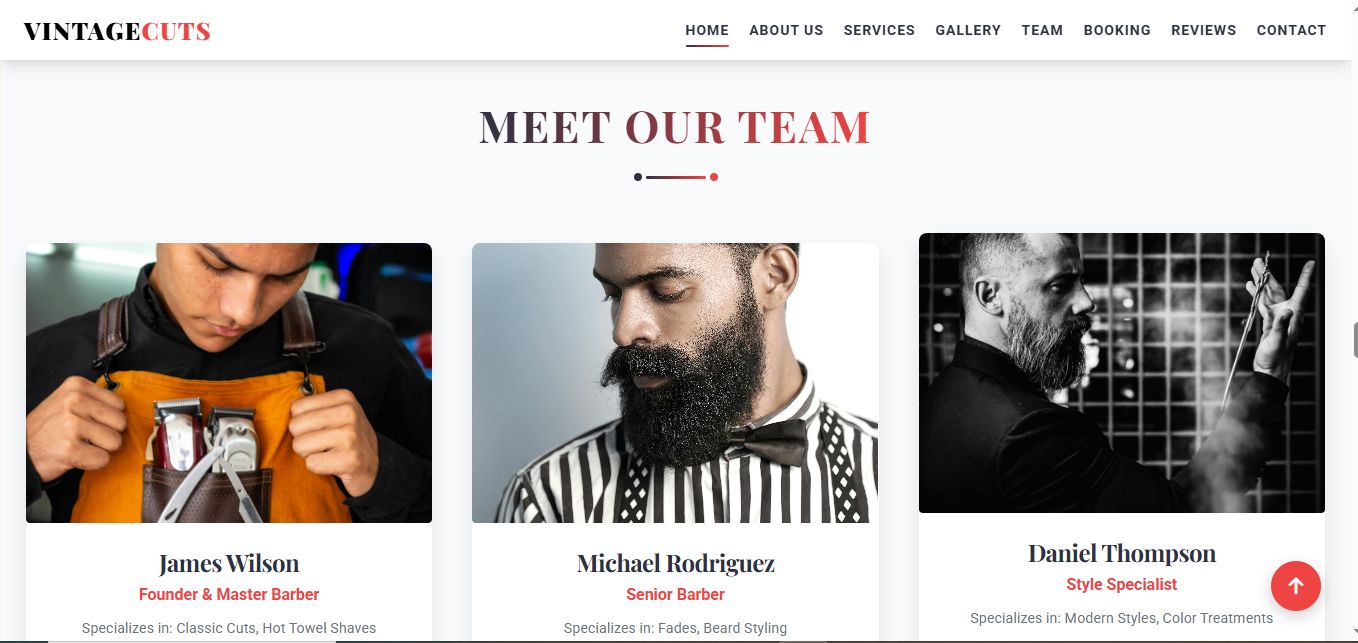
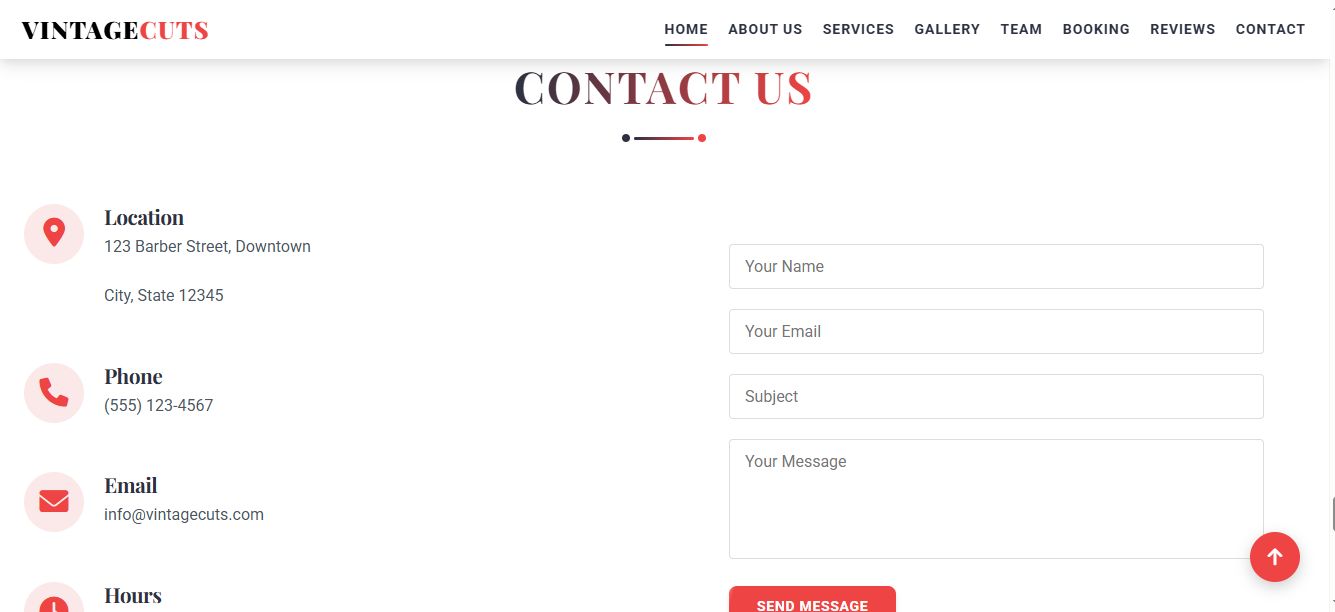


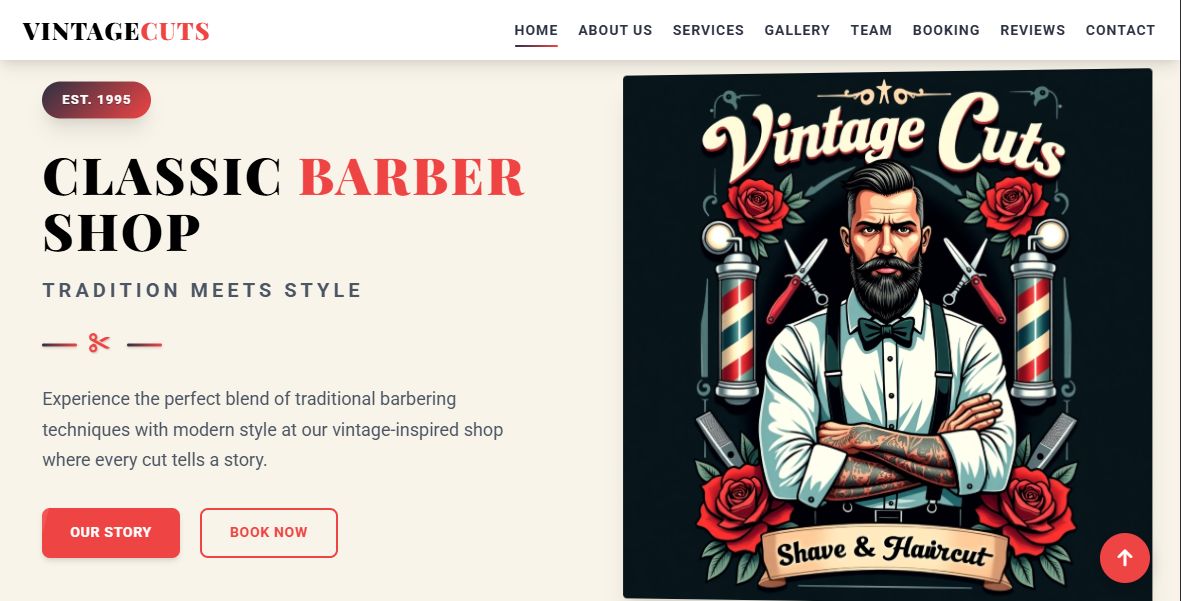
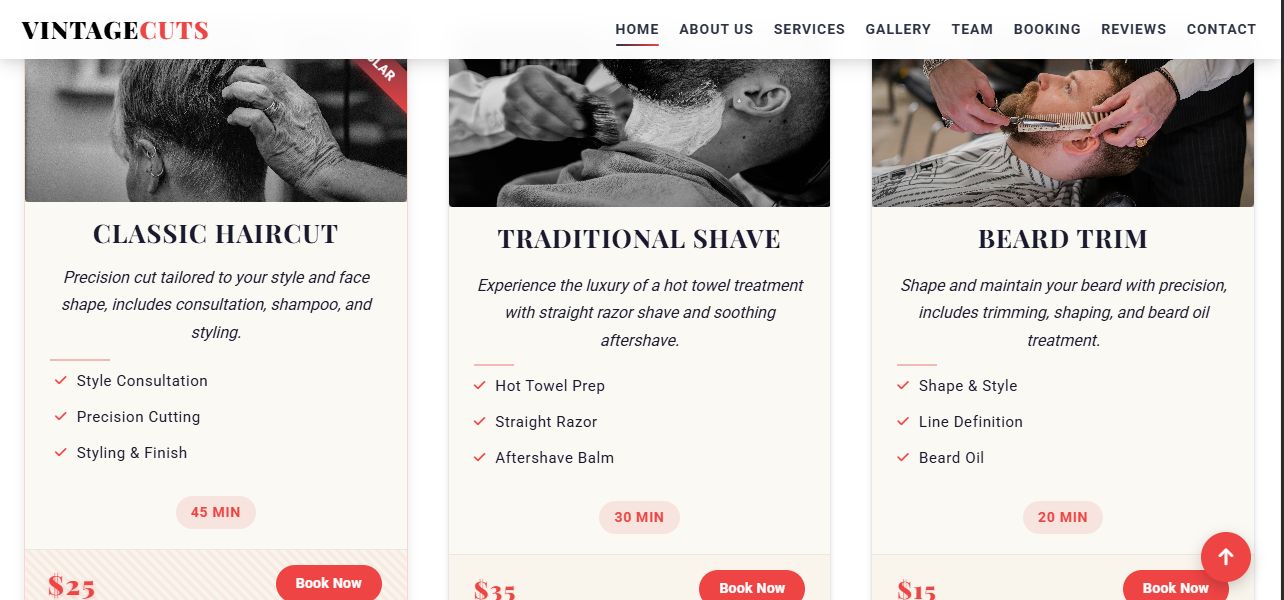
Overview
VintageCutz is a sleek, vintage-themed HTML template crafted for barber shops, grooming studios, hair salons, and classic hairdressers. Its retro-inspired design combined with a clean layout and responsive structure makes it the ideal choice for businesses seeking a timeless, stylish online presence.
This template includes essential pages such as Home, About, Services, Gallery, Team, Booking, Reviews, and Contact—designed to engage visitors and convert them into loyal customers.
Key Features
- ✅ Fully Responsive Design (Mobile-Friendly)
- ✅ Classic Vintage Aesthetic with Modern UX
- ✅ Built with HTML5, CSS3, and Javascript
- ✅ Fast Loading & SEO-Optimized Code
- ✅ Smooth Scrolling and Subtle Animations
- ✅ Image Gallery and Pricing Sections
- ✅ Font Awesome Icons Integration
- ✅ Easy to Customize Layout & Content
- ✅ Well-Commented, Clean Codebase
- ✅ Google Fonts Included
- ✅ Cross-Browser Compatible
- ✅ Deployment-Ready Template
Ideal For
- Barber Shops
- Hair Salons
- Grooming Studios
- Retro or Classic Business Websites
What’s Included
- Complete HTML, CSS, and JS Source Code
- Setup & Customization Documentation (README)
- Images
- All Ready-to-Use Template Files
Features
- Fully Responsive Design – Optimized for seamless viewing on all devices (desktops, tablets, smartphones).
- Retro-Inspired Layout – Vintage aesthetic with a clean, modern user interface.
- Multiple Pre-built Pages – Home, About Us, Services, Gallery, Team, Booking, Reviews, and Contact pages.
- Interactive Booking Form – Allow clients to easily book appointments online.
- Image Gallery – Display your portfolio with high-quality images of haircuts and services.
- Team Member Profiles – Showcase your barber shop team with photos and detailed bios.
- Client Testimonials – Build trust with positive customer feedback and reviews.
- Google Fonts Integration – Easily customize typography with a wide range of font options.
- Font Awesome Icons – Ready-to-use icons for various sections.
- Cross-Browser Compatibility – Ensures consistent performance across all major browsers.
- SEO-Friendly Structure – Optimized for better search engine visibility and ranking.
- Fast Loading Speed – Efficiently coded for quick page loads and improved user experience.
- Clean and Well-Commented Code – Easy for customization and future updates.
- Easy to Customize – Adjust layouts, content, and colors without hassle.
Requirements
- Basic Knowledge of HTML/CSS – Required for customization and making edits to the template.
- A Text Editor – Any code editor (e.g., Visual Studio Code, Sublime Text, Atom).
- Web Browser – For previewing and testing the template (Google Chrome, Mozilla Firefox, etc.).
- Web Hosting Service – To host your website (e.g., Bluehost, SiteGround, or Netlify).
- FTP Client – Optional, for file transfers to your hosting server (e.g., FileZilla).
Instructions
- Download the Template:
- After purchasing, download the ZIP file containing all the template files.
-
Extract the Files:
- Extract the ZIP file to a folder on your computer.
-
Open in a Code Editor:
- Open the extracted folder in your preferred text editor (e.g., Visual Studio Code, Sublime Text).
-
Customize the Content:
- Edit the HTML files to change text, images, and content (e.g., About Us, Services, Team).
- Update the style.css to adjust colors, fonts, and other design elements.
-
Add Your Branding:
- Replace placeholder images with your own branding and service images in the images folder.
-
Setup the Booking Form (Optional):
- If the booking form is included, ensure to connect it with your email or CRM. For more complex forms, integrate with form handling services like Formspree or custom backend handling.
-
Test Locally:
- Open the index.html file in your browser to preview the website locally.
-
Upload to Your Web Hosting:
- Once customization is complete, upload the files to your hosting server via FTP or directly through your hosting provider’s file manager.
- Make sure the index.html is placed in the root directory.
-
Deploy:
- If using services like Netlify or GitHub Pages, you can directly deploy the site by linking the files to your chosen service.
- Go Live:
- After deploying, your site is live and accessible by visitors!
Other items by this author


Information
| Category | Themes / HTML / Business |
| First release | 6 May 2025 |
| Last update | 6 May 2025 |
| Files included | .css, .html, Javascript .js |
| Tags | classic, Retro, html template, salon, image gallery, barber shop, Responsive design, mobile-friendly, grooming, haircuts, booking form, seo-friendly, vintage template, barber pole, team profiles |