Smart HR Management SystemSmart HR Management System
HR System which perfect for managing your own organization and also earning income by serving other companies. Recently Updated
Smart HR Management System
HR System which perfect for managing your own organization and also earning income by serving oth...
Screenshots



Overview
🚀 HR Management SaaS
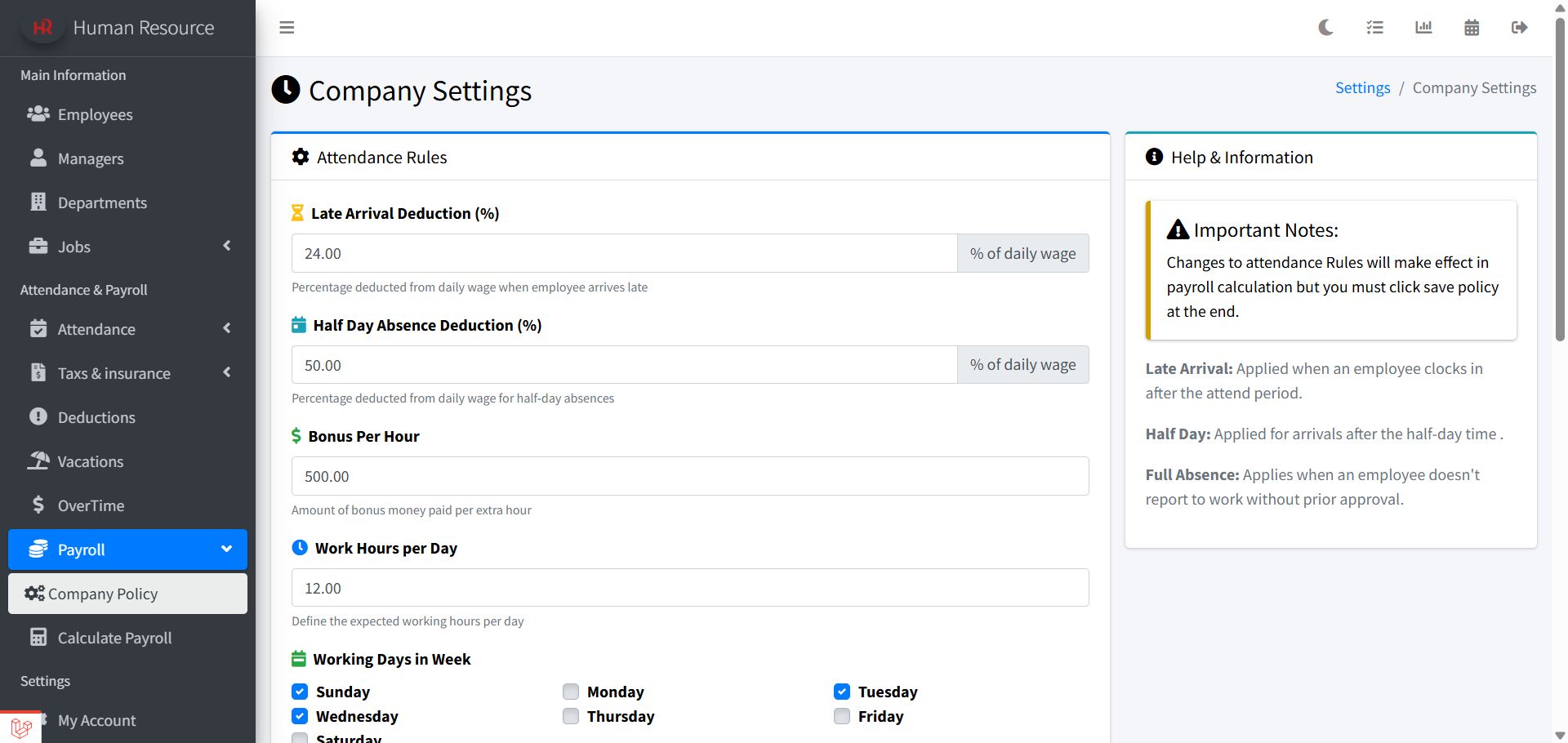
The Smart HR System is built for growth — it supports multiple companies through a subscription-based model. Turning your platform into a profitable business. Each account gets a modern, user-friendly dashboard tailored to their needs. The system streamlines HR operations like attendance, employee records, overtime, deductions, vacations, and payroll. Companies manage their own data and can customize policies including late arrival, work hours, off days, holidays, and bonus rules — all from a company policy settings panel. It's perfect for managing your own organization or earning income by serving others.
📈 How to Make Profit from the System 💸
Whether you're a freelancer, entrepreneur, or agency, here's how you can turn this system into a revenue-generating product:
💡Sell Subscriptions: Charge businesses a monthly or yearly fee to use your hosted HR system
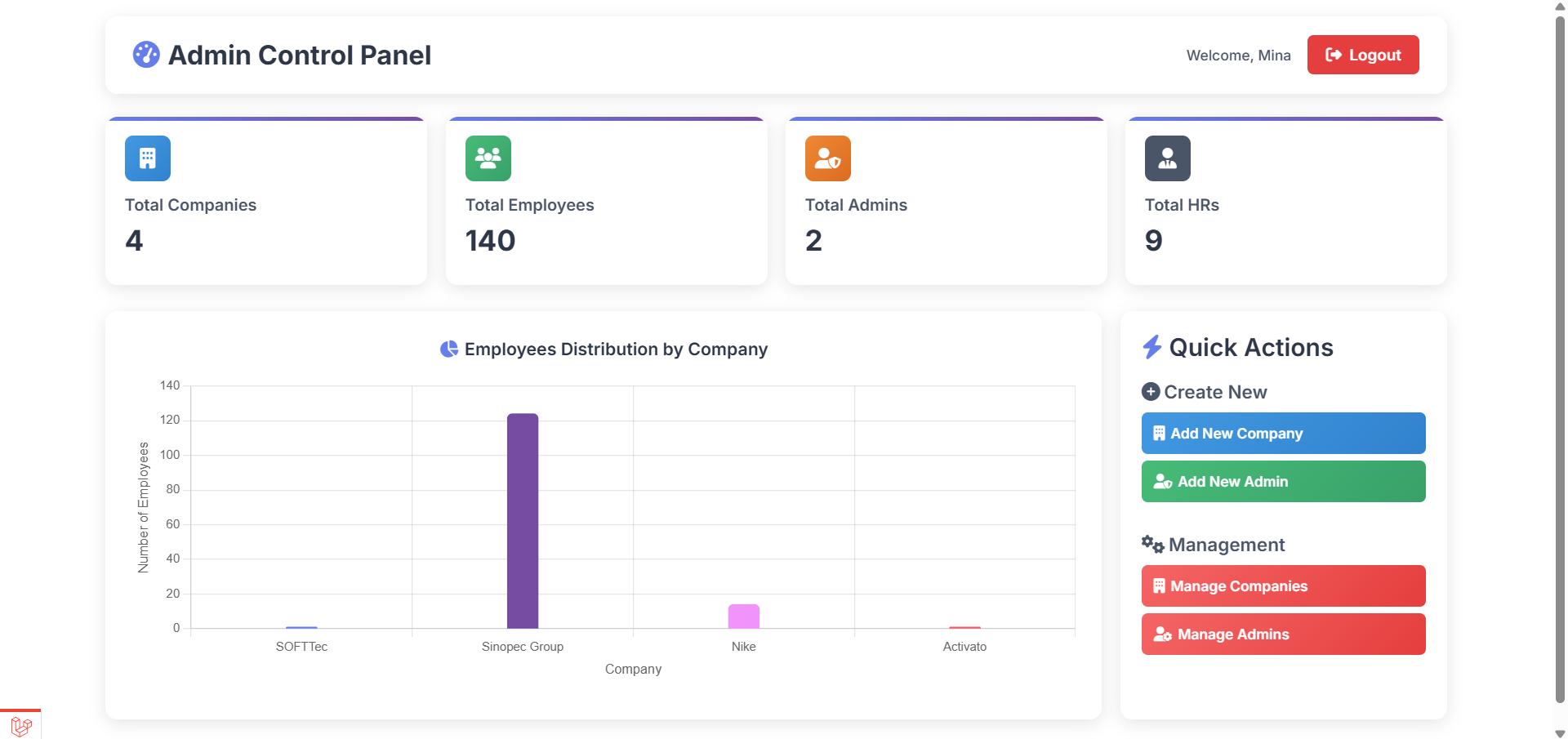
by creating account from the admin control panel
Admin interface ⏬
💡Offer HR as a Managed Service: Use the system to handle HR operations throughout HR interface— and charge for your services
Features
🔑 Core Key Features
✅ Unlimited Multi-Company Support – Manage unlimited companies with fully independent employees, payroll, attendance, departments, branches, and HR data.
✅ Advanced Role-Based Access Control (RBAC) – Dedicated dashboards for Admin – HR – Employee with secure authentication and strict permission separation.
✅ Bilingual & RTL Ready – Full support for English (LTR) , Arabic (RTL), Urdu (RTL) .
✅ Complete Reports & Exporting – Export attendance, payroll, and reports to PDF & Excel.
✅ Fully Responsive – Optimized for desktop, tablet, and mobile devices.
✅ Built with Laravel – Clean, scalable, and maintainable architecture for easy customization and future expansion.
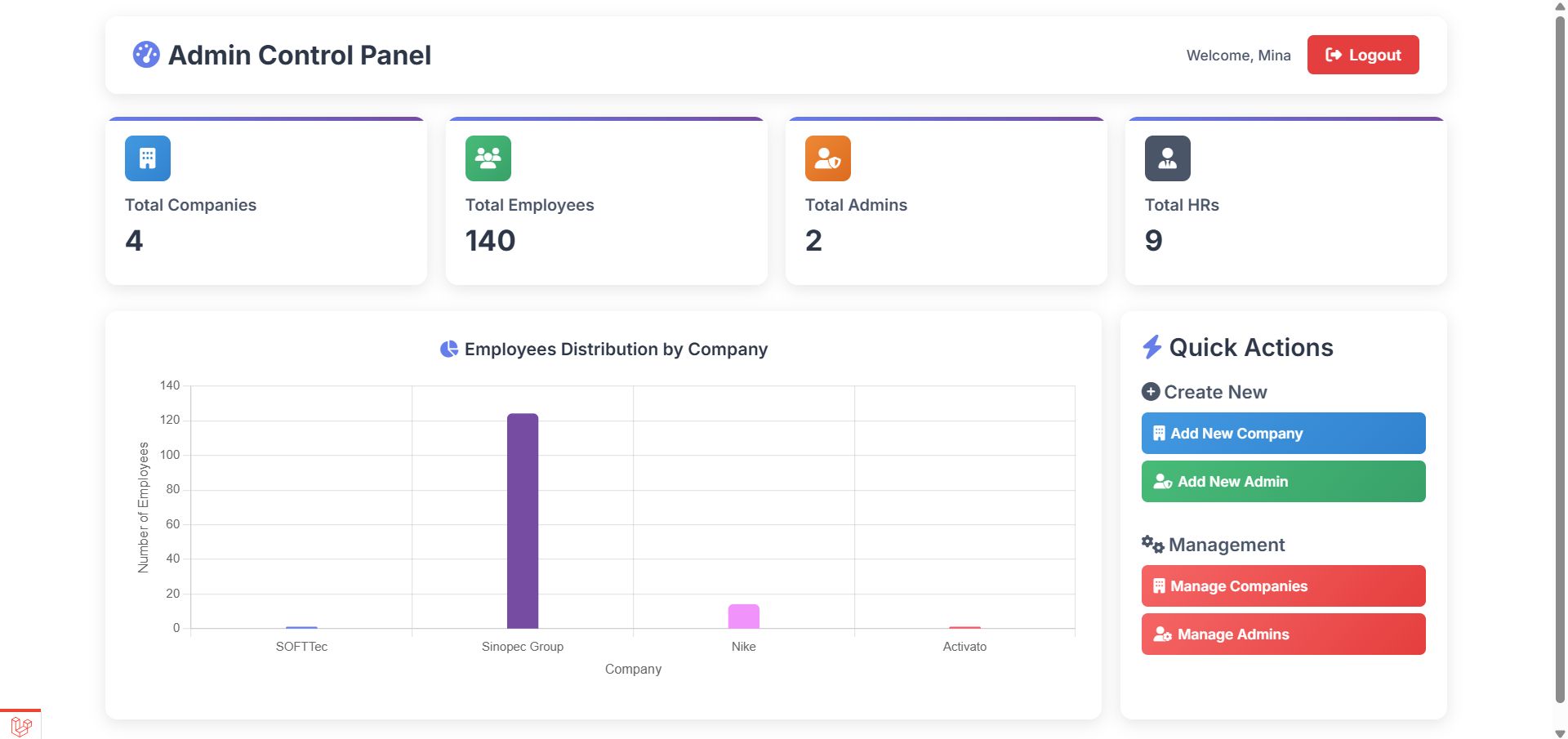
👑 1) Super Admin Dashboard
✅System Overview
- Total companies
- Total employees (across all companies)
- Total HR users
- Total administrators
✅Interactive Analytics
- Visual charts displaying employee distribution by company
- Quick performance comparison across organizations
✅Full System Management
- Add new company
- Add new admin
- Manage companies
- Manage administrator
✅ Multi-Company Monitoring
- Instantly track workforce size and system activity across all companies
🏢 2) HR Management Dashboard
✅ Dashboard & Analytics
- Employees overview
- Attendance statistics (Present – Late – Absent)
- Monthly performance insights
- Latest Company News
- Company Policy Document
✅ Core HR Data Management
- Employees
- Managers
- Administrations
- Departments
- Jobs
✅ Company News & Announcements
- Publish internal news
- Display announcements on HR & Employee dashboards by notification
✅ Internal Communication System
- Direct HR-to-Employee messaging
✅ Employee Request Management
- Manage requests and track history
✅ Performance Evaluation System
- Define evaluation criteria
- Assess and rate employee performance
✅ Attendance Management
- Manual attendance entry
- Attendance reports
- Import attendance via Excel sheet
✅ Flexible Tax & Insurance
- Custom tax and insurance percentages
- Deduct from basic salary or allowances
✅ Salary Deductions
- Fixed amount deductions
- Deduction by number of days
✅ Vacation Management
- Custom vacation balances
- Employees with balance / without balance
- Vacation policy defined in Company Policy settings
✅ Overtime Automation
- Automatic overtime calculation based on company policy
✅ Payroll System
- Automatic payroll calculation
- Generate payroll monthly, weekly, or daily
- Detailed payslip reports
- Salary installments management
✅ Company Policy Management
- Working hours
- Working days
- Overtime rules
- Penalties
- Leave policies
- Official holidays
- Late arrival thresholds
- Half-day rules
- Absence rules
✅ Multi-Branch Support
- Manage multiple branches
- Transfer employees between branches
✅ Employee Archive
- Automatic archive after approved resignation
- Ability to restore archived employees
✅Company Information & Settings.
- Full control of company details
- Upload company logo
- Manage account settings
👤3) Employee Dashboard
✅ Smart Dashboard
- Present days
- Absence days
- Late days
- Attendance summary
- Latest company news
- Recent activity
✅ Salary & Payslips
- Detailed salary breakdown
- Download and view payslip history
✅ Attendance Tracking
- View attendance records
- Track absences and lateness
✅ Performance Results
- View evaluation ratings from HR
✅ Company Policies
- Access official policies, working hours, overtime rules, and leave regulations
✅ Internal Messaging
- Receive direct messages from HR
✅ Employee Requests
- Attendance request
- Vacation request
- Overtime request
- Early leave request
- Resignation request
✅ Account Settings
- Manage profile information
Requirements
Technical Requirements if your are using localhost without server
· Install XAMPP or WAMP.
· Install Composer & Laravel dependencies.
· Configure .env with your local database take the database from the database folder in the main file.
· Start the local server by command php artisan serve
and access the system at http://localhost:8000.
"" if you have server deploy the system and it will work immediately without these steps ""
Instructions
Installation Guide for (localhost)
Note:For installing the system on (localhost).
Follow these clear, step-by-step installation instructions to set up your HR system on localhost:
1. Download the Source Code: Download the ZIP file containing the source code of the HR system and MySQL database and documentation and defualt admin credentials .
2. Set Up Environment:
1. Download Xampp or MAMP : Install a local server environment to run the application on localhost. After installation, start the Apache and MySQL services.
2. Import the Database: After extracting the project files, you will find two folders: Source Code and Database. Open the Database folder and locate the provided .sql file. Then open your preferred database management tool (e.g., phpMyAdmin), create a new database, and import the SQL file into it.
3. Install Dependencies:
Open your terminal of the project and run the following command:
composer install
if you don't have it
4. Serve the Application:
Start the Laravel development server by writing the command in the project terminal:
php artisan serve
5. Access the Application to start register:
Open your web browser and navigate to your localhost:
like: http://127.0.0.1:8000
User Guide
Step 1: Login to Admin Dashboard
First, you must log in to the Admin Dashboard. The admin is responsible for creating the first company in the system. The default login credentials (email and password) are provided in a TXT file included with the downloaded package.
Step 2: Add a New Company
From the Admin Dashboard, create your first company. After creating the company, you can assign HR users to it.
Step 3: Login to the Company (HR dashboard)
Use the HR account credentials (email and password) that were created when adding the company to log in to the HR Dashboard.
After Login :
1. Add the Company Managers
2. Add the Departments
3. Add the Job Positions
4. Add Employees and HR Users
Once employees are added, they can log in to the Employee Dashboard.
5. Configure Your Company Policy in Attendance Settings Before Calculating Payroll
Now, You’re Ready!
Now you can start to manage attendance, estimate payroll, track deductions, perform other HR operations efficiently ,and access employee dashboard.
Other items by this author


| Category | Scripts & Code / PHP Scripts / Management / Business |
| First release | 24 June 2025 |
| Last update | 24 March 2026 |
| Files included | .php, .css, .html, .sql, .db, Javascript .js |
| Tags | dashboard, Calendar, admin panel, human resources, laravel, Responsive design, employee management, dark mode, hr management, reporting, leave management, user-friendly, payroll system, attendance tracker, performance tracking |