Flutter Forum App - Complete Community PlatformFlutter Forum App - Complete Community Platform
Complete Flutter forum application with Firebase, authentication, moderation tools & cross-platform deployment.
Flutter Forum App - Complete Community Platform
Complete Flutter forum application with Firebase, authentication, moderation tools & cross-pl...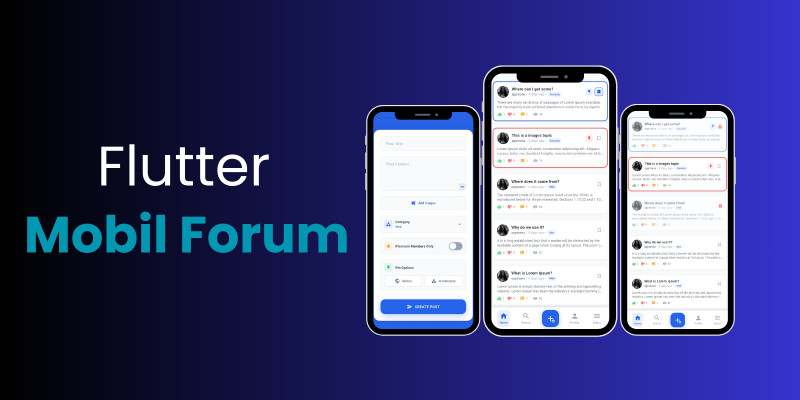
Screenshots





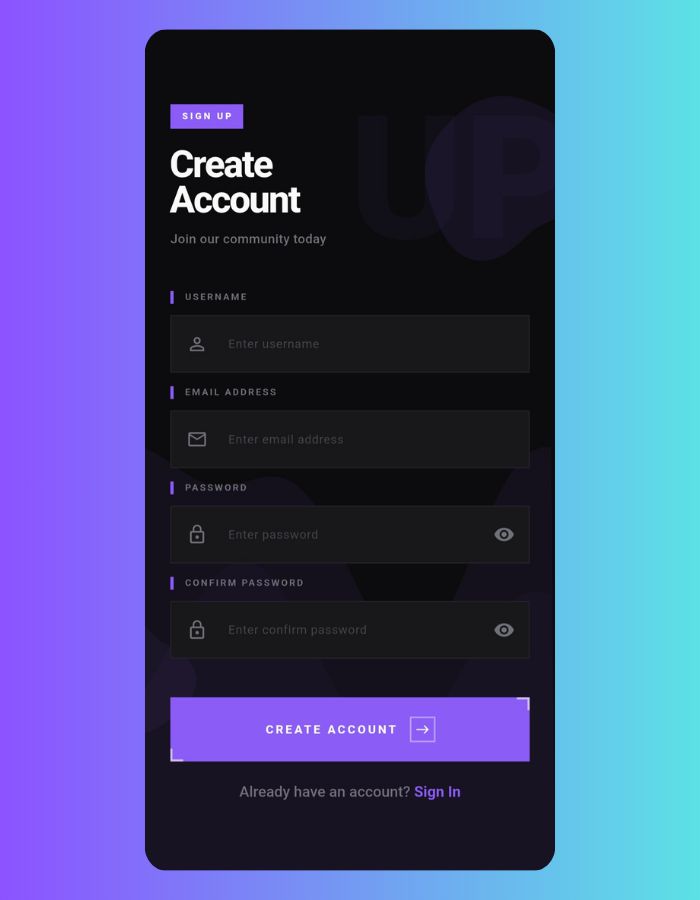
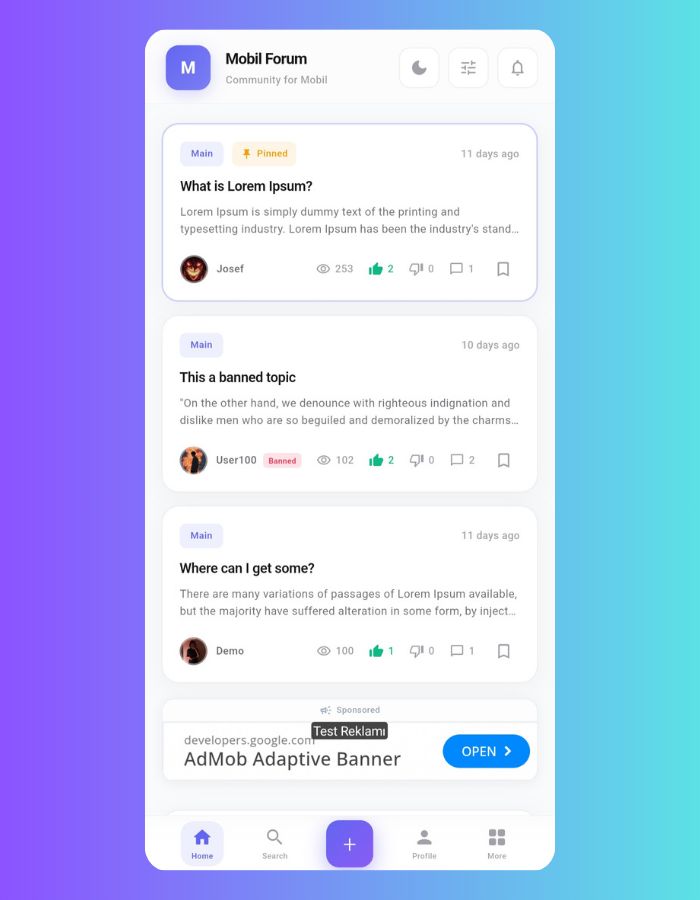
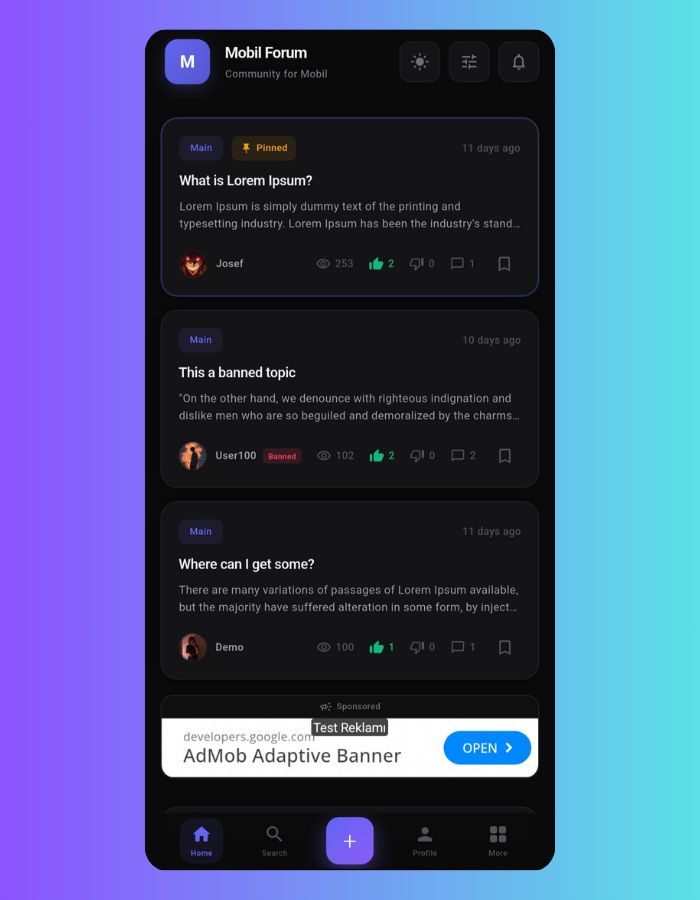
Overview
Flutter Forum Application - Complete Community Platform with Firebase
Professional Discussion Forum, Community Platform, Social Network App with Real-Time Features, In-App Admin Panel, Authentication, Moderation Tools, and Multi-Platform Support
🚀 Live Demo
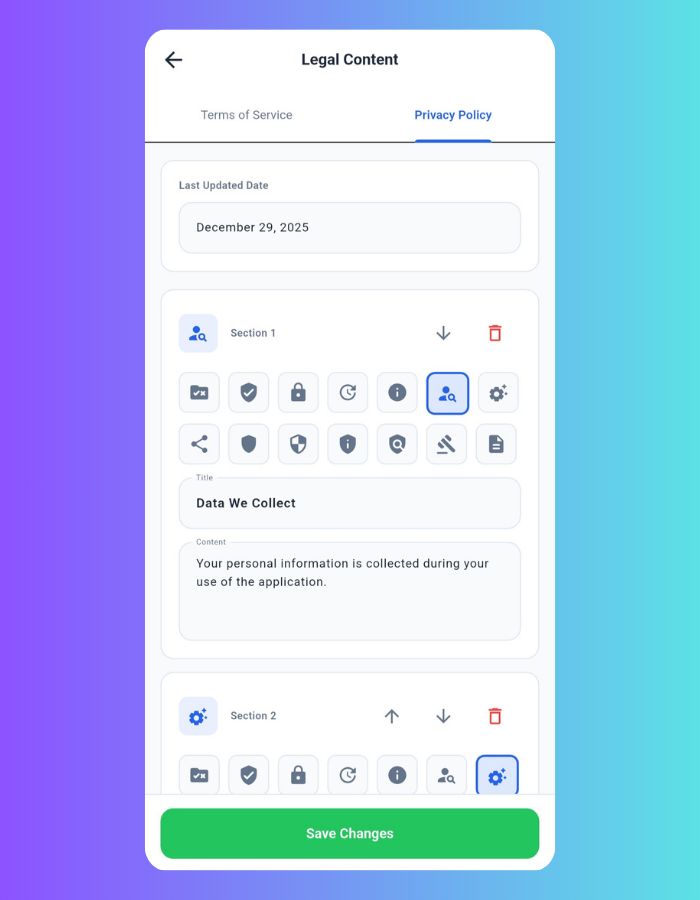
🛡️ Built-in Admin Panel
Admin panel is built into the app - no separate web panel needed!
Complete Flutter Forum Application with Firebase Backend
A comprehensive, production-ready forum application built with Flutter 3.8+ and Firebase. This professional community platform includes user authentication, real-time messaging, post management, category system, built-in admin panel, moderation tools, push notifications, dark/light theme support, and multi-platform support for Android and iOS applications.
Professional Community Platform Solution
Perfect for developers looking to build discussion forums, community platforms, social networks, Q&A sites, support forums, or any community-driven application. Features modern Material Design UI, Firebase Firestore database, Cloud Storage integration, built-in admin panel, and OneSignal push notifications.
Key Features and Functionality
Built-in Admin Panel
Complete in-app admin panel with user management, post management, category management, system settings, and comprehensive moderation tools. No separate web panel needed!
Advanced Authentication System
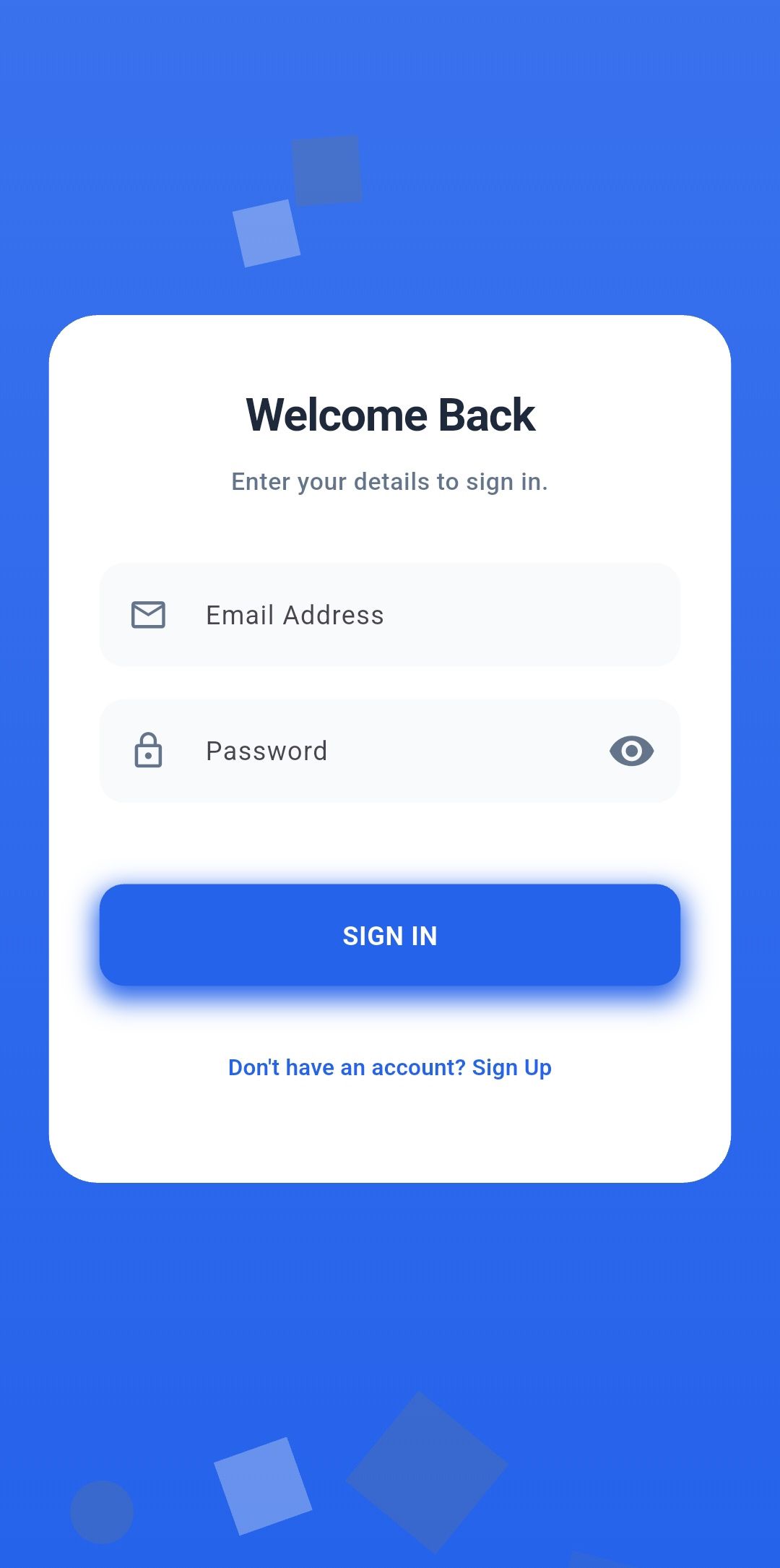
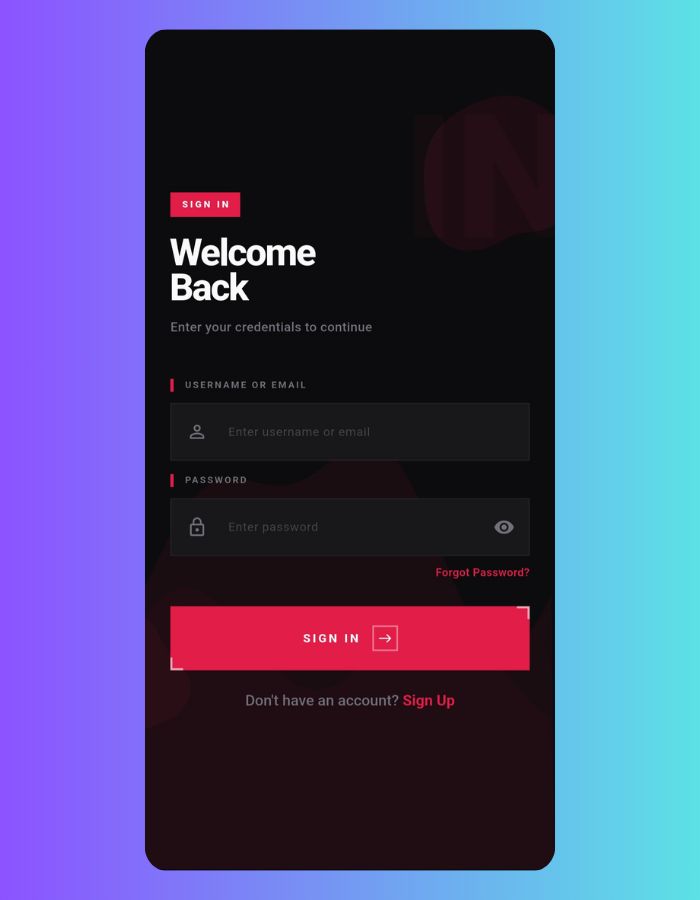
Complete Firebase Auth integration with email/password login, secure user registration, password reset functionality, and role-based access control (User, Premium, Moderator, Admin).
Rich Post Creation Editor
Create posts with rich formatting, BBCode support, image uploads (up to 20 images), link parsing, and category organization. Supports resizable content editor.
Smart Category Management
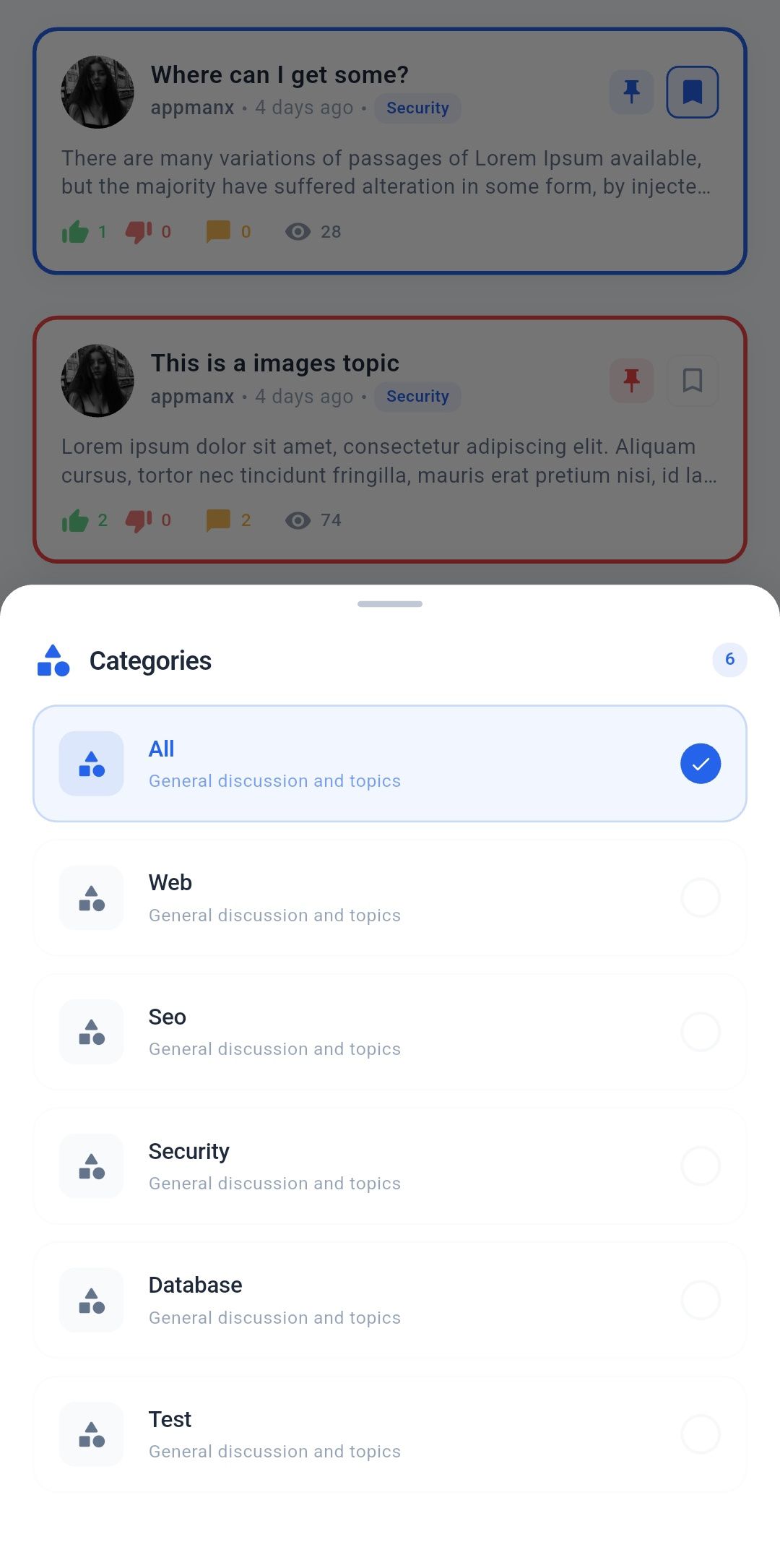
Organize content with category-based filtering, role-restricted categories, and intuitive category selection with beautiful modal interfaces. Full CRUD operations from admin panel.
Complete User Profile System
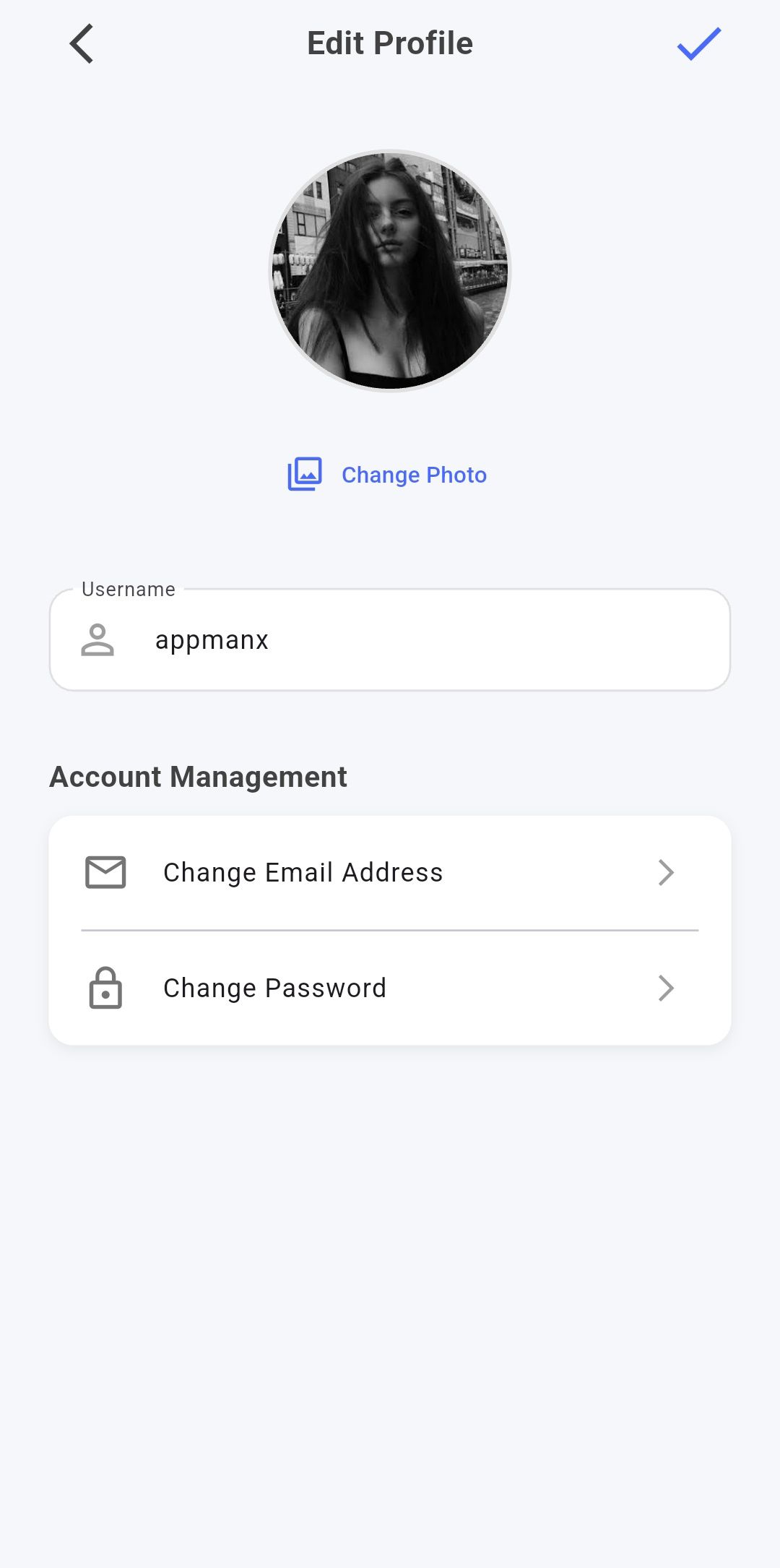
Complete profile management with avatar uploads, user statistics, saved posts, liked posts, expandable/collapsible profile header, and comprehensive profile editing capabilities.
Dark & Light Theme Support
Full dark mode and light mode support with instant theme switching without page refresh. Beautiful animated toggle, proper color contrast, and accessibility across all screens.
Advanced Search Functionality
Real-time search functionality with intelligent filtering, instant results, clean full-width search bar, and smooth search experience with beautiful UI.
Comprehensive Moderation Tools
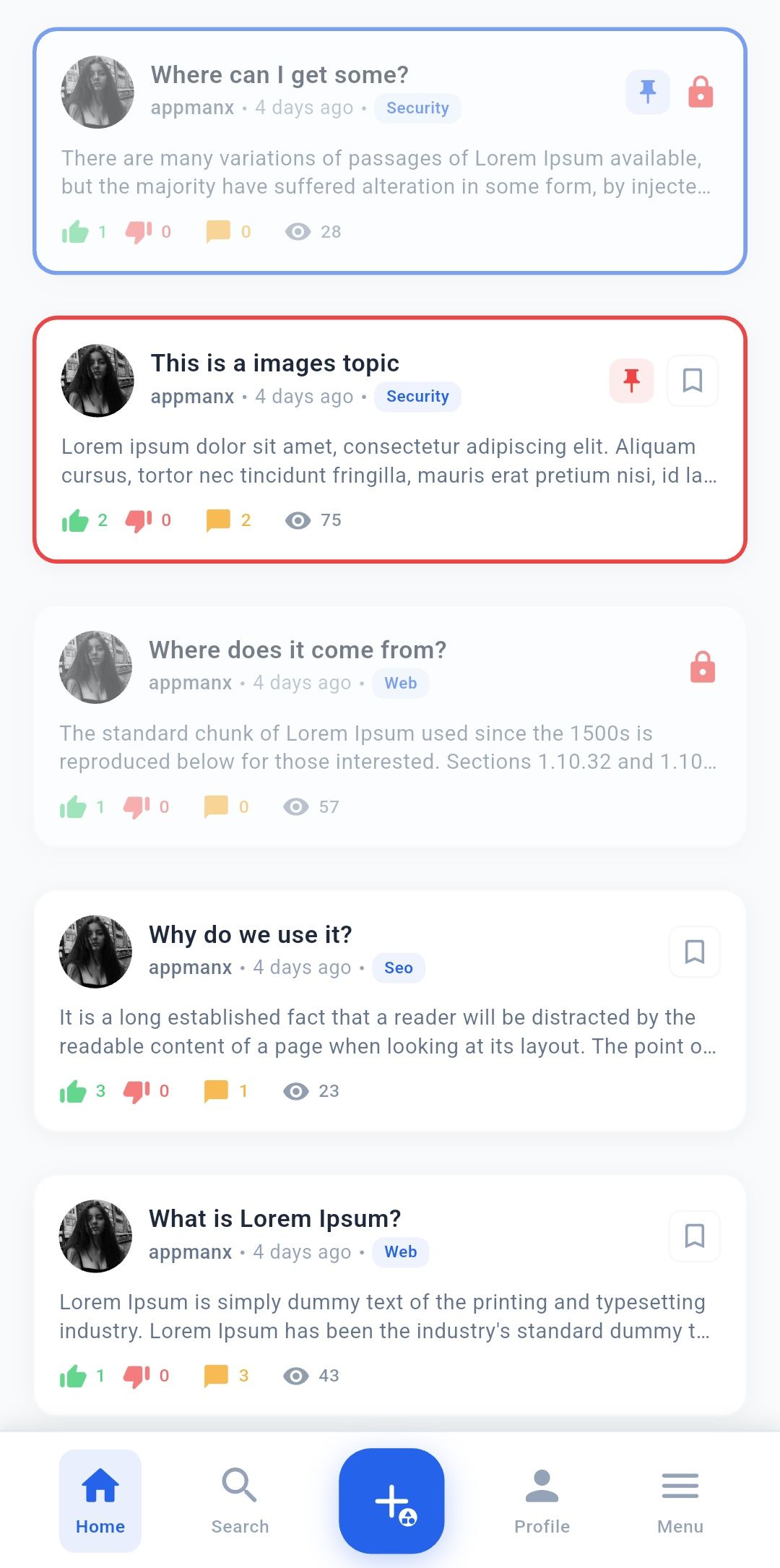
Pin posts globally or by category, lock posts with compact full-width indicator, ban users with automatic logout, role-based content visibility, content moderation, user role management, and comprehensive admin controls all from within the app.
User Ban System
Ban problematic users directly from admin panel. Banned users are automatically logged out and see "Account Banned" message. BAN badge displays next to their username on all posts and comments.
AdMob Monetization
Built-in Google AdMob integration with adaptive banner ads between posts. Configure ad unit IDs and ad frequency directly from admin panel. Enable or disable ads anytime with full-width responsive banners.
User Engagement Features
Like/dislike system, bookmark posts, view counters, reply tracking, unread post indicators, and comprehensive engagement analytics.
Push Notification System
OneSignal integration for real-time notifications, new post alerts, user engagement tracking, and customizable notification preferences.
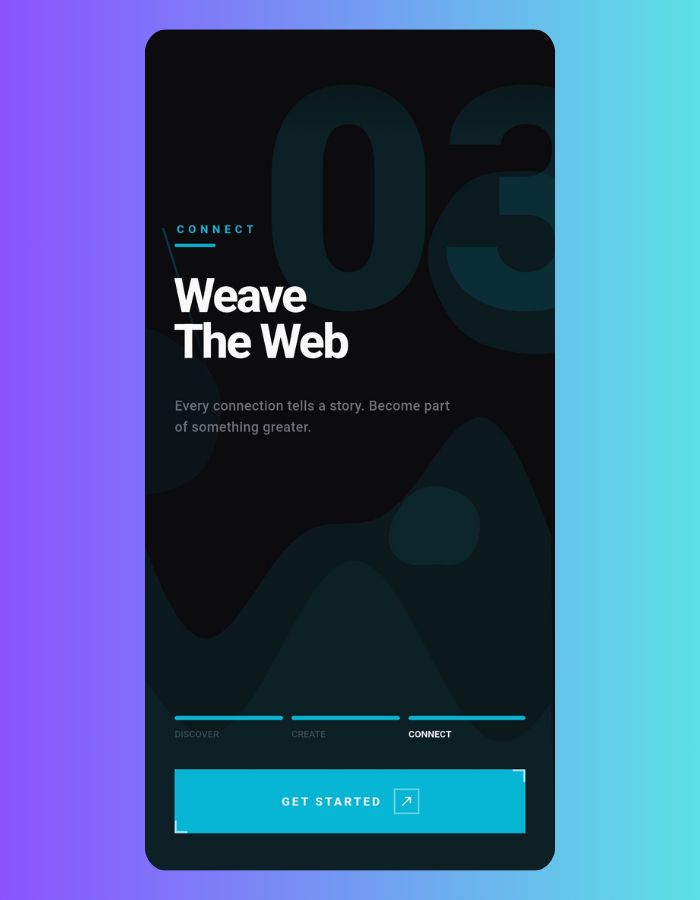
Beautiful Onboarding Experience
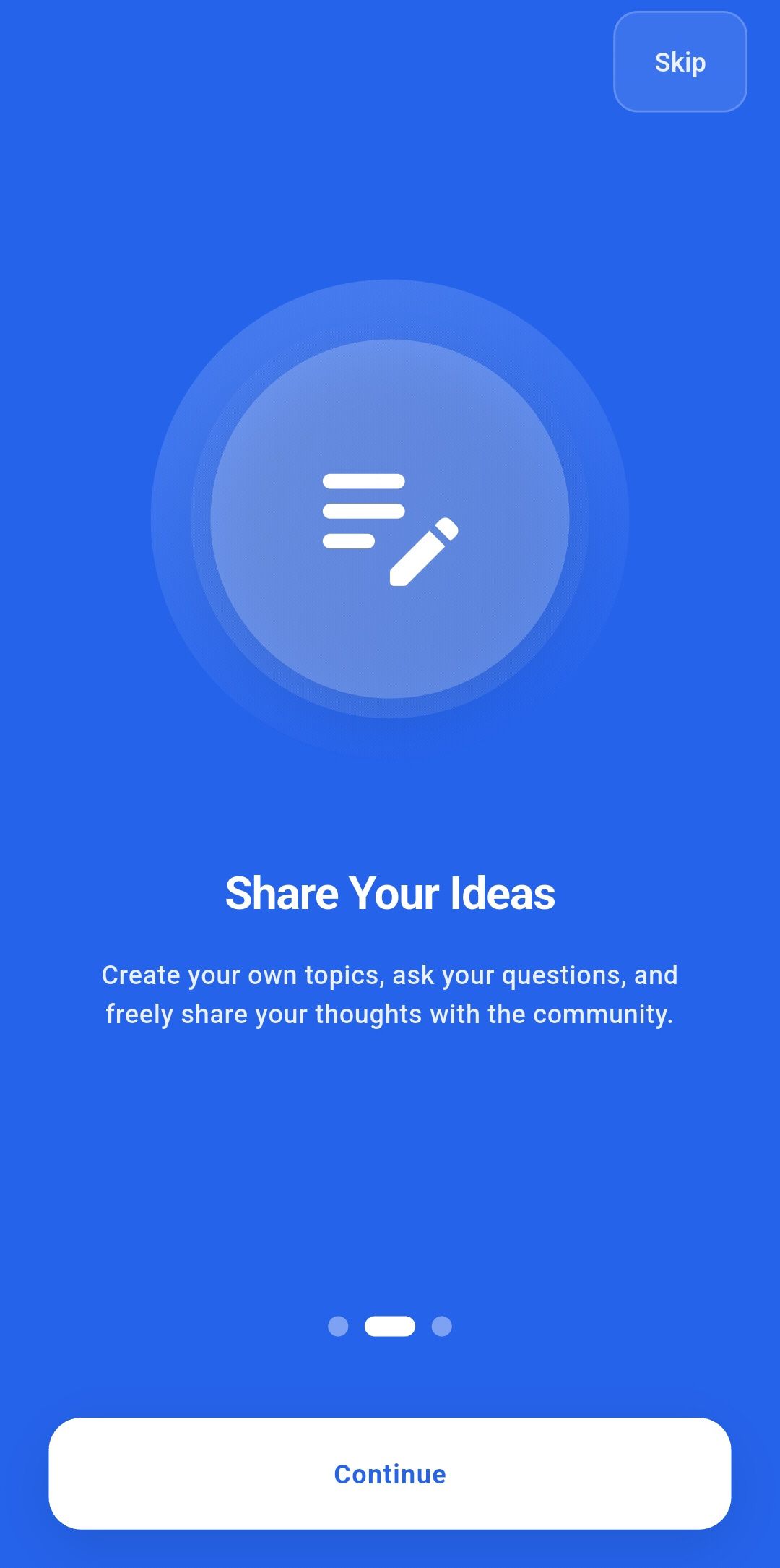
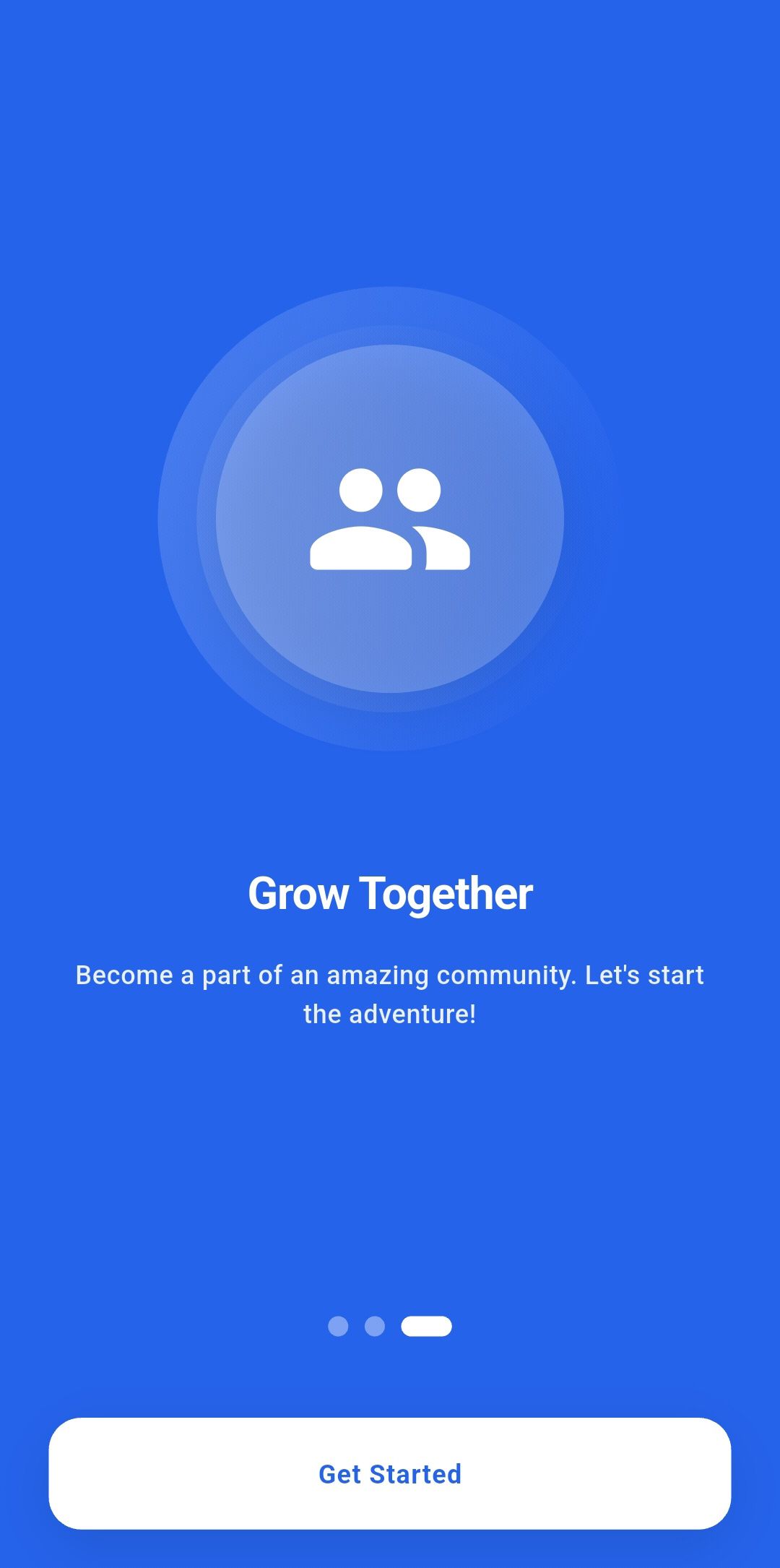
Stunning animated onboarding screens with smooth transitions, floating shapes background, and engaging user introduction flow.
Admin Panel Features
User Management
View all users, change user roles (User, Premium, Moderator, Admin), search users, and manage user accounts directly from the app.
Post Management
View all posts, filter by category or status, pin/unpin posts, lock/unlock posts, delete posts, and preview post content with full moderation controls.
Category Management
Create, edit, and delete categories. Set role-based access for categories, manage category order, and organize your community structure.
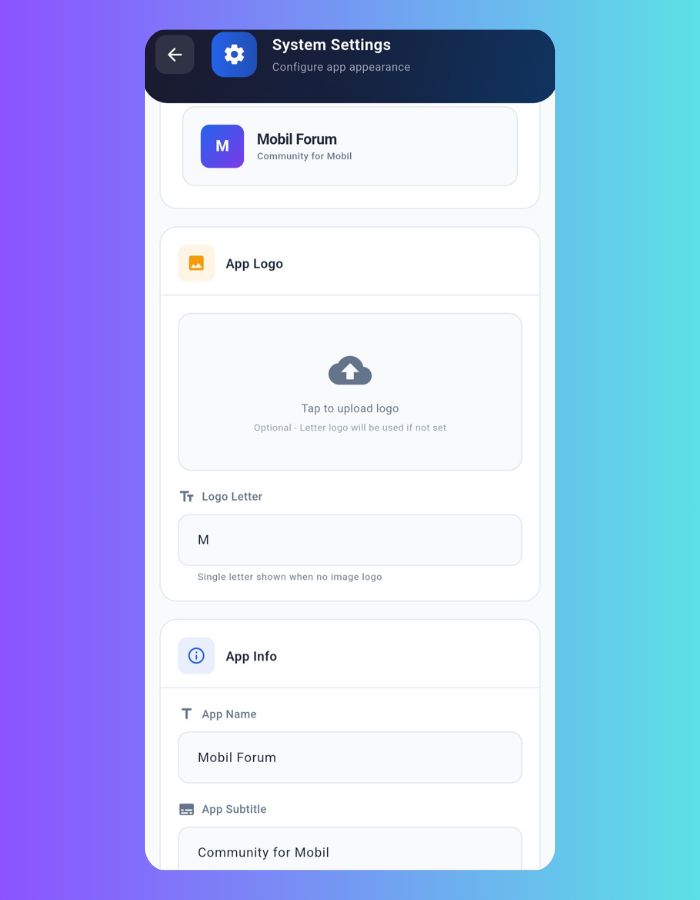
System Settings
Customize app name, subtitle, and logo. Live preview of changes before saving. Configure your community branding easily.
AdMob Settings
Configure Google AdMob banner ads directly from admin panel. Set Android and iOS ad unit IDs, adjust ad frequency (3-10 posts), and enable/disable ads anytime with adaptive banner sizing.
User Ban Management
Ban and unban users with confirmation dialogs. Banned users are automatically logged out and cannot access the app until unbanned.
Technical Specifications
| Component | Technology |
|---|---|
| Framework | Flutter 3.8.1+ (Latest Stable) |
| Backend | Firebase (Firestore, Auth, Storage) |
| Architecture | Clean Architecture with Provider Pattern |
| State Management | Provider (ChangeNotifier) |
| Database | Cloud Firestore (NoSQL, Real-time) |
| Storage | Firebase Storage for Images |
| Notifications | OneSignal Push Notifications |
| UI Framework | Material Design 3 |
| Theme Support | Dark & Light Mode |
| Local Storage | SharedPreferences |
Multi-Platform Support
Android Native
Native Performance
iOS Native
App Store Ready
Technology Stack
Package Contents
- • Complete Flutter source code with clean architecture
- • Built-in admin panel (no separate web panel needed)
- • Firebase configuration files and setup guide
- • All required Flutter dependencies and packages
- • Custom app icons for Android and iOS
- • Professional splash screen implementation
- • Beautiful onboarding screens
- • OneSignal push notification integration
- • Dark and light theme support
- • Well-documented and commented code
- • Easy customization and branding options
- • Production-ready build configuration files
Use Cases and Applications
Business and Professional Communities
Professional networks, industry forums, corporate communities, and business discussion platforms.
Gaming and Hobby Communities
Gaming communities, interest-based forums, hobby discussions, and enthusiast platforms.
Educational Discussion Platforms
Student communities, learning forums, educational discussions, and knowledge sharing platforms.
Startup and Tech Communities
Entrepreneur networks, startup discussions, innovation forums, and tech communities.
Ready to Launch Your Community Platform?
This complete forum solution provides everything you need to build a thriving online community. With modern design, built-in admin panel, robust functionality, dark/light theme support, and cross-platform support, you'll have a professional platform ready in no time!
Start Building Your Community Platform Today
Get this complete Flutter Forum App and launch your community platform with professional features, built-in admin panel, modern design, and cross-platform compatibility.
Features
Complete Flutter Forum Application Features
Authentication & User Management
- Firebase Authentication integration with email/password login
- Secure user registration with validation
- Password reset functionality via email
- Role-based access control (User, Premium, Moderator, Admin)
- Complete user profile management system
- Avatar upload and profile image management
- User statistics (posts, likes, saved)
- Expandable/collapsible profile header
Built-in Admin Panel
- Complete in-app admin panel (no separate web panel needed)
- User management with role assignment and ban system
- Post management with pin, lock, delete options
- Category management (create, edit, delete)
- System settings (app name, subtitle, logo)
- AdMob settings (ad unit IDs, frequency, enable/disable)
- Post filtering by category and status
- User search with theme-independent styling
- Live preview for system settings
Post Management & Content Creation
- Rich text post editor with BBCode support
- Multiple image upload (up to 20 images per post)
- Resizable content editor with drag handle
- Image compression and optimization
- Link parsing and automatic URL detection
- Post categories and organization
- Post editing and management
- Premium-only post option for admins
Community Features & Engagement
- Like and dislike system for posts
- Bookmark and save posts functionality
- Comment and reply system
- Real-time comment updates
- Post view counter and analytics
- Unread post indicators (red dot)
- New post notification badge on home
- Activity feed and notifications
Moderation & Admin Tools
- Pin posts globally or by category
- Lock threads with compact full-width indicator
- User ban system with automatic logout
- BAN badge display on banned user content
- Role-based content visibility
- Role-restricted categories
- Content moderation controls
- User role management (User, Premium, Mod, Admin)
- Post preview in admin panel
- Theme-independent admin search bars
Search & Navigation
- Real-time search functionality with instant results
- Clean full-width search bar design
- Category-based content filtering
- Category drawer with quick access
- Notification drawer with transparent status bar
- Bottom navigation bar
- Profile navigation with back button
- Infinite scroll pagination with position preservation
- Pull to refresh functionality
Technical Features & Performance
- Firebase Firestore real-time database
- Cloud Storage integration for media files
- Provider state management
- Optimized image loading and caching
- SharedPreferences for local storage
- Push notifications with OneSignal
- Retry mechanism for data fetching
- Error handling and user feedback
Monetization & Ads
- Google AdMob integration
- Full-width adaptive banner ads between posts
- Configurable ad frequency (3-10 posts) from admin panel
- Separate Android and iOS ad unit IDs
- Enable/disable ads toggle
- Responsive adaptive banner sizing
- Test ad support for development
- Admin panel ad settings page
UI/UX & Design
- Modern Material Design 3 interface
- Dark and light theme with instant toggle (no page refresh)
- Animated theme toggle button with rotation effect
- Beautiful animated onboarding screens
- Smooth Flutter animations and transitions
- Responsive design for all screen sizes
- SafeArea support for all devices
- Intuitive bottom navigation
- Optimized loading states without flickering
Multi-Platform Support
- Native Android application
- Native iOS application
- Consistent UI across all platforms
- Platform-specific optimizations
- Adaptive layouts and components
- iOS back button support
- Android gesture navigation support
- Cross-platform data synchronization
Developer Features & Customization
- Clean and well-documented source code
- Clean architecture with Provider pattern
- Easy branding and theming options
- Firebase configuration files included
- OneSignal setup and integration guide
- Customizable app name, subtitle, logo
- Modular code structure
- Production-ready build configuration
Production-Ready Flutter Forum Solution
Over 75+ features included in this comprehensive community platform with built-in admin panel, AdMob monetization, user ban system, instant theme switching, and optimized performance. Perfect for developers who want to launch their forum application quickly with professional-grade functionality.
Key Highlights
Complete functionality
Android & iOS
No web panel needed
Full access included
Requirements
Easy Setup Process
Complete HTML setup guide with FlutterFire CLI instructions included. All dependencies are automatically managed by Flutter's package system. No separate admin panel setup required - everything is built into the app! Includes Firebase security rules and Firestore indexes.
Quick Setup Summary
Core framework
Auth, Firestore, Storage
Push notifications
Ad monetization (optional)
Development IDE
What's Included
- Complete Flutter source code with clean architecture
- Built-in admin panel (no separate web panel needed)
- Comprehensive HTML setup guide with FlutterFire CLI instructions
- Firebase configuration with security rules and indexes
- OneSignal integration setup instructions
- AdMob integration with adaptive banners and admin controls
- User ban system with automatic logout
- Dark and light theme with instant toggle (no page refresh)
- Production-ready build configuration
Setup Requirements
- Flutter SDK 3.8.1 or higher installed
- Android SDK for Android builds
- Xcode for iOS builds (macOS required)
- Firebase project with Authentication, Firestore, and Storage enabled
- OneSignal account for push notifications
- AdMob account for ad monetization (optional)
- Internet connection for Firebase services
Firebase Services Used
- Firebase Authentication - Email/password login and registration
- Cloud Firestore - Real-time database for posts, users, categories
- Firebase Storage - Image uploads for posts and avatars
AdMob Integration (Optional)
- Banner Ads - Full-width adaptive ads between posts on homepage
- Admin Controls - Configure ad unit IDs and frequency (3-10 posts) from admin panel
- Platform Support - Separate Android and iOS ad configurations
- Test Mode - Built-in test ad support for development
Instructions
Installation Instructions
Complete Setup Documentation Included
After your purchase, you will receive comprehensive step-by-step installation and setup instructions to get your Flutter Forum Application running quickly and easily.
What You'll Receive
- Detailed Setup Guide: Complete documentation with screenshots and explanations
- Firebase Configuration: Step-by-step Firebase setup instructions
- OneSignal Integration: Push notification setup guide
- Platform-Specific Instructions: Android, iOS, Web, and Desktop setup
- Troubleshooting Guide: Common issues and solutions
- Customization Tips: How to brand and modify the app
Easy Setup Process
Our comprehensive documentation ensures you can get your forum application running in just a few simple steps:
Download & Extract
Extract the source code files
Configure Firebase
Set up your backend services
Setup Notifications
Configure OneSignal integration
Launch & Test
Run your forum application
Prerequisites
Before starting the setup process, make sure you have:
- Flutter SDK 3.8+ installed on your system
- Android Studio, VS Code, or IntelliJ IDEA
- Google account for Firebase services
- OneSignal account for push notifications (free)
- Basic knowledge of Flutter development
Documentation Features
Step-by-Step Instructions
Detailed walkthrough with clear explanations for each setup stage
Code Examples
Ready-to-use code snippets and configuration examples
Platform Guides
Specific instructions for Android, iOS, Web, and Desktop deployment
Troubleshooting
Common issues, solutions, and debugging tips
Estimated Setup Time
15-30 minutes
10-15 minutes
5-10 minutes
10-15 minutes
Total Time: 40-70 minutes (depending on your experience level)
Support & Assistance
- Comprehensive README file with all necessary information
- Well-commented source code for easy understanding
- Configuration file templates included
- Common troubleshooting scenarios covered
- Best practices and deployment tips
Ready to Get Started?
Purchase now and receive instant access to the complete source code along with detailed setup instructions. Your forum application will be running in no time!
Professional Documentation
All instructions are professionally written with clear explanations, making it easy for developers of all skill levels to set up and customize their forum application.
Other items by this author


Future product updates
Quality checked by Codester
Lowest price guarantee


|
Flutter App Reskin Service
Have your App reskinned to meet your needs.
|
$499 | Buy now |

| Category | App Templates / Flutter / Full Applications |
| First release | 26 August 2025 |
| Last update | 2 January 2026 |
| Operating Systems | Android 9.0, iOS 12.0 |
| Files included | .php, .html, .sql, .swift, .apk, Javascript .js |
| Tags | source code, cross platform, social network, admin panel, push notifications, material design, mobile app, Responsive design, user authentication, firebase backend, discussion board, community platform, real-time chat, flutter forum, moderation tools |