Home / App Templates / Android / Applications / Utility

Document Reader And PDF Tools - Android App SourceDocument Reader And PDF Tools - Android App Source
Document Reader & PDF Tools + Scanner – Full Android Source CodeHome / App Templates / Android / Applications / Utility
Document Reader And PDF Tools - Android App Source
Document Reader & PDF Tools + Scanner – Full Android Source Code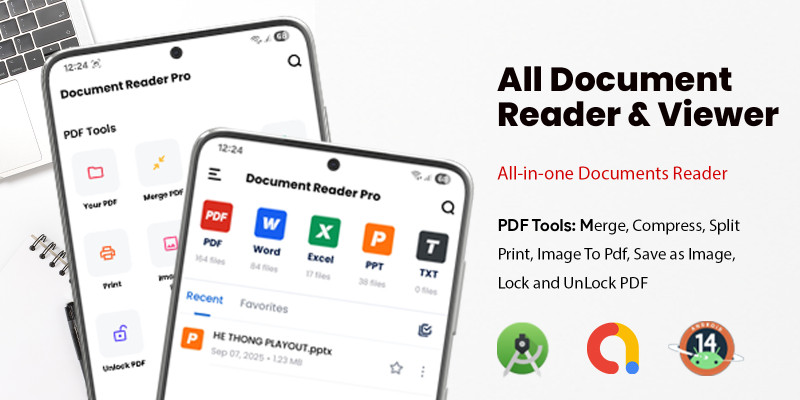
Screenshots



Overview
Document Reader & PDF Tools – All-in-One Source Code New Update

✅ Updated to SDK 36 – Fully compatible with the latest Android.
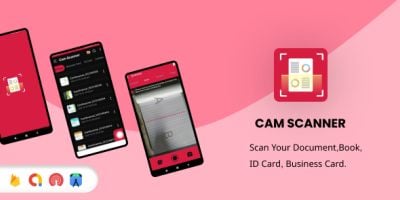
✅ NEW: Document Scanner – Scan documents with camera & convert to PDF instantly.
✅ Optimized PDF Tools (~16KB) – Lightweight but extremely powerful.
✅ Full source code – Modern UI/UX, clean structure, easy to customize.
✅ NEW: Document Scanner – Scan documents with camera & convert to PDF instantly.
✅ Optimized PDF Tools (~16KB) – Lightweight but extremely powerful.
✅ Full source code – Modern UI/UX, clean structure, easy to customize.
✨ Overview
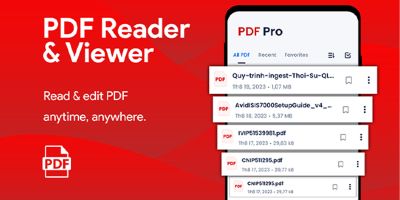
Document Reader source code is a complete Android solution to read, edit, convert, and now scan documents. Built with a focus on modern UI/UX, smooth animations, and responsive design for phones & tablets.
📄 Core Features
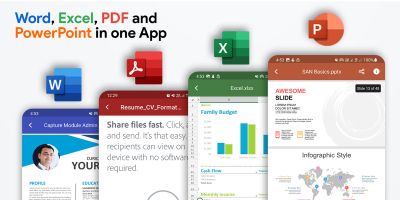
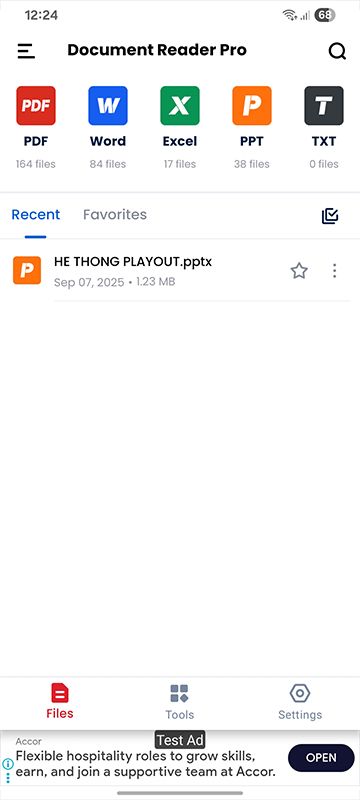
- ⚡ Open any document fast: DOC, DOCX, XLS, XLSX, PPT, PPTX, TXT, PDF.
- ✏️ Edit documents: Basic editing for Word, Excel, and PowerPoint.
- 🔄 Convert formats: Instantly convert DOC/XLS/PPT to PDF.
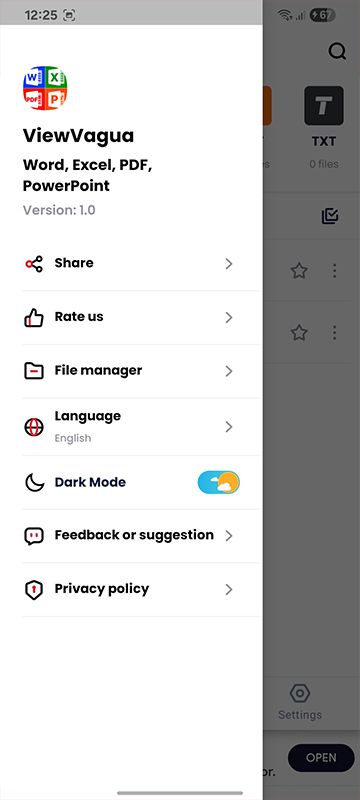
- 🌙 Reading modes: Night mode, eye-protection mode, adjustable font size.
- 🔎 Search & highlight: Find keywords and mark important pages.
- 📝 Notes & annotations: Add highlights, draw, and share quickly.
- 📂 File manager: Create folders, rename, move, delete inside the app.
📷 NEW – Document Scanner
- 📸 Scan with camera: Capture documents in high quality.
- 🖼 Auto edge detection: Smart crop & perspective correction.
- 🎨 Filters: Black & White, Enhance, Color, Grayscale.
- 📄 Scan to PDF: Convert scanned pages into a single PDF.
- ✂️ Multi-page scan: Combine multiple scans into one file.
📑 Powerful PDF Tools
- 🔗 Merge PDF: Combine multiple PDFs into one.
- 🔒 Lock / Unlock: Add or remove password protection (with valid password).
- 📉 Compress PDF: Reduce file size while keeping quality.
- ✂️ Split PDF: Extract selected pages or page ranges.
- 🖼 Image → PDF: Convert images into a single PDF file.
- 🖼 PDF → Image: Export each page as PNG/JPEG.
Note: PDF Tools and Scanner modules are optimized to keep the build lightweight.
🎨 UI & UX Highlights
- 🚀 Intuitive navigation: Fewer steps, faster workflow.
- ✨ Modern design: Smooth transitions, soft shadows, readable fonts.
- ⚙️ Customizable: Easy to change colors, themes, and layouts.
💰 Integration & Monetization
- 📢 AdMob ready: Monetize instantly with ads.
- 🧩 Modular code: Reader, Editor, Scanner, and PDF Tools are independent modules.
📦 Package Includes
- Full Android source code (Java/Kotlin).
- Layouts, drawables, and icons with modern UI design.
- Demo APK for quick testing.
🚀 Why Choose This Source Code?
- Save development time with ready-to-use document reader, editor & scanner.
- Lightweight build with SDK 36 compatibility.
- Customizable UI/UX for branding and reskinning.
📞 Support & Contact
Email: [email protected]">[email protected]
Telegram: @super_mario1991
Features
- Reskinning: Reskin the app with ease to match your brand's unique identity.
- AdMob Integration: Monetize your app through in-app advertisements with AdMob integration.
- Google Play Ready: Upload your app to Google Play with ease and reach a global audience.
- Support for Latest Android Versions: Stay up-to-date with support for the latest Android versions and features.
Requirements
- Android Studio IDE
- Android source code
- Read documentation carefully
- Developer account
Instructions
- Download the project and extract it.
- Import the project to AS.
- Edit (Reskin) the App code.
- Export it as Apk and publish it
Other items by this author







Information
| Category | App Templates / Android / Applications / Utility |
| First release | 10 September 2025 |
| Last update | 4 March 2026 |
| Operating Systems | Android 7.0, Android 8.0, Android 9.0, Android 10.0, Android 11.0, Android 12.0 |
| Files included | .apk, .java |
| Tags | excel, word, doc, powerpoint, docx, merge pdf, compress pdf, pdf tools, xls. xlsx. admob |