Freshcart - React Grocery Shop and MultipurposeFreshcart - React Grocery Shop and Multipurpose
"FreshCart: Clean, modern UI for online stores; fully functional frontend, backend features not implemented yet."
Screenshots
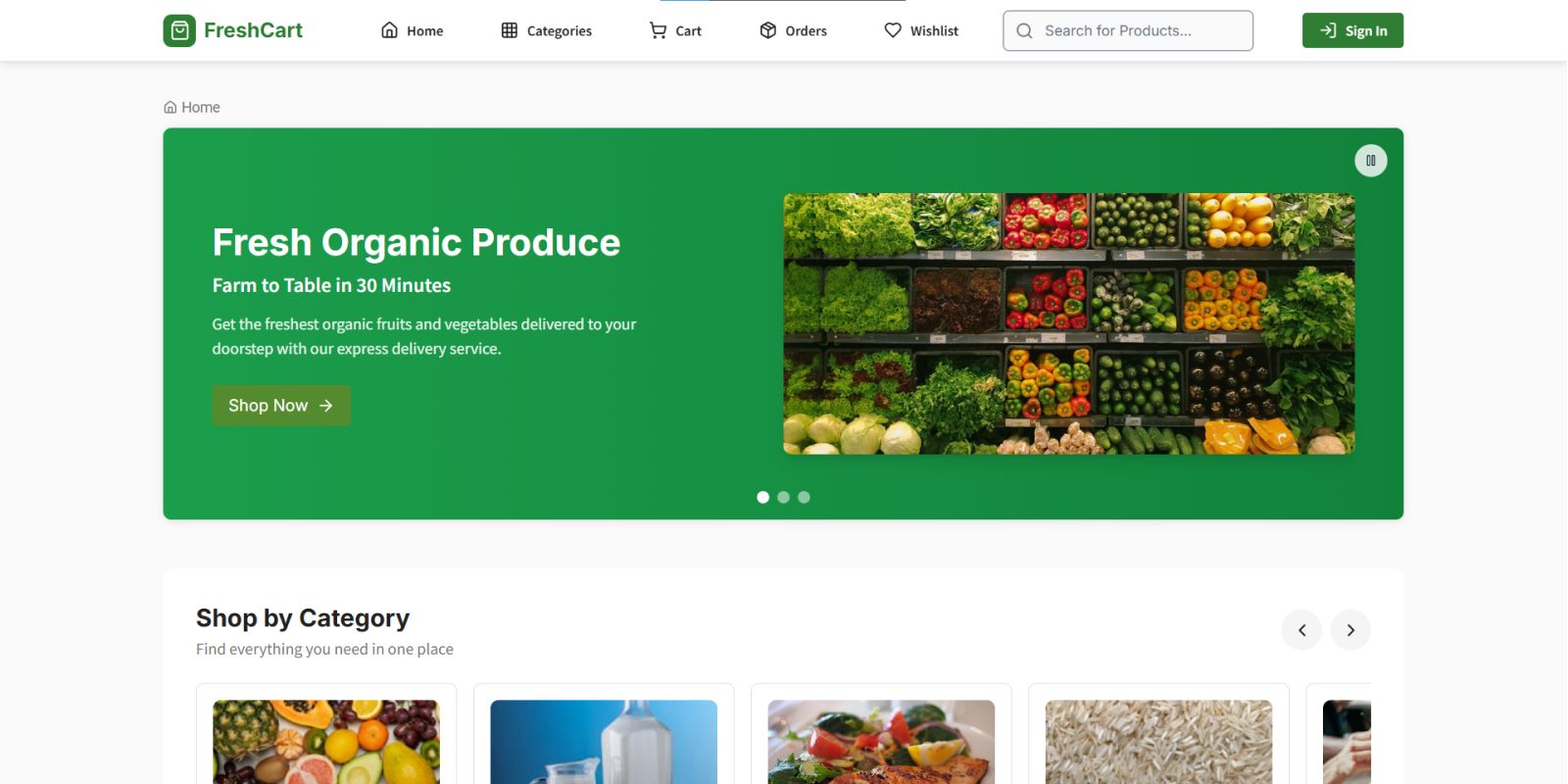

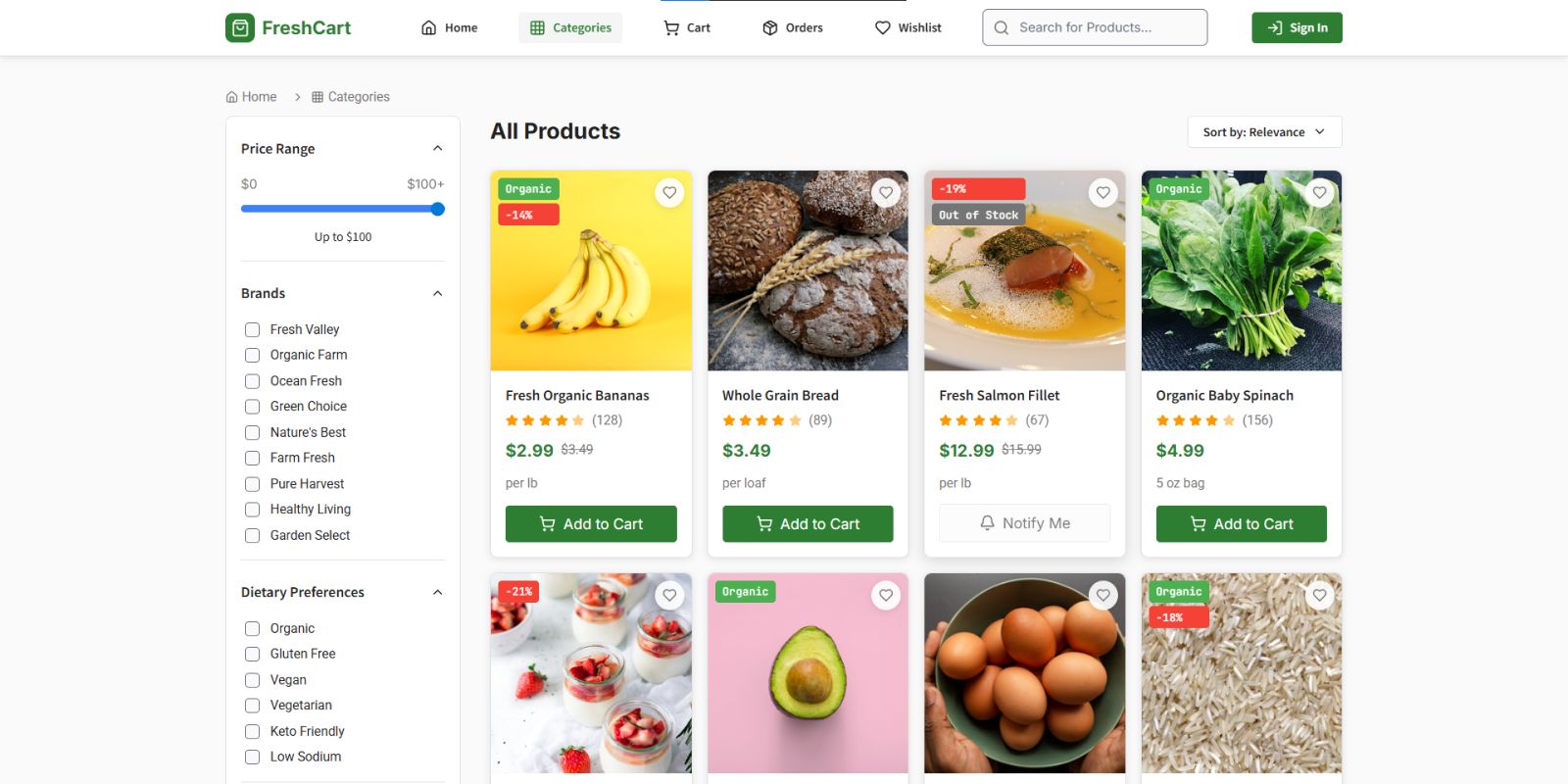

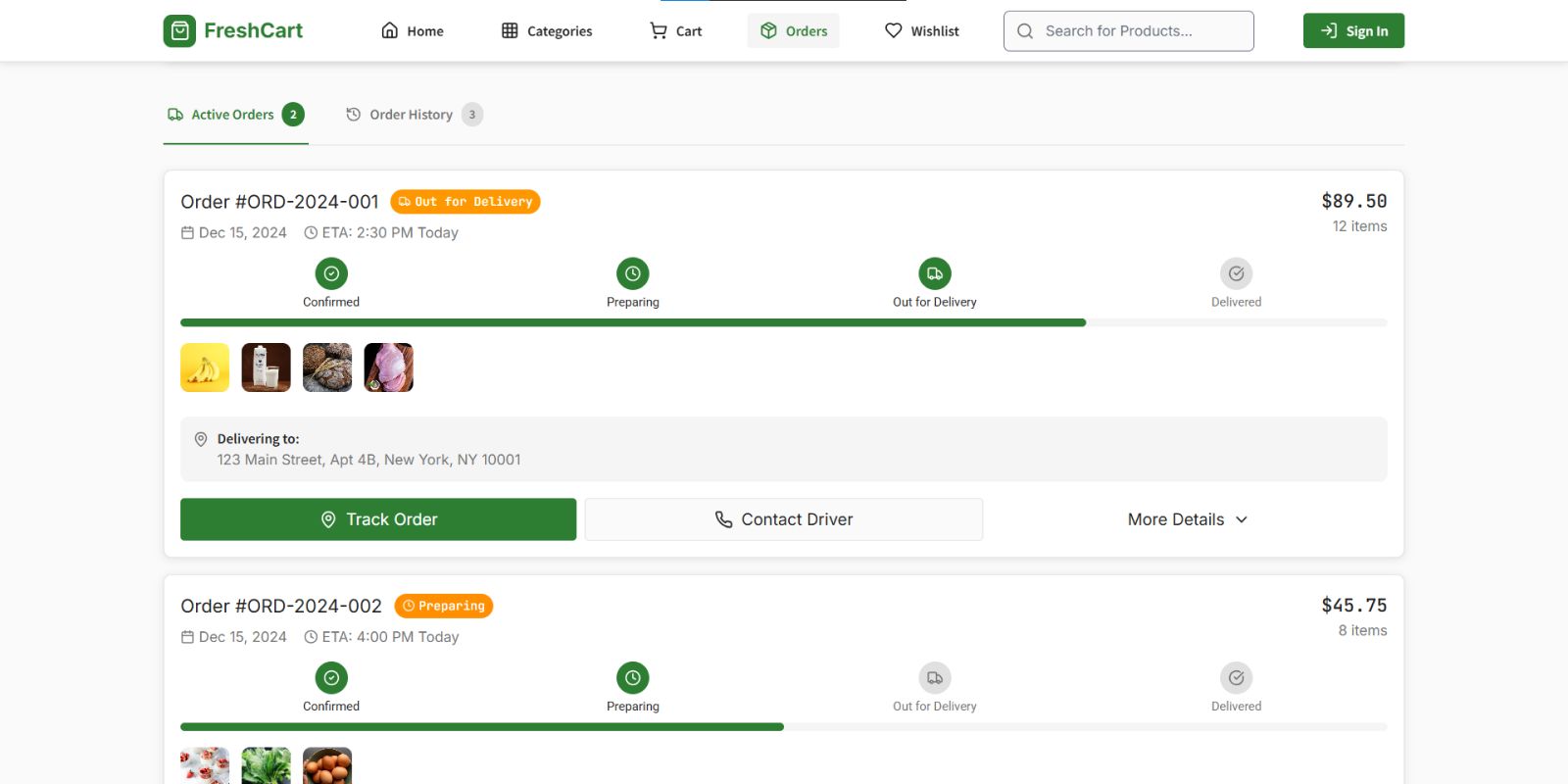
Overview
FreshCart is a modern and visually appealing e-commerce theme that aims to create a smooth and engaging experience for online stores. It has a clean, responsive, and easy-to-use interface. The design presents products in an organized and attractive way, making it simple for visitors to browse categories, view product details, and navigate the store without difficulty. The theme is fully optimized for both desktop and mobile devices, ensuring your online store looks professional on all screen sizes.
FreshCart shines in frontend design with features like sleek product grids, dynamic banners, attractive sliders, and easy navigation menus. It supports smooth animations, hover effects, and interactive elements that improve the shopping experience. The layout and style are highly customizable, allowing store owners to showcase products in a way that fits their brand identity.
It's important to mention that FreshCart currently functions only as a UI theme. The frontend is fully operational and visually complete, but backend functions like product management, checkout, payment processing, and database integration are not included. This is ideal for designers and developers who want to quickly build or prototype e-commerce stores with a ready-to-use frontend template, while backend integration can be added later based on specific business needs.
FreshCart is perfect for businesses seeking a modern, responsive, and professional e-commerce interface, with all visual elements ready to use. It saves time on frontend development while allowing flexibility for future backend work.
Features
Responsive
Modern
Clean
Interactive
Intuitive
Customizable
Lightweight
SEO-friendly
Animated
Organized
Attractive
Navigable
Readable
Fast
Flexible
Requirements
HTML, CSS, JavaScript, Bootstrap , React
Instructions
FreshCart Theme Instructions :-
-
Download & Setup
- Download the theme files from the source.
- Extract the ZIP folder to your project directory.
-
Open in Browser
-
Open
index.htmlor the main HTML file in a browser to preview the UI.
-
Open
-
Edit Content
- Update text, images, and banners by editing HTML files.
- Modify styles (colors, fonts, layouts) in the CSS files.
-
Customize Layout
- Rearrange sections on the homepage as per your store’s design.
- Use prebuilt sections like sliders, banners, and product grids.
-
Add Products (UI Only)
- Replace dummy product images, names, and prices in the HTML.
- Update product categories and descriptions manually.
-
Animations & Interactions
- All hover effects, sliders, and animations are pre-configured.
- Edit or add new animations in the JavaScript/CSS files if needed.
-
Preview Responsiveness
- Check how the theme looks on mobile, tablet, and desktop screens.
-
Backend Integration (Optional)
- Currently, the theme is UI-only; backend functionalities like checkout, cart, or database integration are not included.
- Integrate with your preferred backend framework or API as needed.
-
Testing
- Test all sections and links to ensure proper display.
- Make sure all interactive elements (like sliders) function correctly.
-
Deployment
- Upload the frontend files to your web server or hosting service.
- Backend integration should be implemented separately if required.
Other items by this author








| Category | Themes / HTML / eCommerce |
| First release | 24 October 2025 |
| Last update | 24 October 2025 |
| Files included | .css, .html, Javascript .js |
| Tags | ecommerce grocery ui frontend responsive modern clean minimal template onlinestore product slider banner animation interactive customizable fast lightweight grid navigation |