Home / Scripts & Code / Python
NH AI Assistant - Smart Chatbot Web AppNH AI Assistant - Smart Chatbot Web App
A modern AI-powered web chatbot built with Python & Flask. Fast, smart, and easy to customize.Home / Scripts & Code / Python
NH AI Assistant - Smart Chatbot Web App
A modern AI-powered web chatbot built with Python & Flask. Fast, smart, and easy to customize.
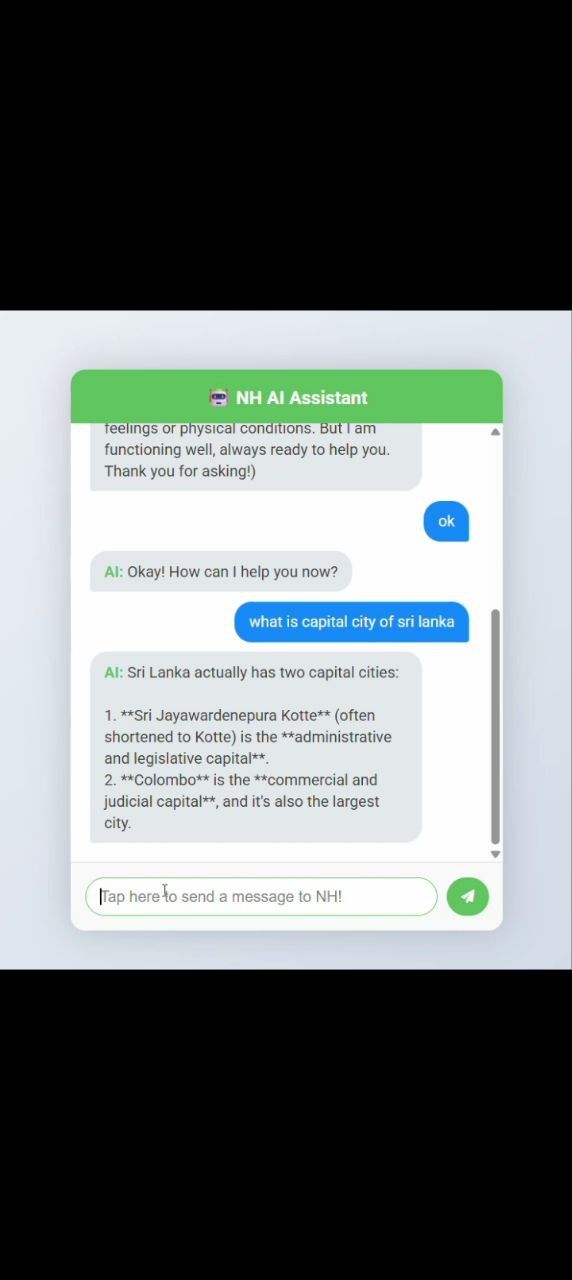
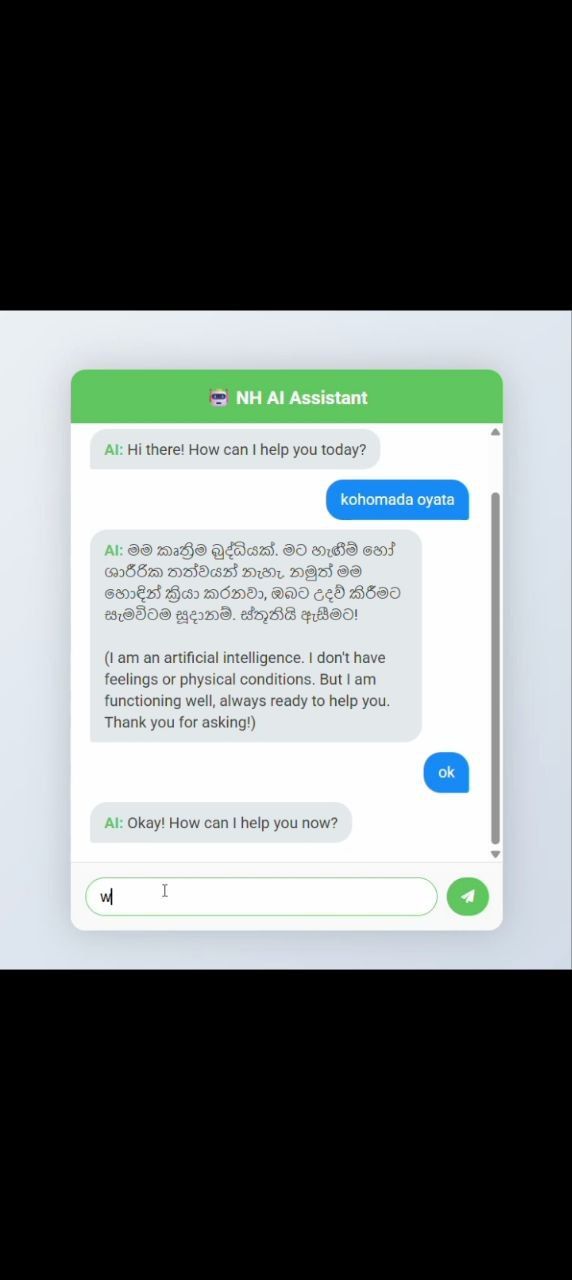
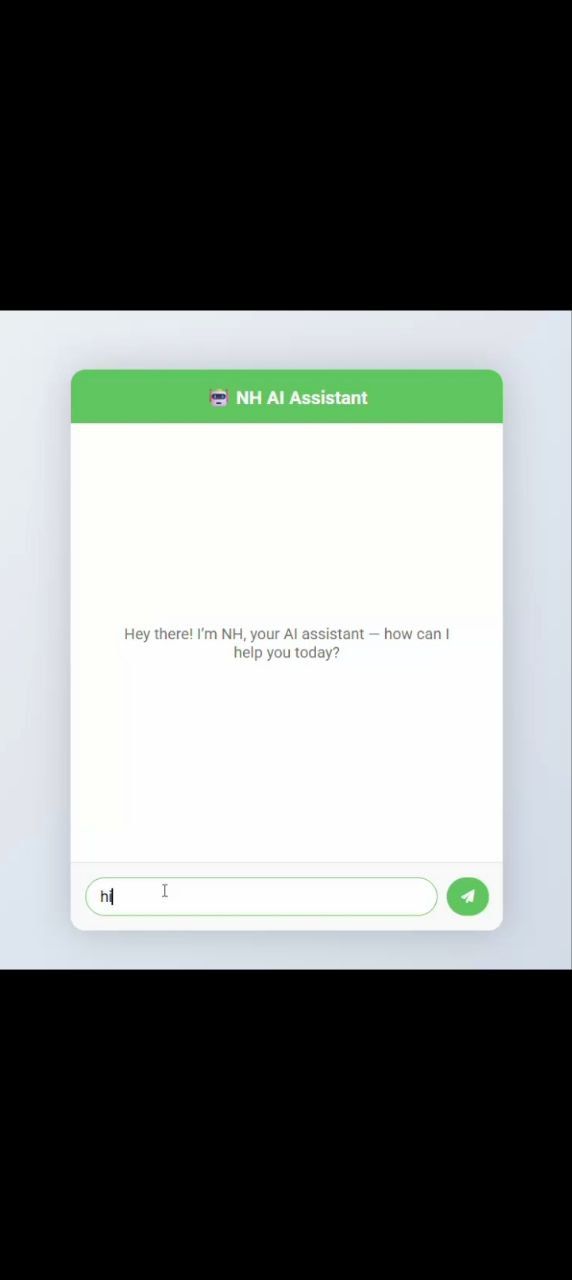
Screenshots

Overview
🤖 NH AI Assistant – Smart Chatbot Web App
NH AI Assistant is a modern and interactive AI-powered chatbot web application built using Python (Flask), HTML, CSS, and JavaScript. It’s designed to provide smooth, real-time conversations with an intelligent virtual assistant that can be customized for your own brand or project.
🌟 Key Features
- AI-powered chat system built with Python + Flask
- Clean and responsive UI with Bootstrap
- Modern glassmorphism design
- Real-time conversation updates
- Lightweight, fast, and easy to deploy
- Customizable chat styles and bot personality
- Supports voice input (optional feature)
- Fully documented and beginner-friendly code
⚙️ Technologies Used
- Backend: Python (Flask)
- Frontend: HTML, CSS, Bootstrap, JavaScript, jQuery
- AI Integration: Gemini / OpenAI compatible APIs
🚀 Installation & Setup
- Install Python 3.8 or higher.
- Run
pip install -r requirements.txtto install dependencies. - Set your API key inside
.envfile (e.g.GOOGLE_API_KEY=your_key_here). - Start the app by running
python app.py. - Open your browser and go to http://127.0.0.1:5000.
📦 Package Includes
- Full source code (Python, HTML, CSS, JS)
- Requirements.txt
- .env file example
- README documentation
💡 Why Choose NH AI Assistant?
This chatbot web app is ideal for students, developers, or startups who want to create their own AI-based assistant or integrate conversational AI features into a website or SaaS dashboard.
Note: This project is for educational and commercial use. No contact details or external promotions are included as per Codester guidelines.
Features
- 🧠 AI-Powered Chat: Smart chatbot powered by advanced AI API integration (Gemini / OpenAI compatible).
- ⚡ Python + Flask Backend: Lightweight and fast server built with Flask.
- 💬 Real-Time Messaging: Smooth chat experience using modern web sockets and AJAX.
- 🎨 Modern Glass UI: Beautiful glassmorphism design with green glow effects.
- 📱 Responsive Design: Works perfectly on desktop, tablet, and mobile.
- 🎤 Voice Input (Optional): Talk to your AI assistant using microphone input.
- 🧩 Easy to Customize: Change colors, bot name, or layout within seconds.
- 📦 Ready-to-Deploy: Can be hosted easily on any Python-supported server.
- 🧾 Clean Documentation: Includes setup guide and API configuration steps.
- 🚀 Educational & Commercial Use: Perfect for learning or reselling as a custom AI chatbot.
Requirements
- 💻 Python 3.8+ installed on your system
- 📦 Flask framework (installed via
pip install flask) - ⚙️ Required libraries from
requirements.txt(install usingpip install -r requirements.txt) - 🔑 Google Gemini API key or any other supported AI API key
- 🗂️ Text editor (VS Code, Sublime Text, or PyCharm recommended)
- 🌐 Modern web browser (Google Chrome, Edge, or Firefox)
- 🪟 Operating System: Windows / macOS / Linux supported
Instructions
🧩 Installation & Setup Instructions
- Download and extract the project ZIP file after purchase.
- Open the extracted folder using VS Code or any preferred text editor.
- Make sure Python 3.8+ is installed on your system.
- Open your terminal or command prompt inside the project folder.
- Run the following command to install all dependencies:
<code>pip install -r requirements.txt</code>
- Get your Google Gemini API key (or supported AI API key).
- Open the
app.pyfile and replace the placeholder API key with your own key. - Start the Flask server by running:
<code>python app.py</code>
- Open your browser and go to:
<code>http://127.0.0.1:5000/</code>
- Enjoy your new AI Assistant Web App! 🤖✨
Optional:
- You can deploy it online using Render, Vercel, or PythonAnywhere.
- Edit
style.cssandindex.htmlto customize the design.
Other items by this author


Information
| Category | Scripts & Code / Python |
| First release | 6 November 2025 |
| Last update | 6 November 2025 |
| Files included | .py, .css, .html |
| Tags | html, bootstrap, css, Javascript, python, assistant, web app, Responsive design, chat application, flask, modern ui, openai, ai chatbot, smart assistant, chatbot ui |