PasteWizard - Advanced PHP Pastebin ScriptPasteWizard - Advanced PHP Pastebin Script
A powerful, modern, secure, lightweight PHP + MySQL Pastebin system
PasteWizard - Advanced PHP Pastebin Script
A powerful, modern, secure, lightweight PHP + MySQL Pastebin system
Screenshots
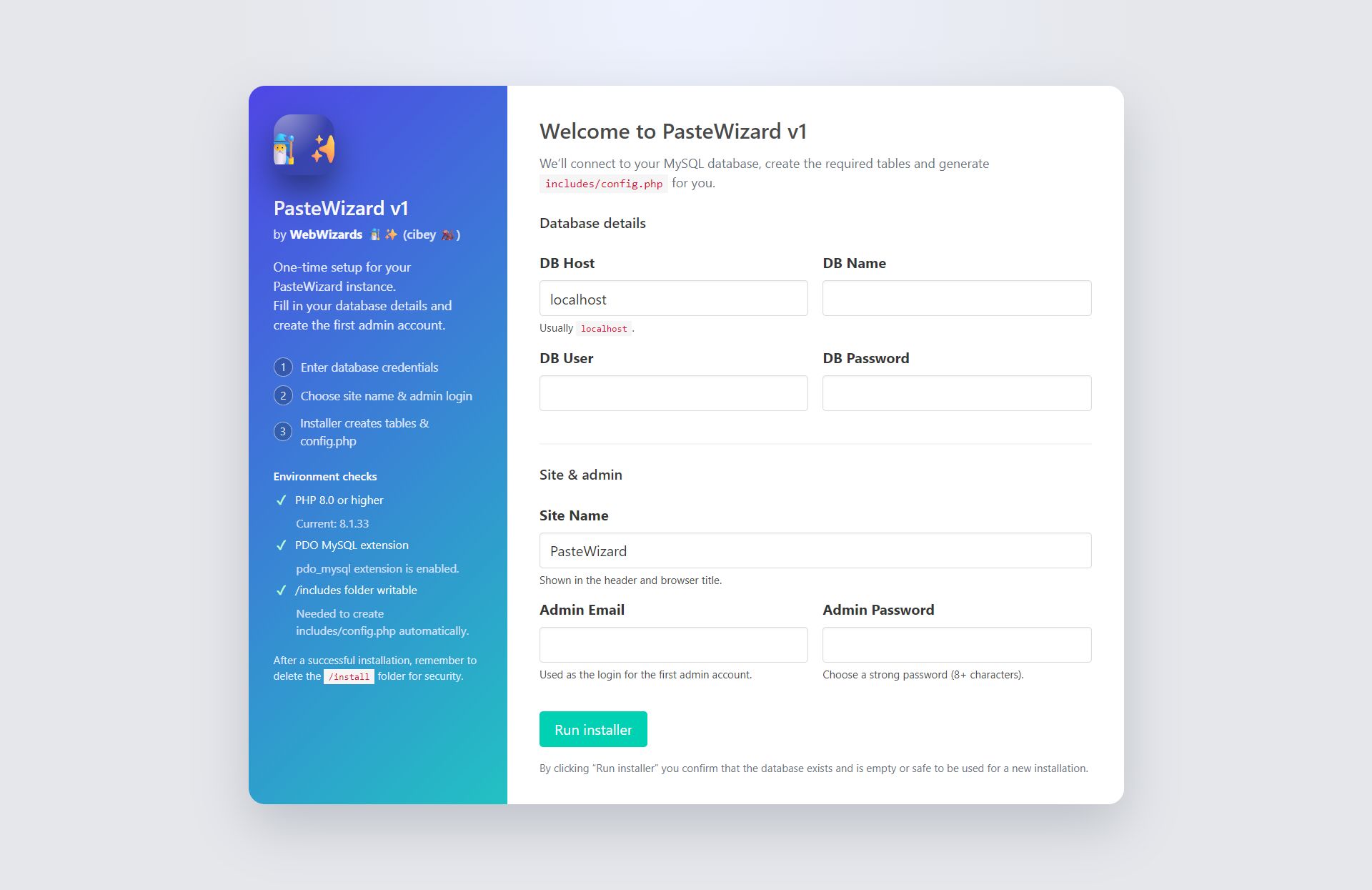


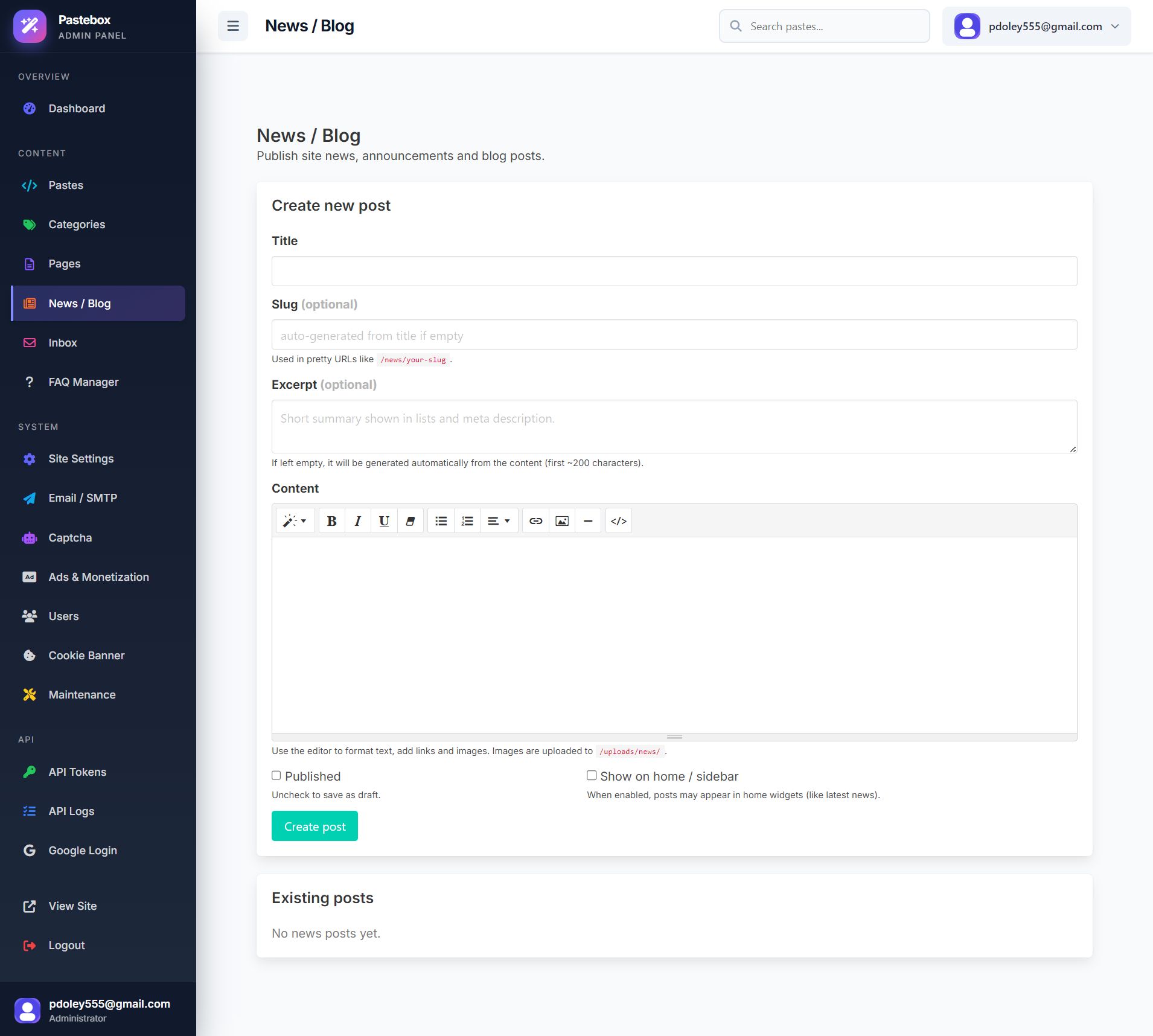

Overview
PasteWizard is a professional, production-ready PHP Pastebin Script that allows you to run your own code-sharing or note-sharing platform similar to Pastebin.
It is designed for high performance, strong security and an elegant user experience.
Users can create public or private pastes, password-protect content, choose from multiple expiration options, organize pastes in folders, and share raw code links.
Developers can integrate using the built-in REST API.
Features
⭐ Features Overview
✅ Paste Creation Features
- Syntax highlighting (Auto-detect or manual)
- Public, Unlisted, or Private pastes
- Password-protected pastes
- Burn After Read (one-time view)
- Expiry options:
- 10 minutes
- 1 hour
- 1 day
- 1 week
- Never expire
- Clone / edit existing paste
- Line numbering
- Code formatting
👤 User System
- Login / Registration
- Profile settings
- User dashboard
- Manage own pastes
- Delete / edit pastes
- User API key
- Two-factor ready architecture
🗂️ Folders & Tagging System
- Organize pastes inside folders
- Add tags for better search
- Folder privacy settings
- Folder-level controls for teams
🔍 Searching & Browsing
- Full-text search
- Search by title, language, tags
- Recent pastes page
- Popular tags
- Trending languages
🔐 Security
- XSS-safe output using
htmlspecialchars - Password hashing (bcrypt)
- CSRF protection
- Secure session handling
- Anti-spam + rate limit structure
- Secure API tokens
- Burn-after-read deletes instantly
📡 Developer API
PasteWizard includes a ready-to-use REST API:
| Endpoint | Description |
|---|---|
POST /api/create |
Create paste |
GET /api/view/{hash} |
Fetch paste |
DELETE /api/delete/{hash} |
Delete paste via API |
GET /api/user |
User info from API key |
API authentication:
<code>X-API-KEY: YOUR_KEY_HERE
</code>
⚙️ Cron Jobs
Add this cron to automatically remove expired pastes:
<code>php /home/USER/public_html/cron/cleanup.php
</code>
Recommended frequency: Every 30 minutes
🛠️ Admin Panel Features
Dashboard
- Overview of users, pastes, traffic
Manage Pastes
- View all pastes
- Delete abusive content
- Change paste privacy
- Filter by user / IP / language
Users
- Activate / deactivate accounts
- Reset passwords
- User analytics
Site Settings
- Site name & logo
- Public/private mode
- Rate limits
- CAPTCHA settings
- SEO settings
- Maintenance mode
Pages (CMS)
- Create custom pages
- Terms, privacy, help, etc.
- Add to header/footer menu
🎨 Frontend UI Features
The UI is built with Bulma CSS for clean, modern, responsive design.
- Hero header
- Colored language tabs
- Dark/light theme capability
- Mobile-optimized paste viewer
- Responsive code container
- Clean dashboard UI
Requirements
⚙️ Requirements
| Requirement | Version |
|---|---|
| PHP | 8.0+ |
| MySQL / MariaDB | MySQL 5.7+ / MariaDB 10+ |
| PHP Extensions | PDO, mbstring, json, curl, openssl, fileinfo |
| Web Server | Apache / Nginx |
| mod_rewrite | Required |
| Browser | Latest Chrome / Firefox / Safari / Edge |
Instructions
🛠️ Installation
1. Upload Files
Upload all files to:
public_html/
or your server web root.
Ensure the following folder is writable:
/uploads (CHMOD 755 or 775)
2. Create MySQL Database
In cPanel / DirectAdmin:
- Create Database
- Create Database User
- Assign ALL PRIVILEGES
3. Run Installer
Visit the installer:
https://yourdomain.com/install/install.php
Fill in the required fields:
- Database host
- Database user
- Database password
- Site name
- Admin email & password
The installer will automatically create all database tables.
After installation:
Log into admin panel here:
https://yourdomain.com/login
4. Configure Cron (optional but recommended)
Set this cron job to run every hour:
php /path/to/cron/cleanup.php
This removes expired & burn-after-read pastes.
Other items by this author



| Category | Scripts & Code / PHP Scripts / Miscellaneous |
| First release | 6 December 2025 |
| Last update | 6 December 2025 |
| Software version | PHP 8.0, PHP 8.1 |
| Files included | .php, .css, .html, .sql, Javascript .js |
| Tags | pastebin, php mysql script, php paste script, php pastebin clone, code sharing script, text sharing script, snippet manager, code snippet tool, secure pastebin, encrypted notes script, burn after read script, syntax highlighting script, secret notes script, anonymous paste script, paste sharing platform |