
Domain Replacer WordPress PluginDomain Replacer WordPress Plugin
A powerful WordPress plugin to safely replace old domains across content, custom fields, and database options with advanced loggin
Domain Replacer WordPress Plugin
A powerful WordPress plugin to safely replace old domains across content, custom fields, and data...
Screenshots
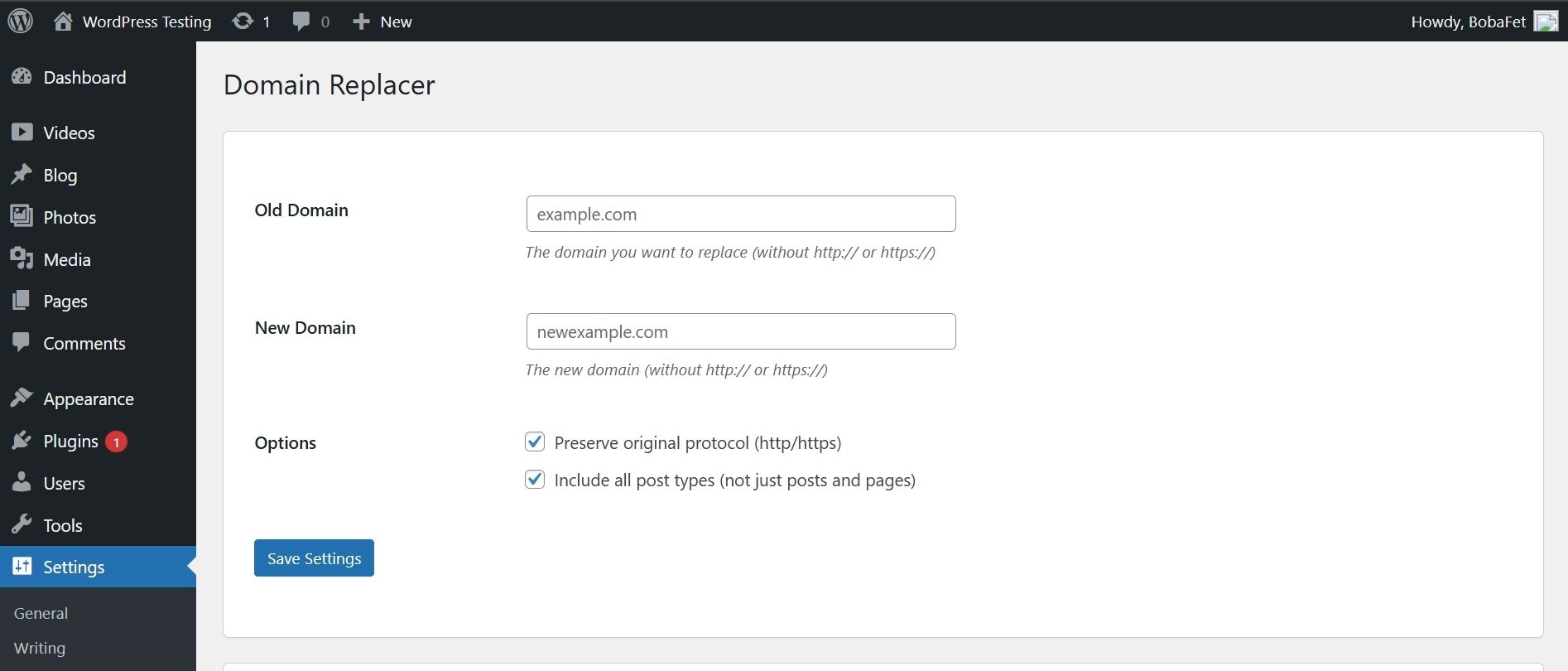
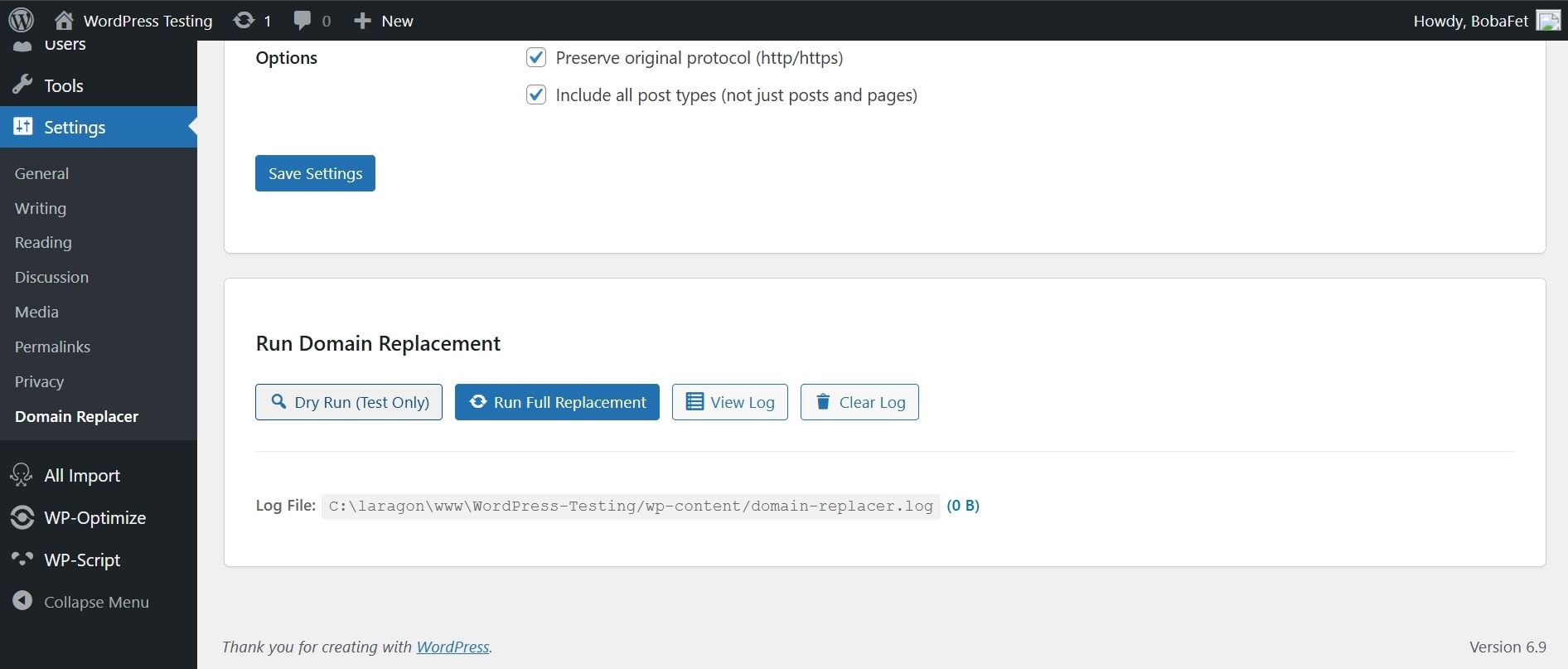
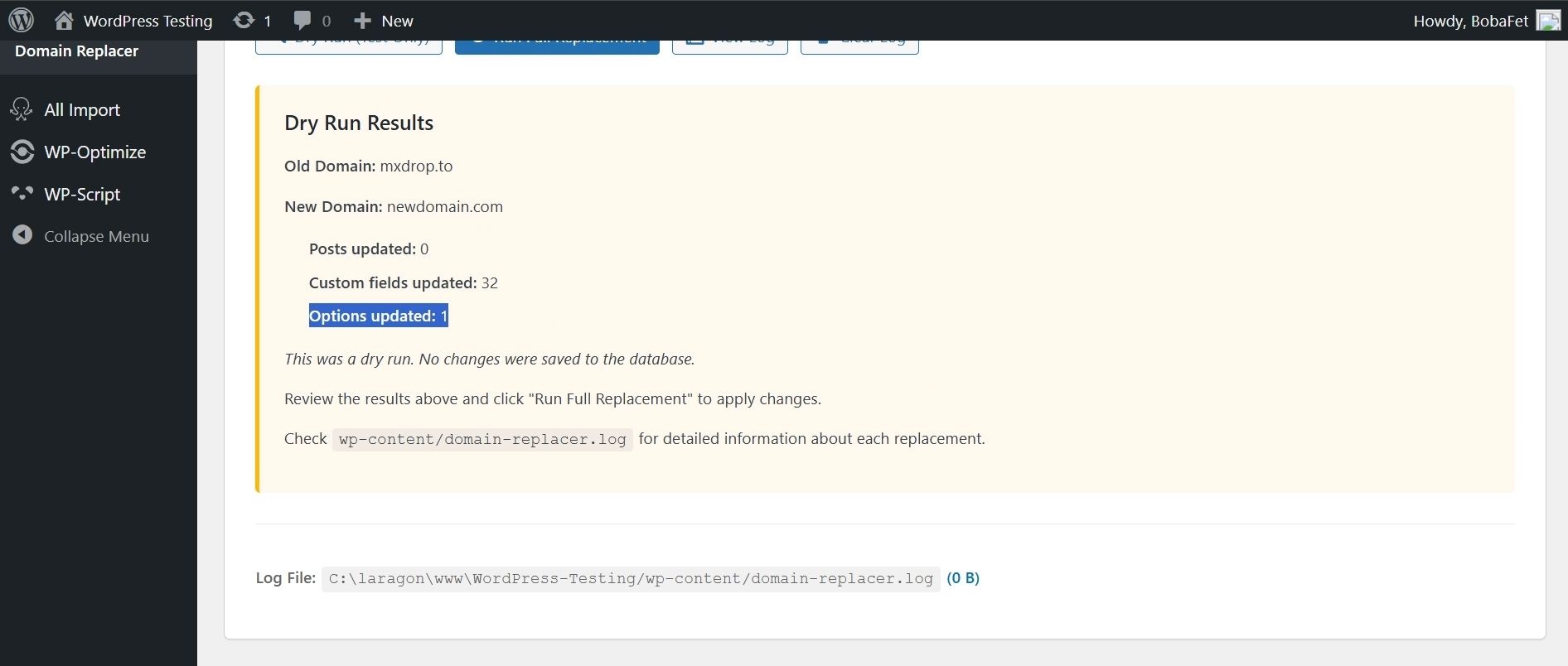
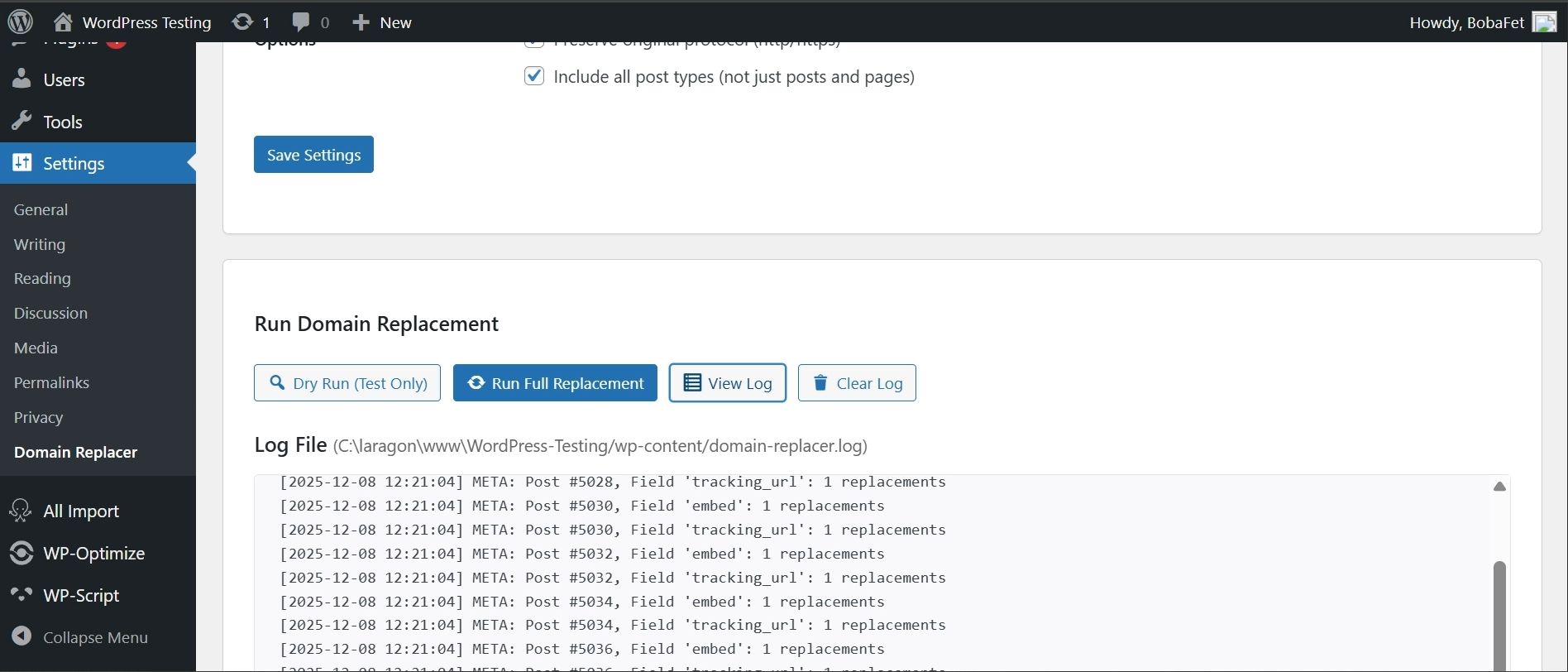
Overview
Domain Replacer WordPress Plugin is a robust and intelligently designed tool created for WordPress administrators, developers, and site migration experts. Whether you're moving to a new domain, updating URLs after switching to HTTPS, or cleaning up legacy data, this plugin provides a safe and efficient way to replace domains across your entire WordPress website.
Packed with advanced features like dry-run mode, protocol preservation, AJAX-based background processing, and progress indicators, the plugin ensures accurate domain replacement without database corruption or downtime.
Features
Key Features:
🔄 Safe Domain Replacement
Replace old domains with new ones across posts, pages, custom post types, custom fields, serialized arrays, and the WordPress options table—all handled safely to prevent data corruption.
🧪 Dry Run Mode
Test changes without modifying your database. Dry Run scans and reports what will be replaced, giving you full confidence before executing the final replacement.
⚙️ Custom Field & Options Table Support
Automatically processes postmeta fields and the WordPress options table, ensuring complete domain coverage.
🔗 Protocol Preservation
Choose whether to preserve the original http or https protocol during replacements—perfect for complex migrations.
📝 Detailed Logging
Every replacement and action is logged to a file so you can review exactly what changed, when, and where.
💻 WP-CLI Support
Run domain replacements directly from the command line—ideal for developers and automated workflows.
# Dry run (test only)
wp domainreplace --dry-run

# Full replacement
wp domainreplace
⚡ AJAX Processing
Replacement tasks run in the background without freezing your screen, making the plugin responsive even for large websites.
📊 Progress Indicators
Real-time progress bars and status updates help you monitor replacement operations.
Instructions
Installation
- Upload the
domain-replacerfolder to/wp-content/plugins/ - Activate the plugin via the Plugins menu in WordPress
- Navigate to Settings → Domain Replacer to configure your options
Usage Guide
🌐 Web Interface
- Configure Domains
- Enter the old domain (without http://)
- Enter the new domain (without http://)
- Choose optional settings such as preserving protocol or including all post types
- Run Replacement
- Click Dry Run to preview the changes
- Click Run Full Replacement to apply the changes safely
- Review the generated log file for exact details
💻 Using WP-CLI
For advanced users or automation:
# Preview all replacements without saving changes
wp domainreplace --dry-run
# Execute full domain replacement
wp domainreplace
Other items by this author


| Category | Plugins / WordPress / Miscellaneous |
| First release | 8 December 2025 |
| Last update | 8 December 2025 |
| Supported CMS | WordPress 4.4, WordPress 4.3, WordPress 4.2, WordPress 4.0, WordPress 4.5, WordPress 4.6, WordPress 4.7, WordPress 4.8, WordPress 4.9, WordPress 5.0, WordPress 5.8, WordPress 5.9, WordPress 6.0, WordPress 6.1, WordPress 6.2, WordPress 6.3, WordPress 6.4, WordPress 6.5, WordPress 6.6, WordPress 6.7, WordPress 6.8 |
| Files included | .php, .css, .html, Javascript .js |
| Tags | wordpress plugin, domain, utility |