Simple Content Protection - Disable Right ClickSimple Content Protection - Disable Right Click
Prevent right-click, text selection, and content copying on your website
Screenshots
Overview
Simple Content Protection – Disable Right Click for WordPress
Protect your website content from copy, right-click, text selection, and image dragging instantly. Perfect for blogs, portfolios, or any website where content protection is important.
Key Features
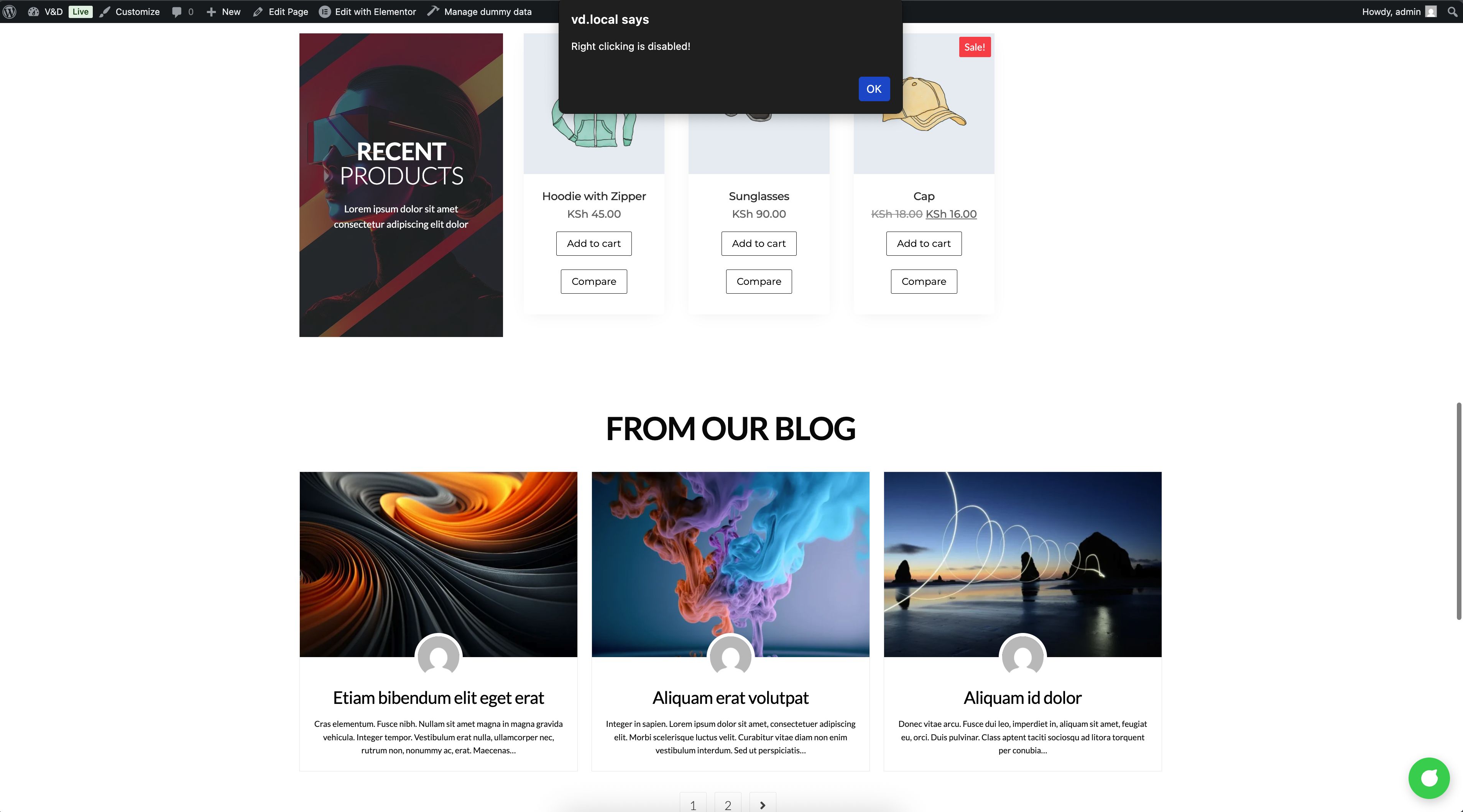
- Disable Right-Click: Prevent users from opening the context menu on your website.
- Block Text Selection: Stop copying of text content using selection or Ctrl+C.
- Prevent Image Dragging: Protect your images from being dragged or saved easily.
- Optional Alert Message: Show a small warning when users attempt to copy.
- Homepage Only: Apply protection to the entire site or homepage only.
- Enable / Disable Toggle: Quickly turn content protection on or off.
- Responsive: Works on desktop and mobile devices.
Admin Panel
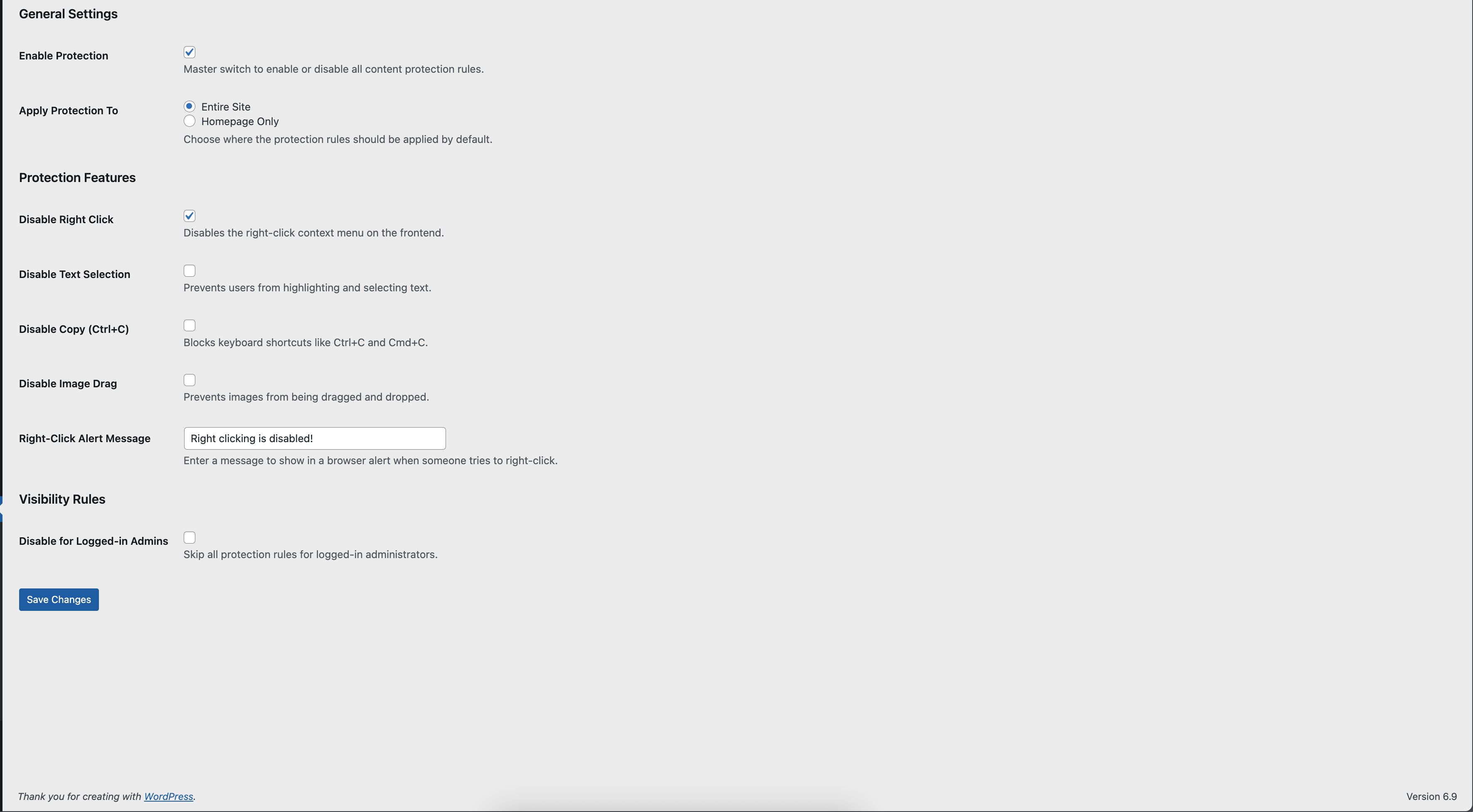
- Located under Settings → Content Protection
- Easy to use checkboxes for all features
- Sanitized and safe inputs using WordPress Settings API
Why Choose This Plugin?
- Lightweight and fast — no external libraries required
- Professional and minimal design, matches any WordPress theme
- Boost content security and reduce copy-pasting
- Easy to set up and ready to use in minutes
Installation
- Download the plugin ZIP file.
- Go to WordPress Dashboard → Plugins → Add New → Upload Plugin.
- Upload the ZIP file and activate the plugin.
- Go to Settings → Content Protection and configure your options.
Included
- Main plugin file
- Admin settings page
- CSS and JS for content protection
- Documentation and screenshots
Protect your content and images today with Simple Content Protection!
Features
* Disable Right-Click (Context Menu).
* Disable Text Selection & Highlighting.
* Disable Copy Shortcuts (Ctrl+C / Cmd+C).
* Disable Image Drag and Drop.
* Global or Per-Page/Post Protection (Overrides).
* Custom Alert Message support.
* Bypass for Administrators.
* Lightweight & Performance Optimized (No jQuery).
Requirements
Requirements
- WordPress Version: 5.8 or higher
- PHP Version: 7.4 or higher
- Web Browser: Modern browsers (Chrome, Firefox, Edge, Safari)
- Theme Compatibility: Works with any standard WordPress theme
- Plugins Compatibility: Compatible with most plugins; no external dependencies required
- Internet Connection: Required only for page loading (plugin works offline)
Instructions
1. Upload the `simple-content-protection` folder to the `/wp-content/plugins/` directory.
2. Activate the plugin through the 'Plugins' menu in WordPress.
3. Go to Settings -> Content Protection to configure your rules.
Other items by this author


| Category | Plugins / WordPress / Security |
| First release | 8 January 2026 |
| Last update | 8 January 2026 |
| Supported CMS | WordPress 4.4, WordPress 4.3, WordPress 4.2, WordPress 4.0, WordPress 4.5, WordPress 4.6, WordPress 4.7, WordPress 4.8, WordPress 4.9, WordPress 5.0, WordPress 5.8, WordPress 5.9, WordPress 6.0, WordPress 6.1, WordPress 6.2, WordPress 6.3, WordPress 6.4, WordPress 6.5, WordPress 6.6, WordPress 6.7 |
| Files included | .php, .css, .html, Javascript .js |
| Tags | responsive, minimal, Security, wordpress plugin, admin panel, professional, lightweight, easy setup, image protection, content protection, disable right click, copy prevention, website protection, text protection, no copy |