
TextShare - Modern PHP Text Sharing PlatformTextShare - Modern PHP Text Sharing Platform
TextShare: A modern PHP/MySQL micro-blogging platform with real-time notifications, premium plans, and an advanced admin panel Recently Updated
TextShare - Modern PHP Text Sharing Platform
TextShare: A modern PHP/MySQL micro-blogging platform with real-time notifications, premium plans...
Screenshots
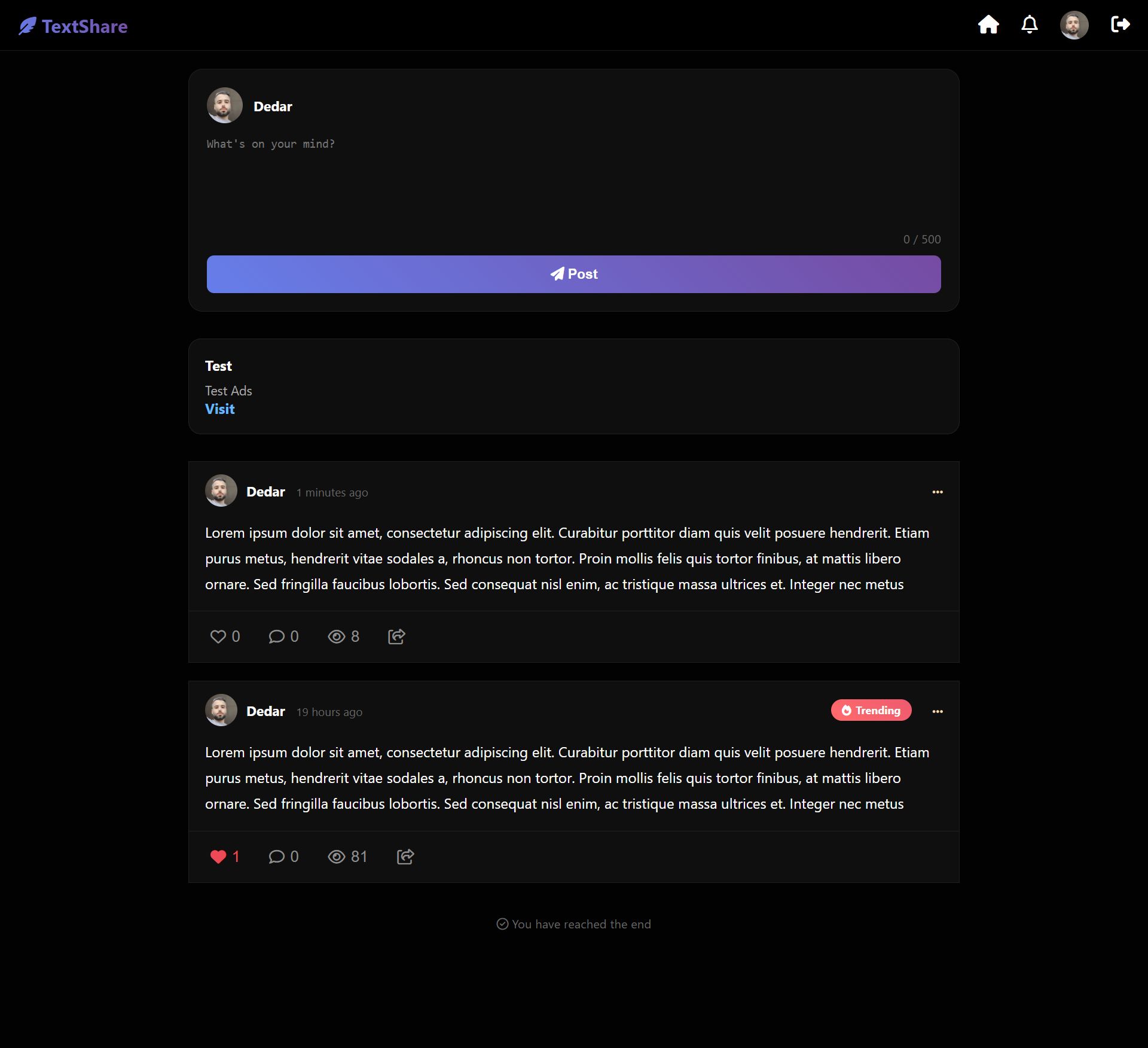
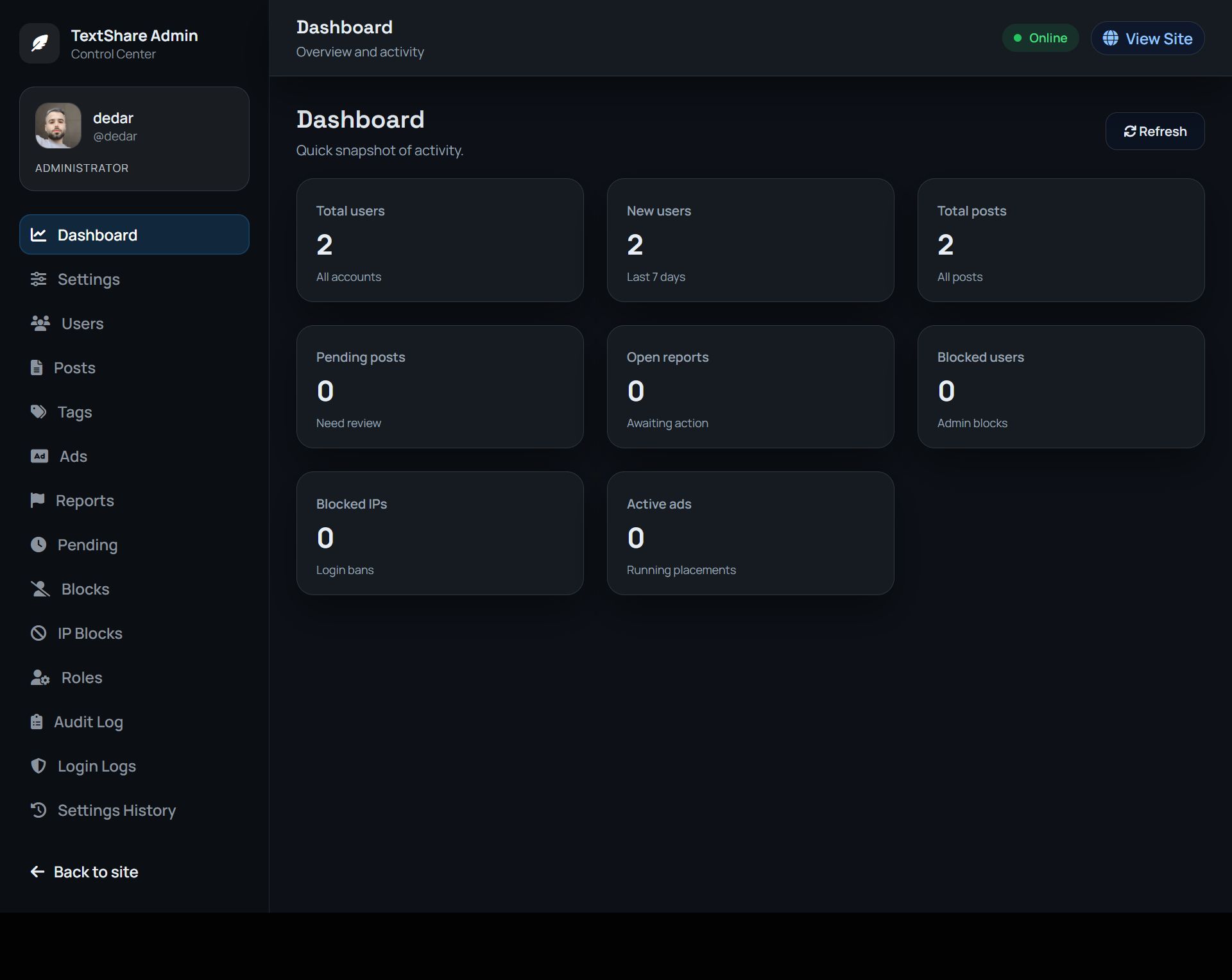

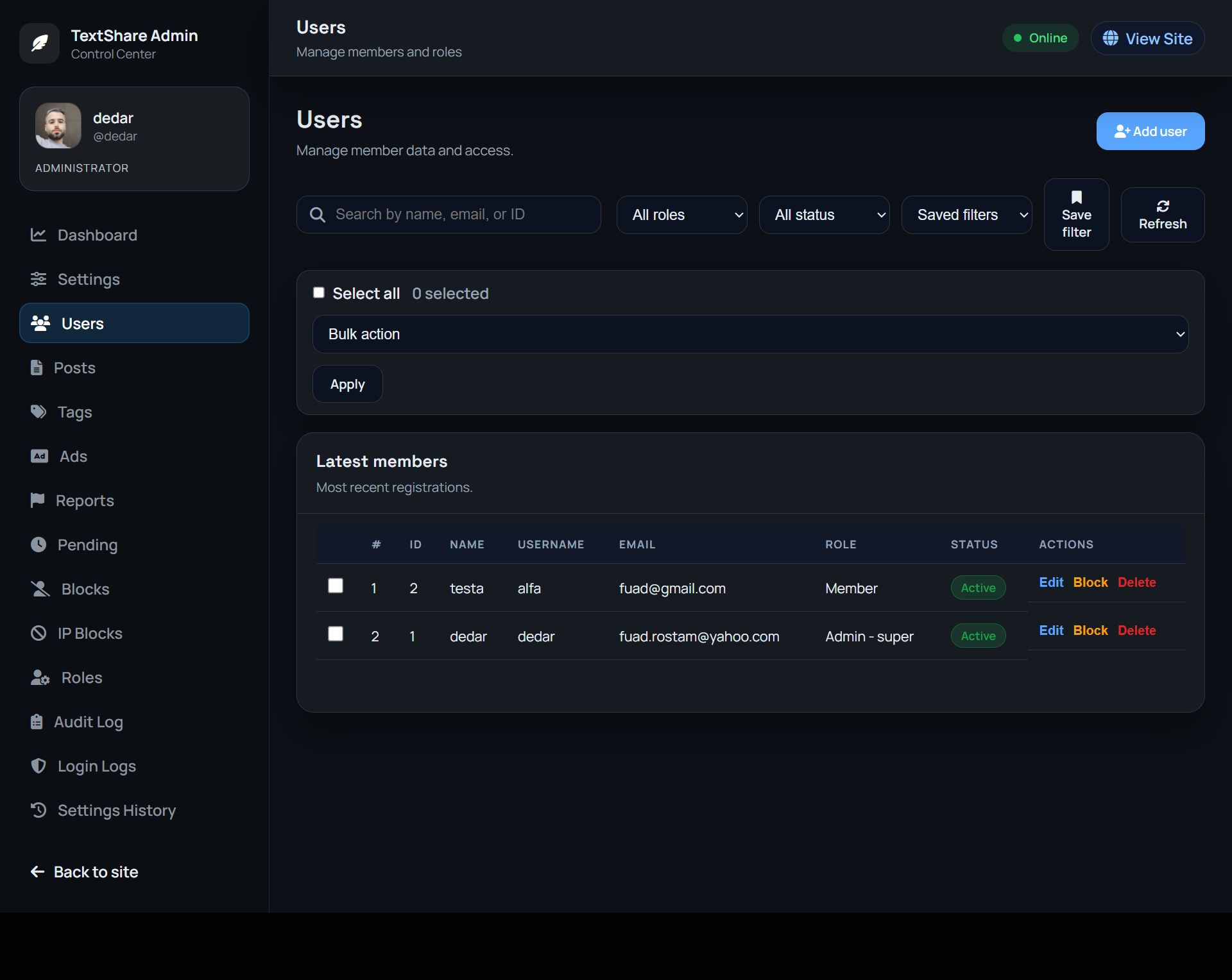
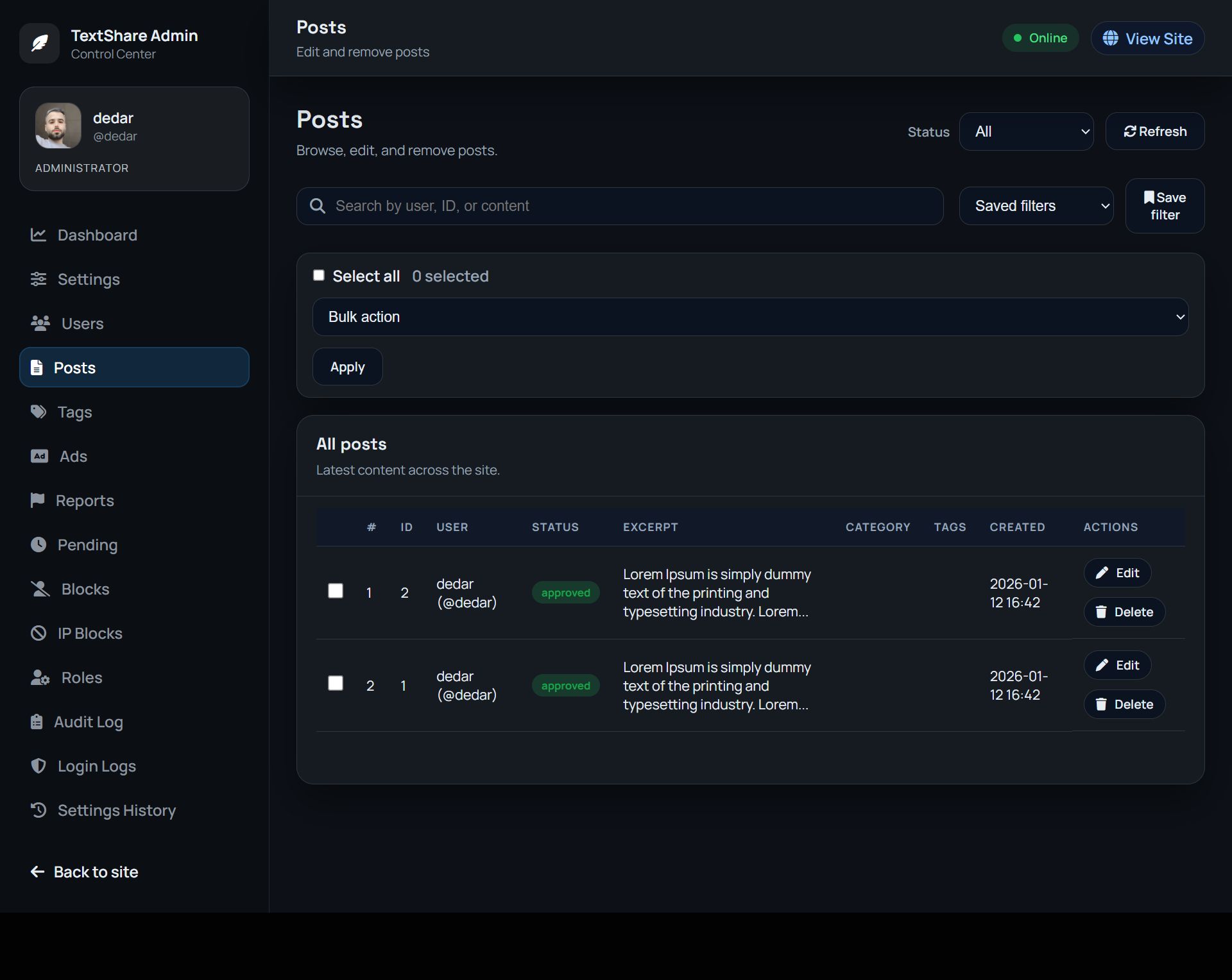
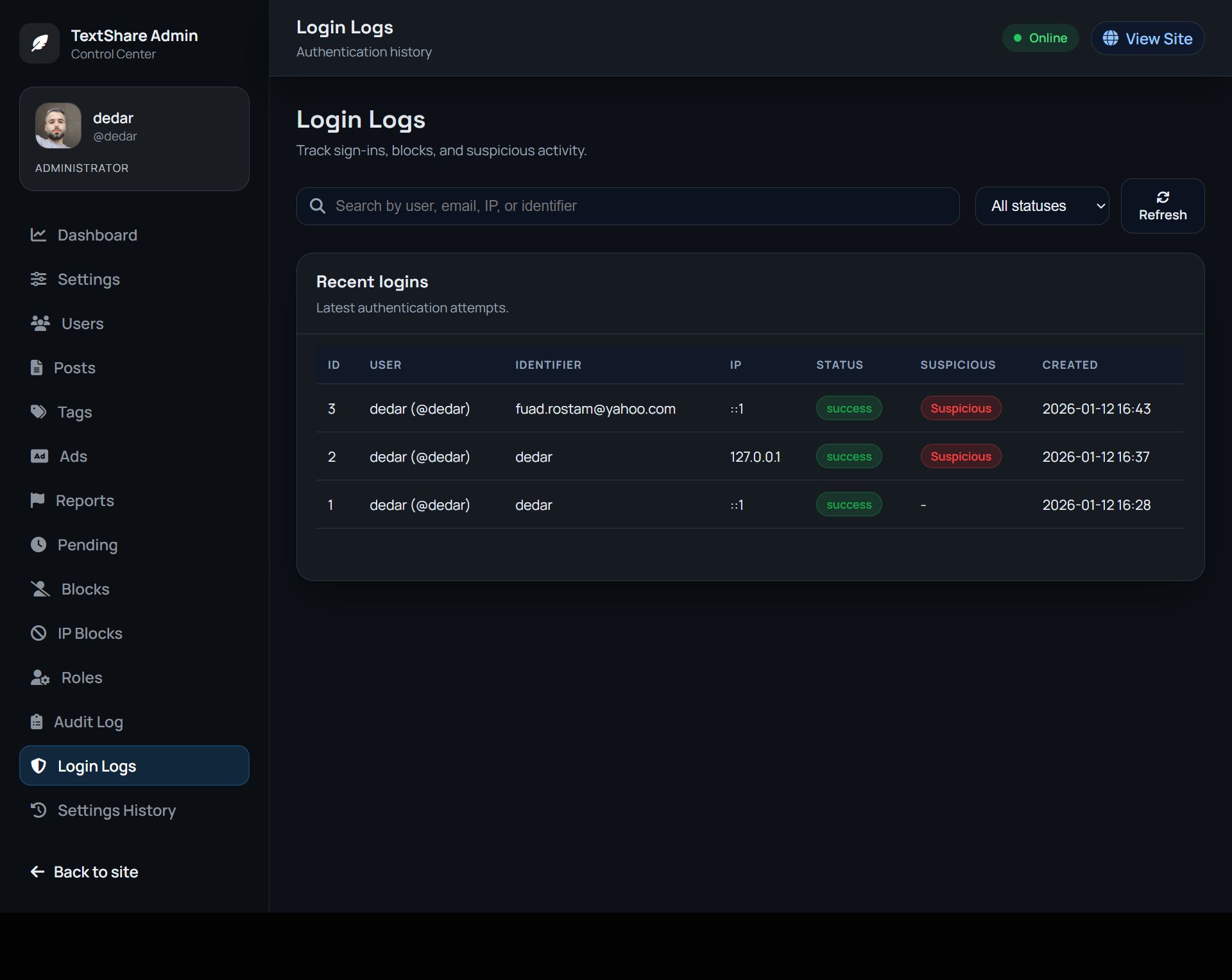

Overview
## What Is TextShare?
TextShare is a self-hosted PHP/MySQL social publishing platform. Users post short or long text, engage with replies and likes, follow each other, and exchange private messages — all inside a modern responsive interface. Administrators control every aspect of the platform through a polished backend panel without touching code.
Built for communities, internal networks, niche social sites, or anyone who wants to run their own social feed
Demo Account
UserName : demo
Password : demo1234
https://www.talkoria.com/admin.php/
Features
### Feed & Posts
- Infinite scroll feed with load-more pagination
- Text posts (short and long), with configurable min/max character limits
- Optional **image attachments** (up to 4 images per post, grid layout)
- Optional **audio** and **video** uploads per post
- **Hashtag support** — `#hashtags` in post text are clickable and filter the feed instantly
- **Pin posts** to the top of the feed (admin & VIP users)
- **Post Boost / Ads** — users pay to promote their post above others; boosted posts show an "Ads" badge
- **Post views counter** with trending badge when a threshold is crossed
- Optional **post approval** — new posts stay pending until reviewed by admin
### Engagement
- Like / unlike posts
- **Threaded comments and replies** (configurable depth up to 14 levels)
- Per-post comment controls: open/close, per-owner approval mode
- Optional **comment approval** globally or per post
- **Report system** — report posts, comments, or users; admin resolves with hide/delete/warn actions
- Configurable report categories
- **Contact / Support Tickets** — users can submit support messages from the site footer; admin sees all tickets in the panel with status tracking (open, replied, closed), inline reply with email notification, and one-click close/delete
### Social Graph
- Follow / unfollow users
- Block / unblock users
- User profiles with avatar, bio, verified badge, and role name
- **Activity Level System** — users earn scores from posts, likes received, and comments; displayed as a colored level badge (Newcomer → Legend, fully configurable)
### Stories
- Photo and video stories (expire after a set time)
- Multi-slide stories
- Story viewers list
- Optional: restrict stories to premium users only
### Messaging & Notifications
- **Private messaging** between users with real-time refresh
- Notification system (likes, comments, follows, mentions)
- Mark notifications as read
### Monetization
- **Premium plans** — define custom plans with features, pricing, and role upgrades (grants Verified badge, VIP role)
- **User wallet** — internal balance, topped up by admin or via gateway
- **Payment gateways**: PayPal and Stripe (Checkout API)
- **Post Boost / Ads** — paid post promotion with configurable plans (duration, price, impression estimate)
- Signed webhook verification for secure server-to-server payment completion
### Admin Panel
- Full-featured backend at `/admin.php`
- **Dashboard**: total posts, comments, users, views; recent activity feed
- **Post management**: filter by status (pending, published, rejected), moderate, delete
- **Comment moderation**: approve, reject with reason, delete
- **User management**: create, edit, delete, adjust wallet, set active plan, verify, change role
- **Reports queue**: review, resolve, send warning to user
- **Media browser**
- **Static pages** (Terms, Privacy, Rules, etc.) — create, edit, reorder
- **Activity Levels**: configure level names, score thresholds, and badge colors
- **Post Boost**: enable/disable, set plan durations and prices
- **Premium Plans**: define plans with feature lists, prices, role grants
- **Payment Gateways**: PayPal and Stripe configuration
- **Email / SMTP**: configure mail delivery, password reset template, send test email
- **Content Filter**: bad word list with masking; optional **OpenAI content moderation** for posts and images
- **IP Blocking**: block/unblock IP addresses
- **Access Control**: toggle registration, set character limits, enable/disable modules
- **Content Settings**: post/comment/media policies, approval flows, trending threshold
- **Themes**: switch between Light and Dark themes; per-user theme preference
- **Asset Cache**: bump cache version for CSS/JS
- **Updates Installer**: install platform updates from packaged SQL files
### Appearance & Localization
- **Two built-in themes**: Light (`Lite`) and Dark — with full per-user preference
- **4 language packs included**: English, Persian (فارسی), Arabic (عربي), Russian (Русский)
- RTL layout supported out-of-the-box for Arabic and Persian
- Easy to add new languages by creating a single PHP file
- Fully responsive and mobile-friendly
### Security
- Session-based authentication
- Server-side validation on all actions (no security logic in JavaScript)
- Signed payment return and webhook URLs (HMAC)
- Admin-only routes enforced server-side
- IP block list
- Maintenance mode (takes site offline for non-admins)
Requirements
| Requirement | Minimum |
| PHP | 8.1 or higher |
| MySQL / MariaDB | 5.7 / 10.3 or higher |
| Web server | Apache (with mod_rewrite) or Nginx |
| PHP Extensions | `mysqli`, `mbstring`, `json`, `fileinfo`, `gd` or `imagick` |
| HTTPS | Recommended (required for PayPal/Stripe) |
| Disk space | ~20 MB for the application; additional space for user uploads |
Instructions
The script you have is automatically installed. Just place the script in your host and it will automatically go to the installation page
### Step 1 — Upload files
Upload all files to your web server's public root (e.g. `public_html/` or `www/`).
### Step 2 — Create a database
Create a new MySQL database and user with full privileges.
### Step 3 — Run the installer
Visit `https://yourdomain.com/installer/` in your browser and follow the on-screen steps. The installer will:
- Import the base database schema
- Create your admin account
- Set your site name and URL
### Email (Password Reset)
Go to **Admin → Settings → Email** and configure your SMTP server. Use **Send Test** to verify delivery.
### Payment Gateways (PayPal / Stripe)
Go to **Admin → Settings → Payments → Payment Gateways** and enter your API keys and webhook secrets.
For PayPal, create a checkout URL that accepts the `{amount}`, `{order_token}`, `{return_url}`, `{cancel_url}`, and `{notify_url}` parameters.
For Stripe, add your Secret Key — Stripe Checkout sessions are created automatically.
### Enable Premium Plans & Post Boost
1. Go to **Admin → Settings → Payments → Post Boost / Ads** and enable the feature
2. Configure pricing plans (duration, price, estimated impressions)
3. Users can purchase boosts from the `...` menu on their own posts
### AI Content Moderation (OpenAI)
Go to **Admin → Settings → Content → Content Filter** and enable OpenAI moderation. Enter your API key — posts and images will be reviewed automatically before publishing.
### Activity Levels
Go to **Admin → System → Activity Levels** to customize level names, colors, and score thresholds. Levels are computed from: `(posts × 10) + (likes received × 2) + (comments × 3)`.


|
PHP Script Installation Service
Don't worry about the installation of your script! Have your PHP Script installed for you.
|
$39 | Buy now |
| Category | Scripts & Code / PHP Scripts / Miscellaneous |
| First release | 13 January 2026 |
| Last update | 4 May 2026 |
| Software version | PHP 8.1, PHP 8.2, PHP 8.3 |
| Files included | .php, .css, .html, .sql, Javascript .js |
| Database | MySQL 5.x |
| JavaScript Framework | jQuery |
| Tags | ajax, MySQL, php script, social network, notifications, admin panel, community, user profiles, php8, dark ui, microblog, text sharing |