
AI Product Image Generator for WooCommerceAI Product Image Generator for WooCommerce
Generate professional AI-powered product images directly inside WooCommerce with real-time preview, and multi-AI support.
AI Product Image Generator for WooCommerce
Generate professional AI-powered product images directly inside WooCommerce with real-time previe...
Screenshots
Overview
AI Product Image Generator for WooCommerce is a powerful, production-ready WooCommerce plugin designed to help store owners generate professional, high-quality AI-powered product images directly from the WooCommerce product editor—without using any external tools or third-party platforms.
This plugin is built for modern eCommerce workflows where speed, consistency, and visual quality are critical. Instead of manually creating product images using design software or hiring designers, store owners can now generate optimized product images inside WooCommerce with just a few clicks.
The plugin including a guided onboarding wizard, real-time API validation, and a feature-lock system to ensure stable and error-free usage.
Why This Plugin Is Different
Most AI tools work outside WooCommerce and require multiple steps:
- Export product details
- Generate images on external platforms
- Download images
- Upload again to WooCommerce
This plugin eliminates all of that.
Everything happens inside WooCommerce, exactly where store owners already work.
Guided Onboarding Experience
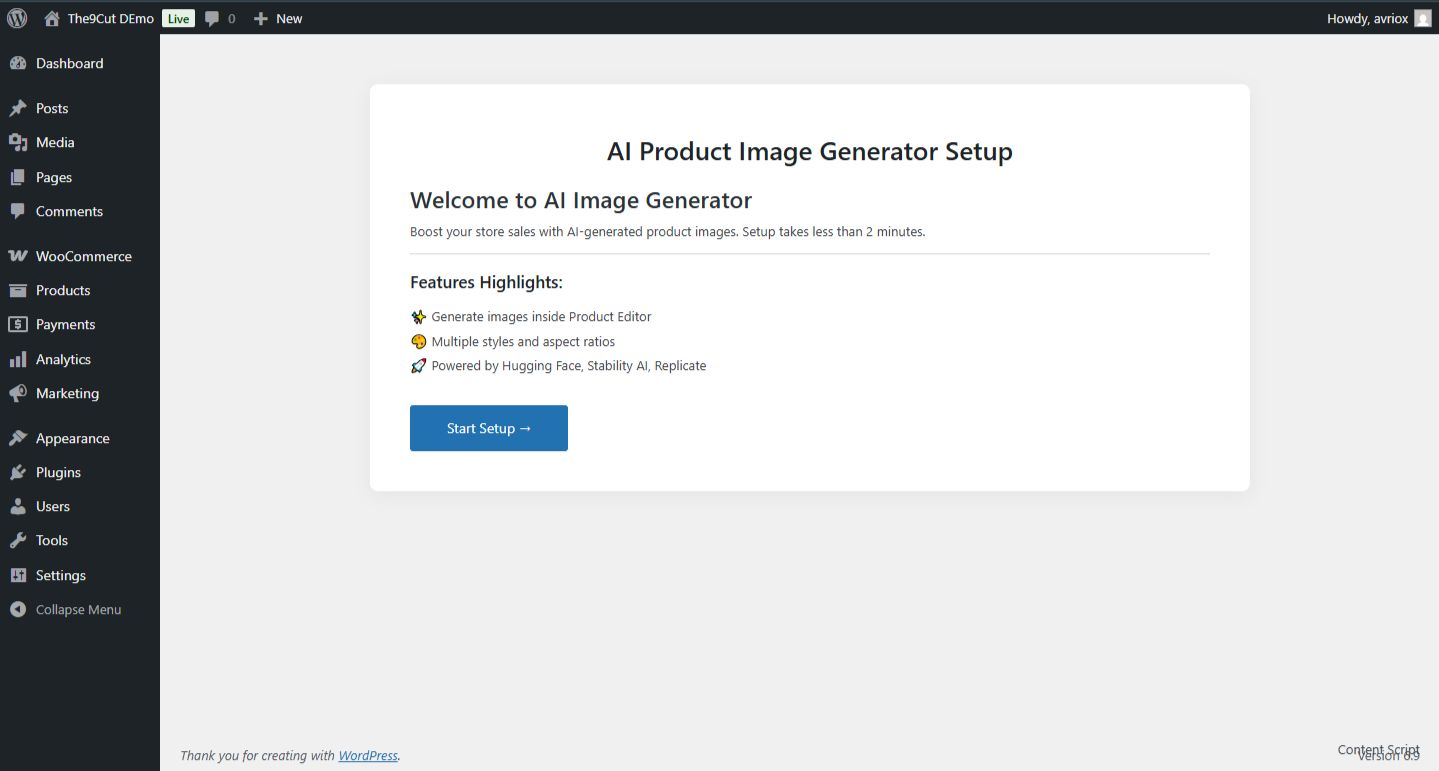
On plugin installation and activation, users are automatically redirected to a step-by-step onboarding wizard.
The onboarding process ensures:
- Proper configuration from the beginning
- No broken setup
- No silent errors
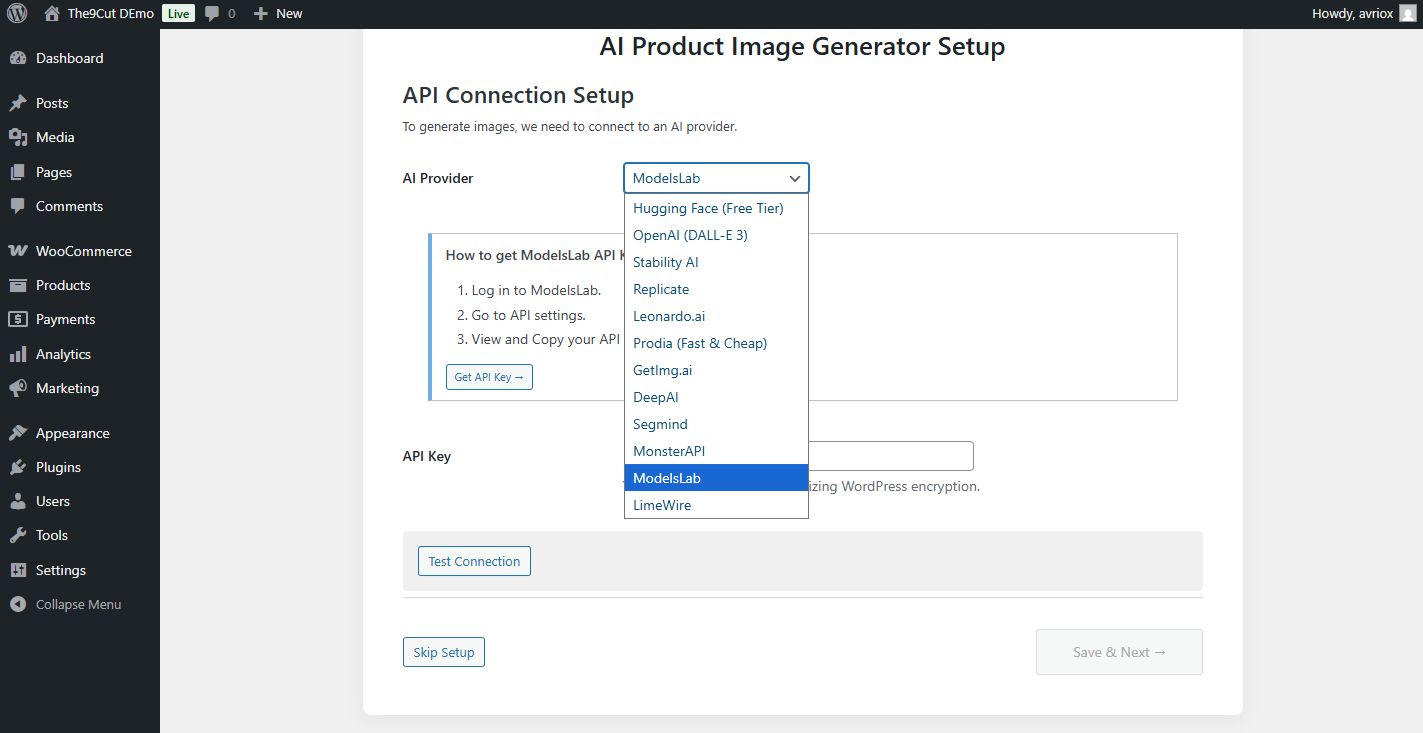
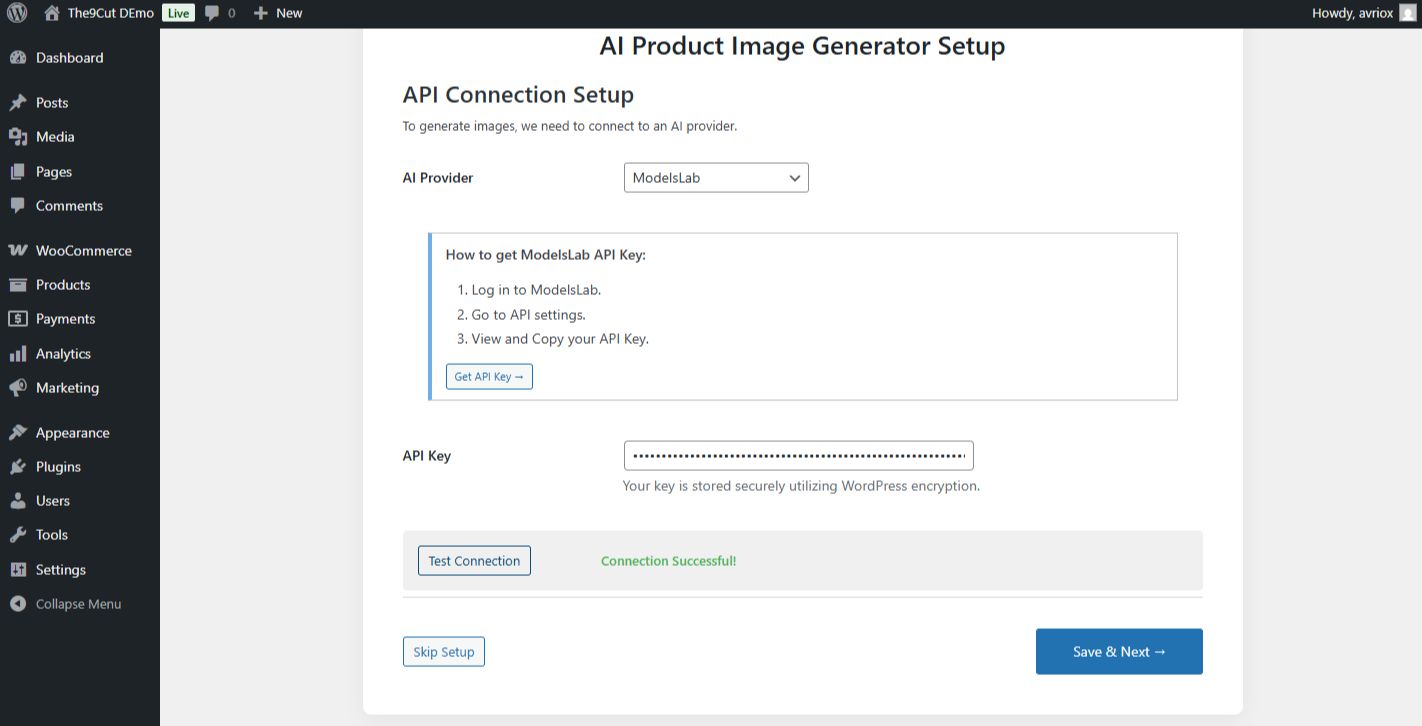
Users must select an AI provider and enter an API key to enable image generation. A real-time “Test Connection” button validates the API instantly. If the connection fails, the plugin immediately shows provider-specific documentation explaining how to obtain and fix the API key.
Users may skip API setup, but in that case:
- A clear warning is displayed
- Image generation features remain disabled
- No false success messages are shown
This prevents confusion and ensures transparency.
Multi-AI Provider Support (Bring Your Own API)
The plugin supports multiple AI image generation providers, allowing users to choose the service that best fits their needs.
Supported providers include:
- Hugging Face (Free tier available)
- Stability AI
- Replicate
- and more..
No API keys are bundled with the plugin. Users bring their own API keys, giving them full control over usage limits, costs, and provider selection. Providers can be changed at any time from the plugin settings.
Intelligent Image Generation Workflow
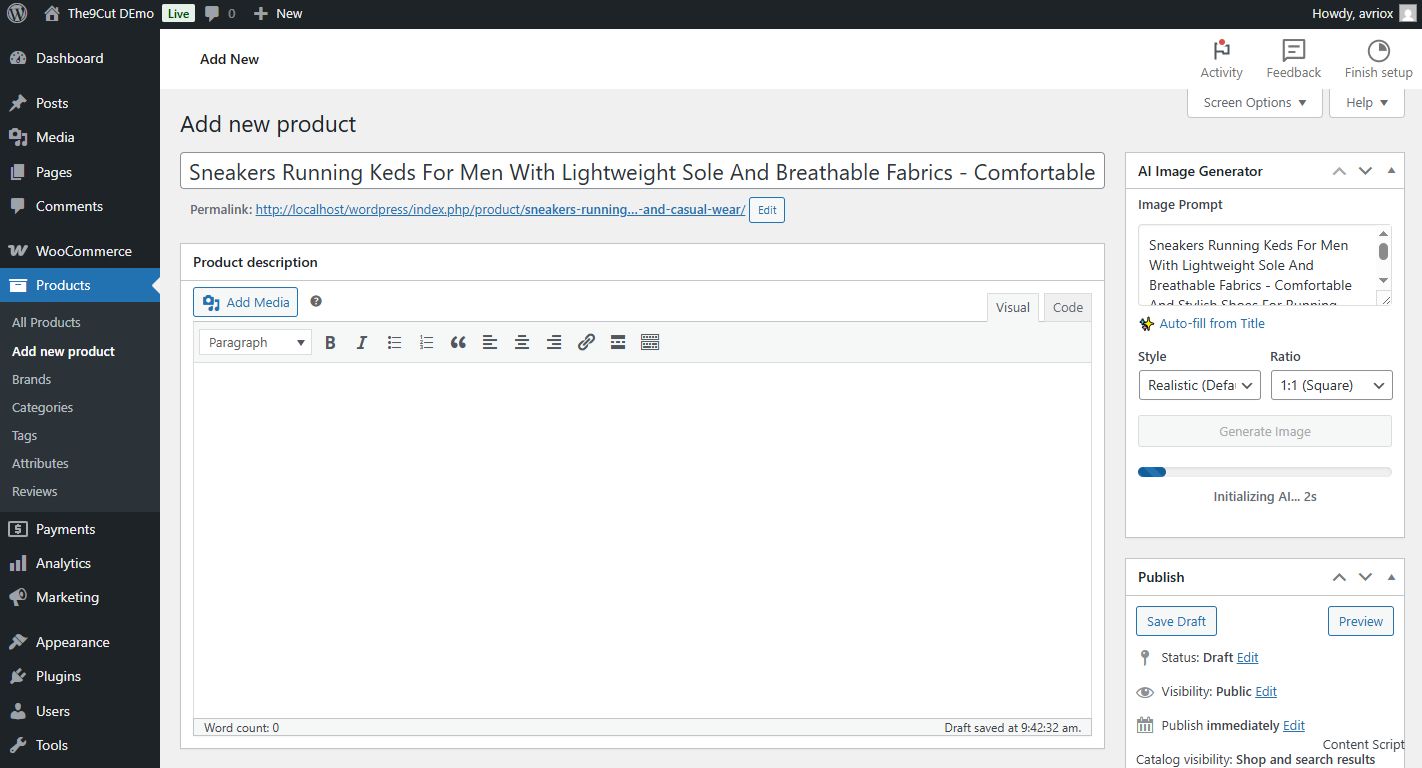
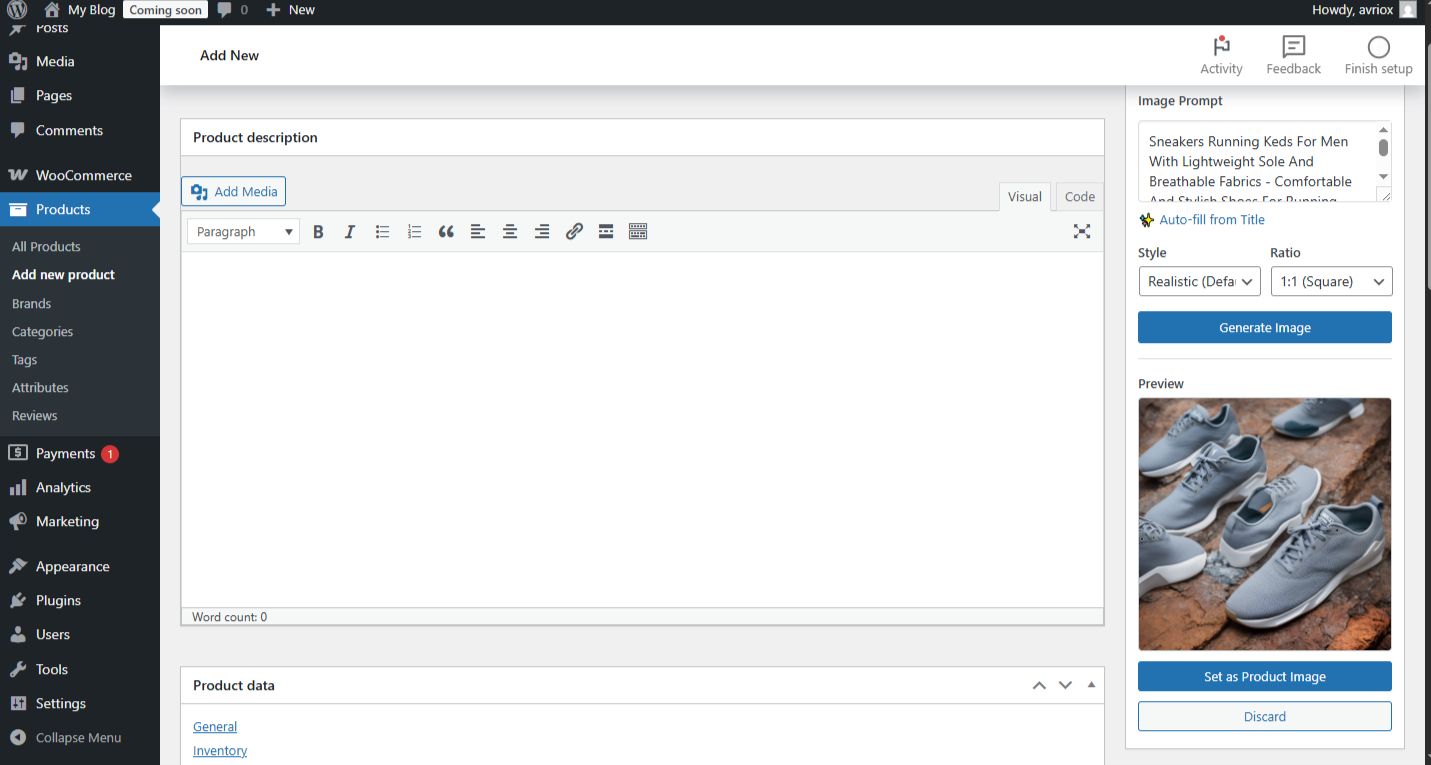
Inside the WooCommerce product add/edit page, the plugin adds a dedicated “AI Image Generator” panel.
The plugin automatically uses:
- Product title
- Product description
to build a professional, AI-optimized prompt.
Users can further customize:
- Image style (studio, lifestyle, minimal, ecommerce)
- Background preference
- Color theme
- Aspect ratio (1:1, 4:5, 16:9)
Generated images are displayed in a live preview window before saving. If the image looks good, users can set it as the product’s featured image with one click. If not, they can instantly generate another image.
Live Preview & Media Integration
Generated images are:
- Previewed before saving
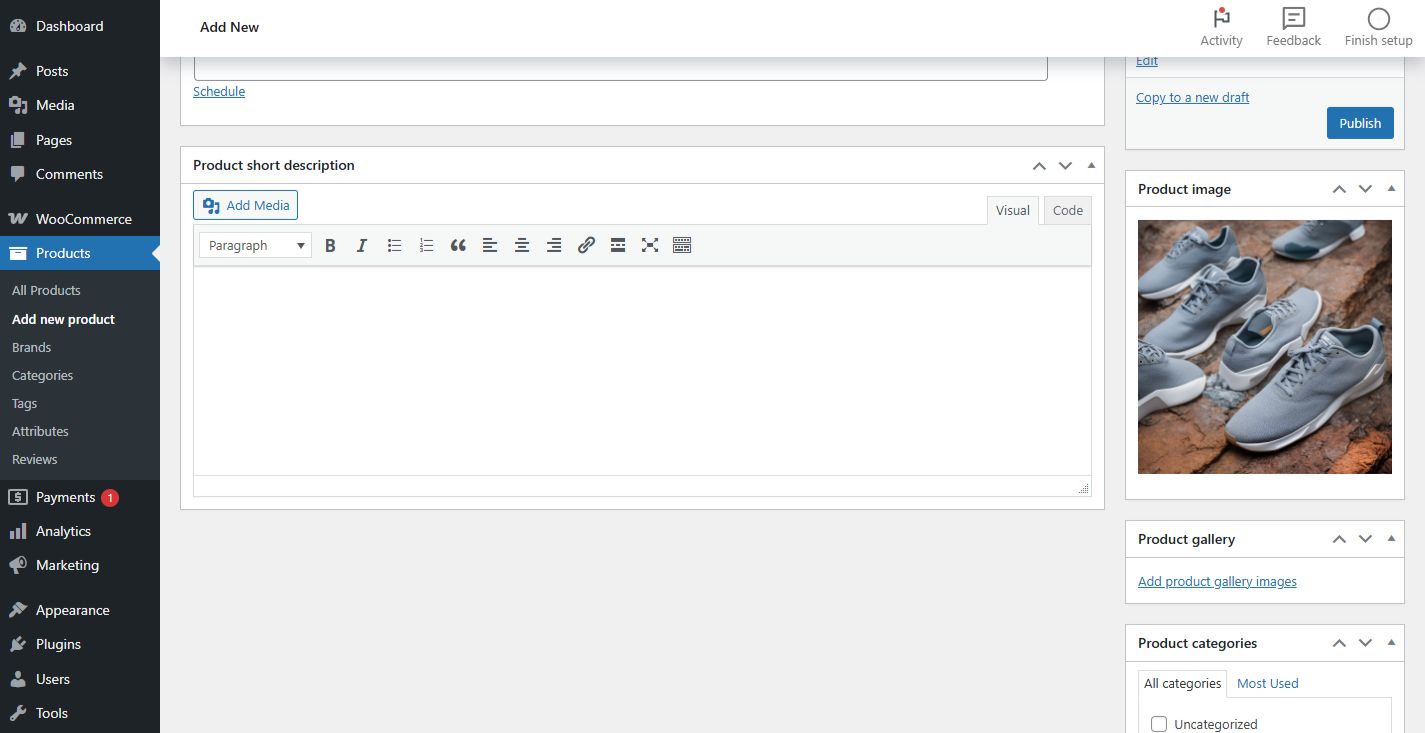
- Stored in the WordPress Media Library
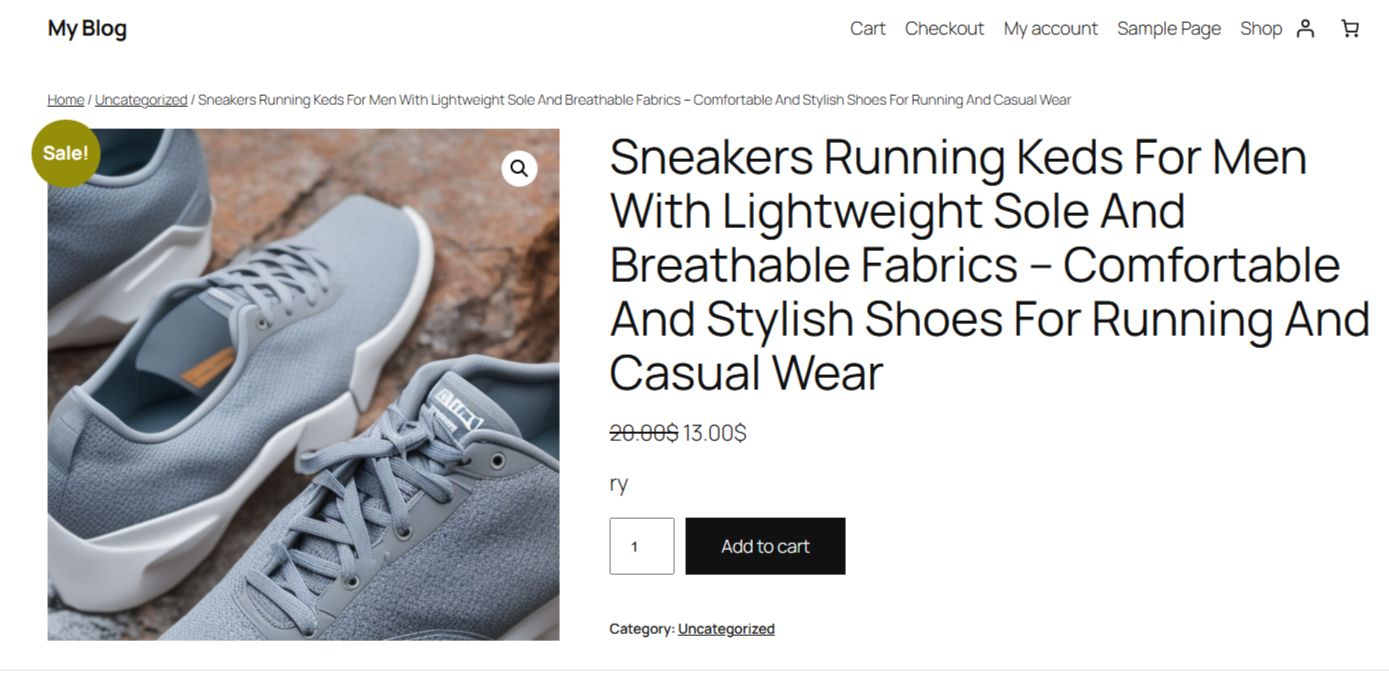
- Automatically assigned as WooCommerce featured images
No manual uploads are required.
Smart Feature Lock & Safety System
To prevent misuse and errors:
- Image generation is automatically disabled if no API key is configured
- Features unlock instantly once a valid API key is tested
- API keys are stored securely using WordPress standards
- All API requests are handled via AJAX for smooth performance
Plugin Dashboard & Settings
The plugin includes a clean admin dashboard that shows:
- API connection status
- Provider selection
- Feature availability
The settings page mirrors the onboarding experience, including:
- Provider selection
- API key input
- Real-time test connection
- Full inline documentation
This ensures users can configure or fix their setup at any time.
Features
- SaaS-Style Automatic Onboarding Wizard
After installing and activating the plugin, a guided onboarding wizard automatically starts. This wizard ensures that new users can configure the plugin correctly without any technical knowledge. - Mandatory AI API Configuration System
The plugin requires an AI provider API key to enable image generation. Without a valid API key, the image generation feature remains disabled to prevent errors or unexpected behavior. - Optional Skip Setup with Smart Warning Control
Users can skip API setup during onboarding, but a clear warning is displayed explaining that image generation will not work until an API key is configured. - Real-Time API Connection Testing
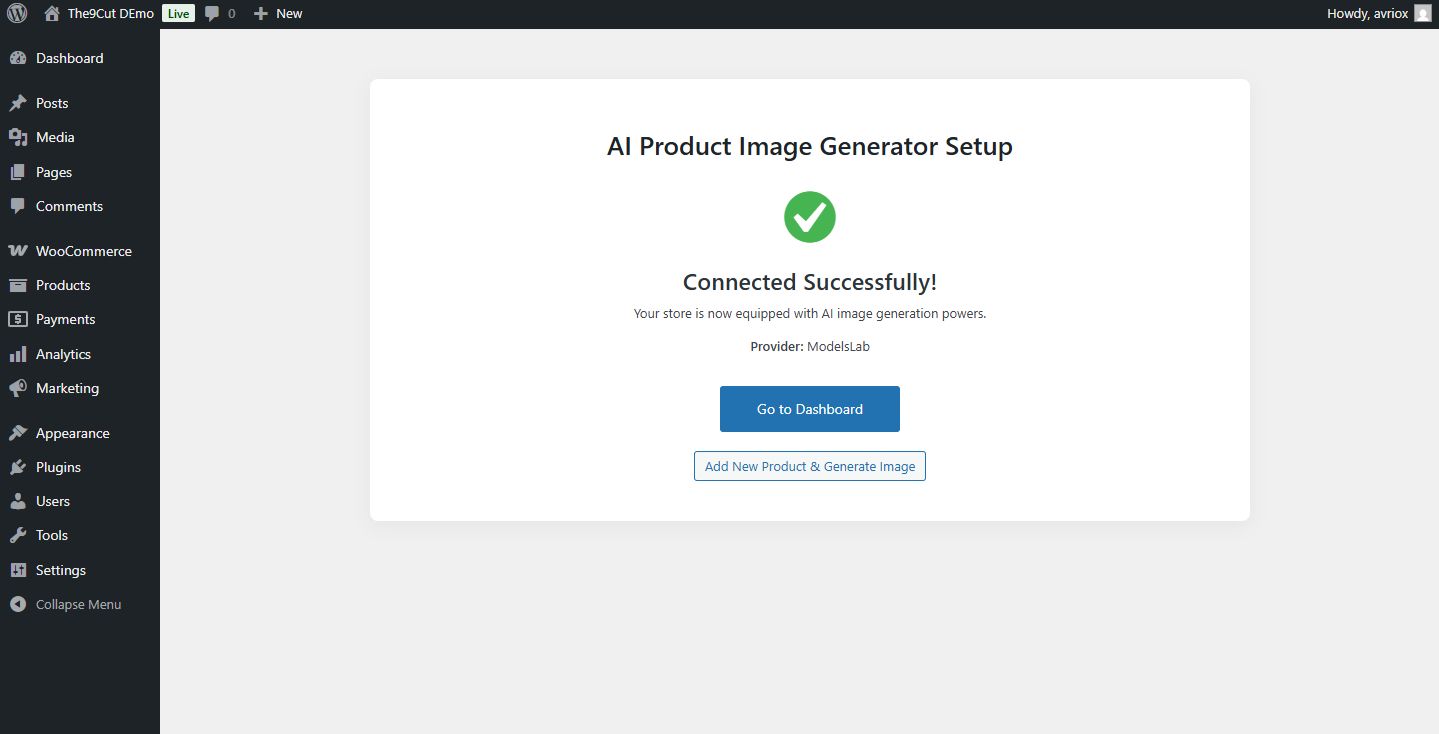
A built-in “Test Connection” button validates the API key in real time using AJAX. The system immediately confirms whether the connection is successful or failed. - Live Success and Failure Status Messages
Users receive instant feedback such as:- Connection successful – API key is valid
- Connection failed – invalid key, quota exceeded, or permission issue
- Multi AI Provider Support
The plugin supports multiple AI image generation providers, including:- Hugging Face (Free)
- Stability AI
- Replicate
- Bring Your Own API Key (BYOK)
No API keys are bundled with the plugin. Users supply their own API keys, ensuring full ownership, transparency, and scalability. - Provider-Specific Inline Documentation
Each AI provider includes detailed step-by-step documentation inside the plugin explaining:- Where to get the API key
- Which permissions are required
- How to avoid common setup mistakes
- Automatic Documentation Display on API Failure
If API validation fails, the plugin automatically displays the relevant provider documentation to help users fix the issue without external support. - WooCommerce Product Editor Integration
A dedicated “AI Image Generator” panel is added directly to the WooCommerce Add/Edit Product page for seamless workflow. - Automatic Product Data Detection
The plugin automatically uses the product title and description to generate optimized AI image prompts. - Custom Image Configuration Options
Before generating an image, users can customize:- Image style (studio, lifestyle, minimal, ecommerce)
- Background preference
- Color theme
- Aspect ratio (1:1, 4:5, 16:9)
- Intelligent AI Prompt Engine
The plugin dynamically builds professional, ecommerce-ready prompts to ensure realistic and high-quality product images. - Live Image Preview System
Generated images are shown in a preview window before saving, allowing users to review the image first. - One-Click “Set as Product Image”
With a single click, the generated image is saved to the WordPress Media Library and assigned as the product’s featured image. - Generate Another Image Instantly
If the generated image is not satisfactory, users can regenerate a new image instantly using the same or updated settings. - Feature Lock System
If no API key is configured or the API test fails, image generation features are automatically disabled to prevent misuse. - Central Plugin Dashboard
A dedicated dashboard shows API connection status, feature availability, and quick access to settings and documentation. - Secure API Key Storage
API keys are stored securely using WordPress options and are never exposed publicly. - AJAX-Based Performance Optimization
All image generation and API validation processes run asynchronously without reloading the page. - Clean, Modern Admin Interface
The plugin follows modern WordPress admin UI standards with a clean, professional, SaaS-like experience. - Production-Ready, Modular Codebase
Built with scalable architecture, provider abstraction, and WordPress coding standards.
Requirements
- WordPress 5.6 or higher
- WooCommerce 6.0 or higher
- PHP 7.4 or higher
- Valid AI Image Generation API Key (any supported provider)
- cURL enabled on server
- Internet connection for API requests
Instructions
- Install the Plugin
Upload the plugin ZIP file through WordPress Admin → Plugins → Add New → Upload Plugin. - Activate the Plugin
After activation, you will be automatically redirected to the onboarding wizard. - Start the Onboarding Wizard
Click the “Start Setup” button to begin configuration. - Select an AI Provider
Choose one AI provider from the available options (Hugging Face, Stability AI, or Replicate). - Enter Your API Key
Paste your API key into the provided input field. - Test API Connection
Click the “Test Connection” button to verify that your API key is valid. - Resolve Any Connection Errors
If the connection fails, follow the on-screen documentation to obtain or fix your API key, then test again. - Complete Setup
Once the API test is successful, proceed to complete onboarding. - Optional: Skip API Setup
You may skip API setup, but image generation will remain disabled until a valid API key is added later. - Access Plugin Dashboard
Go to WooCommerce → AI Image Generator to view plugin status and settings. - Add or Edit a Product
Navigate to WooCommerce → Products → Add New or Edit an existing product. - Use the AI Image Generator Panel
Scroll to the “AI Image Generator” panel on the product editor page. - Customize Image Settings
Select image style, background, color theme, and aspect ratio as needed. - Generate Image
Click “Generate Image” to create an AI-powered product image. - Preview the Generated Image
Review the image before saving. - Set as Product Image
Click “Set as Product Image” to save and apply it to the product. - Regenerate if Needed
Click “Generate Another” to create a new image. - Manage API Settings Anytime
You can update or change your API provider and key anytime from the plugin settings page.
Other items by this author


| Category | Plugins / WooCommerce |
| First release | 21 January 2026 |
| Last update | 21 January 2026 |
| Supported CMS | WordPress 6.0, WordPress 6.1, WordPress 6.2, WordPress 6.3, WordPress 6.4, WordPress 6.5, WordPress 6.6, WordPress 6.7 |
| Files included | .php, .css, .html, Javascript .js |
| Tags | woocommerce, wordpress plugin, ai image generator, stable diffusion, ai plugin, woocommerce addon, product image ai, ecommerce ai, ai product image, hugging face |