QROps - SaaS Ready Professional QR Code Generator QROps - SaaS Ready Professional QR Code Generator
SaaS Ready: React QR Generator + PWA + License System. Perfect to resell & generate income.
QROps - SaaS Ready Professional QR Code Generator
SaaS Ready: React QR Generator + PWA + License System. Perfect to resell & generate income.
Screenshots


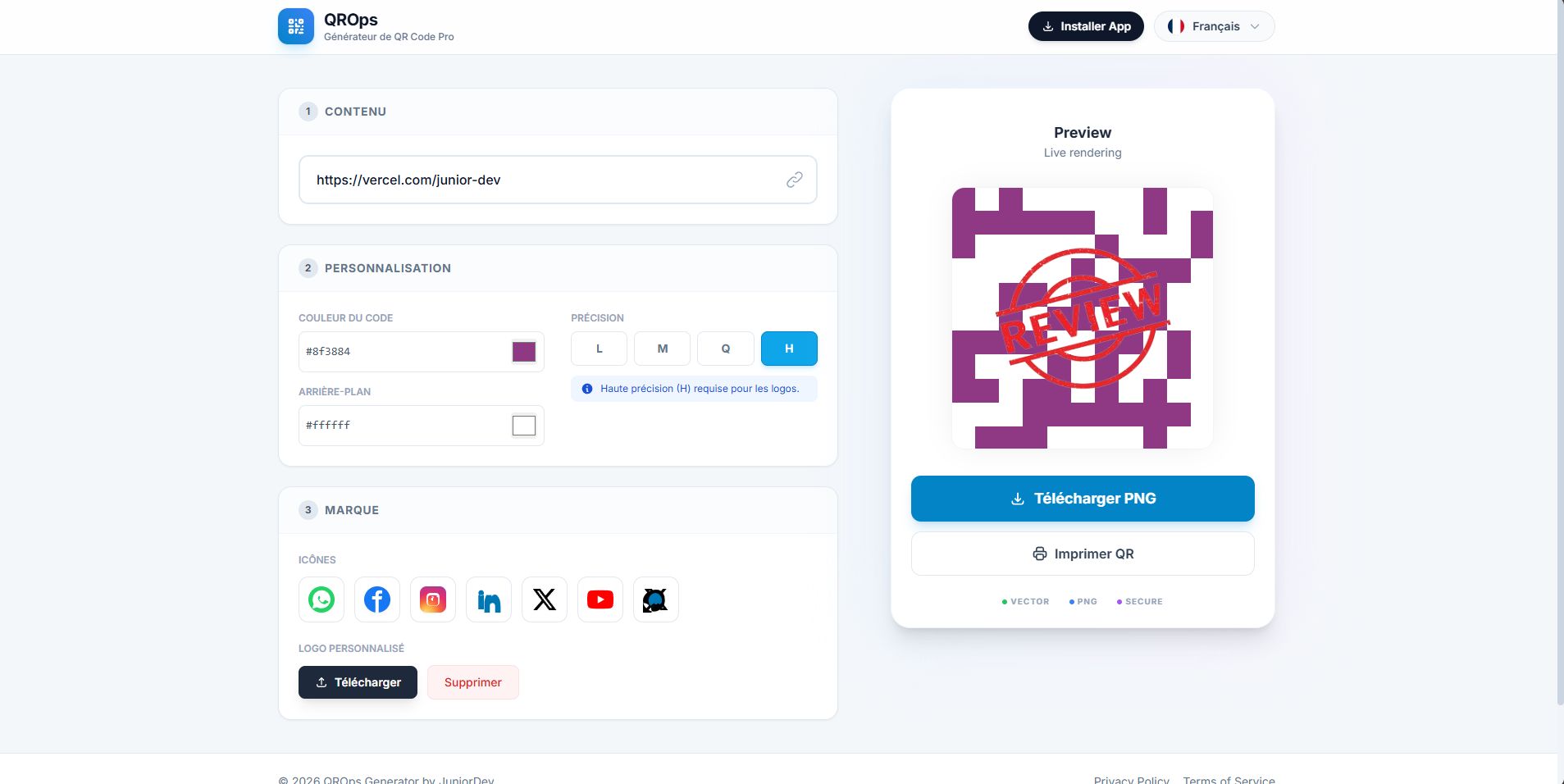
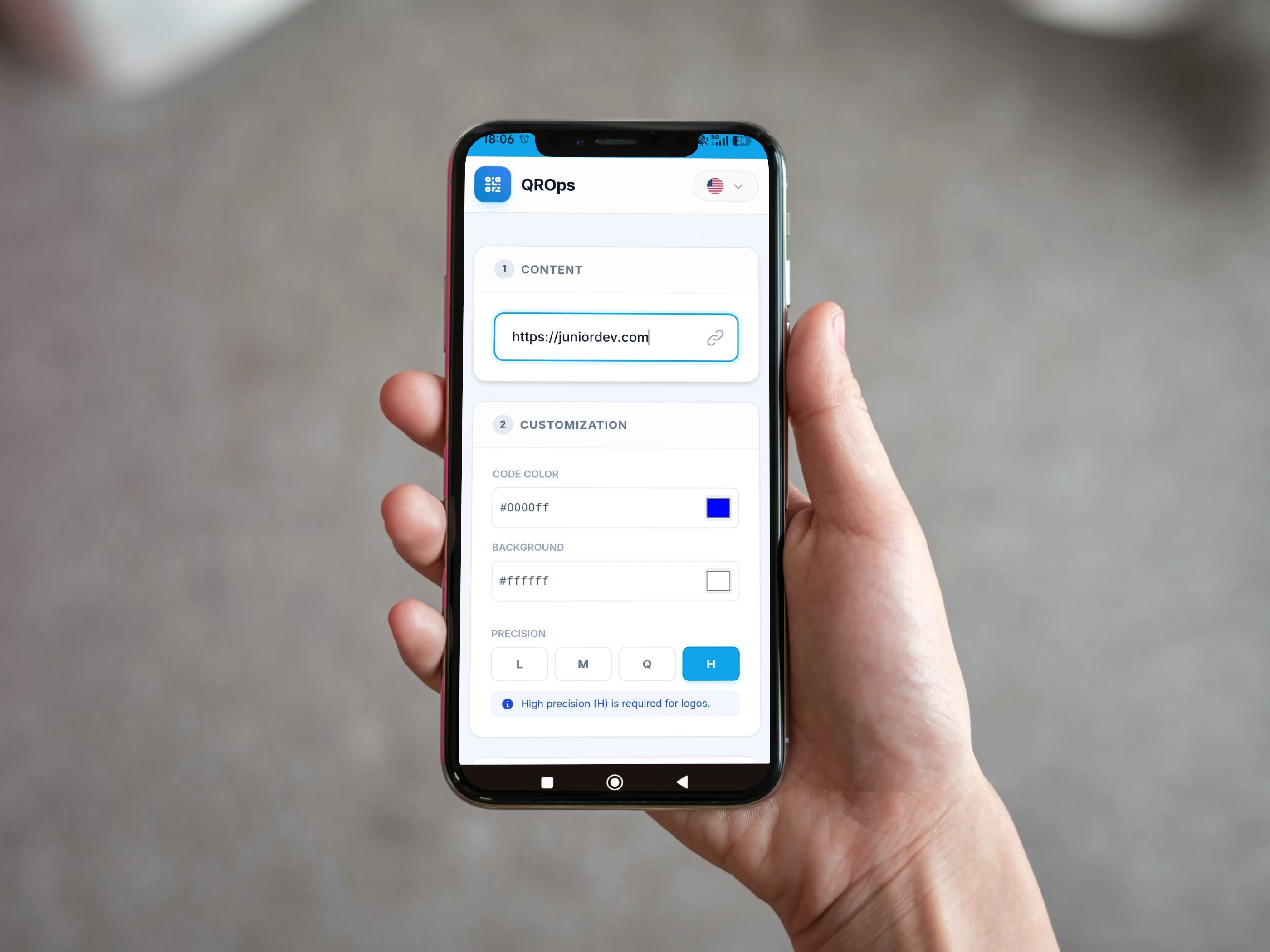
Overview
🚀 QROps - Ultimate SaaS QR Code Generator (React + PWA)
Launch your own SaaS business today! QROps is a professional, high-performance QR Code Generator built with the latest web technologies (React 18, Vite, Tailwind CSS). It is designed for entrepreneurs who want to resell software and generate passive income.
Unlike other scripts that require expensive servers, QROps runs 100% Client-Side. No database required, no monthly server costs, just pure profit.
💸 Business Opportunity: How to Make Money?
This is a "White Label" ready solution. You can:
- Resell the Software: Sell the app to restaurants, agencies, and retail shops.
- Sell Licenses: The app comes with a built-in Licensing System. Give clients "Demo Access" and charge them for the "License Key" to unlock the full version.
- Service Agency: Generate professional QR codes for local businesses and charge a service fee.
🔥 Top Features
- ⚡ Modern Tech Stack: Built on React 18, TypeScript, and Vite for lightning-fast performance.
- 📱 PWA Support (Mobile App): Users can install it as a Native App on iOS, Android, Windows, and macOS directly from the browser.
- 🔐 Built-in Licensing System:
- Demo Mode: Applies a watermark to generated QR codes.
- Pro Mode: Unlocked via a License Key (you control the key!).
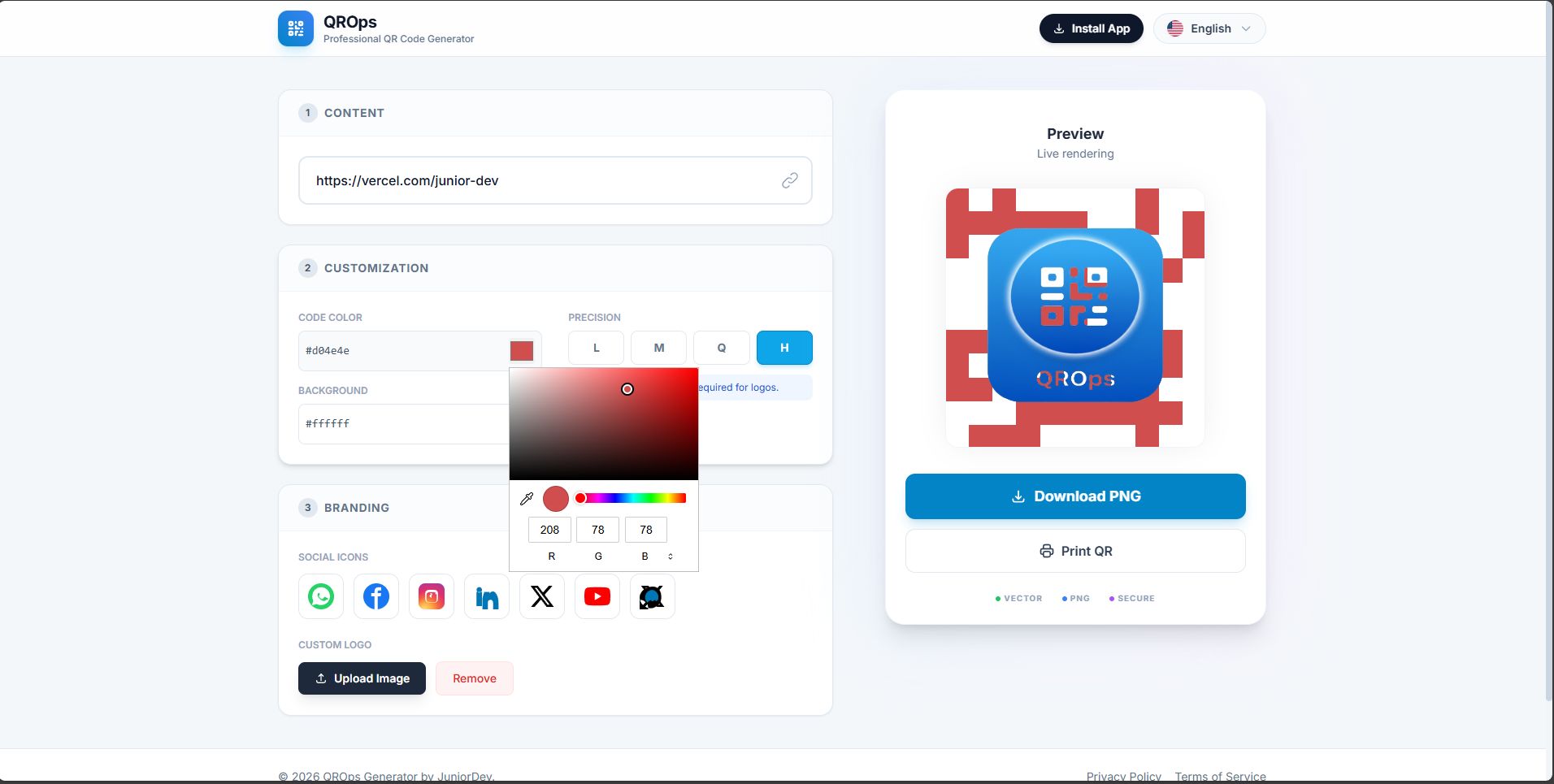
- 🎨 Advanced Customization:
- Custom Foreground & Background Colors.
- Error Correction Levels (L, M, Q, H).
- Adjustable Logo Sizes.
- 🖼️ Logo Integration: Upload custom logos or use preset social icons (WhatsApp, Instagram, Facebook, WiFi, etc.).
- 🌍 Multi-Language Ready: Comes with English, Portuguese, Spanish, and French pre-installed. Auto-detects or switches instantly.
- 📥 High-Res Export: Downloads in PNG format, ready for print.
💻 Technical Requirements
- No Backend/Database needed (Runs on any static hosting like Netlify, Vercel, or cPanel).
- Built with React 18 + Vite.
- Styled with Tailwind CSS.
- Fully Responsive Design (Mobile First).
📦 What You Get in the Zip
- Full Source Code (React + TypeScript).
- Detailed Documentation: Step-by-step guide on how to install, edit, and resell.
- Lifetime License Logic.
- 6 Months Premium Support.
Start generating income with QROps today!
"🔥 LAUNCH PRICE - 50% OFF FOR A LIMITED TIME!
Features
SaaS Business Ready: Includes a built-in Licensing System (Demo Mode vs. Pro Mode).PWA Technology: Installable as a Native App on iOS, Android, Windows, and macOS.100% Client-Side: No database or complex backend required (Zero server costs).React 18 + Vite: Built with the latest, fastest web technologies.Multi-Language Support: Pre-translated into English, Portuguese, Spanish, and French.Advanced Customization: Change QR colors, backgrounds, and error correction levels.Logo Integration: Upload custom logos or use preset social icons (WhatsApp, Instagram, etc.).Smart Watermark: Automatically protects your generated codes until a license key is entered.High-Quality Export: Downloads optimized PNG files ready for print.Easy Rebranding: Simple configuration file to change the App Name, Logo, and License Key.Modern UI: Beautifully styled with Tailwind CSS (Glassmorphism effects).Responsive Design: Works perfectly on mobile, tablets, and desktops.
Requirements
To Edit and Build the Project:
- Node.js installed (Version 16 or higher).
- NPM (included with Node) or Yarn.
- A Code Editor (Visual Studio Code recommended).
- Basic knowledge of using a Terminal/Command Prompt to run "npm install".
To Host the Project (Live Website):
- Any Static Hosting Provider (Netlify, Vercel, GitHub Pages, etc.).
- OR Standard Shared Hosting (cPanel/Apache/Nginx).
- NO Database required (No MySQL/PostgreSQL needed).
- NO PHP or Backend Server required.
Instructions
*** QUICK START GUIDE ***
1. INSTALLATION (Local Development)
- Unzip the downloaded file.
- Open the folder in your terminal or Command Prompt.
- Run the command: npm install
- Run the command: npm run dev
- Open http://localhost:5173 to see the app running.
2. CONFIGURATION (White Label)
- To change the License Key, App Name, or Translations, open the file: src/constants.ts
- To change the Logo, replace the file: public/icon.png
3. DEPLOYMENT (Going Live)
- Run the command: npm run build
- A new folder named "dist" will be created.
- Upload the contents of the "dist" folder to any hosting (Netlify, Vercel, or public_html on cPanel).
* A detailed PDF Documentation with screenshots is included in the download file.
Other items by this author


| Category | Scripts & Code / ReactJS |
| First release | 31 January 2026 |
| Last update | 31 January 2026 |
| Files included | .css, .html, Javascript .js |
| Tags | Javascript, QR generator, barcode, PWA, react, qr code, SaaS, qr scanner, qrcode generator, white label, tailwind, qr maker, vite, license system, react script |