Home / App Templates / React
BiteRunner - Food Delivery App React TemplateBiteRunner - Food Delivery App React Template
BiteRunner is a production-ready food delivery application template built with React 18, TypeScript, and Tailwind CSS.Home / App Templates / React
BiteRunner - Food Delivery App React Template
BiteRunner is a production-ready food delivery application template built with React 18, TypeScr...
Screenshots


Overview
BiteRunner - Premium Food Delivery React Template
BiteRunner is a production-ready food delivery application template built with React 18, TypeScript, and Tailwind CSS. Perfect for startups and businesses launching their own food delivery platform.
Live Demo
What's Included
Customer App (24 Screens)
- Onboarding Flow (Splash, Carousel, Location Setup)
- Authentication (Login, Sign Up)
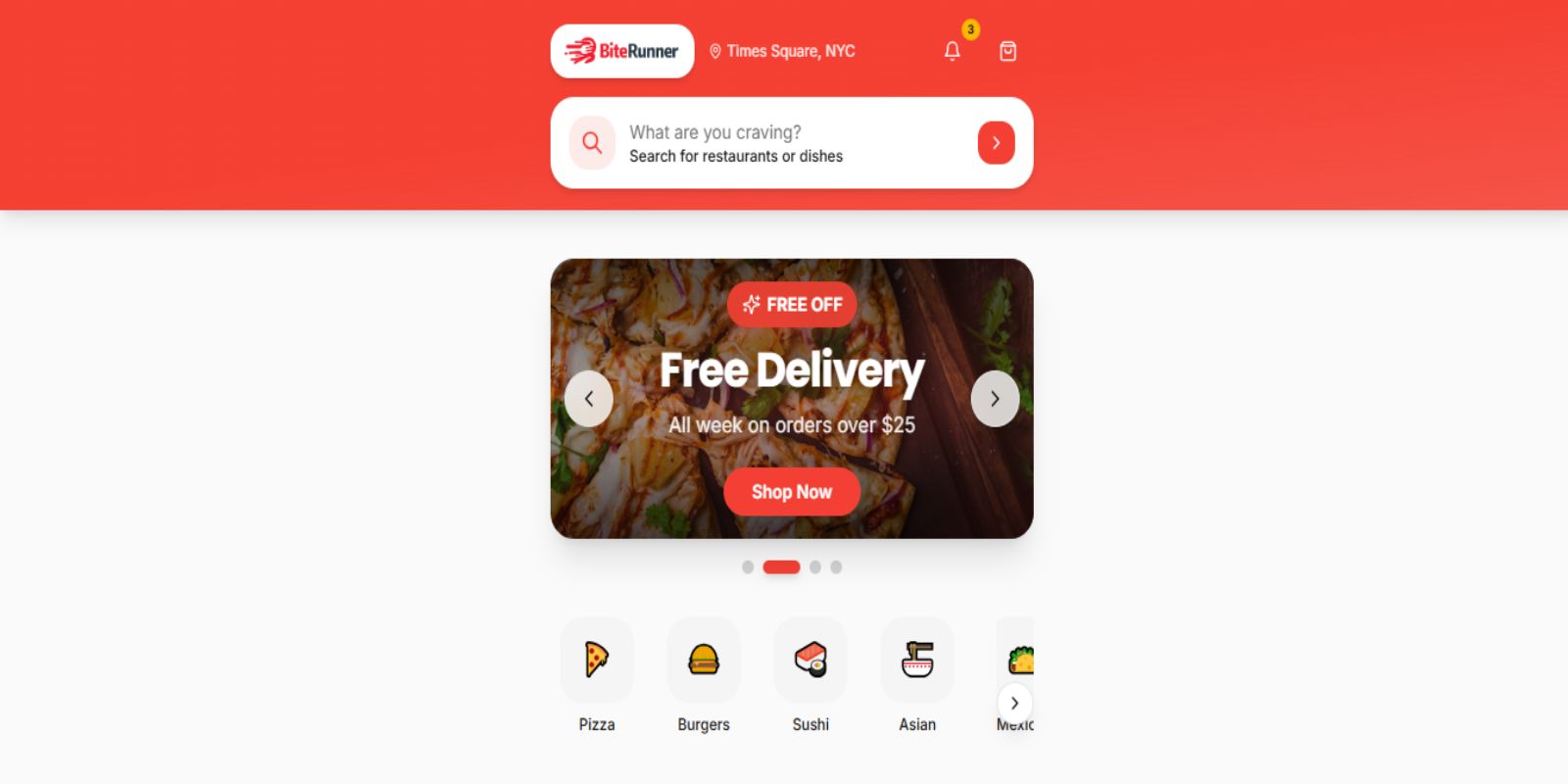
- Home with Featured Restaurants & Categories
- Restaurant Browsing & Menu Details
- Cart, Checkout & Order Tracking
- Profile, Addresses, Payment Methods
- Favorites, Notifications, Coupons, Support
Admin Dashboard (18 Screens)
- Analytics Dashboard with KPIs
- Revenue & Performance Analytics
- Live Orders & Order History
- Restaurant & Menu Management
- Customer Profiles & Support Tickets
- Rider Management & Tracking
- Roles & Permissions, Audit Logs
Design Features
- Full Dark Mode with System Detection
- RTL (Right-to-Left) Layout Support
- Responsive: Mobile, Tablet, Desktop
- Skeleton Loaders & Micro-interactions
- Density Toggle (Comfortable/Compact)
Tech Stack
- React 18 + TypeScript
- Vite (Fast Build Tool)
- Tailwind CSS + shadcn/ui
- Framer Motion Animations
- React Router v6
- React Query Ready
- Recharts for Analytics
Backend Ready
Includes mock API service layer with realistic async delays. Easy integration with Supabase, Firebase, Node.js, or any backend.
Documentation
Comprehensive documentation with installation guide, customization instructions, and screen inventory.
Images
All demo images are from Unsplash and Pexels (free for commercial use). Replace with your own assets for production.
Features
- Onboarding Flow: Splash screen, onboarding carousel, location setup
- Authentication: Login, Sign up with form validation
- Home: Featured restaurants, categories, promotional banners
- Restaurant Browsing: Restaurant listings, details, menu items
- Search & Discovery: Advanced search, category filtering
- Cart & Checkout: Cart management, checkout flow, order placement
- Order Management: Order tracking, order history, order details
- User Profile: Profile management, addresses, payment methods
- Settings: Notifications, favorites, coupons, support
Admin Dashboard (18 Screens)
- Analytics: Dashboard overview, revenue analytics, performance metrics
- Order Management: Live orders (real-time), order history, refunds
- Restaurant Management: Restaurant listings, menu management, categories
- User Management: Customer profiles, customer details
- Rider Management: Rider listings, performance tracking
- Support: Support tickets, live chat
- Settings: Platform settings, roles & permissions, audit logs
- Reports: Report generation, scheduled reports, templates
Requirements
Install Dependencies
npm install
# or
yarn install
# or
bun install
Development Server
npm run dev
# or
yarn dev
# or
bun dev
Instructions
Step 1: Download & Extract
After purchasing from ThemeForest, download the zip file and extract it to your desired location.
# Extract the downloaded zip file
# You'll get a folder named 'biterunner' or similar

# Navigate to project directory
cd biterunner
Step 2: Install Dependencies
npm install
# or
yarn install
# or
bun install
Step 3: Start Development Server
npm run dev
# or
yarn dev
# or
bun dev###/precode###http://localhost:5173
Optional: Push to Your Own Repository
If you want to use version control for your project:
# Initialize a new git repository
git init

# Add all files
git add .

# Create initial commit
git commit -m "Initial commit - BiteRunner template"

# Add your remote repository
git remote add origin https://github.com/your-username/your-project.git

# Push to your repository
git push -u origin main
Build for Production
npm run build
# or
yarn build
# or
bun build
Other items by this author



Information
| Category | App Templates / React |
| First release | 6 February 2026 |
| Last update | 6 February 2026 |
| Tags | ecommerce, mobile app, rtl, food ordering, admin dashboard, typescript, food delivery, restaurant App, dark mode, delivery app, tailwind css, vite, react template, react 18, shadcn |