Home / Plugins / Prestashop

ALT Pixels - Tracking Tags Manager for PrestaShopALT Pixels - Tracking Tags Manager for PrestaShop
Add GTM, GA4, Google Ads, Meta, TikTok, Pinterest, Snap & Clarity tags in PrestaShop with correct head/body placement.Home / Plugins / Prestashop
ALT Pixels - Tracking Tags Manager for PrestaShop
Add GTM, GA4, Google Ads, Meta, TikTok, Pinterest, Snap & Clarity tags in PrestaShop with cor...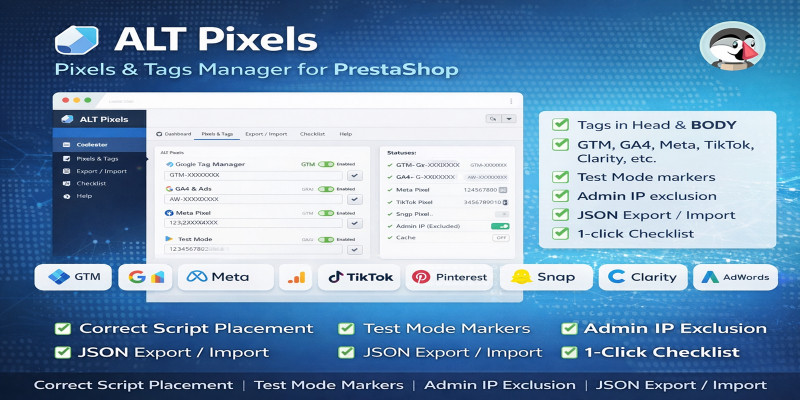
Screenshots
Overview
ALT Pixels – Tracking Tags Manager for PrestaShop
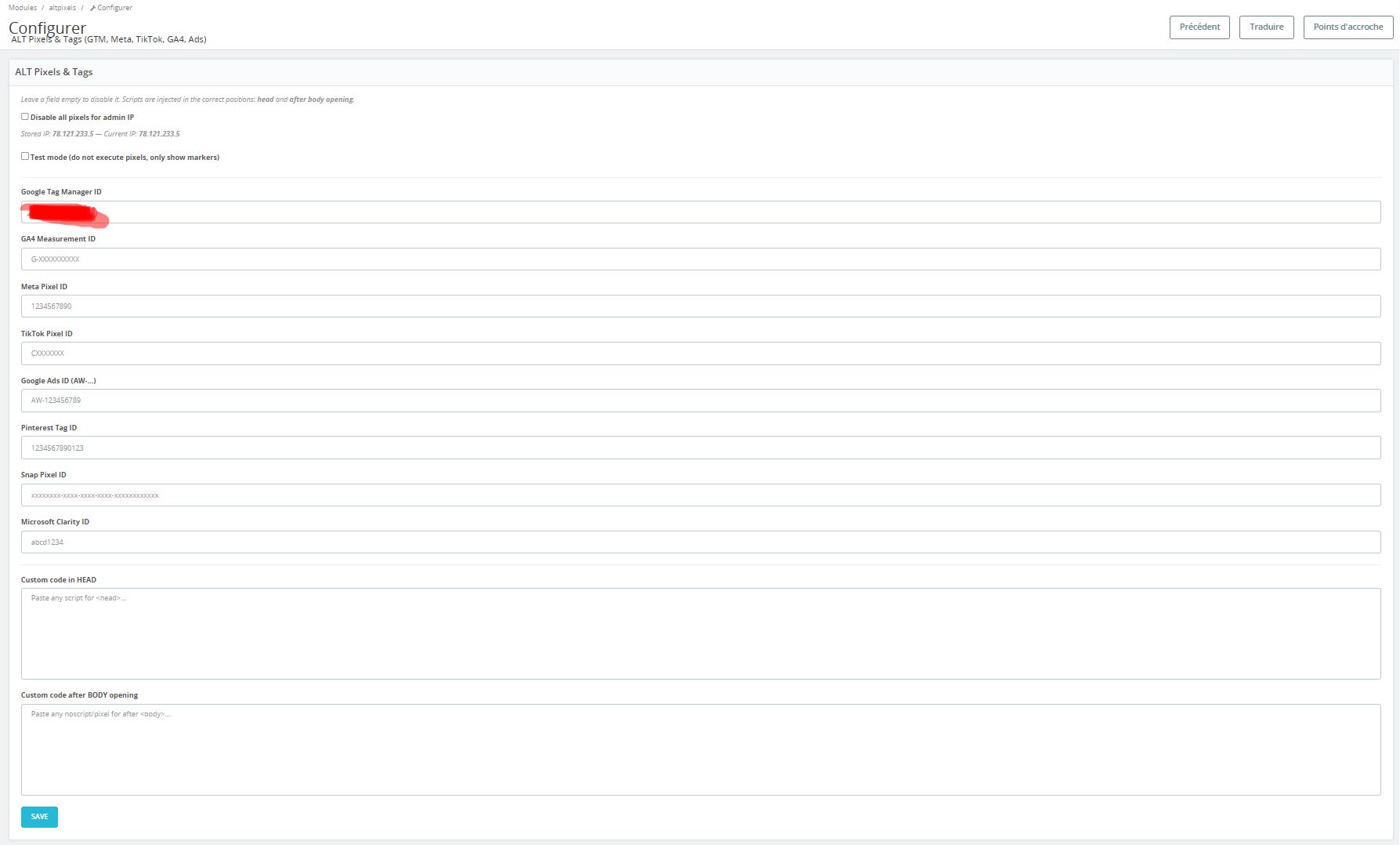
ALT Pixels helps you install the most common marketing pixels and analytics tags in the correct place in your PrestaShop theme: and right after the opening . No theme editing required.
Supported tags
- Google Tag Manager (GTM)
- Google Analytics 4 (GA4)
- Google Ads (AW)
- Meta Pixel
- TikTok Pixel
- Pinterest Tag
- Snap Pixel
- Microsoft Clarity
What this module does
- Injects each tag in the right position (Head / After Body opening)
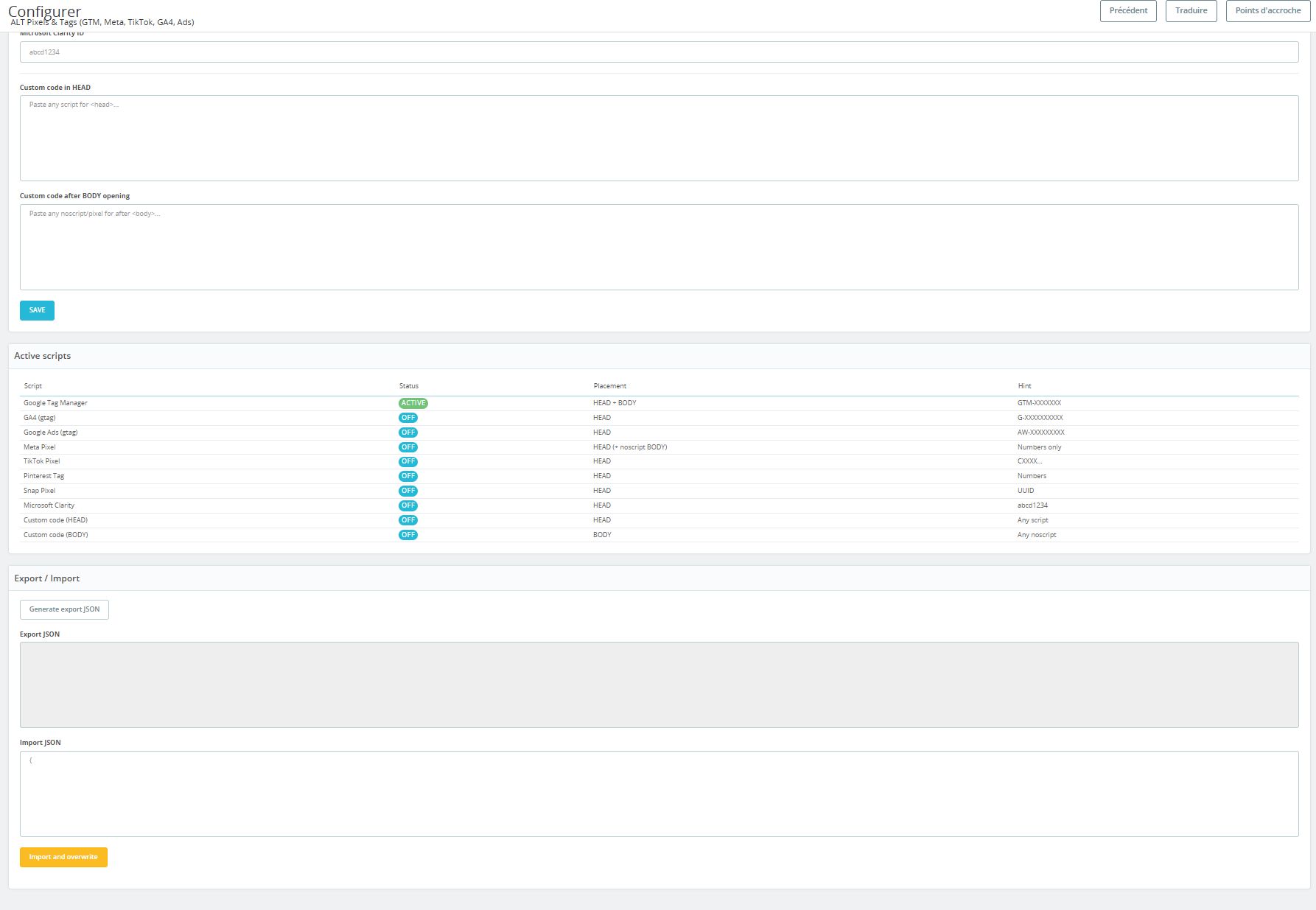
- Provides a clear configuration page with a live status checklist
- Optional Test Mode (shows markers without executing scripts)
- Optional Admin IP exclusion (disable tracking for your own visits)
- Export / Import configuration (JSON) for fast setup across shops
What this module does NOT do
- Does not create conversion events (Purchase, AddToCart, etc.) automatically
- Does not replace cookie consent / GDPR modules
- Does not bypass platform policies (it only injects official scripts)
Perfect for
- New shops that want clean tracking without editing theme files
- Agencies managing multiple PrestaShop stores
- Fast debugging with Test Mode and Admin IP exclusion
Features
- Correct script placement: Head + After Body opening
- Supports: GTM, GA4, Google Ads, Meta, TikTok, Pinterest, Snap, Clarity
- Test Mode: shows markers without running pixels
- Admin IP exclusion: disable tracking for your own visits
- Status checklist: see what is enabled at a glance
- Export / Import JSON: migrate settings in seconds
- Clean code (Smarty-safe scripts) and theme-friendly
Requirements
- PrestaShop 1.7.x / 8.x / 9.x
- PHP 7.4+ (recommended 8.0+)
- A theme that outputs
{$HOOK_HEADER}inhead.tpl - For GTM noscript: theme must support
displayAfterBodyOpeningTag
Instructions
Installation
- Upload the module ZIP in your PrestaShop Back Office
- Go to Modules → search for ALT Pixels → click Install
- Open the module configuration page
Configuration
- Paste your IDs (GTM-XXXX, G-XXXX, AW-XXXX, etc.) in the corresponding fields
- Click Save
- Use Test Mode to validate placement without executing tags
- Enable Admin IP exclusion if you want to avoid tracking your own visits
Export / Import
- Generate an export JSON to save your configuration
- Import JSON to overwrite settings on another shop
Notes
- Avoid double tracking: do not install the same pixel via multiple modules at the same time
- If you use a cookie consent banner, configure it to block scripts until consent if required
Other items by this author



Information
| Category | Plugins / Prestashop |
| First release | 7 February 2026 |
| Last update | 10 February 2026 |
| Supported CMS | PrestaShop 1.7, PrestaShop 8.x |
| Tags | prestashop, tracking, google analytics, pixel, google ads, prestashop module, conversion tracking, gtm, google tag manager, ga4, meta pixel, tiktok pixel, pinterest tag, snap pixel, microsoft clarity |