



HR Vault Pro - Human Resource Management SystemHR Vault Pro - Human Resource Management System
All-in-one HR & ID Management: Bulk Imports, Multi-template ID Designer, Digital Vault, and Role-based Security for Businesses
HR Vault Pro - Human Resource Management System
All-in-one HR & ID Management: Bulk Imports, Multi-template ID Designer, Digital Vault, and R...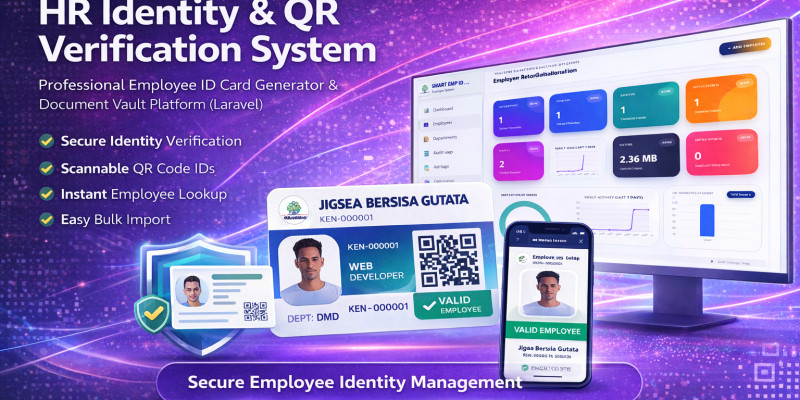
Screenshots
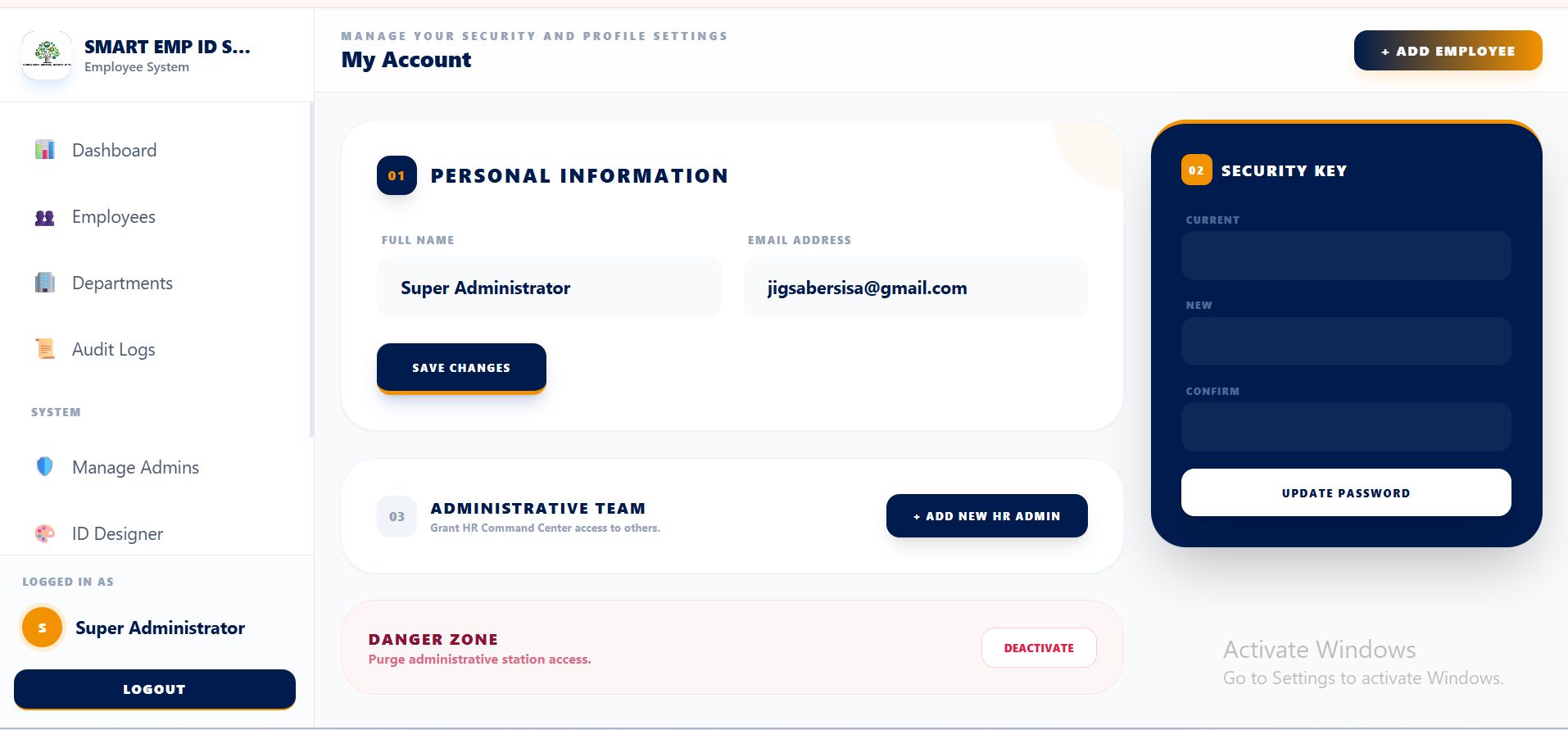
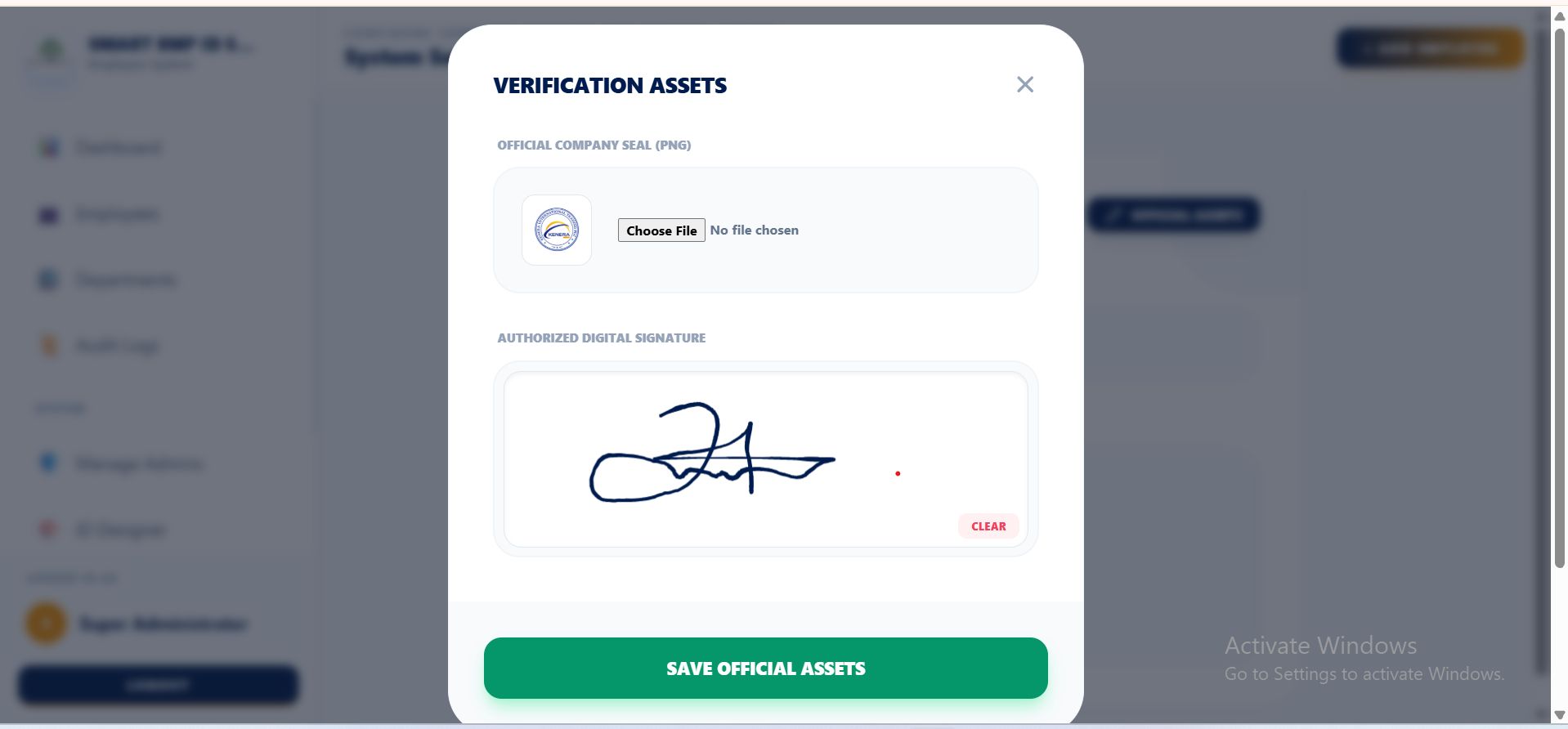
Overview
HR Vault Pro is a comprehensive, high-performance Human Resource Management System (HRMS) built on Laravel 11. It is designed to automate the most time-consuming HR tasks: employee onboarding, digital record keeping, and professional ID card production.
This system is perfect for organizations looking for a "Digital Vault" to secure employee data while maintaining a sleek, modern interface for administrators.
⭐ Standout Features
1. Dynamic ID Card Engine & Designer
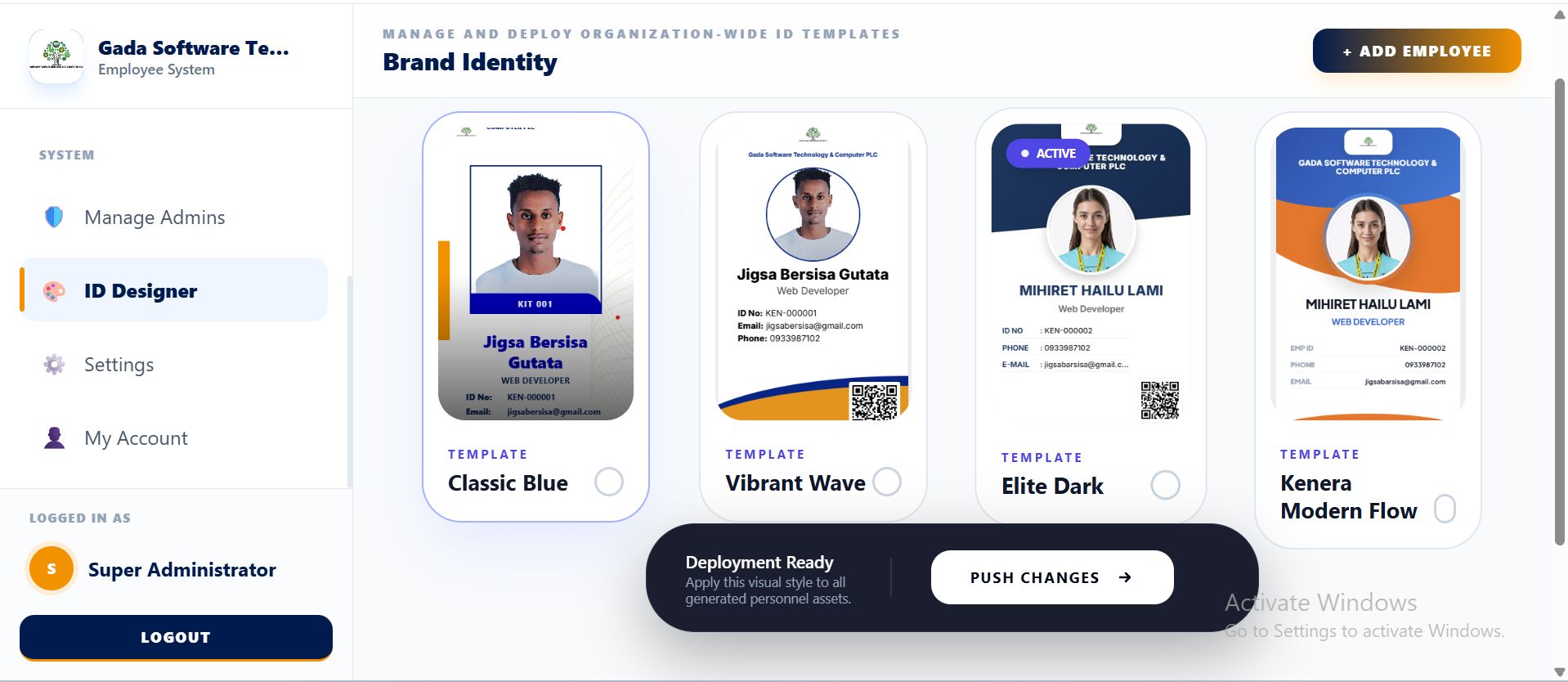
- Template Switcher: Instantly switch between multiple premium ID designs (Classic, Modern, Elite).
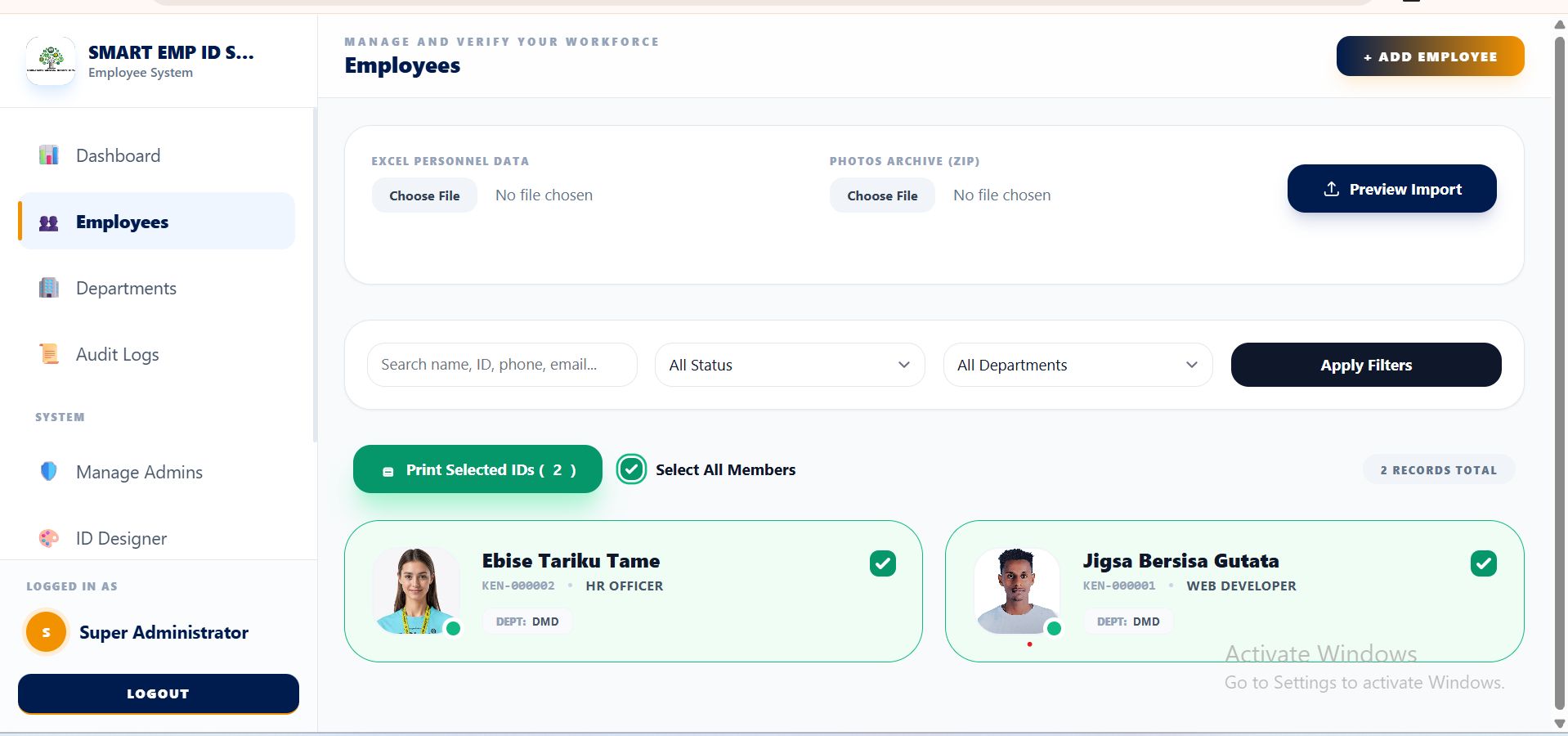
- Batch Printing: Select multiple employees and generate print-ready PDF layouts for mass production.
- Automated Elements: Integrated QR codes, company seals, and digital HR signatures.
2. Smart Bulk Data Importer
- Excel + ZIP Sync: Upload your employee spreadsheet and a ZIP file of photos at the same time. The system automatically matches and assigns photos to the correct records.
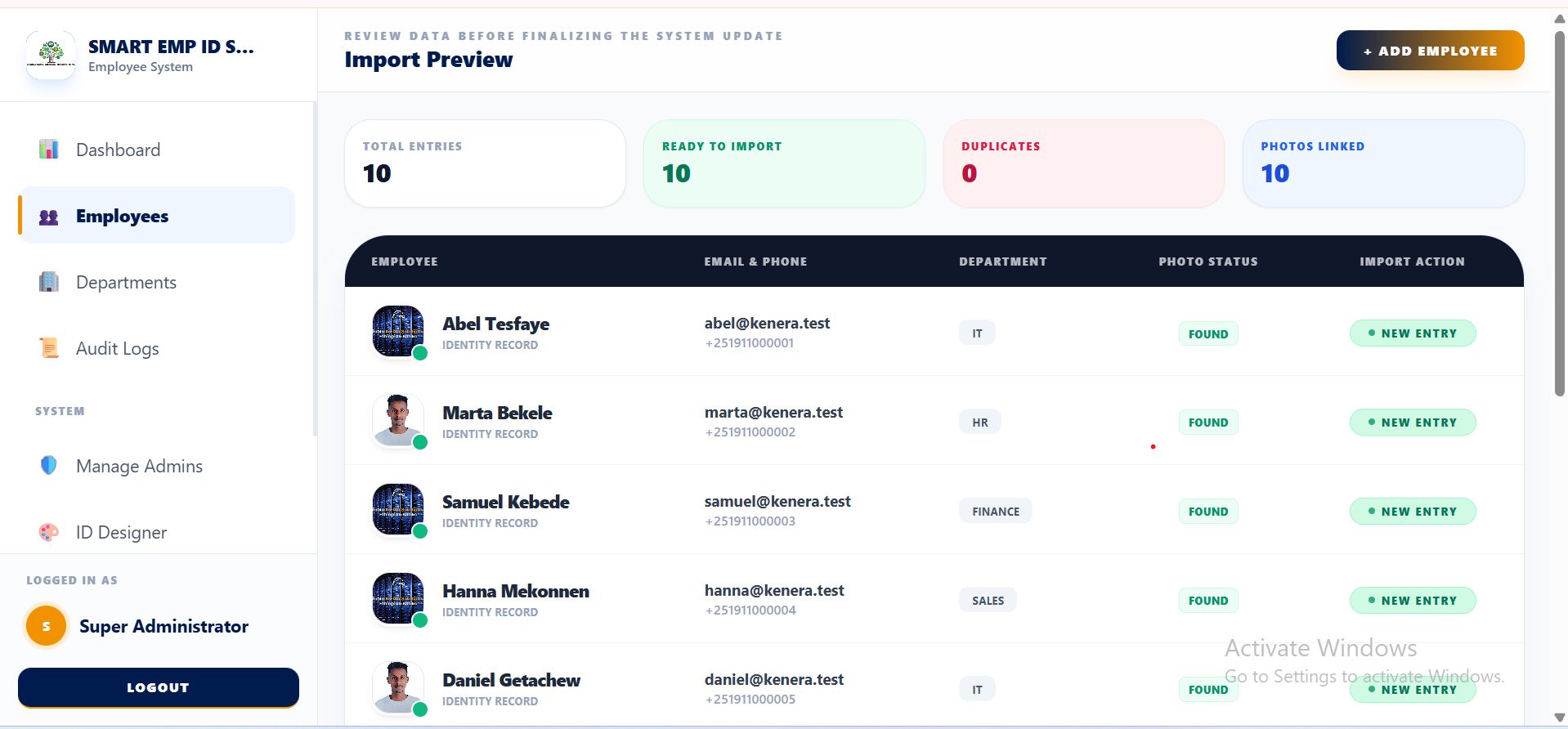
- Import Preview: A safety layer to review data and detect duplicate emails before they are added to the database.
3. The Digital Document Vault
- Multi-File Support: Securely store contracts, IDs, and certificates (PDF, JPG, PNG, DOCX).
- Large File Handling: Optimized to handle high-resolution uploads and even video files.
- Storage Analytics: Monitor your server's physical disk space usage directly from the dashboard.
4. Advanced Administrative Tools
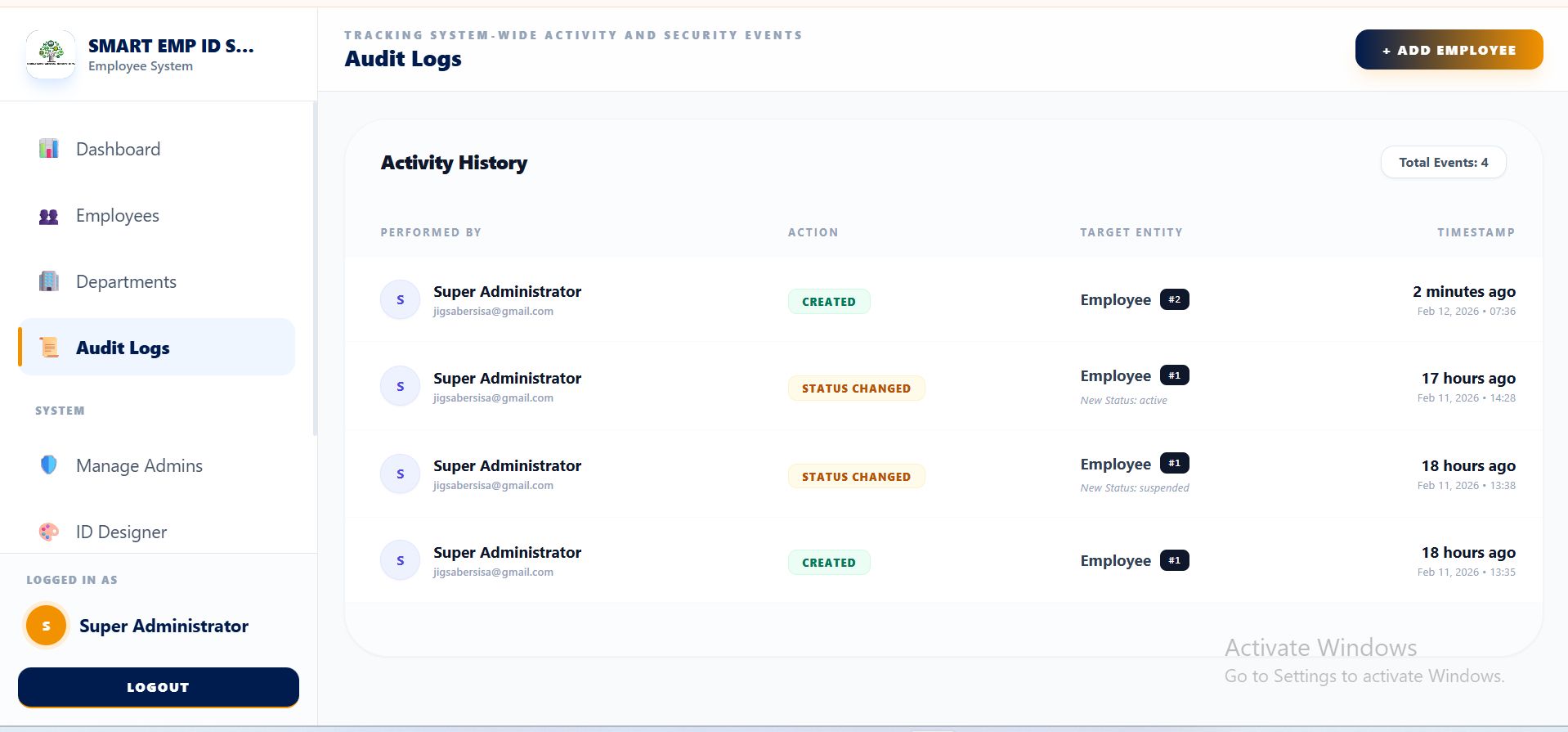
- Audit Logging: Every action (create, update, status change) is tracked for full accountability.
- Role-Based Security: Pre-configured roles for HR Admins and HR Staff using Spatie permissions.
- Signature Pad: Capture digital signatures directly in the browser to authorize ID cards and documents.
🛠 Technical Specifications
- Framework: Laravel 11
- Environment: PHP 8.2+
- Database: SQLite (default for easy setup) or MySQL.
- Frontend: Tailwind CSS / Alpine.js (Responsive for all devices).
- Installer: Built-in web installer for quick cPanel or VPS deployment.
📦 What's Included?
- Full Source Code (Laravel)
- Complete Documentation (Installation & User Guide)
- Excel Template for Bulk Imports
Features
🚀 Core Features List
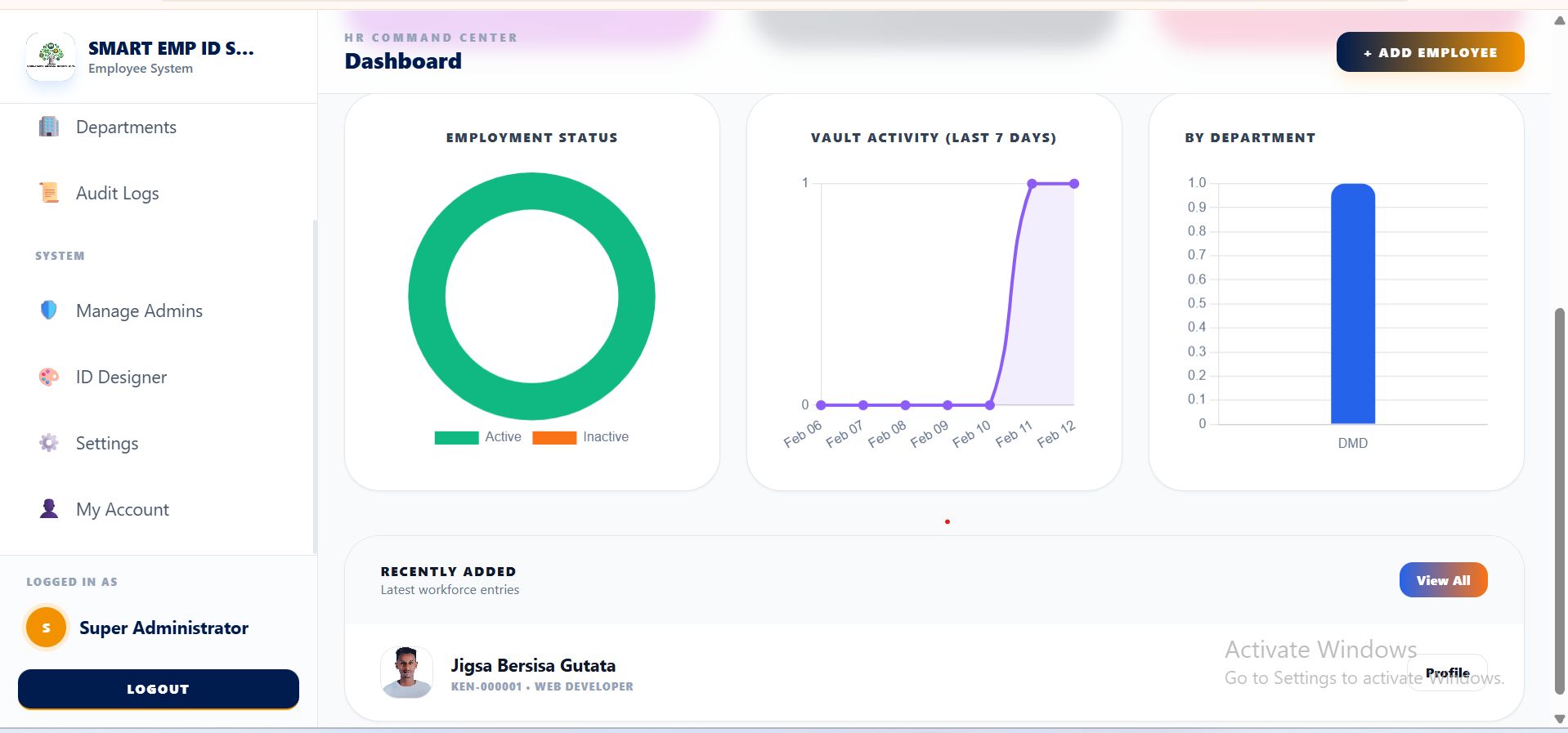
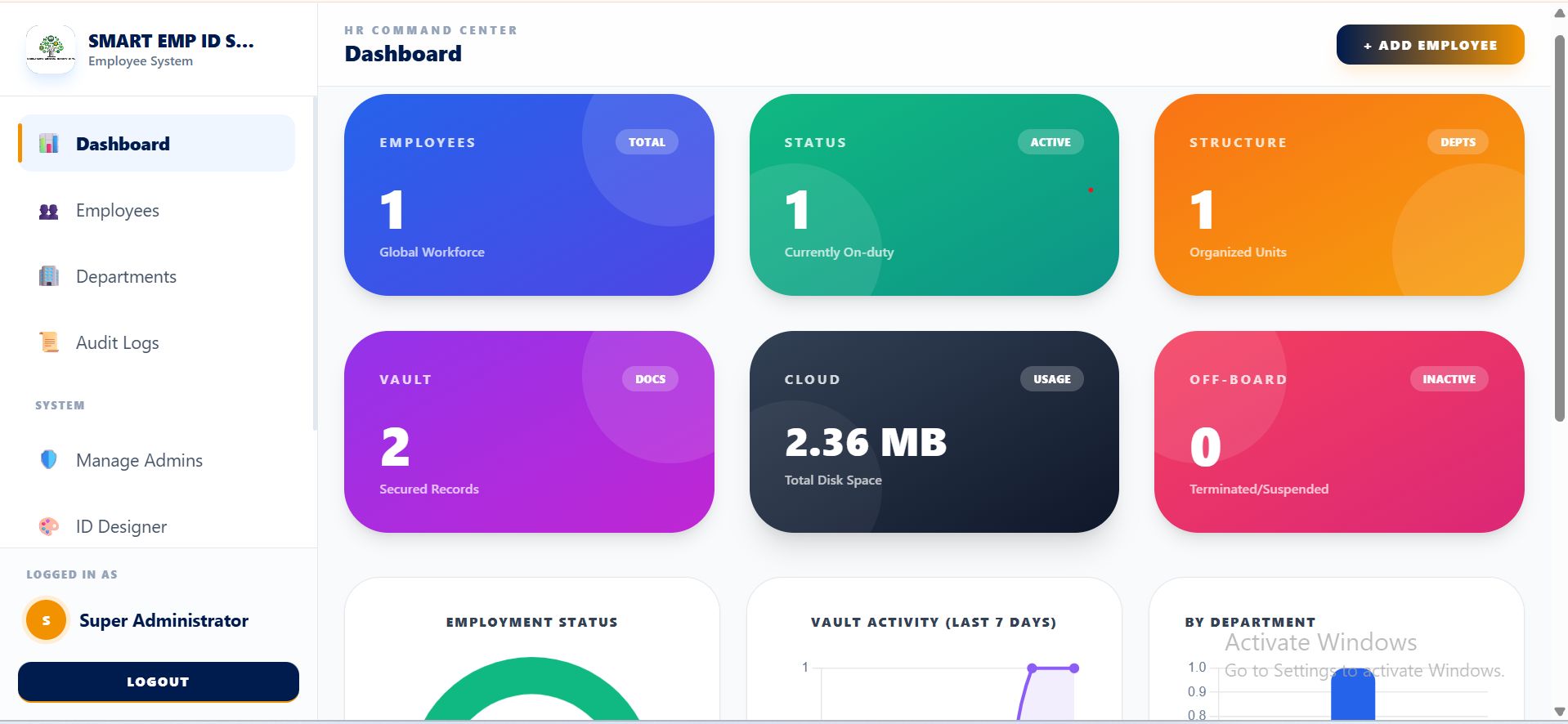
- Smart Dashboard Analytics: Real-time tracking of employee status (Active/Inactive), department distribution, and total document storage usage.
- Dynamic ID Card Designer: Switch between 4+ professional ID templates (Classic, Modern Wave, Elite Dark, and Modern Flow) with a single click.
- Batch ID Printing: Select multiple employees and generate a consolidated, print-ready layout for high-volume ID production.
- Automated ID Elements: Every ID card automatically generates a unique QR code, incorporates the company logo, HR seal, and digital signature.
- Smart Bulk Importer: Save hours by importing hundreds of employees via Excel. Includes a unique ZIP-photo sync that matches photos to names automatically.
- Safe Preview Mode: Review imported data for duplicates or errors in a preview table before finalizing the database entry.
- The Digital Vault: A secure document management system for each employee supporting PDF, Word, Excel, Images, and Video files (up to 50MB).
- Integrated Signature Pad: Capture administrative signatures directly in the browser to be used on official IDs and documents.
- Comprehensive Audit Logs: Automated tracking of all administrative actions (Who created, updated, or changed a status and when).
- Advanced Employee Profiles: Detailed record-keeping including emergency contacts, employment types (Contract/Full-time/Intern), and automatic ID expiry logic.
- Role-Based Access Control (RBAC): Secure permission levels for "HR Admin" and "HR Staff" to protect sensitive company data.
- Automated Web Installer: A "No-Fail" installation wizard that handles database setup and storage linking for cPanel or VPS environments.
- Mobile Responsive UI: Fully optimized for Desktop, Tablet, and Smartphone access using a modern, clean interface.
- Storage Monitoring: Built-in tool to calculate and display the total physical disk space used by your digital archives.
Requirements
🖥️ Server Requirements
To run HR Vault Pro smoothly, your hosting server (cPanel, DirectAdmin, or VPS) must meet the following specifications:
- PHP Version: 8.2 or 8.3 (Required for Laravel 11).
- Database: * SQLite 3.26.0+ (Recommended for easy setup).
- OR MySQL 5.7+ / MariaDB 10.3+.
- Web Server: Apache (with mod_rewrite enabled) or Nginx.
📦 Required PHP Extensions
Ensure the following extensions are enabled in your PHP settings (usually via "Select PHP Version" in cPanel):
- BCMath
- Ctype
- Fileinfo
- JSON
- Mbstring
- OpenSSL
- PDO (with MySQL or SQLite drivers)
- Tokenizer
- XML
- GD or ImageMagick (Required for ID Card photo processing).
- ZipArchive (Required for Bulk Photo ZIP imports).
🔧 System Configurations
- Memory Limit: 256MB or higher (Recommended for processing large ZIP photo imports).
- Upload Max Filesize: 50MB (Matches the Digital Vault's default limit).
- Symlink Support: The server must allow symbolic links (for the php artisan storage:link command).
- File Permissions: Write access to storage/ and bootstrap/cache/ directories.
Instructions
📖 How to Use HR Vault Pro (Quick Start Guide)
Once you have completed the installation via the built-in web installer, follow these steps to set up your digital HR office:
Step 1: Company Branding & Authorization
Before adding employees, set up your global credentials:
- Navigate to Settings > System Settings.
- Upload your Company Logo and Official HR Seal.
- Use the Signature Pad to draw your official signature. This will automatically be placed on all generated ID cards for a professional, "authorized" look.
Step 2: Department & Role Setup
Organize your workforce structure:
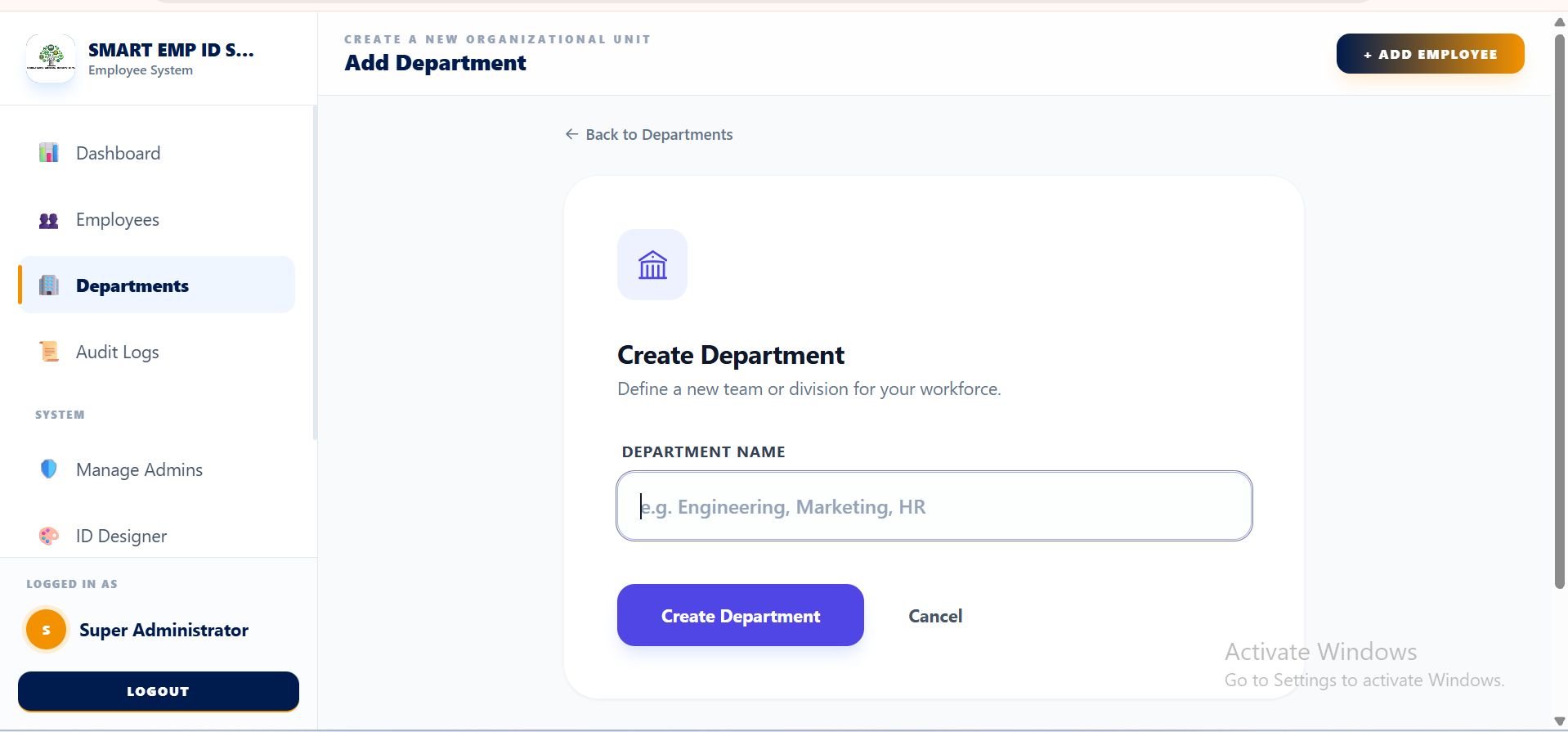
- Go to Departments and create your categories (e.g., IT, Marketing, Operations).
- Assign specific colors or codes to departments to help with ID card visual identification.
Step 3: Onboarding Employees (Manual or Bulk)
You have two ways to populate your system:
- Manual Entry: Click Add New Employee to fill in personal details, emergency contacts, and upload a profile photo.
The Smart Bulk Import (Recommended): Download the Excel Template from the Import page. 2. Fill in your employee data. 3. Prepare a ZIP file containing photos named after the employee’s code (e.g., EMP001.jpg). 4. Upload both files. The system will show a Preview Table to verify data before saving.
Step 4: Designing & Issuing ID Cards
This is where the "ID Switcher" magic happens:
- Go to Settings > ID Switcher.
- Select a design from the gallery (Classic, Elite, Modern).
- Click Save. Now, every employee profile will instantly reflect this design.
- To print, go to the Employee List, check the boxes for the employees you want, and click Batch Print PDF.
Step 5: Managing the Digital Vault
Every employee has a dedicated secure storage area:
- Open an Employee Profile.
- Click the Vault tab.
- Drag and drop contracts, ID scans, or video orientations.
- The system organizes these files into secure, name-coded folders on your server automatically.
Step 6: Security & Audit Tracking
Maintain total accountability:
- Access the Audit Logs to see a history of which admin edited which record.
- If an employee leaves, change their status to "Inactive" or "Terminated". The system will keep their records in the vault but disable their ID card QR code instantly.
💡 Pro-Tips for the Administrator:
- QR Scanning: Use any smartphone camera to scan the QR code on the ID card. It links directly to the employee's public verification page (if enabled).
- Storage Alerts: Check the Dashboard regularly. If the "Storage Used" bar turns red, it’s time to clean up old documents or upgrade your server space.


| Category | Scripts & Code / PHP Scripts / Management / HR |
| First release | 14 February 2026 |
| Last update | 14 February 2026 |
| Software version | PHP 8.2, PHP 8.3 |
| Files included | .php, .css, .html, .sql, Javascript .js |
| Tags | document management system, hr software, hr management system, employee database, identity verification, employee id system, qr verification system, id card generator, laravel hr system, staff management system, employee profile system, id card printing, admin dashboard laravel, qr code id, employee records |


