VendEase - Complete And Modern POS systemVendEase - Complete And Modern POS system
Complete POS system — Go backend with real-time sync, multi-store support & cross-platform Kotlin Multiplatform mobile/deskt Recently Updated
VendEase - Complete And Modern POS system
Complete POS system — Go backend with real-time sync, multi-store support & cross-platform Ko...
Screenshots



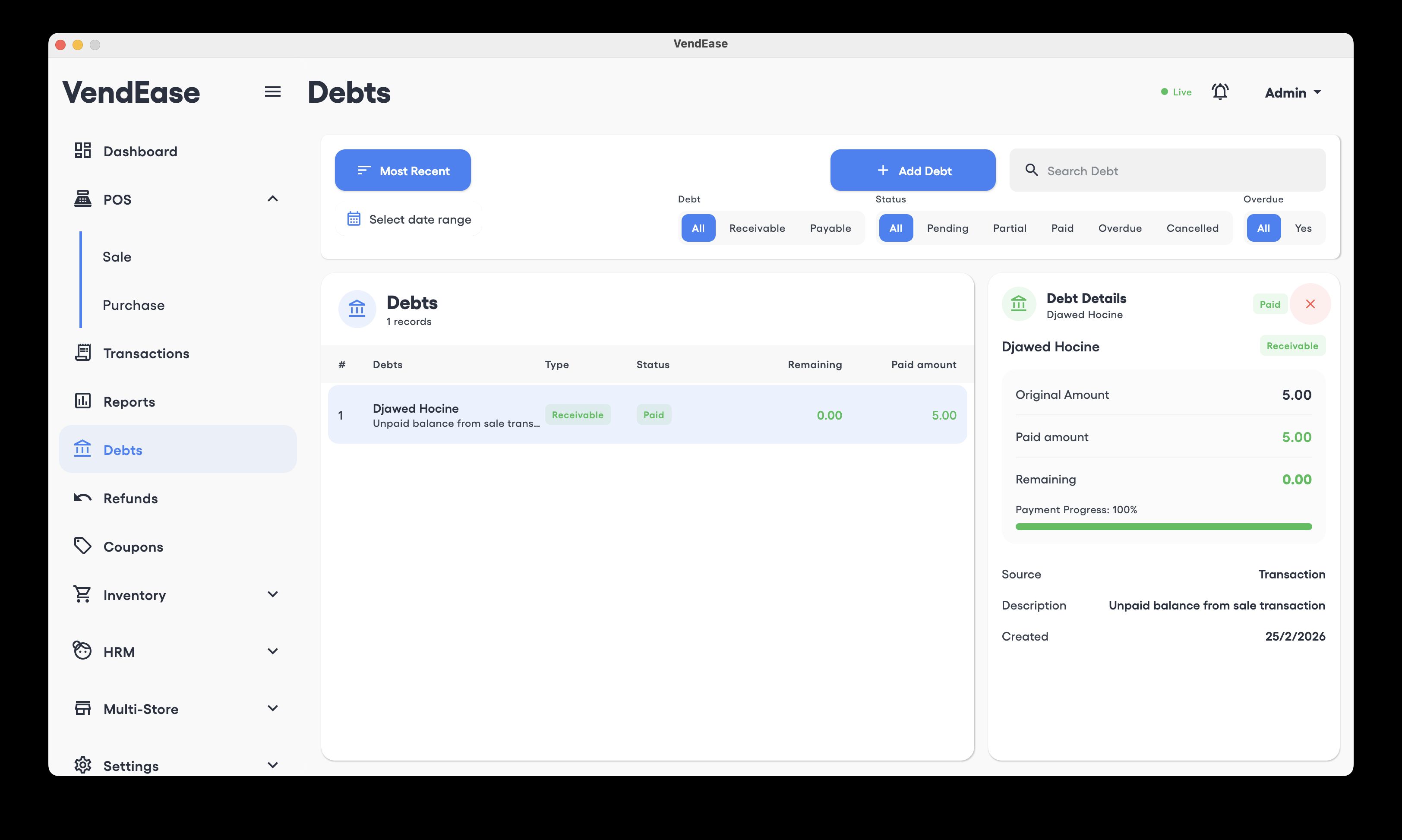
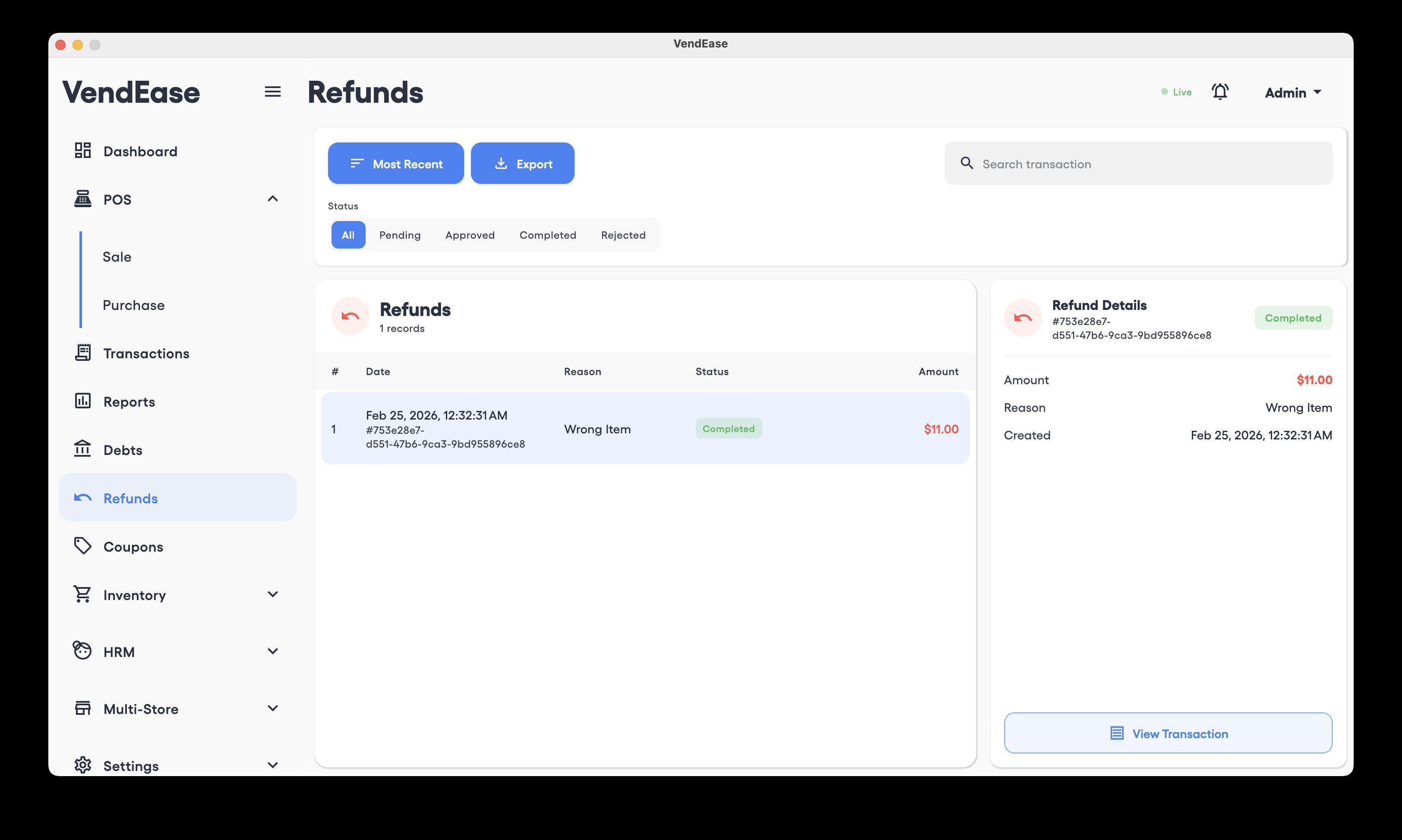
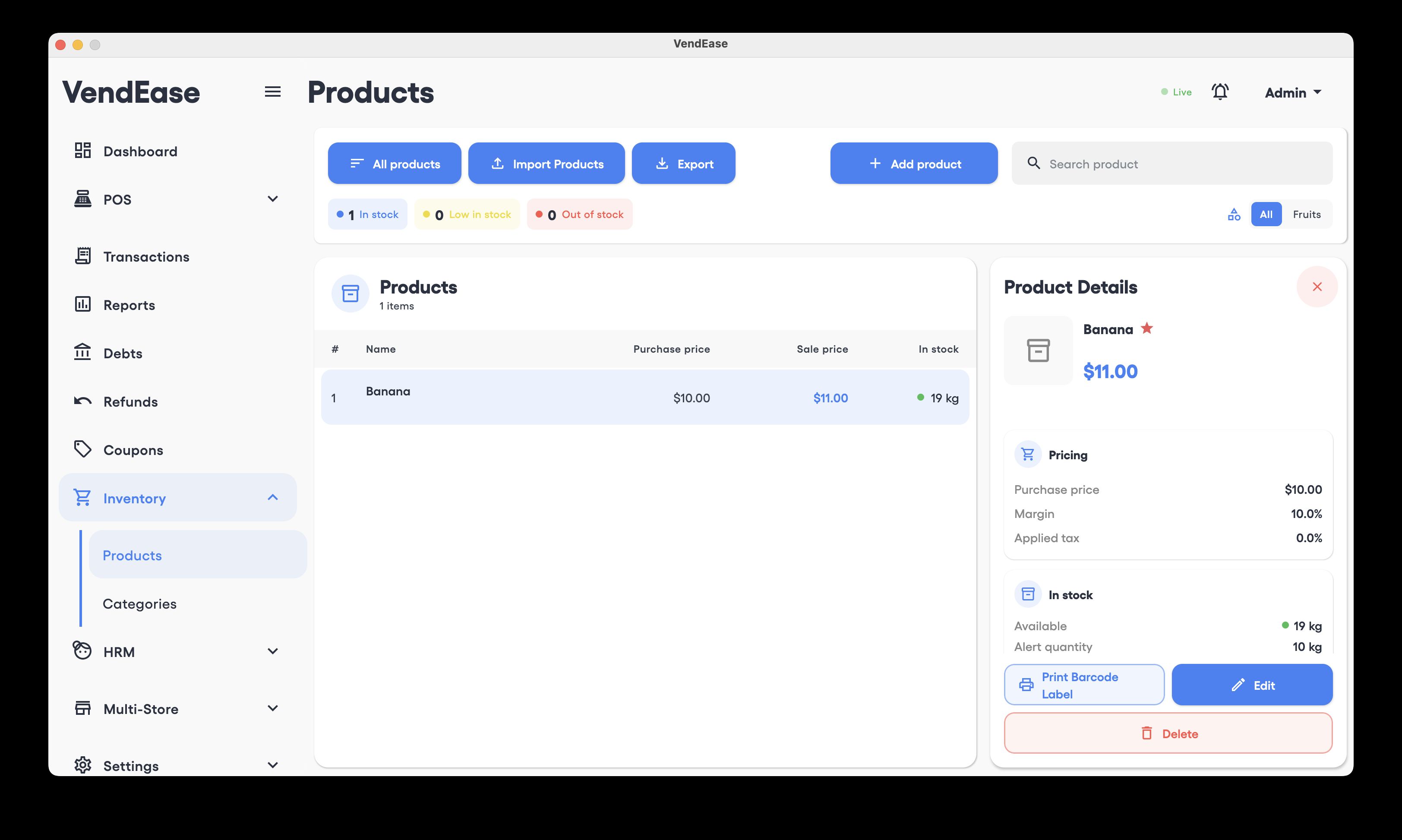

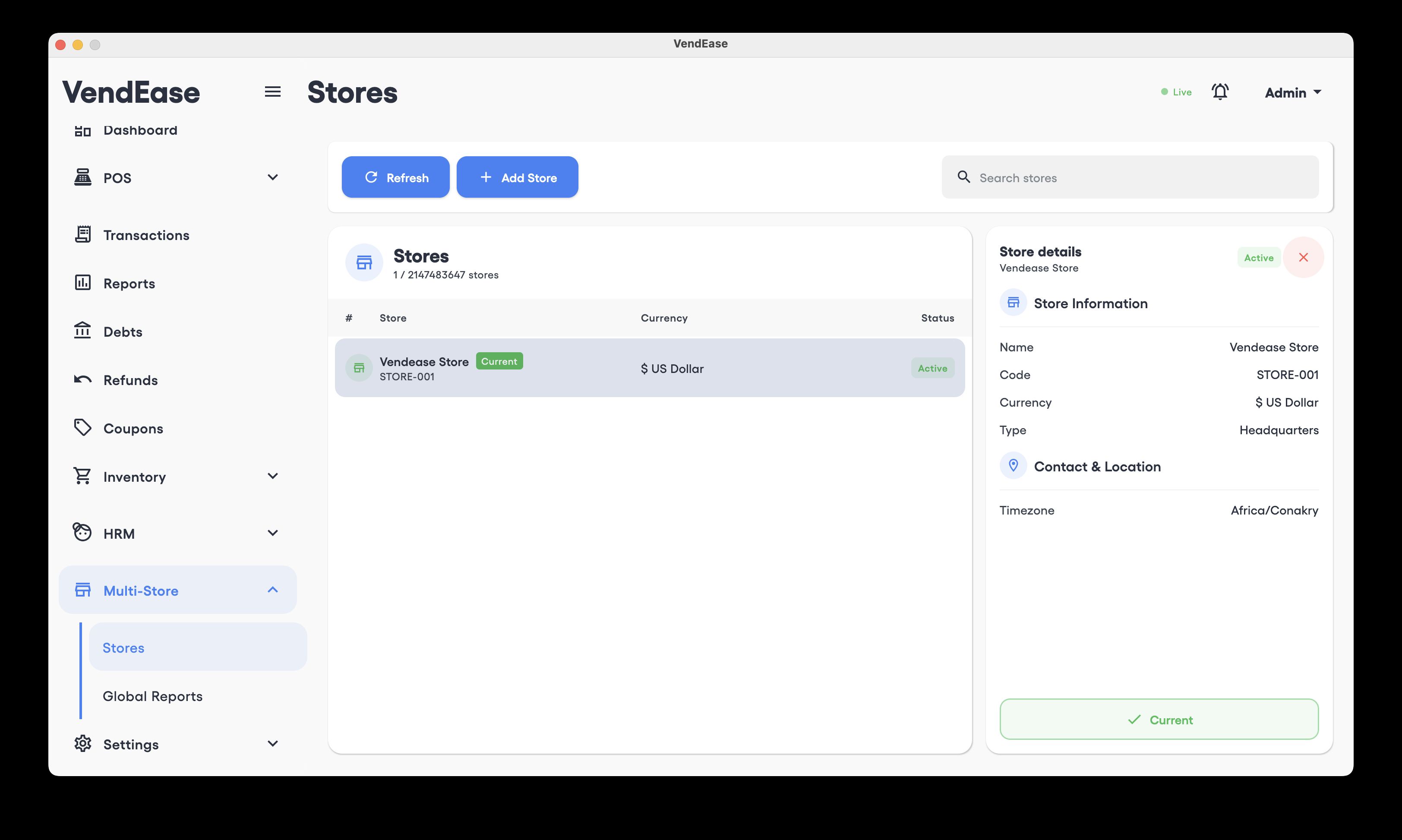

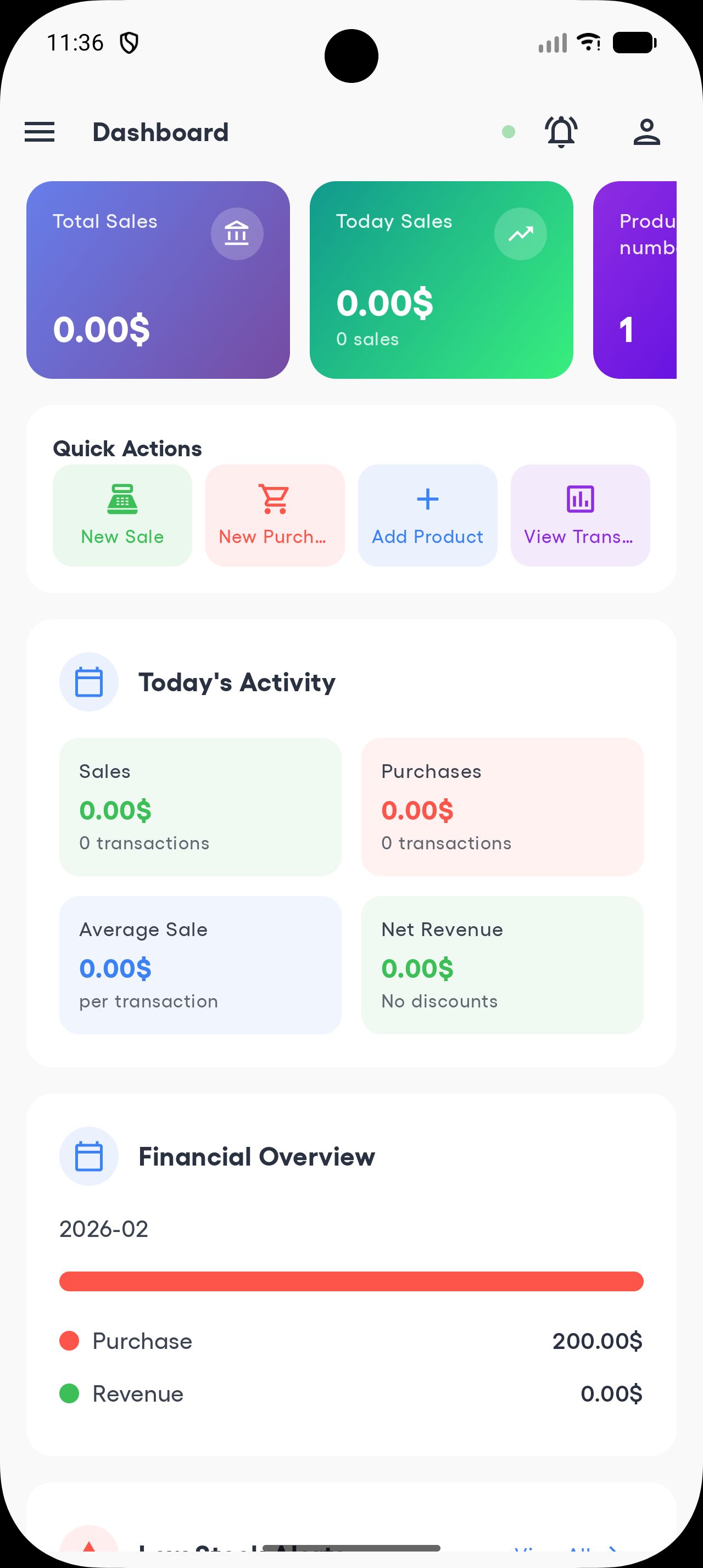

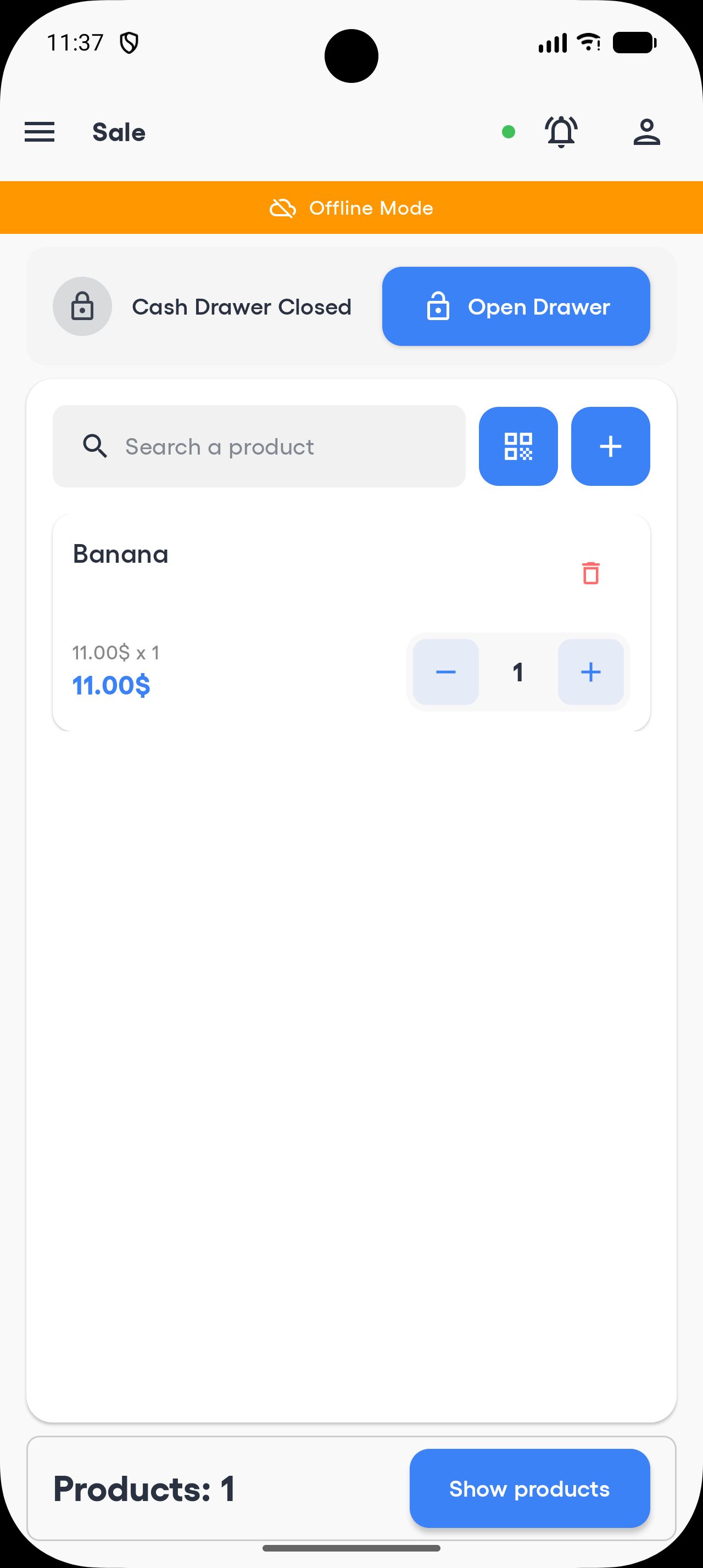

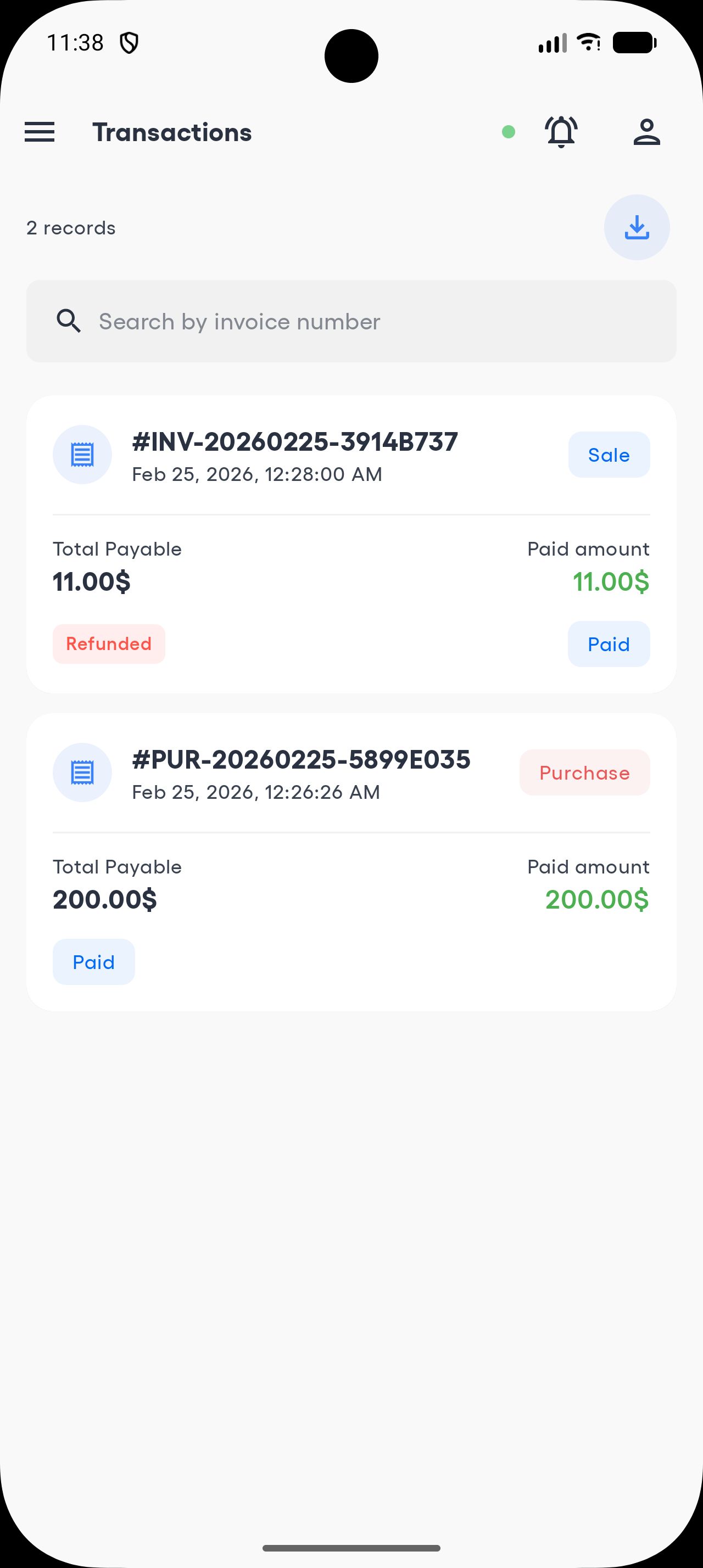
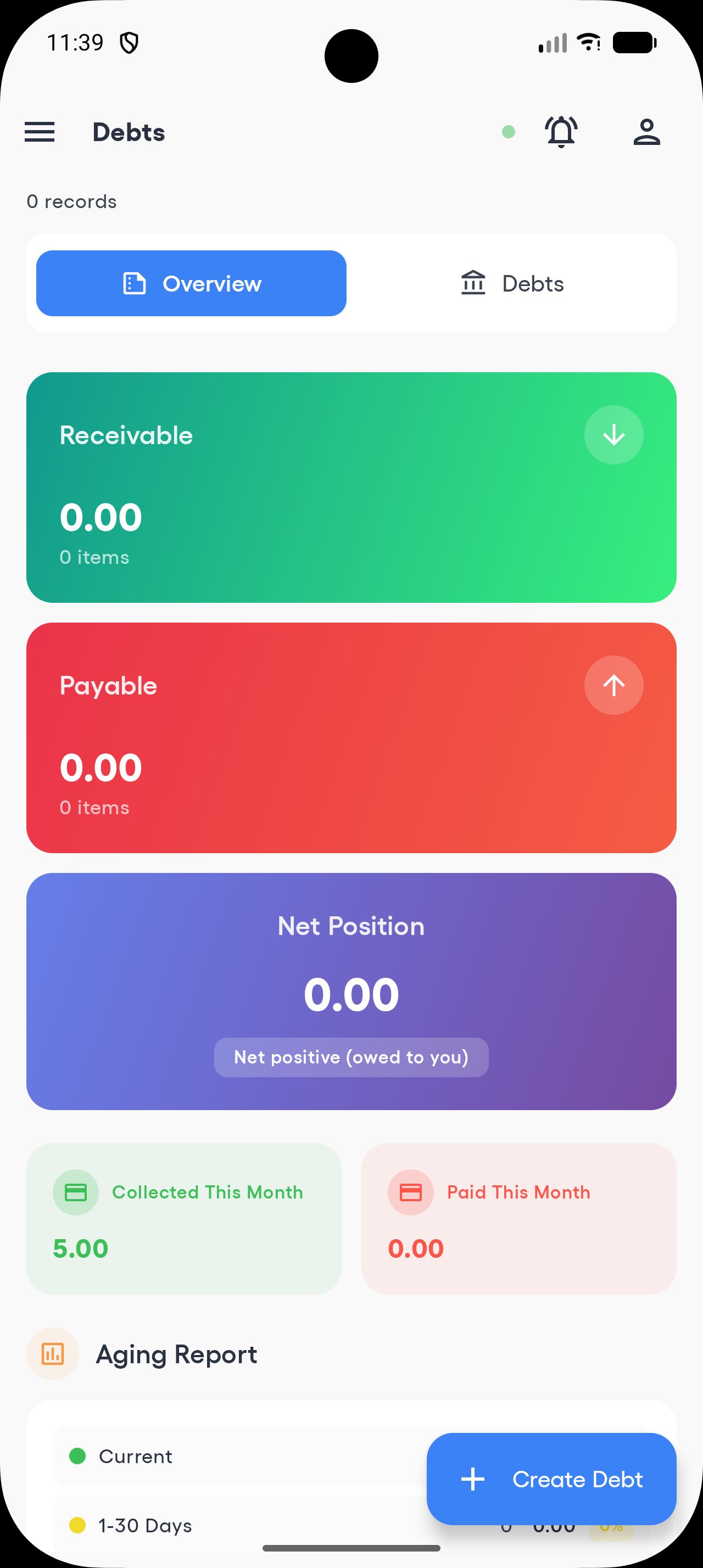

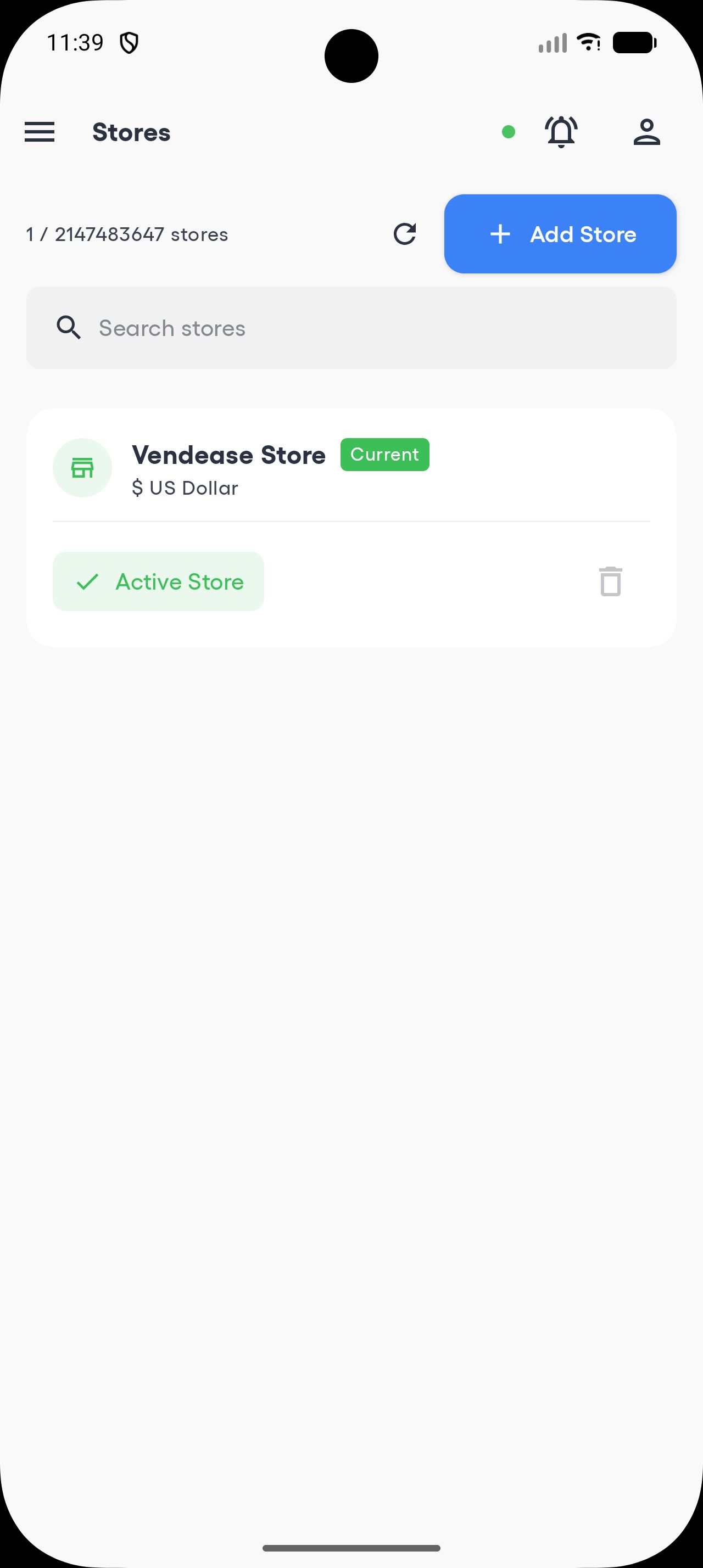

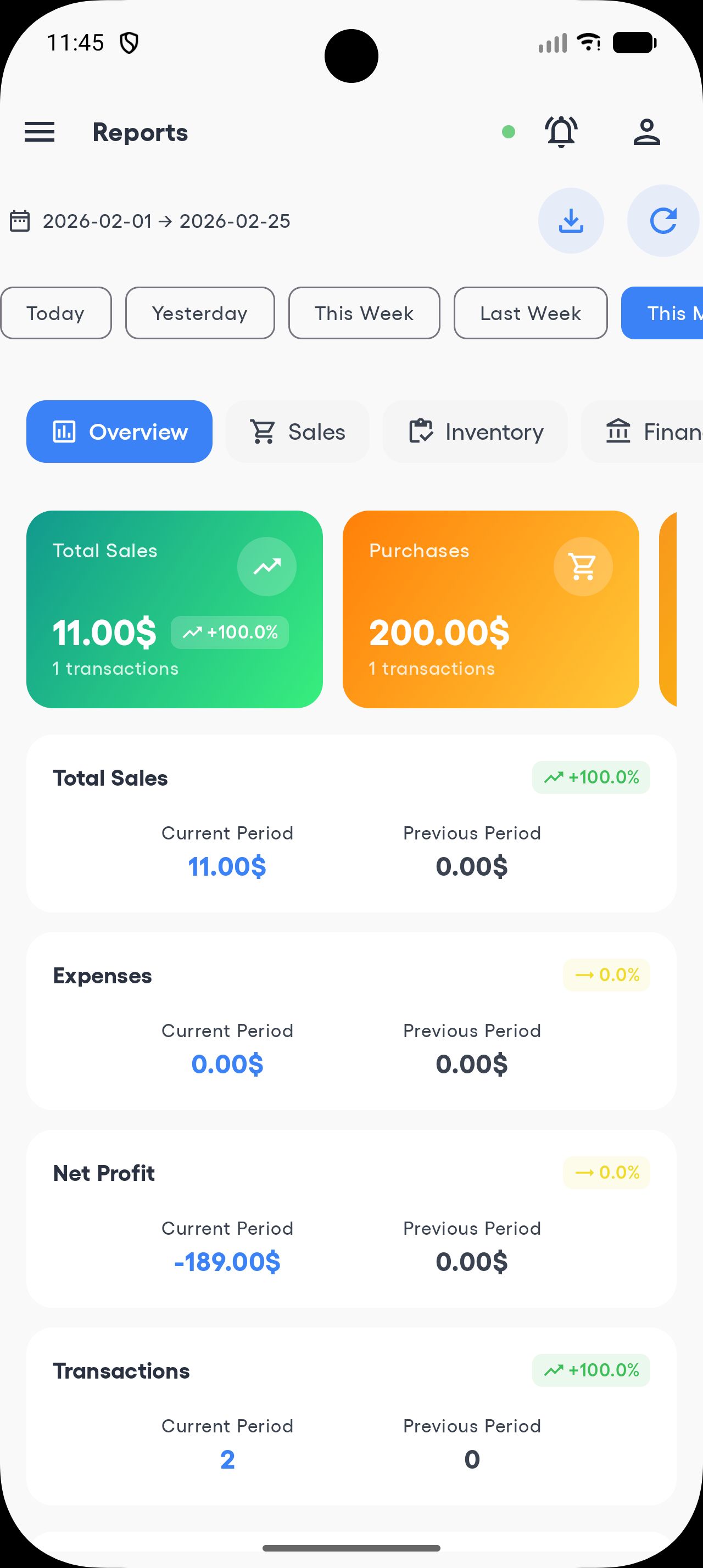
Overview
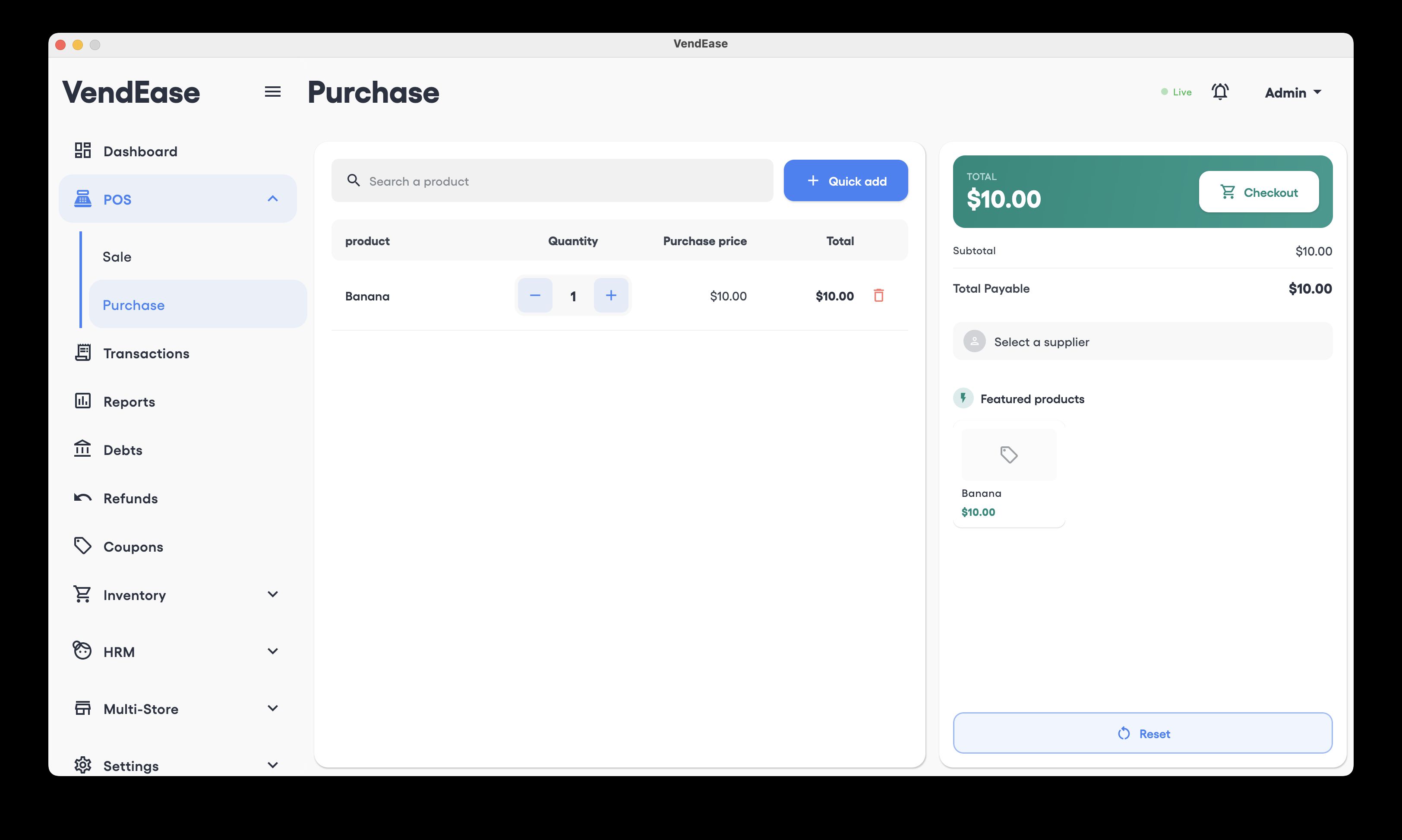
VendEase is a production-ready Point of Sale platform with full source code. It includes a Go (Fiber) backend with real-time Server-Sent Events, PostgreSQL database, and a Kotlin Multiplatform POS app for Android, iOS, macOS, Windows, and Linux.
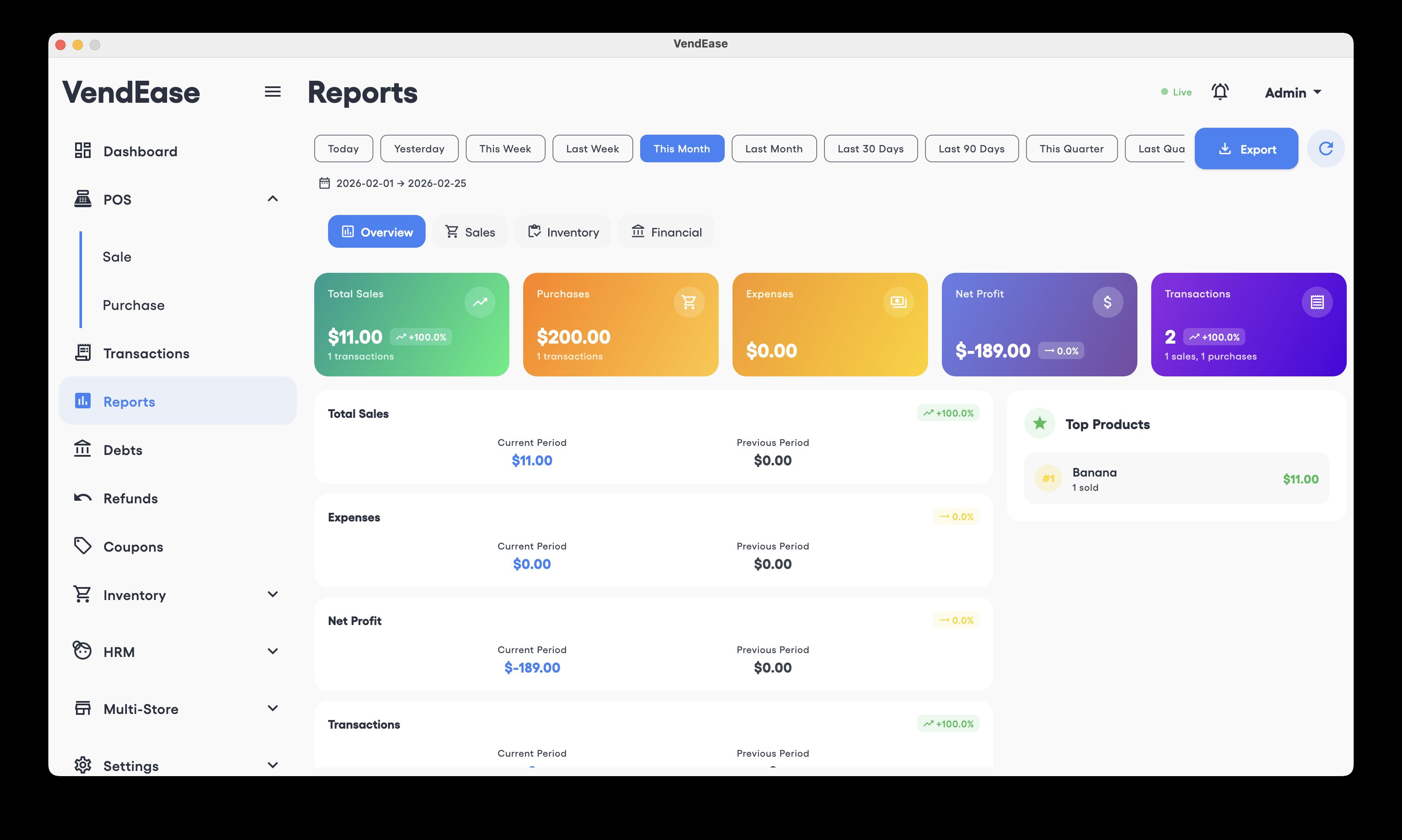
Push to main and the system deploys itself via GitHub Actions CI/CD. First run auto-creates the admin user and default store — zero manual database setup. The backend features real-time sync via SSE with PostgreSQL LISTEN/NOTIFY, multi-store management, stock transfers, employee roles, loyalty programs, coupons, debt tracking, barcode/QR scanning, and financial reporting.
The POS app is built with Compose Multiplatform and Material 3. It works offline with a local Room database and syncs in real-time when connected. Clean architecture throughout — easy to rebrand, extend, and deploy under your own domain.
Live Demo
| API Health | http://91.99.12.89/api/v1/health |
| Username | admin |
| Password | VendeaseAdmin2026! |
Tech Stack
| Backend | Go 1.23, Fiber v2, GORM, PostgreSQL 16, SSE, JWT |
| POS App | Kotlin 2.2.10, Compose Multiplatform 1.8.1, Material 3, Ktor, Room DB, Koin |
| Infrastructure | Docker, Docker Compose, Nginx, GitHub Actions, GHCR |
Download POS App
| Android | Download APK |
| macOS | Download DMG |
| Windows | Download EXE |
| Linux | Download DEB |
http://91.99.12.89/ for the demo) before logging in.
Features
POS Application
- Inventory & category management
- Sales & transaction processing
- Multiple payment methods
- Multi-store support with stock transfers
- Financial reports & analytics
- Employee management & role-based access
- Customer & supplier management
- Loyalty programs & fidelity points
- Coupons & discount system
- Debt tracking & payments
- QR / Barcode scanning
- Real-time sync via SSE
- Tax configuration per store
- Offline-capable with local Room database
- Multi-language support (English & French)
- Cross-platform: Android, iOS, macOS, Windows, Linux
Backend & Infrastructure
- First-time setup wizard (auto-creates admin + store)
- Multi-store management with headquarters
- JWT authentication with refresh tokens
- Role-based access control
- Real-time SSE with PostgreSQL LISTEN/NOTIFY triggers
- Audit logs & activity trail
- SMTP email notifications
- Rate limiting & CORS
- Auto database migration on startup
- Docker Compose deployment (dev & production)
- GitHub Actions CI/CD pipeline
- Nginx reverse proxy with security headers
- Health checks & container auto-restart
- Automated seed script for first deploy
What You Get
- Full source code — backend + cross-platform app
- Docker Compose configs (development & production)
- GitHub Actions CI/CD pipeline
- Nginx reverse proxy config
- PostgreSQL with auto-migration & seeding
- Deployment guide & comprehensive documentation
Requirements
Server / Backend
- VPS or dedicated server (Ubuntu 20.04+ recommended) — e.g. Hetzner, DigitalOcean, AWS
- Docker & Docker Compose installed
- Minimum 1 vCPU, 2 GB RAM, 20 GB storage
- SSH access to the server
- A domain name (optional, IP works for testing)
CI/CD (Optional but included)
- GitHub account with Actions enabled
- GitHub Container Registry (GHCR) — free with GitHub
- SSH key pair for deployment
POS App Development (if modifying source)
- Android Studio Ladybug (2024.2.1) or newer
- JDK 21+
- Kotlin 2.2.10
- Xcode 15+ (for iOS builds, macOS only)
Backend Development (if modifying source)
- Go 1.23+
- PostgreSQL 16+ (or use the included Docker container)
Instructions
1. Deploy the Backend
- Push the code to a GitHub repository.
- Set up a VPS (e.g. Hetzner) with Docker & Docker Compose installed.
- Generate an SSH key pair and add the public key to the server.
- In your GitHub repo, go to Settings → Secrets and add:
SERVER_SSH_KEY— your private SSH keySERVER_IP— your server IP addressPROD_ENV_FILE— your production .env file contentsGHCR_TOKEN— GitHub personal access token
- Push to
main— GitHub Actions will automatically build, push the Docker image, and deploy to your server. - On first deploy, the seed script auto-creates the admin user and default store.
2. Install the POS App
Download the pre-built app for your platform:
| Android | Download APK |
| macOS | Download DMG |
| Windows | Download EXE |
| Linux | Download DEB |
http://91.99.12.89/ for the demo). The app will not connect without this.
3. Log In
- Open the POS app and set the Backend URL to your server.
- Log in with the default admin credentials:
- Username:
admin - Password:
VendeaseAdmin2026!
- Username:
- Change the default password after first login.
- Create additional stores, employees, products, and start selling.
4. Customize & Rebrand (Optional)
- Update package names, app name, and logo in the KMP project.
- Change colors and strings in the theme files.
- Update the
.envfile with your own database credentials, JWT secrets, and SMTP settings. - Point a domain to your server and configure SSL if needed.
- Push to
main— CI/CD handles the rest.
Other items by this author











|
Android App Reskin Service
Have your App reskinned to meet your needs.
|
$499 | Buy now |
| Category | App Templates / Android / Applications / Miscellaneous |
| First release | 6 March 2026 |
| Last update | 3 July 2026 |
| Operating Systems | Android 8.0, Android 9.0, MacOS 10.14, Windows 7, Windows 8, Windows 10, Android 10.0, iOS 15.0, Android 11.0, Android 12.0 |
| Files included | .swift, .apk, .dex, .java, .dll, .xml |
| Tags | android, iOS, management, cross platform, purchase, sale, shop, reports, desktop, products, retail, inventory, POS |