Dance School Management softwareDance School Management software
Artsnex is a smart dance school management software to manage students, batches, fees, attendance, and reports easily in one place
Dance School Management software
Artsnex is a smart dance school management software to manage students, batches, fees, attendance...
Screenshots






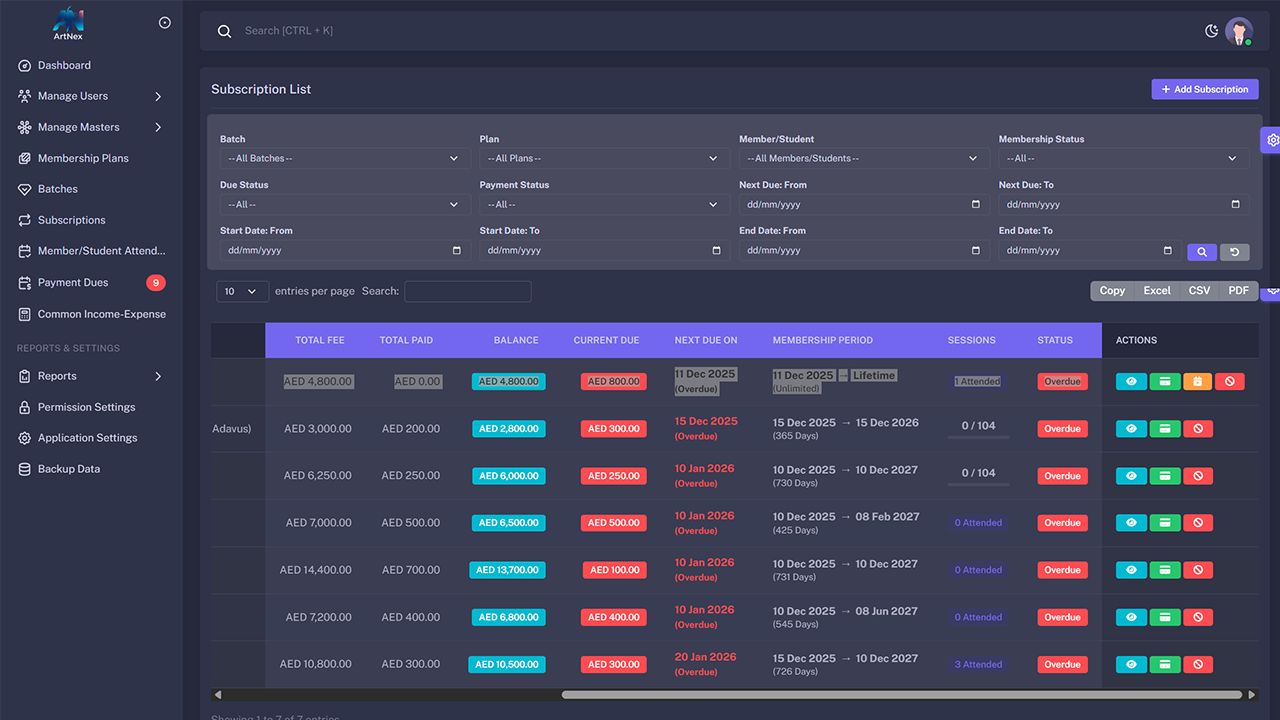

Overview
Artsnex – Dance School Management Software
Artsnex is a powerful and user-friendly Dance School Management Software designed to help dance academies efficiently manage their daily operations. Whether you run a small dance studio or a large academy, Artsnex simplifies administration by bringing all essential tools into one centralized platform.
The system provides a modern dashboard that gives a quick overview of active students, monthly revenue, pending dues, and overall financial performance. Administrators can easily manage students, instructors, membership plans, dance batches, and subscriptions with just a few clicks.
Artsnex also includes a complete attendance management system, allowing schools to track student participation and maintain accurate records. The payment and dues tracking module helps manage fee collections, monitor outstanding balances, and maintain transparent financial records.
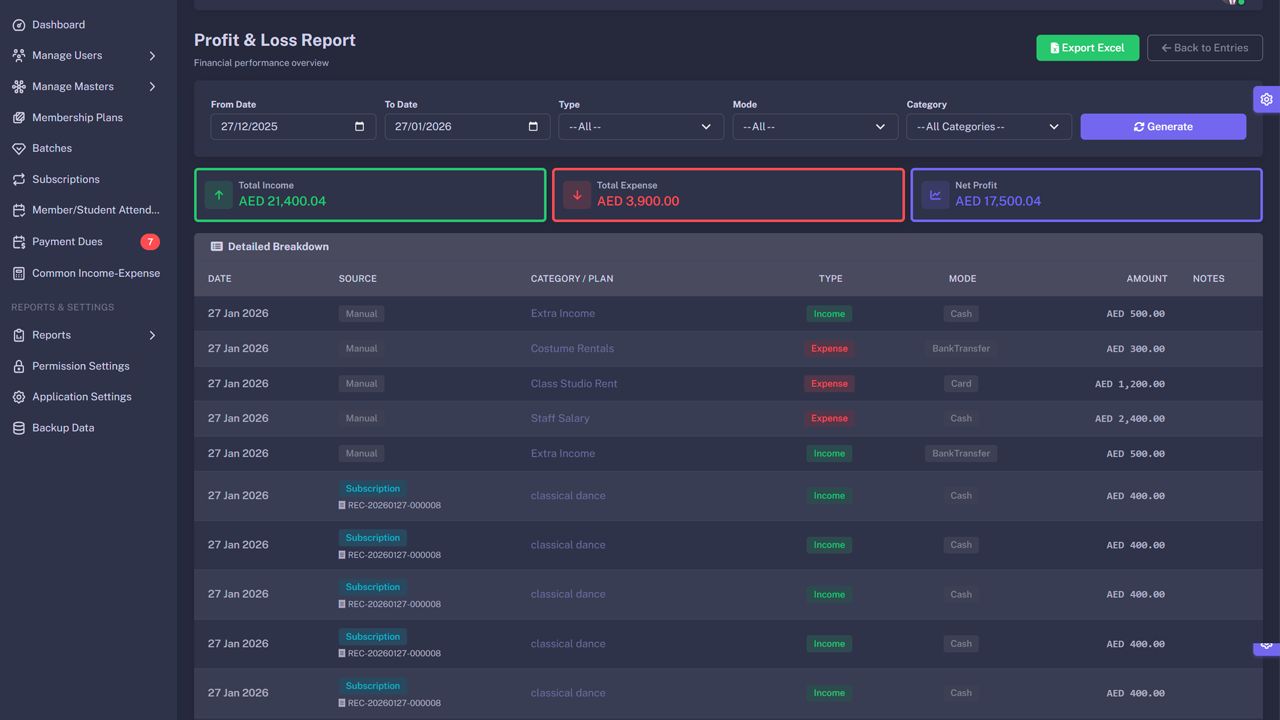
In addition, the software provides income and expense tracking, enabling dance schools to monitor profitability and maintain financial control. With built-in reports and analytics, administrators can quickly generate insights for better decision-making.
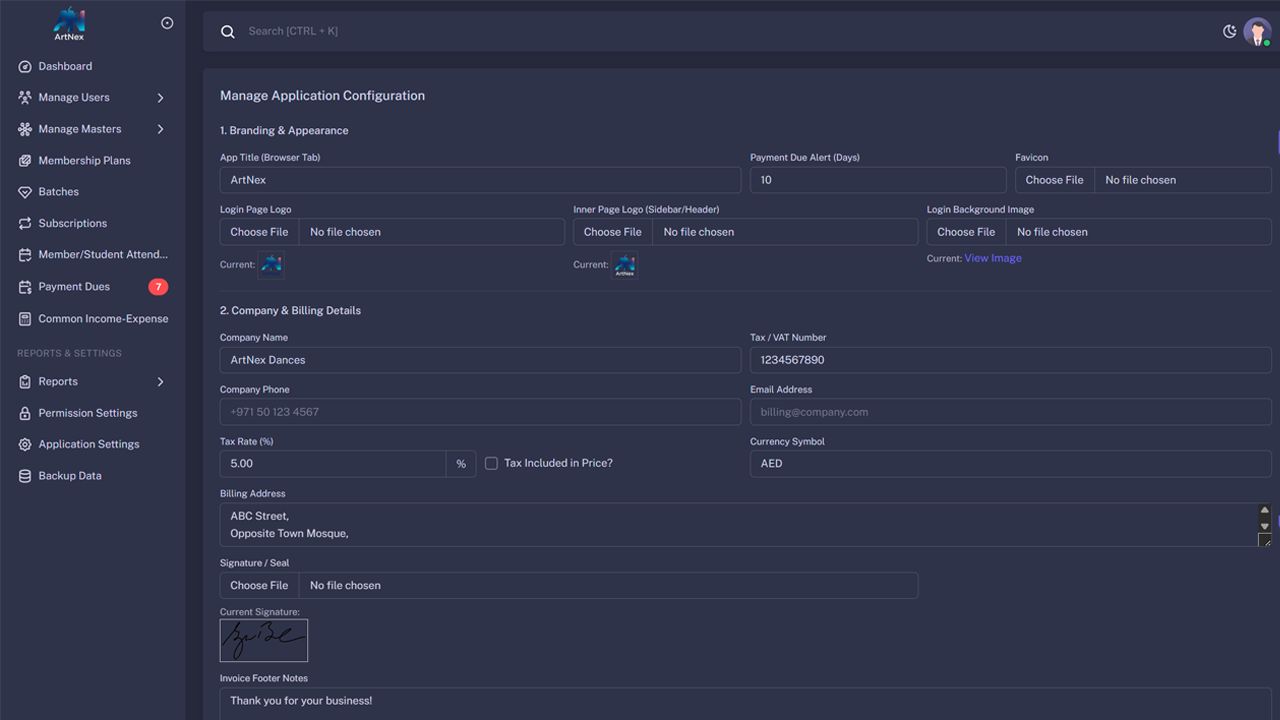
The platform also offers role-based permission settings, ensuring secure access for administrators, staff, and instructors. Features like application settings, backup management, and organized data storage make the system reliable and easy to maintain.
With its clean interface, intuitive navigation, and powerful management tools, Artsnex helps dance schools save time, reduce manual work, and focus more on creativity, training, and student growth.
Artsnex is the perfect solution for modern dance academies looking to manage students, finances, and operations efficiently in one place. 💃📊
Features
Catchy Features
- 🚀 Smart Admin Dashboard
- 👩🎓 Complete Student Management
- 🕺 Dance Batch & Class Management
- 👨🏫 Instructor & Staff Management
- 💳 Flexible Membership Plans
- 🔁 Subscription Management
- 📅 Easy Attendance Tracking
- 💰 Fee Collection & Payment Tracking
- ⏰ Pending Dues Monitoring
- 📊 Income & Expense Management
- 📈 Financial Reports & Analytics
- 📉 Net Profit Overview
- 🔐 Role-Based User Permissions
- 👥 User Management System
- ⚙️ Custom Application Settings
- 💾 Secure Backup & Data Protection
- 📱 Clean & Responsive Interface
- ⚡ Fast & Easy to Use
- 🎯 All-in-One Dance School Solution
Requirements
🌐 Browser Compatibility
Artsnex works smoothly across all major modern browsers:
- 🦊 Mozilla Firefox
- 🌍 Google Chrome
- 🔵 Microsoft Edge
- 🍎 Safari
- 🧭 Internet Explorer 8+
- 🧭 Internet Explorer 9+
- 🧭 Internet Explorer 10+
📦 Files Included
The package includes well-structured and organized source files:
- 💻 C# Source Code
- 🗄 SQL Database Scripts
- ⚡ JavaScript (JS)
- 🔗 JavaScript JSON Files
- 🌐 HTML Files
- 🎨 CSS Stylesheets
- 🧩 VB Components
- 🏗 .NET 8.x Project Files
Instructions
FOR USERS:-
Demolink:https://artnex.neomnextechnolo...
Username:[email protected]
Password: App@1234
OR
🛠️ Step-by-Step Installation Guide for Artsnex
1️⃣ Download & Extract
- Download the package from CodeCanyon.
-
Extract the
.zipfile to your local machine. -
You will see folders like
C#,SQL,JS,HTML,CSS,VB, etc.
2️⃣ Setup Database
- Open SQL Server or your preferred database tool.
-
Run the provided
.sqlscript to create the database. - Make sure all tables, stored procedures, and sample data are imported successfully.
3️⃣ Configure Database Connection
- Open the C# or .NET project in Visual Studio (version .NET 8.x recommended).
- Locate the database connection file .
- Update the server name, database name, username, and password to match your environment.
4️⃣ Install Dependencies
- For .NET projects, restore NuGet packages in Visual Studio.
-
For JavaScript/HTML modules, ensure all
.jsand.jsonfiles are in the correct folder structure. - Make sure CSS files are linked properly in your HTML pages.
5️⃣ Run the Application
- Press F5 or click Start in Visual Studio to launch the application.
- The system should open in your default browser.
6️⃣ Login
- Use the default admin credentials provided in the documentation to log in.
- Change the password immediately for security.
7️⃣ Configure Your School
- Add students, instructors, and batches.
- Set up membership plans and subscriptions.
- Check attendance, fees, and reports to ensure everything works.
8️⃣ Backup & Maintenance
- Regularly backup the database using SQL Server tools.
-
Keep your
.NETproject updated with latest patches. - Ensure file permissions are secure for production deployment.
Other items by this author


| Category | Scripts & Code / C# |
| First release | 9 March 2026 |
| Last update | 10 March 2026 |
| Files included | .css, .html, .sql, .db, .dll, Javascript .js |
| Tags | student management system, subscription management, attendance tracker, membership management, fee collection, dance academy software, dance school management, batch scheduling, instructor management, income expense tracker |