Powerful Android WebView templatePowerful Android WebView template
Powerful Android WebView template with live admin panel via Firebase, AI assistant, AdMob, push notifications & more.
Powerful Android WebView template
Powerful Android WebView template with live admin panel via Firebase, AI assistant, AdMob, push n...
Screenshots


Overview
WedPro – full remote control
Powerful Android WebView template with live admin panel via Firebase, AI assistant, AdMob, push notifications & more.
Native Android App
Kotlin + Jetpack, Hilt, WebView, splash, drawer, settings, about, offline page — fully structured.
Remote Admin Panel
Single HTML dashboard that writes to Firebase RC. Change URLs, ads, UI, maintenance in real time.
AI Assistant (Claude)
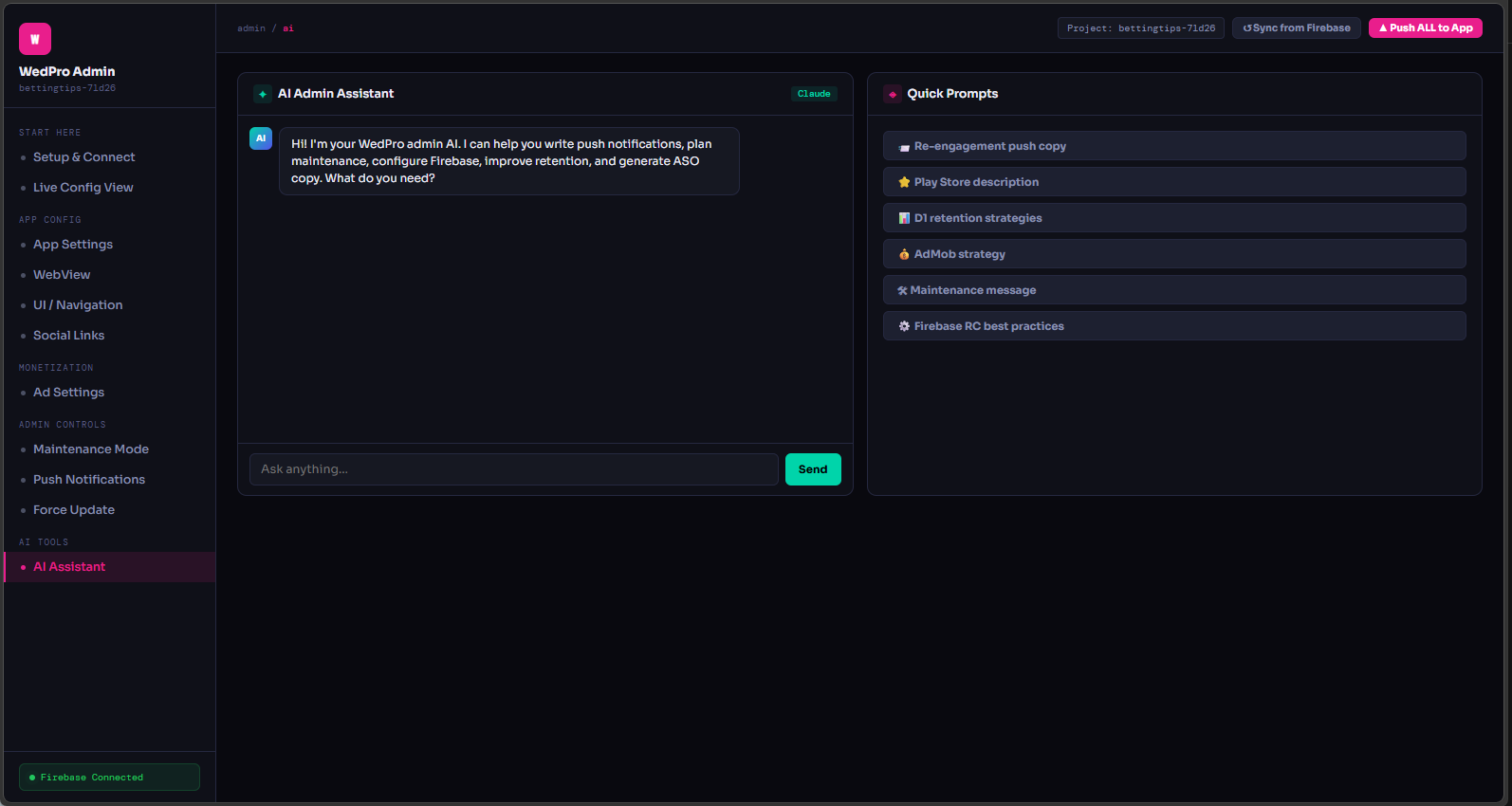
In‑app AI chat, page summarizer, translation, ASO generator. Floating button + full screen.
Monetization ready
AdMob banners, interstitials, rewarded ads + remove IAP (Google Play Billing).
Core features
- Live Firebase Remote Config – 31 flags, from website_url to ad toggles, maintenance, force update
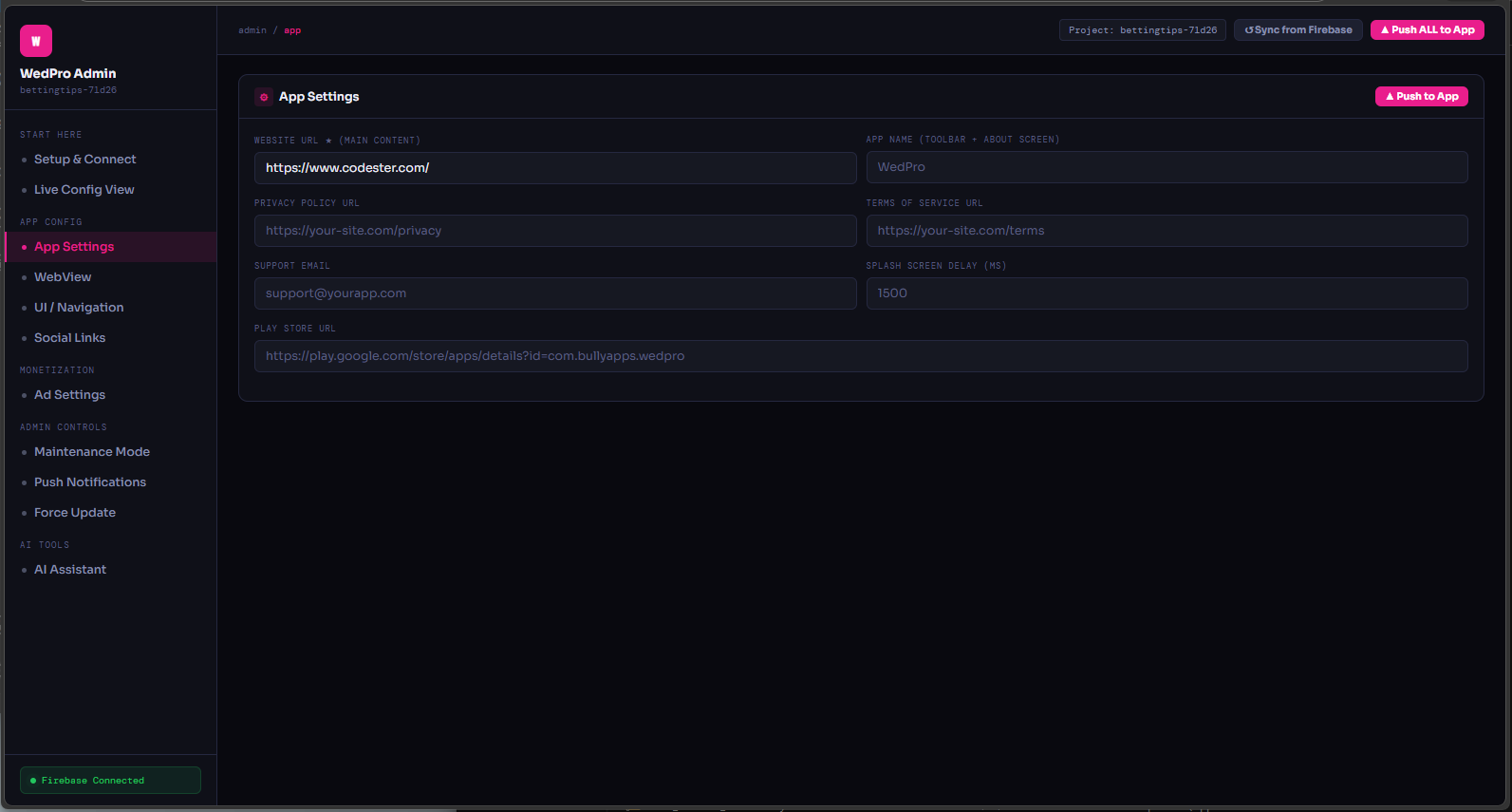
- Admin panel (index.html) – Setup & Connect, Live Config View, Push composer, AI assistant, Ads dashboard
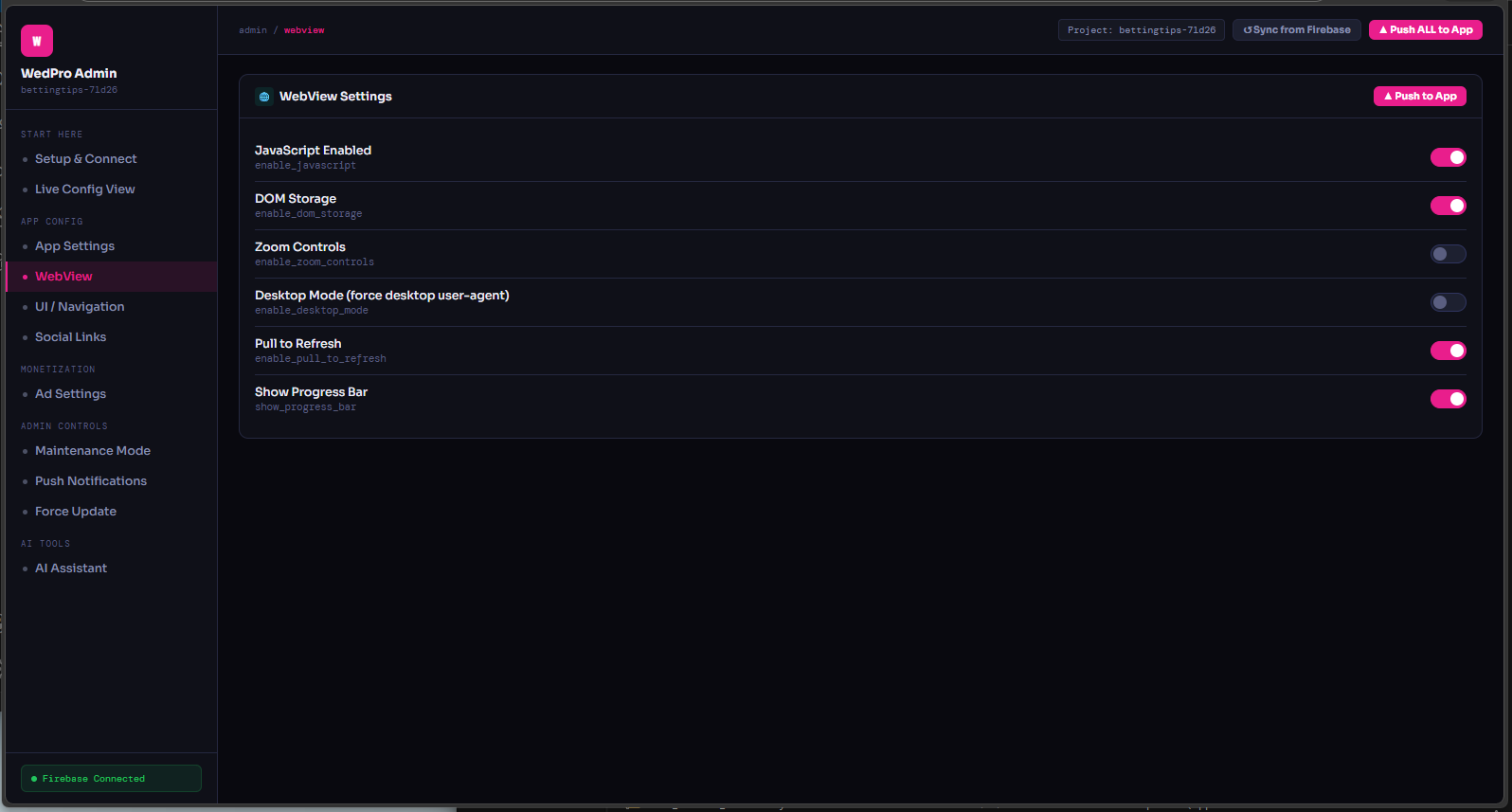
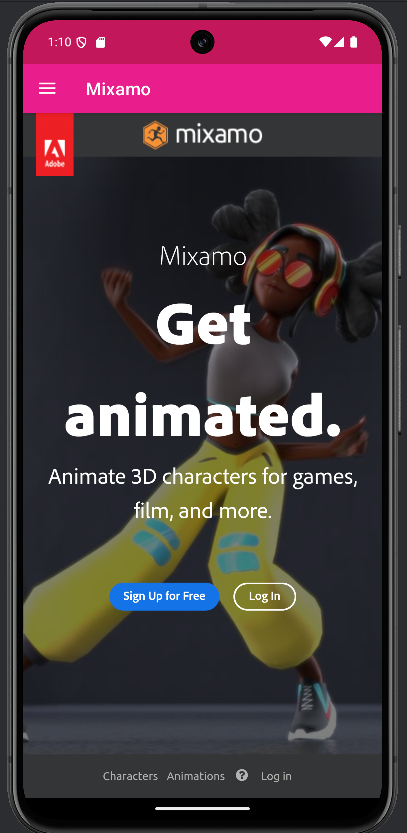
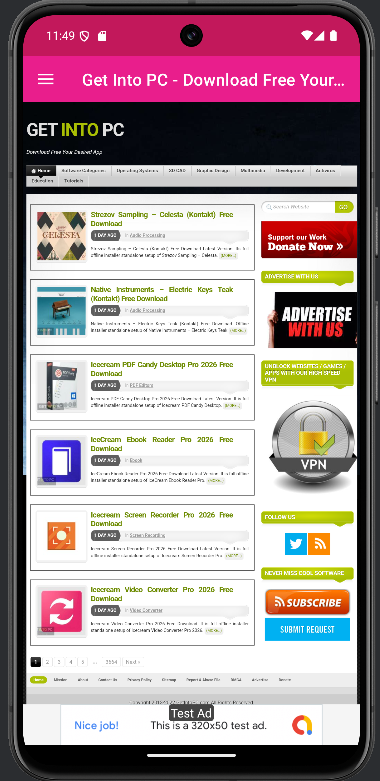
- WebView advanced – JS, DOM storage, zoom, desktop mode, pull‑to‑refresh, progress bar, safe browsing
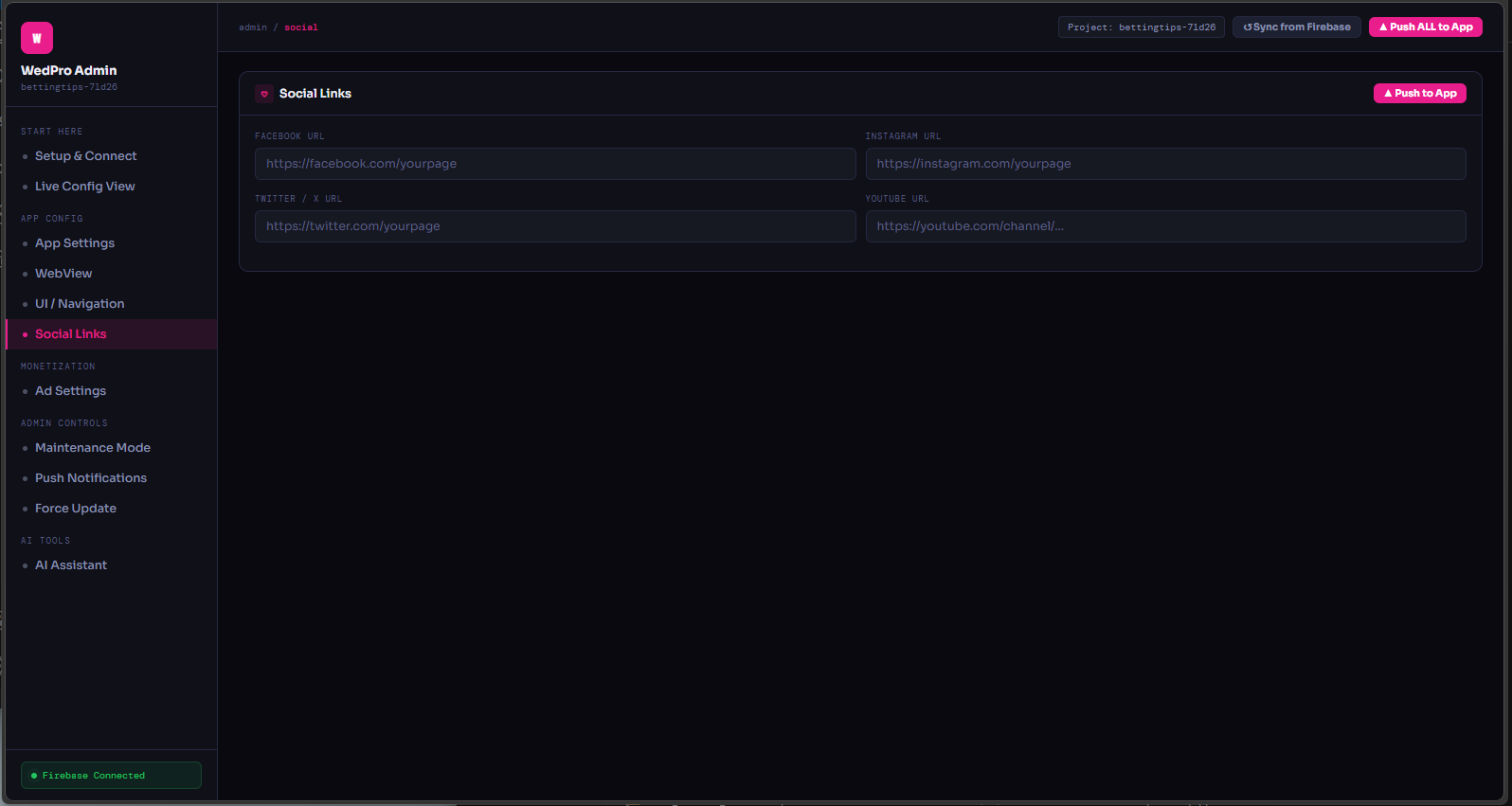
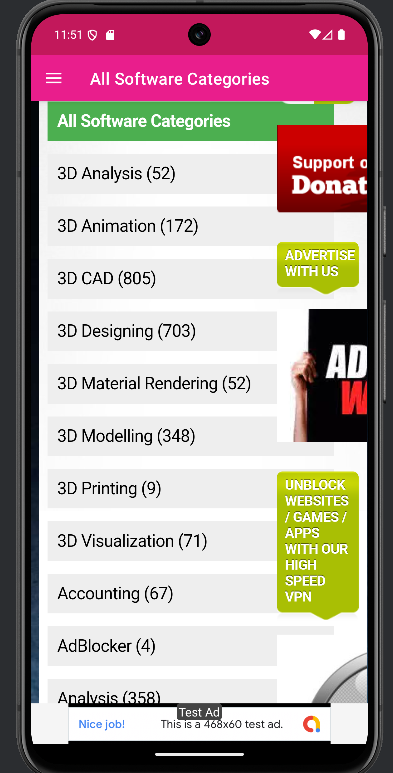
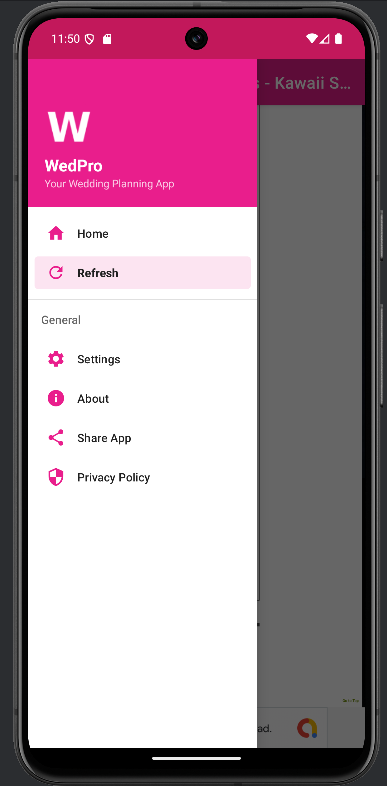
- Navigation drawer – Home, refresh, settings, about, share, privacy, plus dynamic social links (FB/IG/YT)
- AdMob integration – global kill switch, banners, interstitials (frequency capping), rewarded ads, test/prod toggle
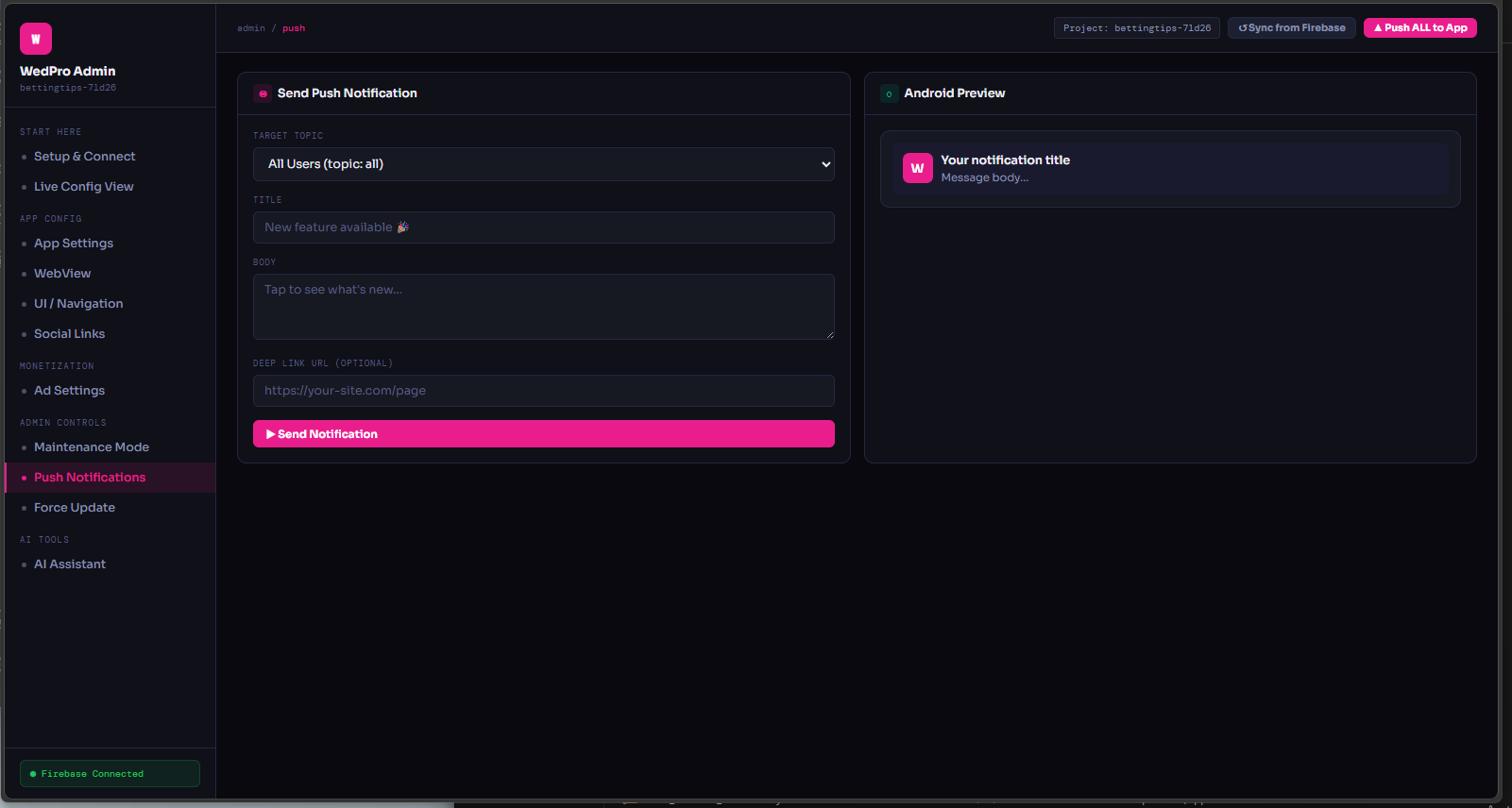
- Push notifications – FCM service, target topics (all), optional deep link, Android preview in admin
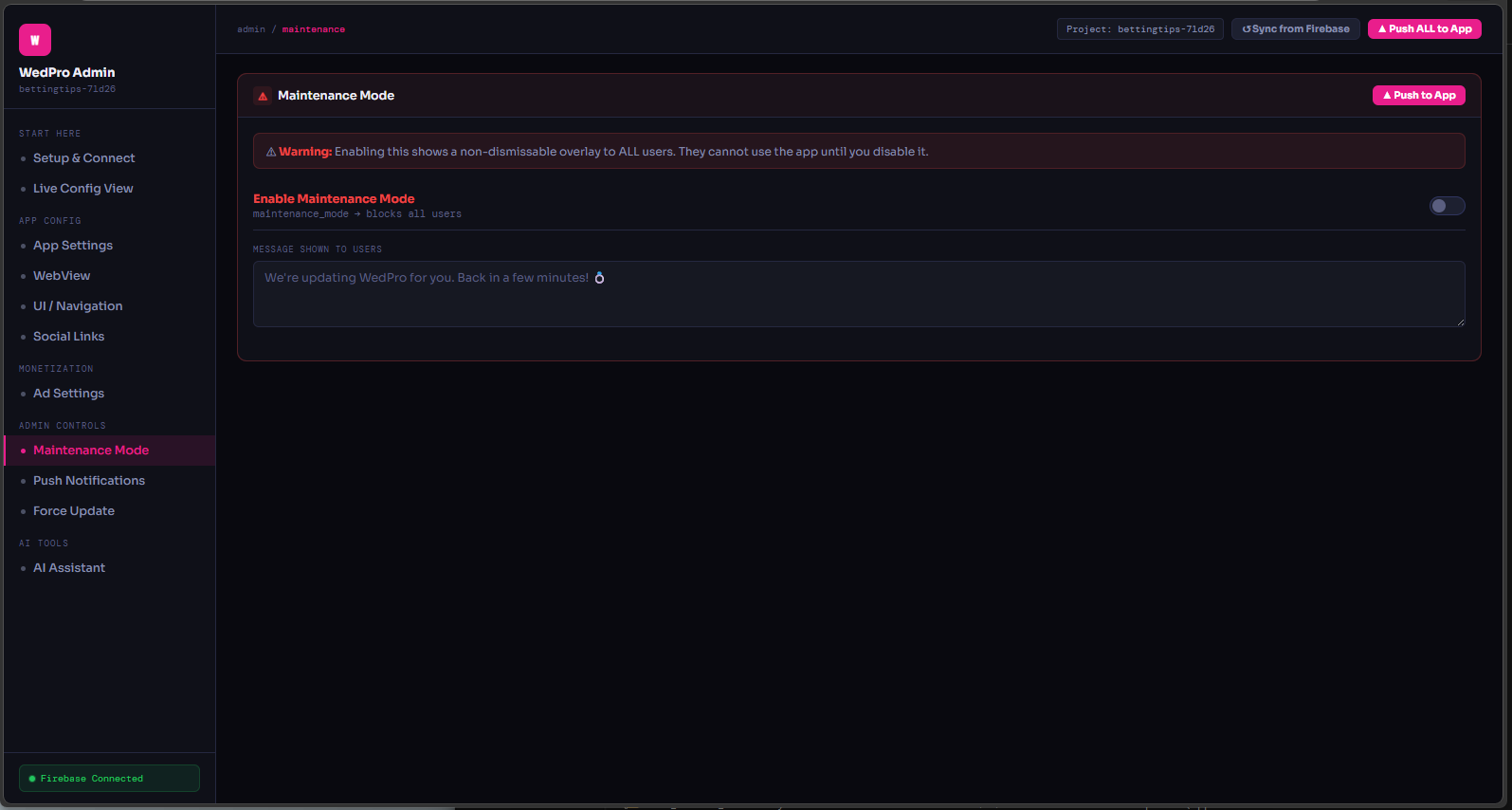
- Maintenance mode – block all users with custom message, non‑dismissable overlay
- Force update – min version dialog, directs to Play Store
- AI tools – floating button, chat with page context, explain selected text, improve page summary
- Billing – Remove Ads in‑app purchase (Google Play Billing)
- Offline support – custom offline animation + retry
Project structure
├── app/
│ ├── src/main/java/com/.../
│ │ ├── MainApplication.kt
│ │ ├── config/
│ │ │ ├── AppConfig.kt (fallback)
│ │ │ ├── AdsConfig.kt
│ │ │ └── RemoteConfig.kt ← live bridge
│ │ ├── di/ (Hilt modules)
│ │ ├── ui/
│ │ │ ├── splash/
│ │ │ ├── webview/
│ │ │ ├── drawer/
│ │ │ ├── about/
│ │ │ ├── settings/
│ │ │ └── offline/
│ │ ├── admob/ (banner, inter, rewarded)
│ │ ├── notifications/ (FCM)
│ │ ├── billing/ (IAP)
│ │ ├── security/ (SafeBrowsing, SSL)
│ │ ├── ai/
│ │ │ ├── AiConfig.kt
│ │ │ ├── AiApiClient.kt
│ │ │ ├── AiChatViewModel.kt
│ │ │ ├── AiChatActivity.kt
│ │ │ ├── AiPageTools.kt
│ │ │ └── AiFloatingButton.kt
│ │ └── admin/ (AdminRemoteManager)
│ └── res/ (layouts, icons, animations, values)
└── admin-panel/ (single index.html)
Admin panel – full remote command
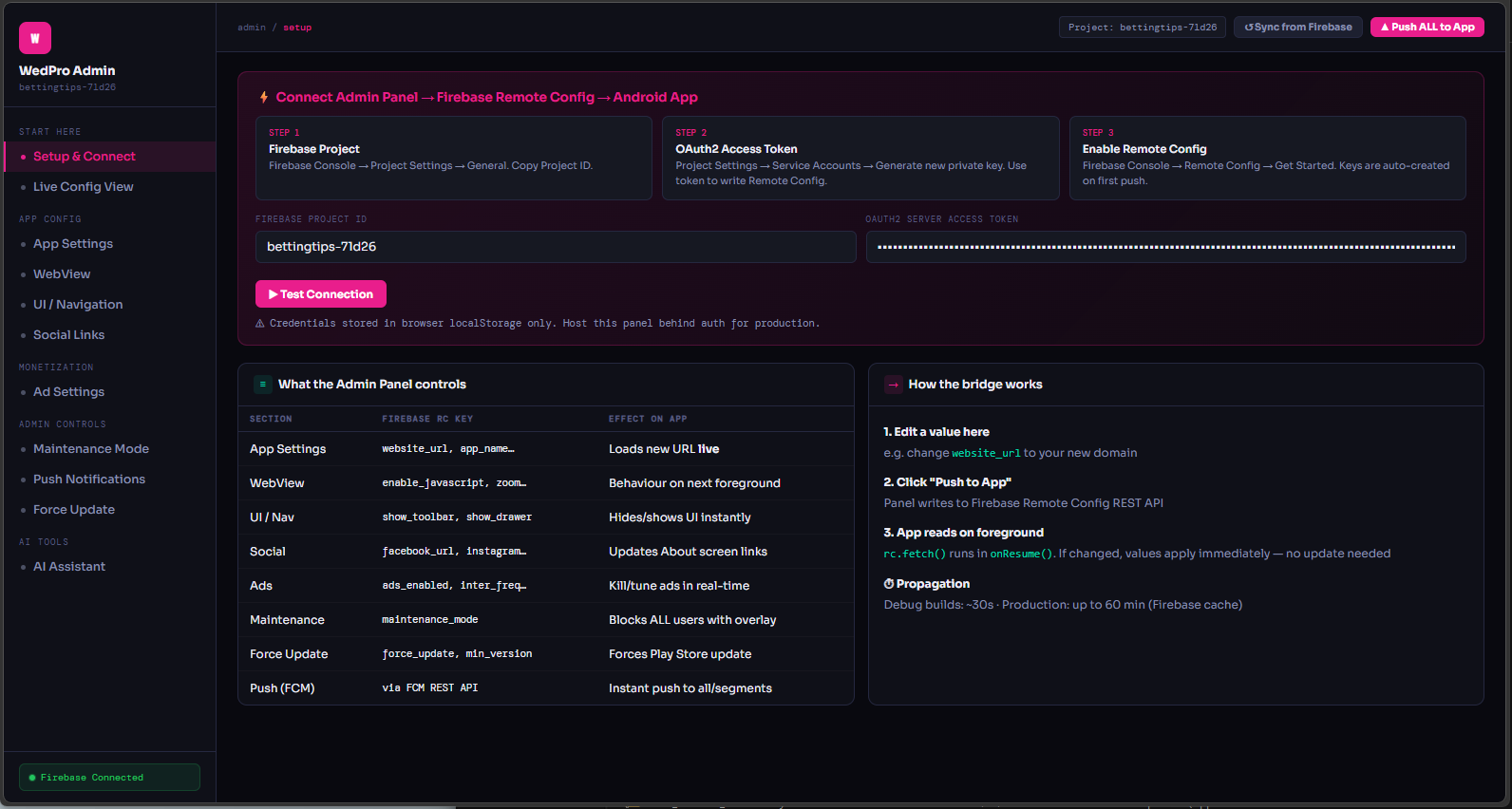
The panel is a standalone HTML file (no server needed). It uses Firebase REST API + OAuth2 to update your app in real time. Live push
Setup & Connect
- Firebase Project ID – from console (e.g. wedpro-123ab)
- OAuth2 token – generate via service account JSON (see guide below)
- Test connection – verifies access
- Sync from Firebase – loads current RC values
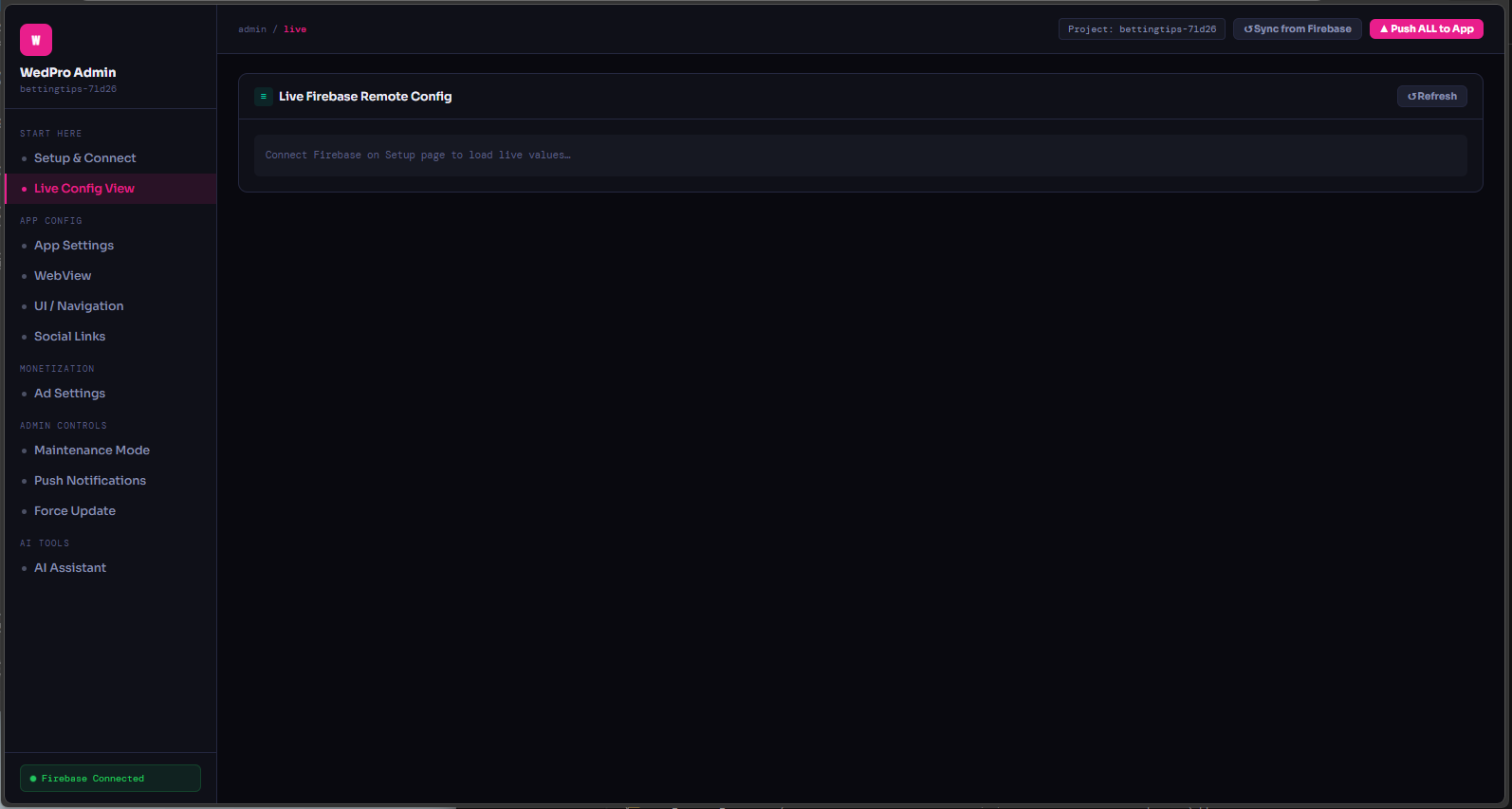
Live Config View
See all 31 flags with current values (boolean/string). Colour‑coded: green = true, red = false. Edit any field and ▲ Push to App – app receives changes within ~30s (debug) to 60 min (production).
Push notifications
Compose with title, body, optional deep link. Target "All Users". Live Android preview. Sends via FCM REST API.
Ad settings
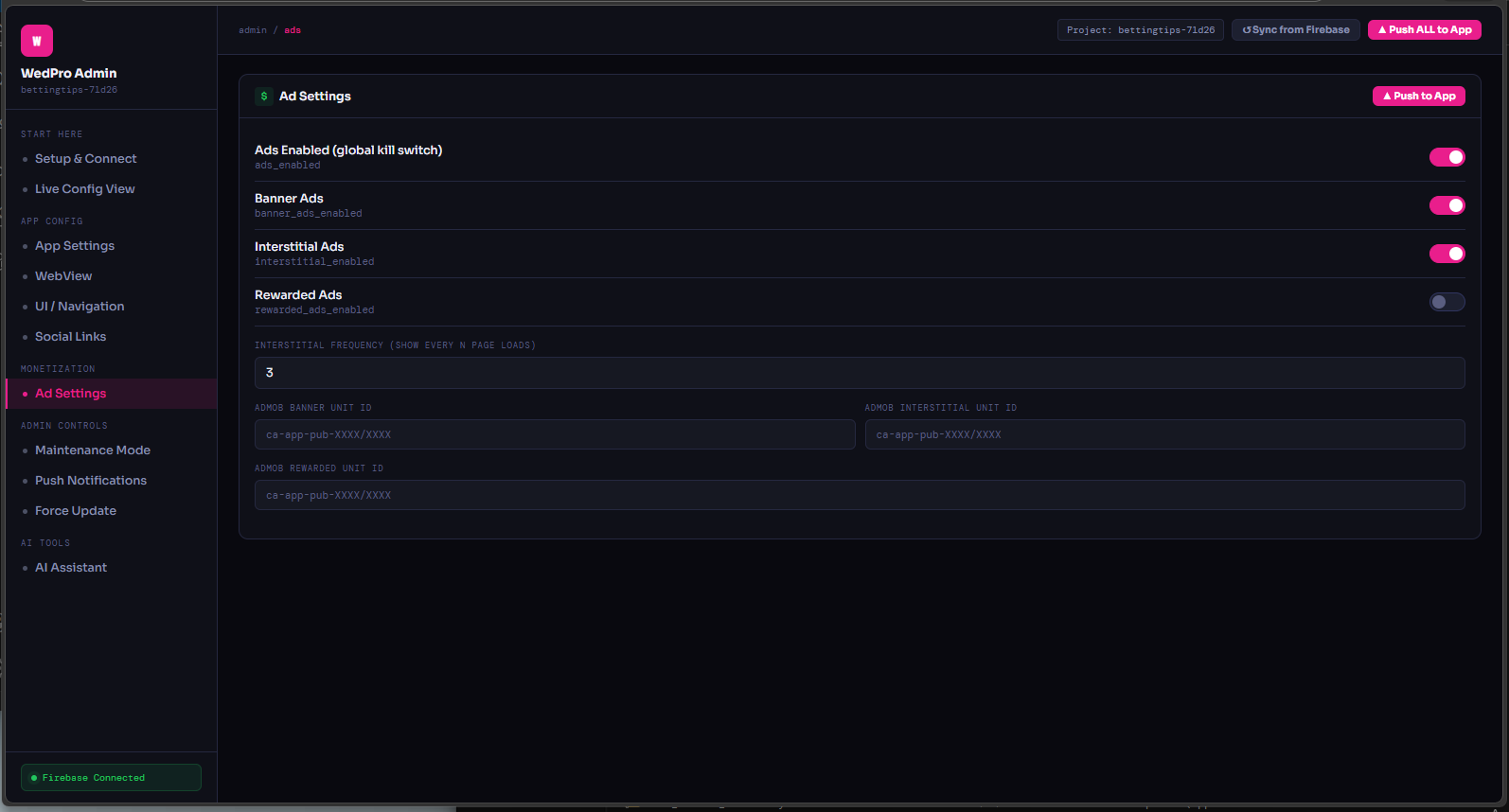
Toggle banner/interstitial/rewarded globally, set frequency, update AdMob unit IDs remotely. Also shows per‑network revenue mock.
AI Assistant (Claude)
Built‑in chat: “re‑engagement push copy”, “Play Store description”, “retention strategies”, “AdMob strategy”. Writes directly to fields.
Maintenance & force update
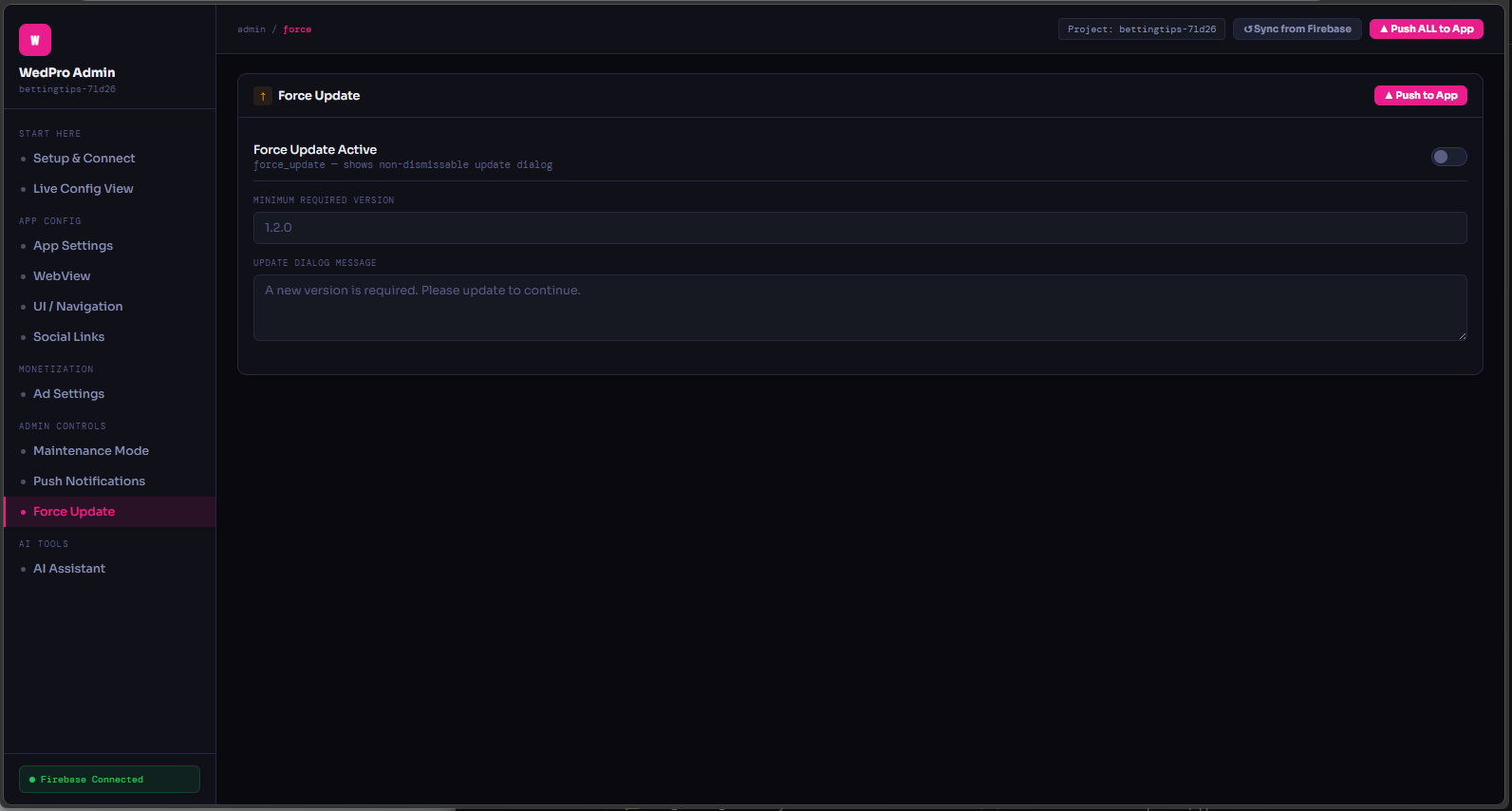
One‑click enable maintenance mode (custom message) or force‑update with minimum version & dialog text.
🔐 Connect Firebase – step‑by‑step
📍 Step 1: Get your Project ID
Firebase Console → Project Settings → General tab → Project ID (e.g. wedpro-7d26e). Copy it.
📍 Step 2: Download service account JSON
Project Settings → Service accounts → "Generate new private key" → download JSON file (e.g. wedpro-firebase-adminsdk-xxxx.json).
📍 Step 3: Generate OAuth2 token (short‑lived)
Install Python lib: pip install google-auth
Save this script as get_token.py:
Run python get_token.py → copy the long token (ya29...).
📍 Step 4: Open admin panel (index.html)
Double‑click the downloaded WedPro-AdminPanel/index.html. Go to START HERE → Setup & Connect. Paste Project ID and token, click Test Connection. ✅ Success.
⚠️ Token expires ~1h, renew with same script. JSON key never expires.
⚙️ Android project – open & run
1. Extract & import
Unzip WedPro-AndroidStudio-Project.zip. In Android Studio: File → Open → select WedPro/. Wait for Gradle sync (JDK 17 required).
2. Configure essentials
Edit AppConfig.kt (fallback URL, name). Replace google-services.json with your own from Firebase. In AdsConfig.kt set AdMob app IDs.
3. Run & enjoy
Press ▶️. The app reads from Firebase Remote Config (if connected) otherwise uses fallback. All remote toggles work live. To test admin panel, push a new website_url – the app updates on next foreground.
The project already includes all fixes: Gradle 8.6, AGP 8.3.2, Kotlin 1.9.23, Hilt 2.51, and all resource icons (adaptive W icon).
🤖 AI features – built‑into the app
Chat with AI
Full‑screen chat (AiChatActivity) with context from current web page. Ask to summarise, translate, or generate content.
Floating button
Drop‑in FAB that overlays WebView. One‑line addition – opens AI tools or chat.
Page tools
"Explain this", "Improve search", "Translate". Uses Claude API (configurable in AiConfig.kt).
📋 Remote Config keys (live control)
| Key | Description | Default |
|---|---|---|
| website_url | Main webview URL | https://theknot.com (demo) |
| app_name | Toolbar & about name | WedPro |
| privacy_policy_url | Link in about | https://your‑site.com/privacy |
| support_email | Support mail | [email protected] |
| facebook_url, instagram_url, youtube_url | Social links in drawer | — |
| enable_javascript, dom_storage, zoom_controls, desktop_mode, pull_to_refresh, progress_bar | WebView flags | true (most) |
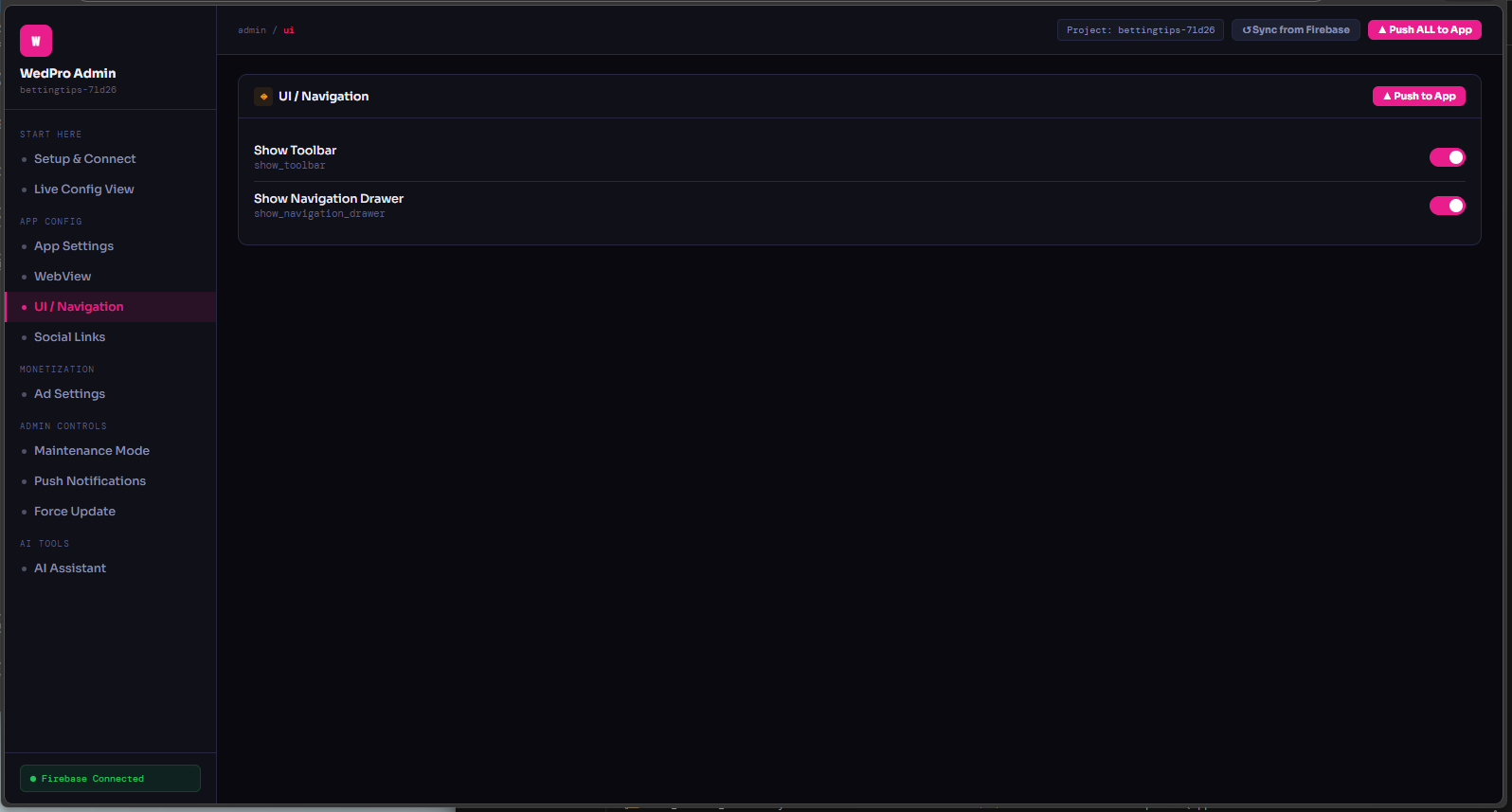
| show_toolbar, show_navigation_drawer | UI visibility | true |
| ads_enabled (global), banners_enabled, interstitials_enabled, rewarded_enabled | Ad kill switches | false (test) |
| interstitial_frequency | Pages between interstitials | 3 |
| admob_banner_id, interstitial_id, rewarded_id | Ad unit IDs | ca‑app‑pub‑xxxx |
| maintenance_mode | Blocks all users | false |
| maintenance_message | Overlay text | Updating... |
| force_update | Force dialog | false |
| min_version | Minimum required version | 1.2.0 |
| update_message | Dialog body | Update required |
10+ additional keys for advanced AI & security.
Drawer with social
+ pink branding
Admin panel
live toggle
AI chat overlay
📦 ZIP contents (two deliverables)
- WedPro-AndroidStudio-Project/ (full Android source)
- WedPro-AdminPanel/index.html (standalone dashboard)
- All icons (mipmap) + adaptive launcher
- Lottie animations (splash, offline)
- Firebase connection guide PDF
- Integration guide for AI files
- SafeBrowsing, SSL pinning ready
- Full billing (remove ads)
🚀 Ready to publish or reskin?
Change the package name, update colours, connect your Firebase, and you have a premium WebView app with remote admin & AI. No monthly fees.
Version 2.0 · 68 files · last update: March 2026
Features
📦 Included in ZIP
- ✅ Full Android Studio project (Kotlin + Hilt)
- ✅ Firebase Remote Config (31 live keys)
- ✅ Standalone admin panel (single HTML)
- ✅ AI chat + page tools (Claude API)
- ✅ AdMob banner, interstitial, rewarded
- ✅ FCM push with deep links
- ✅ Maintenance mode & force update
- ✅ Offline page with Lottie
- ✅ Play Billing (remove ads IAP)
- ✅ Adaptive icons & splash animations
- ✅ All resource files (layouts, drawables)
- ✅ Detailed integration guide
🚀 Use it for
Wedding planners, business webviews, any website you want to wrap with native power and remote control. Perfect for clients who need live updates without resubmitting to Play Store.
Requirements: Android Studio (Jellyfish+), JDK 17, Firebase account (free).
✨ WedPro – Feature deep dive
Based on 16+ design files and the complete Android implementation.
Core WebView engine
- JavaScript, DOM storage, zoom controls
- Desktop mode / pull‑to‑refresh
- Progress bar, safe browsing, SSL handler
- URL scheme filter (blocks malicious schemes)
Remote Admin (Firebase RC)
- 31 live keys: website_url, app_name, social links
- Toggle ads, maintenance, force‑update
- Interstitial frequency, AdMob unit IDs
- Push to app without update
AI Assistant (in‑app & admin)
- Floating chat button + full AI chat screen
- Page summarizer, translator, explain selected text
- Admin AI writes push copy, ASO, retention ideas
- Claude API integration (configurable)
Monetization – AdMob + IAP
- Banner, Interstitial (frequency capping), Rewarded
- Global kill switch, test/prod toggle
- Google Play Billing – Remove Ads in‑app purchase
Push notifications (FCM)
- Target topic "All Users"
- Title, body, deep link URL
- Live Android preview in admin panel
- Uses FCM REST API
Security & maintenance
- SafeBrowsingManager, SSL handler
- Maintenance mode (non‑dismissable overlay)
- Force update dialog with min version
- Offline activity with retry + Lottie
📁 All referenced files (exact contents)
Requirements
📋 WedPro – Requirements
Before you start using the WedPro template, ensure your environment meets the following requirements:
🔧 Development Environment
- Android Studio – Jellyfish | 2023.3.1 or newer (Iguana / Koala recommended)
- JDK – Version 17 (bundled with Android Studio is fine)
- Gradle – Version 8.6 (included in the project wrapper, no manual install needed)
- Android SDK – Minimum API level 21 (Android 5.0) – target API level 34 (Android 14)
🔥 Firebase (mandatory for remote control & push)
- A Firebase account (free tier is sufficient)
- A Firebase project created in the Firebase Console
- Firebase Remote Config enabled (auto‑created on first push)
- google-services.json file downloaded and placed in the
app/folder - For push notifications: Firebase Cloud Messaging (FCM) enabled (server key not needed – admin panel uses OAuth2)
🧠 AI Assistant (optional)
- Claude API key (from Anthropic) – if you want to use the in‑app AI chat and page tools. ###li/li###
📢 AdMob (optional)
- An AdMob account and registered app
- Ad unit IDs for banner, interstitial, and rewarded ads (test IDs are provided)
💳 Google Play Billing (optional)
- A Google Play Console account and a published app (or internal test track) to test in‑app purchases.
🧩 Other
- Basic understanding of Kotlin and Android XML if you plan to customize the UI beyond remote settings.
- For the admin panel: a modern web browser (Chrome, Edge, Firefox) – no server required.
Note: All external services (Firebase, AdMob, Claude) have free tiers that are sufficient for development and moderate production use. The template is designed to work out‑of‑the‑box with placeholder keys – you only need to replace them with your own.
Future product updates
Quality checked by Codester
Lowest price guarantee


|
Android App Reskin Service
Have your App reskinned to meet your needs.
|
$499 | Buy now |
| Category | App Templates / Android / Applications / Webview |
| First release | 9 March 2026 |
| Last update | 9 March 2026 |
| Operating Systems | Android 7.0, Android 8.0, Android 9.0, Android 10.0, Android 11.0, Android 12.0, Android 4.0, Android 5.0, Android 6.0 |
| Files included | .c, .asm, .cpp, .py, .rb, .ascx, .aspx, .php, .css, .html, .less, .sql, .swf/.flv, Layered .psd, Layered .png, .cs, .h, .m, .xib, .vb, .csproj, .nib, .pch, .swift, .apk, .dat, .dex, .db, .java, .eps, .ai, .dll, .unityproj, .obj, .prefab, .fbx, .lua, .xml, build.settings, Javascript .js, .muse |