Laravel Admin Starter - Full Stack DashboardLaravel Admin Starter - Full Stack Dashboard
Laravel 12 SaaS admin starter with File Manager, CRUD Builder, Chat, Calendar, Roles, 2FA and 15 production-ready modules.
Laravel Admin Starter - Full Stack Dashboard
Laravel 12 SaaS admin starter with File Manager, CRUD Builder, Chat, Calendar, Roles, 2FA and 15 ...
Overview
Laravel 12 Admin Starter
Laravel Admin Starter is a production-ready admin panel built on Laravel 12, Tailwind CSS, Alpine.js, and Vite. It provides a clean and well-structured foundation so developers can focus on building their product instead of rebuilding the same admin infrastructure again and again.
The system already includes the most common modules needed for SaaS platforms, admin dashboards, CRM systems, and internal tools. Authentication, role-based access control, two-factor authentication, notifications, calendar management, internal team chat, activity logging, and a powerful visual CRUD generator are already integrated and ready to use.
The UI is modern, clean, and fully responsive with built-in dark mode. The interface is built using reusable Blade components and Tailwind utility classes, making the codebase easy to extend and maintain.
Instead of spending weeks building admin scaffolding from scratch, you can simply clone the project, configure it, and start shipping your product.
Perfect for
- SaaS applications
- Admin dashboards
- Internal business tools
- CRM systems
- Client portals
- Custom Laravel backends
Features
Main Features
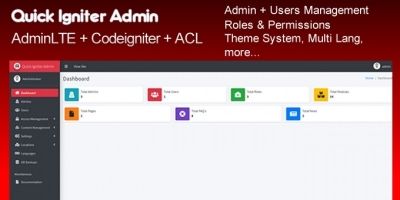
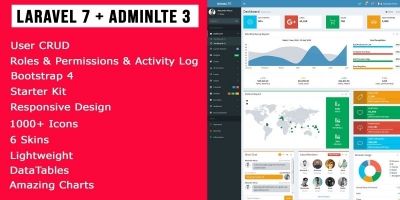
- Admin Dashboard — KPI stat cards, Chart.js analytics charts, recent users table and activity feed.
- Users CRUD — user listing with search and role filtering, create/edit/delete users, avatar upload and role assignment.
- Roles & Permissions — full CRUD powered by spatie/laravel-permission with permissions grouped by resource.
- Two-Factor Authentication (2FA) — TOTP authentication using Google2FA with QR code setup and recovery codes.
- User Impersonation — administrators can log in as users for debugging and support.
- API Tokens — Laravel Sanctum integration with custom token abilities and expiration dates.
- Database Notifications — bell dropdown with unread count, notifications page and mark-as-read functionality.
- Calendar — FullCalendar integration with month, week and day views and full event management.
- Team Chat — internal chat system using Alpine.js polling with mobile responsive interface.
- Activity Log — automatic logging of important system actions with filtering and admin controls.
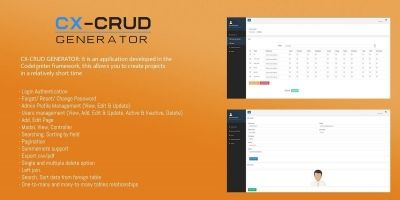
- CRUD Generator — visual builder that generates Model, Migration, Controller, Routes and Blade views.
- Profile Management — update personal info, avatar upload and password change.
- Settings Module — configure site name, contact email, timezone, theme and registration settings.
- Dark Mode — class-based dark mode toggle with persistent preference.
- Collapsible Sidebar — persistent sidebar state with responsive mobile layout.
- Multi-language Ready — translation files included for English, Slovak and German.
- Security Hardened — rate limiting on sensitive routes, ownership checks on user resources and protected system roles.
Technology Stack
- Laravel 12
- PHP 8.2+
- Tailwind CSS
- Alpine.js
- Vite
- Chart.js
- FullCalendar
- Spatie Laravel Permission
- Laravel Sanctum
Requirements
- PHP 8.2 or higher
- Composer 2.x
- Node.js 18+ and npm
- SQLite (default, zero-config) or MySQL / PostgreSQL (change .env)
- PHP extensions: pdo_sqlite, openssl, mbstring, tokenizer, xml, ctype, json, bcmath
- A web server: Laravel's built-in server (php artisan serve) works for development; Apache or Nginx for production
Instructions
- Unzip the downloaded archive and navigate to the project folder.
- Copy the environment file:
cp .env.example .env
- Install PHP dependencies:
composer install
- Generate the application key:
php artisan key:generate
- Run migrations and seed demo data (creates admin & editor accounts):
php artisan migrate:fresh --seed
- Create the storage symlink for file uploads:
php artisan storage:link
- Install frontend dependencies and build assets:
npm install && npm run build
- Start the development server:
php artisan serve
- Visit http://localhost:8000/admin and log in with:
Admin: [email protected] / password
Editor: [email protected] / password - For production, update your .env (APP_ENV=production, APP_DEBUG=false,
DB_* settings, MAIL_* settings) and run
npm run build.


| Category | Scripts & Code / PHP Scripts / Login |
| First release | 10 March 2026 |
| Last update | 16 March 2026 |
| Software version | PHP 8.2, PHP 8.3 |
| Files included | .php, .css, .html, .sql, Javascript .js |
| Tags | laravel starter kit, laravel admin panel, laravel template, tailwind admin, laravel 12, laravel chat, laravel dashboard |