


ComicVerse Flutter App with Laravel APIComicVerse Flutter App with Laravel API
Build your own comic app with Flutter and Laravel. Includes API, admin panel, and modern UI.
ComicVerse Flutter App with Laravel API
Build your own comic app with Flutter and Laravel. Includes API, admin panel, and modern UI.
Screenshots


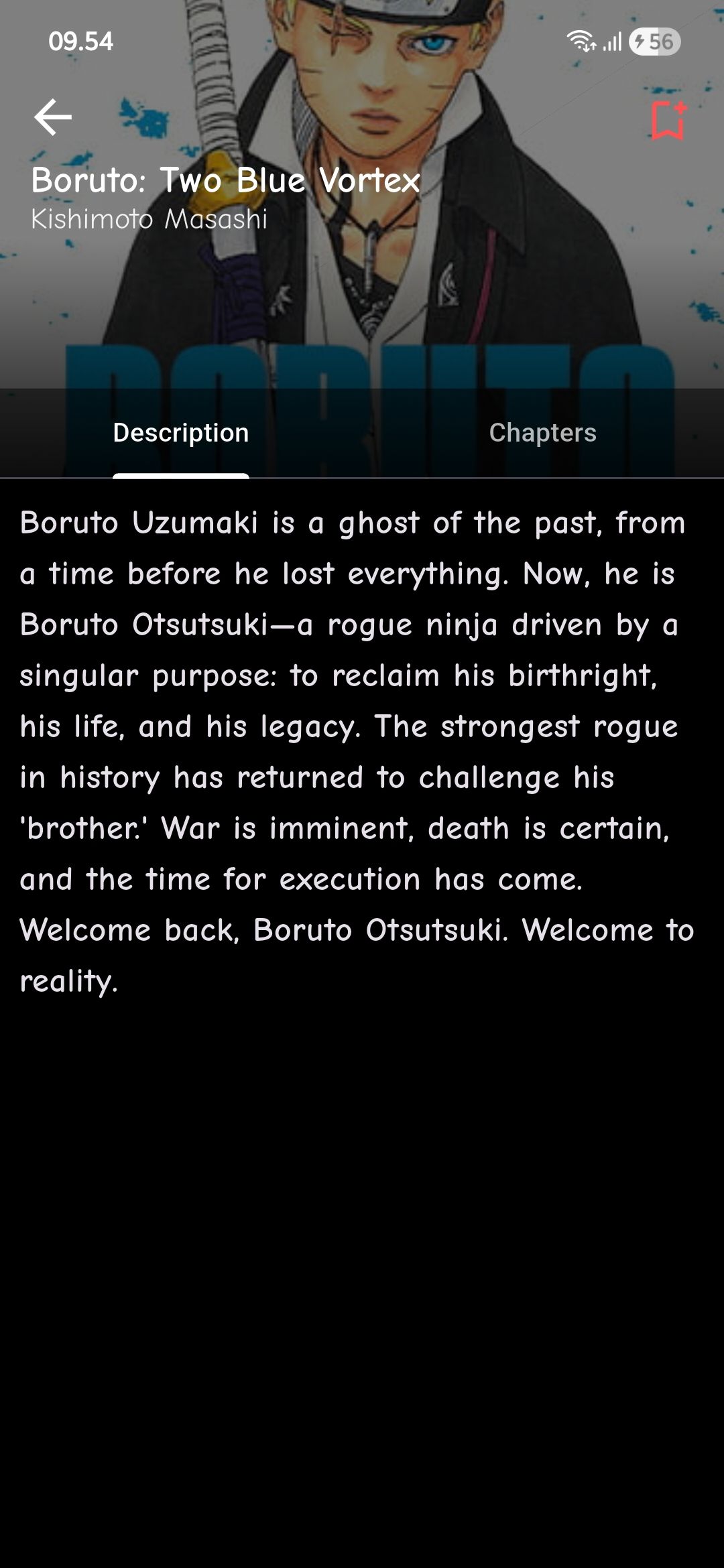

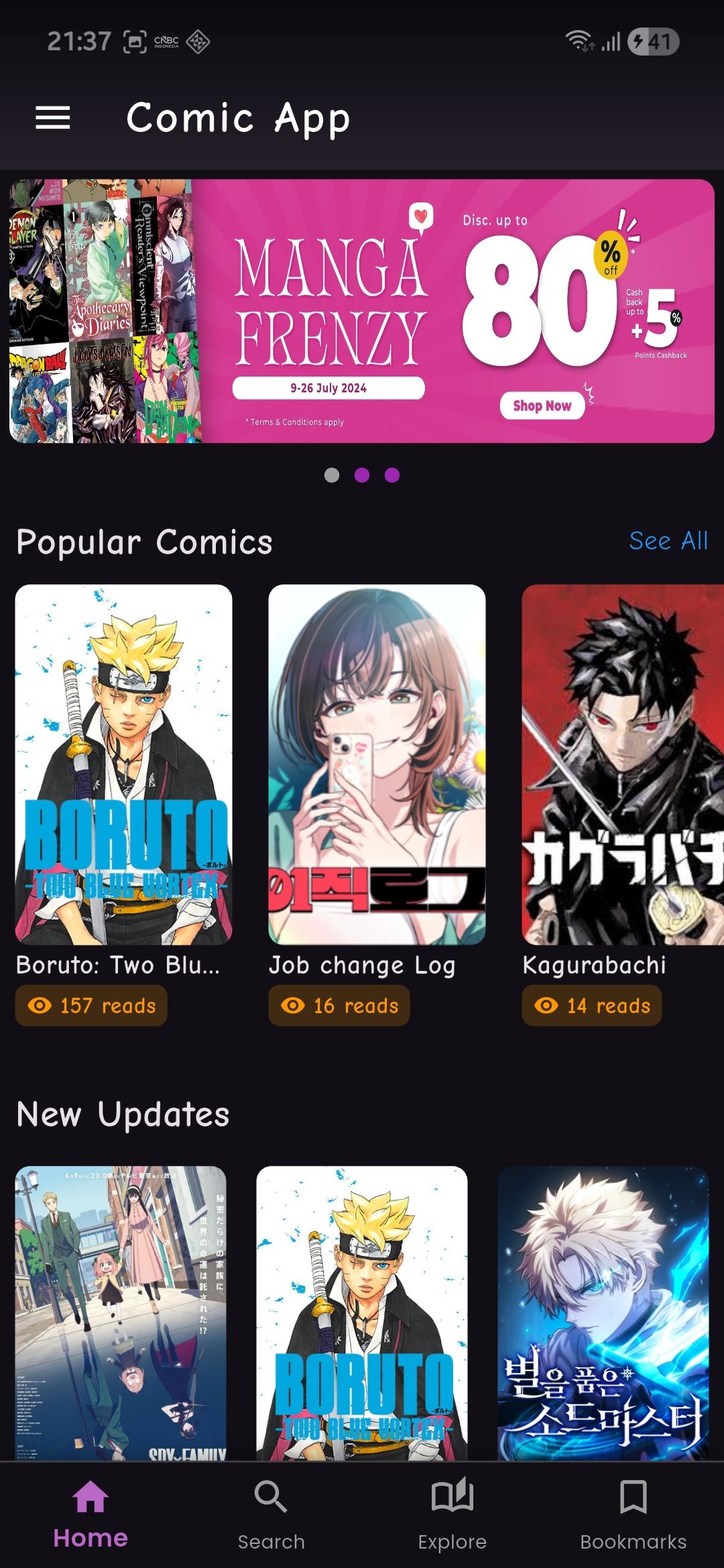


Overview
ComicVerse is a full-featured comic reading application built using Flutter for the mobile app and Laravel for the backend API and admin panel.
This system allows users to browse, read, and manage comics with a smooth and modern user experience. The backend provides a powerful admin panel to manage content, users, and application settings.
The mobile app is fully integrated with a REST API, making it scalable and easy to customize.
Perfect for developers who want to build their own comic or manga platform quickly.
Main Highlights:
- Clean and modern UI
- REST API integration
- Admin panel for content management
- Easy to customize and extend
What You Get:
- Full Flutter Source Code (Mobile App)
- Full Laravel Source Code (Admin Panel & API)
- Complete Documentation (PDF)
Disclaimer: The manga covers and images shown in the screenshots and video demo are for demonstration purposes only. We do not own the copyright to these images. The app is a functional tool/platform designed to display content provided by the user or via an external API. These images are NOT included in the main source code package.
Features
- Flutter Mobile App (Android & iOS ready)
- Laravel REST API Backend
- Admin Panel for managing comics and users
- Comic browsing and reading system
- Category and content management
- Image storage and display
- Authentication system (Firebase / API based)
- Clean and modern UI design
- Scalable architecture
- Easy to customize
Requirements
- PHP >= 8.2
- Laravel >= 12
- Composer
- MySQL Database
- Node.js & NPM
- Flutter SDK >= 3.x
- Android Studio or VS Code
- Internet connection for API communication
Instructions
1. Extract the downloaded package.
2. Setup the Laravel backend:
- Navigate to the backend folder
- Copy .env.example to .env
- Configure database and run migrations
- Run the server
3. Setup the Flutter app:
- Navigate to the mobile folder
- Run flutter pub get
- Configure API base URL in the .env file
- Run the app on emulator or device
4. Make sure the backend server is running before using the mobile app.
For detailed instructions, please refer to the documentation folder


| Category | App Templates / Flutter / Full Applications |
| First release | 6 April 2026 |
| Last update | 6 April 2026 |
| Operating Systems | Android 7.0, Android 8.0, iOS 11.0, Android 9.0, iOS 12.0, Android 10.0, iOS 14.0, iOS 13.0, iOS 15.0, Android 11.0, Android 12.0, Android 5.0, Android 6.0 |
| Files included | .php, .css, .html, .sql, Layered .png, .java, .xml, Javascript .js |
| Tags | source code, android app, admin panel, iOS app, mobile app, laravel, firebase, comic, manga, rest api, flutter, manga reader, comic reader |


