Premium File Converter - Multi Format Flask ConverPremium File Converter - Multi Format Flask Conver
Convert image, video, audio, document, archive and ebook files with a modern Flask interface, admin panel and easy setup.
Premium File Converter - Multi Format Flask Conver
Convert image, video, audio, document, archive and ebook files with a modern Flask interface, adm...
Screenshots


Overview
🚀 Premium File Converter
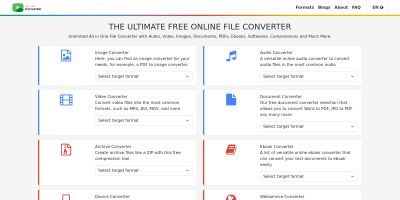
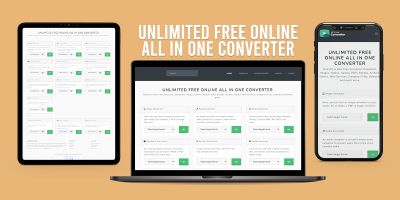
Turn your server into a complete multi-format file conversion platform. This script helps you launch a public file converter website with a clean modern interface, fast conversion flows, category pages, direct conversion pages and a built-in admin panel.
Whether you want to build a utility website, grow organic traffic with file conversion tools, or launch your own branded converter platform, this product gives you a strong ready-to-use foundation.
✨ Why buyers love this script
- 🔥 Beautiful public-facing interface designed for real visitors
- ⚡ Quick conversion workflow with direct download after processing
- 🧩 Multiple conversion families in one product
- 🛠 Windows, Linux local and VPS installation included
- 📊 Admin panel for conversion monitoring and management
- 📁 Clean project structure that is easy to customize and extend
- 🌍 Multi-language support included
- 📘 Detailed buyer documentation included in HTML format
🎯 Built for real-world usage
This is not just a basic upload form. The script includes a full conversion-focused website structure: homepage, category pages, format browsing, direct conversion routes, admin area and guided installation files. It is ideal for developers, entrepreneurs and website owners who want a serious file conversion platform instead of a tiny demo script.
💼 Great use cases
- ✅ Launch a public file conversion website
- ✅ Build a lead generation or traffic project
- ✅ Create a branded utility platform
- ✅ Offer internal conversion tools on your own server
- ✅ Start with a strong base and expand later
🏆 What makes this script stand out
- 💎 Clean UI and modern structure
- 💎 Covers image, video, audio, document, archive and ebook workflows
- 💎 Includes admin login and conversion history tools
- 💎 Includes setup scripts for easier buyer onboarding
- 💎 Documentation is already prepared for non-technical buyers
📦 Included in the package
- Full source code
- Windows setup script
- Linux local setup script
- Linux VPS installer
- Admin panel
- HTML documentation
- Buyer-ready package structure
If you want a professional, expandable and buyer-friendly file converter script, this product gives you an excellent starting point with real installation support and a polished presentation.
Features
- 🚀 Modern homepage with strong conversion-focused layout
- 🖼 Image conversion tools
- 🎬 Video conversion tools
- 🎵 Audio conversion tools
- 📄 Document conversion tools
- 🗜 Archive conversion tools
- 📚 Ebook conversion tools
- ⚡ Quick converter section on homepage
- 📂 Category-based conversion pages
- 🔁 Direct conversion routes
- 📊 Admin panel with conversion management
- 🧹 Automatic file cleanup support
- 🌍 4-language support
- 🪄 Windows setup script included
- 🐧 Linux local setup script included
- 🖥 VPS installer included
- 📘 Detailed HTML documentation included
- 🛠 Easy to customize and extend
Requirements
- 🐍 Python 3.10 or newer recommended
- 🖥 Windows, Linux local machine, VPS or VDS
- 🌐 For public deployment, Ubuntu 22.04 or Debian 12 is recommended
- 📦 Python dependencies from
requirements.txt - 🎬 FFmpeg for video and audio conversions
- 🖼 ImageMagick for advanced image workflows
- 📄 Ghostscript for some PDF, EPS and PostScript-related workflows
- 📚 Poppler for PDF-related processing
- 🧾 LibreOffice for office document conversions
- 📕 Calibre for ebook conversions
- 🗜 7-Zip or p7zip for archive workflows
Important: Full feature coverage depends on the related system tools being installed on the server. The included setup scripts and documentation explain this clearly.
Instructions
- 📦 Extract the downloaded ZIP file
- 📘 Open
BUYER_GUIDE.htmlordocumentation/index.html - 🪟 For Windows local testing, run
setup.bat - 🐧 For Linux local testing, run
setup.sh - 🖥 For VPS/VDS production setup, run
install.sh - ⚙ Follow the included HTML documentation step by step
- 🔐 Access admin from
/admin
The package includes detailed installation and usage documentation for:
- ✅ Windows local setup
- ✅ Linux local setup
- ✅ VPS/VDS automatic installation
- ✅ VPS/VDS manual installation
- ✅ Control panel / managed server guidance
Default local admin access:
URL: http://127.0.0.1:5000/admin
Username: admin
Password: admin123
Other items by this author


| Category | Scripts & Code / Python |
| First release | 10 April 2026 |
| Last update | 20 April 2026 |
| Files included | .py, .css, .html, Javascript .js |
| Tags | python, admin panel, flask, image converter, video converter, online converter, file converter, ffmpeg, imagemagick, document converter, audio converter, archive converter, ebook converter, upload tool, utility website |