
Exam Frame WordPress PluginExam Frame WordPress Plugin
Transform your WordPress site into a professional exam portal. Create unlimited mock tests with a dedicated student dashboard. Recently Updated
Exam Frame WordPress Plugin
Transform your WordPress site into a professional exam portal. Create unlimited mock tests with a...
Screenshots

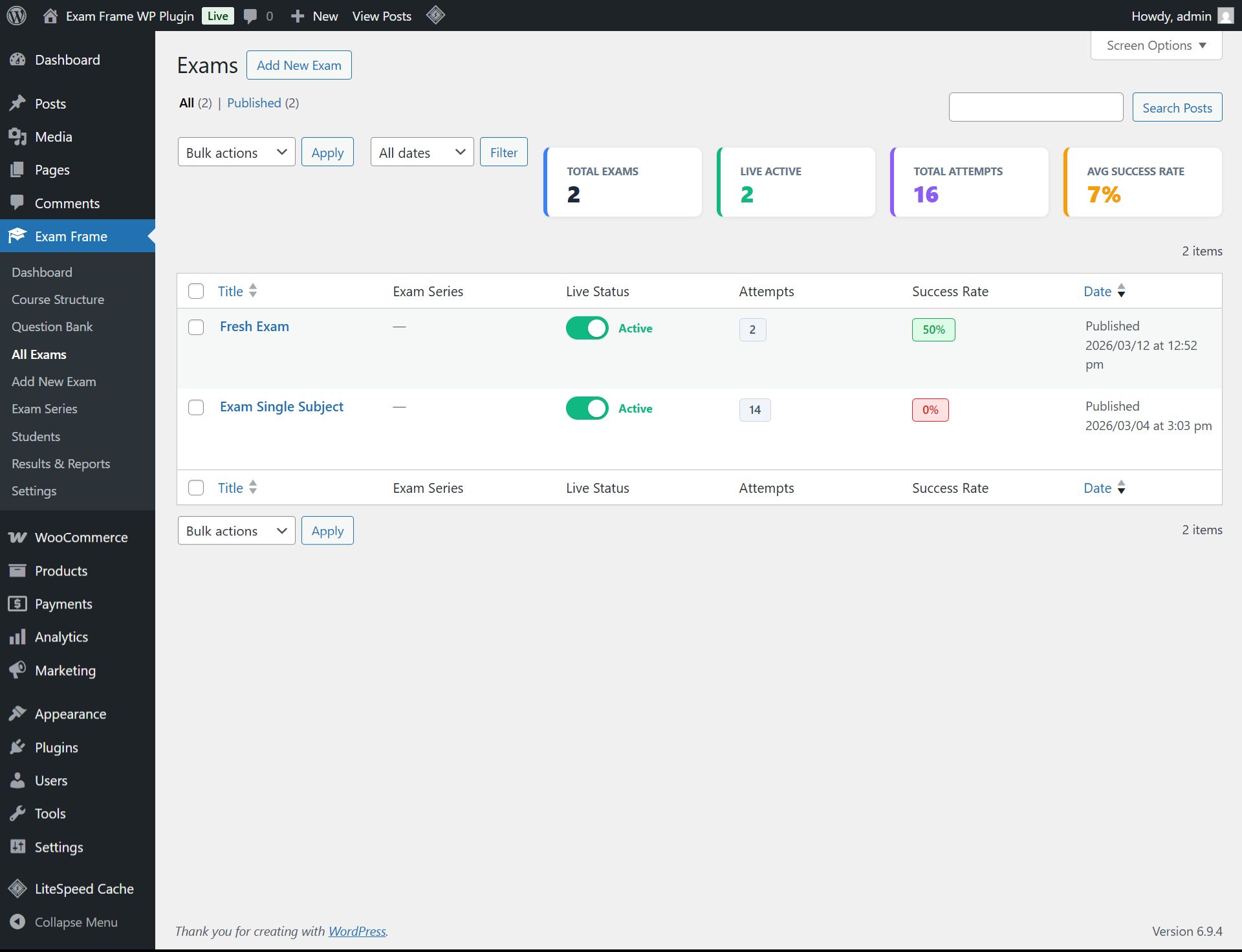
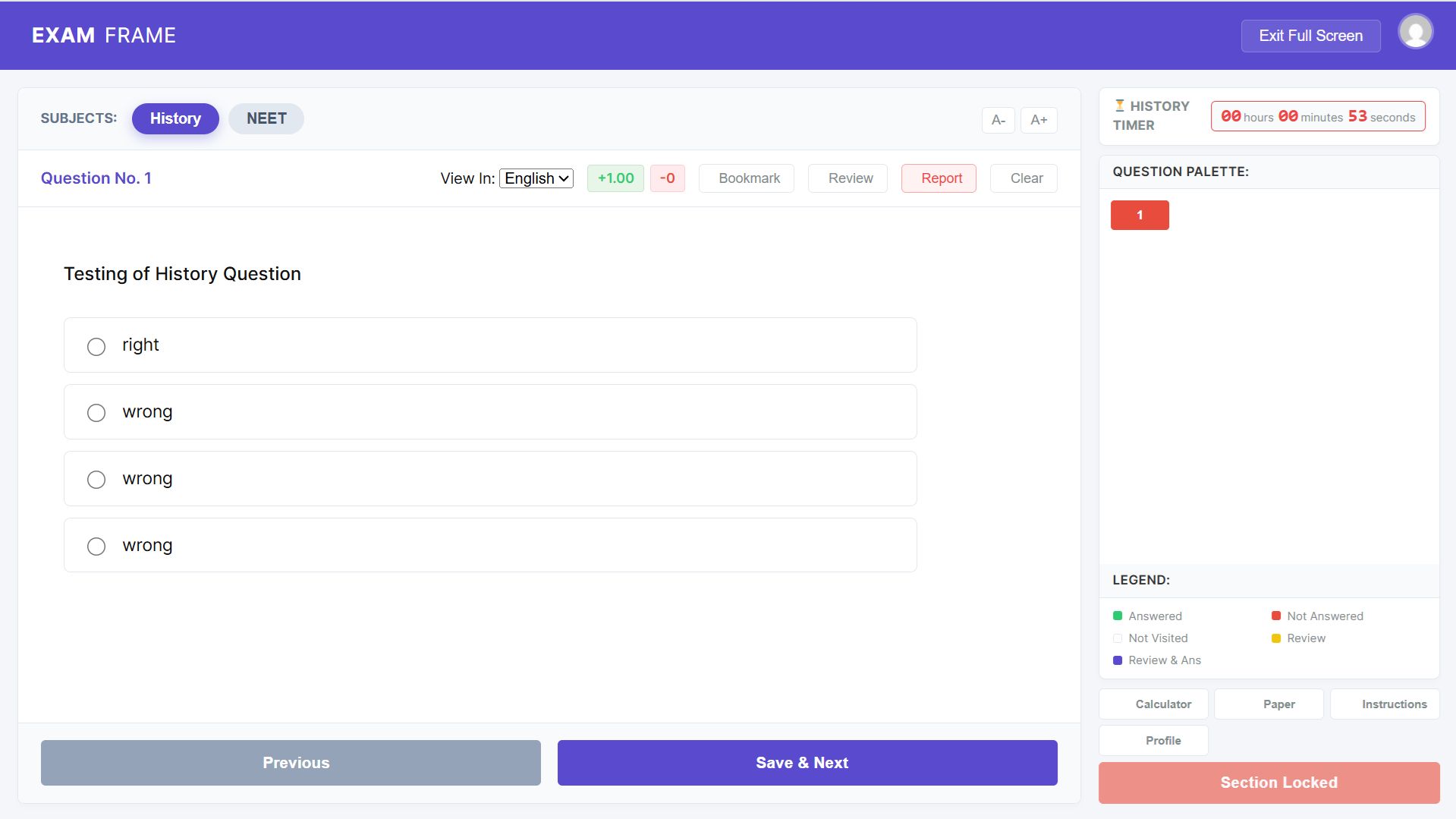
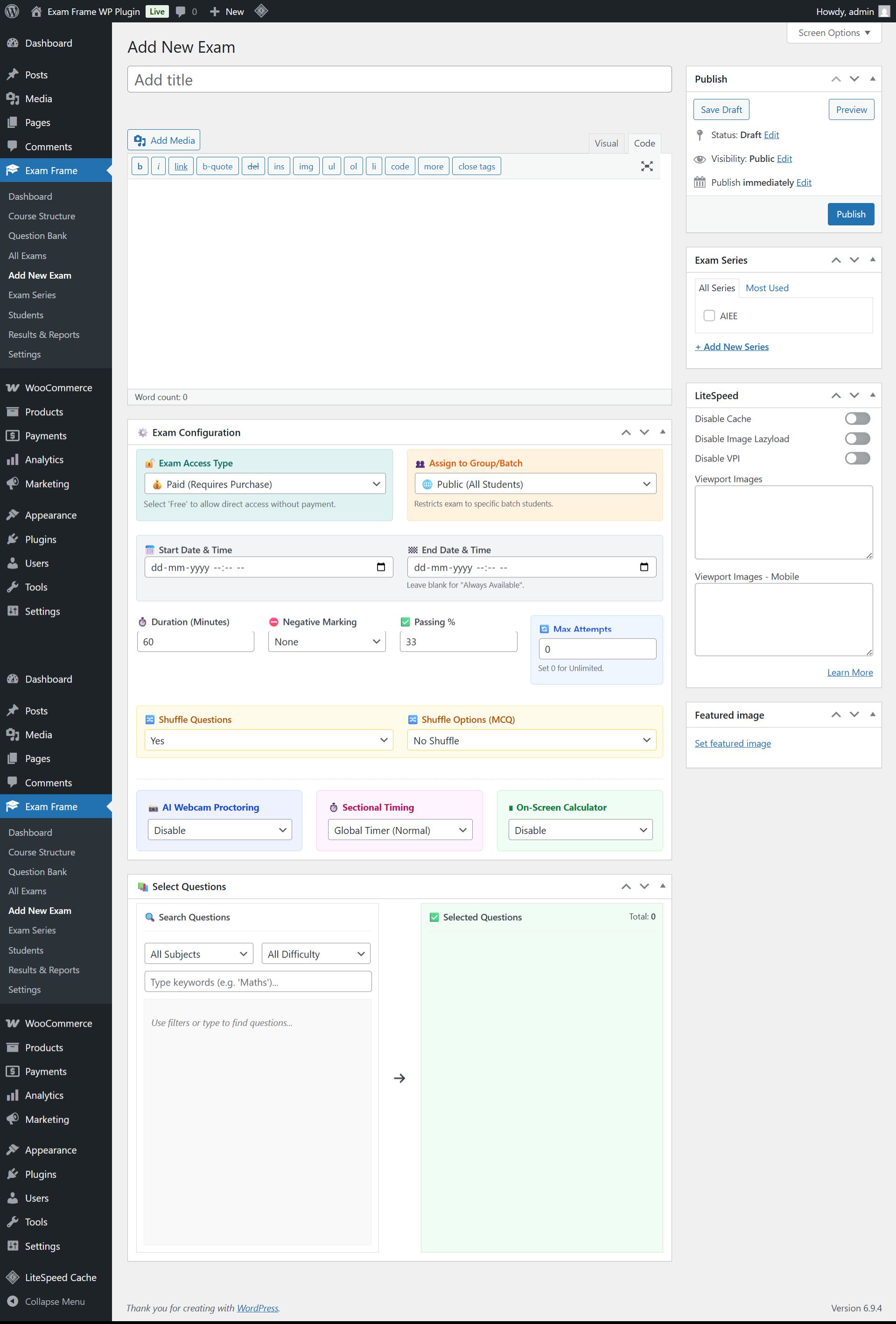
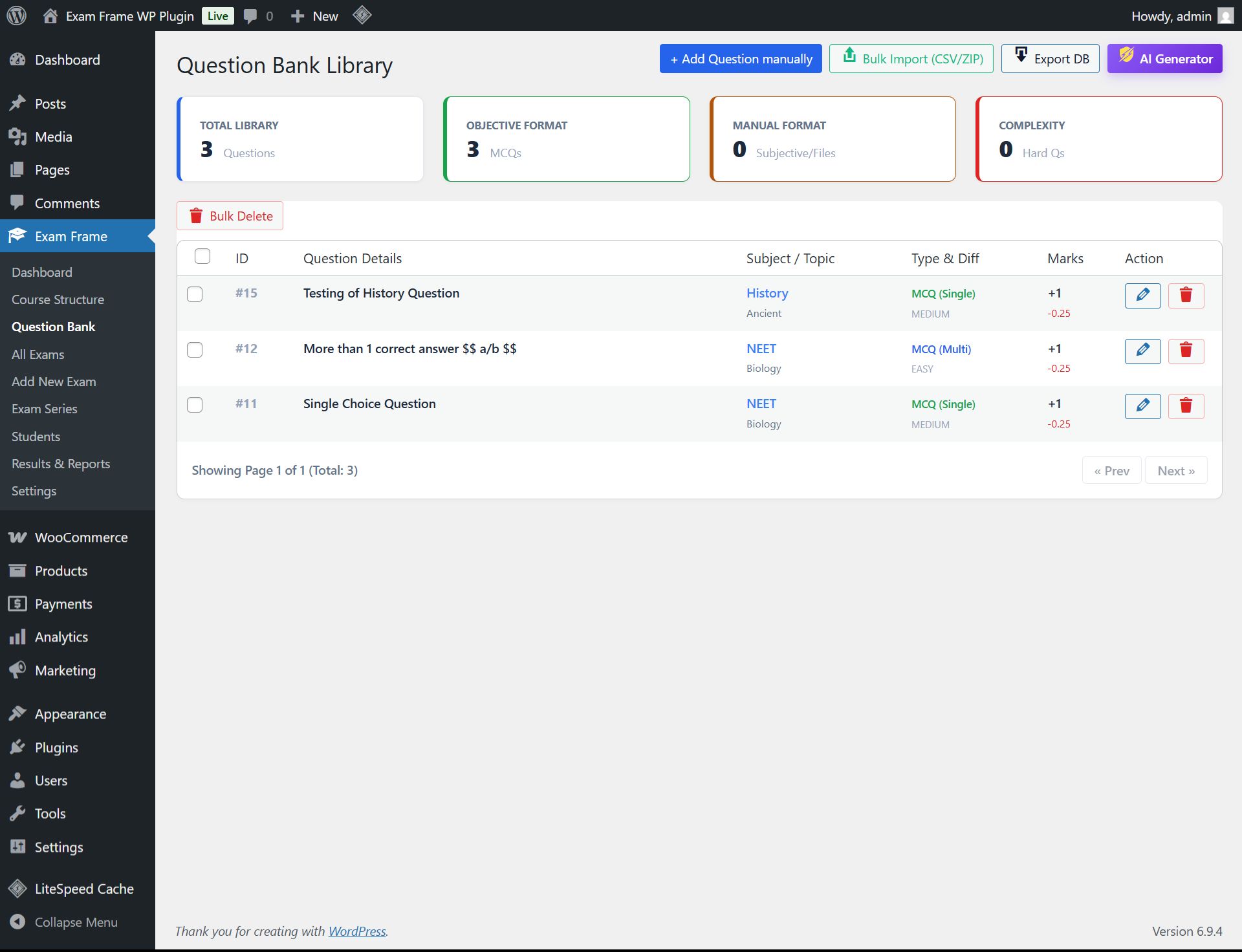
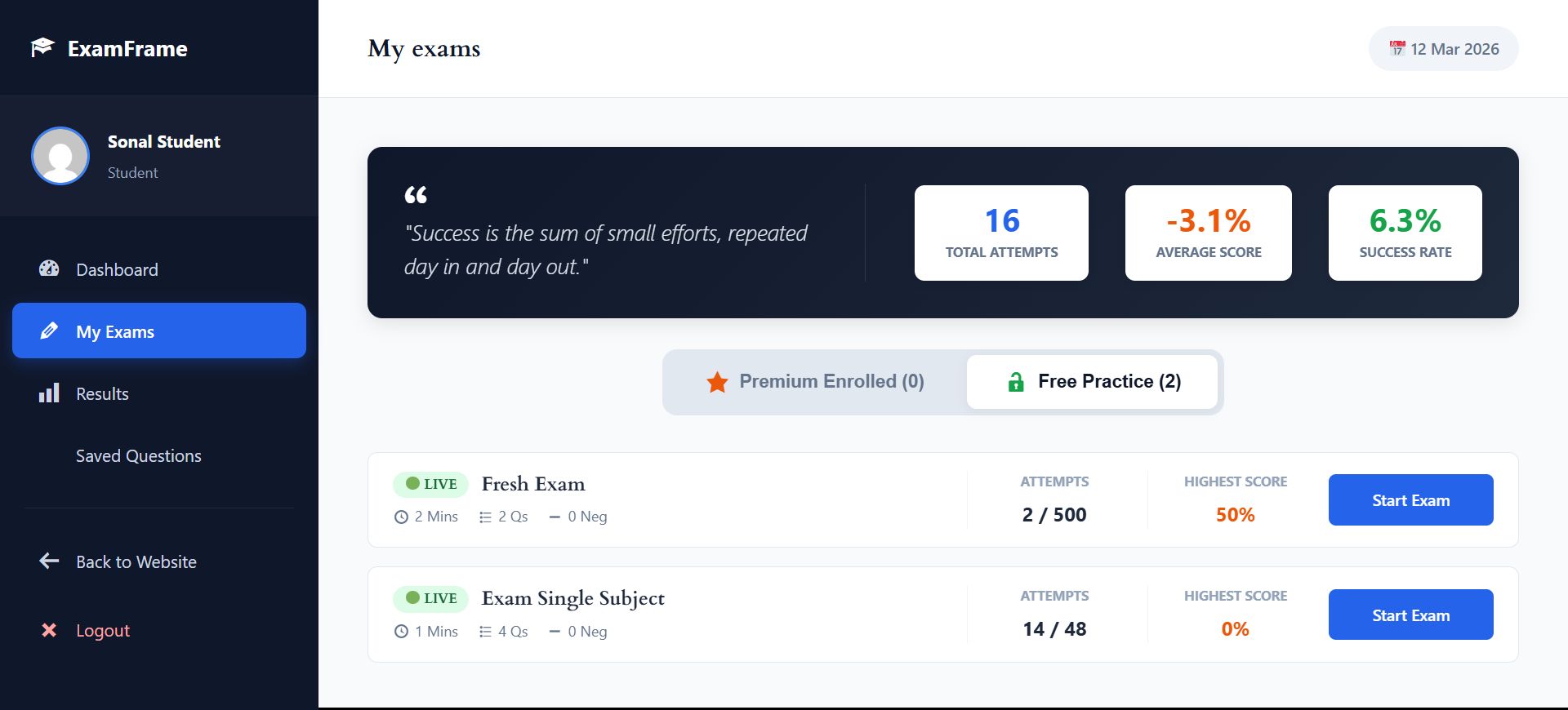
Overview
The Ultimate Online Examination & Mock Test Platform for WordPress
Welcome to Exam Frame Pro, the most advanced, secure, and feature-rich examination LMS built exclusively for WordPress. Whether you run a coaching institute, a school, or an independent tutoring business, Exam Frame Pro provides everything you need to conduct professional online exams and sell test series with ease.
Designed with a mobile-first approach and a distraction-free student portal, it replicates the real-world interface of top competitive exams. Stop paying recurring monthly fees to third-party SaaS platforms and take full control of your student data, exam monetization, and branding directly from your WordPress dashboard.
Who is this for?
- Coaching Institutes & Academies: Conduct weekly mock tests and detailed performance tracking.
- EdTech Entrepreneurs: Create and sell premium test series using our seamless WooCommerce integration.
- Schools & Universities: Run secure, AI-proctored term exams with objective and subjective question formats.
- Corporate Trainers: Assess employee skills with advanced reporting and analytics.
Exam Frame Pro is not just a quiz plugin; it is a full-scale examination engine engineered for high concurrency and strict exam integrity.
Features
🔥 Premium Features Included in PRO
- 🛒 WooCommerce Monetization: Instantly sell exam bundles and test series. Automatic access is granted to students upon successful payment.
- 👁️ AI Webcam Proctoring & Anti-Cheat: Ensure zero cheating with live webcam snapshots, tab-switch tracking, and copy-paste prevention.
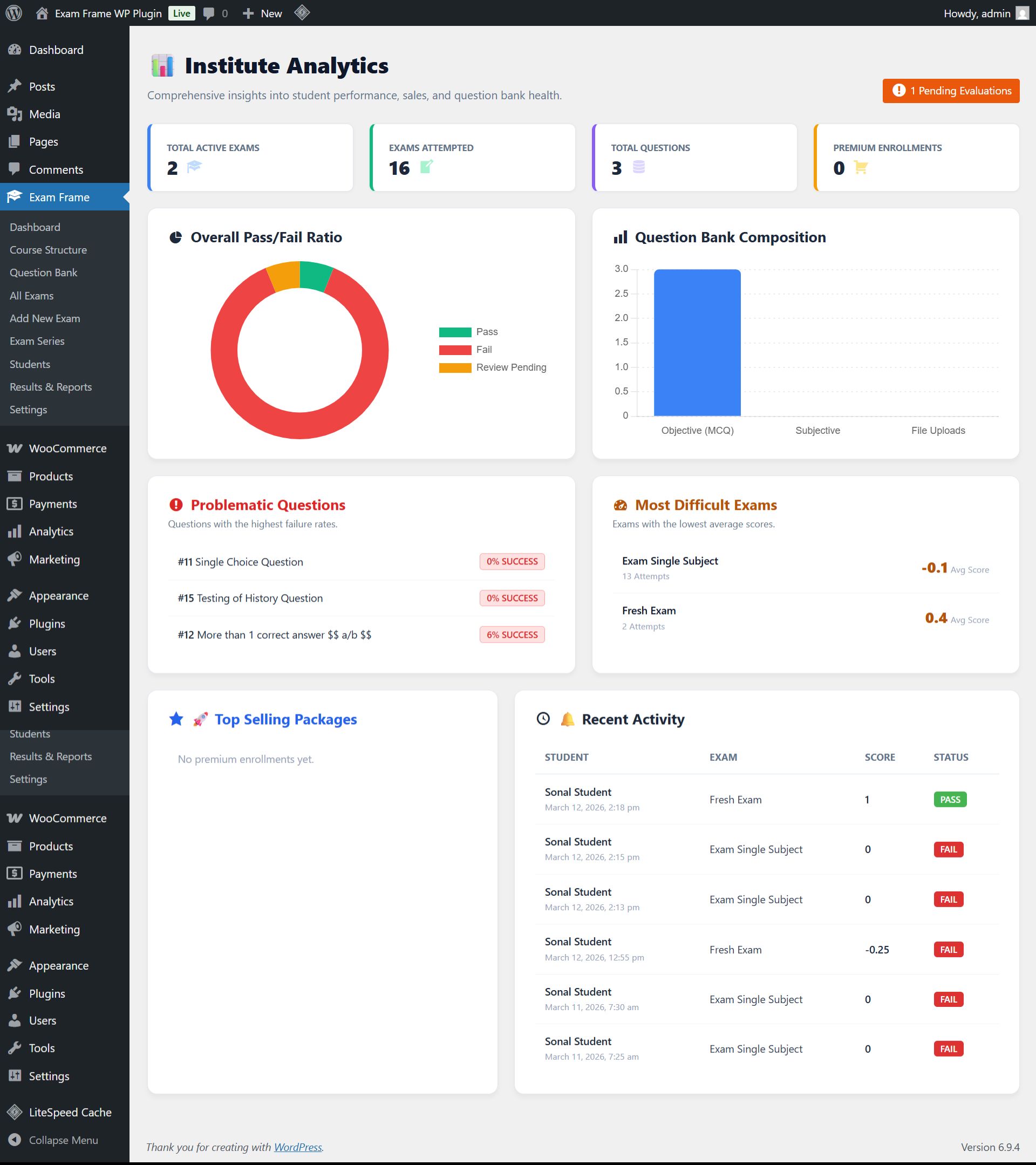
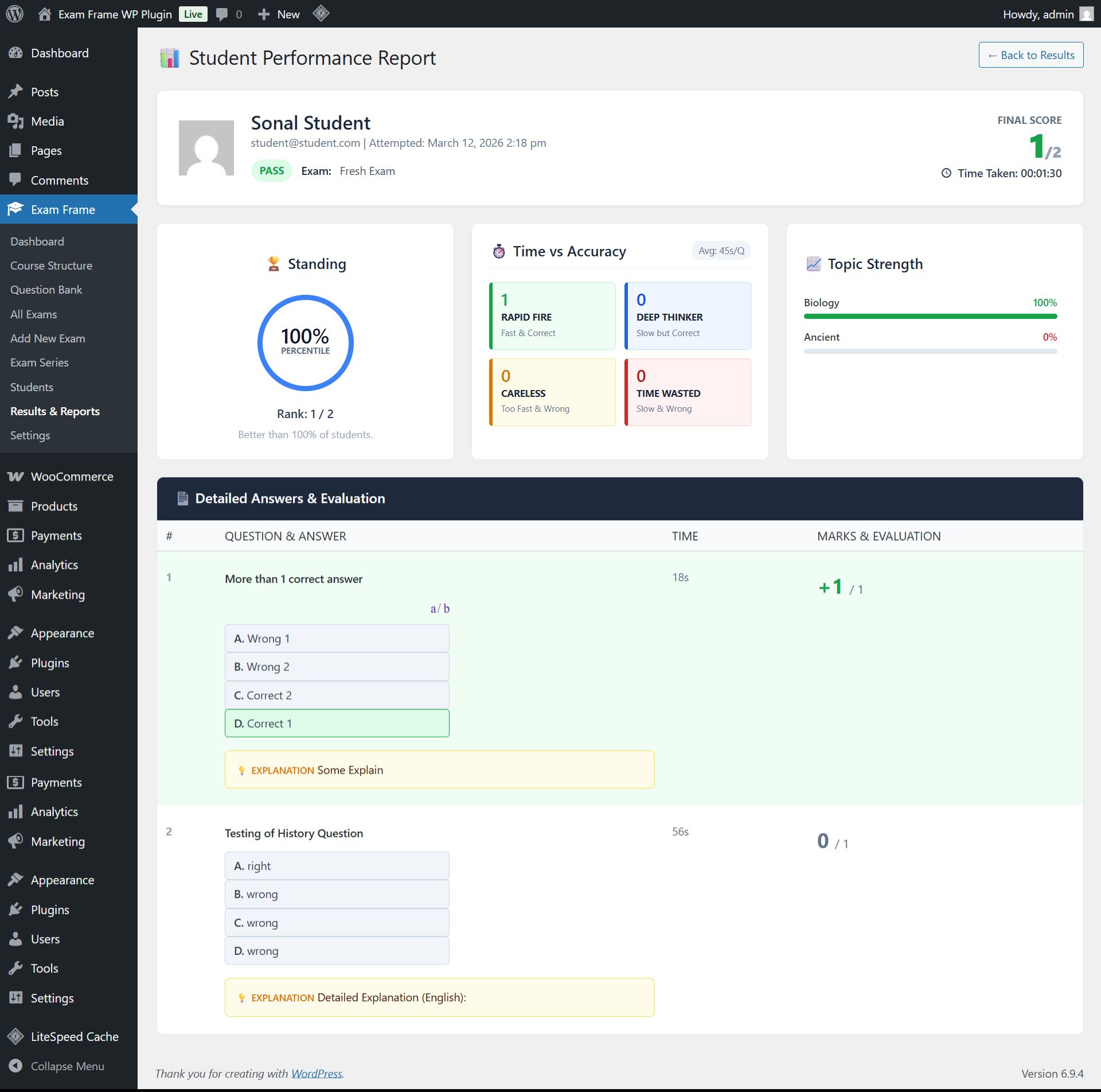
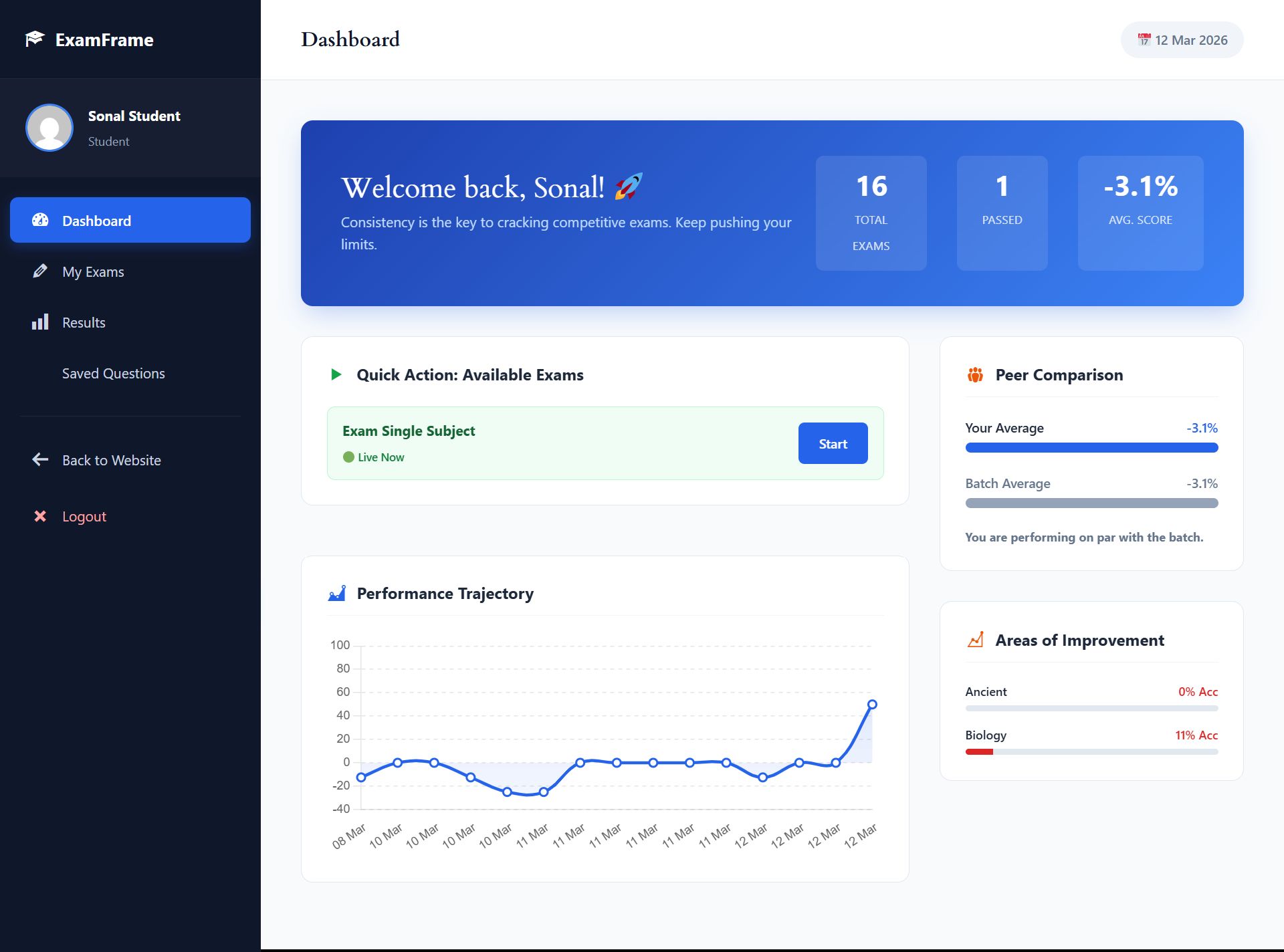
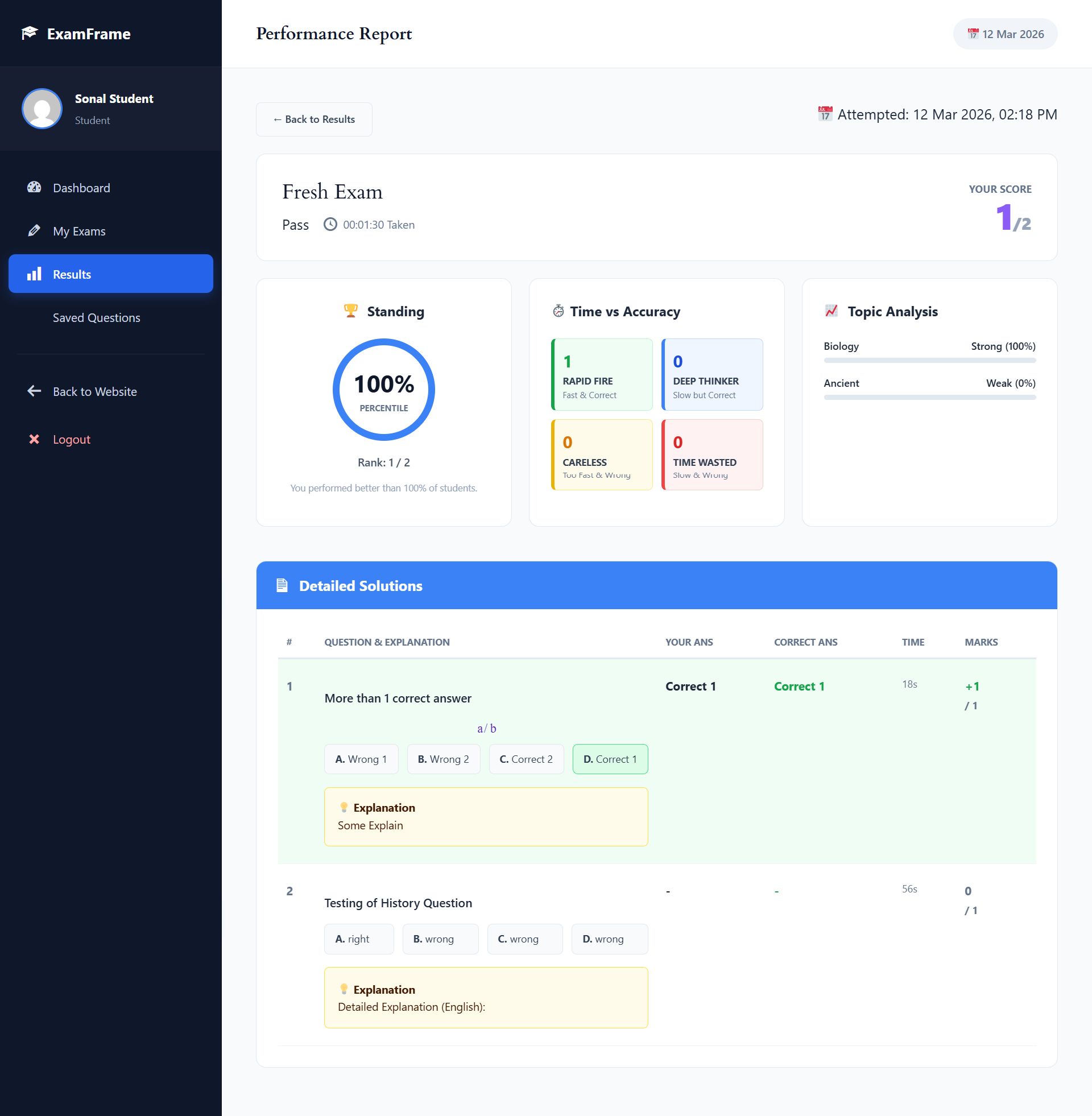
- 📊 Advanced AI Analytics: Provide students with deep insights including Topic-wise Growth Radar Charts, Time vs Accuracy Matrix, and Peer Percentile Rankings.
- 📝 Subjective File Uploads: Allow students to upload PDF or Image files for long-form subjective questions.
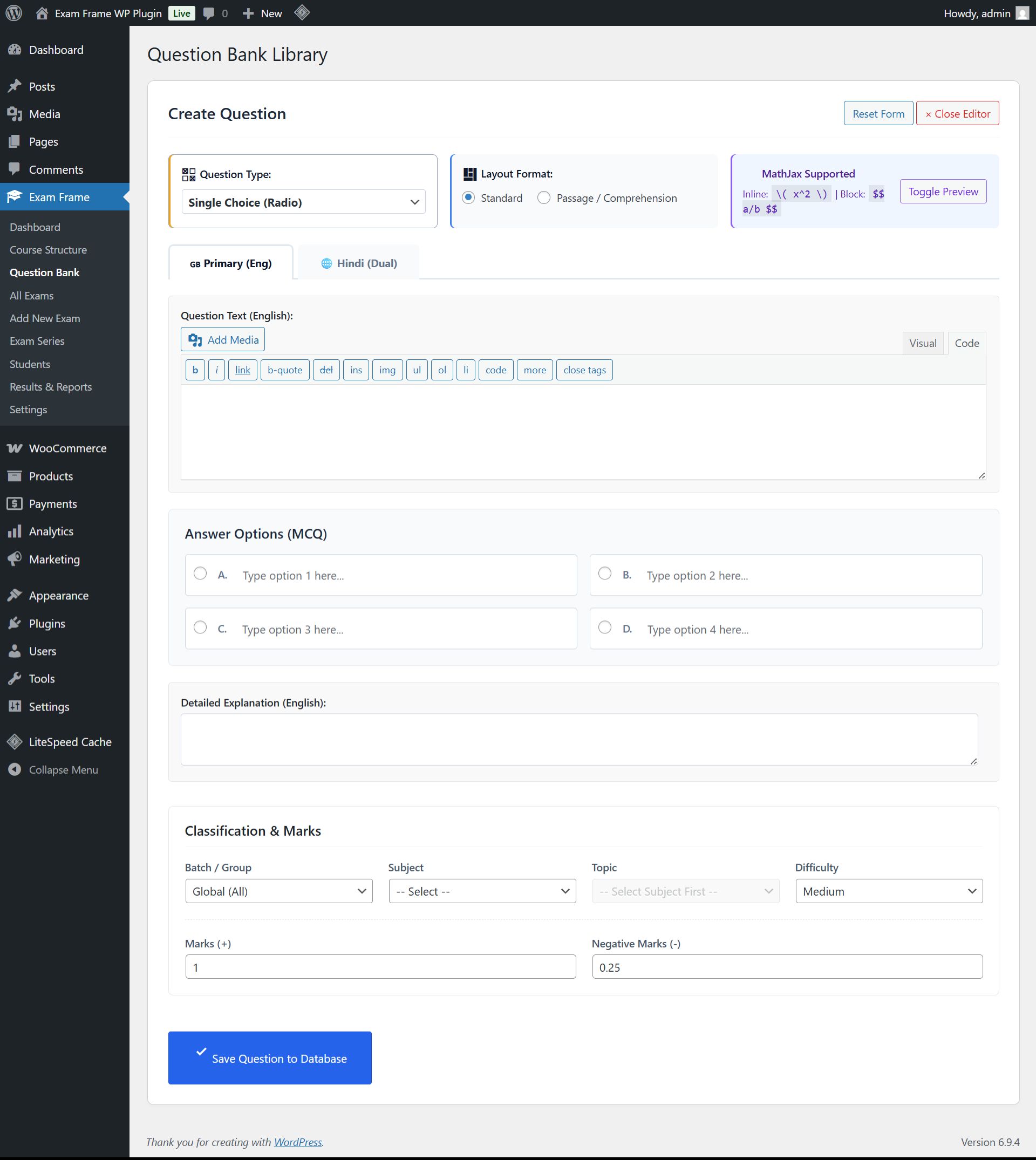
- ➗ MathJax & LaTeX Native Support: Write and render complex mathematical equations, chemical formulas, and scientific symbols effortlessly.
- ⏱️ Sectional Timers & Limits: Create strict time boundaries for specific subjects or sections within a single exam.
- 🧮 Built-in Scientific Calculator: Provide an on-screen calculator for students during quantitative exams.
- ⚡ AI Question Generator: Save hours of manual entry. Generate high-quality MCQs instantly using AI based on your topic and difficulty.
- 📁 Bulk Import/Export: Upload thousands of questions in seconds using standard CSV or ZIP formats.
- 🏢 100% White-Labeled: Complete brand control. No "Powered by Exam Frame" watermarks on the student portal.
🎯 Core Examination Features
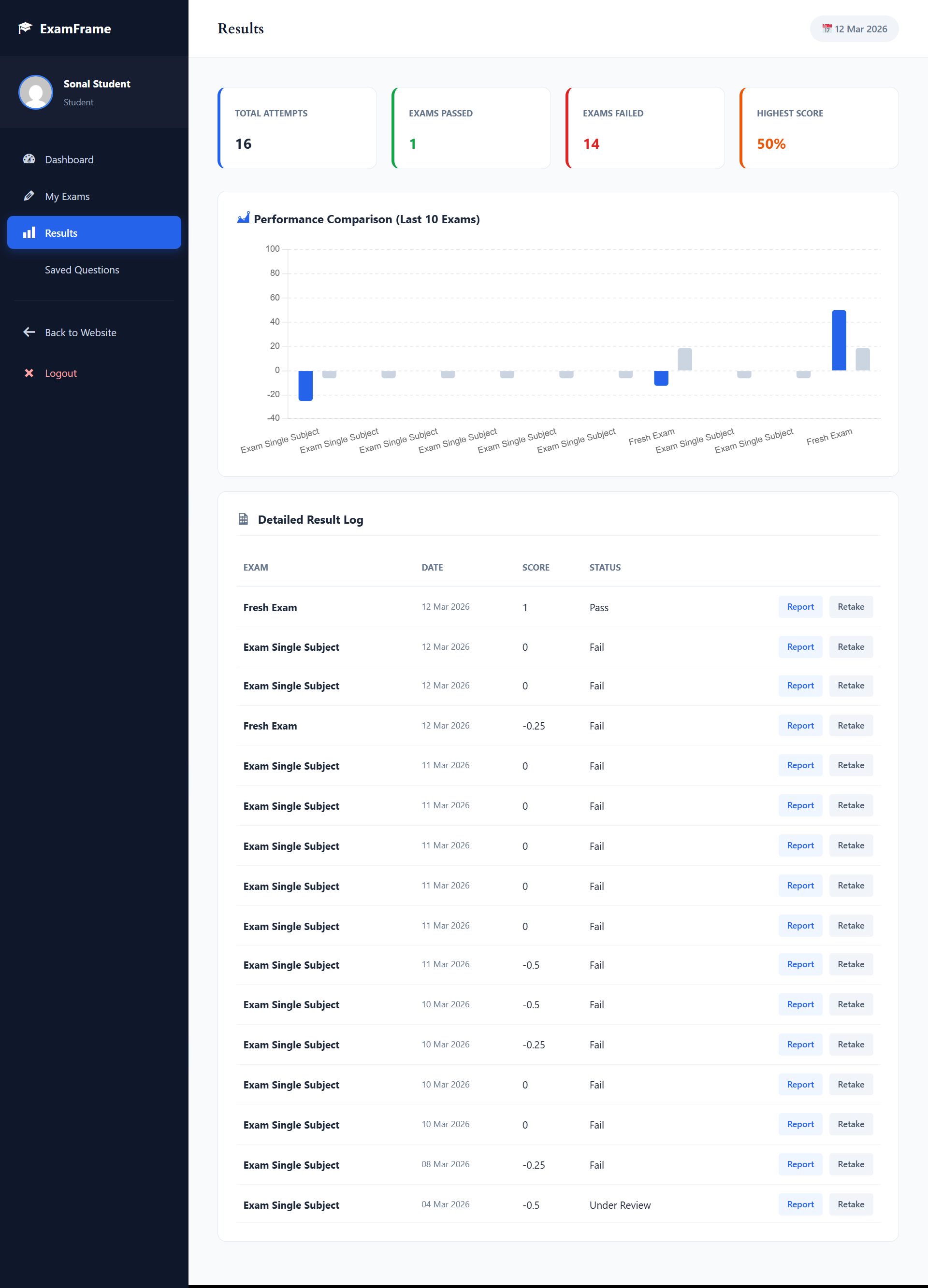
- Distraction-Free Student Portal: A dedicated, full-screen dashboard for students to access exams, view history, and check detailed solutions.
- Bilingual Support (Dual Language): Display questions in two languages simultaneously (e.g., English & Hindi) with a quick toggle button.
- Multiple Question Types: Supports Single Choice (Radio), Multiple Choice (Checkbox), Subjective (Text), and Comprehension Passage formats.
- Advanced Marking System: Configure custom positive marks and negative marking penalties per question or globally.
- Question Randomization: Shuffle questions and answer options to prevent pattern sharing among students.
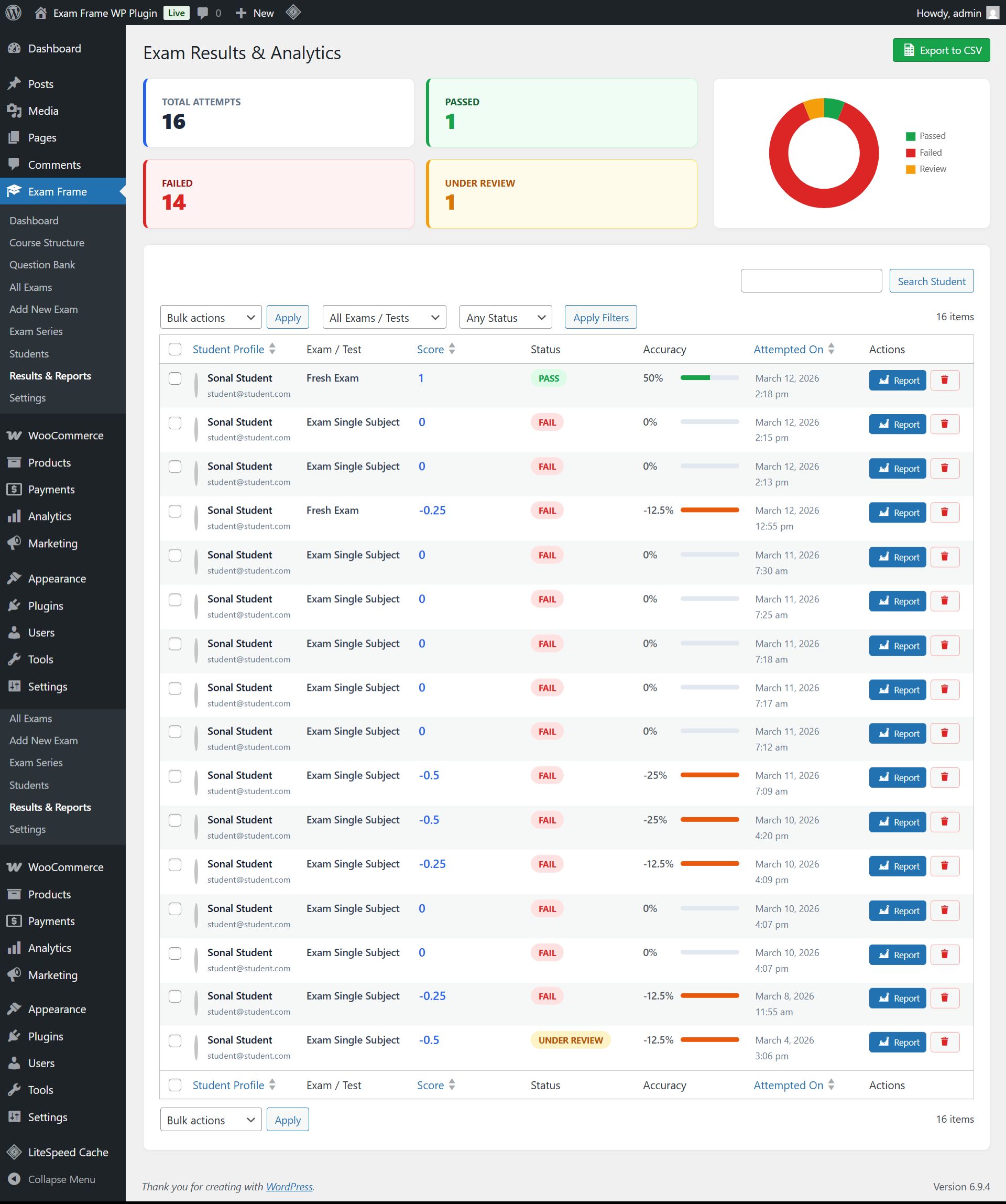
- Performance Reports & Answer Keys: Generate detailed post-exam reports with correct answers, explanations, and time taken per question.
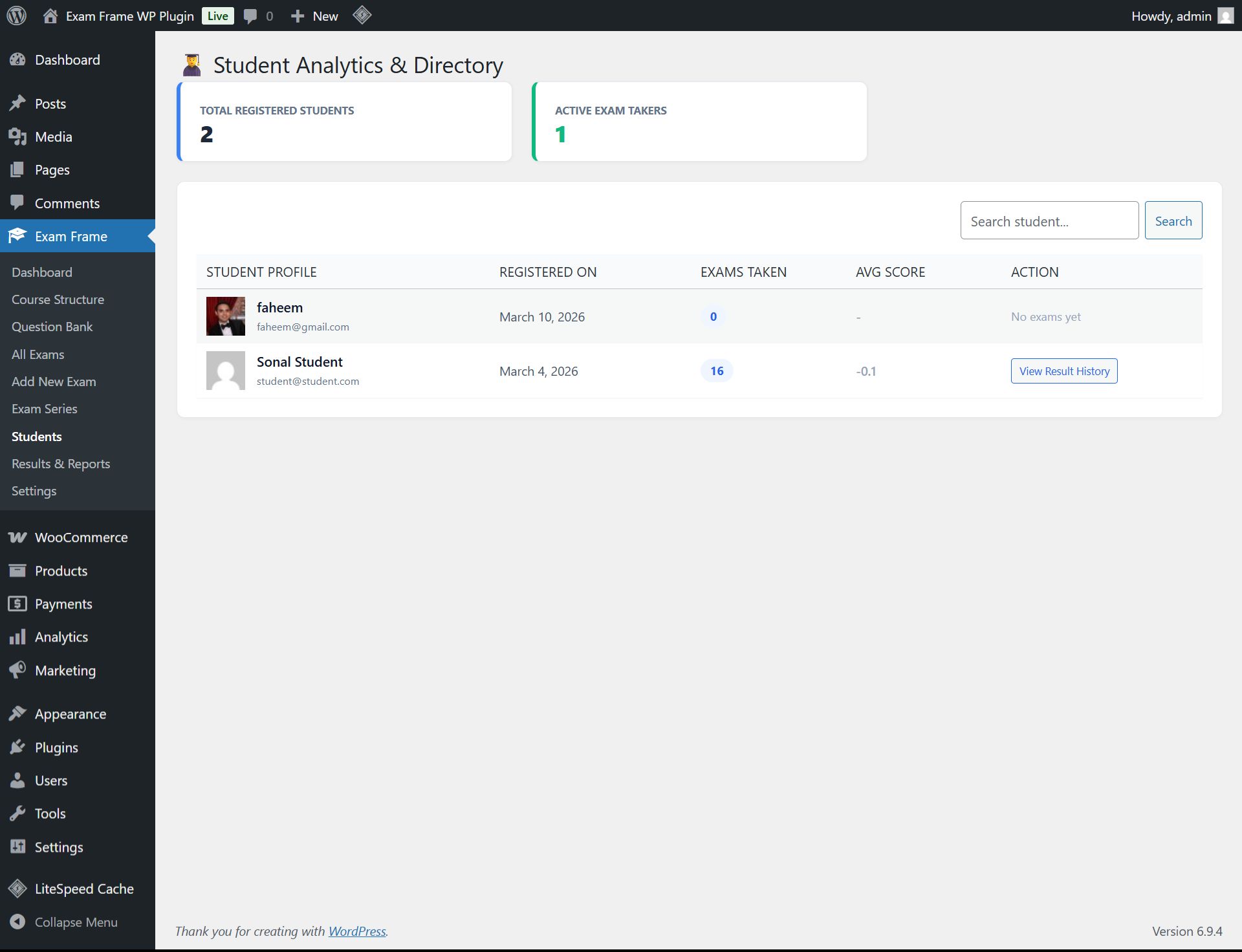
- Batch & Group Management: Organize students into specific batches and assign targeted exams exclusively to them.
- Lightweight & Fast: Optimized custom database tables ensuring zero lag even with thousands of concurrent students.
Requirements
Server Requirements
- WordPress Version: 6.0 or higher (Tested up to 6.9)
- PHP Version: 7.4 or higher (PHP 8.0+ recommended for best performance)
- Database: MySQL 5.7+ or MariaDB 10.3+
- WooCommerce: Version 7.0+ (Only required if you want to sell exams)
Instructions
Installation Instructions
- Download: After purchase, download the
exam-frame-pro.zipfile. - Upload: Log in to your WordPress Admin dashboard. Go to Plugins > Add New > Upload Plugin.
- Activate: Choose the downloaded zip file, click Install Now, and then click Activate.
- Setup: Navigate to the new Exam Frame menu in your dashboard. Go to Settings to add your Institute Name and default instructions.
- Create Exams: Start adding questions to the Question Bank and build your first exam under Add New Exam.
- Frontend Portal: Create a new page on your website and simply paste the shortcode
[student_dashboard]to launch the student portal.
Detailed documentation and priority email support are included with your purchase!
Other items by this author


| Category | Plugins / WordPress / Miscellaneous |
| First release | 14 April 2026 |
| Last update | 14 April 2026 |
| Supported CMS | WooCommerce 7.x, WooCommerce 8.x, WordPress 6.5, WooCommerce 9.x, WordPress 6.6, WordPress 6.7, WordPress 6.8 |
| Files included | .php, .css, .html, .less, .sql, Javascript .js |
| Tags | woocommerce, wordpress plugin, education, elearning, lms, quiz plugin, question bank, student dashboard, performance analytics, online examination, mock test, test series, ai proctoring, coaching institute, assessment tool |