


Qzox Scanner - Premium Neumorphic Document ScannerQzox Scanner - Premium Neumorphic Document Scanner
All-in-one Document Scanner with Neumorphic UI, OCR, Digital Signatures, reminder, PDF Tools, and AdMob/IAP integration. Recently Updated
Qzox Scanner - Premium Neumorphic Document Scanner
All-in-one Document Scanner with Neumorphic UI, OCR, Digital Signatures, reminder, PDF Tools, and...
Screenshots

Overview
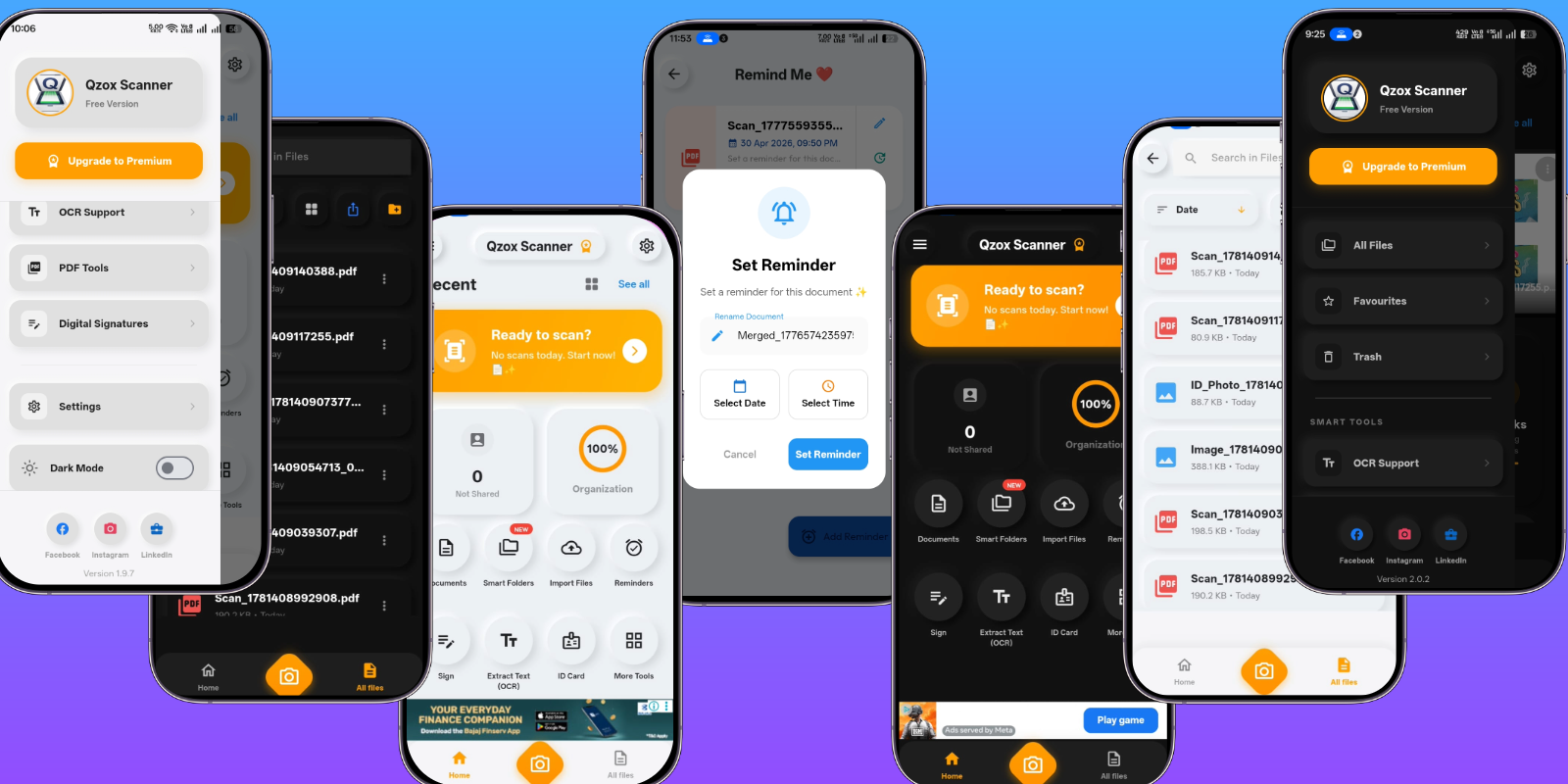
Qzox Scanner is a high-end, feature-rich document management solution built with Flutter. It stands out for its unique Neumorphic (Soft UI) design, providing a modern, premium experience that users love. Whether it's scanning documents, extracting text via OCR, or managing PDFs with advanced tools like Merge, Split, and Password Protection, Qzox Scanner handles it all with ease.
🚀 This app is not just a utility; it's a complete business-ready template. It comes fully integrated with AdMob Mediation and In-App Purchases (Subscriptions), allowing you to start generating revenue immediately after launch.
✨ Key Features
- Unique Neumorphic UI: Stunning futuristic and soft-UI visual experience.
- Advanced OCR: Extract text from any image or document with high accuracy.
- Digital Signature: Create, save, and add professional signatures to your PDFs.
- Complete PDF Tools: Merge multiple PDFs, Split, Compress, and Password Protect.
- Smart Trash Recovery: Built-in recycle bin to recover accidentally deleted files.
- Document Expiry Reminders: Never miss a renewal date for your ID cards or insurance.
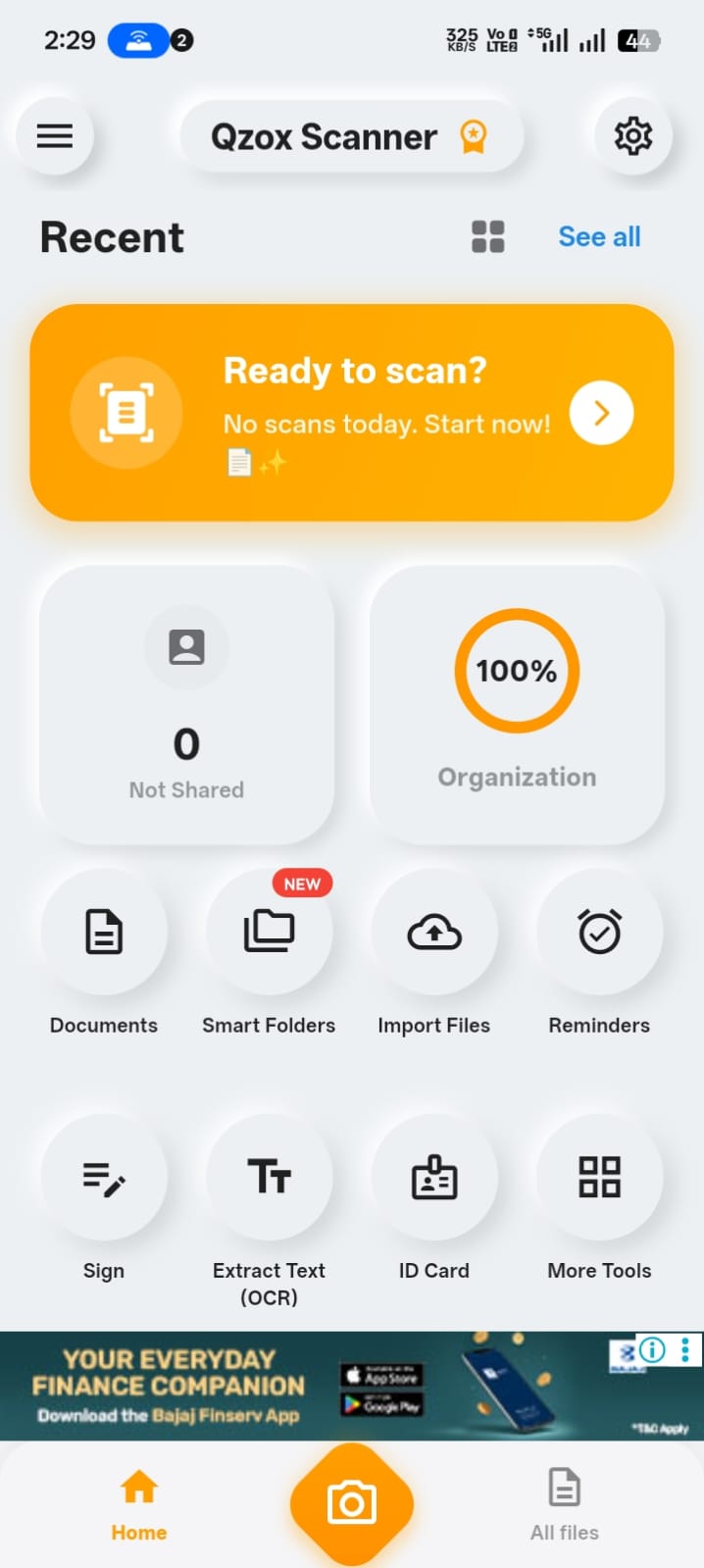
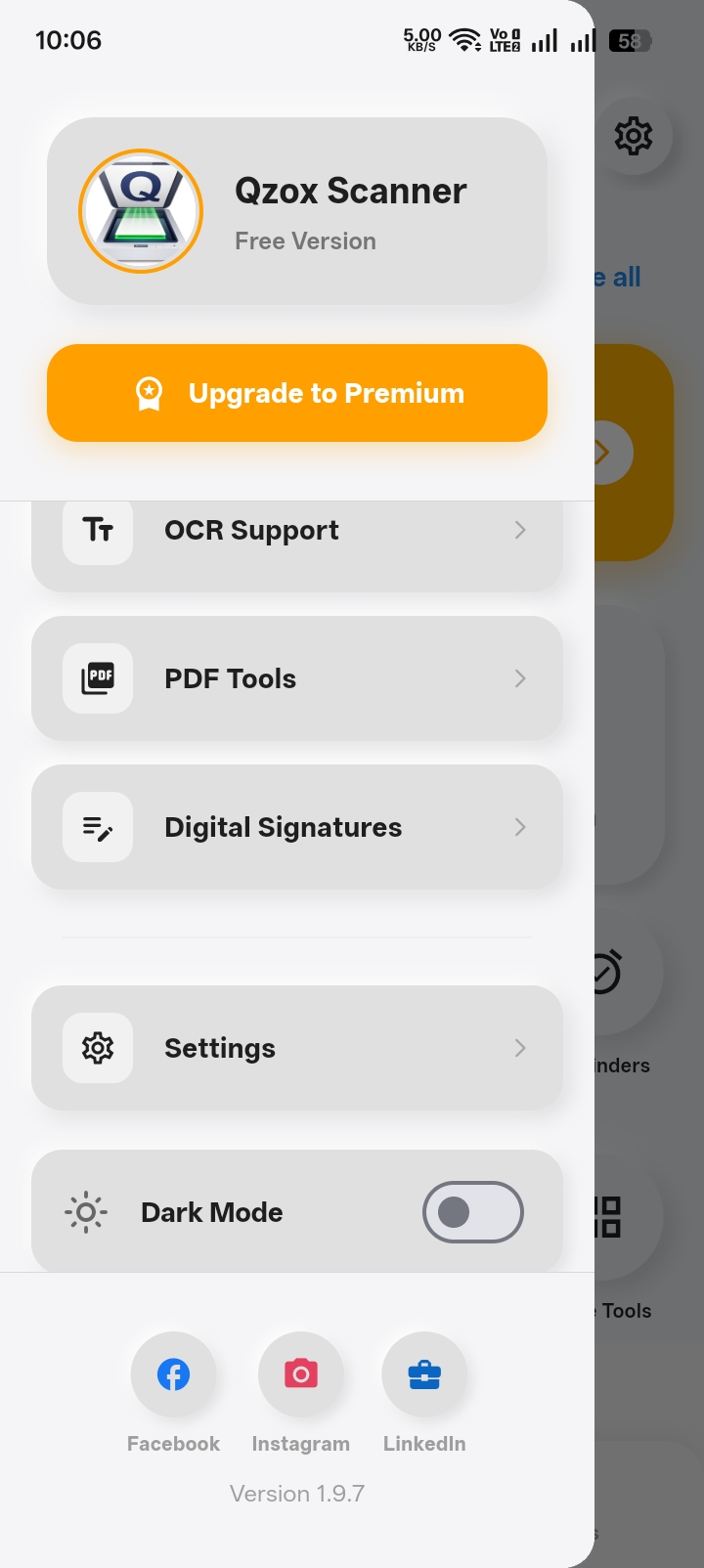
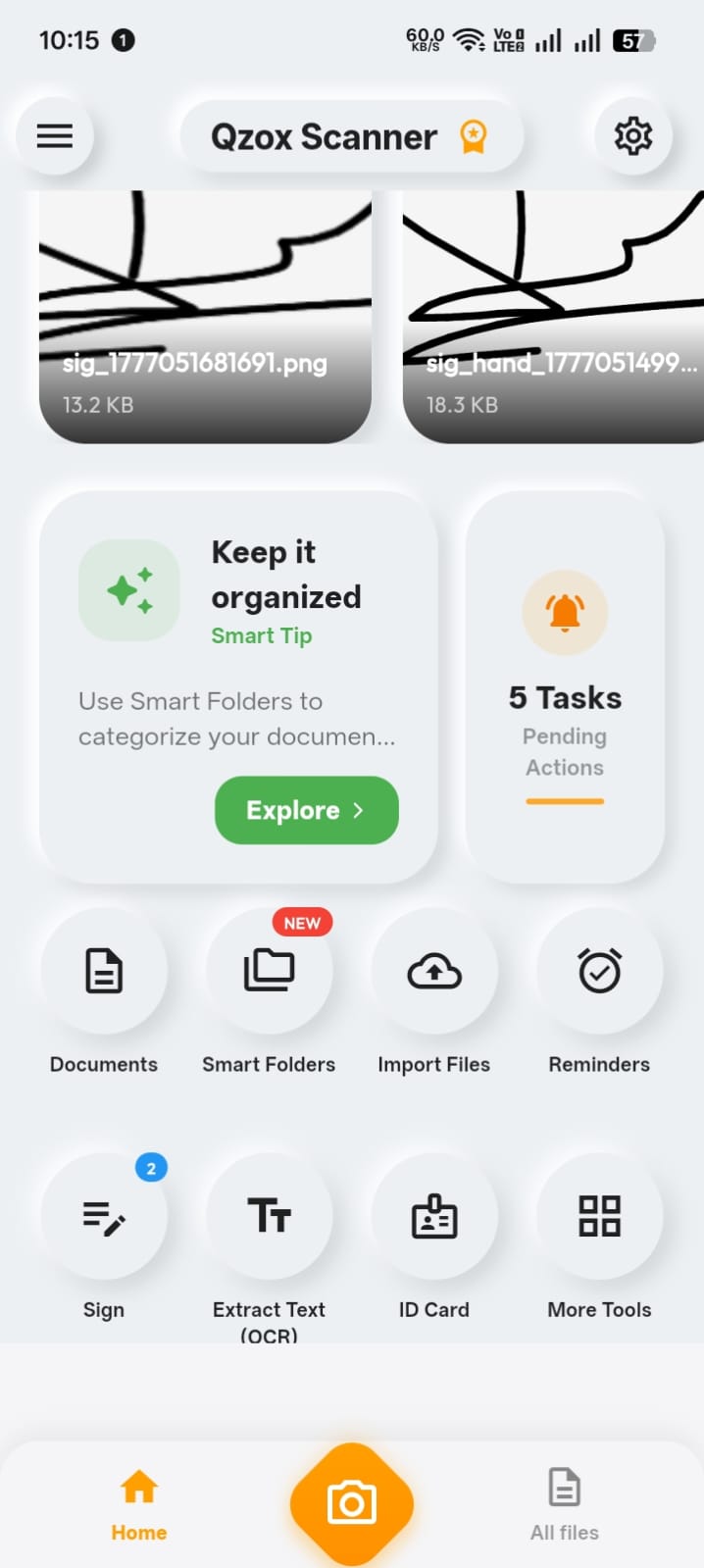
📸 App Preview
💼 Business & Revenue
- AdMob Mediation Ready: Maximize your earnings with top ad networks.
- In-App Subscriptions (IAP): Sell premium features and monthly/yearly plans easily.
- Clean Source Code: Organized Flutter code, easy to customize and rebrand.
Try the Live Demo
Download from Play StoreFeatures
Qzox Scanner - Premium PDF Suite
Professional Document Management with Stunning Neumorphic UI
Qzox Scanner is a high-end, feature-rich document management solution built with Flutter. It stands out for its unique Neumorphic (Soft UI) design, providing a modern, premium experience. Whether it's scanning, OCR, or PDF management, Qzox handles it all with ease.
📸 Scanning Capabilities
- Smart Scanner: Auto-edge detection & perspective correction.
- ID & Passport Mode: Scan both sides onto a single A4 page.
- Batch Mode: Scan multiple pages into one organized PDF.
- Pro Filters: Magic Color, B&W, and Grayscale enhancements.
🛠 Professional Tools & Security
- Digital Signatures: Create and add signatures instantly.
- Smart OCR: High-accuracy Image-to-Text extraction.
- PDF Manager: Merge, Split, Compress, and Password Protect.
- Trash & Reminders: Built-in recovery and document expiry alerts.
🚀 Business & Revenue Ready
Fully integrated systems for global scaling:
Want to see it in action?
Download Play Store Live DemoRequirements
🛠 Technical Requirements
To run and customize this project, you will need:
💻 Development Environment
- Flutter SDK: Version 3.x.x (Stable Channel).
- Dart SDK: Version 3.0.0 or higher.
- Android Studio / VS Code: Latest version with Flutter & Dart plugins installed.
- CocoaPods: Required for building the iOS version (Mac only).
📱 Minimum Device Requirements
- Android: Android 5.0 (API Level 21) or higher.
- iOS: iOS 12.0 or higher.
- RAM: Minimum 2GB RAM (4GB recommended for OCR processing).
☁️ Accounts & API Keys
- Firebase Account: Required for Analytics, Crashlytics, and Remote Config.
- AdMob Account: Required for displaying advertisements.
- Google Play Console / Apple Developer Account: To publish the app on stores.
Instructions
📖 Qzox Scanner - Installation & Setup Guide
Thank you for purchasing Qzox Scanner! This guide will walk you through the process of setting up the environment, configuring the project, and launching your own branded version of the app.
🛠 Step 1: Prerequisites
Before initializing the project, ensure your development environment is ready:
- Flutter SDK: Latest Stable Version (Ensure
flutter doctoris all green). - IDE: VS Code (Recommended) or Android Studio with Flutter/Dart plugins.
- JDK: Java Development Kit 17 or higher.
- CocoaPods: Required for iOS development (macOS only).
🚀 Step 2: Project Initialization
- Extract: Extract the source code ZIP to a clean directory.
- Open IDE: Launch your IDE and open the project folder.
- Fetch Dependencies: Open your terminal and run:
flutter pub get - Generate Database Adapters: This app uses Hive for ultra-fast local storage. Run:
flutter pub run build_runner build --delete-conflicting-outputs
📦 Step 3: Package Name Refactoring (IMPORTANT)
To publish the app, you MUST change the package name (com.qzox.scanner).
🛠 How to fix it (Automatic Method):
We recommend using the rename_app package for a one-click rename:
- Update the
pubspec.yamlproject name (optional). - Run:
flutter pub run rename_app:main com.yourcompany.yourapp
⚠️ Manual Refactoring of Imports:
When you change the project name in pubspec.yaml, internal imports will break. Fix it by:
- Open IDE's "Global Search & Replace" (Ctrl+Shift+H).
- Search for:
package:qzox1/| Replace with:package:your_new_project_name/
🔥 Step 4: Firebase Configuration
- Console: Create a new project in the Firebase Console.
- Register Apps: Add both Android and iOS apps using your new package name.
- Config Files:
- Android: Place
google-services.jsoninandroid/app/. - iOS: Place
GoogleService-Info.plistinios/Runner/.
- Android: Place
- Enable Features: Enable Authentication and Crashlytics in the console.
💰 Step 5: Monetization (AdMob Setup)
- AdMob Console: Register a new app and generate Banner ID and Interstitial ID.
- Update Config: Open
lib/services/ad_service.dartand replace placeholder IDs. - Native Update:
- Android: Update
APPLICATION_IDinAndroidManifest.xml. - iOS: Update
GADApplicationIdentifierinInfo.plist.
- Android: Update
🎨 Step 6: Branding & Assets
- App Name: Update
android:labelin Manifest andCFBundleDisplayNamein Info.plist. - App Icon: Place logo (1024x1024px) in
assets/logo/logo.pngand run:flutter pub run flutter_launcher_icons:main - Splash Screen: Update colors in
lib/theme/app_theme.dart.
🏗 Step 7: Build & Deployment
Debugging: flutter run
Production Release (Android):flutter build apk --release OR flutter build appbundle --release
💡 Troubleshooting & Support
Common Issues: Target URI errors (Step 3), Firebase Init Errors (Step 4), or AdMob delays (takes 24-48h).
"If you encounter any technical difficulties during installation, I am here to help! Please reach out via the Codester Support System. I provide support for basic configuration and ensuring the app runs on your environment."
Developed with ❤️ for professional document management.


|
Flutter App Reskin Service
Have your App reskinned to meet your needs.
|
$499 | Buy now |
| Category | App Templates / Flutter / Full Applications |
| First release | 9 May 2026 |
| Last update | 9 May 2026 |
| Operating Systems | iOS 10.0, Android 7.0, Android 8.0, iOS 11.0, Android 9.0, iOS 12.0, Android 10.0, iOS 14.0, iOS 13.0, iOS 15.0, Android 11.0, Android 12.0, iOS 8.0, iOS 9.0, Android 5.0, Android 6.0 |
| Files included | .h, .m, .swift, .java, .xml |
| Tags | android, iOS, source code, Productivity, mobile app, OCR, flutter, pdf scanner, image to pdf, document scan, scanner app, scan to pdf, pdf tools, digital signature, neumorphic |


