RestoPOS - Offline-First Restaurant POSRestoPOS - Offline-First Restaurant POS
A complete, offline-ready Restaurant POS SaaS built with React 19 & Supabase. Connects staff, management, and customers throug Recently Updated
RestoPOS - Offline-First Restaurant POS
A complete, offline-ready Restaurant POS SaaS built with React 19 & Supabase. Connects staff,...
Screenshots




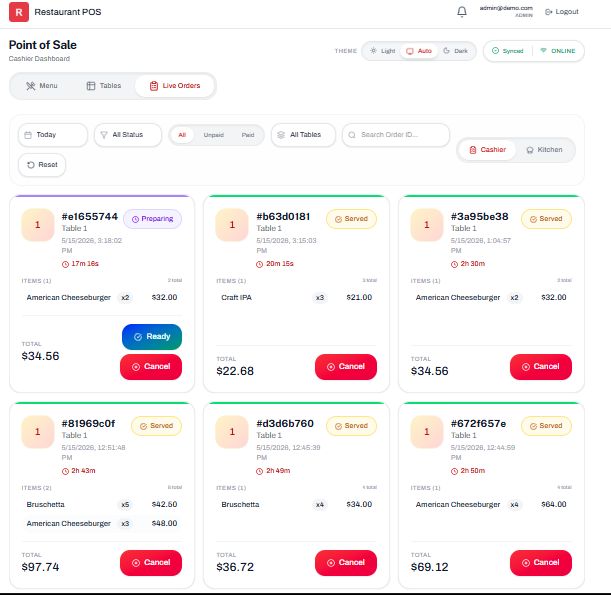


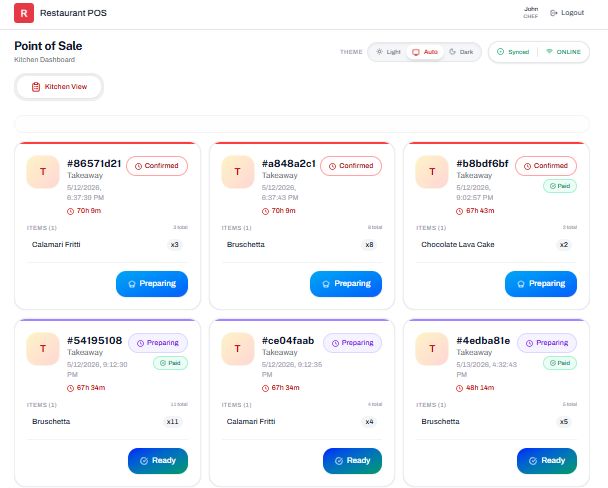
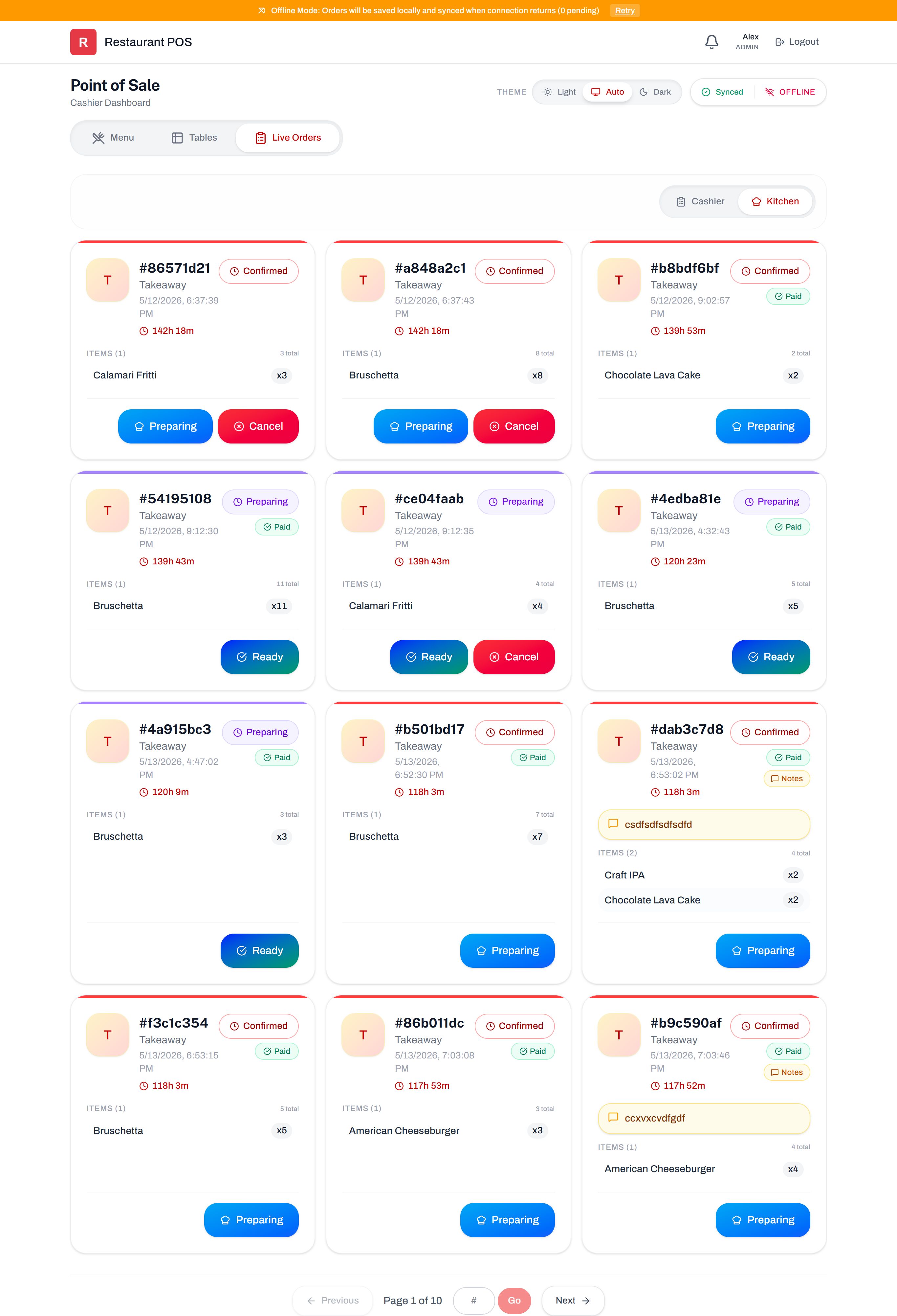
Overview
Welcome to the ultimate Restaurant POS SaaS solution. Built with modern web technologies, this system is designed to streamline daily restaurant operations by seamlessly connecting management, floor staff, kitchen operations, and customers into one unified platform.
What sets this POS apart is its offline-first architecture. Restaurant environments demand reliability; this system guarantees continuous operation, fast UI rendering, and smart background data synchronization even when the internet connection drops or becomes unstable.
Why Choose This POS System?
We built this application with a tablet-first approach, prioritizing fast cashier workflows and touch interactions. It eliminates bottlenecks by providing a complete ecosystem:
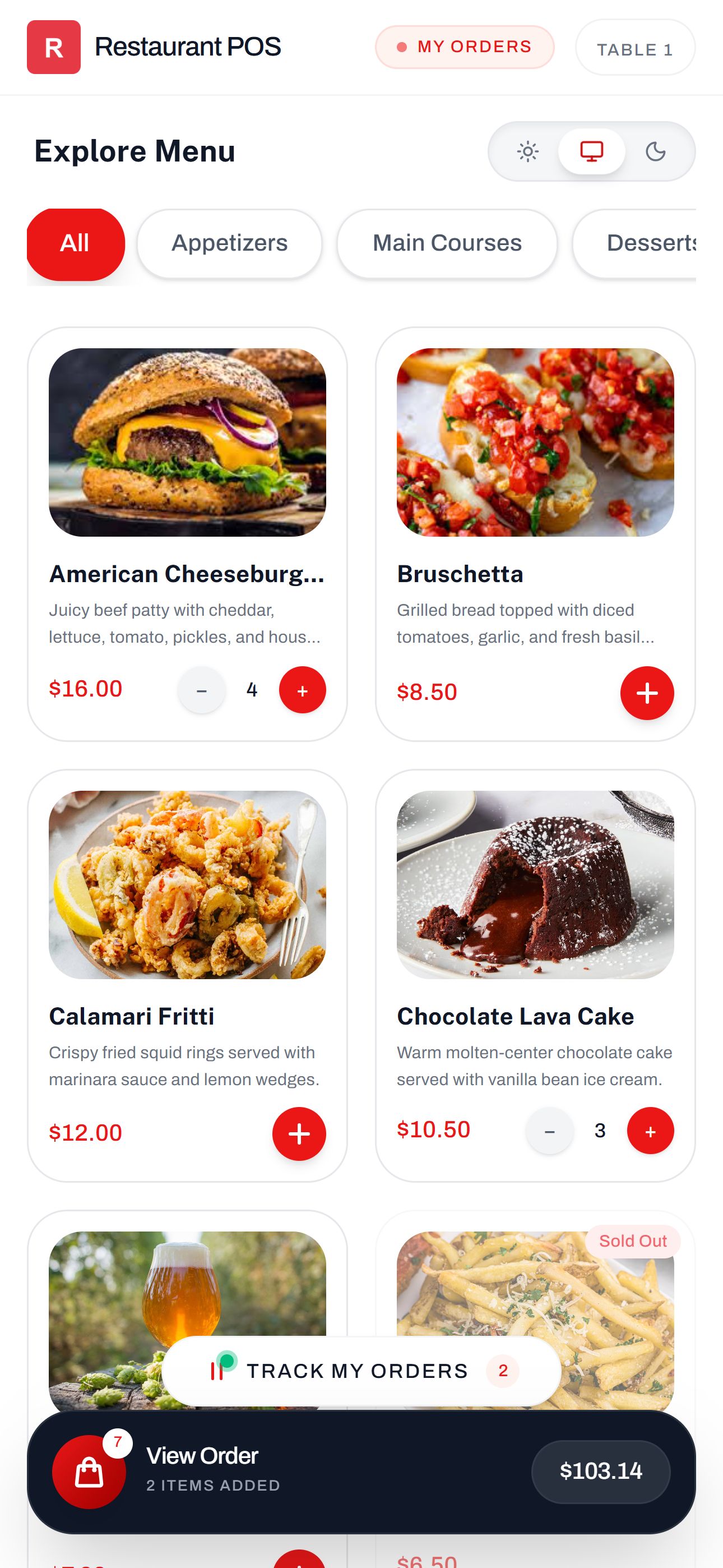
- For Customers: Contactless QR code ordering with live status tracking.
- For the Kitchen: A real-time Kitchen Display System (KDS) with audio alerts.
- For the Floor: Efficient table management and quick payment handling.
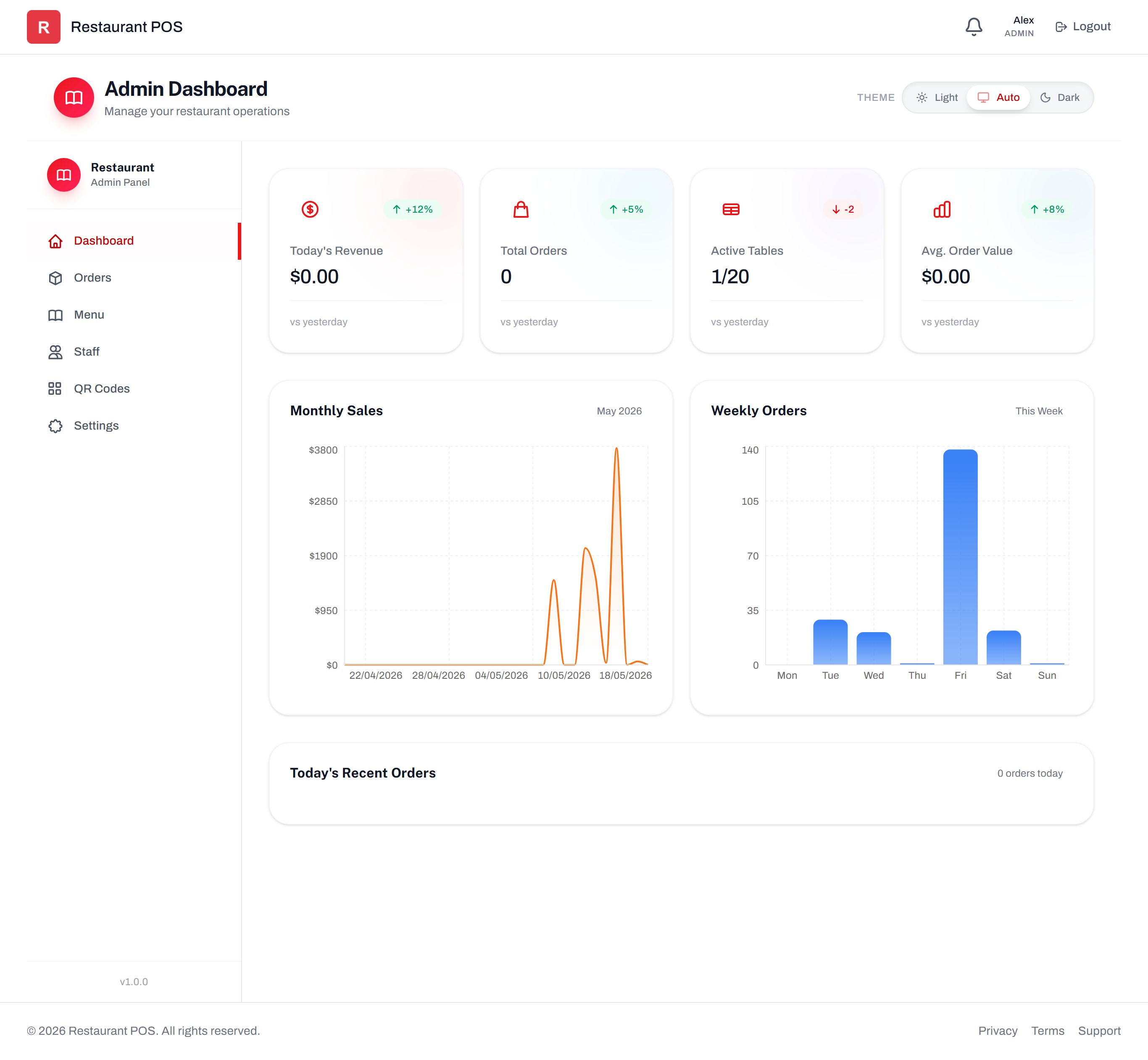
- For Management: Deep analytics, staff control, and menu configurations.
Modern & Robust Tech Stack
Developed using the latest industry standards to ensure high performance and easy customization:
- Frontend: React 19, Vite 8, Tailwind CSS 4
- State Management: Zustand 5
- Backend & DB: Supabase (PostgreSQL, Auth, Storage, Real-time sync)
- PWA: Fully installable on mobile devices with robust offline caching
Features
- Advanced Offline Capabilities: Robust sync engine queues orders offline and reconciles data automatically once reconnected.
- Digital QR Menu: Table-specific QR codes for contactless ordering and real-time tracking (Pending > Preparing > Ready). Includes automated secret key rotation to prevent fraudulent orders.
- Multi-Role Access Control: Secure, tailored interfaces for Admins, Cashiers, Chefs, and Waiters using JWT-based sessions and Row Level Security (RLS).
- Kitchen Display System (KDS): Real-time kitchen view with audio alerts and status toggles.
- Thermal Printing Integration: Standardized layouts optimized for 80mm printers. Supports Receipts, Invoices, and Kitchen Order Tickets (KOTs).
- Real-Time Synchronization: Instant cross-device updates using Supabase Realtime with Delta-Sync architecture to minimize bandwidth.
- Interactive Table Management: Visual grid showing live status of tables. Tables lock automatically upon payment.
- Smart Notification System: In-app alerts, audio feedback, visual toasts, and actionable notifications to accept/cancel orders instantly.
- Comprehensive Analytics: Real-time revenue tracking, active table monitoring, and historical sales reporting via interactive charts.
- Dynamic Menu Management: Manage categories, pricing, item availability, and image hosting directly via the admin panel.
- Optimized UI/UX: Minimalist design with Dark/Light mode support and responsive layouts for desktop, tablet, and mobile.
Requirements
To run and deploy this application, you will need the following:
- Node.js: Version 18.x or higher installed on your machine.
- Package Manager: NPM (comes with Node) or Yarn.
- Supabase Account: A free or paid Supabase project for the PostgreSQL database, Authentication, Storage, and Real-time services.
- Code Editor: VS Code (recommended) or any other modern IDE.
- Web Browser: A modern browser like Chrome, Firefox, or Safari for testing and deployment.
Instructions
Getting started is straightforward. Follow these steps to set up your POS environment:
- Extract the Files: Unzip the downloaded package to your local machine.
- Install Dependencies: Open your terminal, navigate to the project directory, and run
npm installoryarn install. - Setup Supabase: Create a new project on Supabase. Execute the provided SQL schema file in your Supabase SQL Editor to set up the database tables, RLS policies, and storage buckets.
- Environment Variables: Rename the
.env.examplefile to.env.local. Paste your Supabase Project URL and Anon Key into the respective fields. - Run Development Server: Run
npm run devto start the local development server. - Build for Production: When ready to deploy, run
npm run buildto generate the optimized production files.
Note: For detailed configuration like modifying tax rates, currency, or branding, please refer to the app_config.js file as explained in our full documentation.


| Category | App Templates / React |
| First release | 15 May 2026 |
| Last update | 26 May 2026 |
| Files included | .css, .html, .sql, Javascript .js |
| Tags | restaurant management, PWA, restaurant pos, SaaS, qr menu, cafe pos, digital menu, qr code menu, real-time, supabase, kitchen display, react 19, kds, contactless ordering, offline-first, tablet pos |