Haven - Real Estate Management SystemHaven - Real Estate Management System
this helps you manage property listings, inquiries, property visits, sales, rentals, agents, owners, commissions, and payments. Recently Updated
Haven - Real Estate Management System
this helps you manage property listings, inquiries, property visits, sales, rentals, agents, owne...
Screenshots




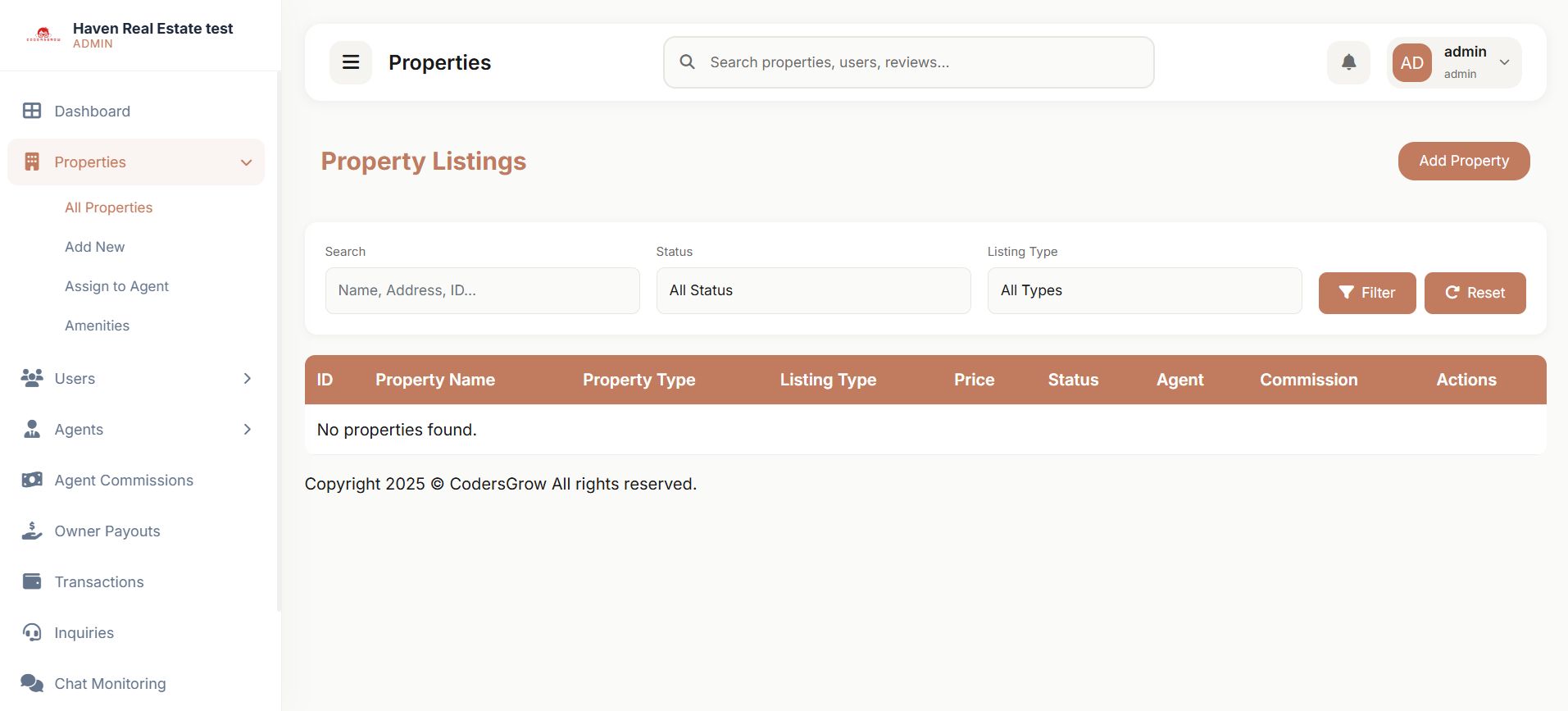


Overview
Haven - Advanced Laravel Real Estate Management System
Haven is a premium, multi-role Real Estate Management System built on Laravel. It is designed for real estate agencies, property owners, and independent agents to list, manage, and sell or rent properties seamlessly. Built with a robust package-based modular architecture, Haven offers high performance, maintainability, and easy scalability.
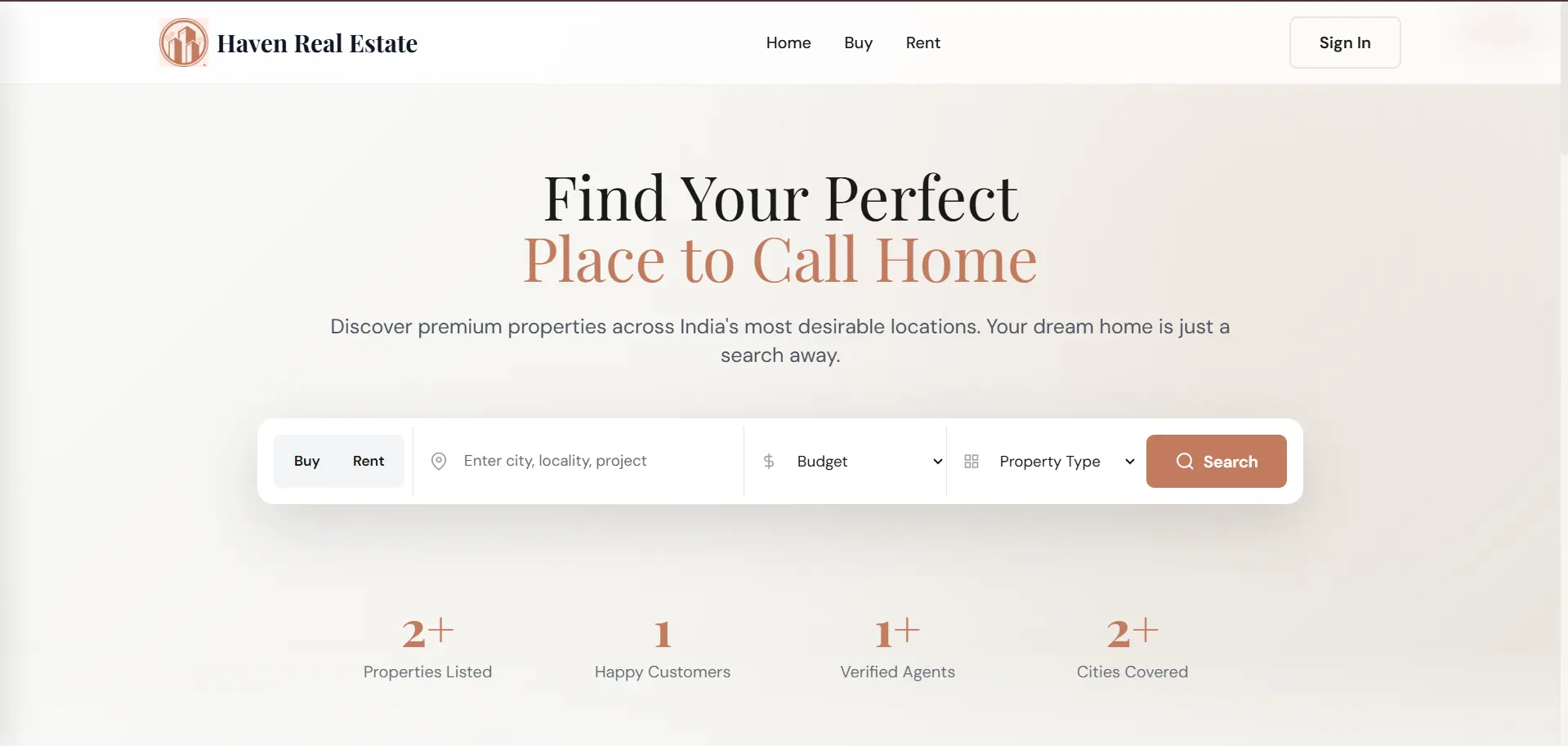
How It Works
Four roles, one complete ecosystem
Haven organises every participant in a real estate transaction into a dedicated role — each with its own dashboard, permissions, and workflow — so nothing falls through the cracks.
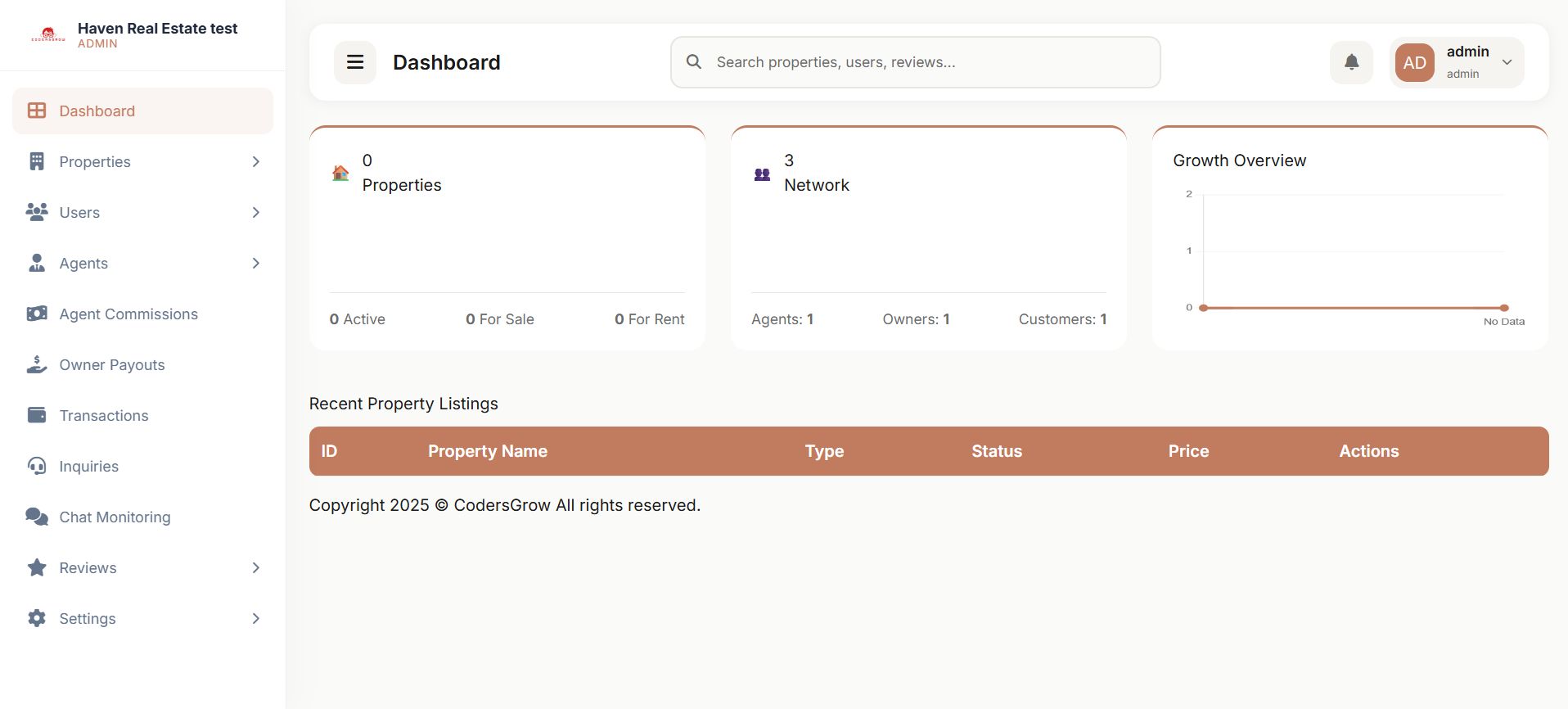
- Admin: Full control over the platform, users, transactions, and site settings.
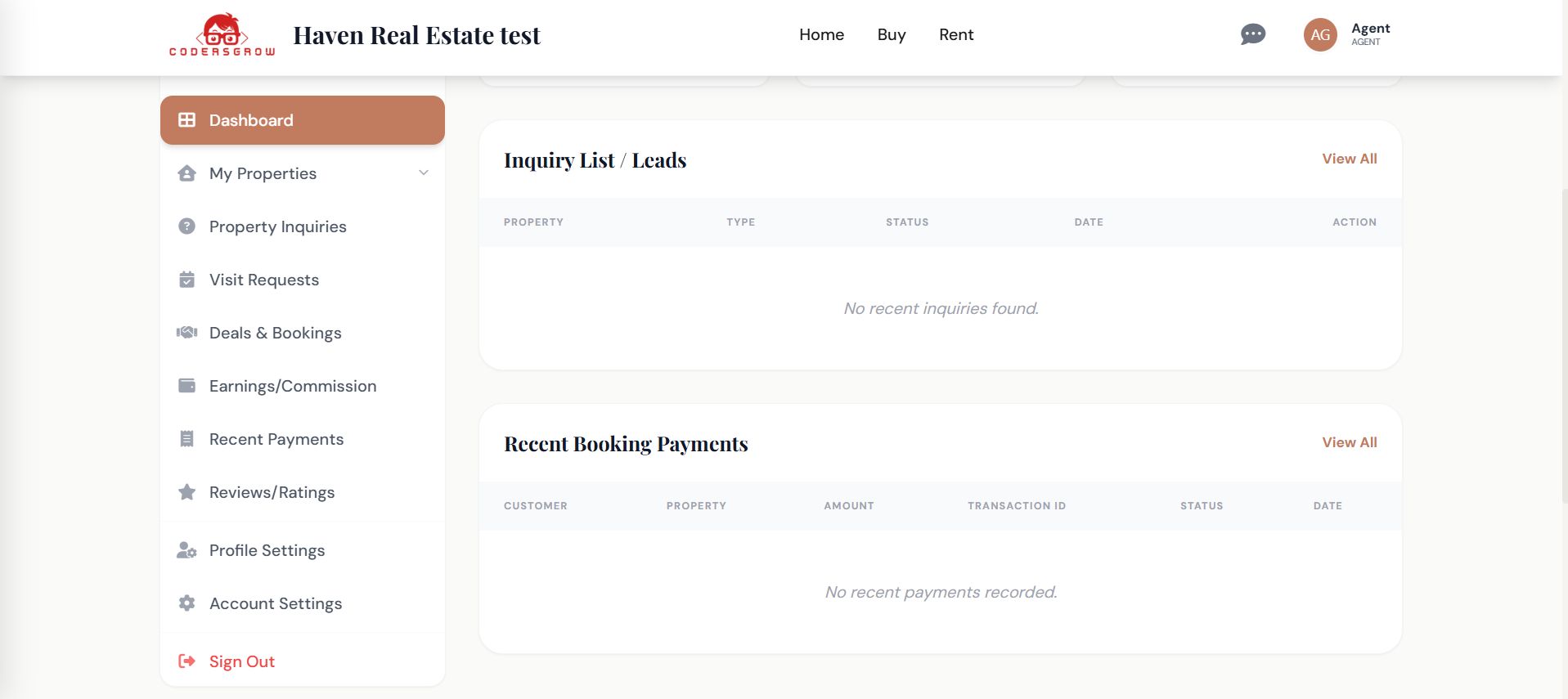
- Agents: List and manage properties, handle inquiries, chat with customers, schedule visits, and track commissions.
- Owners: Can submit their properties, track their status, and receive payouts.
- Customers: Browse and save properties, chat with agents, schedule viewings, and pay in milestones — token, final, or rent.
Key Features
Everything built in, nothing bolted on
- Phased payment system: Customers pay a booking token upfront, then complete the final payment or "Rent" — all tracked automatically.
- Real-time chat: Live customer-to-agent messaging tied to individual properties, with admin monitoring and management controls.
- Visit scheduling: Customers request viewings directly from chat. Agents accept, reschedule, or cancel — with a full status workflow.
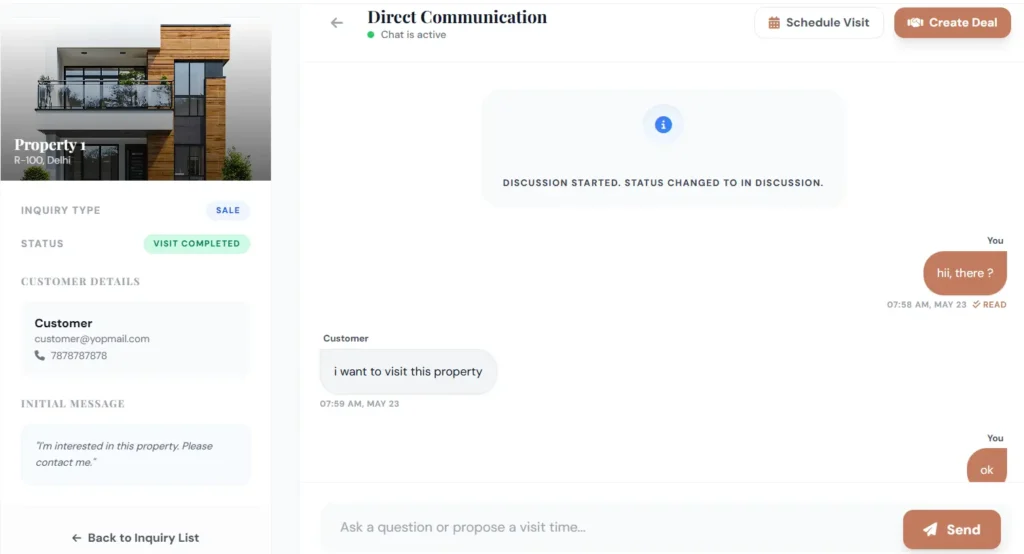
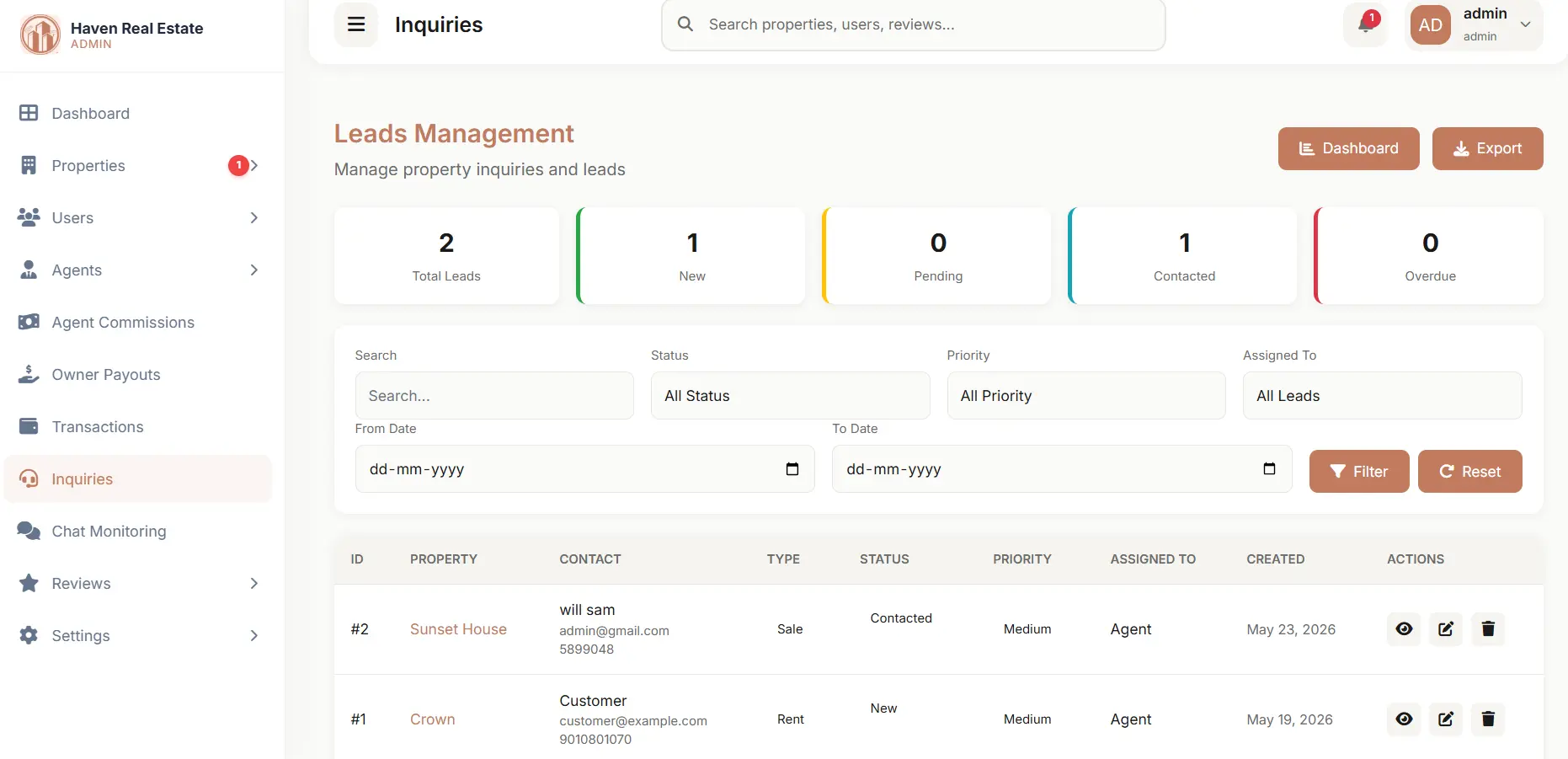
- CRM-style lead management: Inquiry tracking, agent assignment, follow-up notes, and pipeline progress — without a separate CRM tool.
- Commission & payout tracking: Automatic agent commission calculation and owner payout monitoring, with full history and transparency.
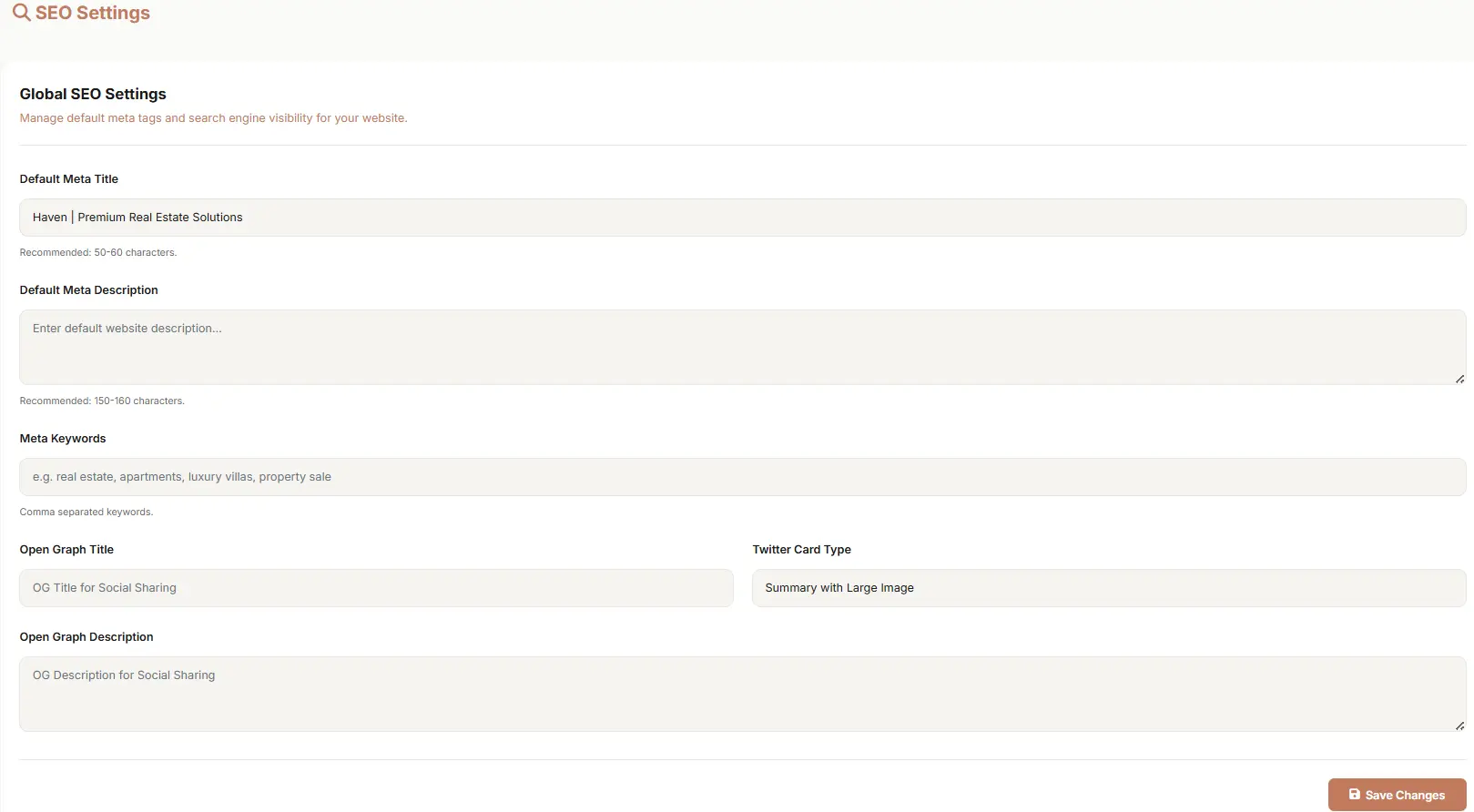
- SEO tools built in: Manage meta titles, descriptions, sitemaps, and robots.txt directly from the admin panel.
Why Haven?
- Fully responsive: Pixel-perfect on desktop, tablet, and mobile — no extra theme or plugin needed.
- Conversion-focused flow: Designed to guide customers from first browse to booking with minimal friction.
- Developer-friendly codebase: Clean Laravel conventions, modular package architecture, and well-structured code that's easy to extend.
Learn more about the complete project here: Haven - Real Estate Management System by CodersGrow
Features
Core Platform Features
- Built with Laravel 12
- Complete Real Estate Management System
- Ready-to-use property management platform
- Custom package-based modular architecture
- Clean and scalable code structure
- Easy customization for developers
- Supports property sales and rentals
- Multi-role authentication system
- Professional dashboard interfaces
- Responsive and modern platform
Property Management Features
- Create property listings
- Edit and update property listings
- Delete property listings
- Add detailed property information
- Upload multiple property images
- Add property amenities
- Add property specifications
- Property categories and types
- Mark properties as “For Sale”
- Mark properties as “For Rent”
- Property status management
- Property approval workflow
- Admin approval before property goes live
- Property search functionality
- Favorite/save property feature
- SEO-friendly property pages
User Roles & Access Management
Admin Role
- Full system access
- Manage all users
- Manage properties
- Manage agents
- Manage owners
- Manage customers
- Control platform settings
- Approve agents
- Approve properties
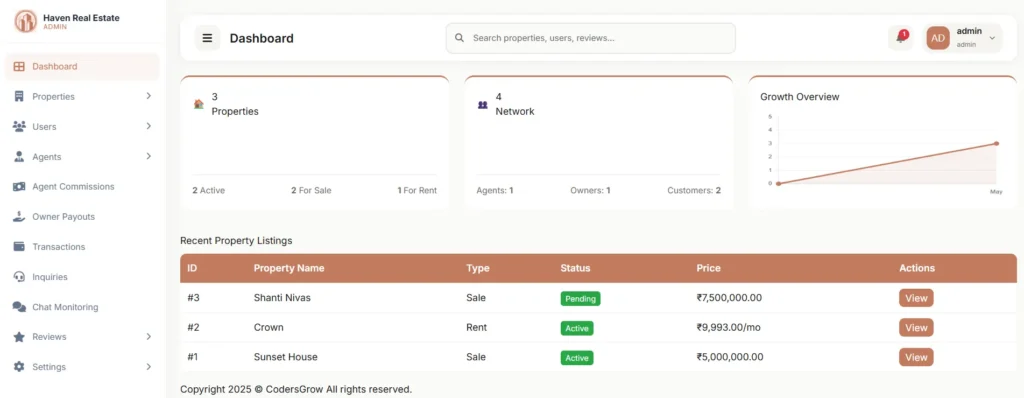
Agent Role
- Manage assigned properties
- Handle customer inquiries
- Manage property visits
- Chat with customers
- Track commissions
- Manage leads
Owner Role
- Add own properties
- Track earnings
- Monitor payouts
- View property performance
Customer Role
- Browse properties
- Search properties
- Send inquiries
- Request property visits
- Save favorite properties
- Chat with agents
Lead & Inquiry Management
- Built-in lead management system
- Customer inquiry submission
- Inquiry tracking
- Lead assignment to agents
- Lead follow-up notes
- Lead progress tracking
- CRM-like workflow
- Better customer communication management
Real-Time Chat Features
- Real-time customer-agent chat
- Property-based conversations
- Faster customer support
- Improved engagement
- Admin chat monitoring
- Chat management controls
Property Visit Scheduling Features
- Request property visits
- Accept visit requests
- Reschedule property visits
- Cancel appointments
- Mark visits as completed
- Full visit workflow management
- Calendar-friendly scheduling process
Sales Management Features
- Property booking management
- Booking payment tracking
- Deal progress tracking
- Sales workflow management
- Deal closure management
- Customer sales records
- Sales history management
Rental Management Features
- Rental agreement management
- Monthly rent schedule tracking
- Rent payment history
- Rental records management
- Long-term rental workflow support
- Rental business support
Commission Management Features
- Automatic commission calculation
- Agent commission tracking
- Commission history
- Deal-wise commission management
- Financial transparency for agents
Owner Payout Management Features
- Owner payout tracking
- Earnings history
- Payment transparency
- Payout monitoring
- Financial reporting support
Admin Control Features
- User management
- Role management
- Property approval management
- Agent approval system
- Payment settings management
- System configuration controls
- Notification management
- Site appearance settings
- Platform customization controls
SEO Features
- Meta title management
- Meta description management
- Sitemap management
- Robots.txt management
- SEO-friendly URLs
- Search engine indexing support
- Better search visibility support
Dashboard & Authentication Features
- Admin dashboard
- Customer dashboard
- Agent dashboard
- Owner dashboard
- User registration system
- Role-based registration
- Agent approval workflow
- Secure authentication system
Business Benefits
- Faster project launch
- Saves development time
- Reduces custom development cost
- Suitable for startups and agencies
- Ready-made business solution
- End-to-end real estate workflow
- Scalable architecture
- Developer-friendly structure
- Easy maintenance and upgrades
Best Suitable For
- Real estate agencies
- Property dealers
- Property listing portals
- Property marketplace platforms
- Rental property businesses
- Real estate startups
- Laravel developers
- Clients needing ready-made solutions
Requirements
Server Requirements
* PHP 8.2 or Higher
* MySQL 8.0+ / MariaDB
* Apache or Nginx Web Server
* Composer Installed
---
Framework & Technologies Used
* Laravel 12
* PHP 8+
* MySQL Database
* Blade Template Engine
* Bootstrap / Tailwind CSS
* JavaScript
* jQuery
* AJAX
* RESTful Architecture
* Modular Package-Based Architecture
---
Database Requirements
* MySQL 8.0+
* MariaDB Latest Version Supported
* UTF8MB4 Character Support Recommended
---
Browser Compatibility
* Google Chrome
* Mozilla Firefox
* Microsoft Edge
* Safari
* Opera
---
Installation Requirements
* Composer Dependency Installation
* Environment Configuration (.env)
* Database Migration Support
* Database Seeder Support
* Storage Linking Required
* Queue/Cache Configuration Recommended
---
Security Features
* CSRF Protection
* Laravel Authentication System
* Role-Based Access Control
* Password Hashing
* Secure Middleware Protection
* Input Validation
* XSS Protection
---
Performance Features
* Optimized Database Queries
* Modular Code Structure
* Lazy Loading Support
* Cache Support
* SEO Optimized Structure
* Scalable Architecture
---
Developer Requirements
* Basic Laravel Knowledge
* Composer Knowledge
* MySQL Knowledge
* Basic Hosting Knowledge
* Laravel Deployment Knowledge
Instructions
--------------------------------------------------------
INSTALLATION STEPS
--------------------------------------------------------
STEP 1: Extract or Clone the Project
--------------------------------------------------------
Place the project files inside your web server directory.
Example Paths:
Windows:
C:xampphtdocsreal-estate
Linux/macOS:
/var/www/real-estate
--------------------------------------------------------
STEP 2: Install PHP Dependencies
--------------------------------------------------------
Open terminal/command prompt in the project root folder
and run:
composer install --no-interaction --prefer-dist --optimize-autoloader
--------------------------------------------------------
STEP 3: Environment Configuration
--------------------------------------------------------
1. Create Environment File
Linux/macOS:
cp .env.example .env
Windows:
copy .env.example .env
--------------------------------------------------------
2. Configure Database
Open the .env file and update the following database settings:
DB_CONNECTION=mysql
DB_HOST=127.0.0.1
DB_PORT=3306
DB_DATABASE=your_database_name
DB_USERNAME=your_username
DB_PASSWORD=your_password
Important:
Create the database manually using phpMyAdmin,
MySQL Workbench, or your preferred database manager
before continuing.
--------------------------------------------------------
3. Generate Application Key
Run the following command:
php artisan key:generate
--------------------------------------------------------
STEP 4: Database Setup
--------------------------------------------------------
Run migrations and seeders:
php artisan migrate --seed
This command will automatically create:
- Database tables
- Default system settings
- User roles
- Admin permissions
- Agent/Owner/Customer roles
--------------------------------------------------------
STEP 5: Create Admin Account
--------------------------------------------------------
Run the admin creation script:
php scripts/admin.php
Follow the terminal prompts and enter:
- Admin Name
- Admin Email
- Admin Password
--------------------------------------------------------
STEP 6: Install Frontend Assets
--------------------------------------------------------
Install required Node.js packages:
npm install
Build optimized production assets:
npm run build
--------------------------------------------------------
STEP 7: Finalize Setup
--------------------------------------------------------
1. Publish Vendor Assets
php artisan vendor:publish --tag=admin-public-assets --force
--------------------------------------------------------
2. Create Storage Symbolic Link
php artisan storage:link
--------------------------------------------------------
3. Optimize Application Cache
php artisan config:cache
php artisan route:cache
php artisan view:cache
--------------------------------------------------------
POST INSTALLATION
--------------------------------------------------------
Start Local Development Server
--------------------------------------------------------
Run:
php artisan serve
Your application will be available at:
http://localhost:8000
--------------------------------------------------------
DASHBOARD ACCESS
--------------------------------------------------------
Admin Dashboard:
/dashboard
Customer/Agent Dashboard:
/customer/dashboard
Use the admin credentials created in STEP 5
to log in.
--------------------------------------------------------
TROUBLESHOOTING
--------------------------------------------------------
1. 500 Internal Server Error
--------------------------------------------------------
- Check storage/logs/laravel.log
- Ensure storage and bootstrap/cache folders
are writable
--------------------------------------------------------
2. CSS or JS Not Loading
--------------------------------------------------------
- Run:
npm run build
- Ensure public/build directory exists
--------------------------------------------------------
3. Database Connection Refused
--------------------------------------------------------
- Verify DB credentials in .env
- Ensure database server is running
--------------------------------------------------------
4. Class Not Found Errors
--------------------------------------------------------
Run:
composer dump-autoload
--------------------------------------------------------
SUPPORT
--------------------------------------------------------
If you face any issues during installation,
please contact the [email protected] or you can create ticket at https://support.codersgrow.com....
========================================================
INSTALLATION COMPLETED
========================================================
Other items by this author



|
PHP Script Installation Service
Don't worry about the installation of your script! Have your PHP Script installed for you.
|
$39 | Buy now |
| Category | Scripts & Code / PHP Scripts / Management / Property |
| First release | 16 May 2026 |
| Last update | 26 May 2026 |
| Software version | PHP 8.2, PHP 8.3, PHP 8.4 |
| Files included | .php, .css, .html, Javascript .js |
| Tags | real estate website, real estate crm, property management system, real estate software, real estate management system, laravel real estate script, laravel property listing, property marketplace, property listing platform, laravel 12 project, property rental system, property sales management, real estate portal, property booking system, agent management system |