MH Player - Flutter Media CenterMH Player - Flutter Media Center
Flutter Android/iOS media player with streaming, embeds, subtitles, video editor, and AdMob-ready release setup. Recently Updated
MH Player - Flutter Media Center
Flutter Android/iOS media player with streaming, embeds, subtitles, video editor, and AdMob-ready...
Screenshots


Overview
MH Player - Flutter Media Center, Streaming & Video Editor App
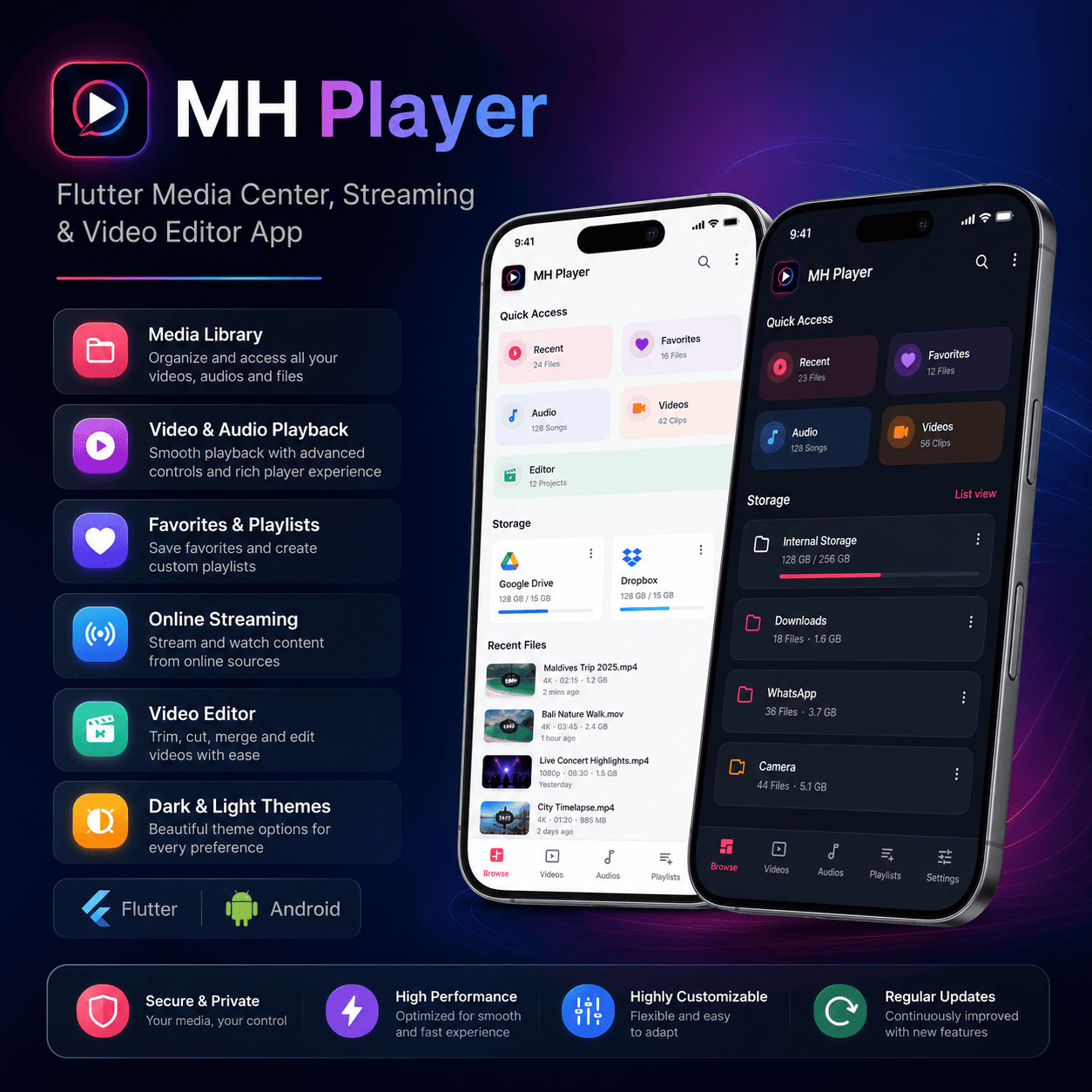
MH Player is a Flutter media center app for local video, local audio, online storage links, network streams, subtitles, playlist playback, and video editing. It is designed for buyers who need a ready-to-customize media app with Android and iOS project files included.
Key Features
- Local video and audio playback: Browse, organize, and play media files stored on the device.
- Folder-based media library: View videos and audio files by device folders.
- Favorites and recent media: Mark favorite items and quickly access recently used files.
- Search: Find local video and audio files from the app interface.
- Network streaming: Open supported HTTP, HTTPS, HLS, RTSP, RTMP, MMS, and DASH media URLs.
- Subtitle workflow: Select local subtitle files or configure online subtitle search with OpenSubtitles.
- Full-screen controls: Use seek, brightness, volume, speed, rotation, aspect-ratio, screen-lock, and picture-in-picture controls.
- Audio playback: Use playlists, background playback behavior, notification controls, and lock-screen media controls.
- Video editor: Trim, split, crop, rotate, adjust speed, change volume, apply filters, add music, and add styled text overlays.
- AdMob-ready setup: Optional banner and interstitial ad configuration is included.
- Crash reporting option: Optional Sentry integration can be enabled with build-time configuration.
- Material-style UI: Dark and light themes are included.
What You Get
- Full Flutter source code in the
mh_player/folder. - Android project configuration.
- iOS project configuration.
- Documentation, changelog, privacy policy, and third-party notices.
- Launcher assets and preview screenshots.
Requirements
- Flutter SDK installed on your machine.
- Android Studio and Android SDK for Android builds.
- Xcode on macOS for iOS builds.
- Basic Dart and Flutter knowledge for customization.
- Documentation is provided in English.
Documentation
- Setup and customization guide.
- Feature usage guide.
- Android and iOS build instructions.
- Troubleshooting and FAQ section.
- Internal component notes, including Favorites Manager logic.
Customization
- Change app name, package name, logo, colors, and launcher icon.
- Update AdMob IDs and enable or disable monetization behavior.
- Configure OpenSubtitles credentials with build-time defines.
- Adjust player controls, editor tools, and supported streaming options.
- Replace screenshots, preview images, and documentation branding.
Preview Images
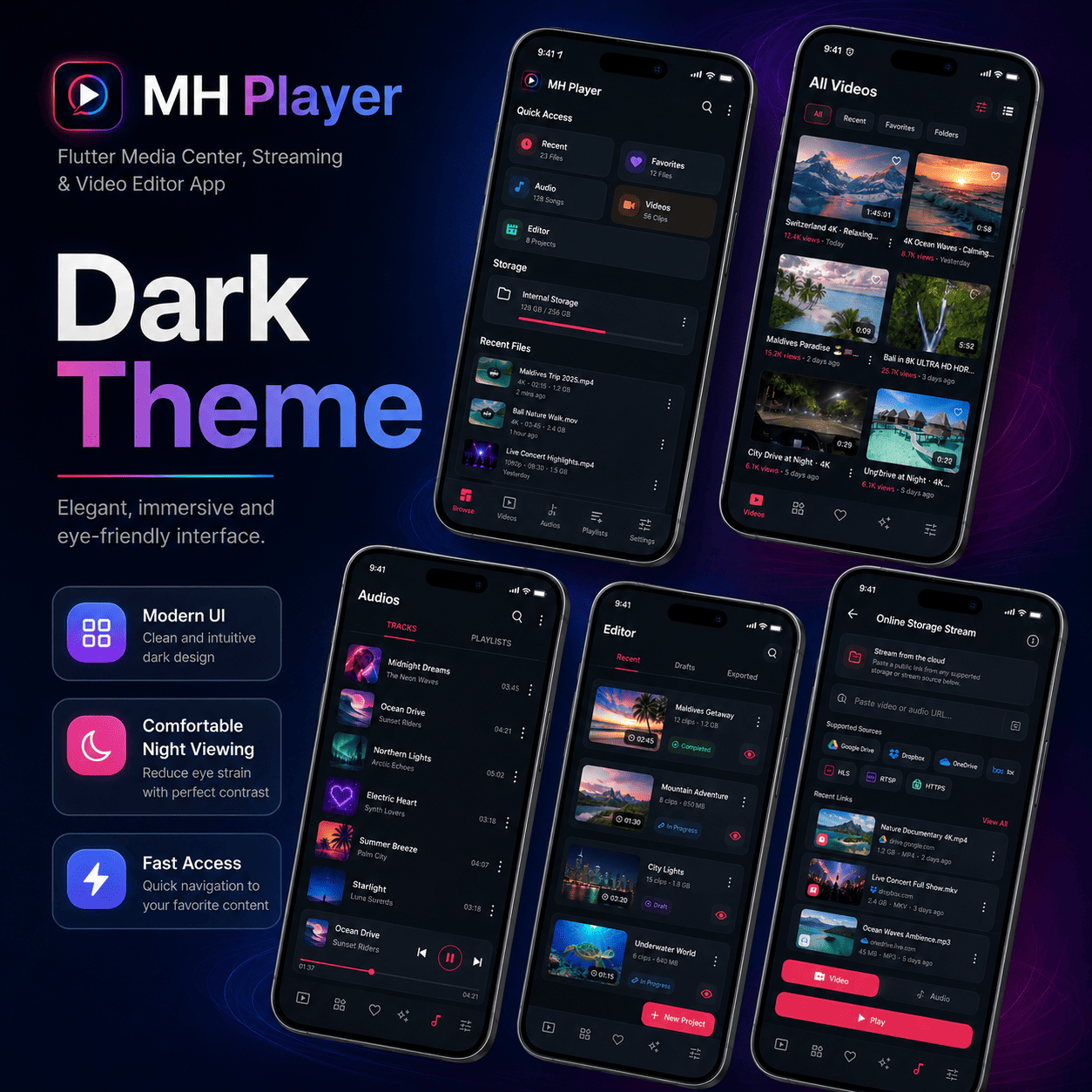
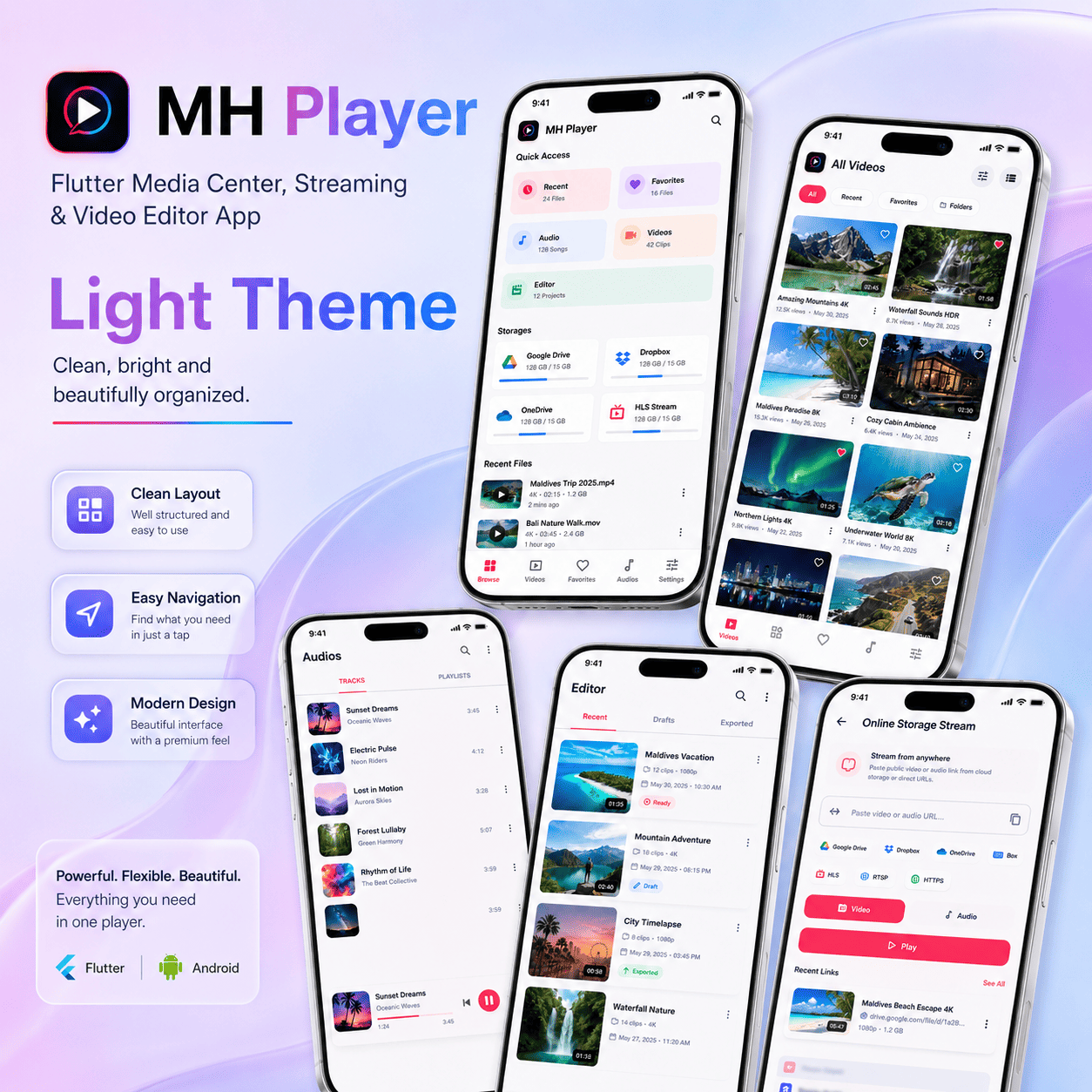
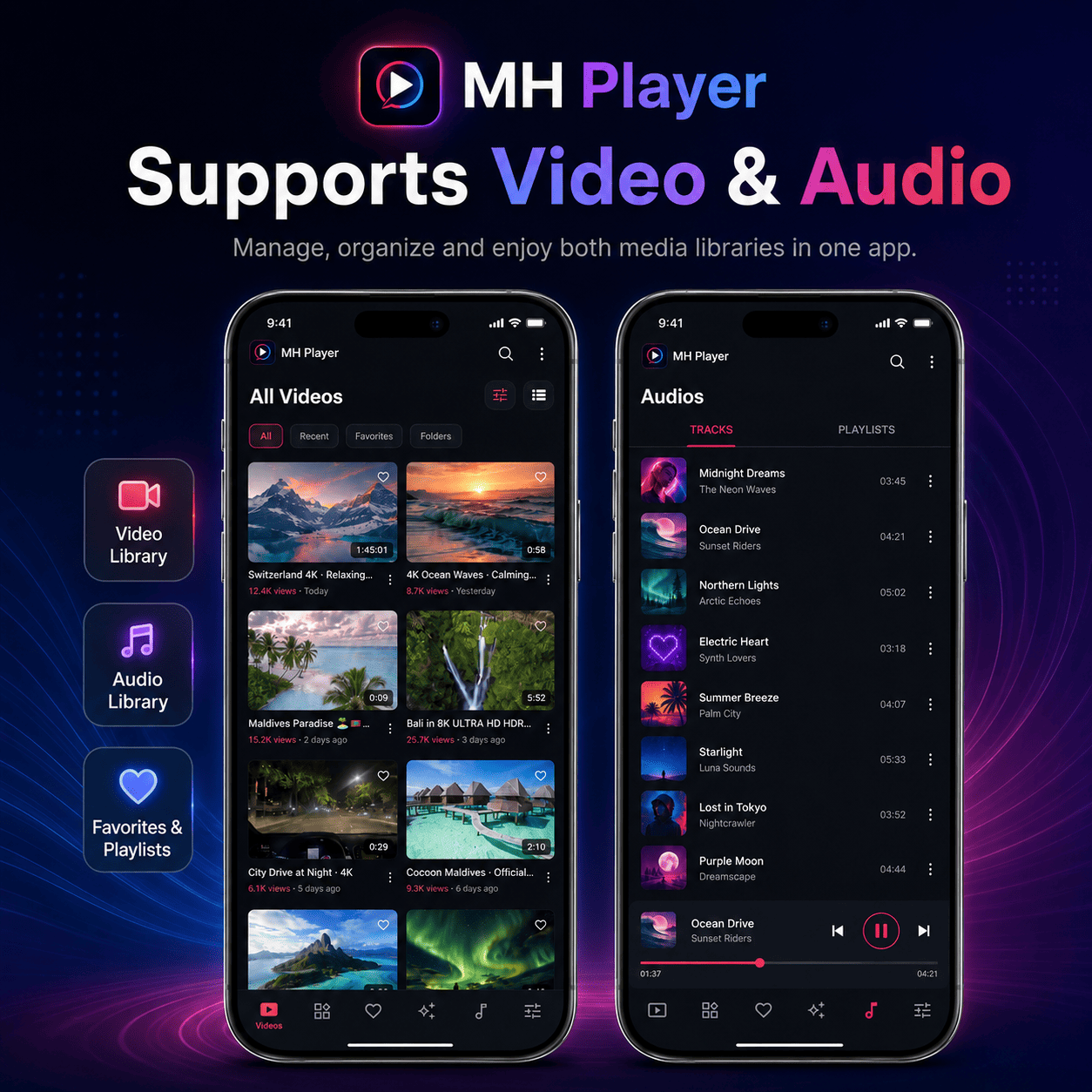
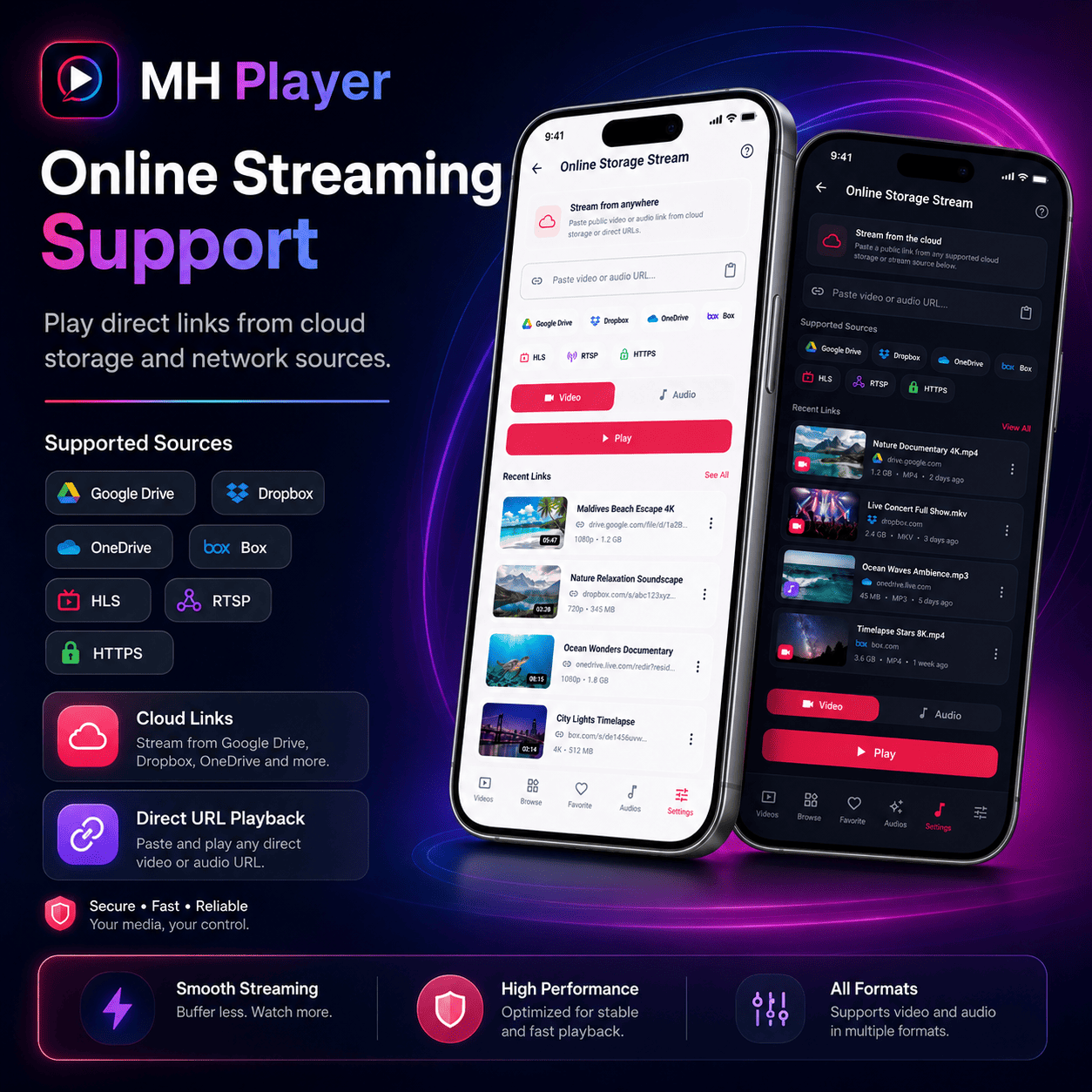
Current Version
Version: 1.4.1+11
Support
Email [email protected] for installation, customization, or build support. Please include your Flutter version and the build error log so support can respond faster.
Features
- Flutter source code for Android and iOS
- Video and audio playback
- Network stream playback
- HLS, RTSP, RTMP, MMS, and direct media URL support
- Iframe/embed URL playback through WebView
- VLC-style playback controls
- Integrated video editor
- OpenSubtitles online subtitle search support
- Google Drive private folder sign-in configuration support
- AdMob banner and interstitial integration
- Release builds are ad-free by default
- Example environment configuration included
- Clean buyer signing setup with example keystore files only
- Documentation and release checklist included
Requirements
- Flutter 3.29.0 or newer
- Dart SDK included with Flutter
- Android Studio or VS Code
- Android SDK for Android builds
- Xcode and macOS for iOS builds
- OpenSubtitles API key if enabling online subtitle search
- Google OAuth client if enabling private Google Drive sign-in
- AdMob account if enabling ads in release builds
Instructions
- Extract the package.
- Open the source folder in Android Studio or VS Code.
- Run
flutter pub get. - Run
flutter runto test the app. - For Android release signing, copy
android/key.properties.exampletoandroid/key.propertiesand add your own keystore details. - Optional: configure OpenSubtitles, Google Drive, and AdMob values using Dart defines.
- Build Android APK with
flutter build apk --release --target-platform android-arm64. - Build Android App Bundle with
flutter build appbundle --release.
Other items by this author


Additional options
|
Flutter App Reskin Service
Have your App reskinned to meet your needs.
|
$499 | Buy now |
Information
| Category | App Templates / Flutter / Full Applications |
| First release | 16 June 2026 |
| Last update | 16 June 2026 |
| Operating Systems | Android 8.0, Android 9.0, iOS 12.0, Android 10.0, iOS 14.0, iOS 13.0, iOS 15.0, Android 11.0, Android 12.0 |
| Files included | .swift, .apk, .java, .xml |
| Tags | android, iOS, admob, Webview, video player, streaming, audio player, mobile app, media player, video editor, google drive, HLS, flutter, subtitles, opensubtitles |