


 Newsletter Software PHP Scripts
Download newsletter software PHP scripts and self-hosted email marketing systems with source code. Create and send newsletters, email campaigns and autoresponders from your own server, manage subscriber lists, segments and opt-ins, and track opens, clicks and bounces without relying entirely on third-party email marketing services or monthly SaaS fees.
 Scripts & Code11
 AngularJS2
 C & C++144
 C#56
C#56 CSS29
CSS29 Django0
 Golang15
 Java212
 JavaScript134
 NodeJS2754PHP Scripts8
 Ads78AI41Affiliate62Booking32Blog24Chat6Countdown58CMS36CRM17Directory21Database81eCommerce122Finance19Food55Forms12Forum70Games2GPS42Help Desk51Links248Multimedia82Login271Management17Mail90Marketplace18News7Newsletter63POS38Payment20Polls32Project Management99SaaS20Search51Security88Social Networking15Sport6Statistics37Uploaders42Website Builders638Miscellaneous96
 Python91
 ReactJS1
 Ruby28
 VB.NET7569
 App Templates2453
 Themes1066
 Plugins14163
 Graphics


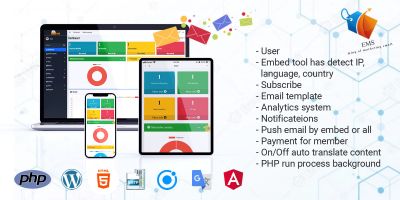


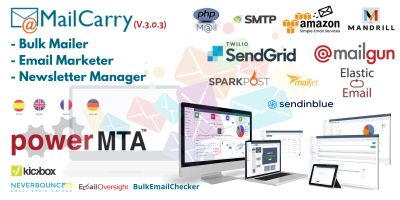
Newsletter Software PHP Scripts for Self-Hosted Email Marketing
Running newsletters from your own server gives you more control over data, branding and costs. The Newsletter Software PHP Scripts category brings together self-hosted PHP newsletter scripts and email marketing software in PHP that you install once and then use as often as you like for clients, projects or your own business.
If you want a quick overview of what people already use in production, start with the most popular newsletter software PHP scripts . You will usually see list-based newsletter apps, simple campaign managers and small “mini-ESP” dashboards with stats, subscriber forms and templates, proven on live sites.
What these newsletter PHP scripts are good at
Not every project here tries to be a giant all-in-one platform. Some items are focused on a single job, like sending regular updates to a single list. Others feel more like a classic email service: multiple lists, campaigns, templates, segments and basic reports. Common goals include:
- Sending scheduled newsletters and announcements to subscribers.
- Managing multiple subscriber lists or segments in one dashboard.
- Handling opt-in / opt-out, GDPR-style consent and list hygiene.
- Tracking opens and clicks with per-campaign reports.
- Automating welcome or follow-up emails with simple autoresponders.
How newsletter tools fit into your PHP projects
Because everything here is written in PHP, these newsletter tools slot naturally into the wider PHP Scripts & PHP Code ecosystem. A common setup is: capture addresses through a contact or signup form built with PHP Form Scripts & Generators , then sync them into a subscriber list in your chosen newsletter script. The same list can receive regular newsletters, product announcements or blog roundups.
For sites that publish news or articles, it often makes sense to pair a newsletter system from this category with a content engine from PHP News Scripts or Blog Software PHP Scripts . Editors publish content once, then use the newsletter panel to send “best of” digests or weekly highlights to subscribers.
mail delivery and SMTP integration
Under the hood, newsletter software still needs a reliable way to send mail. Many scripts integrate with SMTP providers or use a separate mailer script, similar to those found in the PHP Mail Scripts category. When you review a newsletter script, check how it connects to SMTP, whether it supports authentication and TLS, and whether you can plug in external mail services if you need more deliverability.
It’s also worth checking rate-limit options (messages per hour) and whether the script supports queueing campaigns via cron, so you don’t overload a shared host. Those details matter a lot once your list starts to grow beyond a few hundred subscribers.
Picking the right newsletter software PHP script
As you browse the Newsletter Software PHP Scripts list, a few questions help narrow things down:
- Do you need one list, or many lists and segments?
- Are simple newsletters enough, or do you want autoresponders and sequences?
- Will you send a few campaigns a month, or high-volume daily mailings?
- Do you want drag-and-drop email templates, or will you provide the HTML yourself?
- Is multi-user access (for clients or team members) a requirement?
Product pages normally include screenshots and demo logins. It’s worth stepping through the full flow: create a list, import or add subscribers, build one test campaign, schedule it and view the report page. If that feels smooth, day-to-day use will be much easier.
Getting it ready for real subscribers
Once you choose a script, most of the work is configuration rather than coding: connect SMTP, set default from-addresses and reply-to, add your logo and brand colours, build a few starter templates, create signup forms and wire them into your site. You may also want to set up double opt-in and clear unsubscribe links to keep deliverability and compliance healthy.
After that, your newsletter software PHP runs quietly in the background – collecting signups, sending campaigns and tracking results – while you focus on writing emails people actually want to open.