Photo Background Remover - Android App Source codePhoto Background Remover - Android App Source code
Background Remover Android source code in Java – photo cut-out & transparent PNG maker, magic wand eraser, AdMob, easy reski
 Average rating of 3.9 based on 7 votes
Recently Updated
Average rating of 3.9 based on 7 votes
Recently Updated
Photo Background Remover - Android App Source code
Background Remover Android source code in Java – photo cut-out & transparent PNG maker, magic...
Average rating of 3.9
Screenshots
Overview
🪄 Background Remover - Photo Cut-out Editor Android Source Code
Complete Java Android Studio project · Manual eraser · Magic-wand auto-clear · Zoom & pan · Transparent PNG output · AdMob ready · Publish on Google Play in minutes
⬇️ Try the Live Demo APK Before You Buy
Install the demo APK on your Android phone or tablet, pick any photo and erase its background with the eraser or magic-wand tool before purchasing the source code.
Tip: enable "Install unknown apps" for your browser on Android to install the APK file.
📖 About This Background Remover Android Source Code
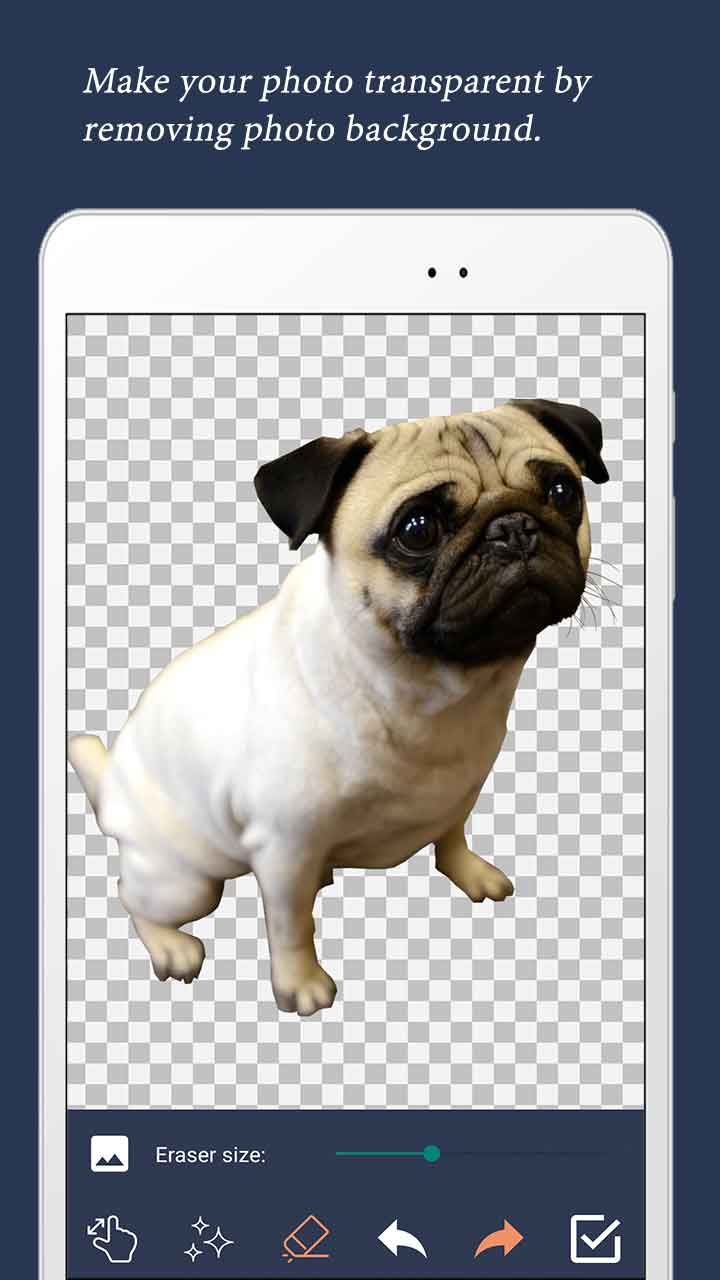
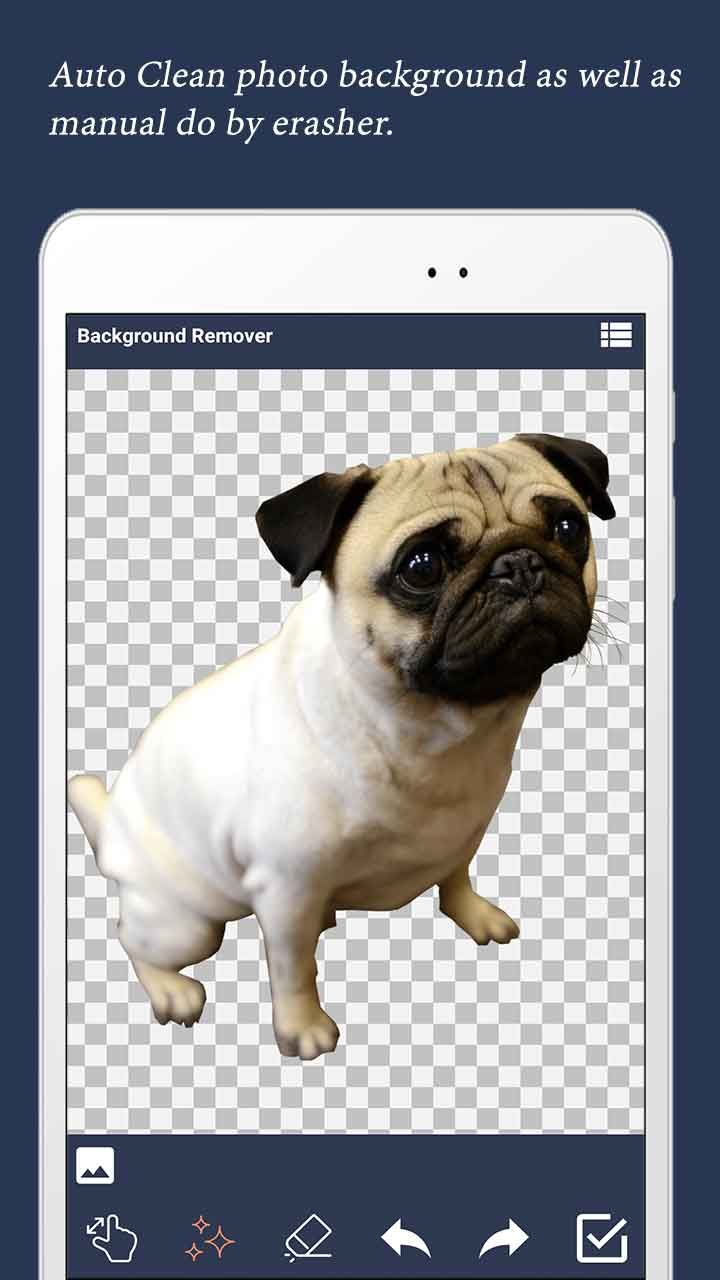
Background Remover is a complete, ready-to-publish Android photo editor source code written in Java using Android Studio. The app lets the user pick any photo from the device using the modern Android Photo Picker, optionally crop it with the built-in cropper, and then erase the background using one of three tools: a manual eraser brush with a live size slider, a one-tap magic-wand auto-clear that flood-erases similar-colour pixels, and a pinch-to-zoom & pan mode for surgical precision. Every brush stroke and auto-cut supports unlimited undo / redo. The finished image is written to app-scoped storage as a transparent PNG and is browsable in a built-in swipeable gallery viewer. With AdMob banner + interstitial ads already integrated, this is one of the fastest complete Android utility apps to rebrand, reskin and upload to Google Play.
What end-users get:
- ✂️ A fast photo cut-out / PNG-maker editor that works fully offline.
- 🪄 Three tools in one screen — manual eraser, magic-wand auto-clear and zoom/pan.
- 🗂️ A built-in gallery of every transparent PNG previously saved.
- 🔐 Zero storage permission prompts on any Android version — uses the official Photo Picker.
✨ Key Features
| Feature | What It Does |
|---|---|
| 🖼️ Android Photo Picker | Uses Google's official Photo Picker so the app works on every device without any READ_MEDIA_IMAGES / storage permission prompt. |
| ✂️ Built-in Cropper | CanHub/Vanniktech Image Cropper runs automatically before editing - rotate, square, free crop, all included. |
| ✏️ Manual Eraser Brush | Hardware-accelerated finger painting with a live size seek-bar (1 - 300 px). Hard edges, no fringing. |
| 🪄 Magic-Wand Auto-Clear | Tap any colour and the editor erases every pixel within a tunable ARGB tolerance - perfect for plain backgrounds. |
| 🔍 Pinch-to-Zoom & Pan | Powered by alexvasilkov/gesture-views - up to 4x zoom for clean cuts around hair, fur and fine edges. |
| ↩️ Unlimited Undo / Redo | Every brush stroke and magic-wand cut is added to a stack - undo & redo from the bottom toolbar at any time. |
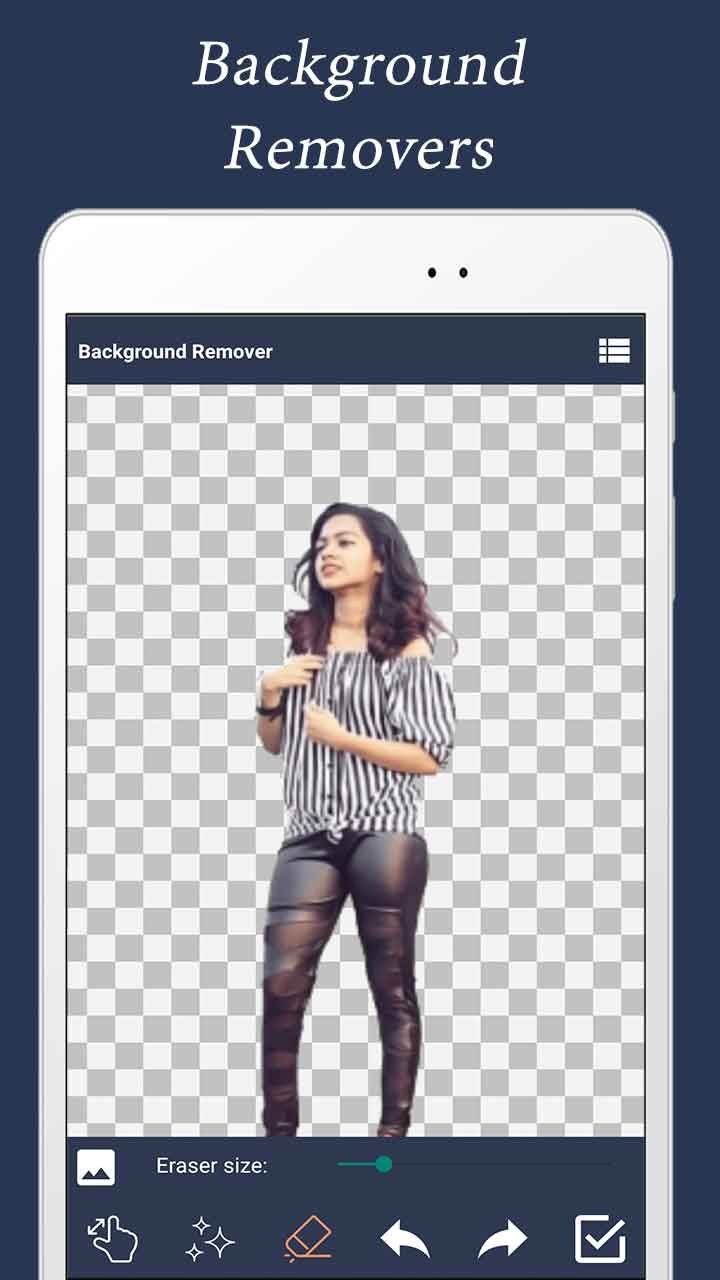
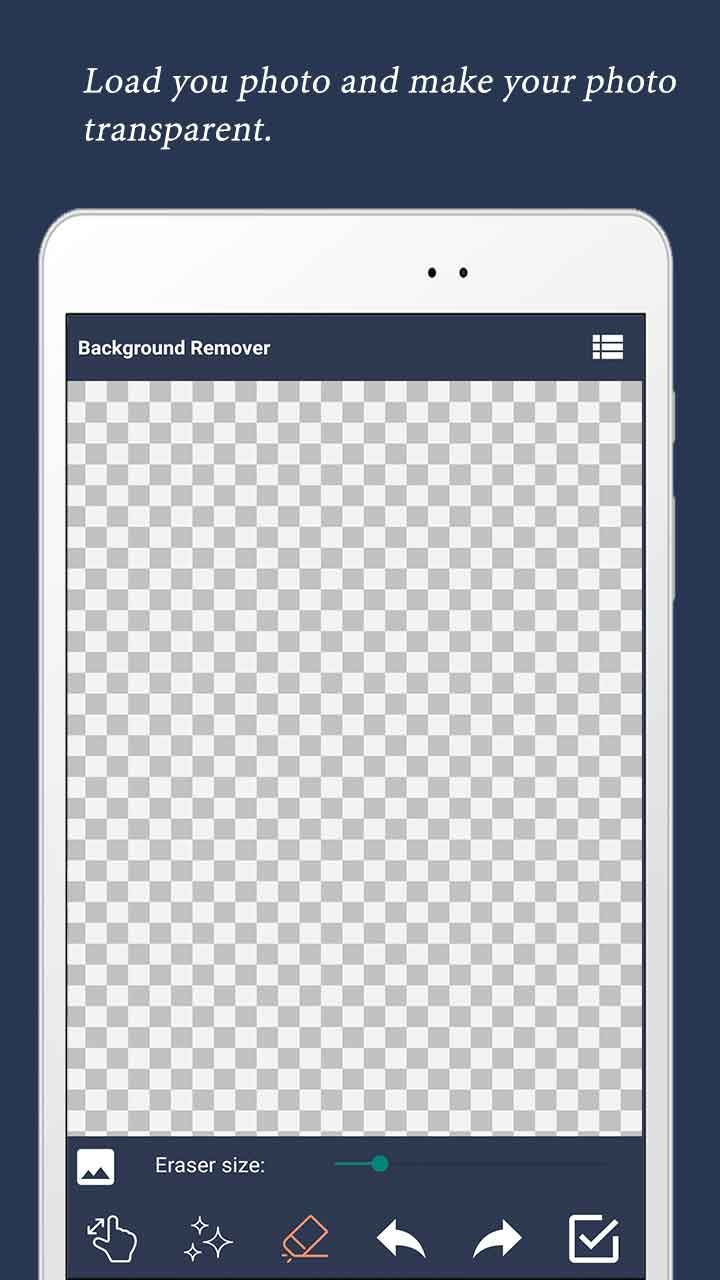
| 🟦 Checkerboard Transparency Preview | A live checkerboard pattern behind the canvas shows the user exactly which pixels are transparent. |
| 💾 Transparent PNG Output | Saves to app-scoped storage as a lossless PNG with a real alpha channel - ready for stickers, product mock-ups, profile pics. |
| 🗂️ Gallery Viewer | A second screen with a swipeable ViewPager lists every cut-out previously created in the app. |
| 💰 Google AdMob Integrated | Banner on the editor + gallery screens and an interstitial after Save. Change all 3 ad IDs in a single XML file. |
| 📱 Edge-to-Edge UI | Status bar and gesture nav bar never overlap toolbars - system-bar insets are applied via WindowInsetsCompat on Android 14 / 15 / 16. |
| 🔐 Minimal Permissions | No READ / WRITE storage, no CAMERA, no MANAGE_EXTERNAL_STORAGE - cleanest Play Store data-safety declaration possible. |
| 📲 FileProvider Ready | FileProvider is wired up out of the box so you can add a "Share PNG" button to other apps in minutes. |
| 🌍 Multi-Language Ready | All UI strings in strings.xml - add any language with a new values-xx/ folder. |
| ⚡ Easy Reskin | Change package name, app name, icon, AdMob IDs, theme colour and tool icons in under an hour. |
| 📚 Detailed Documentation | Step-by-step README.md plus inline // RESKIN: code comments showing exactly what to change for a custom build. |
🕹️ How the App Works for the End User
- Open the app - the Android Photo Picker appears immediately.
- Pick any photo from the device. The picker hands back a per-URI read grant - no permission prompt.
- The built-in cropper opens with rotate / square / free-crop guidelines.
- The cropped photo loads into the editor on top of a checkerboard transparency preview.
- Pick one of three tools from the bottom bar:
- 🪄 Magic Wand - tap the background to flood-erase similar pixels.
- ✏️ Eraser - drag your finger to erase. Use the size slider to widen or shrink the brush.
- 🔍 Zoom - pinch & pan up to 4x to clean fine edges (hair, fur, ears).
- Use Undo / Redo at any time to step back and forth through every cut.
- Tap Done. A transparent PNG is written to app-scoped storage and a success dialog offers "Load Image Again" or "Exit".
- Tap the list icon in the top-right to browse every PNG you have ever saved in a swipeable gallery.
🛠️ Technical Specifications
- Programming Language: Java 11
- IDE: Android Studio Ladybug (2024.2) or newer
- Build System: Gradle 9.4 · AGP 9.x · Version Catalog (
gradle/libs.versions.toml) - compileSdk / targetSdk: 36 (latest)
- minSdk: 24 (Android 7.0+) - covers ~98% of active Android devices
- UI: AndroidX AppCompat, Material 3, Activity-KTX (EdgeToEdge + ActivityResult APIs)
- Image Pick: AndroidX Photo Picker (
ActivityResultContracts.PickVisualMedia) - Cropper:
com.vanniktech:android-image-cropper(maintained CanHub fork) - Zoom & Pan:
com.alexvasilkov:gesture-views - Transparency BG:
com.github.duanhong169:checkerboarddrawable(JitPack) - Image Loading: Picasso (used by the gallery viewer)
- Pager:
androidx.viewpager:viewpager 1.1.x - Storage: App-scoped
getExternalFilesDir(null)/removebg/- no permissions required on any SDK - Backend: None - 100% offline app
- Monetisation: Google AdMob (banner + interstitial, Mobile Ads SDK 23.x)
- Output: APK and AAB (Android App Bundle) ready for Google Play
📦 What You Get In This Package
- ✅ Full Android Studio project with complete Java source code.
- ✅ All resources included: launcher icons (6 densities), tool-bar state-list drawables, layouts, themes and colour palette.
- ✅ Working manual eraser + magic-wand auto-clear + zoom/pan editor.
- ✅ Working built-in cropper (Vanniktech/CanHub fork).
- ✅ Working AdMob banner + interstitial integration (Google Mobile Ads SDK 23.x).
- ✅ Working Photo Picker flow with zero runtime permissions.
- ✅ Working FileProvider already configured for easy "Share PNG" extension.
- ✅ Detailed README.md with rebrand, reskin and Google Play publish guide.
- ✅ Inline // RESKIN: code comments showing exactly where to change AdMob IDs, package name, app name, theme colour, save folder, eraser size, magic-wand tolerance and zoom factor.
- ✅ Free future bug fixes.
⚡ Reskin & Publish on Google Play in Under an Hour
You can launch your own branded photo background-remover on Google Play very quickly:
- Open the project in Android Studio & let Gradle sync.
- Change the package name &
applicationIdinapp/build.gradle(Refactor → Rename). - Replace the launcher icon via Image Asset Studio.
- Re-colour the theme from
res/values/colors.xml-colorPrimarydrives both toolbars in one shot. - (Optional) Replace the tool-bar icons - 9 selector drawables in
res/drawable/with clear naming. - (Optional) Tune the editor:
MAX_ERASER_SIZE,MAX_ZOOMinBackgroundRemoverMainActivity.javaandCOLOR_TOLERANCEinDrawView.java(all marked with// RESKIN:). - Edit 3 strings in
res/values/strings.xmlto set your own AdMob App ID, Banner ID and Interstitial ID. - Generate a signed AAB and upload to Google Play Console.
💡 No advanced coding required for the basic rebrand - everything important lives in resource files and is clearly marked with // RESKIN: comments in code. Just search the project for RESKIN to jump to every touch-point.
🎯 Perfect For
- Indie Android developers who want a complete photo background remover source code.
- App resellers and reskin agencies who need a quick Google Play launch.
- Sticker / WhatsApp-sticker maker apps - the transparent PNG output drops straight into a sticker pack.
- E-commerce sellers who want a branded product photo cut-out app for their suppliers.
- Profile-pic editor apps - bundle this remover with a frame / colour-fill feature on top.
- Beginners learning Android Studio with a real-world Java photo editor project (custom View, PorterDuff, Bitmap pipeline, AsyncTask migration, ActivityResult API).
- Educators teaching Android, Bitmap math, AdMob integration, modern Photo Picker and EdgeToEdge insets.
📋 Requirements
- Android Studio Ladybug (2024.2) or newer
- JDK 17+ (auto-provisioned by Android Studio / Gradle)
- Android SDK 36 installed
- A test device or emulator running Android 7.0+ (API 24+)
- An AdMob account for ad monetisation (optional)
🏷️ Tags
android source code, background remover android, photo cut-out app, png background eraser, transparent png maker, image editor android, magic wand eraser, photo eraser, picture editor android, android studio project, java photo editor, complete android app, reskin android app, admob integrated app, android utility template, google play ready, offline android app, photo picker android, edge to edge android, sticker maker source code.
💬 Support
Need help with rebranding, publishing or adding a new feature (e.g. share-to-WhatsApp, sticker pack export, ML-based auto-cut)? Send us a message and we will be happy to help. Free updates and bug fixes are included.
Launch Your Own Background Remover Today 🚀
Buy once, brand it, publish it on Google Play. No subscriptions, no hidden costs.
Android, Google Play, AdMob and the Android robot are trademarks of Google LLC.
Features
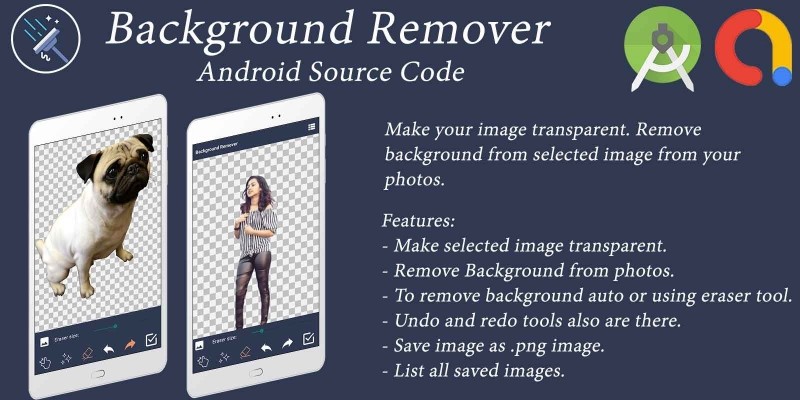
- Make selected image transparent.
- Remove background from photos using auto magic-wand or manual eraser tool.
- Built-in cropper to crop and rotate the photo before editing.
- Adjustable eraser brush size with live seek-bar.
- Pinch-to-zoom and pan up to 4x for fine-edge cleaning.
- Unlimited undo and redo for every stroke and auto-cut.
- Checkerboard preview to show transparent pixels in real time.
- Save image as transparent .png file.
- List all saved images in a swipeable gallery.
- AdMob banner and
Requirements
Android Studio Ladybug (2024.2) or newer should be installed
JDK 17 or higher (auto-provisioned by Android Studio)
Android SDK 36 installed via SDK Manager
Google Play Developer Account (to publish on Play Store)
AdMob Account (to monetise with banner & interstitial ads)
Basic knowledge of Java and Android Studio for reskin
Test device or emulator running Android 7.0+ (API 24+)
Read attached README.md document carefully before reskin.
Instructions
Open Project in Android Studio
Replace your Icon, AdMob Ids, change
title, change package name, generate signed APK - There you Go - Upload
that new APK to your Google play console.
Export it as Apk and publish it.
Reviews


Other items by this author











|
Android App Reskin Service
Have your App reskinned to meet your needs.
|
$199 | Buy now |
| Category | App Templates / Android / Applications / Photo |
| First release | 7 November 2019 |
| Last update | 18 May 2026 |
| Operating Systems | Android 7.0, Android 8.0, Android 9.0, Android 10.0, Android 11.0, Android 12.0, Android 4.0, Android 5.0, Android 6.0 |
| Files included | .html, .apk, .java, .xml |
| Tags | photo background remover, Transparent Images, image background remove, erase photo background |