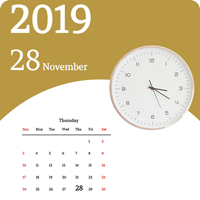
Ultimate Live Calendar Wallpaper Android TemplateUltimate Live Calendar Wallpaper Android Template
Complete Android live wallpaper source code (Java): full-month calendar, live analog clock, 10 dials, 18 fonts, AdMob. Recently Updated
Ultimate Live Calendar Wallpaper Android Template
Complete Android live wallpaper source code (Java): full-month calendar, live analog clock, 10 di...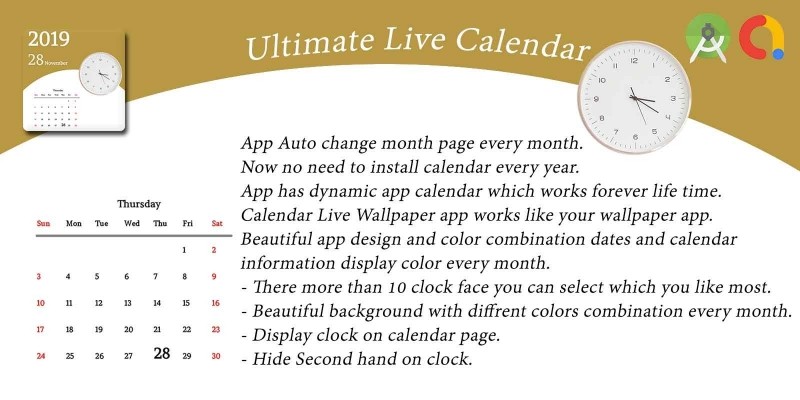
Screenshots

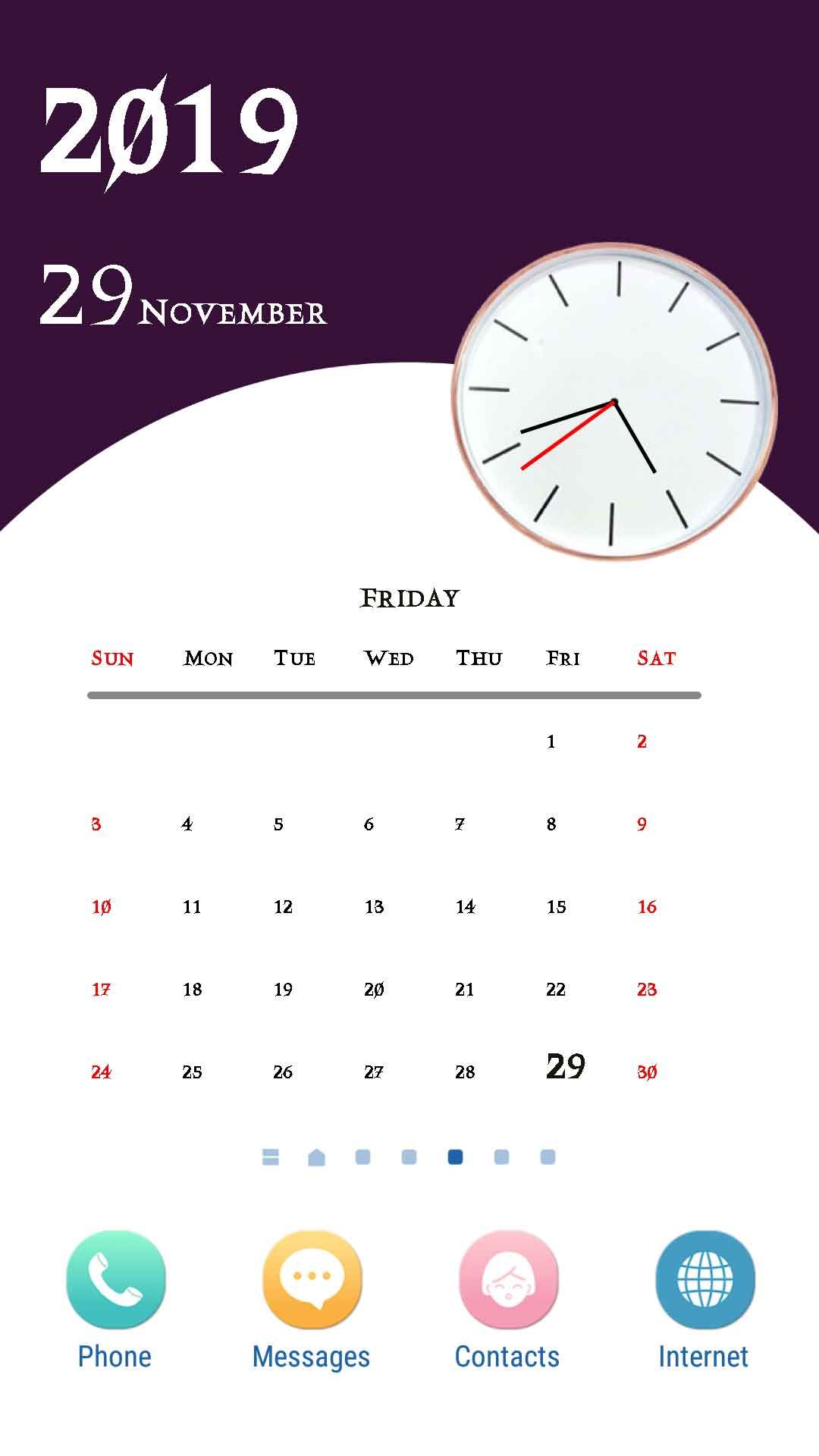
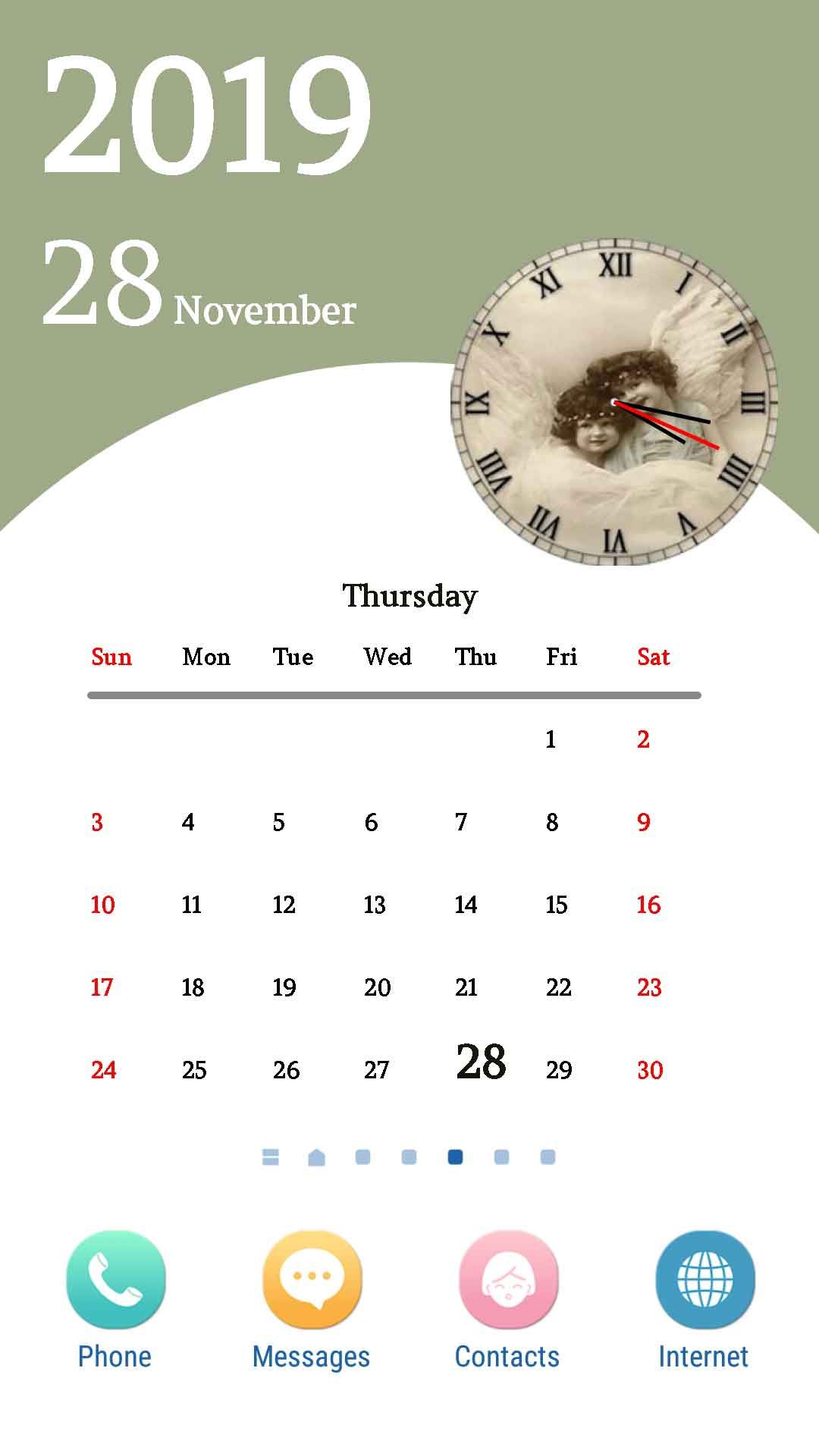
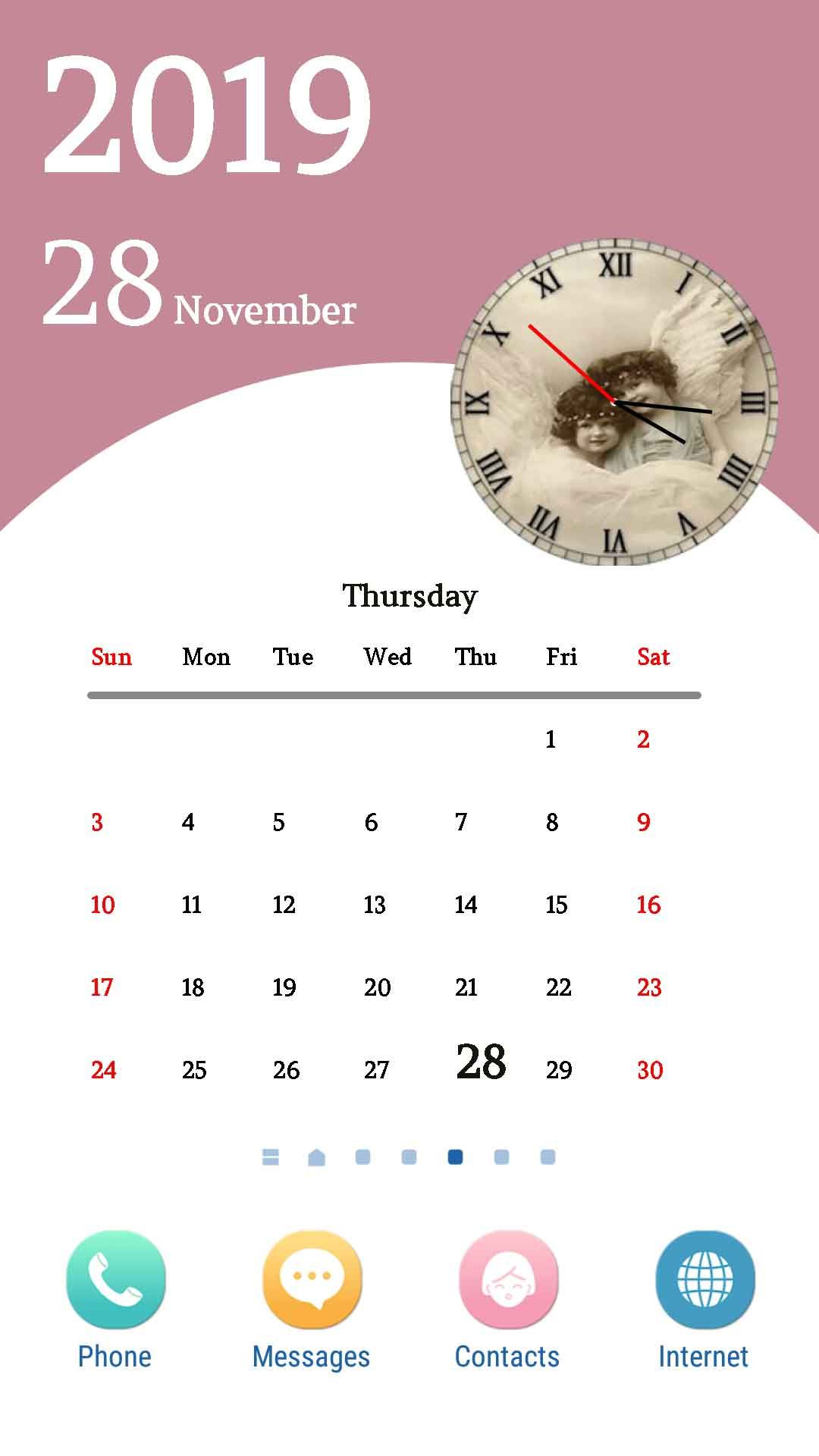
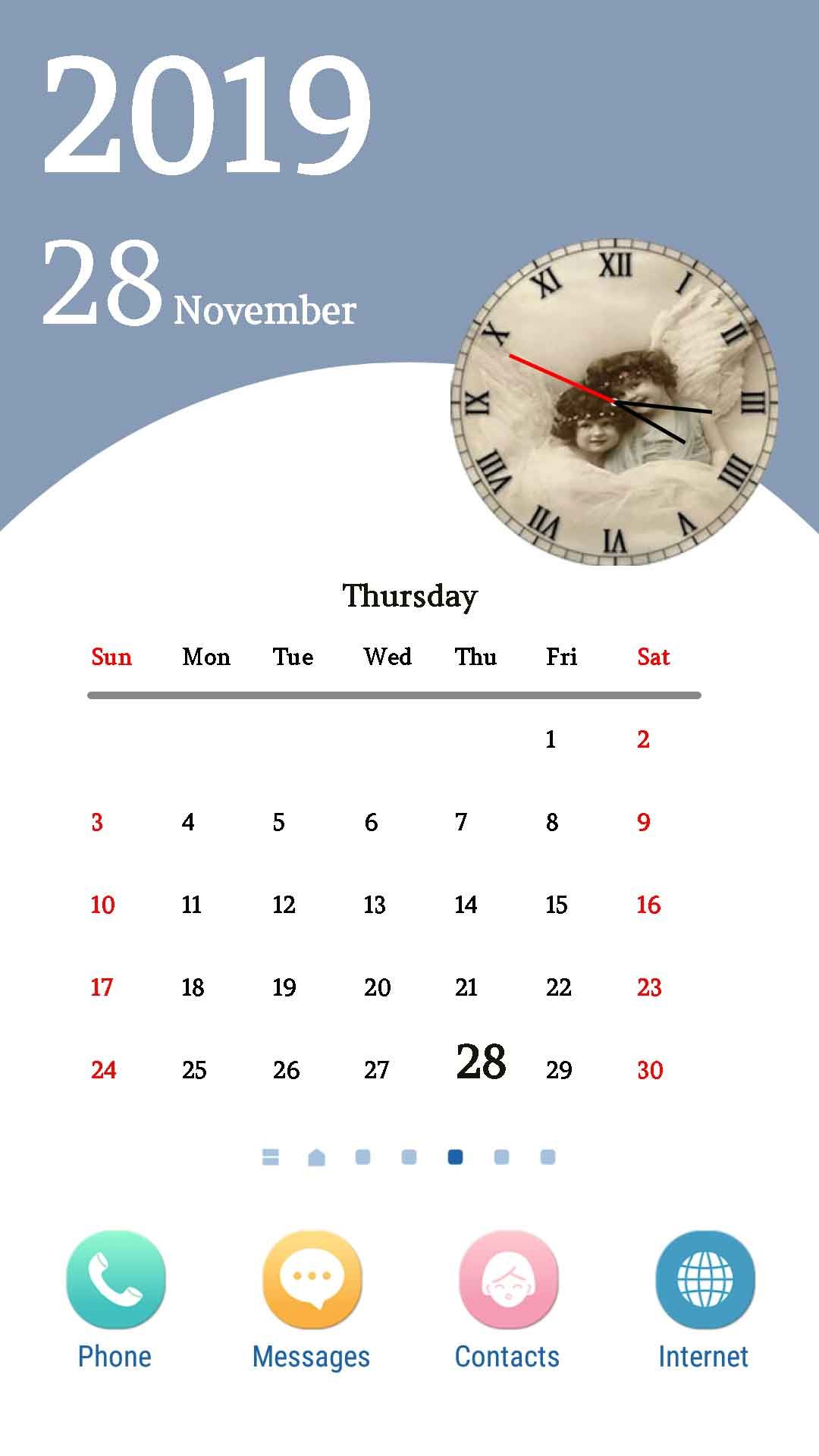

Overview
📆 Ultimate Calendar Live Wallpaper - Android Source Code
Complete Java Android Studio project · Full-month calendar grid · Live analog clock · 10 clock dials · 18 fonts · Seasonal monthly color tint · AdMob ready · Publish on Google Play in minutes
⬇️ Try the Live Demo APK Before You Buy
Install the demo APK on your Android phone, apply the live wallpaper to your home screen, swap the clock dial & font, and see how the monthly color tint looks before purchasing the source code.
Tip: enable "Install unknown apps" for your browser on Android to install the APK file.
📖 About This Ultimate Calendar Live Wallpaper Android Source Code
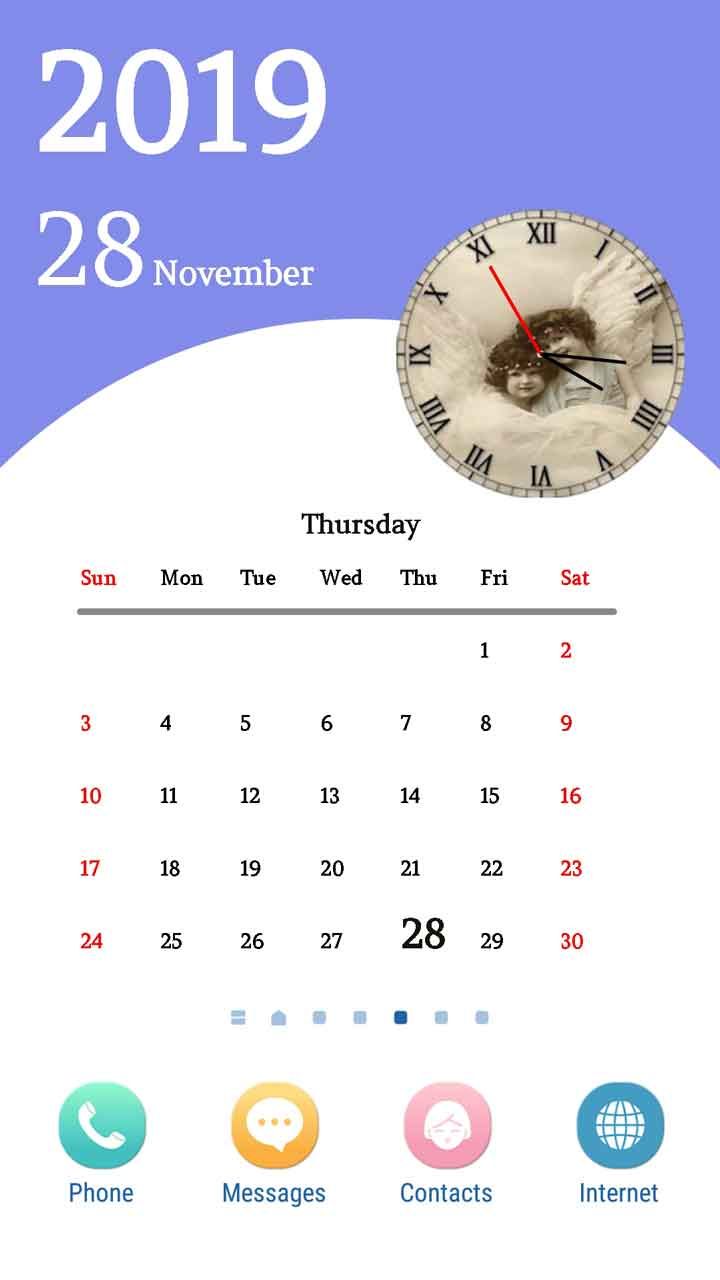
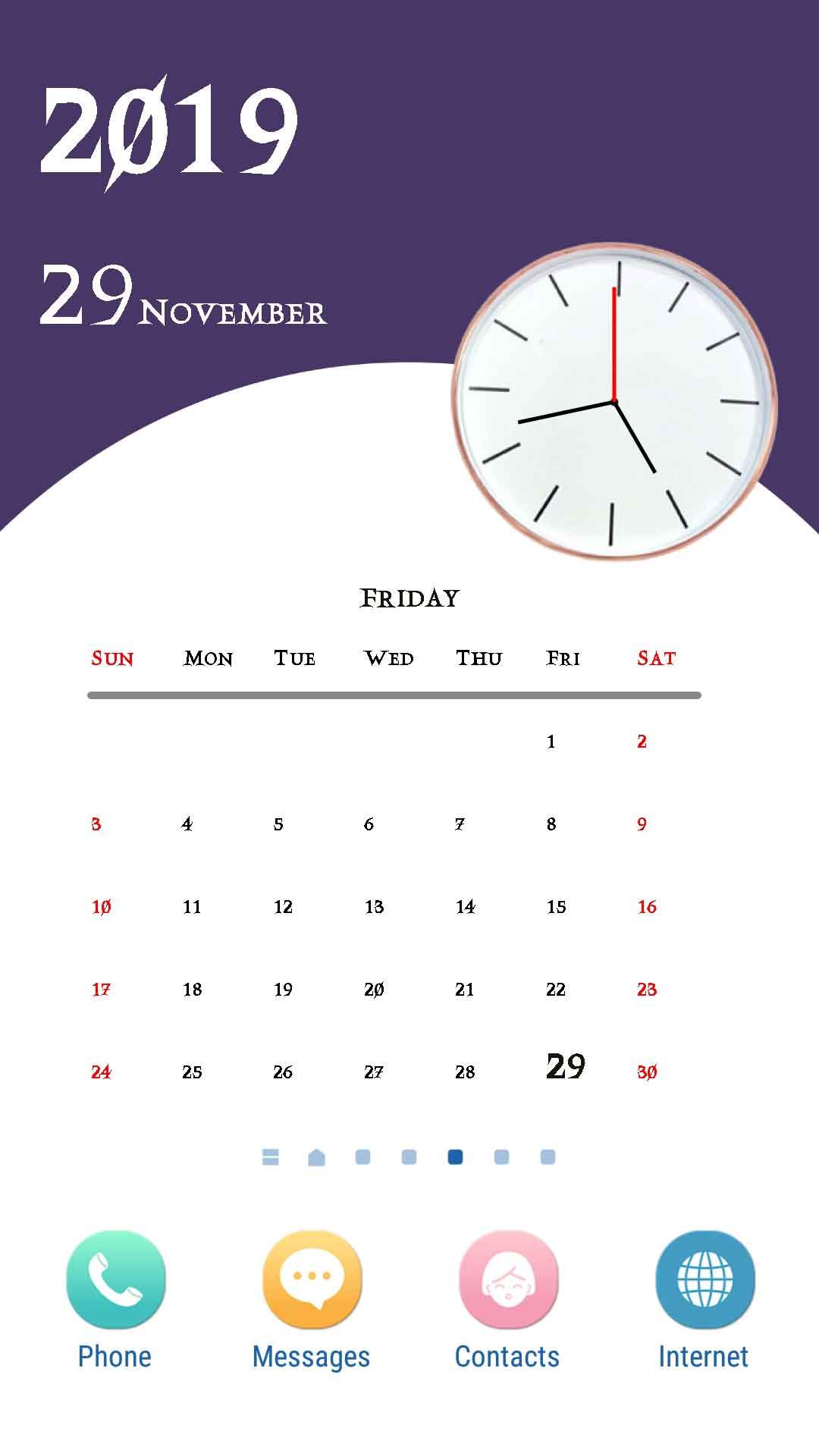
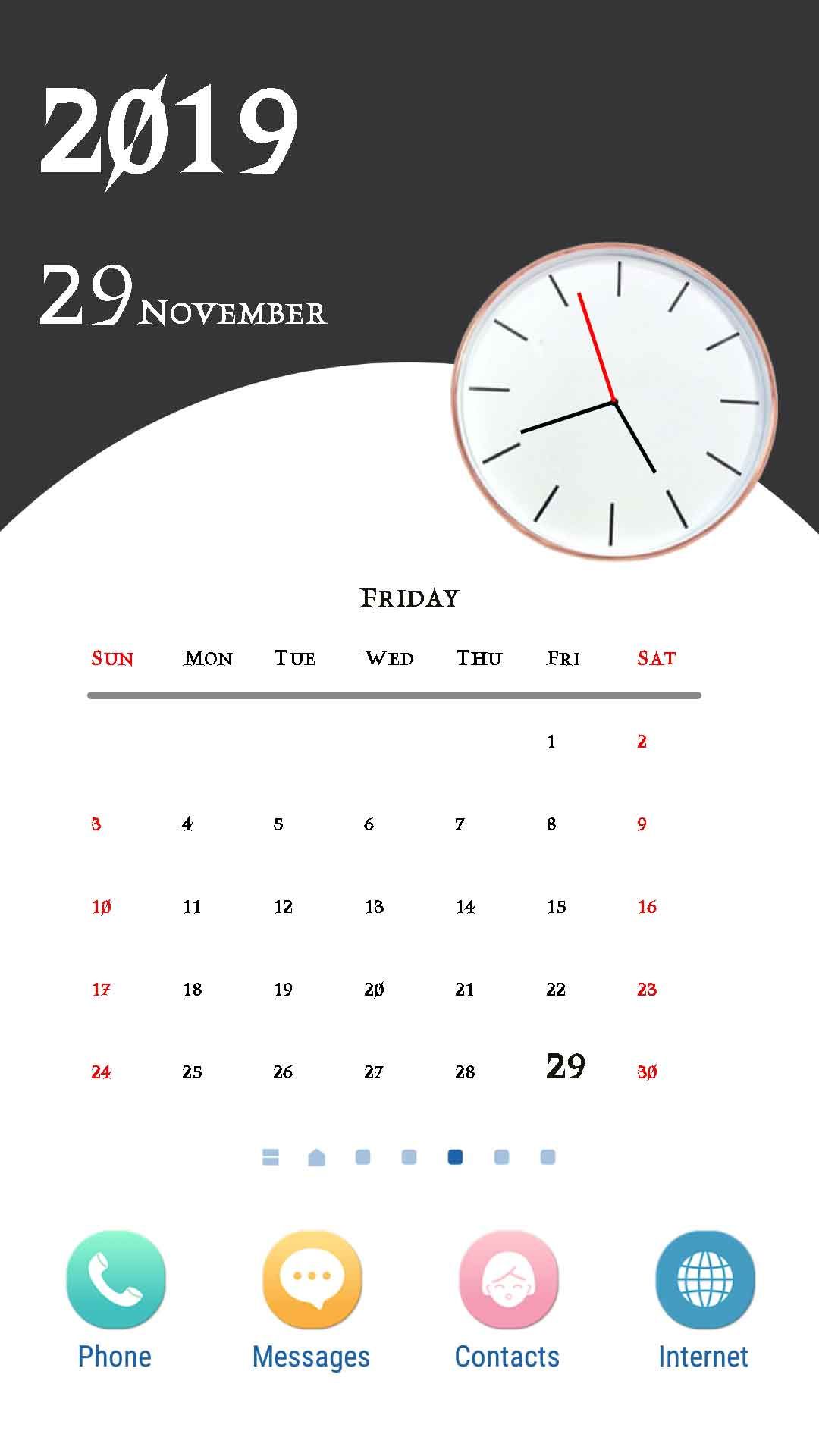
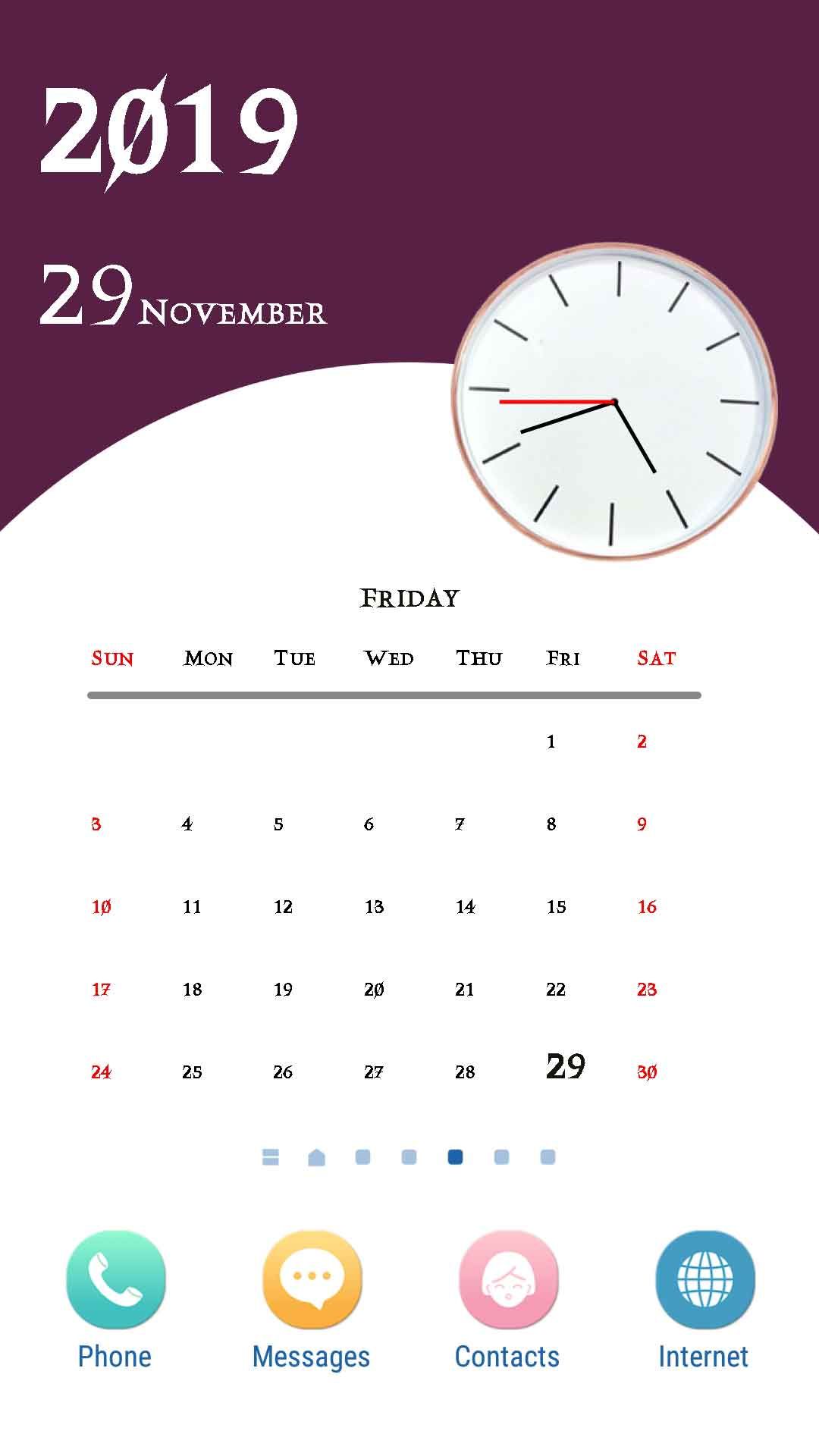
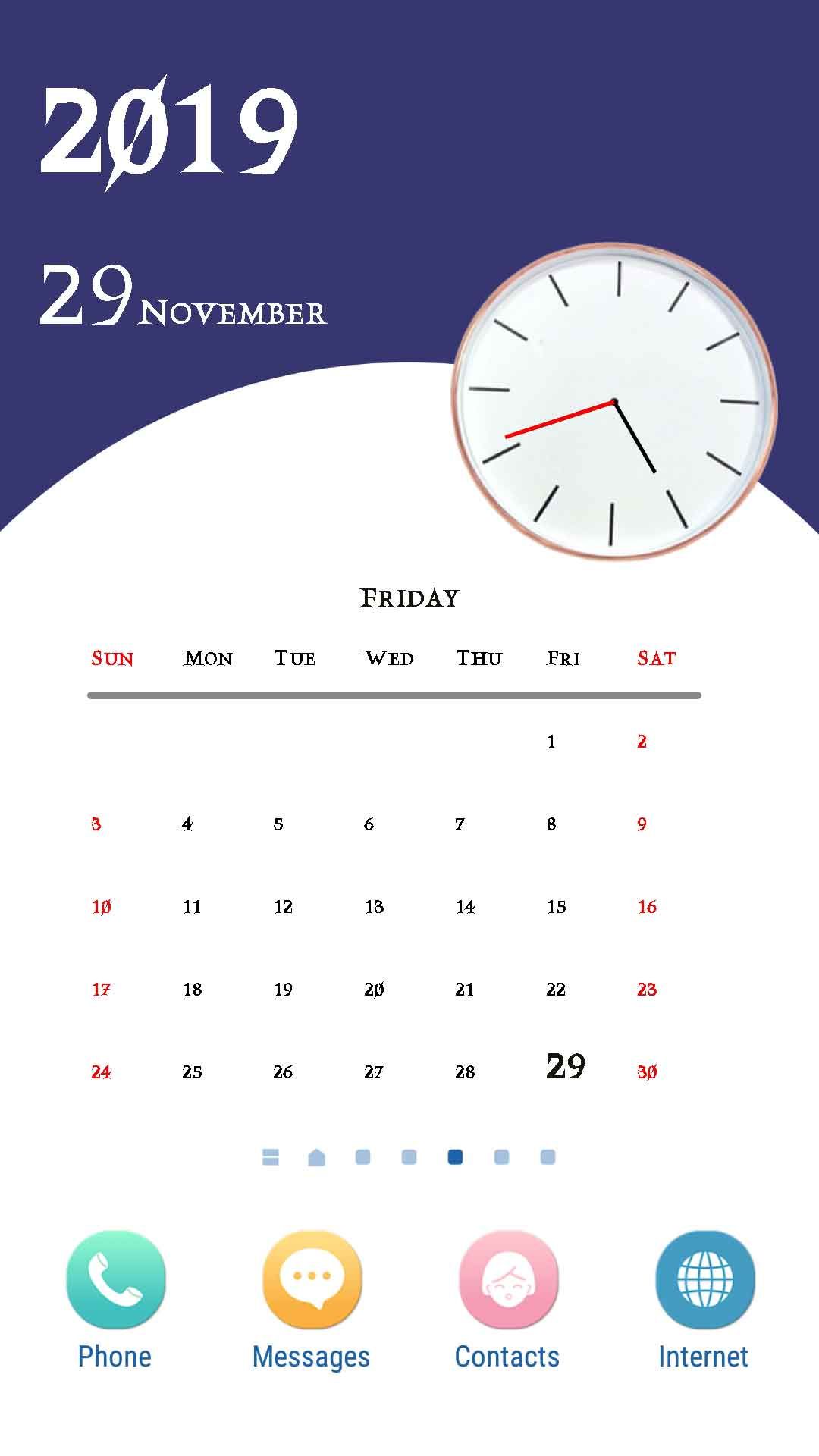
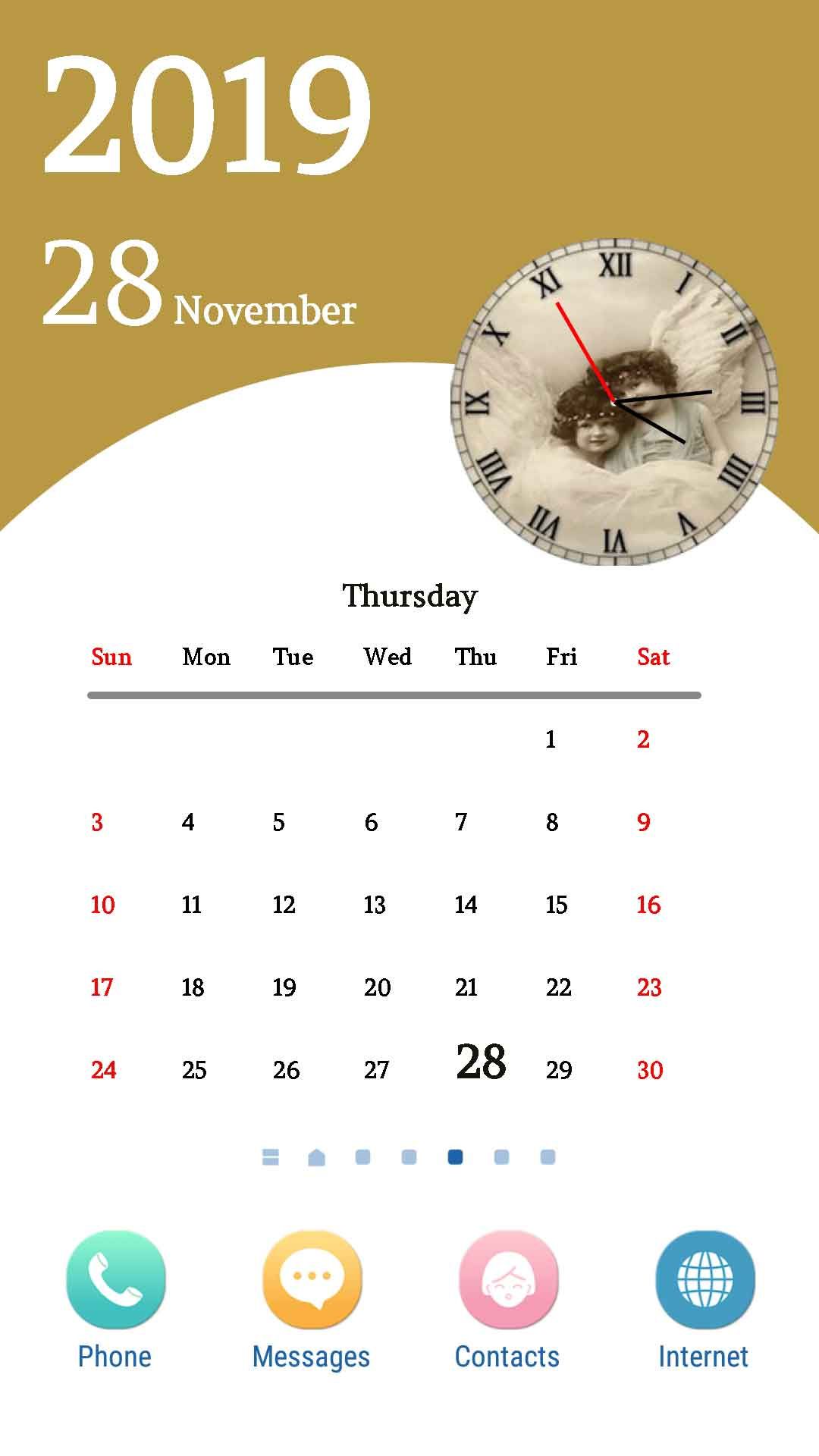
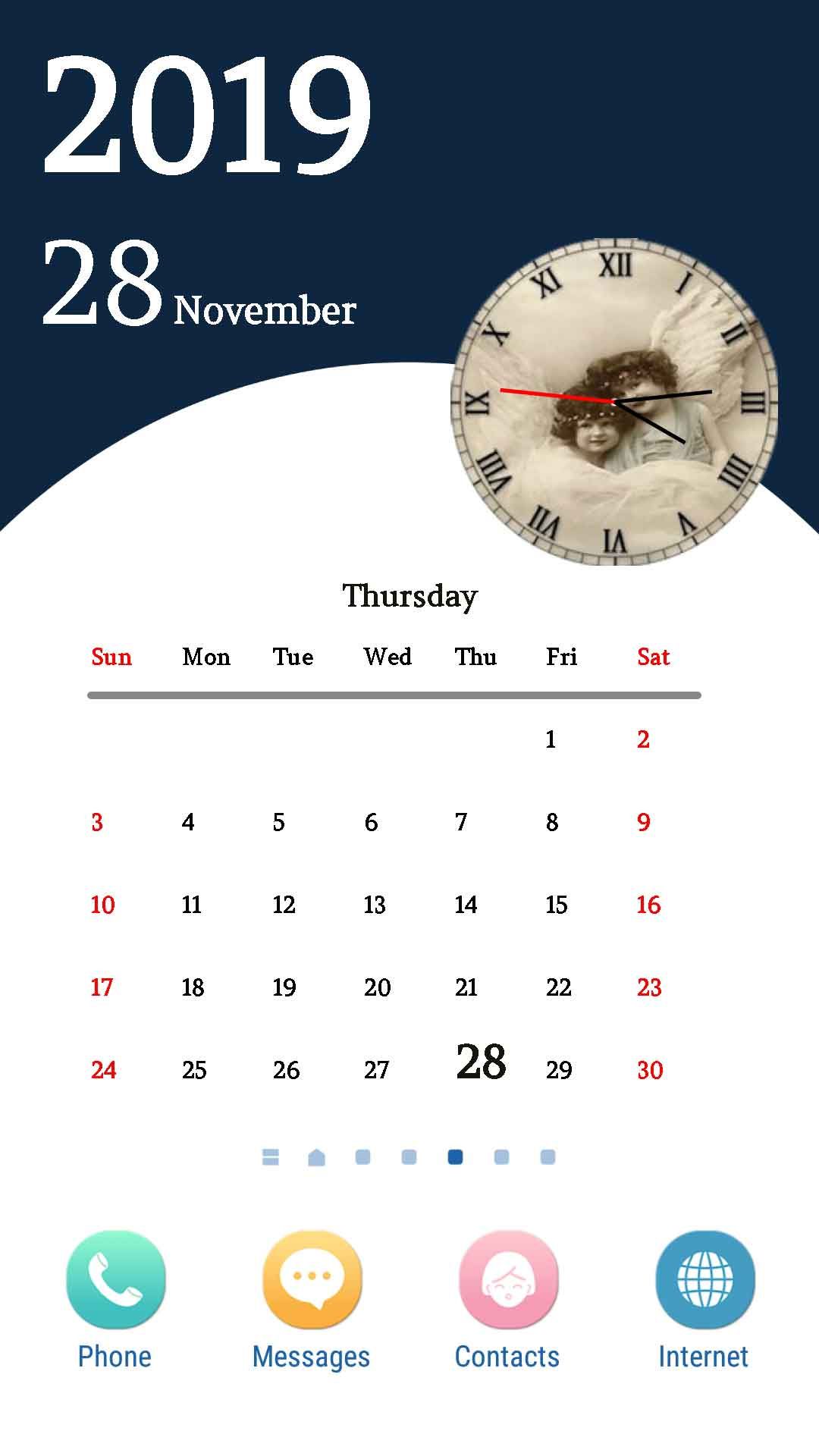
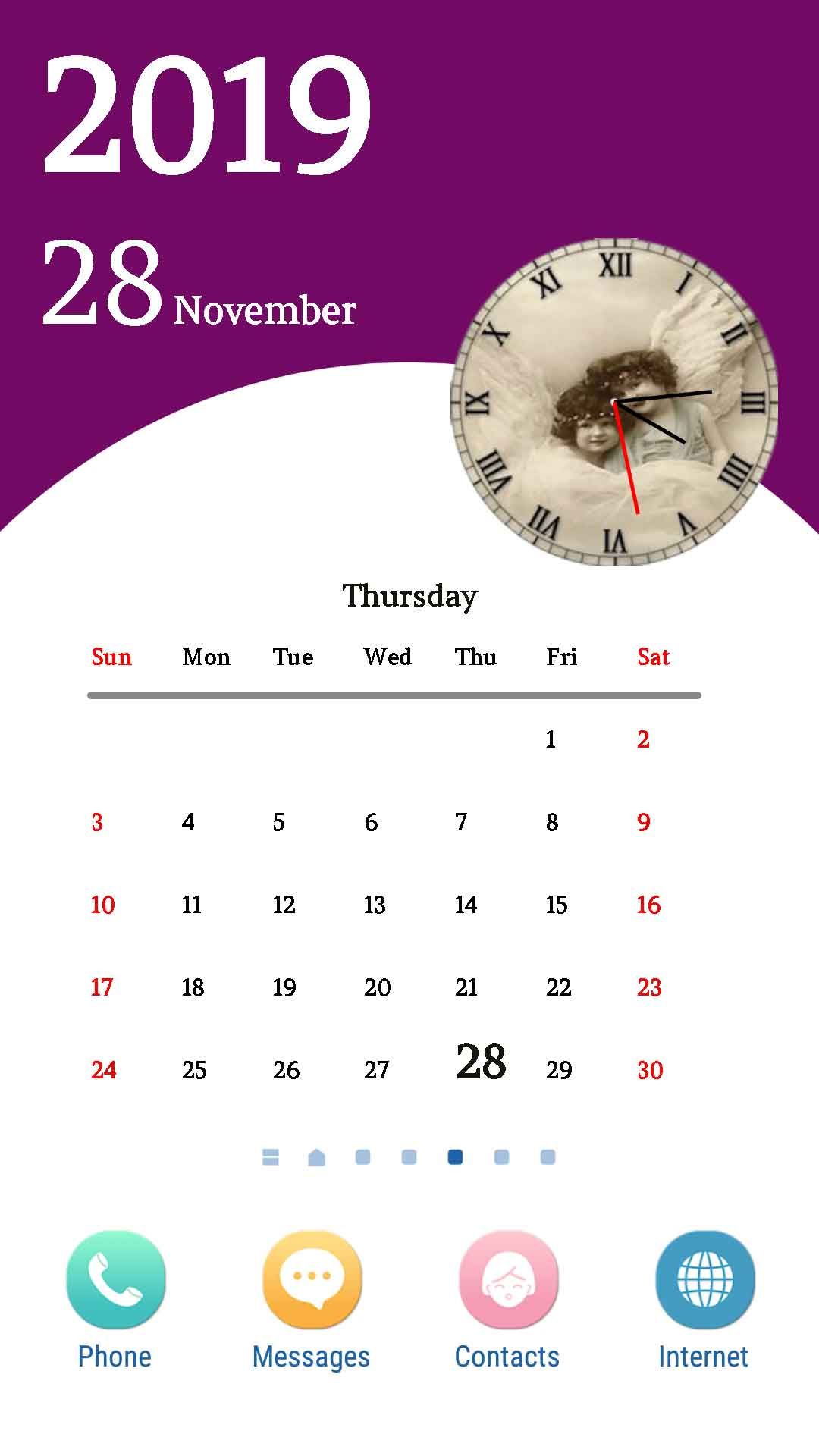
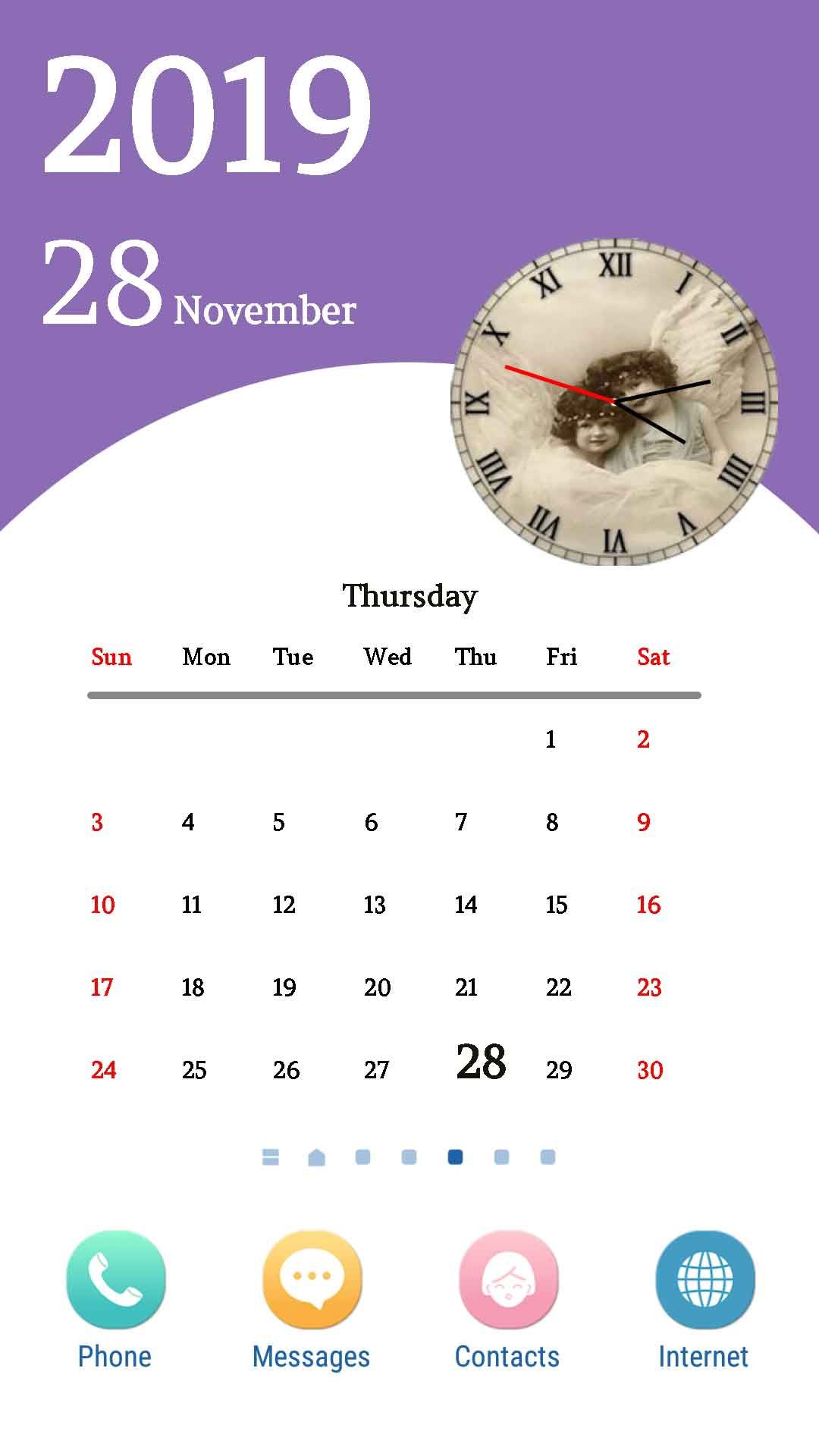
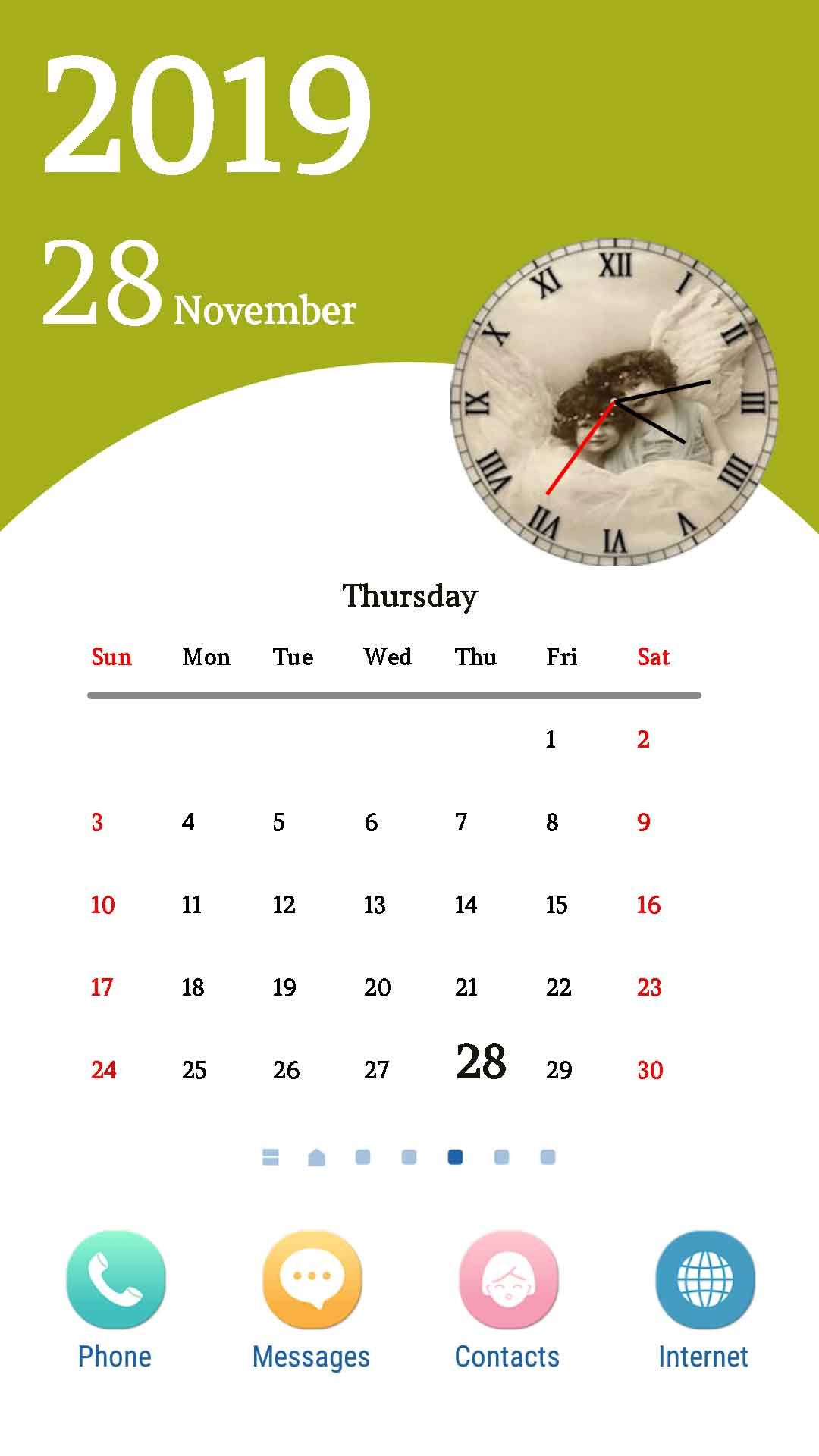
Ultimate Calendar Live Wallpaper is a complete, ready-to-publish Android live-wallpaper source code written in Java using Android Studio. Once applied to the home / lock screen, the wallpaper draws a beautiful full-month calendar grid (with today's date highlighted and weekends in red), large day / weekday / month / year typography, and a fully live analog clock whose hour, minute and second hands tick in real time. The user can open the in-app Settings screen to pick one of 10 clock-face dials, switch between 18 bundled fonts, hide the second hand or hide the analog clock completely. The entire wallpaper background is automatically re-tinted each month using a built-in 12-color palette (one HEX per month), so the look refreshes itself January through December - no user action required. With AdMob banner + interstitial + native ads already integrated, edge-to-edge modern UI, and zero runtime permissions, this is one of the fastest complete Android wallpaper apps to rebrand and upload to Google Play.
What end-users get:
- 📆 A real calendar on their home screen - the current day, weekday and month at a glance, every time they unlock the phone.
- 🕒 A live analog clock that actually ticks (hour / minute / second hands).
- 🎨 A customisation panel with 10 clock dials and 18 fonts - their wallpaper, their style.
- 🌈 An automatic seasonal color refresh every month - the home screen feels new without doing anything.
✨ Key Features
| Feature | What It Does |
|---|---|
| 📆 Full-Month Calendar Grid | Draws the entire current month (Sun-Sat) directly on the wallpaper. Today's date is highlighted in the monthly color, weekends are red, weekdays are black. |
| 🕒 Live Analog Clock | Custom AnalogClock view with real hour / minute / second hands, redrawn every 200ms (~5 fps) - smooth motion, low battery use. |
| 🎨 10 Clock-Face Dials | User picks from 10 PNG clock faces (clock_one.png … clock_ten.png) via a horizontal RecyclerView in Settings. Choice is persisted instantly. |
| 🔤 18 Bundled Fonts | 18 .ttf typefaces under assets/fonts/ with a built-in font picker. The selected font is applied to the calendar, the date, the weekday and the month name. |
| 🌈 Seasonal Monthly Tint | 12-color palette (one HEX per month) drives the wallpaper background tint, the "today" highlight and the weekday label - the look refreshes every month automatically. |
| 📅 Big Date Typography | Today's day number, full month name, weekday and year are drawn over the background in large bold type for instant readability. |
| ⚙️ In-App Settings Screen | Toggle the analog clock on/off, toggle the second hand on/off, pick the clock dial, pick the font - powered by Android PreferenceScreen + SharedPreferences. |
| 🖼 Native WallpaperService | Built on Android's native WallpaperService + SurfaceHolder + Canvas - applies to the home screen / lock screen via the standard system picker. |
| 📱 Edge-to-Edge Modern UI | Transparent status & navigation bars with proper WindowInsetsCompat padding - no toolbar / ad-banner clipping, matches 2026 Android design guidelines. |
| 💰 Google AdMob Integrated | Banner on the main preview screen, interstitial when the user taps "Set Wallpaper", and native advanced ad inside the Settings screen. All 4 IDs in one XML file. |
| 🔐 Zero Runtime Permissions | The app never asks for camera / microphone / contacts / storage / location / media - manifest declares only INTERNET, ACCESS_NETWORK_STATE and the wallpaper permissions. Clean Play data-safety form. |
| 🌍 Multi-Language Ready | All UI strings in strings.xml; the big month / weekday name use SimpleDateFormat which auto-localises to the device locale. Add a translation by dropping a new values-xx/ folder. |
| 🔄 Share / Rate / More Apps | Toolbar overflow menu with Share App, Rate us, More Apps (your developer page) and Privacy Policy - ready out of the box. |
| ⚡ Easy Reskin | Change package name, app name, launcher icon, AdMob IDs, monthly color palette, background image, clock dials and fonts in under an hour. |
| 📚 Detailed Documentation | Step-by-step README.md plus inline // RESKIN: code comments showing exactly what to change for a custom build. |
🕹️ How the App Works for the End User
- Open the app - the preview screen shows exactly how the calendar wallpaper will look.
- Tap Settings to pick one of 10 clock-face dials, switch among 18 fonts, and toggle the analog clock / second hand on or off.
- Tap Set Wallpaper - the system live-wallpaper picker opens with the calendar wallpaper pre-selected. Apply it to the home screen / lock screen.
- From now on the user sees the full month calendar, today's day / weekday / month / year, and a ticking analog clock every time they unlock their phone.
- When the month changes, the wallpaper re-tints itself with the next month's color - no action required.
🛠️ Technical Specifications
- Programming Language: Java 11
- IDE: Android Studio Ladybug (2024.2) or newer
- Build System: Gradle 9.4 · AGP 9.x · Version Catalog (
gradle/libs.versions.toml) - compileSdk / targetSdk: 36 (Android 16)
- minSdk: 24 (Android 7.0+) - covers ~98% of active Android devices
- UI: AndroidX AppCompat, Material, RecyclerView, CardView, ConstraintLayout
- Wallpaper engine: Android
WallpaperService+SurfaceHolder+Canvas - Drawing: Plain
Canvas/Paint/Bitmap(no GL) - Persistence:
SharedPreferences(default +PREF_WALL) - Layout helper:
sdp-android(scalable dp) - Permissions: INTERNET, ACCESS_NETWORK_STATE, SET_WALLPAPER, SET_WALLPAPER_HINTS, WRITE_SETTINGS (no runtime permissions)
- ABI splits: armeabi-v7a, arm64-v8a, x86, x86_64
- Backend: None - 100% offline app
- Monetisation: Google AdMob (banner + interstitial + native advanced, Mobile Ads SDK 23.x+)
- Output: APK and AAB (Android App Bundle) ready for Google Play
📦 What You Get In This Package
- ✅ Full Android Studio project with complete Java source code.
- ✅ All resources included: launcher icons (6 densities), 10 clock-face PNGs in
res/drawable/, 18.ttffonts inassets/fonts/, wallpaper background PNG, layouts, themes and colour palette. - ✅ Working live wallpaper service with full-month calendar + analog clock + monthly seasonal tint.
- ✅ Working preview activity with "Set Wallpaper" and "Settings" buttons.
- ✅ Working Settings activity with clock-dial picker, font picker, second-hand & analog-clock toggles.
- ✅ Working AdMob banner + interstitial + native advanced integration (Google Mobile Ads SDK 23.x+).
- ✅ Detailed README.md with rebrand, reskin and Google Play publish guide.
- ✅ Inline // RESKIN: code comments showing exactly where to change AdMob IDs, package name, app name, monthly color palette, background image, clock dials, fonts and privacy URL.
- ✅ Free future bug fixes.
⚡ Reskin & Publish on Google Play in Under an Hour
You can launch your own branded calendar live-wallpaper app on Google Play very quickly:
- Open the project in Android Studio & let Gradle sync.
- Change the package name &
applicationIdinapp/build.gradle(Refactor → Rename). - Replace the launcher icon via Image Asset Studio (PNG-only, no
mipmap-anydpi-v26/ic_launcher.xml). - Replace the wallpaper background: drop your own portrait PNG (recommended 1080×1920) over
res/drawable/blank_screen.png- this single file drives both the preview and the live wallpaper. - Edit the 12 HEX values in
colorMonthArray[]at the top ofClockWallpaperService.javato your own monthly palette. - (Optional) Replace the 10 clock dials by dropping new square PNGs over
clock_one.png…clock_ten.pnginres/drawable/. - (Optional) Replace the fonts by dropping new
.ttffiles with the same names intoassets/fonts/. - Edit 4 strings in
res/values/strings.xmlto set your own AdMob App ID, Banner, Interstitial and Native IDs. - Paste your hosted Privacy Policy URL into
Constant.PRICACY_POLICY_URL. - Generate a signed AAB and upload to Google Play Console.
💡 No advanced coding required for the basic rebrand - everything important lives in resource files or in clearly-marked // RESKIN: blocks in code. Just search the project for RESKIN to jump to every touch-point.
🎯 Perfect For
- Indie Android developers who want a complete live-wallpaper source code.
- App resellers and reskin agencies who need a quick Google Play launch.
- Personalisation / launcher brands extending their lineup with a calendar + clock wallpaper.
- Productivity brands - put a real calendar on the user's home screen.
- Beginners learning Android Studio with a real-world Java live-wallpaper project (WallpaperService, SurfaceHolder, Canvas drawing, Bitmap tint, PreferenceScreen, SharedPreferences).
- Educators teaching Android
WallpaperService, AdMob integration (banner + interstitial + native), edge-to-edge UI, and modernWindowInsetsCompat.
📋 Requirements
- Android Studio Ladybug (2024.2) or newer
- JDK 17+ (auto-provisioned by Android Studio / Gradle)
- Android SDK 36 installed
- A test device or emulator running Android 7.0+ (API 24+)
- An AdMob account for ad monetisation (optional)
🏷️ Tags
android source code, calendar live wallpaper, live wallpaper android, analog clock wallpaper, monthly calendar wallpaper, wallpaper app source code, android studio project, java wallpaper app, wallpaperservice android, surfaceholder canvas, live clock wallpaper, complete android app, reskin android app, admob integrated app, native ad android, google play ready, offline android app, edge to edge android, personalisation app, home screen calendar.
💬 Support
Need help with rebranding, publishing or adding a new feature (e.g. weather overlay, world-clock dual time, in-app purchase to unlock extra dials, holiday markers on the calendar)? Send us a message and we will be happy to help. Free updates and bug fixes are included.
Launch Your Own Calendar Live Wallpaper App Today 🚀
Buy once, brand it, publish it on Google Play. No subscriptions, no hidden costs.
Android, Google Play, AdMob and the Android robot are trademarks of Google LLC.
Features
- 📆 Full-Month Calendar Grid - draws the entire current month (Sun-Sat) on the wallpaper; today highlighted, weekends in red.
- 🕒 Live Analog Clock - real hour / minute / second hands, redrawn every 200ms for smooth motion and low battery use.
- 🎨 10 Clock-Face Dials - horizontal picker in Settings, choice persisted instantly.
- 🔤 18 Bundled Fonts - built-in font picker applied to calendar, date, weekday and month name.
- 🌈 Seasonal Monthly Color Tint - 12-color palette (one HEX per month) auto-refreshes the wallpaper every month.
- 📅 Big Date Typography - today's day, weekday, month and year drawn in large bold type.
- ⚙️ In-App Settings Screen - toggle analog clock, toggle second hand, pick dial, pick font (PreferenceScreen + SharedPreferences).
- 🖼 Native WallpaperService Engine - built on Android
WallpaperService+SurfaceHolder+Canvas. - 📱 Edge-to-Edge Modern UI - transparent status & navigation bars with proper
WindowInsetsCompatpadding. - 💰 Google AdMob Integrated - banner, interstitial and native advanced ads, all 4 IDs in one XML file.
- 🔐 Zero Runtime Permissions - no camera, mic, contacts, storage or location requests; clean Play data-safety form.
- 🌍 Multi-Language Ready - all strings in
strings.xml; month/weekday auto-localised viaSimpleDateFormat. - 🔄 Share / Rate / More Apps / Privacy - toolbar overflow menu wired and ready.
- ⚡ Easy Reskin - change package name, app name, launcher icon, AdMob IDs, monthly palette, background, dials and fonts in under an hour.
- 📚 Detailed Documentation - step-by-step
README.mdplus inline// RESKIN:code comments. - 🛠️ Modern Build System - Gradle 9.4, AGP 9.x, Version Catalog (
libs.versions.toml), compileSdk 36, minSdk 24. - 📦 APK & AAB Output - signed Android App Bundle ready for Google Play upload.
- 🌐 100% Offline - no backend, no server, no API keys required (besides AdMob).
Requirements
📋 Requirements to Set Up & Build the App
- Android Studio: Ladybug (2024.2.1) or newer - recommended Narwhal / Koala or any 2025+ release.
- JDK: 17 or higher (auto-provisioned by Android Studio & Gradle daemon).
- Gradle: 9.4+ (project ships with Gradle Wrapper, no manual install needed).
- Android Gradle Plugin (AGP): 9.x (already configured in
libs.versions.toml). - Android SDK Platform: API 36 (Android 16) installed via SDK Manager.
- Android SDK Build-Tools: 36.0.0 or newer.
- Minimum device / emulator: Android 7.0 (API 24) or higher - real device strongly recommended for live-wallpaper preview.
- Internet connection: required for the first Gradle sync (downloads dependencies) and for AdMob ad requests at runtime.
- Google AdMob account: optional - needed only if you want real ad revenue. The project ships with Google's official test ad IDs so the app builds & runs out of the box.
- Google Play Console account: optional - needed only when you are ready to publish your reskinned app (one-time $25 fee).
- Disk space: ~6 GB free (Android Studio + SDK + Gradle caches + project build).
- RAM: 8 GB minimum, 16 GB recommended for smooth Gradle builds & emulator use.
- Operating System: Windows 10/11, macOS 12+, or any modern 64-bit Linux distro.
Instructions
🛠️ Setup & Build Instructions
-
Install prerequisites
- Download & install Android Studio Ladybug (2024.2.1) or newer.
- During first launch, open Tools → SDK Manager and install Android SDK Platform 36 and Build-Tools 36.0.0+.
- Make sure JDK 17+ is selected under File → Settings → Build Tools → Gradle → Gradle JDK (Android Studio bundles one).
-
Unzip the source code
Extract the purchased ZIP to a folder without spaces, e.g.
C:projectscalendar-wallpaper(Windows) or~/projects/calendar-wallpaper/(macOS / Linux). -
Open the project in Android Studio
Choose File → Open… and select the extracted root folder (the one that contains
settings.gradleandgradle/libs.versions.toml). Click Trust Project when prompted. -
Let Gradle sync
Android Studio will automatically download Gradle 9.4, AGP 9.x and all dependencies from Google & Maven Central. First sync needs an internet connection and takes 2-5 minutes.
-
(Optional) Add your AdMob IDs
Open
app/src/main/res/values/strings.xmland replace the 4 test ad units (admob_app_id,banner_id,interstitial_id,native_id) with your own AdMob IDs. Skip this step to keep test ads while developing. -
Connect a device or start an emulator
Plug in a real Android phone (USB debugging ON, Android 7.0+) - recommended for live-wallpaper testing - or create an emulator via Device Manager using an API 24+ system image.
-
Run the app
Click the green ▶️ Run 'app' button (or press Shift+F10). The preview screen will open. Tap Set Wallpaper → the system picker opens → tap Set wallpaper → choose Home / Lock / Both.
-
Test the Settings screen
Back in the app, tap Settings to verify the clock-dial picker, font picker, second-hand toggle and analog-clock toggle all work.
-
Reskin (optional)
Search the project for
// RESKIN:comments and theREADME.md"Reskinning Guide" section to change package name, app name, launcher icon, monthly color palette, background image, clock dials and fonts. -
Build a release APK / AAB
- Generate a signing key once via Build → Generate Signed App Bundle / APK… → Create new…
- Pick Android App Bundle (.aab) for Google Play, or APK for direct install / testing.
- Choose the release build variant and click Finish. The signed file appears under
app/release/.
-
Publish to Google Play
Create an app in Google Play Console, upload the signed AAB, fill in the Data Safety form (no runtime permissions needed - declare only INTERNET), add screenshots from your test device, and roll out to production.
💡 Tip: Live wallpapers do not render reliably in the Android emulator's wallpaper picker. Always test the Set Wallpaper flow on a real device.
Other items by this author












|
Android App Reskin Service
Have your App reskinned to meet your needs.
|
$199 | Buy now |
| Category | App Templates / Android / Applications / Utility |
| First release | 29 November 2019 |
| Last update | 18 May 2026 |
| Operating Systems | Android 7.0, Android 8.0, Android 9.0, Android 10.0, Android 11.0, Android 12.0, Android 4.0, Android 5.0, Android 6.0 |
| Files included | .html, .apk, .java, .xml |
| Tags | android source code, android studio project, admob integrated app, complete android app, reskin android app, google play ready, offline android app, edge to edge android, calendar live wallpaper, live wallpaper android, analog clock wallpaper, monthly calendar wallpaper, wallpaper app source code, java wallpaper app, wallpaperservice android, surfaceholder canvas, live clock wallpaper, native ad android, personalisation app, home screen calendar. |