Somnia – Dream Interpretation Webapp With AISomnia – Dream Interpretation Webapp With AI
AI-powered dream interpretation web app with personalized analysis and dream journal tracking
Somnia – Dream Interpretation Webapp With AI
AI-powered dream interpretation web app with personalized analysis and dream journal tracking
Screenshots
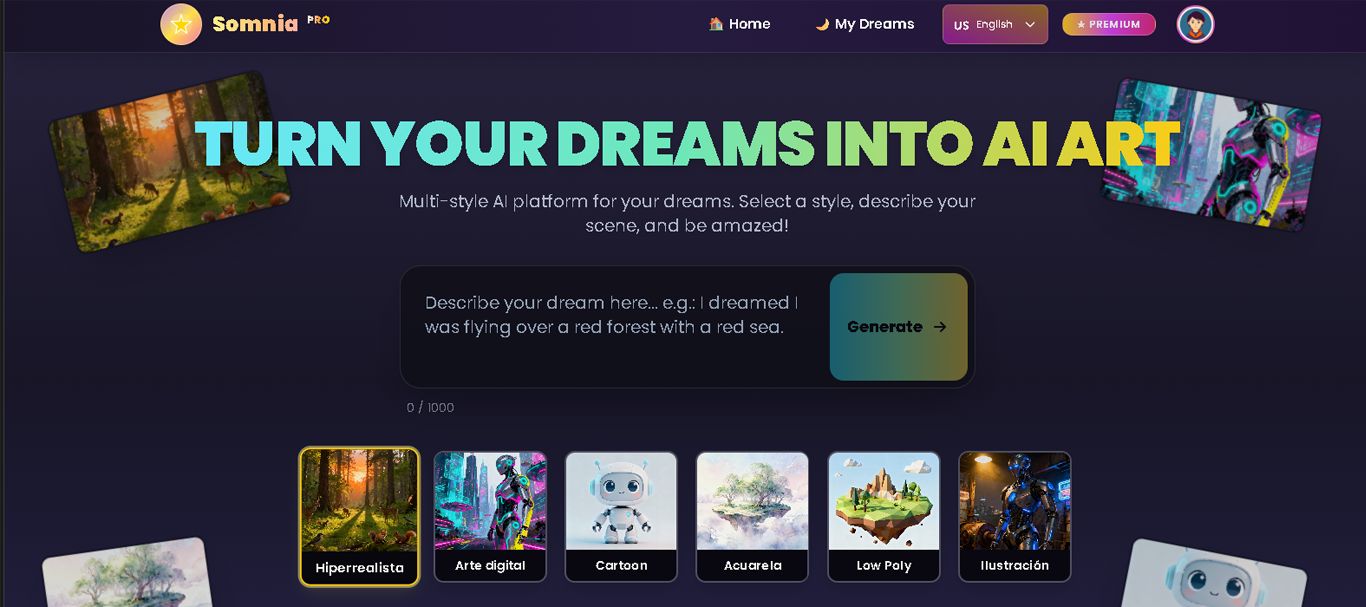


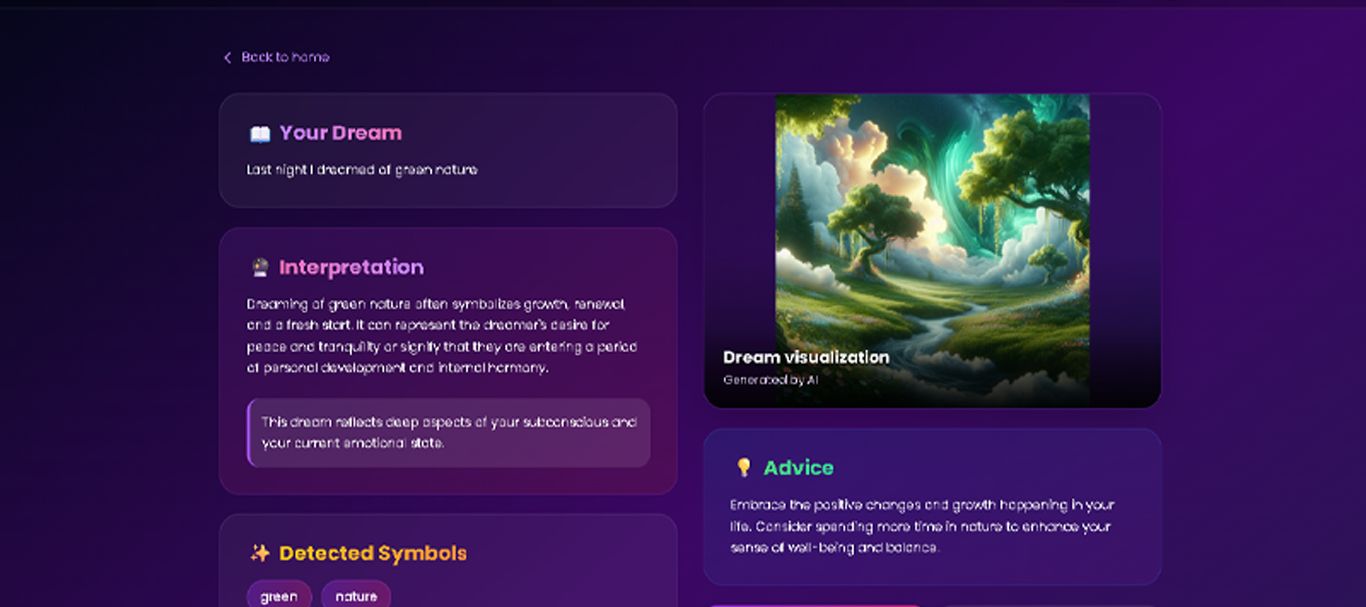
Overview
Somnia is a web application built with Vue.js, designed for anyone interested in understanding the meaning of their dreams in a simple and guided way. Users can record their dreams and receive automated interpretations powered by artificial intelligence.
The design is modern and intuitive, ensuring each interaction is smooth and pleasant. The app includes email authentication, a personal dashboard, and a history section to review all your previously interpreted dreams.
Demo online:
https://somnia-gilt.vercel.app/
I invite you to explore Somnia and see everything it has to offer!
Features
• AI-powered dream interpretation with personalized analysis
• Secure dream journal to log and organize your dreams
• Pattern recognition to identify recurring themes and symbols
• Symbol dictionary with extensive meanings and explanations
• User-friendly interface designed for mobile and desktop
• Privacy-focused with encrypted data storage
• Search functionality to find specific dreams or symbols
• Monthly insights and statistics about your dream patterns
• Export your dream journal data
• Responsive design that works on all devices
Requirements
- Modern web hosting (supports static site hosting like Vercel, Netlify, Firebase Hosting, etc.)
- Node.js (version 14 or higher) for building the project
- npm or yarn to install dependencies
- (Optional) Your own Firebase and OpenAI API keys for full functionality
- Modern web browser
Instructions
1. Download and unzip the project files.
2. Inside the main folder, run `npm install` to install all dependencies.
3. Set up your own Firebase project and add your Firebase config to the app (see README for details).
4. (Optional) Add your OpenAI API key for AI dream interpretation features.
5. Start the development server with `npm run dev`.
6. For deployment, build the project with `npm run build` and upload the contents of the `/dist` folder to your chosen static hosting service.
7. The code is fully commented for easy customization!
Other items by this author







| Category | Scripts & Code / NodeJS |
| First release | 6 November 2025 |
| Last update | 6 November 2025 |
| Files included | .css, .html, .less, .ai, .xml |
| Tags | web app, psychology, ai powered, mental wellness, pattern recognition, dream interpretation, ai dreams, dream journal, dream analysis, sleep tracking, dream meaning, subconscious, personal insights, dream symbols, dream diary |