Glow Platform - Fashion Outfit Rating PlatformGlow Platform - Fashion Outfit Rating Platform
Glow Platform - Fashion Outfit Rating & Review System Short Video
Glow Platform - Fashion Outfit Rating Platform
Glow Platform - Fashion Outfit Rating & Review System Short Video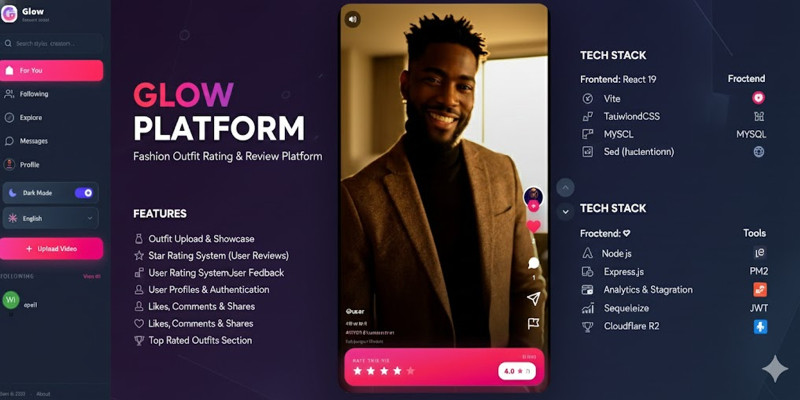
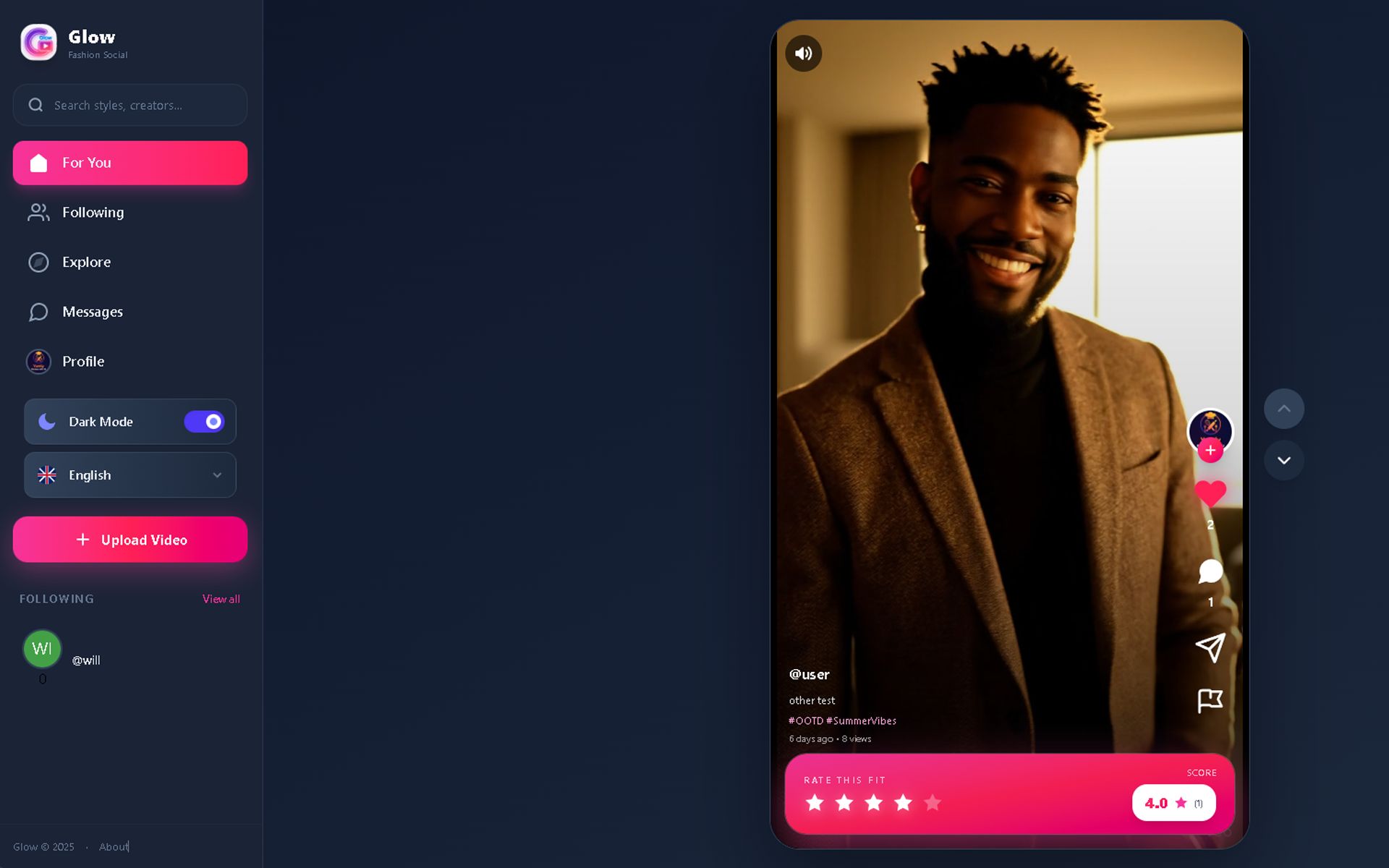
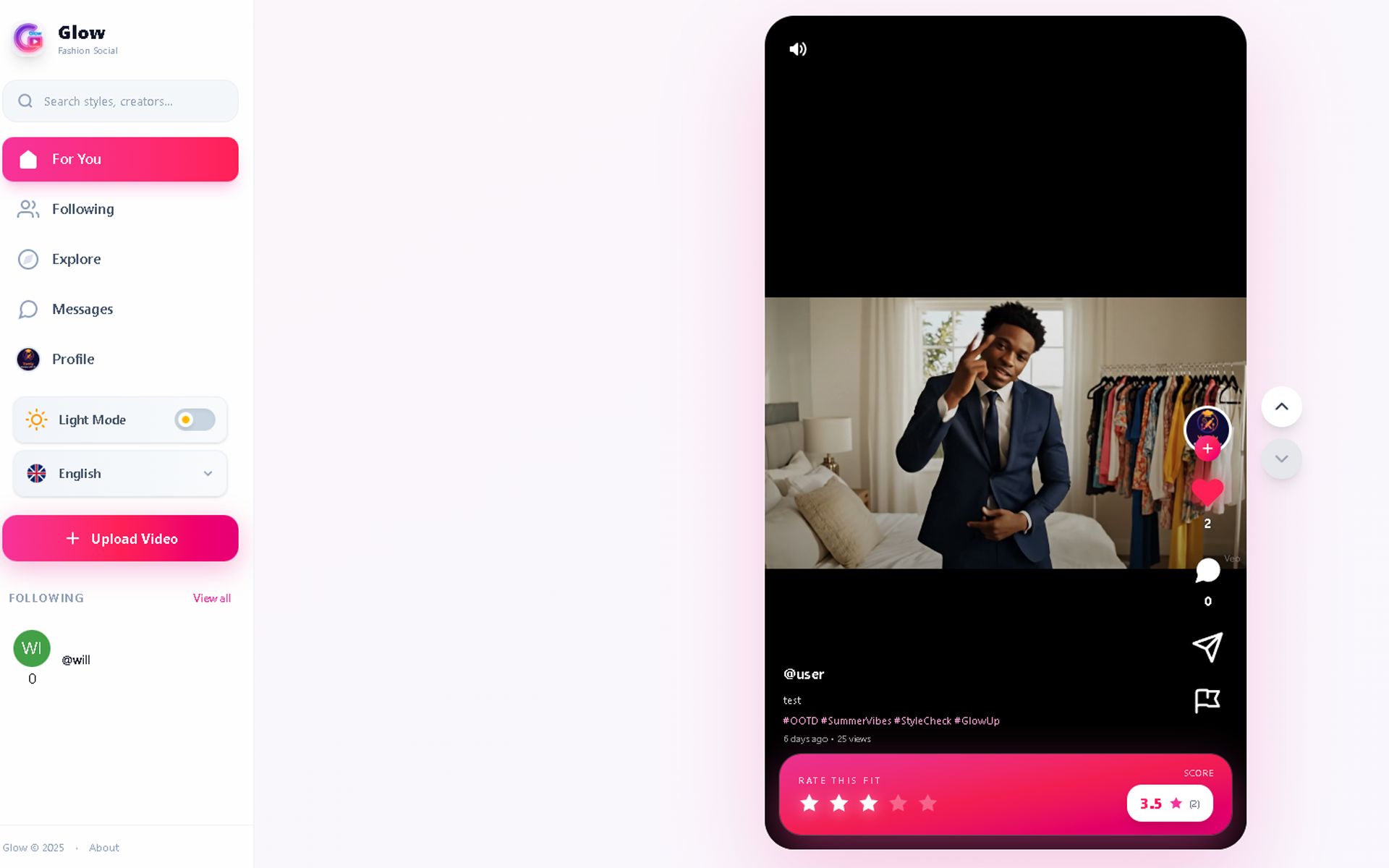
Screenshots
Overview
Glow - Short Video Fashion Platform
Glow is a modern short-video platform designed for fashion enthusiasts. Users can upload their outfit videos and receive ratings from the community through stars and reviews.
Live Demo:
Key Features:
- Upload and share short fashion videos
- Rate outfits with star ratings and reviews
- Discover trending styles and fashion content
- User authentication and profiles
- Video streaming and playback
- Interactive community engagement
- Responsive design for mobile and desktop
Technology Stack:
- Frontend: React.js with Vite
- Backend: Node.js with Express
- Database: MySQL
- Real-time: Socket.io
- Authentication: JWT tokens
What's Included:
- Complete source code (Client & Server)
- Database schema and migrations
- Documentation for installation
- Ready for deployment
- Admin panel included
Perfect for entrepreneurs looking to launch a fashion-focused social media platform or developers who want to learn full-stack video streaming applications.
Features
Features:
- User Authentication - Login and registration system with JWT tokens
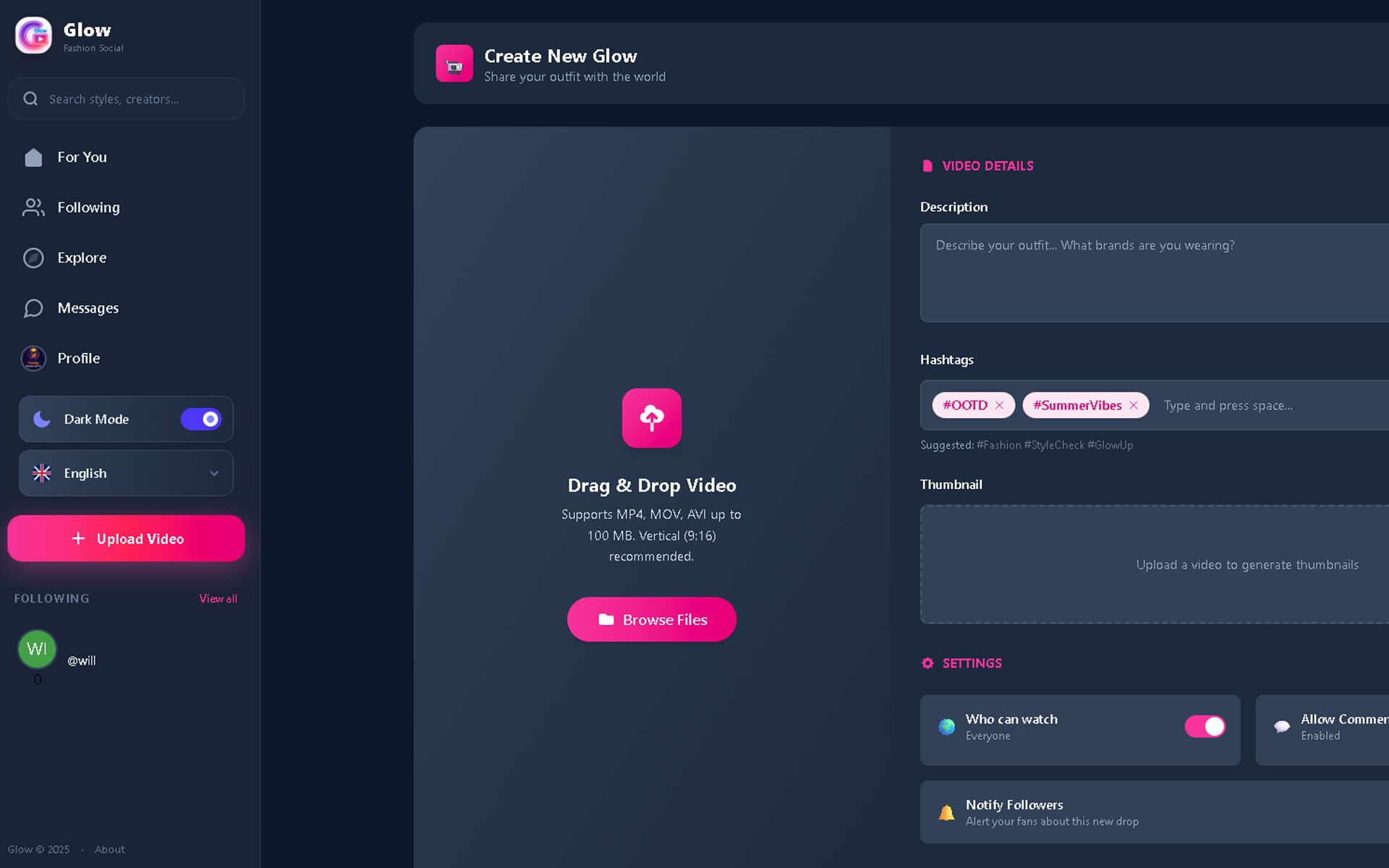
- Upload Videos - Users can upload short videos with titles, descriptions, and hashtags
- Video Feed - TikTok-style infinite scrolling video feed (swipe up/down or mouse wheel)
- Star Rating System - Users can rate videos with 1-5 star ratings
- Like System - Like/unlike videos with double-tap or button click
- Comments - Comment on videos and view all comments
- Follow System - Follow/unfollow other users and see following feed
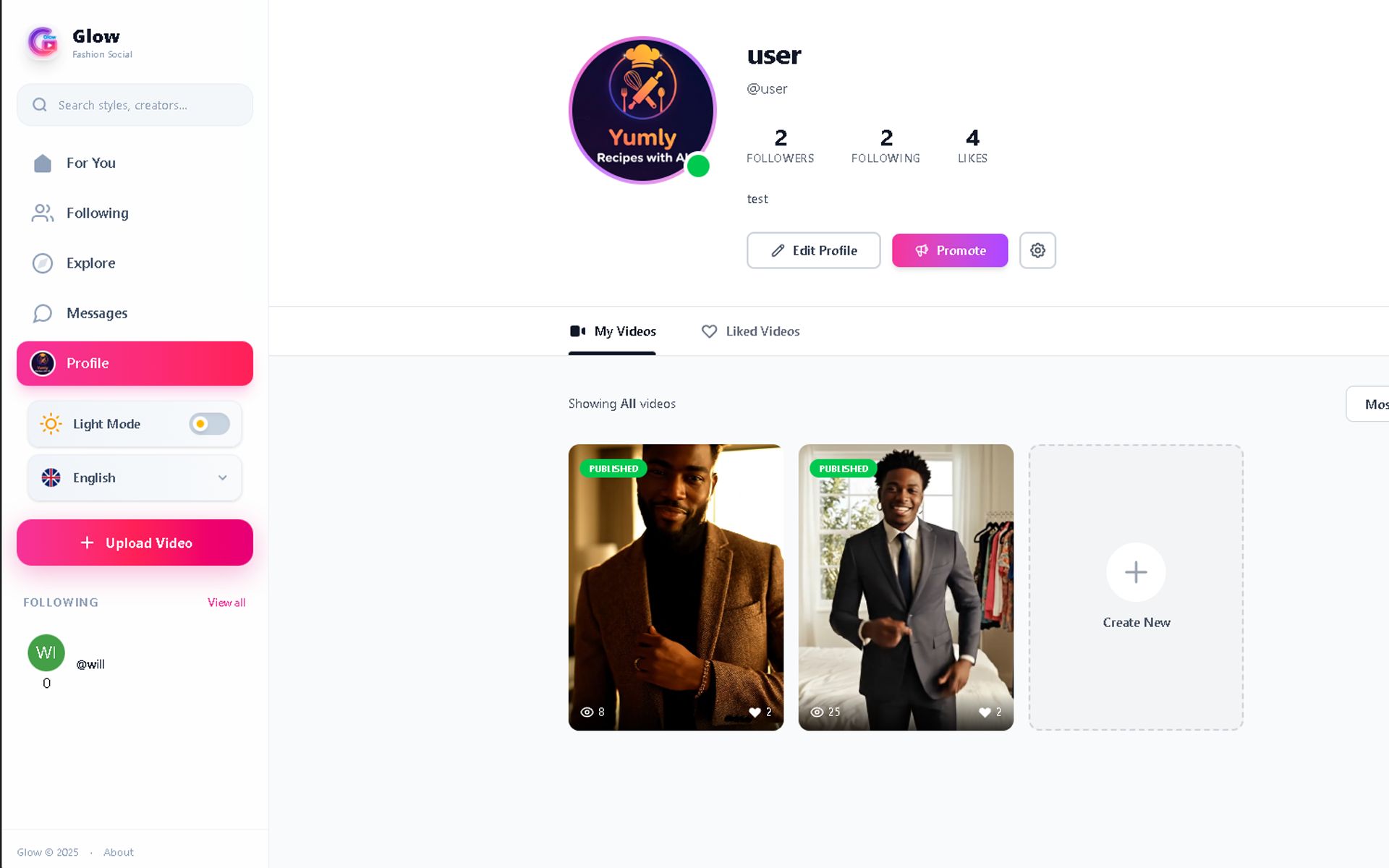
- User Profiles - View user profiles with their videos, followers, and following count
- Edit Profile - Users can edit their profile picture, bio, username, and contact info
- Search & Explore - Search for users and videos, explore trending content
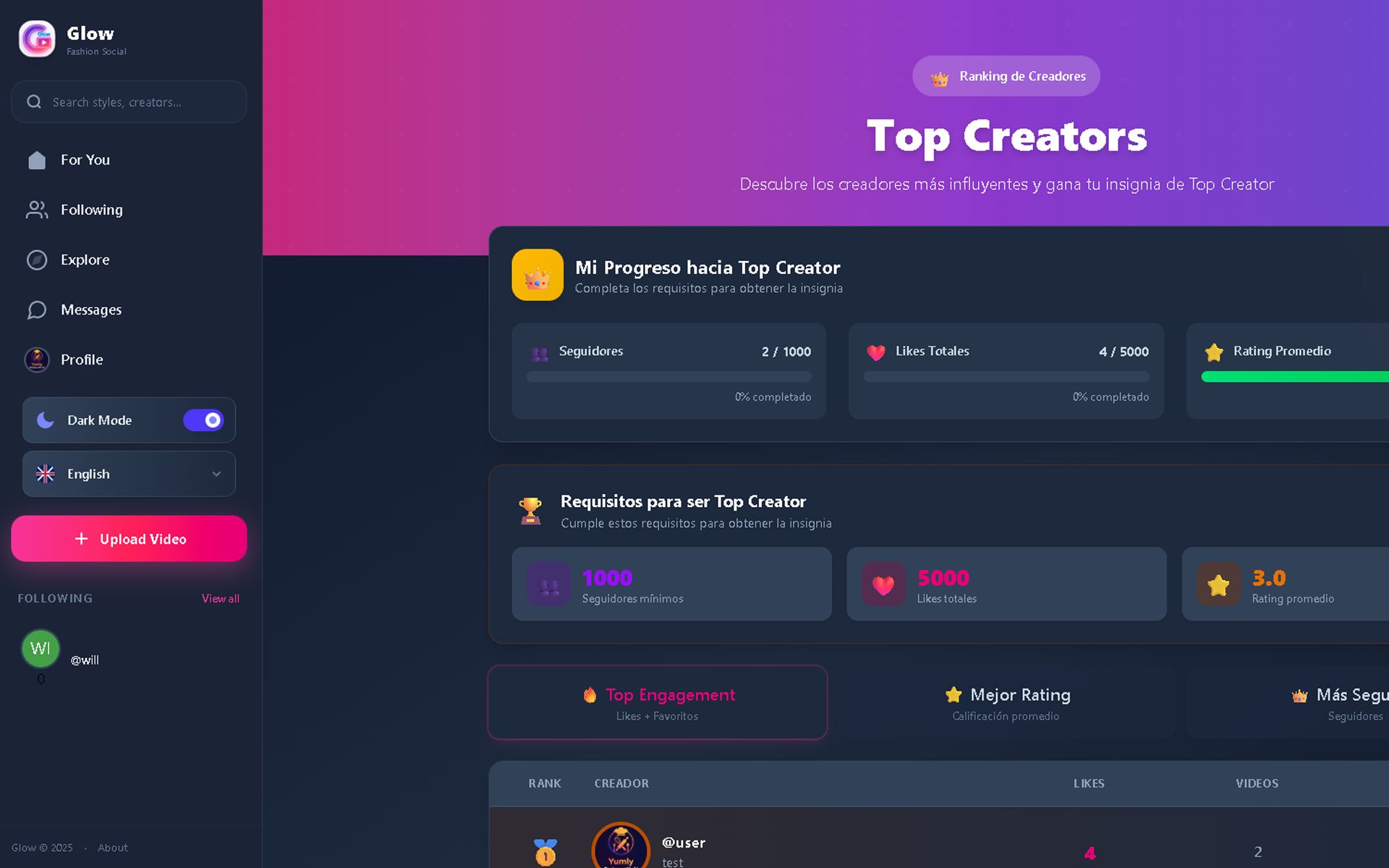
- Top Creators - Leaderboard showing top users by followers, likes, and ratings
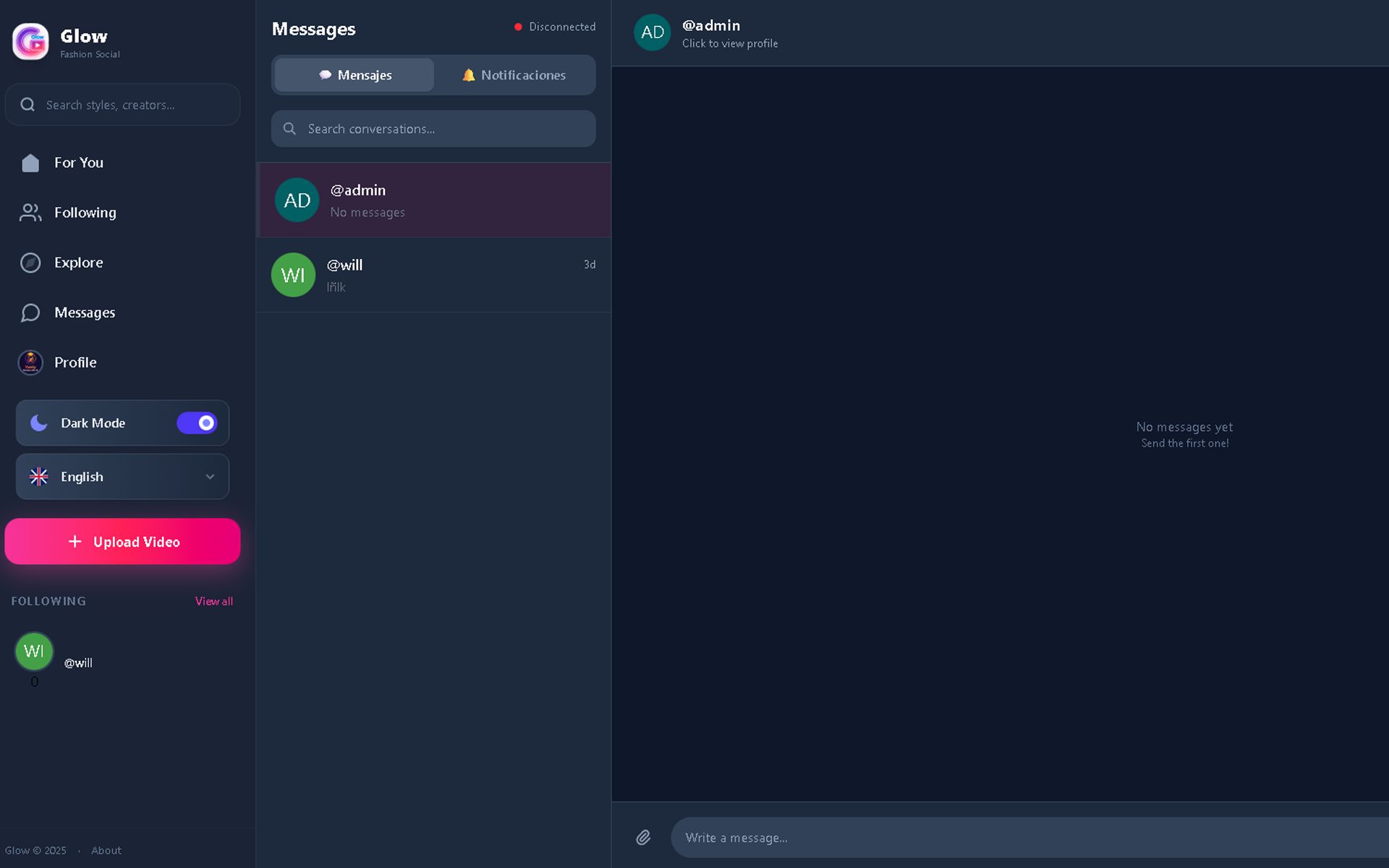
- Direct Messaging - Real-time chat system between users (Socket.io)
- Share Videos - Share videos with copy link functionality
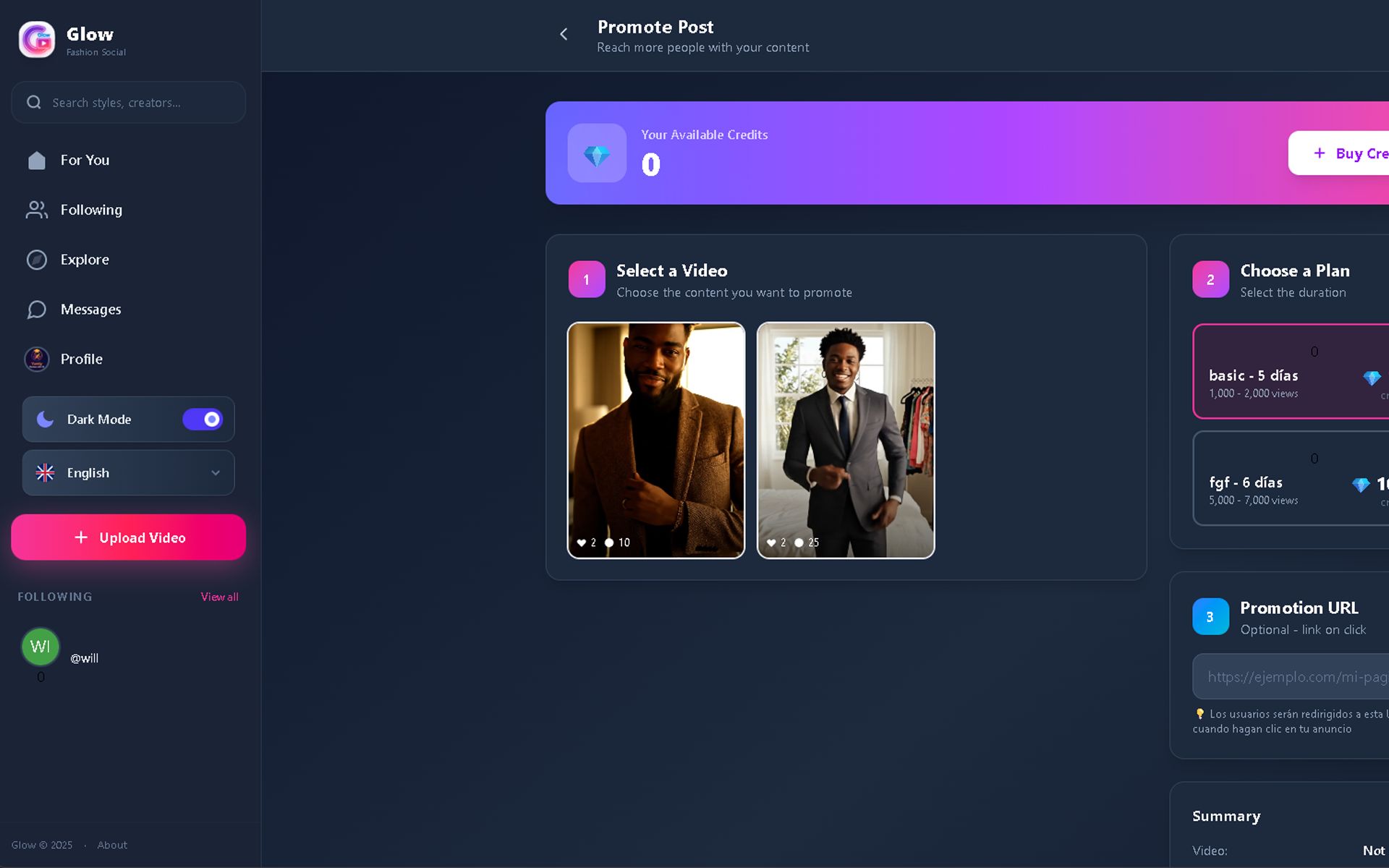
- Promoted Videos - Users can promote their videos to appear in feed (credits system)
- Buy Credits - Purchase credits via PayPal for video promotion
- Report System - Report inappropriate videos or users
- Video Player Controls - Play/pause, mute/unmute, volume control, progress bar
- Responsive Design - Works on desktop and mobile devices
- Multi-language Support - English, Spanish, and more languages
Admin Panel:
- Dashboard - Statistics overview (users, videos, revenue)
- Manage Users - View, edit, delete, verify, and ban users
- Manage Videos - Moderate videos, approve/reject content
- Manage Reports - Review and handle user reports
- Top Users Management - Manually set featured top creators
- Promoted Videos - Manage and approve video promotions
- PayPal Settings - Configure PayPal API for payments
- General Settings - Configure site name, logo, favicon, contact info
- Promotion Settings - Set pricing for video promotions and credit packages
- Web Settings - Configure terms of service, privacy policy, and about pages
Requirements
Requirements:
Server Requirements:
- Node.js: Version 18.x or higher
- MySQL: Version 8.0 or higher
- Operating System: Windows, Linux, or macOS
- Disk Space: Minimum 1GB for application + additional space for video storage
- RAM: Minimum 2GB (4GB recommended for production)
- PHP: Not required (Node.js backend)
Browser Compatibility (Client):
- Google Chrome (Latest version)
- Mozilla Firefox (Latest version)
- Safari (Latest version)
- Microsoft Edge (Latest version)
- Mobile browsers (iOS Safari, Chrome Mobile)
Dependencies:
Backend (Node.js):
- express - Web framework
- mysql2 - MySQL database driver
- bcrypt - Password hashing
- jsonwebtoken - JWT authentication
- multer - File upload handling
- socket.io - Real-time messaging
- cors - Cross-origin resource sharing
- dotenv - Environment variables
Frontend (React):
- React 19.x - UI library
- Vite - Build tool and dev server
- React Router DOM - Client-side routing
- Axios - HTTP client
- Socket.io-client - Real-time client
- TailwindCSS - CSS framework
Third-Party Services (Optional):
- PayPal API: For credit purchases and payments (optional, can be configured in admin panel)
Installation Requirements:
- NPM (Node Package Manager) - Included with Node.js
- Git (Optional) - For version control
- Code Editor - VS Code, Sublime Text, or any preferred editor
Instructions
Installation Instructions:
Step 1: Extract Files
Extract the downloaded ZIP file to your desired location on your server or local machine.
Step 2: Database Setup
- Create a new MySQL database (e.g.,
glow) - Import the database schema (if SQL file is provided) or the migrations will run automatically
- Note your database credentials (host, username, password, database name)
Step 3: Server Configuration
- Navigate to the
serverfolder - Copy
.env.exampleto.env - Open
.envand configure the following:- DB_HOST: Your MySQL host (usually
localhost) - DB_USER: Your MySQL username
- DB_PASSWORD: Your MySQL password
- DB_NAME: Your database name (e.g.,
glow) - JWT_SECRET: Change to a random secure string
- CLIENT_URL: Your frontend URL (e.g.,
http://localhost:5173)
- DB_HOST: Your MySQL host (usually
- Install dependencies:
npm install - Run migrations (if needed):
npm run migrate - Start the server:
npm start(production) ornpm run dev(development)
Step 4: Client Configuration
- Navigate to the
clientfolder - Open
src/utils/config.js - Update
API_URLto your server URL (e.g.,http://localhost:5000) - Install dependencies:
npm install - Start the development server:
npm run dev - For production:
npm run build(this creates adistfolder)
Step 5: Access the Application
- Frontend: Open your browser and navigate to
http://localhost:5173(development) - Backend API: Server runs on
http://localhost:5000 - Admin Panel: Access via
/adminroute in the frontend
Step 6: Create Admin Account
Register a new user account through the application, then manually update the user's role to admin in the MySQL database (users table).
Step 7: Configure Settings (Optional)
Login to the admin panel to configure:
- General settings (site name, logo, contact info)
- PayPal API credentials (for credit purchases)
- Promotion pricing and packages
- Terms of service, privacy policy, and about pages
Production Deployment:
- Build the client:
npm run buildin theclientfolder - Deploy the
distfolder to your web server (Apache, Nginx, etc.) - Run the Node.js server using PM2 or similar process manager
- Configure reverse proxy (Nginx/Apache) to handle the backend API
- Set up SSL certificate for HTTPS
Update History
version 1.0.0 - 24 December, 2024
- - Initial release of Glow platform
- - User authentication system with JWT tokens
- - Video upload functionality with title, description, and hashtags
- - TikTok-style video feed with infinite scrolling
- - Star rating system (1-5 stars)
- - Like and unlike videos with double-tap support
- - Comment system for videos
- - Follow/unfollow users functionality
- - User profiles with video gallery
- - Edit profile with avatar, bio, and contact info
- - Search and explore page
- - Top creators leaderboard
- - Real-time direct messaging with Socket.io
- - Video sharing with copy link
- - Promoted videos system
- - Credits purchase via PayPal
- - Report system for videos and users
- - Video player controls (play/pause, mute, volume, progress)
- - Responsive design for mobile and desktop
- - Multi-language support (English, Spanish, and more)
- - Complete admin panel with dashboard
- - User management (edit, delete, verify, ban)
- - Video moderation and management
- - Reports management system
- - Top users manual management
- - Promoted videos approval system
- - PayPal API configuration
- - General settings (logo, favicon, contact)
- - Promotion pricing configuration
- - Web content management (terms, privacy, about)