WP Optimal State PROWP Optimal State PRO
Advanced optimization and cleaning plugin: It cleans your database, optimizes tables, backs up database, and enables page caching. Recently Updated
WP Optimal State PRO
Advanced optimization and cleaning plugin: It cleans your database, optimizes tables, backs up da...
Screenshots

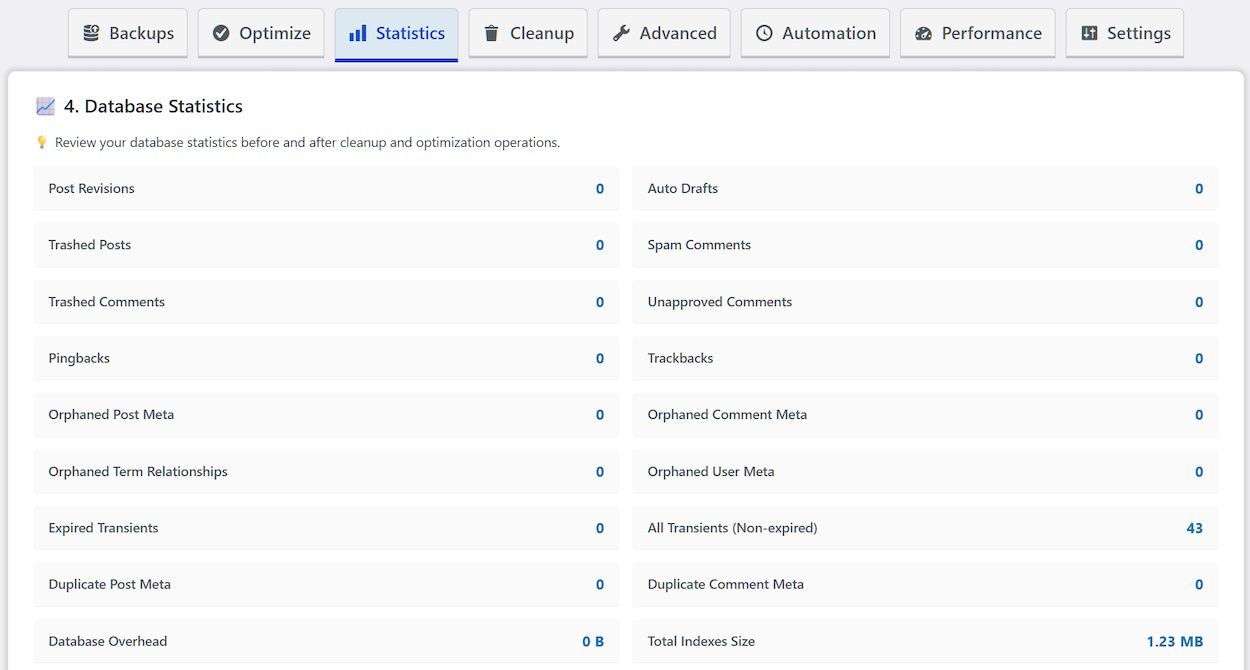
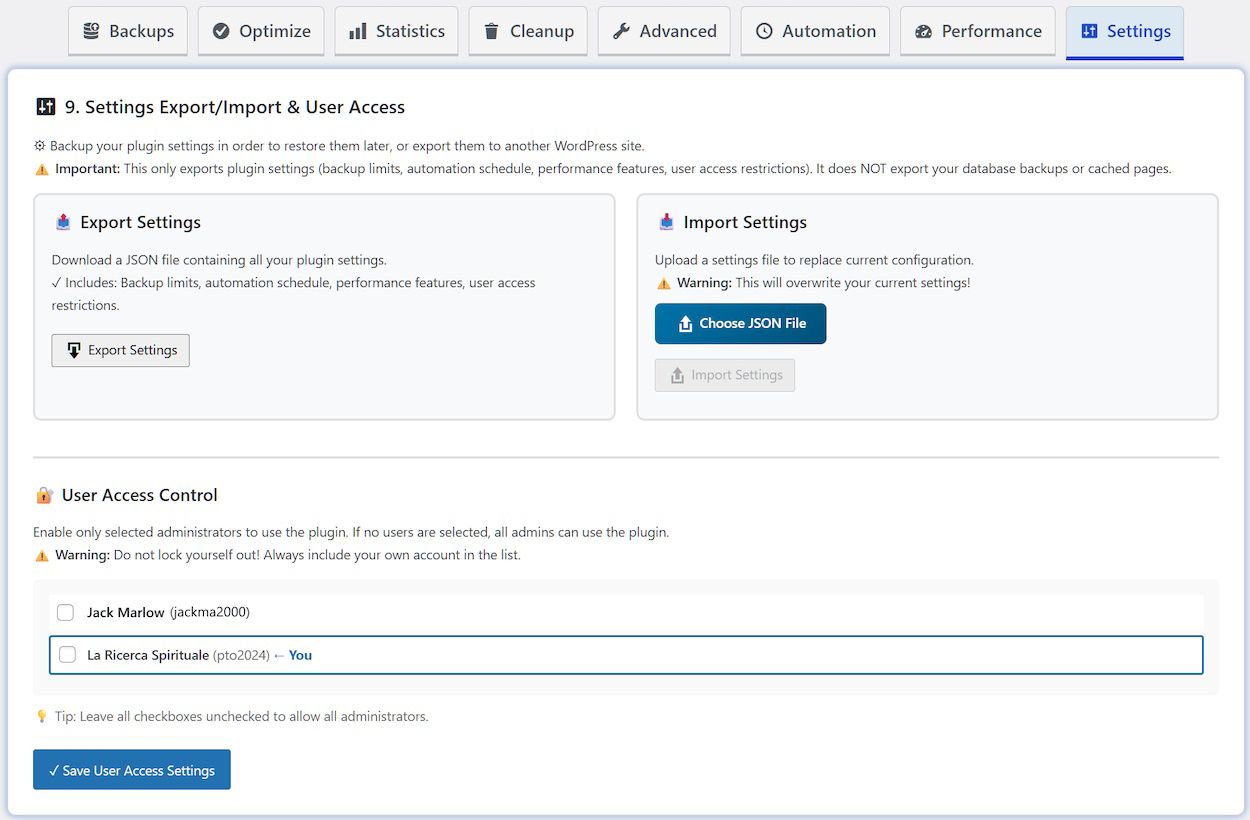
Overview
Transform your WordPress site into a lean, high-performance machine with WP Optimal State Pro. This all-in-one optimization suite combines professional-grade database maintenance, intelligent backup management, and advanced caching systems into a single powerful plugin.
Why Your Database Needs WP Optimal State Pro
Every WordPress site naturally accumulates digital clutter over time. Draft revisions multiply with each save, spam comments pile up, orphaned metadata lingers after content deletion, and expired temporary data remains in your database. This accumulation degrades site speed, inflates hosting storage, and impacts overall performance.
WP Optimal State Pro tackles these issues head-on with a sophisticated yet user-friendly approach to database maintenance.
Core Capabilities
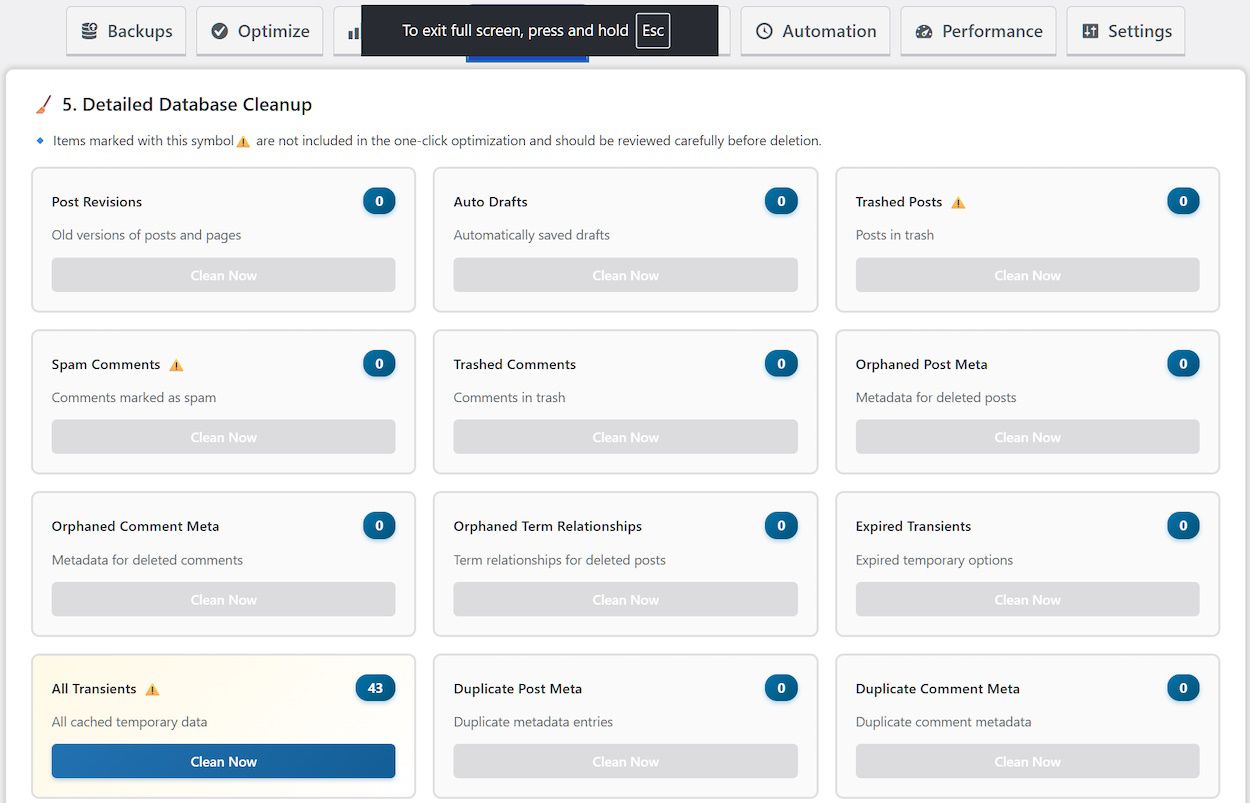
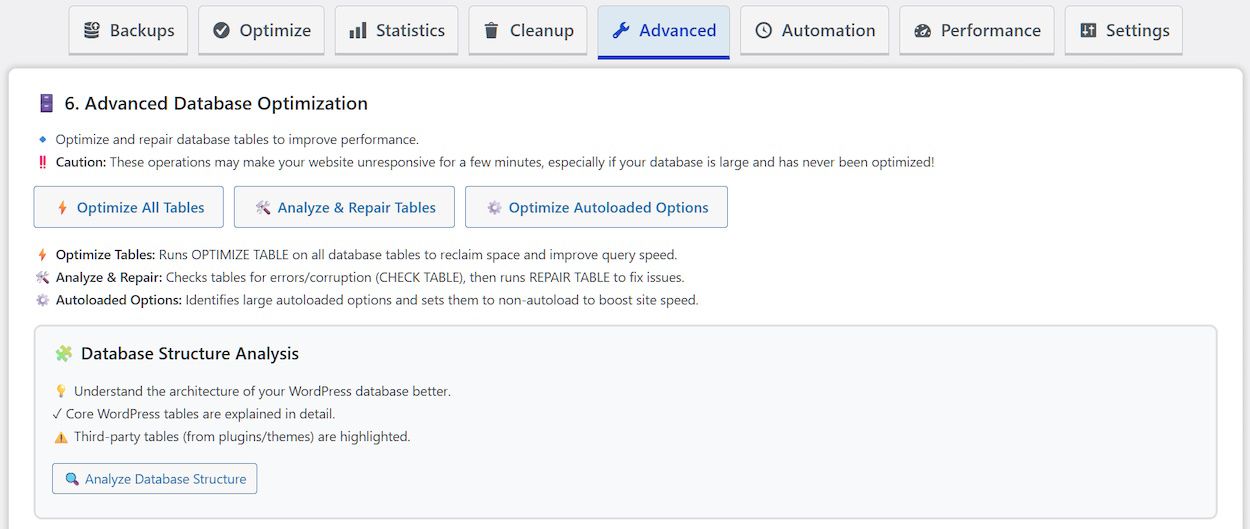
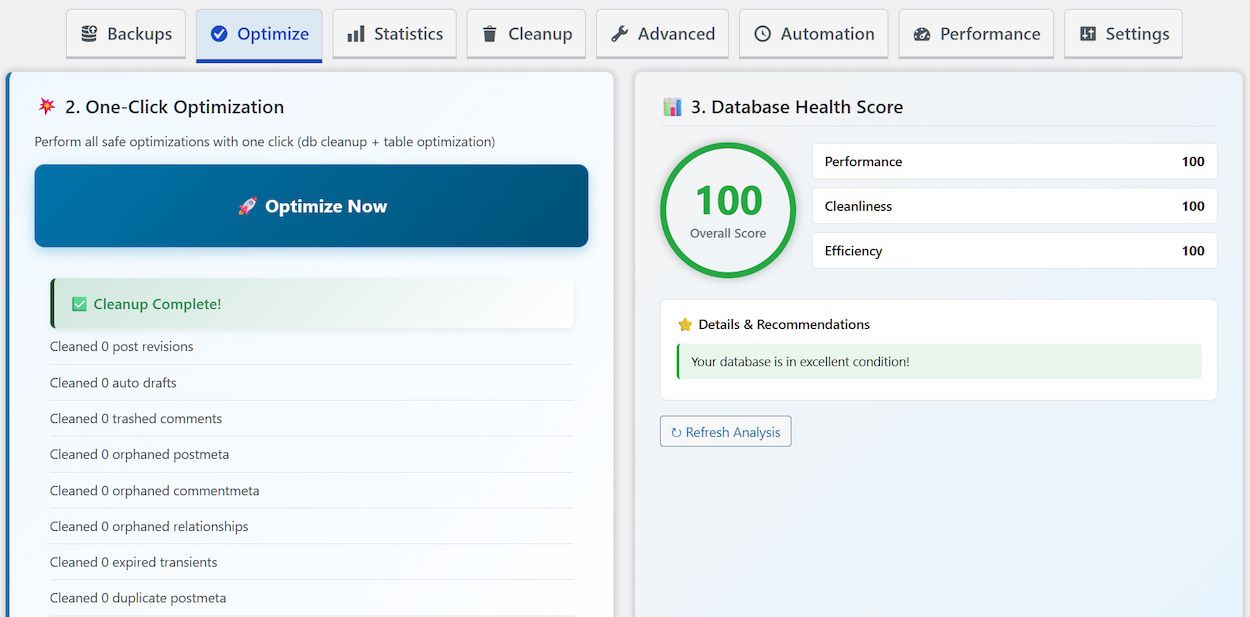
Smart Database Optimization. The plugin provides granular control over what gets cleaned and when. Choose from 18 different cleanup operations including post revisions, auto-drafts, spam comments, orphaned metadata, duplicate entries, and expired transients. The one-click optimization feature intelligently processes all safe operations simultaneously, while advanced users can optimize individual tables, repair corrupted data, and streamline autoloaded options.
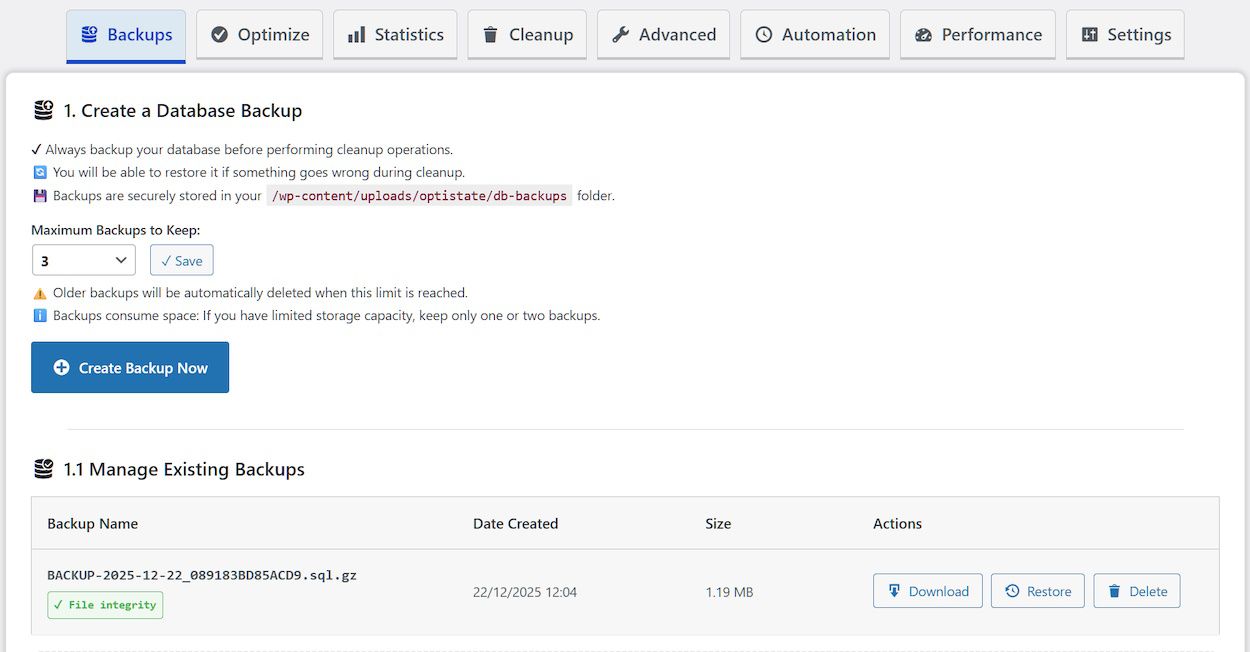
Enterprise-Grade Backup System. Security is paramount when working with databases. WP Optimal State Pro implements a chunked backup system that handles databases of any size without server timeouts. Each backup includes SHA-256 checksums for integrity verification, metadata tracking, and configurable retention policies. The restore process incorporates automatic safety backups with rollback capability, ensuring your site remains protected even if restoration encounters issues.
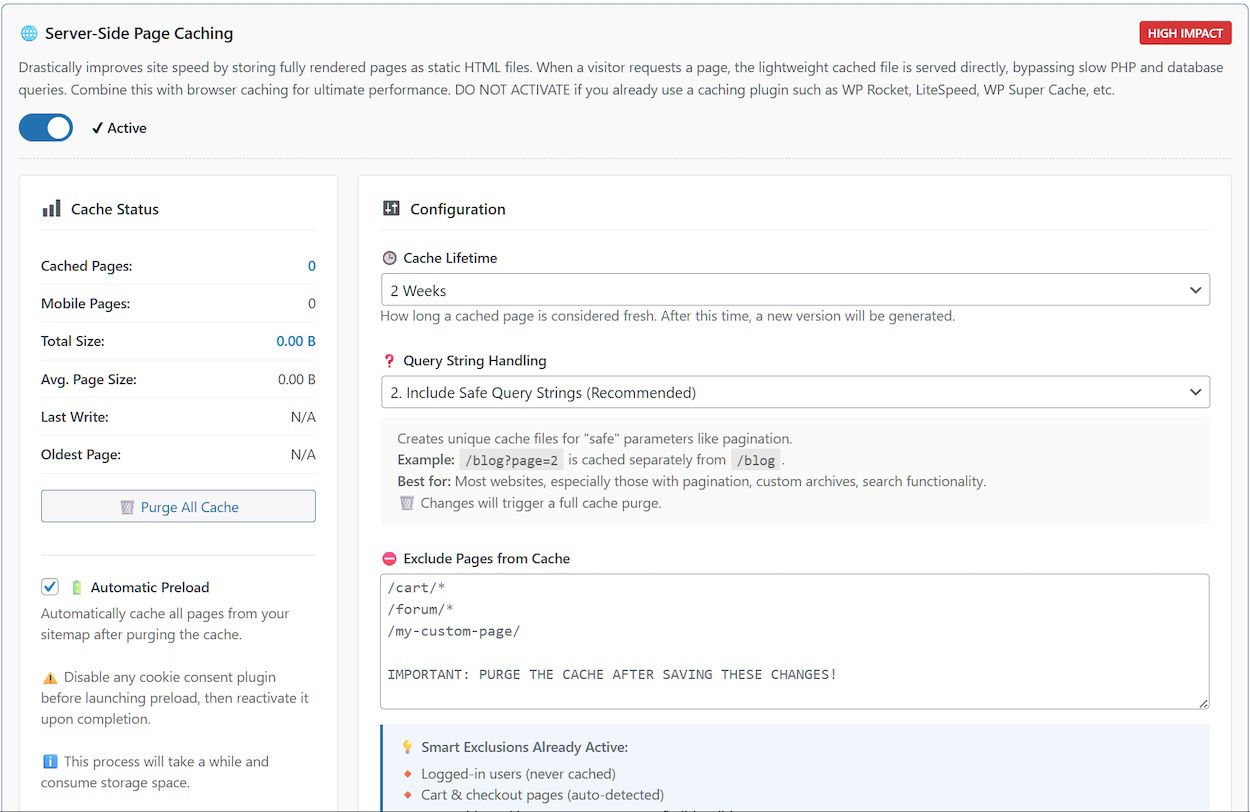
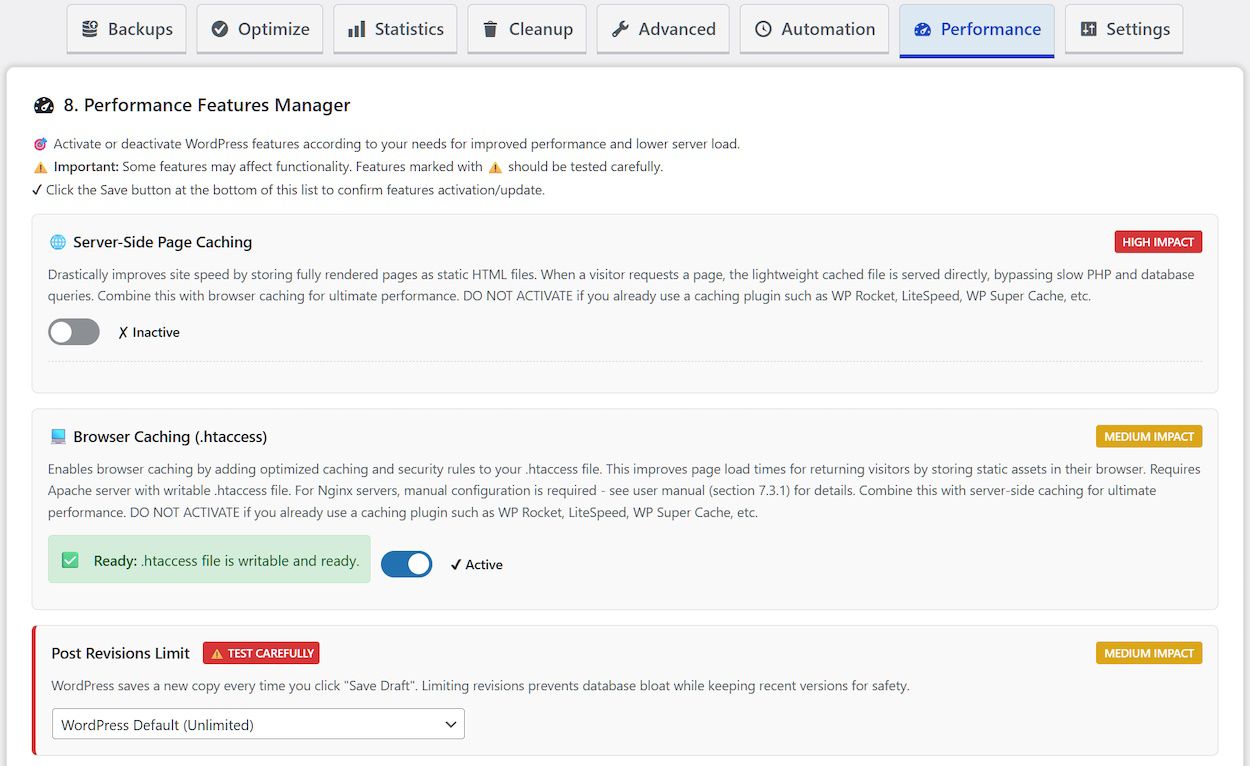
Dual-Layer Caching Architecture. Accelerate your site with server-side HTML caching that serves pre-rendered pages instantly, bypassing PHP and database queries entirely. Complement this with browser caching rules that instruct visitors' browsers to store static assets locally. The system includes mobile-specific caching, cookie consent detection, customizable exclusion patterns, and automatic cache preloading from sitemaps.
Performance Fine-Tuning Suite. Control WordPress core features to eliminate unnecessary overhead. Disable XML-RPC for security, limit post revisions to prevent bloat, adjust the Heartbeat API frequency to reduce server load, and remove unused components like emoji scripts and shortlinks. Each optimization includes clear descriptions of its impact.
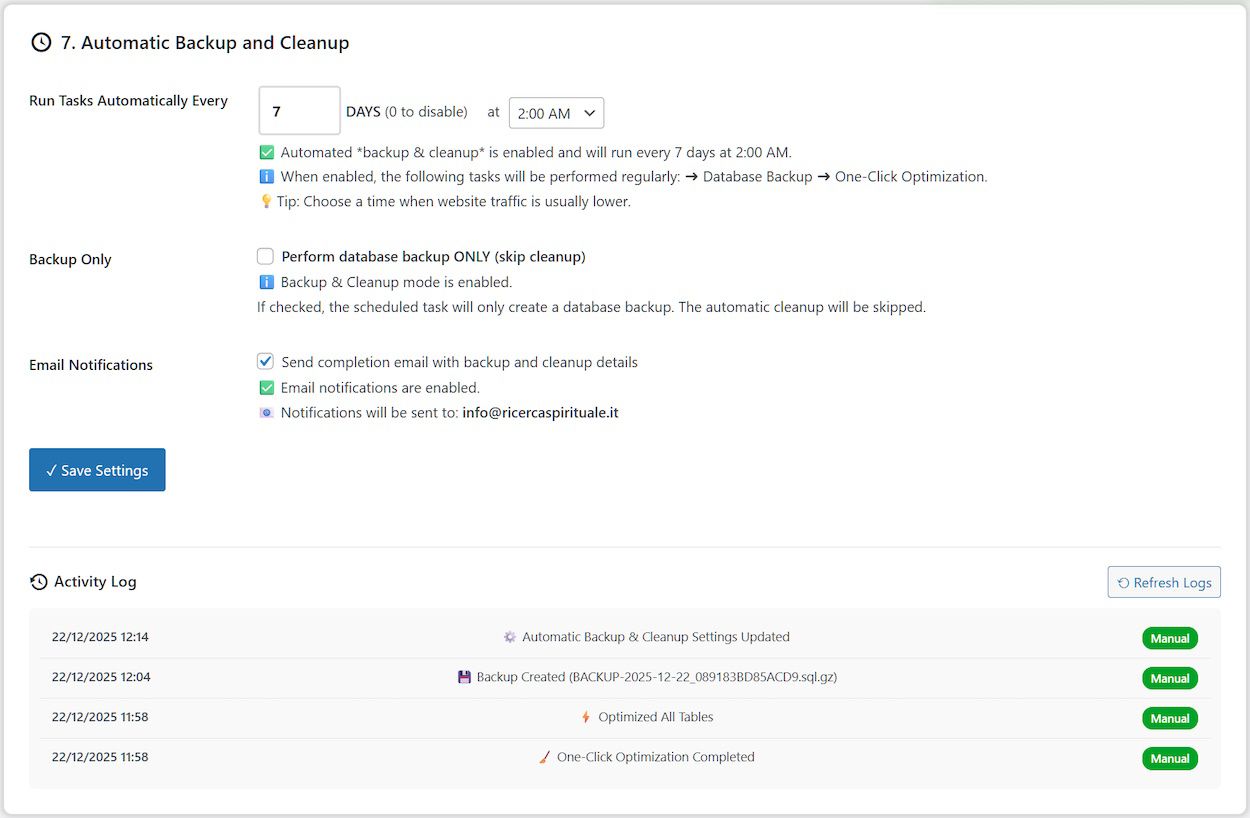
Intelligent Automation Schedule cleanup operations to run automatically at your preferred time, with configurable frequency from daily to yearly. Email notifications keep you informed of completed tasks, backup creation, and any issues requiring attention.
Database Health Monitoring. The integrated health scoring system analyzes your database across performance, cleanliness, and efficiency metrics, providing actionable recommendations based on actual data analysis.
Built exclusively for single-site WordPress installations with security, reliability, and performance at its core.
Essentially, WP Optimal State Pro is five plugins in one:
1. Database Cleanup and Optimization
2. Database Backup and Restore
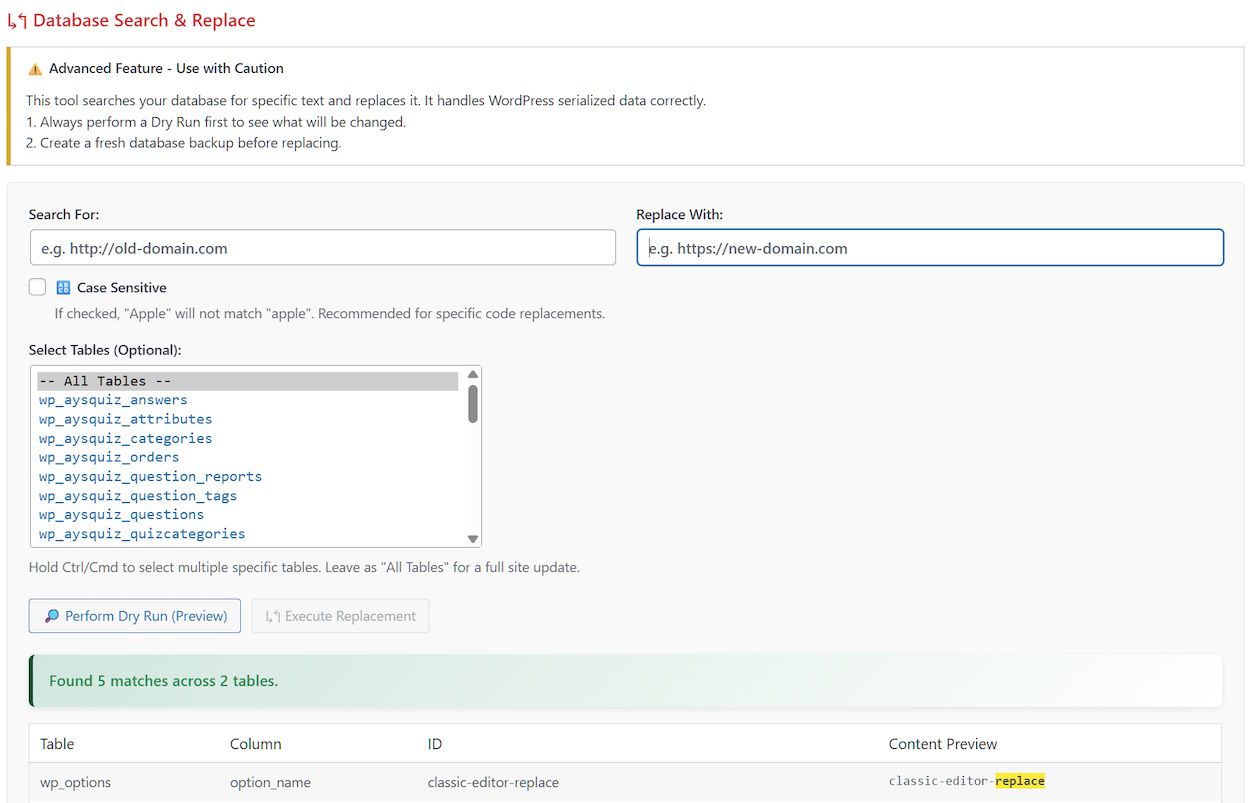
3. Database Search & Replace
4. Caching and Performance Tuning
5. Brute Force Protection
It can easily replace the following plugins, saving you a considerable amount of money:
UpdraftPlus, WP Database Backup, WP Rocket, WP Super Cache, WP-Optimize, Better Search Replace, Heartbeat Control, Perfmatters, WP Revisions Control, Clearfy, Advanced Database Cleaner, Autoptimize, Loginizer.
Key Features:
- One-click database optimization
- Secure database backup & restore system
- Database health score & recommendations
- PageSpeed Metrics & Recommendations
- Automatic scheduled optimization
- Performance Features Manager
- Email notifications for scheduled tasks
- Safety backup before restore operations
- Detailed database structure analysis
- Efficient page caching + browser caching
- Brute force protection for login page
-------------------------------------------------------------------------------------------------------
| Feature | Free Version | Pro Version |
|---|---|---|
| Database Backup & Restore | ||
| Create Database Backups | ✓ Yes | ✓ Yes |
| Maximum Backups to Keep | 1 | Up to 10 |
| Download Backups | ✓ Yes | ✓ Yes |
| Restore from Existing Backups | ✓ Yes | ✓ Yes |
| Restore Database from Uploaded File | ✓ Yes (50MB) | ✓ Yes (5GB) |
| Backup Verification (Checksum) | ✓ Yes | ✓ Yes |
| Database Cleanup & Optimization | ||
| One-Click Optimization | ✓ Yes | ✓ Yes |
| Database Health Score | ✓ Yes | ✓ Yes |
| Database Statistics | ✓ Yes | ✓ Yes |
| Detailed Database Cleanup (18 cleanup types) | ✓ Yes | ✓ Yes |
| Optimize All Tables | ✓ Yes | ✓ Yes |
| Analyze & Repair Tables | ✗ No | ✓ Yes |
| Optimize Autoloaded Options | ✗ No | ✓ Yes |
| Database Structure Analysis | ✓ Yes | ✓ Yes |
| MySQL Index Manager | ✗ No | ✓ Yes |
| Referential Integrity Scanner | ✓ Yes | ✓ Yes |
| Database Search & Replace | ✗ No | ✓ Yes |
| Delete Unused Tables | ✗ No | ✓ Yes |
| Legacy Plugin Data Scanner | ✓ Yes | ✓ Yes |
| Automation Features | ||
| Automatic Backup and Cleaning (Scheduled Tasks) | ✗ No | ✓ Yes |
| Email Notifications for Scheduled Tasks | ✗ No | ✓ Yes |
| Customizable Schedule (Every X Days at Specific Time) | ✗ No | ✓ Yes |
| Performance Features | ||
| Server-Side Page Caching | ✓ Yes | ✓ Yes |
| Browser Caching (.htaccess Rules) | ✓ Yes | ✓ Yes |
| Cache Purging | ✓ Yes | ✓ Yes |
| Cache Statistics | ✓ Yes | ✓ Yes |
| Automatic Cache Preload (Sitemap-Based) | ✗ No | ✓ Yes |
| Mobile-Specific Cache | ✗ No | ✓ Yes |
| Custom Consent Cookie Support | ✗ No | ✓ Yes |
| Query String Handling Modes (3 Options) | ✓ Yes | ✓ Yes |
| Smart Cache Invalidation on Content Updates | ✓ Yes | ✓ Yes |
| Database Query Caching | ✗ No | ✓ Yes |
| Post Revisions Limit Control | ✓ Yes | ✓ Yes |
| Bad Bot Blocker | ✓ Yes | ✓ Yes |
| Font Loading Optimization | ✓ Yes | ✓ Yes |
| Lazy Load Images & Iframes | ✓ Yes | ✓ Yes |
| Trash Auto-Empty Control | ✓ Yes | ✓ Yes |
| Heartbeat API Control | ✓ Yes | ✓ Yes |
| Disable XML-RPC | ✓ Yes | ✓ Yes |
| Remove Emoji Scripts | ✓ Yes | ✓ Yes |
| Remove Unused WordPress Headers | ✓ Yes | ✓ Yes |
| Integrated PageSpeed Metrics | ✓ Yes | ✓ Yes |
| Security & Safety | ||
| Automatic Safety Backup Before Restore | ✓ Yes | ✓ Yes |
| Emergency Rollback on Restore Failure | ✓ Yes | ✓ Yes |
| Temporary Table Swap (Zero-Downtime Restore) | ✓ Yes | ✓ Yes |
| Database Validation Before Restore | ✓ Yes | ✓ Yes |
| Maintenance Mode During Restore | ✓ Yes | ✓ Yes |
| Protected Backup Directory (.htaccess) | ✓ Yes | ✓ Yes |
| User Management (Restrict Access) | ✗ No | ✓ Yes |
| Settings Export & Import | ✓ Yes | ✓ Yes |
| Brute Force Protection | ✓ Yes | ✓ Yes |
| Logging & Monitoring | ||
| Optimization History Log (Last 150 Operations) | ✓ Yes | ✓ Yes |
| Detailed Operation Results | ✓ Yes | ✓ Yes |
| Real-Time Progress Tracking | ✓ Yes | ✓ Yes |
| Support & Documentation | ||
| Comprehensive Plugin Manual | ✓ Yes | ✓ Yes |
| Multi-Language Interface Support | ✓ Yes | ✓ Yes |
| In-Dashboard Help & Tooltips | ✓ Yes | ✓ Yes |
| Price | ✓ FREE | $105 Lifetime ✓ |
-------------------------------------------------------------------------------------------------------
⚠️ Compatibility Notice: This plugin is designed for single-site WordPress installations only. It is not compatible with WordPress Multisite networks.
--------------------------------------------------
🟢 FREE VERSION AVAILABLE HERE:
USER MANUAL:
https://spiritualseek.com/wp-c...
---------------------------------------------------
Version 1.4.3 (Current) – July 2026
- New Security Feature: Security Headers (basic + optional).
- New Security Feature: Configurable IP whitelisting.
- New Security Feature: Enable Login Captcha.
- New Security Feature: Disable built-in WordPress File Editor.
- New Security Feature: Disable Application Passwords.
- Fixed several minor bugs preventing certain features from working consistently.
- Several classes have been refactored to reduce code duplication and improve overall efficiency.
- Minor aesthetic enhancements to the user interface to improve usability and clarity.
Features
🎯 One-click database optimization
💾 Secure database backup & restore system
📊 Database health score & recommendations
🌐 PageSpeed Metrics & Recommendations
🔄 Automatic scheduled optimization
⚙️ Performance Features Manager
📧 Email notifications for scheduled tasks
🛡️ Safety backup before restore operations
🔍 Detailed database structure analysis
🧊 Efficient page caching + browser cachin
Requirements
- WordPress 5.5 or higher
- WordPress Installation Type: Single-site only (Multisite not supported)
- PHP 7.4 or higher
- MySQL 5.6 or higher
- User Permission: Administrator access required
- File System: Writable `wp-content/uploads/` directory for backups, settings, and logs
Instructions
- Navigate to your WordPress Admin Dashboard.
- Go to Plugins > Add New.
- Click Upload Plugin.
- Choose the WP_Optimal_State_PRO_X-X-X.zip file from your computer and click Install Now.
- Once installed, click Activate Plugin.
- Upon activation, the plugin will immediately check for and create its required directories and default settings files.
- Look for "Optimal State" in you admin menu.
- Enjoy!
Future product updates
Quality checked by Codester
Lowest price guarantee


| Category | Plugins / WordPress / Performance |
| First release | 6 November 2025 |
| Last update | 17 July 2026 |
| Supported CMS | WordPress 5.0, WordPress 5.8, WordPress 5.9, WordPress 6.0, WordPress 6.1, WordPress 6.2, WordPress 6.3, WordPress 6.4, WordPress 6.5, WordPress 6.6, WordPress 6.7, WordPress 6.8 |
| Files included | .php, .css, Javascript .js |
| Tags | wordpress, SEO, jetpack, optimize, optimization, cleanup, caching, yoast |