React Image Edit Enhancer Pro React Image Edit Enhancer Pro
Image Enhancer Pro is a fast browser-based image editing tool with batch enhancement, resize options, and ZIP export built using R
React Image Edit Enhancer Pro
Image Enhancer Pro is a fast browser-based image editing tool with batch enhancement, resize opti...
Screenshots
Overview
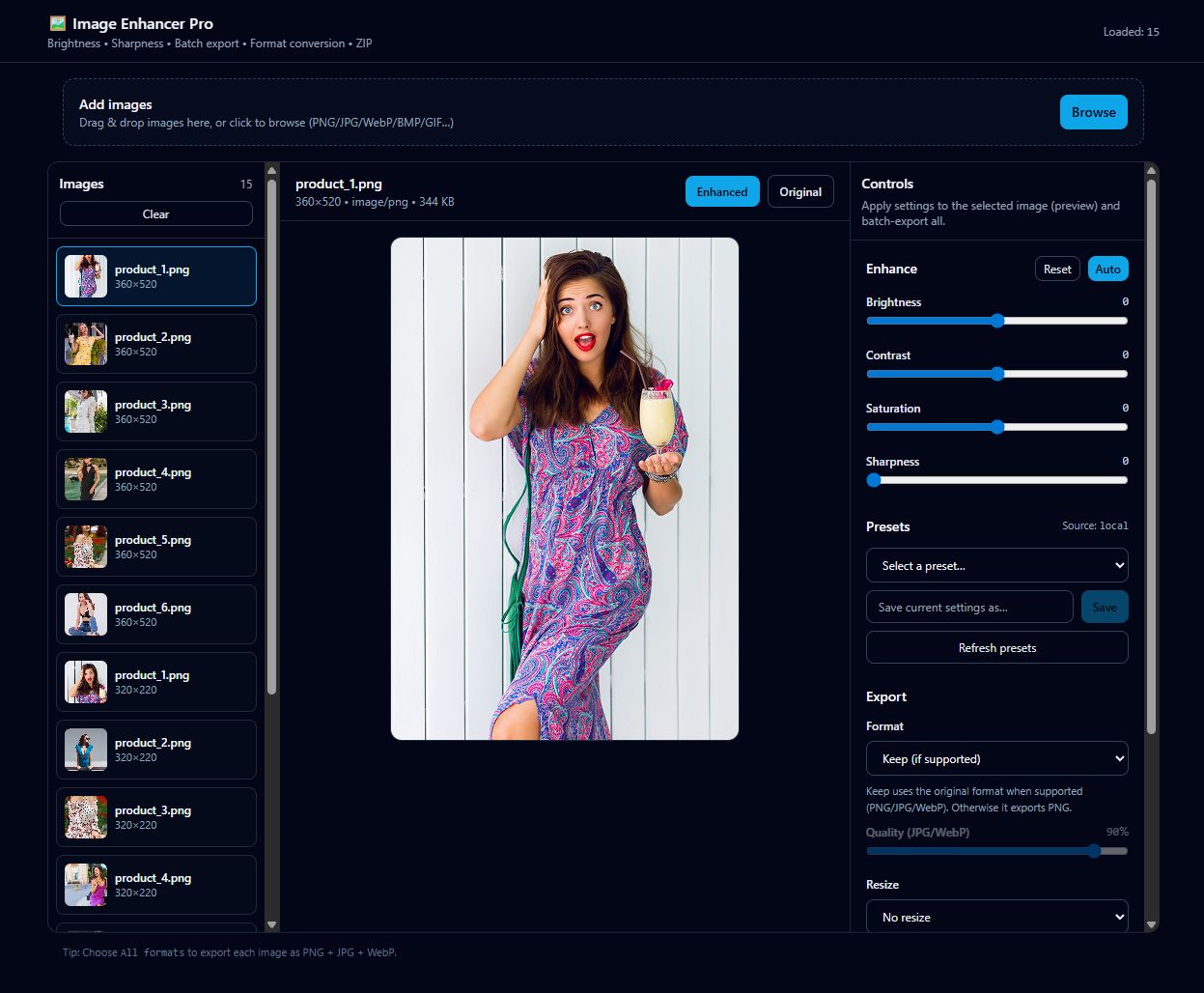
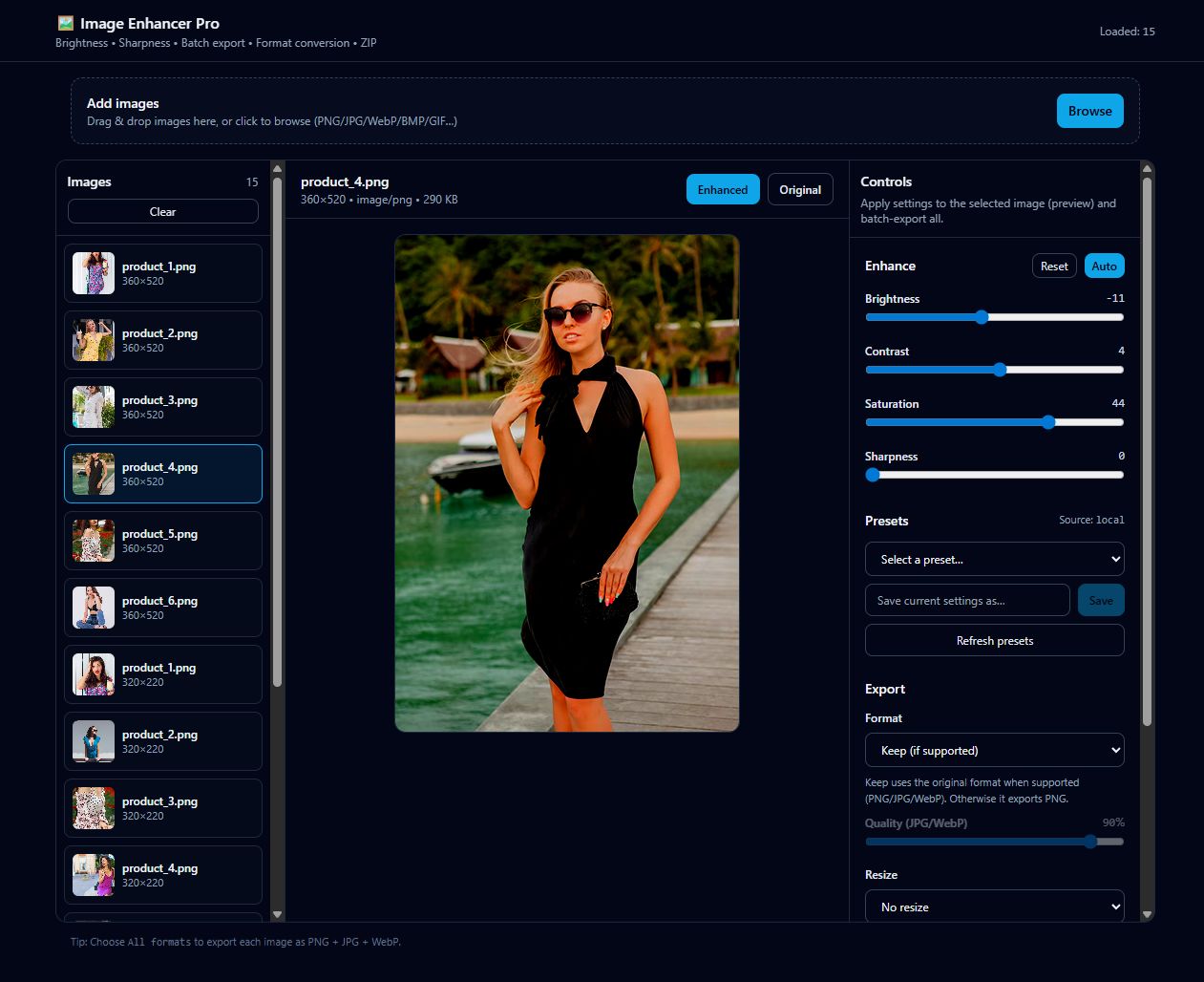
Image Enhancer Pro is a modern browser-based image enhancement application built with React, Vite, TypeScript, and Tailwind CSS. It allows users to improve image quality directly in the browser using brightness, contrast, saturation, and sharpness controls, along with an auto-enhance option for quick results.
The tool supports multiple image uploads with batch processing, flexible resizing options, and format conversion. All image processing is handled entirely on the client side using the Canvas API, making it fully offline-friendly and privacy-focused with no server uploads.
Image Enhancer Pro is suitable for web developers, designers, photographers, and content creators who need a fast, lightweight, and reliable frontend image editing solution. It also includes batch ZIP export and preset management using local storage for an efficient workflow.
Features
- Built with React + Vite + TypeScript + Tailwind CSS
- Multiple image upload (drag & drop + browse)
- Image enhancement controls: Brightness, Contrast, Saturation, Sharpness
- Auto Enhance for quick optimization suggestions
- Flexible Resize options: None, Max side, or Scale percentage
- Image format conversion: Keep original, PNG, JPG, WebP
- Batch export: ZIP file for multiple images
- Single image download is supported
- Presets: Built-in + Save/Delete presets in localStorage
- Fully offline-friendly – all processing done in the browser (Canvas API)
- Fast, lightweight, and client-side processing – no server upload required
Requirements
- Modern web browser (Chrome, Firefox, Edge, Safari)
- JavaScript is enabled in the browser
- Basic knowledge of HTML/JS for integration (optional)
- No server or backend required – fully client-side
- For development: Node.js and npm/yarn installed if building from source
- Optional: A local development server for testing React + Vite projects
Instructions
Download & Extract Download the package and extract all files to your preferred folder.
Development Setup (Optional)Ensure Node.js and npm/yarn are installed.Navigate to the project folder in a terminal.Run npm install to install dependencies.Run npm run dev to start the development server.UsageUpload one or multiple images using drag & drop or browse.Adjust Brightness, Contrast, Saturation, Sharpness, or use Auto Enhance.Resize images using None, Max side, or Scale % options.Convert formats to PNG, JPG, or WebP as needed.Export images individually or all at once as a ZIP file.Save and manage custom presets using localStorage for repeated use.Offline Support
Other items by this author


| Category | Scripts & Code / ReactJS |
| First release | 20 December 2025 |
| Last update | 20 December 2025 |
| Files included | .css, Javascript .js |
| Tags | image editor, typescript, image processing, tailwind, image enhancer, react app, vite project, brightness contrast saturation, sharpness tool, batch image editor, offline image editor, canvas api, web image tool, zip export, frontend tool |