WCMultiPro - React WooCommerce Manager Multi-StoreWCMultiPro - React WooCommerce Manager Multi-Store
WCMultiPro is a premium React dashboard that lets you manage unlimited WooCommerce stores
WCMultiPro - React WooCommerce Manager Multi-Store
WCMultiPro is a premium React dashboard that lets you manage unlimited WooCommerce stores
Screenshots
Overview
WCMultiPro - React Multi-Store Manager & AI Agent for WooCommerce
FIRST ON CODESTER: The only React + Supabase + AI Agent solution for WooCommerce multi-store management.
React 18 + TypeScript + Tailwind CSS + Supabase + shadcn/ui + Vite
Live Demo: https://wcmultipro-43af1.web.app/
Email: [email protected] | Password: 123456
Demo mode: AI Chat limited to 3 messages/session, destructive actions disabled.
Manage All Your WooCommerce Stores From One Beautiful Dashboard
WCMultiPro is a premium React admin dashboard that lets you connect and manage unlimited WooCommerce stores from a single, stunning interface. Built with cutting-edge 2025-2026 design trends including glassmorphism effects, premium dark mode with blue-gray tones, microinteractions, dopamine color palettes, and modular bento-box layouts.
Whether you run an agency managing client stores, a franchise with multiple locations, or a dropshipping empire -- WCMultiPro gives you total control from one dashboard.
Key Highlights
- 5-Minute Setup - Copy and paste API keys. Done!
- 100% Free Backend - Powered by Supabase free plan, no server hosting costs
- Unlimited Stores - Connect as many WooCommerce stores as you need
- Fully Responsive - Mobile, tablet, and desktop optimized
- PWA Ready - Install as a native app on any device
- Modern Design - Glassmorphism, animated icons, bento-box layouts
Killer Features
WCMULTIAI - Smart AI Chat Assistant (OpenAI + Groq)
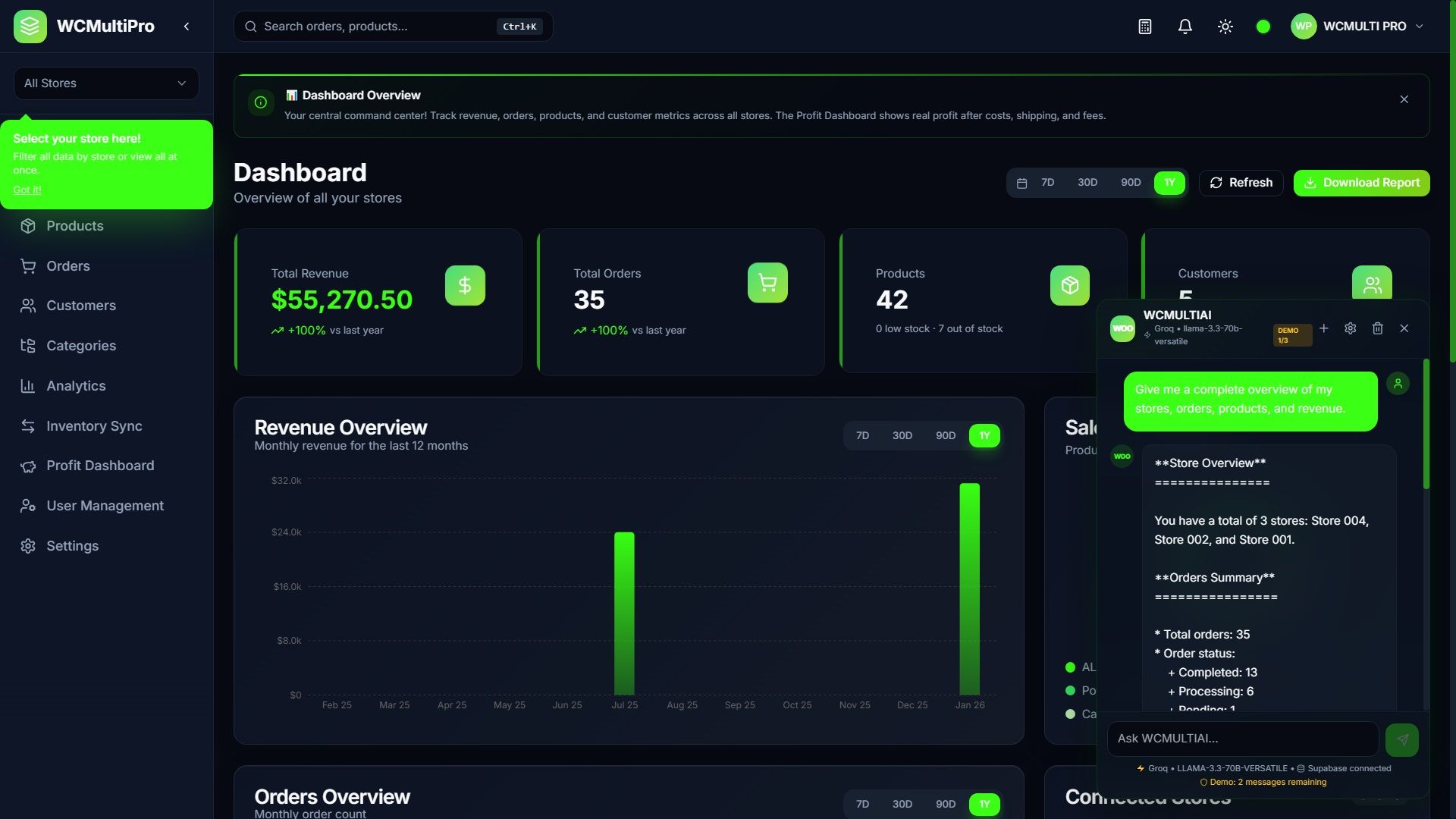
Built-in AI-powered chat assistant that reads your REAL store data from the database. Ask about products, orders, customers, categories, and get instant insights. Supports two AI providers: OpenAI (GPT-4o, GPT-4o Mini) and Groq (LLaMA 3.3 70B, Mixtral, Gemma2). Groq is the default provider with ultra-fast inference and a generous free tier.
What WCMULTIAI can do:
- Analyze individual products (name, price, SKU, stock level, status)
- Identify low-stock and out-of-stock items with actionable alerts
- List top customers by total spend and order count
- Generate revenue summaries and order analytics
- Analyze product categories and find underperforming ones
- Generate markdown inventory reports, customer reports, and order reports
- Provide business recommendations based on your real data
- Format data as CSV-ready text for spreadsheet export
Important - API Keys Required: WCMULTIAI requires your own AI provider API key (OpenAI or Groq). Groq offers a generous free tier at console.groq.com. OpenAI charges per token (approximately $0.15/1M input tokens for GPT-4o Mini). All AI API costs are the responsibility of the buyer - WCMultiPro does not charge any additional AI fees.
AI is Read-Only (Analytical): The AI assistant provides full read access to all your store data for analysis and insights. It can analyze products, orders, customers, revenue trends, and generate detailed reports.
Kanban Order Management
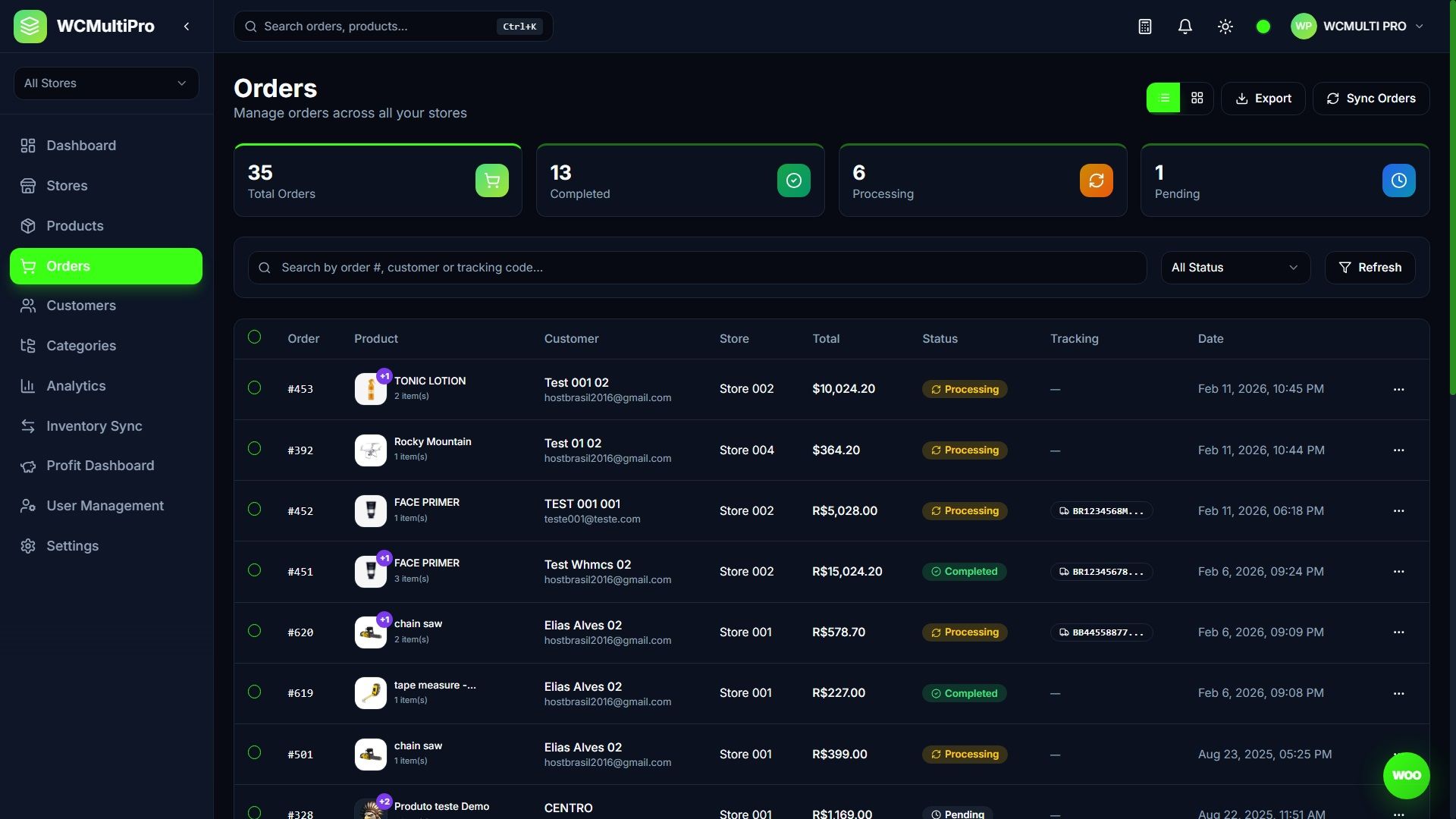
Visual drag-and-drop board with 4 columns: Pending, Processing, Shipped, Completed. Move orders between stages visually. Toggle between traditional table view and Kanban view with one click. Each card shows customer info, order total, store badge, and quick actions.
AI Product Description Generator (Groq + OpenAI)
Generate SEO-optimized product descriptions with one click using Groq (LLaMA 3.3 70B) or OpenAI (GPT-4o Mini). Choose from 5 tones (Professional, Casual, Luxury, Technical, Persuasive), 5 languages (EN, PT-BR, ES, FR, DE), add SEO keywords, and get both full description and short description. API keys stored securely in the database, never in the browser.
Real Profit Dashboard (Standalone Page with COGS Tracking)
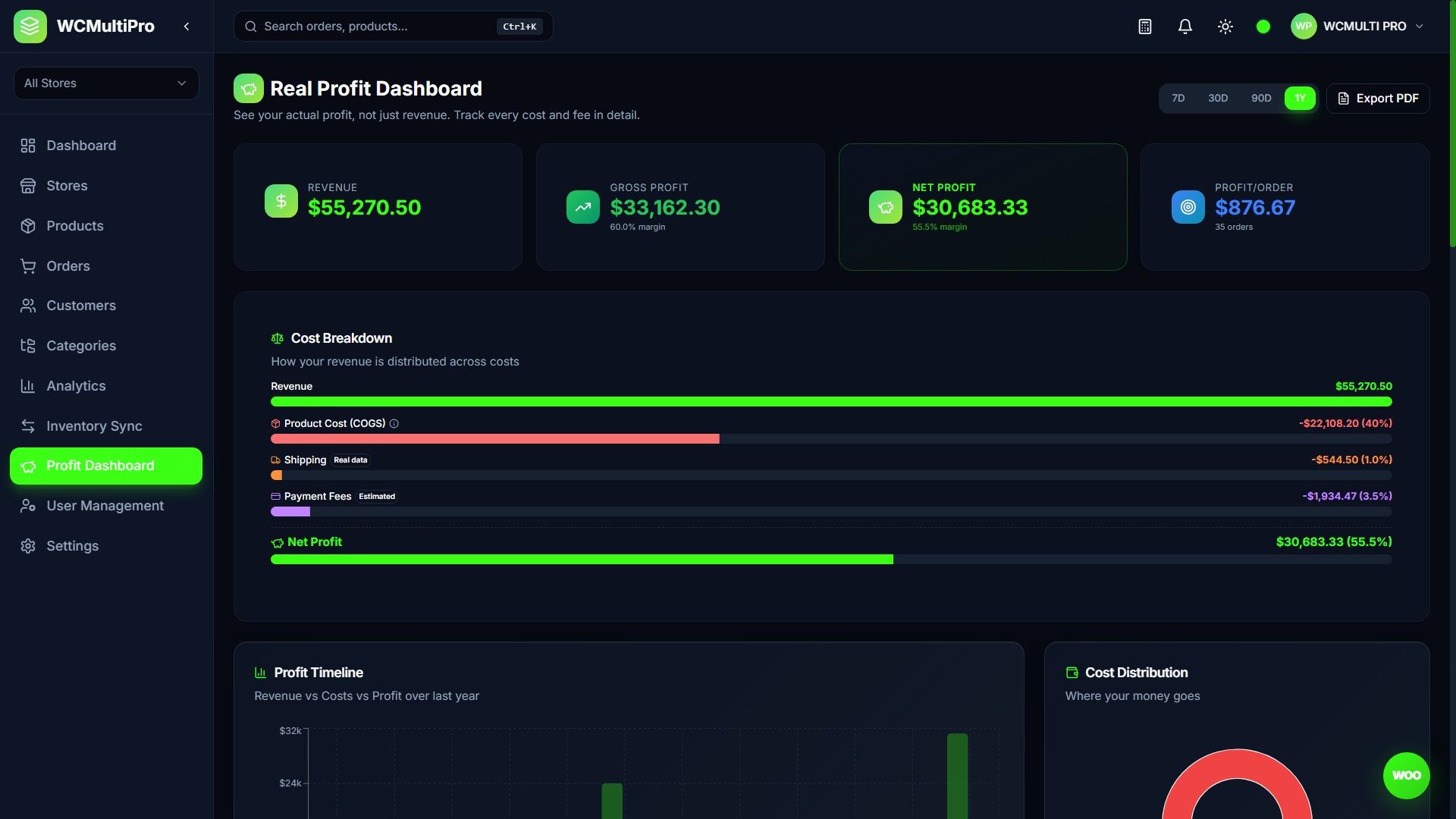
See your actual profit, not just revenue. A dedicated Profit Dashboard page breaks down: Revenue, Product Cost (COGS), Shipping costs, Payment processing fees, and Real Profit with margin percentage. Includes Profit Timeline chart, Cost Distribution pie chart, Margin Trend analysis, Profit by Store table, Top Products by Profit, Profit by Category breakdown, and one-click PDF export. Set product-level COGS for accurate tracking.
Real-Time Inventory Sync
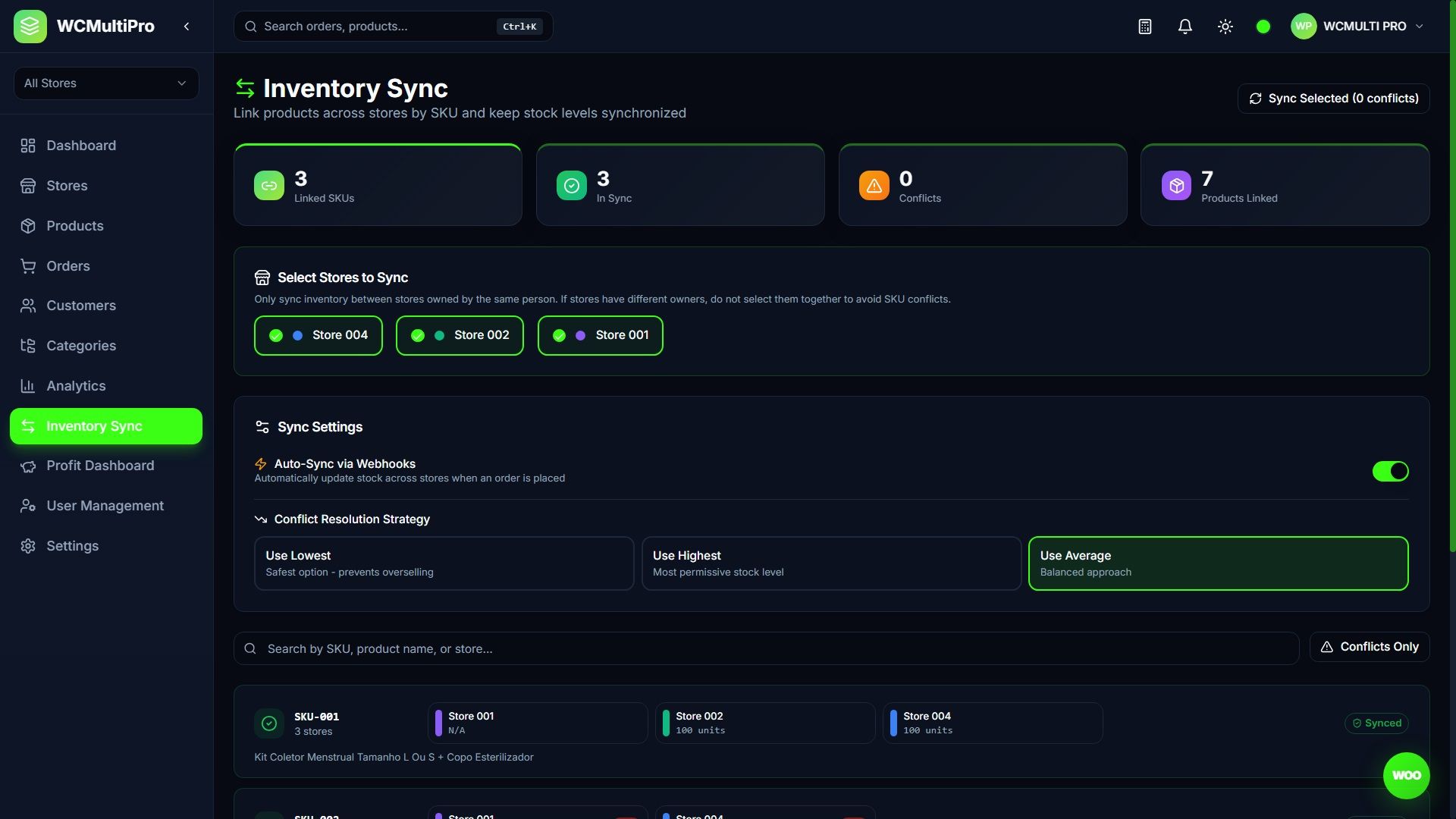
Link products across stores automatically by SKU. Detect stock conflicts, choose resolution strategy (use lowest, highest, or average), and enable auto-sync via WooCommerce webhooks. Dedicated page with stats, conflict indicators, and per-SKU sync controls.
Who Is WCMultiPro Built For?
Digital Agencies
Manage all client WooCommerce stores from one professional dashboard. Monitor sales, update products, and process orders across dozens of stores without logging into each WordPress admin.
Franchise Owners
Centralize operations for all franchise locations. Compare store performance, sync inventory between locations, and maintain product consistency across your network.
Dropshippers and Multi-Store Operators
Run multiple niche stores efficiently. AI-generated descriptions save hours of copywriting, inventory sync prevents overselling, and the profit dashboard shows real margins per store.
Complete Feature List (40+)
Store Management
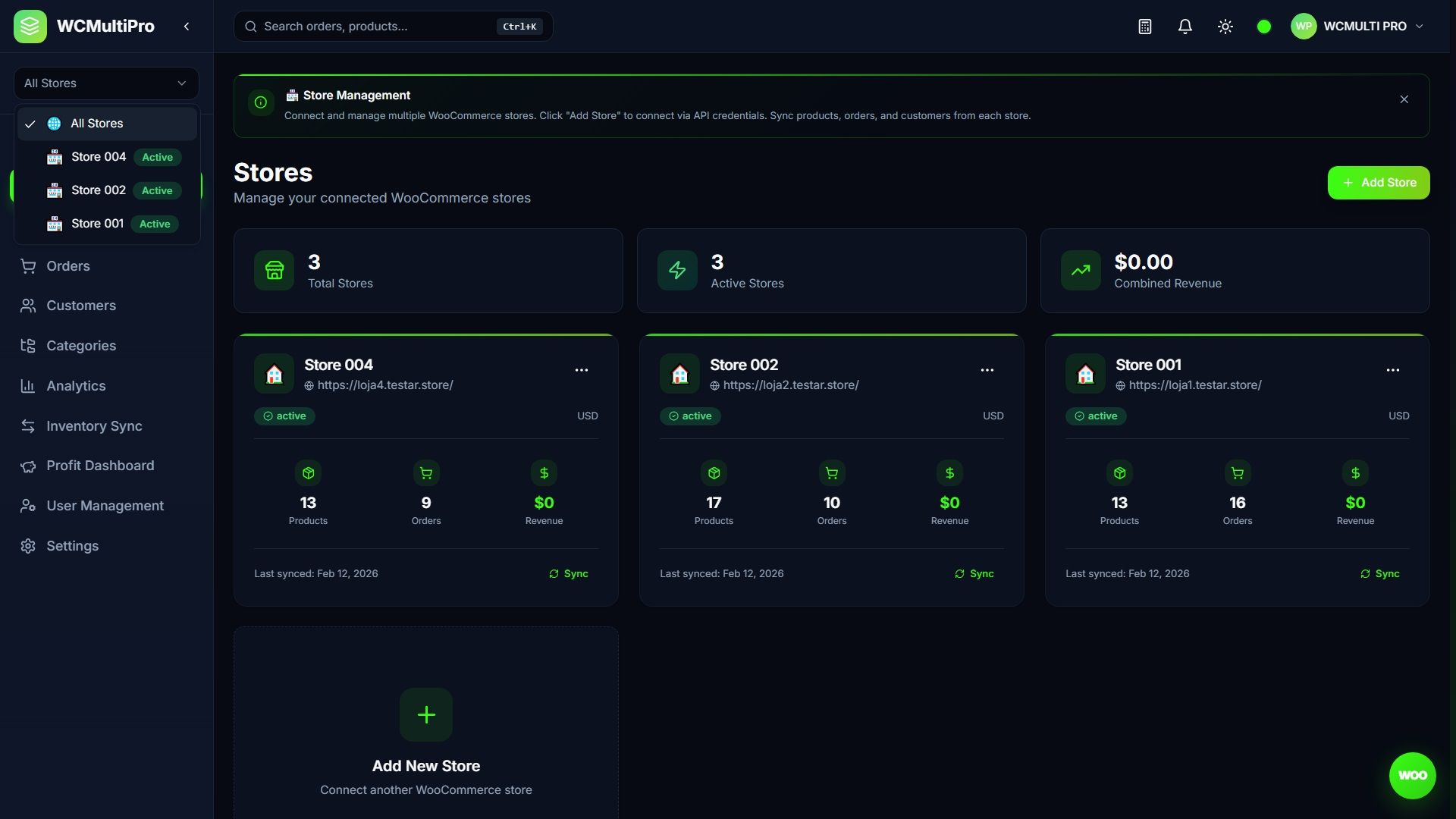
- Unlimited WooCommerce Store Connections
- Real-time Product Sync with Images
- One-click Store Sync
- Store Status Monitoring
- Per-store Analytics
Product Management
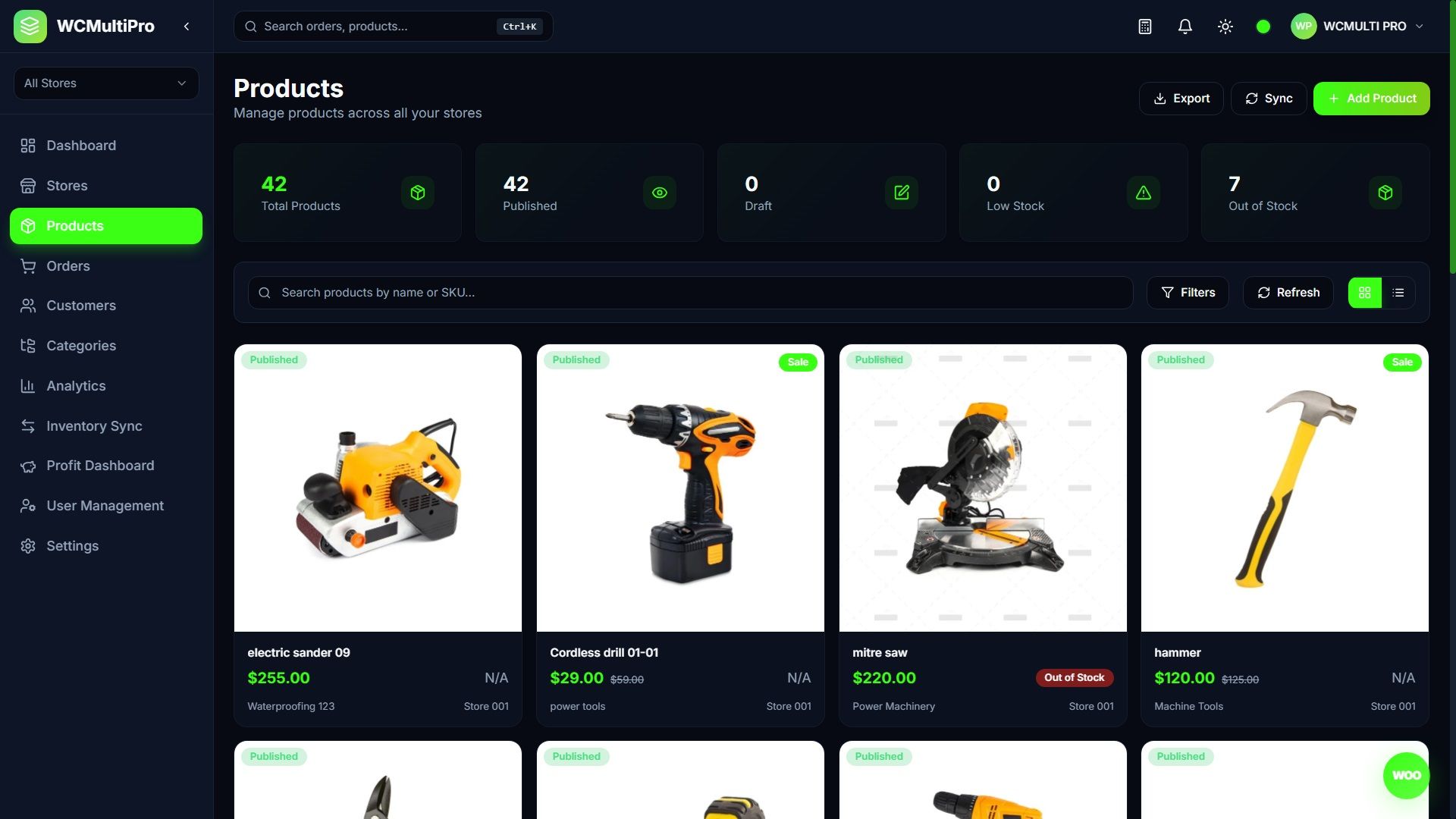
- View, Edit, and Create Products
- Image Gallery Management
- Product Detail Page with Full Info
- Advanced Filters (Stock Status, Product Status, Sale/Regular Price)
- AI Product Description Generator (Groq + OpenAI)
- WCMULTIAI Smart Chat Assistant (OpenAI + Groq) - Reads real store data
- Cost Price (COGS) per Product
- CSV Export
- Low Stock Alerts
Order Management
- Full Order Management with Status Updates
- Kanban Board View (Drag and Drop)
- Table View with Pagination and Clickable Rows (quick order details)
- Order Tracking Codes
- Shipping Label Printing (with items list, sender/recipient, values, tracking)
- Bulk Order Status Updates
- PDF Report Export (styled printable report with stats summary)
- Excel Export (.xls with formatted table)
- CSV Export
Inventory Sync
- Automatic SKU-based Product Linking
- Stock Conflict Detection
- Auto-Sync via Webhooks
- Conflict Resolution Strategies (Lowest, Highest, Average)
- Per-SKU Manual Sync
- Sync Status Dashboard
Analytics and Reports
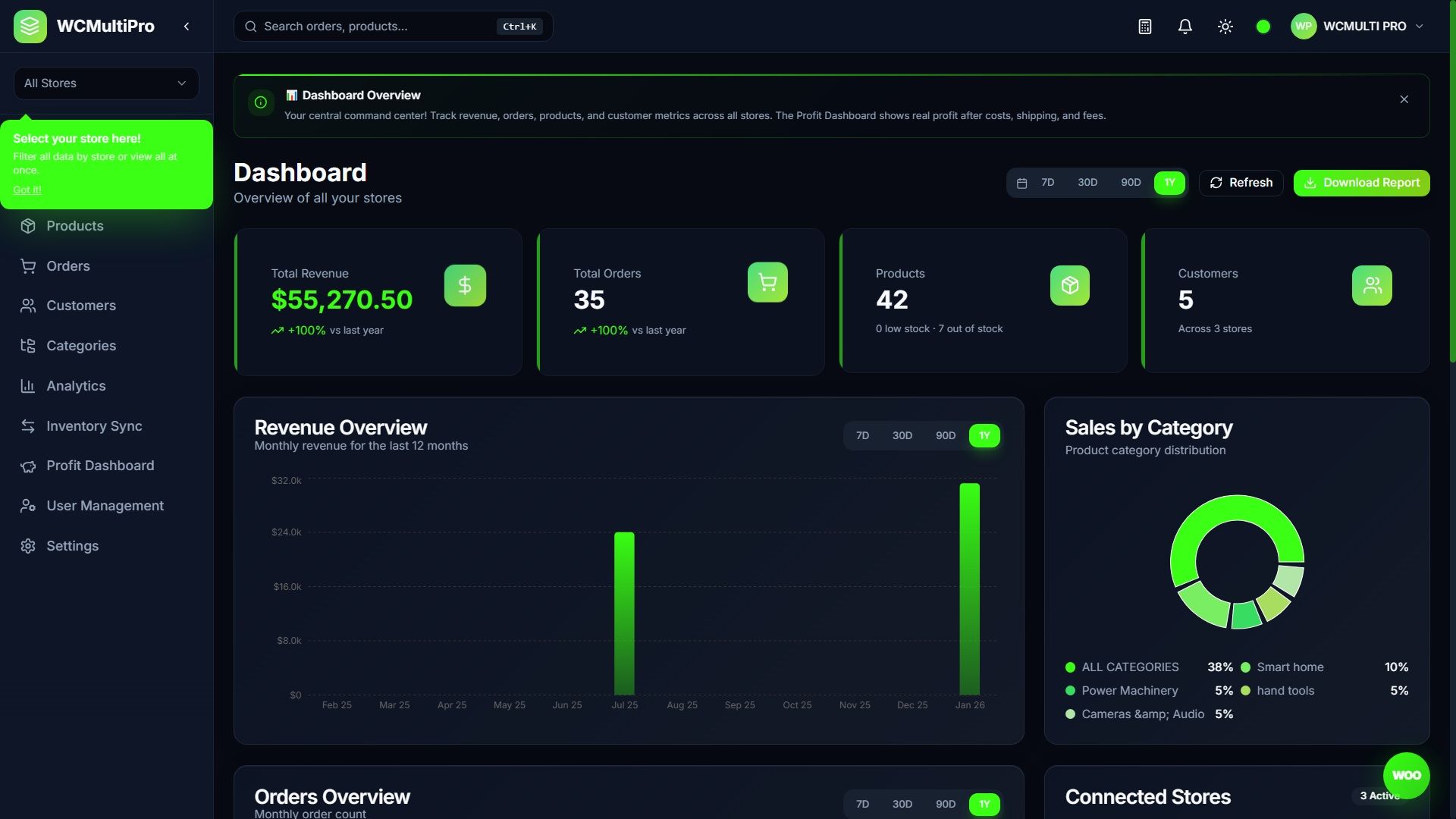
- Revenue Overview Charts (7D, 30D, 90D, 1Y)
- Orders Overview Charts
- Sales by Category (Pie Chart)
- Top Products Ranking
- Orders by Status Breakdown
- Real Profit Dashboard with COGS (standalone page with charts, margin analysis, PDF export)
- PDF Report Export
- CSV, Excel, and PDF Export (Orders, Products, Customers)
Notifications
- In-App Notification System
Team and Users
- Customer Database with Guest Merging
- Team Management and Invitations
- Role-Based Access (Admin, Manager, Viewer)
- User Profile and Sender Address
AI and Intelligence
- WCMULTIAI Smart Chat Assistant (floating panel)
- Multi-Provider AI: OpenAI + Groq (user chooses)
- AI reads real data from Supabase (products, orders, customers, categories)
- Individual product analysis (price, SKU, stock, status)
- Customer intelligence (top customers, CLV, spend analysis)
- Revenue and order analytics via AI
- AI-generated markdown reports (copy for PDF)
- AI Product Description Generator (GPT-4o-mini)
- Demo mode: 3 AI messages per session limit
- AI settings and chat history saved to database
- Token usage tracking per user
Design and UX
- Glassmorphism Effects (frosted glass cards)
- Premium Dark Mode (blue-gray tones)
- Light Mode
- 5 Accent Colors (Violet, Pink, Blue, Green, Orange) + 3 Bonus (Cyan, Neon Green, Rose)
- Neon Green Default Accent — vibrant green neon accent across dashboard and landing page
- Animated Dashboard Icons
- Microinteractions and Hover Effects
- Bento-Box Modular Layouts
- 100% Mobile Responsive
- PWA Support (Install as App)
- Collapsible Sidebar (Expanded, Collapsed, Auto)
Developer Features
- React 18 with Hooks and Concurrent Features
- Full TypeScript - Every File Typed
- Tailwind CSS Utility-First Styling
- shadcn/ui Component Library (Radix Primitives)
- Vite - Lightning Fast Builds
- Code Splitting (React.lazy)
- Framer Motion Animations
- CSS-based performant animations (animate-in transitions, reduced JS overhead)
- Recharts for Professional Charts
- Supabase Auth with Row Level Security
- Clean Architecture and Folder Structure
- Global Search (Ctrl+K Command Palette) with frosted glass effect and tracking code search
- Built-in Quick Calculator
- First-Visit Guided Tour Tooltips (10+ pages)
- Sound Effects System (click, notification, save, etc.)
- Elegant Store Selection Animation (smooth transition when switching stores)
- Setup Wizard for Easy Configuration
- Demo Mode for Showcasing
Powered by Supabase - Zero Server Hassle
Forget about configuring PHP, MySQL, or hosting servers. WCMultiPro uses Supabase - a modern cloud database. Setup is literally copy and paste two API keys. That is it!
Free Plan Is More Than Enough
500 MB of database storage - enough for 500,000+ orders or data from 50+ stores. 50,000 monthly active users. Unlimited API requests. No credit card required!
5-Minute Setup
- Create a free Supabase project
- Copy your API keys to .env
- Run the included SQL schema
That is the entire setup!
Enterprise Security
Row Level Security (RLS), SSL encryption, automatic backups, SOC 2 compliant. Your data is safe.
Auto User Creation
The database schema includes a trigger that automatically creates user profiles when someone signs up. No manual database management needed!
Modern Tech Stack
- React 18 - Latest with hooks and concurrent features
- TypeScript - Full type safety across every file
- Tailwind CSS - Utility-first styling with custom theme
- Vite - Lightning fast development and builds
- Supabase - Cloud database with auth and RLS
- shadcn/ui - Beautiful Radix-based components
- Recharts - Professional charts and graphs
- Framer Motion - Smooth animations and transitions
- Sonner - Beautiful toast notifications
- OpenAI + Groq API - AI chat assistant and description generation
19+ Pages Included
- Landing Page - Marketing page with pricing and green neon accent
- Login Page - Authentication with demo mode
- Setup Wizard - Guided initial configuration
- Dashboard - Overview with charts, stats, recent orders
- Profit Dashboard - Standalone COGS tracking, profit charts, margin analysis, PDF export
- Stores - Manage connected WooCommerce stores
- Store Detail - Individual store view and settings
- Products - Product list with advanced filters and pagination
- Product Detail - Full product view with image gallery
- Product Edit - Create and edit products with AI generator
- Orders (Table) - Order tracking with bulk actions, PDF/Excel export, clickable rows
- Orders (Kanban) - Visual drag-and-drop order board
- Customers - Customer database with guest merge
- Categories - Category management and sync
- Analytics - Charts, PDF and CSV/Excel export
- Inventory Sync - Cross-store stock sync with auto-sync
- Settings - Profile, appearance
- User Management - Team invitations and roles
- Documentation - Built-in docs page
Requirements
- Node.js 18+ and npm 9+
- Supabase account (free tier available - no credit card needed)
- WooCommerce store(s) with REST API enabled (HTTPS required)
- Any static hosting: Firebase, Vercel, Netlify (optional)
What Is Included
- Complete Source Code - React + TypeScript, fully typed, clean architecture
- HTML Documentation - Detailed installation and usage guide
- Database Schema - Complete Supabase SQL with tables, triggers, RLS policies
- Premium Support - 6 months of support included
Online Documentation: Documentation
Need Help?
Need Support? Please contact us via our Codester Support Page or email us at [email protected] with your Purchase Code. Support requests without a Purchase Code will be ignored.
Free support and lifetime updates only for Official License holders.
Developer: Elias Alves — Sonhar Cloud
Response within 24-48 hours (business days)
Custom Implementations & Customizations
We offer custom development services including tailored integrations, custom features, white-label solutions, and priority support packages. Contact us via the Codester Support Page for quotes.
All updates are FREE for license holders. Buy once, benefit forever.
Features
WHAT THIS ITEM IS
============================================
WCMultiPro is a React-based admin dashboard that connects to
multiple WooCommerce stores via the WooCommerce REST API.
Key features include:
- Multi-store product management
- Orders Kanban board with drag-and-drop workflow
- AI-powered product description generator (Groq + OpenAI)
- AI Chat assistant for store analytics
- Inventory sync across stores by SKU
- Cross-store inventory sync with auto-sync toggle
- Customer management with guest merging
- Analytics dashboard with charts
- Profit Dashboard with COGS tracking and margin analysis
- Export to CSV, Excel, and PDF
- PWA support (installable as native app)
- 8 accent color themes
It is a THIRD-PARTY management tool FOR WooCommerce — it is
NOT an official WooCommerce product. The word "FOR" indicates
compatibility, not endorsement.
It uses Supabase (a hosted PostgreSQL cloud database) as its
backend for authentication and data caching. There is NO
server-side PHP code. The entire application is a client-side
React SPA that communicates with:
1. Supabase (for auth + data storage)
2. WooCommerce REST API (for store data)
The demo runs in DEMO MODE (VITE_DEMO_MODE=true) which:
- Demo user ([email protected] / 123456) auto-created by schema.sql
- AI Chat limited to 3 messages per session
- Prevents destructive actions (delete, modify, etc.)
- Shows a "Demo Mode" indicator in the UI
Requirements
📋 Requirements
| Requirement | Minimum | Notes |
|---|---|---|
| Node.js | 18.0+ | Download from nodejs.org |
| npm | 9.0+ | Comes with Node.js |
| Supabase Account | Free tier | No credit card required |
| WooCommerce Store | 5.0+ | REST API must be enabled |
| Hosting (optional) | Any static host | Firebase, Vercel, Netlify, etc. |
Instructions
🚀 Installation
1
Extract Files
Extract the downloaded .zip file to your desired location.
2
Install Dependencies
Open a terminal in the project folder and run:
npm install
3
Configure Environment
Rename the .env.example file to .env and insert your API Keys:
.env
VITE_SUPABASE_URL=https://YOUR-PROJECT-ID.supabase.co
VITE_SUPABASE_ANON_KEY=your-anon-public-key-here
VITE_DEMO_MODE=false
4
Start Development Server
npm run dev
Your app will be running at http://localhost:5173 🎉
✅###strong/strong### After setting up Supabase (next section), you can log in, connect your WooCommerce stores, and start managing everything from one dashboard.'s>
🗄️ Supabase Setup
Supabase is a modern cloud database platform. Setup takes about 5 minutes — just copy and paste!
Step 1: Create a Supabase Project
1
Go to supabase.com and create a free account.
2
Click "New Project", choose a name and a strong database password.
3
Wait 1-2 minutes for the project to be provisioned.
Step 2: Get Your API Keys
1
In your Supabase project, go to Settings → API.
2
Copy the Project URL → paste into VITE_SUPABASE_URL
3
Copy the anon / public key → paste into VITE_SUPABASE_ANON_KEY
⚠️Important: Use the anon/public key, NOT the service_role key. The service_role key bypasses security and should never be exposed in frontend code.
Step 3: Run the Database Schema
This is the most important step. The schema creates all tables, security policies, triggers, and functions.
1
In your Supabase dashboard, go to SQL Editor (left sidebar).
2
Open the file supabase/schema.sql from the package in any text editor.
3
Copy ALL the content and paste it into the Supabase SQL Editor.
4
Click "Run" (or press Ctrl+Enter). You should see "Success. No rows returned."
Do not ignore errors. If you see an error, check if the table already exists. Running the schema twice may cause "already exists" errors — those are safe to ignore. Any other error (e.g., syntax or permission) must be resolved before proceeding.
- profiles — User profiles (auto-created on signup via trigger)
- stores — Connected WooCommerce stores
- products_cache — Synced products from WooCommerce
- orders_cache — Synced orders from WooCommerce
- customers_cache — Synced customers
- categories_cache — Synced categories
- notifications — In-app notifications
- team_members — Team management
- team_invitations — Team invitations
- store_access — Per-store permissions
- activity_log — Audit trail
👤Users are created automatically!###bcode###on_auth_user_created) that automatically creates a profile entry whenever a new user signs up through Supabase Auth. You do not need to manually insert users into the profiles table — just use the Sign Up form or create users via the Supabase Authentication dashboard.
Step 4: Create Your First User
You have two options:
Option A: Sign up through the app
Simply go to your app's login page and click "Sign Up". The profile is created automatically.
Option B: Create via Supabase Dashboard
1
Go to Authentication → Users in Supabase.
2
Click "Add User" → "Create New User".
3
Enter email and password. Check "Auto Confirm User".
4
The trigger will automatically create the profile. The first user gets the admin role by default.
💸 Supabase Free Plan — More Than Enough!
🎉###strong/strong### It's more than enough for most WCMultiPro users:
| Resource | Free Tier Limit | What This Means |
|---|---|---|
| Database Storage | 500 MB | strong>50+ stores with thousands of products/orders each |
| Monthly Active Users | 50,000 | More than enough for any team size |
| File Storage | 1 GB | For avatars, uploads, etc. |
| API Requests | Unlimited | No limits on reading/writing data |
| Real-time | Included | Live updates included at no cost |
| Auth | Included | Email/password + social login |
| Edge Functions | 500K/month | Serverless functions if needed |
📊To put it in perspective: 500 MB of database storage is enough to store approximately 500,000+ orders or 1,000,000+ products in the cache. You'll likely never hit the limit unless you're managing hundreds of very large stores. And even then, upgrading to the Pro plan ($25/month) gives you 8 GB.
No credit card required to sign up. No hidden fees. No surprises.
⚙️ Configuration
Environment Variables
| Variable | Required | Description |
|---|---|---|
VITE_SUPABASE_URL | ✅ Yes | Your Supabase project URL (e.g., https://xxxxx.supabase.co) |
VITE_SUPABASE_ANON_KEY | ✅ Yes | Your Supabase anon/public API key |
VITE_DEMO_MODE | ❌ No | Set to true for demo mode (disables destructive actions) |
Other items by this author



| Category | Scripts & Code / ReactJS |
| First release | 17 February 2026 |
| Last update | 17 February 2026 |
| Files included | .css, .html, .sql, Javascript .js |
| Tags | admin, manager, ecommerce, dashboard, woocommerce, analytics, startup, ai, inventory, typescript, Multi Store, react, SaaS, tailwind, supabase |