StarterSell POSStarterSell POS
It is a centralized analytics hub providing a real-time overview of business performance. It features high-visibility KPI cards.
StarterSell POS
It is a centralized analytics hub providing a real-time overview of business performance. It feat...
Overview
It is a centralized analytics hub providing a real-time overview of business
performance. It features high-visibility KPI cards for daily sales and
inventory totals, an interactive sales chart with date filtering to track
revenue trends, and specialized lists for top-selling products and low-stock
alerts to streamline inventory management.
Ideally
working best for small retail shop and those who just starting a business.
Web
base POS, iPad POS
Demo
Url: https://pos-inventory-ui.vercel.app/
Login:
Email: [email protected]
Password: passwords
Features
Ideally working best for small retail
shop and those who just starting a business.
The StarterSell POS system provides a complete
suite for retail management through these key feature modules:
Main Operations
Dashboard: A central hub providing real-time sales metrics, automated revenue
charts, and urgent low-stock alerts.
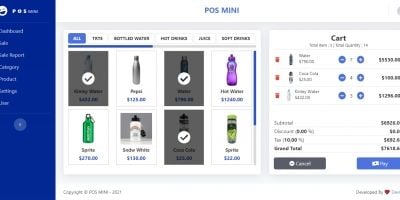
Point of Sale (POS): A visual checkout
interface with product searching, real-time stock visibility, and automated
tax/total calculations.
Receipt (Sale): A digital ledger of all
finalized transactions, tracking specific invoice IDs, cashier names, and
payment methods.
Inventory Management
Products: A master list for managing individual items, including their SKUs,
barcodes, and selling prices.
Categories: A classification system to
organize products into groups like "Bonsai Plant" or "House
Plant".
Stock History: A detailed log tracking every
inventory movement, including purchase increases and sale decreases.
Suppliers: A contact management database for
vendors, storing addresses and phone numbers.
Add Stock: A dedicated "Stock Increase
Cart" for bulk inventory updates and replenishment.
Administration & Security
Users: A module to manage employee accounts and access levels.
Roles: A permission management system to
define specific access rights for different user types.
Requirements
Laravel 11 API
PHP (version 8.1 or higher)
Laravel Framework (latest stable version)
Composer (latest version)
PostgreSQL or MySQL Database
Web Server (Apache or Nginx)
RESTful API architecture
Token-based authentication (JWT)
Next JS 16 Frontend
Node.js (version 18 or higher)
pnpm (version 8 or higher)
Next.js 16
JavaScript / TypeScript
Tailwind CSS
Instructions
Laravel 11 (API)
First, make sure your system has PHP 8.1 or higher, Composer, MySQL, and Git installed. Clone the POS Inventory API project and move into the project directory, then install all backend dependencies using Composer.
Next, copy the .env.example file to .env and configure the application and database settings. Create the database in MySQL and generate the Laravel application key.
After configuring the environment, run the database migrations to create all required tables. If sample data is needed, run the database seeder.
Then, create the storage link and ensure the storage and cache directories have proper permissions.
Finally, start the Laravel development server using Artisan. The API will now be accessible and ready to connect with your frontend application.
Next JS 16(Frontend)
First, make sure your system has Node.js version 18 or higher and a package manager such as npm or yarn installed. Extract or clone the POS Inventory UI project and move into the project directory.
Next, install all frontend dependencies by running the package installation command. This will download Next.js, React, and all required libraries.
After installing dependencies, create an environment configuration file if required and set the API base URL so the frontend can communicate with the POS Inventory API backend.
Then, start the development server. The application will compile and run locally, and the UI will be accessible through the local development URL in your browser.
For production, build the project using the build command and deploy it to a hosting platform such as Vercel. Make sure the environment variables are correctly configured in the production environment.
Once deployed, the UI will be fully connected to the API and ready for use.
Other items by this author


|
PHP Script Installation Service
Don't worry about the installation of your script! Have your PHP Script installed for you.
|
$39 | Buy now |
| Category | Scripts & Code / PHP Scripts / POS |
| First release | 31 December 2025 |
| Last update | 31 December 2025 |
| Software version | PHP 8.1, PHP 8.2 |
| Software framework | React, Laravel |
| Tags | pos system inventory management laravel pos rest api pos inventory admin dashboard sales management stock management retail pos warehouse system laravel api bootstrap admin |