
RexRestro - Complete Restaurant POSRexRestro - Complete Restaurant POS
Complete Restaurant POS with table management, real-time KDS, inventory control, and sales analytics. All-in-one solution
RexRestro - Complete Restaurant POS
Complete Restaurant POS with table management, real-time KDS, inventory control, and sales analyt...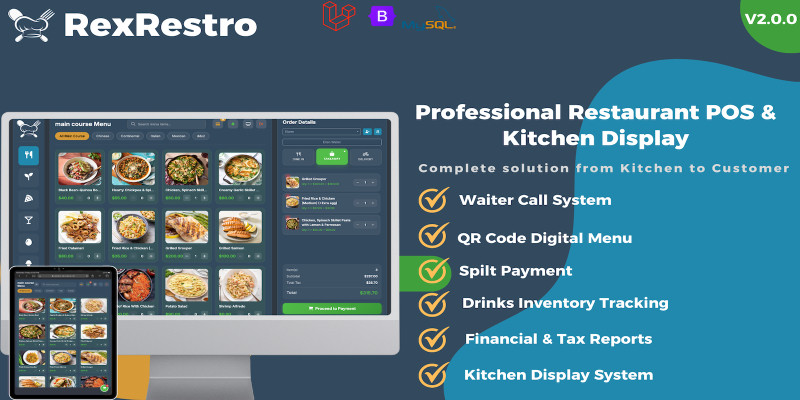
Screenshots
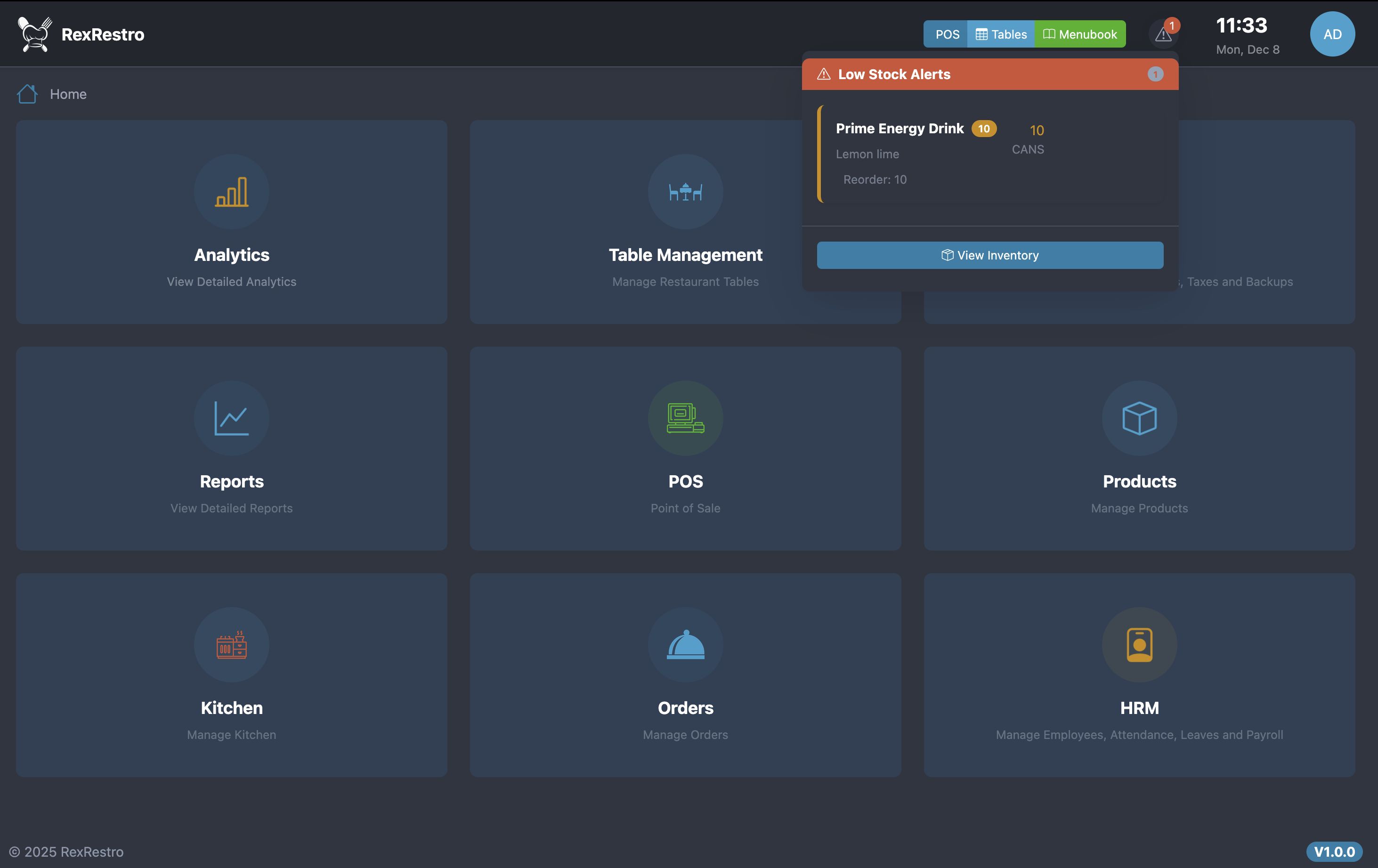
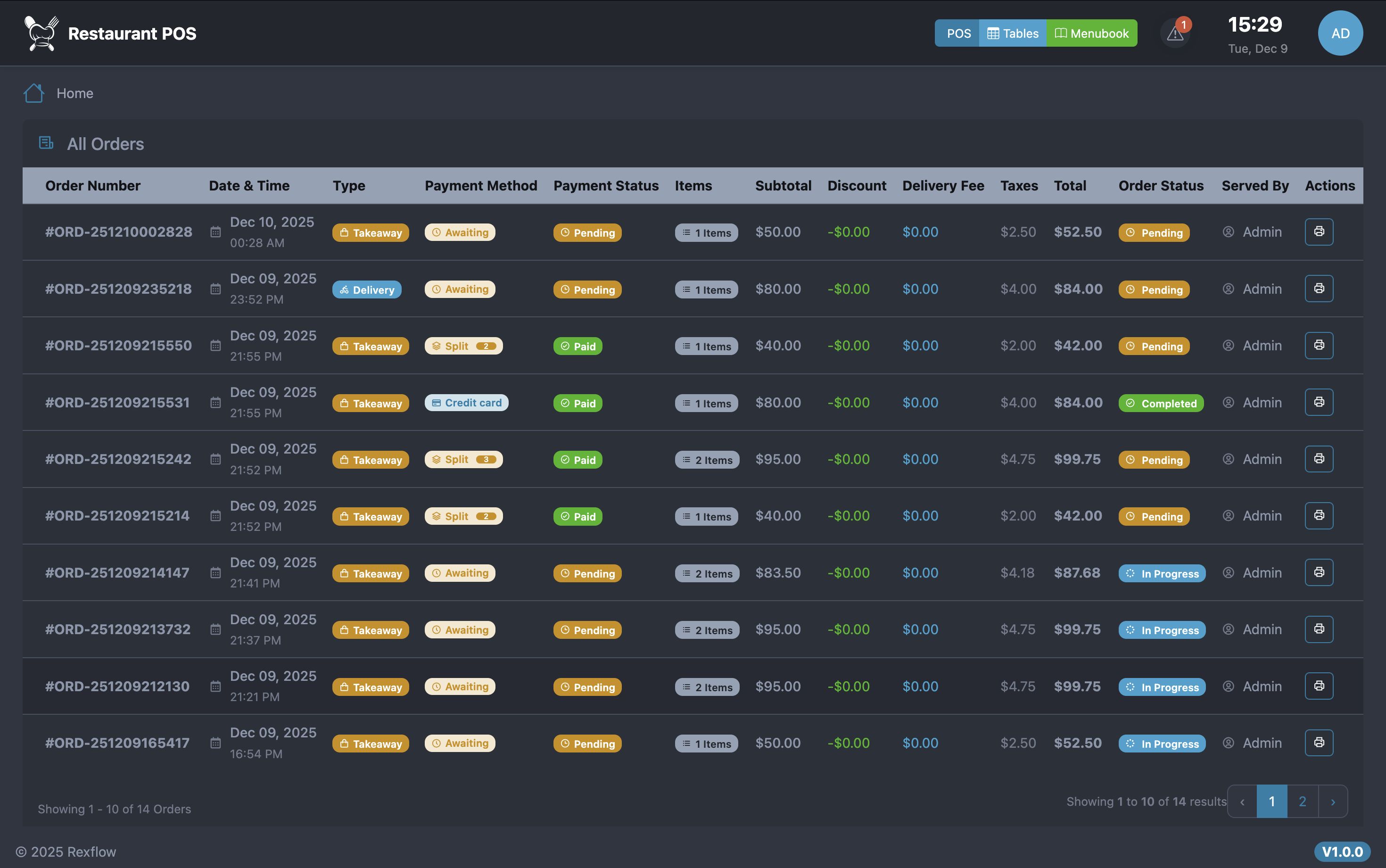
Overview
RexRextro Kitchen – Complete Restaurant Management System
Transform Your Restaurant Operations with Modern Technology
Overview
RexRextro Kitchen OS is a powerful, feature-rich Restaurant Point of Sale and Management System built with Laravel 12 and Vite. Designed for restaurants, cafes, cloud kitchens, and hospitality businesses, it streamlines every aspect of operations – from order taking to financial reporting.
Default Demo Account
https://rexflow.aknsystems.com/
-
Admin:
admin/ PIN111111 -
Cashier:
cashier/ PIN111111 -
Waiter:
waiter/ PIN111111 -
Kitchen:
kitchen/ PIN111111
Key Highlights
- Laravel 12 & PHP 8.2-8.5 Compatible – Modern, secure, and future-proof
- Automated Installation Wizard – Setup in under 10 minutes
- Multi-Language Support – English, Arabic (RTL), French, Turkish
- Responsive Design – Works on desktops, tablets, and phones
- Modular & Scalable Architecture – Clean, maintainable code
- Real-Time Updates – Live order tracking and kitchen display
- Comprehensive Security – CSRF, SQL injection prevention, XSS protection
Core Features
Point of Sale (POS)
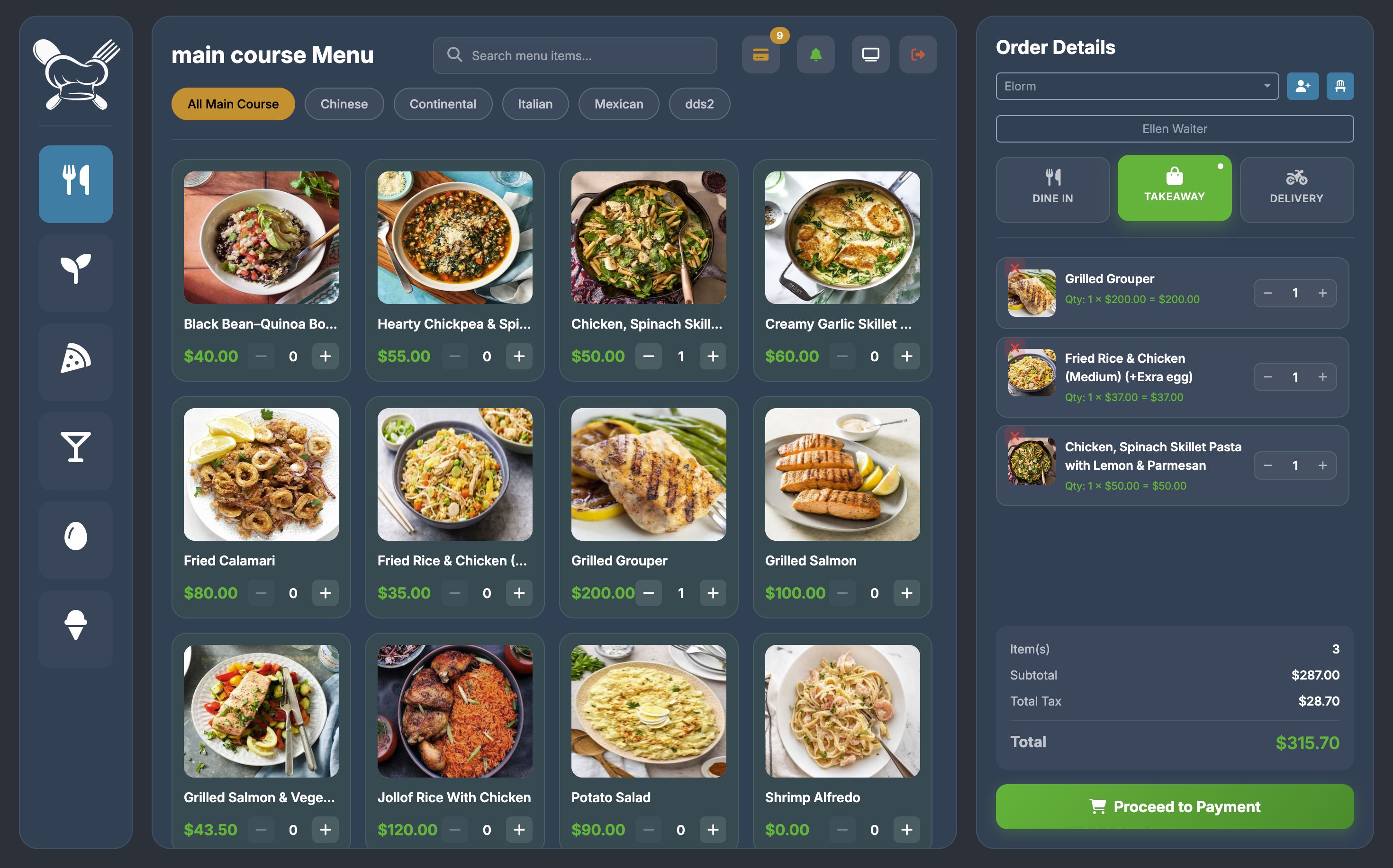
- Multiple order types: Dine-in, Takeaway, Delivery
- Flexible payment options: Cash, Credit, Bank Transfer, UPI, Split Payment
- Real-time cart management with stock verification
- Order editing, receipt generation, discounts, and tax calculation
- Waiter assignment and table management
Product Management
- Unlimited products, categories, variations, and modifiers
- Product images, stock tracking, and status management
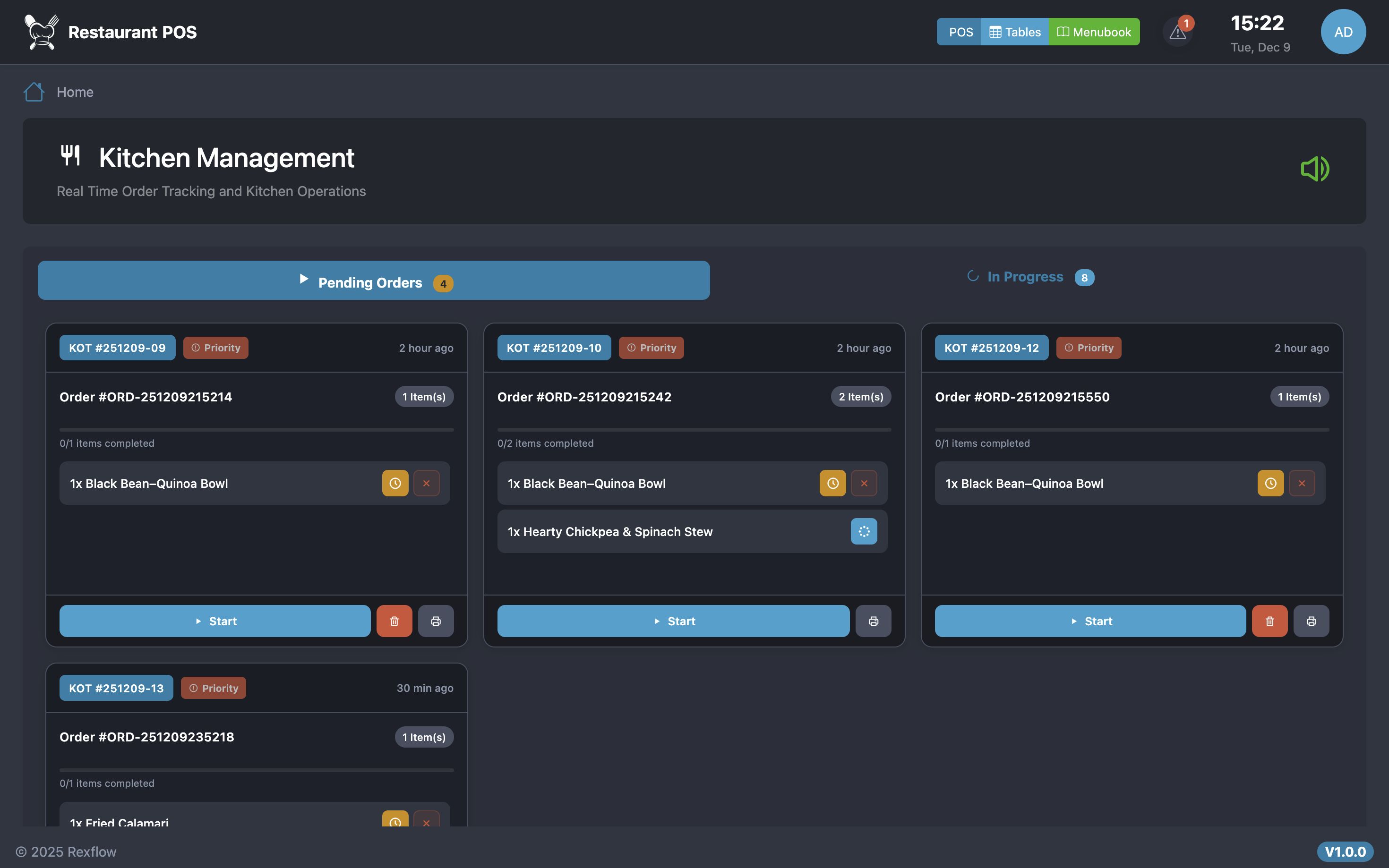
Kitchen Display System (KDS)
- Real-time order display and status tracking
- Chef assignment, priority management, table info
- Auto-print and sound notifications
Reports & Analytics
- Financial reports, sales trends, peak hours, top products
- Payment analysis and user performance tracking
Inventory Management
- Stock tracking, low-stock alerts, supplier management
- Automatic stock deduction, inventory history, and reports
Table & Reservation Management
- Table CRUD, status tracking, area organization, waiter assignment
- Capacity and occupancy tracking, reservations
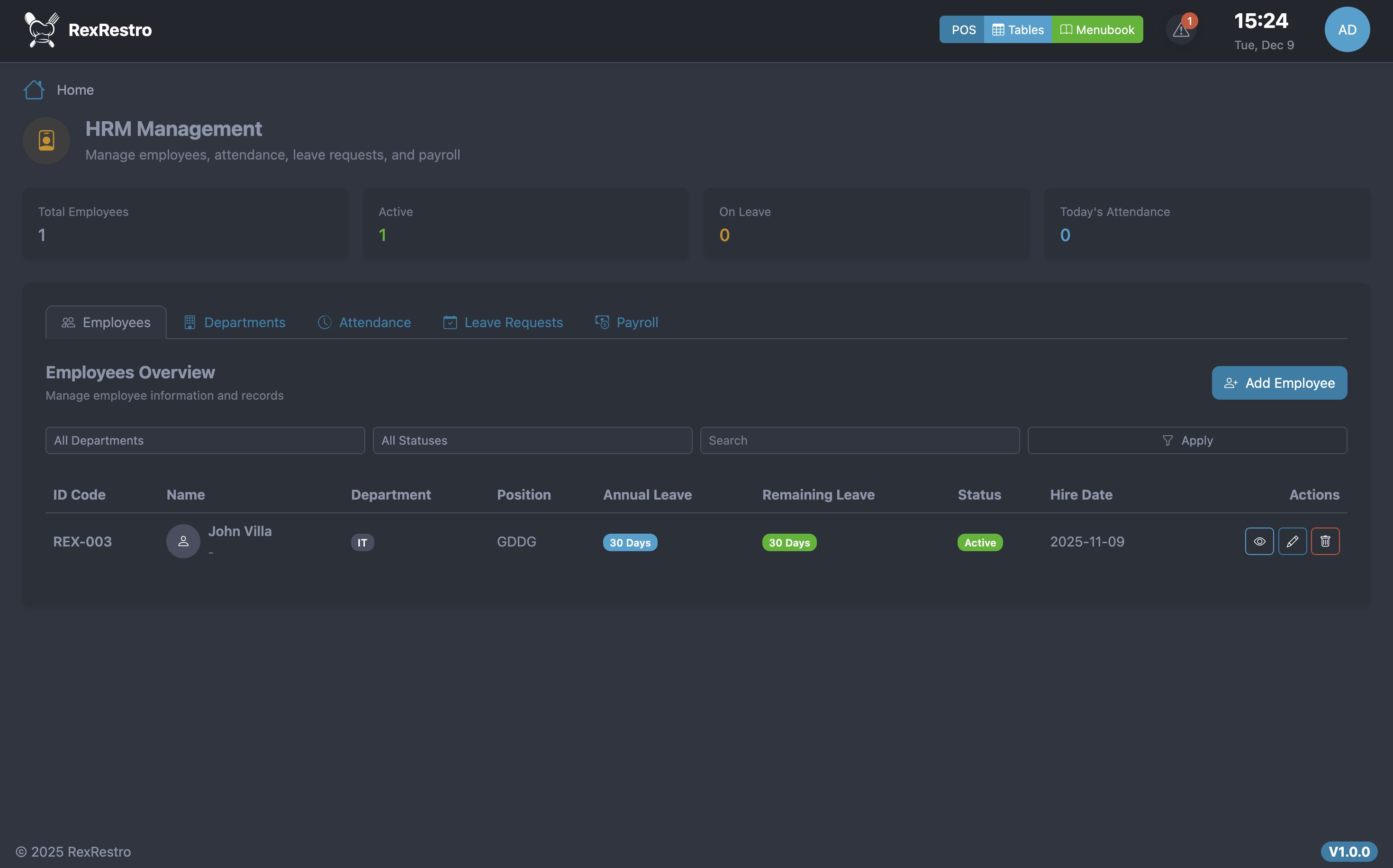
Human Resource Management (HRM)
- Employee profiles, department management, attendance tracking
- Leave requests, payroll calculation, shift management
Customer-Facing Features
- Menu Book: public digital menu
- Order Board: real-time order status display
- Fully mobile responsive
Settings & Administration
- User management with role-based access
- Permission system, company info, tax & coupon configuration
- Backup & restore, multi-currency, timezone settings
Security Features
- CSRF protection, SQL injection prevention, XSS protection
- Account lockout, PIN hashing, session security
- Shift-based login control, input validation
Technical Specifications
- PHP 8.2 – 8.5, Laravel 12, MySQL 5.7+ / MariaDB 10.3+
- Apache/Nginx compatible, 128MB memory minimum
- Backend: Laravel Modules, Service Layer Architecture
- Frontend: Vite, Responsive UI
- ORM: Eloquent, PIN-based authentication
What’s Included
- Full source code (well-commented)
- HTML documentation and installation wizard
- Database migrations and demo seeders
- All assets (CSS, JS, images)
- 6 months free updates and support
Installation Process
- Upload files to server
- Create MySQL database and user
-
Set folder permissions (
storage/&bootstrap/cache/) - Run installation wizard (automatic setup, migrations, APP_KEY generation)
- Installation auto-locks and cleans files for security
Why Choose RexFlow Kitchen?
- Clean, modular, and modern code
- Optimized for high-volume, real-time operations
- Intuitive and responsive UI
- Regular updates and 6 months dedicated support
- Full source code with no encrypted files
Perfect For
Restaurants, cafes, fast-food outlets, food courts, cloud kitchens, catering services, and bakeries.
Get Started Today
Transform your restaurant operations with RexRestro Kitchen – a complete, secure, and modern solution. Quick installation, comprehensive features, and reliable support get you up and running in minutes!
Features
Point of Sale (POS)
- Multi-order Type Support: Dine-in, Takeaway, Delivery
- Product Variations: Sizes, options, and custom modifiers
- Smart Cart System: Quick add, edit, and discount management
- Multiple Payment Methods: Cash, Credit Card, UPI, Split Payment
- Receipt Printing: Thermal printer support
- Quick Item Search: Item code and name search
Table Management
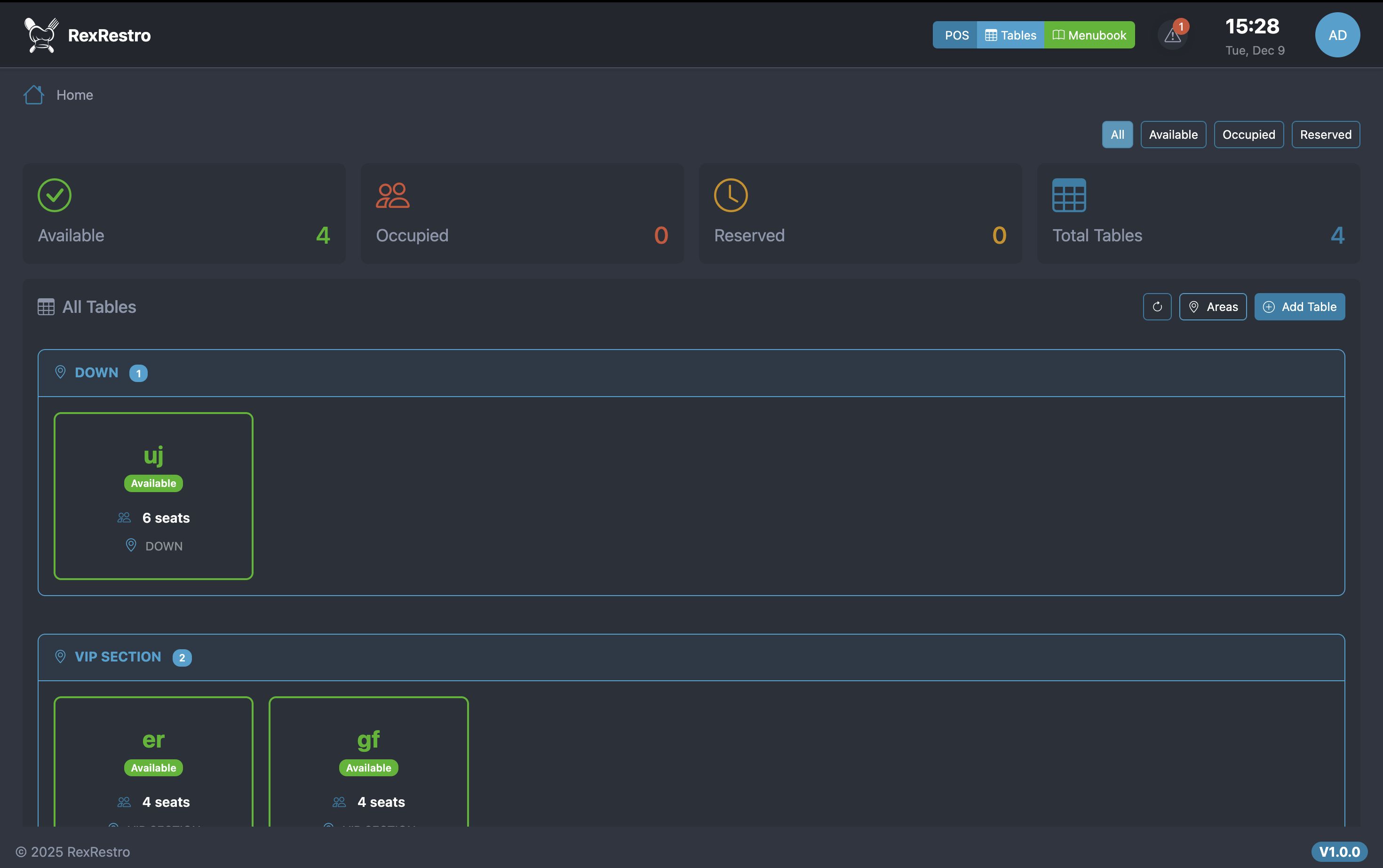
- Visual Table Layout: Real-time table status (Available, Occupied, Reserved)
- Reservation System: Book tables with guest name and time slots
- Auto-release Timer: Automatic table release after 2 hours
- Quick Assignment: Assign tables to waiters with one click
- Order Tracking: View active orders per table
Kitchen Display System (KDS)
- Real-time Orders: Instant order notifications to kitchen
- Order Prioritization: Color-coded by urgency and time
- Item-level Tracking: Mark items as preparing/ready individually
- Audio Alerts: Sound notifications for new orders
- Order Timer: Track preparation time for each order
Waiter Dashboard
- Order Assignment: View and manage assigned orders
- Status Updates: Track order progress (Pending to Ready to Served)
- Quick Actions: Mark orders as served, view details
- Performance Stats: Track daily order counts
- Auto-refresh: Real-time updates every 30 seconds
Inventory Management
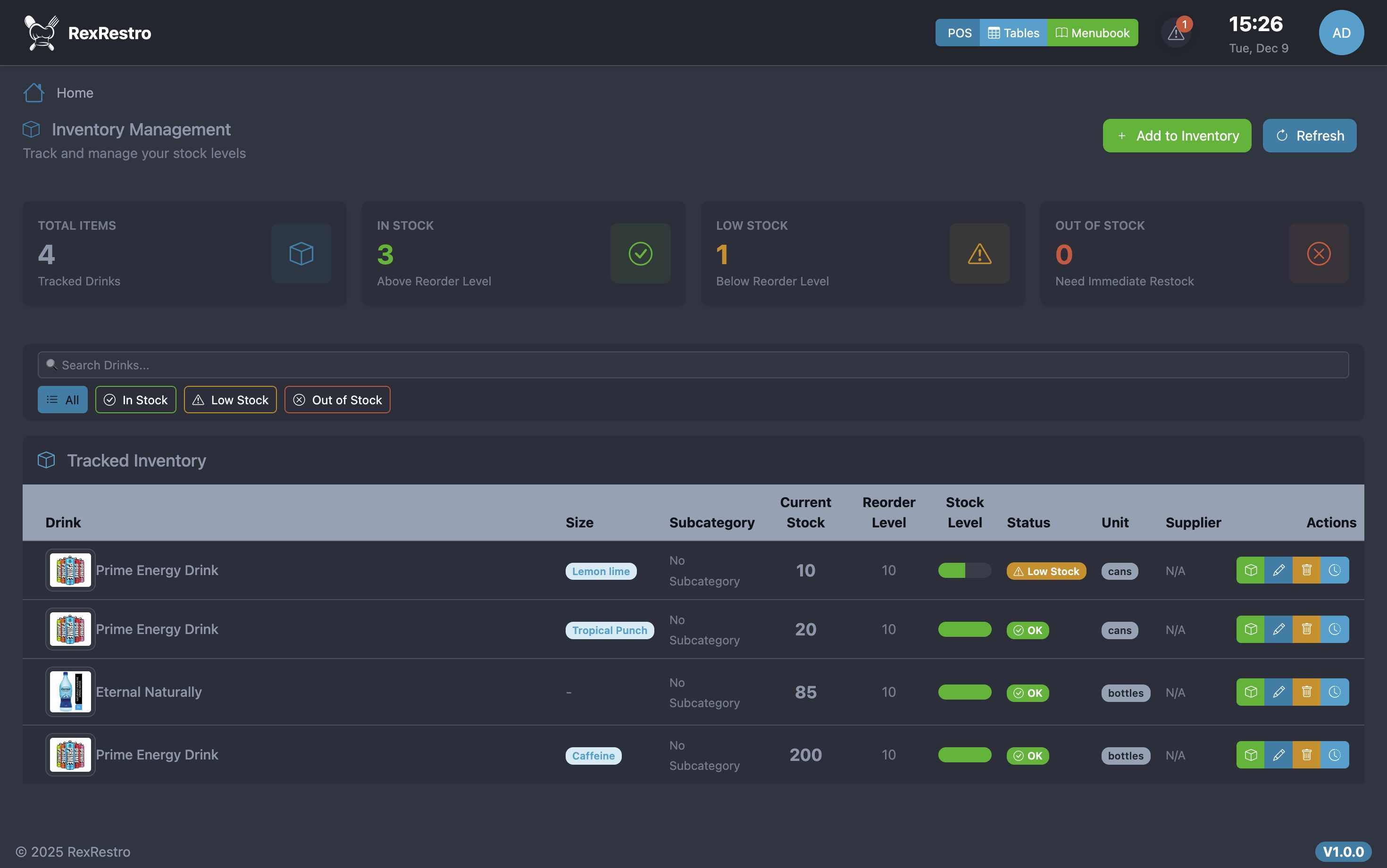
- Stock Tracking: Real-time inventory levels per product/variation
- Low Stock Alerts: Automatic notifications when stock is low
- Batch Management: Track product batches and expiry dates
- Stock Adjustment: Add, remove & waste management
- Inventory Reports: Detailed stock movement reports
Products & Menu Management
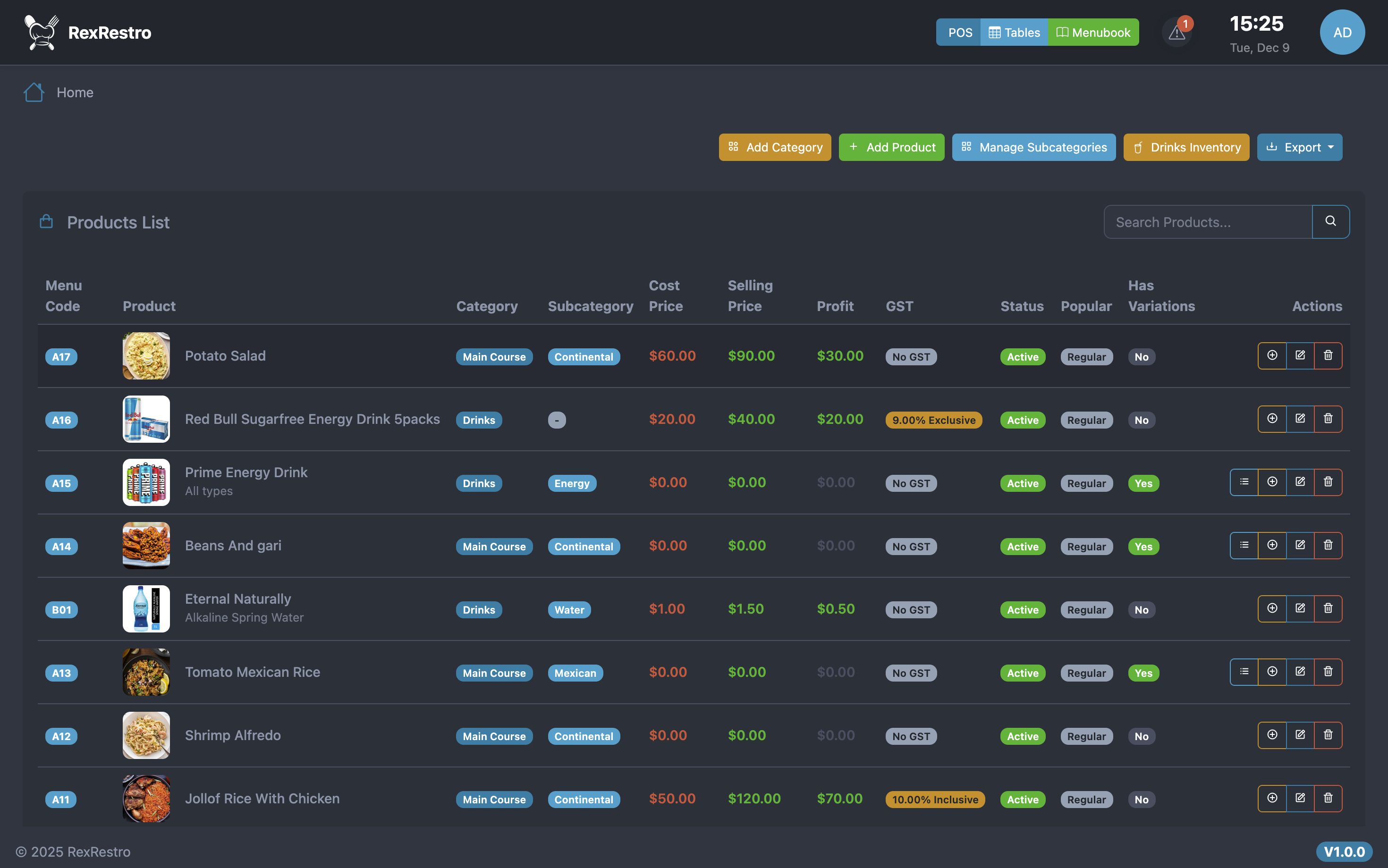
- Unlimited Products: Add products with images, descriptions, pricing
- Categories & Subcategories: Organize menu with unlimited levels
- Product Variations: Sizes, colors, options with individual pricing
- Modifiers/Add-ons: Extra toppings, sides, customizations
- GST/Tax Management: Inclusive or exclusive tax configuration
- Popular Items: Mark bestsellers for quick access
- Auto Image Resize: Automatic optimization to 300x300px
Reports & Analytics
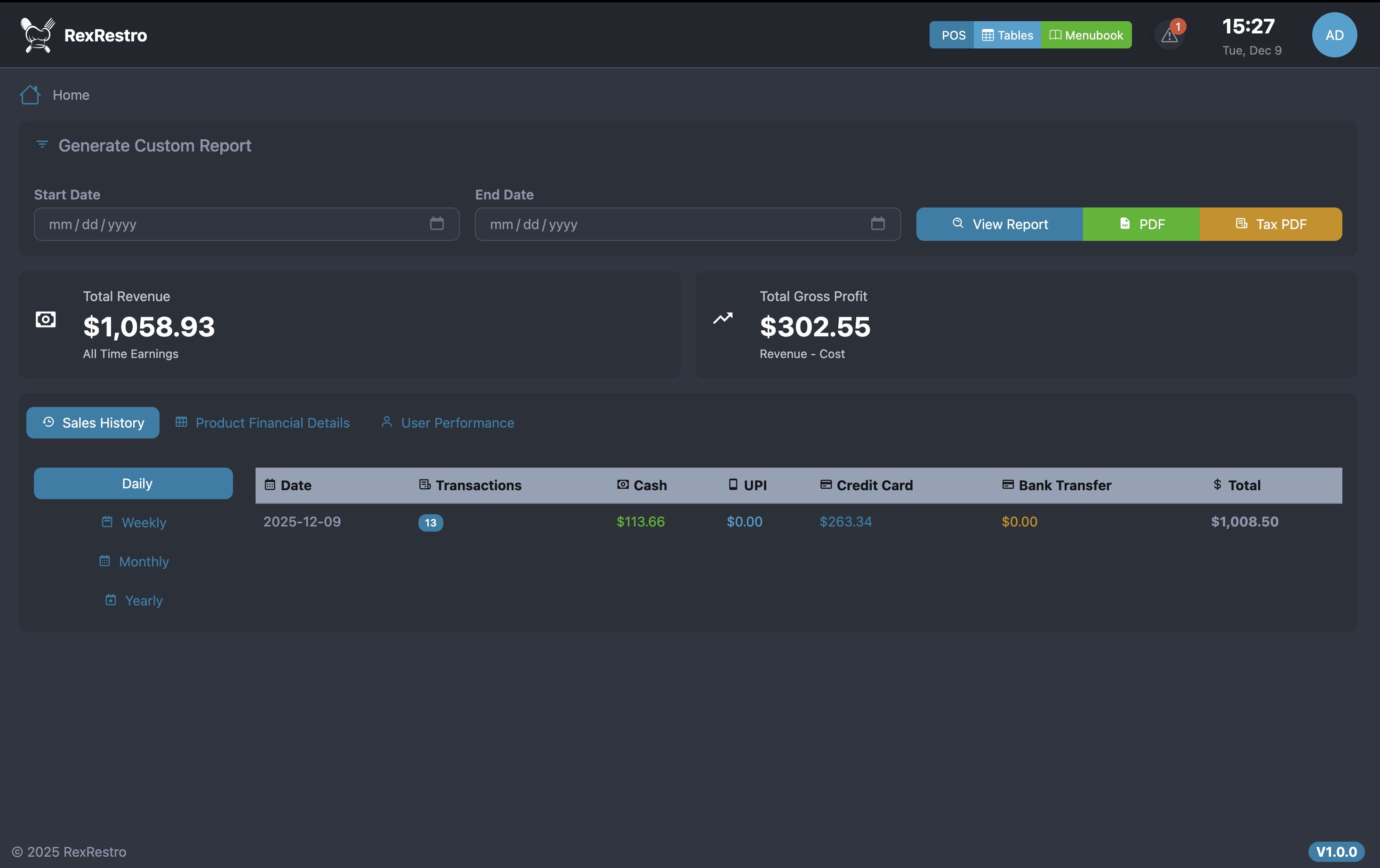
- Sales Reports: Daily, weekly, monthly revenue analysis
- Product Performance: Best-selling items and profit analysis
- Staff Performance: Waiter sales tracking
- Payment Reports: Breakdown by payment method
- Export Options: Excel and PDF export for all reports
- Custom Date Ranges: Filter reports by any date range
User Management
- Role-based Access: Admin, Waiter, Kitchen,Cashier
- Permission Control: Granular access to features
- Staff Profiles: Track user activities and performance
- Activity Logs: Audit trail for all actions
System Configuration
- Multi-currency Support: Configure currency symbol and position
- Tax Configuration: GST, VAT, Sales Tax with inclusive/exclusive options
- Receipt Customization: Add logo, business info, footer text
- Notification Settings: Email and SMS alerts configuration
- Backup & Restore: Database backup with one click
Requirements
====================================================================
SYSTEM REQUIREMENTS
====================================================================
Server Software:
- Apache 2.4+ with mod_rewrite OR
- Nginx 1.18+ with proper rewrite rules
- PHP 8.4+
PHP Extensions Required:
- intl
- mbstring
- json
- mysqlnd
- curl
- xml
- gd (for image manipulation)
PHP Configuration:
- memory_limit: 128MB minimum (256MB recommended)
- max_execution_time: 300 seconds
- upload_max_filesize: 10MB minimum
- post_max_size: 10MB minimum
Database:
- MySQL 5.7+ OR
- MariaDB 10.3+
Disk Space:
- 100MB minimum for application
- Additional space for uploads and logs
Instructions
====================================================================
REXRESTRO POS - QUICK INSTALLATION GUIDE
====================================================================
Time: 5-10 minutes | cPanel & hPanel Ready | Easy Setup
For detailed instructions, see: Documentation/index.html
====================================================================
QUICK STEPS
====================================================================
STEP 1: UPLOAD FILES
--------------------------------------------------------------------
1. Upload the entire package to your server
2. Extract the ZIP file
3. Move contents from 'application/' folder to your web root
Example: public_html/ or htdocs/
STEP 3: SET PERMISSIONS
--------------------------------------------------------------------
1. Set 'writable/' folder permissions to 755 (or 777 if 755 fails)
2. Enable "Recurse into subdirectories" option
3. Verify all subfolders in writable/ are also writable
STEP 4: CREATE DATABASE
--------------------------------------------------------------------
Via cPanel/hPanel:
1. Go to: MySQL Databases
2. Create new database (e.g., yourdomain_rexrestro)
3. Create database user with strong password
4. Assign user to database with ALL PRIVILEGES
5. Save your credentials!
STEP 5: ACCESS YOUR SYSTEM
--------------------------------------------------------------------
1. Visit: https://yourdomain.com/
2. You'll see the install wizard
DEFAULT LOGIN CREDENTIALS:
--------------------------
https://rexflow.aknsystems.com/
Username: admin
PIN: 111111 (six ones)
*** IMPORTANT: CHANGE PIN IMMEDIATELY AFTER LOGIN! ***
3. Go to: Admin > Settings
4. Configure:
- Upload your restaurant logo
- Set currency symbol
- Set timezone
- Configure business information
5. Go to: Admin > Settings > Tax
- Add your tax rates (GST/VAT)
====================================================================
QUICK TROUBLESHOOTING
====================================================================
ISSUE: White/Blank Screen
SOLUTION:
- Check writable/ folder permissions (755 or 777)
- Enable display_errors in PHP temporarily
ISSUE: Database Connection Error
SOLUTION:
- Verify credentials in .env file
- Check database exists
- Confirm user has proper privileges
- Try 'localhost' instead of '127.0.0.1'
ISSUE: 404 Errors on Pages
SOLUTION:
- Verify .htaccess file exists in public/ folder
- Enable mod_rewrite on Apache
- For Nginx, configure rewrite rules
ISSUE: CSS/Images Not Loading
SOLUTION:
- Ensure app.baseURL in .env ends with /
- Clear browser cache
- Check file permissions
ISSUE: Permission Denied Errors
SOLUTION:
- Set writable/ to 755 (or 777)
- Ensure PHP user owns the files
- Contact hosting support if persists
ERROR LOGS LOCATION: writable/logs/
====================================================================
NEXT STEPS AFTER INSTALLATION
====================================================================
1. COMPLETE SETUP
- Open Documentation/installation.html for:
* Detailed step-by-step instructions
* cPanel & Hostinger specific guides
* SMS/WhatsApp integration setup (optional)
* AWS S3 backup configuration (optional)
* Complete troubleshooting guide
2. LEARN THE SYSTEM
- Open Documentation/documentation.html for:
* Product & category management
* Staff & user management
* POS system usage guide
* Table & order management
* Kitchen display system
* Reports & analytics
* Inventory tracking
3. CONFIGURE YOUR RESTAURANT
- Add your menu categories
- Add products with prices
- Set up tables (if using dine-in)
- Create staff accounts
- Configure printers (if using)
====================================================================
DEMO CREDENTIALS
====================================================================
Want to try before installing? Visit our demo:
Demo URL: https://rexrestro.aknsystems.c...
Login: Select any user from dropdown
PIN: 1111111 (seven ones)
Test all features:
- POS System (place orders)
- Kitchen Display
- Table Management
- Waiter Dashboard
- Admin Panel
====================================================================
SECURITY RECOMMENDATIONS
====================================================================
AFTER INSTALLATION:
1. Change default admin PIN immediately
2. Use strong passwords for database
3. Enable HTTPS/SSL for production
4. Regular backups of database and uploads
5. Keep Laravel framework updated
Other items by this author








|
PHP Script Installation Service
Don't worry about the installation of your script! Have your PHP Script installed for you.
|
$39 | Buy now |
| Category | Scripts & Code / PHP Scripts / POS |
| First release | 8 November 2025 |
| Last update | 12 December 2025 |
| Software version | PHP 8.2, PHP 8.3, PHP 8.4 |
| Files included | .php, .css, .html, .sql, Javascript .js |
| Tags | pos restaurant point of sale inventory management php laravel kds kitchen display system table management waiter cafe food ordering multiuser reports |