Home / Scripts & Code / Python

Habit Tracker Pro - PythonHabit Tracker Pro - Python
Habit Tracker Pro is a beautiful, user-friendly desktop application designed to help you build and maintain positive habitsHome / Scripts & Code / Python
Habit Tracker Pro - Python
Habit Tracker Pro is a beautiful, user-friendly desktop application designed to help you build an...
Screenshots
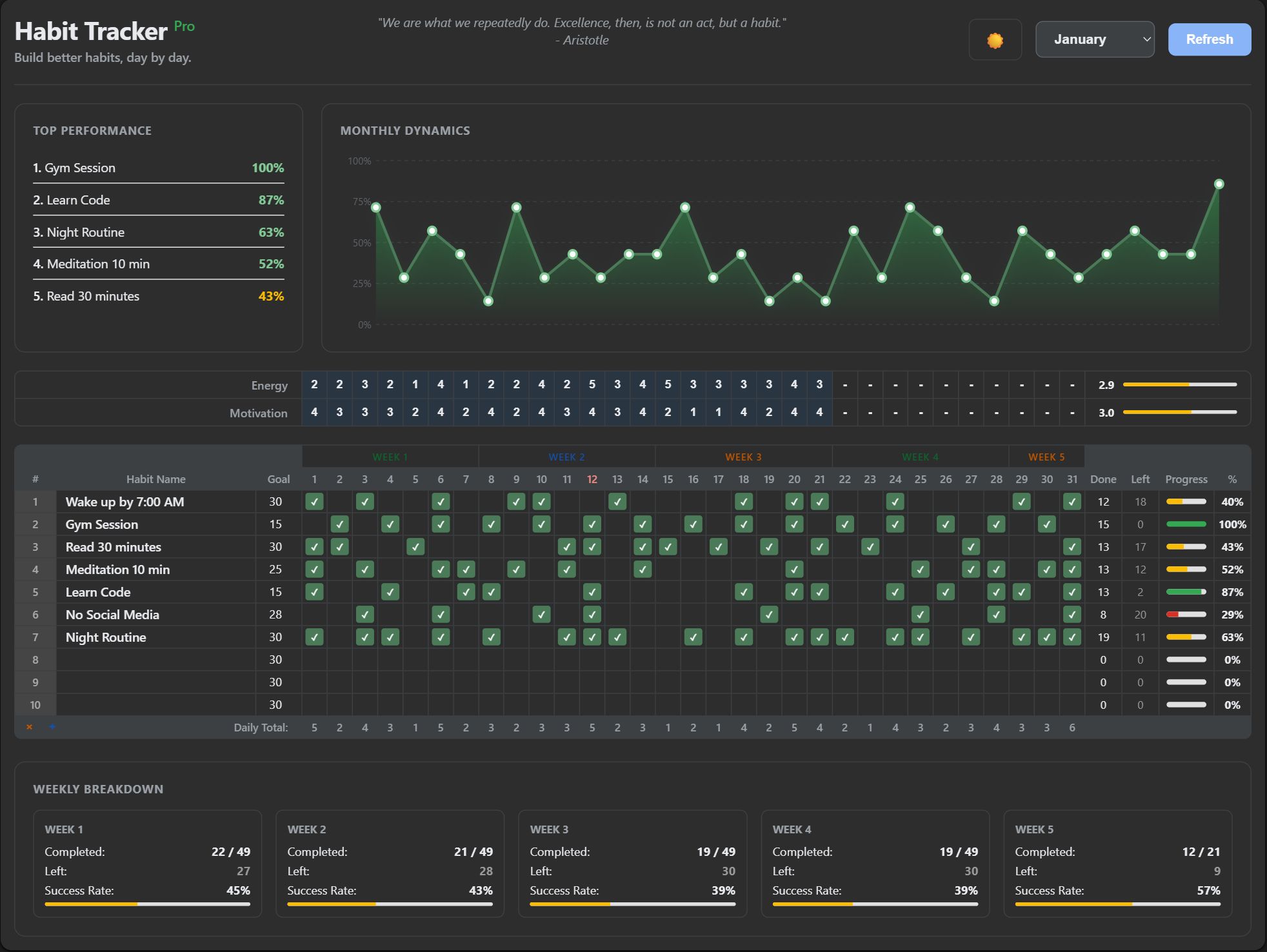
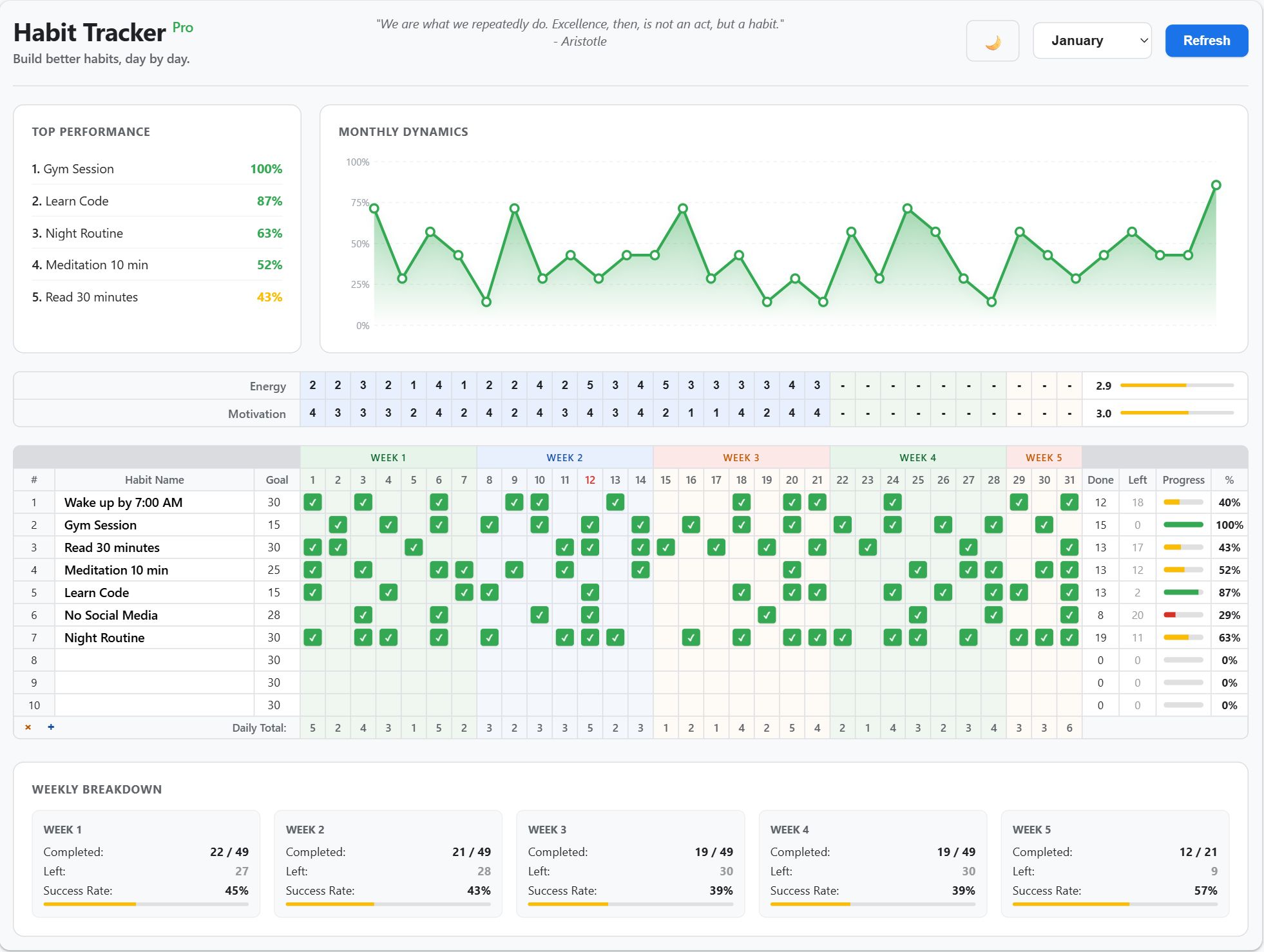
Overview
Habit Tracker Pro is an elegant desktop application for building better daily habits. Track multiple habits with an intuitive monthly view, visualize your progress with beautiful charts, and stay motivated with mood tracking and performance analytics. Full source code included!
Features
Monthly Habit Grid
- Track 10+ habits simultaneously
- Visual day-by-day progress with checkboxes
- Color-coded weeks for easy navigation
- Today's date highlighted for quick reference
- Dynamic add/remove habit rows
Progress Analytics
- Individual progress bars for each habit
- Percentage completion tracking
- "Done" and "Left" counters
- Customizable goals for each habit (1-31 days)
Performance Dashboard
- Top 5 best-performing habits
- Beautiful SVG chart showing monthly dynamics
- Weekly statistics
- Success rate calculation per week
- Completed vs. remaining tasks tracking
Mood & Energy Tracking
- Daily energy level tracking (1-5 scale)
- Motivation level monitoring
- Average calculations with visual bars
- Color-coded indicators
Reliable Data Storage
- SQLite database for data persistence
- Automatic real-time data saving
- Habit names sync across all months
- No internet connection required
- Complete privacy - all data stays local
Requirements
Operating System: Windows 10 or Windows 11Language: Python 3.10+ (Required only if editing source code)Dependencies: All libraries are included in the .exe file.Hardware: Basic PC or Laptop (No special requirements)Internet: Not required (Works 100% Offline)
Instructions
Option 1: Run as App (Recommended)
- Unzip the downloaded file.
- Open the folder "Habit Tracker Pro".
- Double-click Habit Tracker Pro.exe.
- Enjoy! No installation needed.
Option 2: Run Source Code (For Developers)
- Install Python 3.x on your computer.
- Open terminal in the source folder.
- Run:
pip install -r requirements.txt - Run:
python app.py
Other items by this author


Free support
Future product updates
Quality checked by Codester
Lowest price guarantee
Buy Now - Fast Checkout
Future product updates
Quality checked by Codester
Lowest price guarantee


Information
| Category | Scripts & Code / Python |
| First release | 12 January 2026 |
| Last update | 12 January 2026 |
| Files included | .py, .css, .html, Javascript .js |
| Tags | Productivity, personal development, desktop app, productivity tool, habit tracker, self-improvement, daily habits, goal tracking, habit building, progress tracker, monthly planner, habit calendar, routine tracker, habit journal, self-discipline |