Home / App Templates / Android / Applications / Finance

Income And Expense Tracker – Offline App AndroidIncome And Expense Tracker – Offline App Android
Offline income & expense tracker with categories, charts, JSON backup/restore, swipe-to-delete, and modern UIHome / App Templates / Android / Applications / Finance
Income And Expense Tracker – Offline App Android
Offline income & expense tracker with categories, charts, JSON backup/restore, swipe-to-delet...
Overview
Income & Expense Tracker (Android)
Income & Expense Tracker is a modern, offline-first native Android application that helps users record daily transactions, manage categories, and view spending insights with charts. The app stores data locally using SQLite and supports JSON backup/restore via Android system file picker (SAF), so users can save backups to any folder or cloud location.
Platform: Android (Native)
Language: Java + XML
Storage: Offline SQLite
Target: SDK 36 (Android 15)
Min SDK: 24 (Android 7.0)
Language: Java + XML
Storage: Offline SQLite
Target: SDK 36 (Android 15)
Min SDK: 24 (Android 7.0)
This project is designed for quick reskin and publishing. Documentation is included inside the package.
What buyers get
- Complete Android Studio project (Java + XML)
- Documentation (HTML) + README
- Clean UI layouts and well-structured code
- AdMob banner & interstitial integration (test IDs included for safe testing)
Features
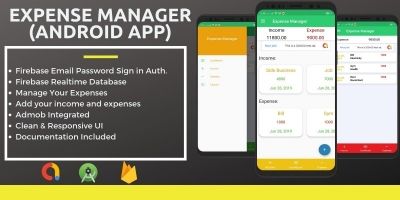
- Income & Expense Tracking: Add, edit, and delete transactions
- Categories: Default + custom categories (Income/Expense)
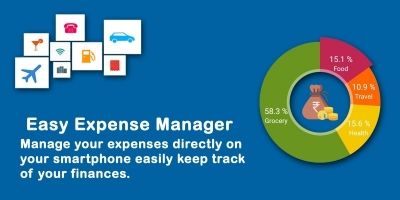
- Dashboard Summary: Total income, total expense, and balance (Income − Expense)
- Reports & Charts:
- Category-wise monthly Pie Chart
- Monthly Expense Bar Chart
- Transaction List: Tap to edit, swipe to delete
- Empty State: Lottie animation when no data available
- Backup & Restore (JSON): Uses Android file picker (SAF) so user can choose any folder or cloud
- Offline First: No internet required for core features
- AdMob Ready: Banner + Interstitial included (replace with your real IDs before publishing)
- Reskin Friendly: Easy to change name, icon, colors, and package
Requirements
- Android Studio (latest recommended)
- JDK 8 or higher
- Minimum SDK: 24 (Android 7.0)
- Target SDK: 36 (Android 15)
- Gradle (included with Android Studio)
Instructions
Project Setup
- Open Android Studio
- Click Open and select the project folder
- Wait for Gradle Sync to finish
- Run the app on an emulator or real device
How to Use
- Go to Transactions and tap + to add a new entry
- Select Type (EXPENSE/INCOME), enter amount, choose category, add optional note
- Tap Save
- Tap any transaction to Edit, swipe left/right to Delete
- Use Reports for charts and monthly analysis
- Use Settings for Backup and Restore
Backup & Restore (JSON)
Backup and restore uses the Android system file picker (SAF). Users can choose any folder or cloud storage location to save or restore backups.
Reskin / Rebranding (Important)
You can easily customize the app for your brand. Please follow the included documentation for step-by-step instructions.
- Change App Name:
app/src/main/res/values/strings.xml - Change App Icon: Android Studio → Image Asset (mipmap)
- Change Colors/Theme:
app/src/main/res/values/colors.xml - Change Package Name: Refactor → Rename Package, then update
applicationIdinapp/build.gradle - AdMob IDs: Replace test Ad Unit IDs with your real IDs before publishing
Note: For full setup and reskin steps, please follow the documentation included in the download package.
Other items by this author


Information
| Category | App Templates / Android / Applications / Finance |
| First release | 17 January 2026 |
| Last update | 17 January 2026 |
| Operating Systems | Android 7.0, Android 8.0, Android 9.0, Android 10.0, Android 11.0, Android 12.0 |
| Files included | .html, .apk, .java, .xml |
| Tags | Java, XML, offline app, SQLite, android studio, money manager, expense tracker, finance app, income tracker, budget app |