Home / Scripts & Code / PHP Scripts / Multimedia / Music

Playfy-Sound Platform - LaravelPlayfy-Sound Platform - Laravel
A modern music streaming platform built with Laravel. Upload, share, and discover music with artist profiles and playlists.Home / Scripts & Code / PHP Scripts / Multimedia / Music
Playfy-Sound Platform - Laravel
A modern music streaming platform built with Laravel. Upload, share, and discover music with arti...
Screenshots

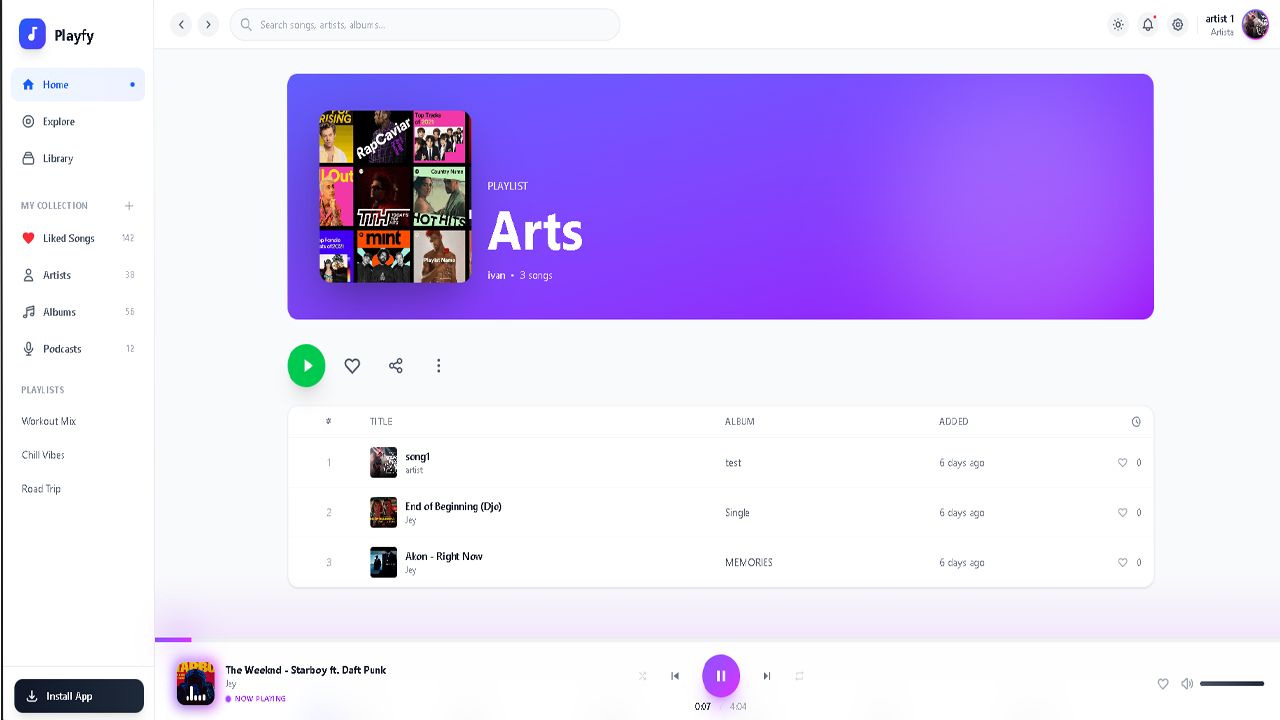
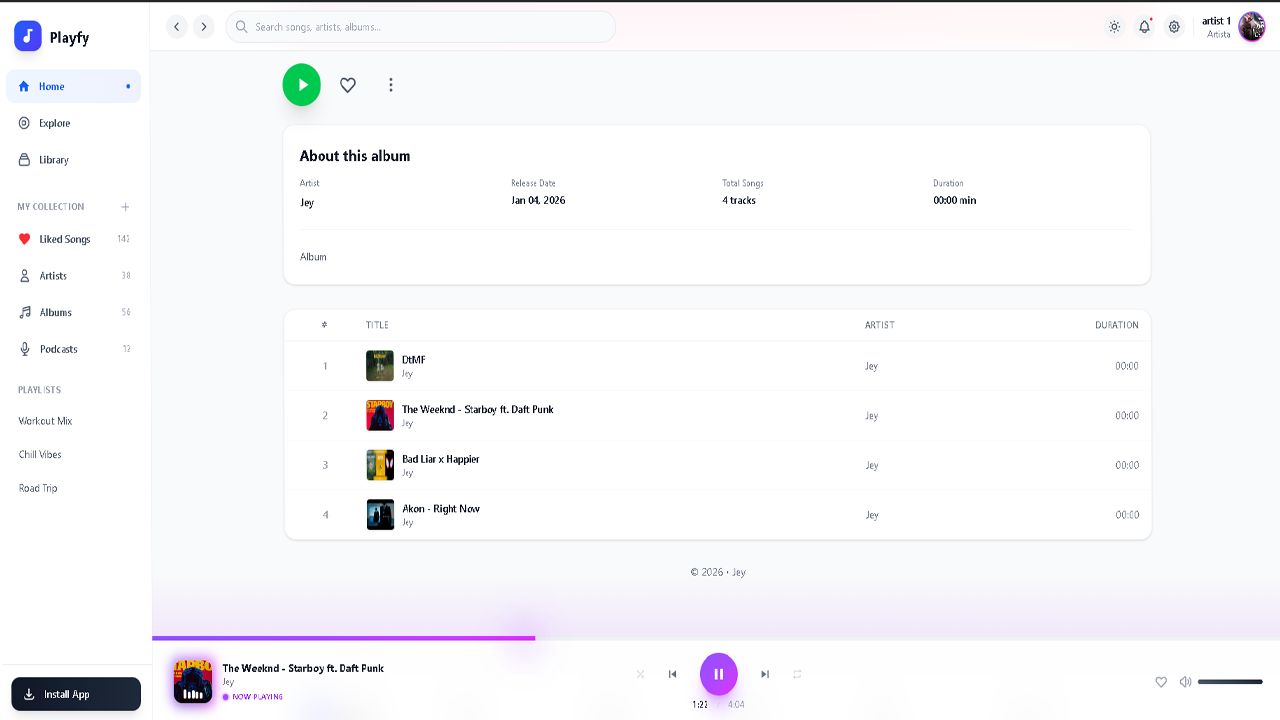
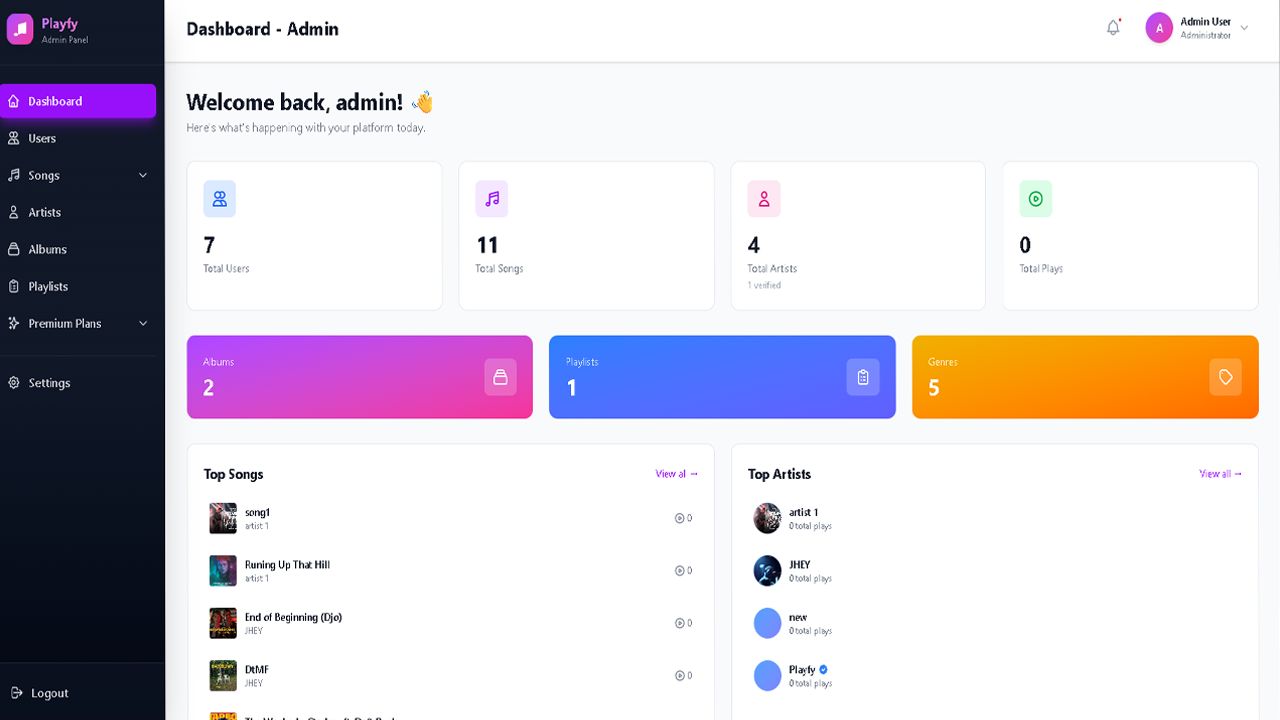
Overview
🎵 Playfy - Music Streaming Platform
Playfy is a modern, feature-rich music streaming platform built with Laravel 10, designed to connect artists with their audience.
✨ Key Features
- Artist Profiles: Verified artist accounts with custom profiles and bio
- Music Upload: Upload songs with cover art, audio files, and metadata
- Album Management: Create and organize albums with multiple tracks
- Playlist Creation: Users can create and share custom playlists
- Genre Discovery: Browse music by genres with color-coded categories
- Audio Streaming: High-quality audio playback with custom player
- Admin Dashboard: Comprehensive admin panel for content management
- Responsive Design: Beautiful UI built with TailwindCSS
🌐 Live Demo
Try the platform with full access to all features:
| 🌍 Main Website | https://playfy.dkawo.com |
| ⚙️ Admin Panel | https://playfy.dkawo.com/admin |
| 📧 Admin Email | [email protected] |
| 🔑 Password | 12345678 |
Note: Demo account allows full admin access. Changes may be reset periodically.
🛠️ Technology Stack
- Backend: Laravel 10 (PHP 8.2)
- Frontend: Vite + TailwindCSS + Alpine.js
- Database: MySQL 8.0
- Storage: Local file system with symbolic links
👥 User Roles
- Listeners: Browse, stream, and create playlists
- Artists: Upload songs, manage albums, track statistics
- Admins: Full platform management and moderation
🎯 Perfect For
- Independent artists looking to share their music
- Music communities and labels
- Educational institutions teaching music
- Anyone building a custom music platform
Built with modern web technologies for performance, scalability, and an exceptional user experience.
Features
🎵 Music Management
- Song Upload: Upload MP3, WAV, OGG files with custom cover art
- Album Creation: Organize tracks into albums with artwork and metadata
- Batch Management: Edit, delete, and organize multiple songs at once
- Release Scheduling: Set future release dates for songs and albums
- Genre Tagging: Categorize music with color-coded genre system
👤 Artist Features
- Artist Profiles: Customizable profiles with bio, avatar, and social links
- Verification System: Verified badge for authenticated artists
- Analytics Dashboard: Track plays, listeners, and engagement metrics
- Discography Management: Complete control over your music catalog
- Fan Engagement: Connect with listeners through your artist page
🎧 Listening Experience
- Custom Audio Player: Sleek, responsive player with playback controls
- Playlist Creation: Build and share unlimited custom playlists
- Genre Discovery: Explore music by genre with visual browsing
- Search Functionality: Find songs, artists, and albums quickly
- Responsive Design: Seamless experience on desktop, tablet, and mobile
🔐 User Management
- Multi-Role System: Listeners, Artists, and Admins with different permissions
- Secure Authentication: Laravel Breeze with email verification
- Profile Customization: Personalized user profiles and preferences
- Account Settings: Full control over privacy and notifications
⚙️ Admin Panel
- Dashboard Analytics: Real-time statistics and platform insights
- Content Moderation: Manage songs, albums, artists, and playlists
- User Management: View, edit, and moderate user accounts
- Genre Management: Create and customize music genres
- System Settings: Configure platform-wide settings and preferences
💾 Technical Features
- File Storage: Efficient storage with symbolic links for media files
- Image Processing: Automatic cover art optimization and resizing
- Database Optimization: Indexed queries for fast data retrieval
- Cache System: Laravel caching for improved performance
- API Ready: RESTful architecture for future API integration
🎨 Design & UI
- Modern Interface: Clean, intuitive design with TailwindCSS
- Dark Mode Support: Eye-friendly dark theme throughout the platform
- Smooth Animations: Micro-interactions and transitions for better UX
- Accessibility: WCAG compliant with keyboard navigation support
- Mobile First: Optimized for all screen sizes and devices
🚀 Performance
- Fast Loading: Optimized assets with Vite bundling
- Lazy Loading: Images and content load on demand
- CDN Ready: Prepared for content delivery network integration
- Efficient Queries: Optimized database queries with eager loading
- Production Ready: Cached routes, views, and configuration
Requirements
📋 System Requirements
Server Requirements
| Component | Minimum Version | Recommended |
|---|---|---|
| PHP | 8.1 | 8.2 or higher |
| MySQL | 5.7 | 8.0 or higher |
| MariaDB | 10.3 | 10.6 or higher |
| Composer | 2.0 | Latest version |
| Node.js | 16.x | 18.x or higher |
| NPM | 8.x | 9.x or higher |
Required PHP Extensions
- BCMath PHP Extension
- Ctype PHP Extension
- Fileinfo PHP Extension
- JSON PHP Extension
- Mbstring PHP Extension
- OpenSSL PHP Extension
- PDO PHP Extension
- Tokenizer PHP Extension
- XML PHP Extension
- GD or Imagick Extension (for image processing)
Web Server
One of the following:
- Apache 2.4+ with mod_rewrite enabled
- Nginx 1.18+ with proper configuration
- LiteSpeed (CyberPanel compatible)
Storage Requirements
- Disk Space: Minimum 1GB (depends on uploaded content)
- Database: Minimum 100MB
- Recommended: 5GB+ for production use with media files
Additional Requirements
- SSL Certificate: Required for HTTPS (Let's Encrypt recommended)
- File Upload Limits:
- Max upload size: 50MB (for audio files)
- Max execution time: 300 seconds
- Memory Limit: Minimum 256MB, recommended 512MB or higher
⚠️ Note: Make sure your hosting provider meets these requirements before installation. Shared hosting may have limitations on upload sizes and execution times.
Instructions
📦 Installation Instructions
1. Extract & Install Dependencies
<code>unzip playfy.zip
cd playfy
composer install --optimize-autoloader --no-dev
npm install</code>
2. Configure Environment
<code>cp .env.example .env
php artisan key:generate</code>
Edit .env with your database credentials:
<code>APP_ENV=production
APP_DEBUG=false
APP_URL=https://yourdomain.com

DB_DATABASE=your_database
DB_USERNAME=your_username
DB_PASSWORD=your_password</code>
3. Setup Database
<code>php artisan migrate --force
php artisan db:seed</code>
4. Build & Optimize
<code>npm run build
php artisan storage:link
php artisan optimize
chmod -R 755 storage bootstrap/cache</code>
5. Configure Web Server
Point document root to public/ folder and enable URL rewriting.
✅ Done! Visit your domain to access Playfy.
🔧 Common Issues
- Error 500: Run
chmod -R 755 storage bootstrap/cache - CSS/JS not loading: Run
npm run buildandphp artisan view:clear - Images not showing: Run
php artisan storage:link
Other items by this author










Additional options
|
PHP Script Installation Service
Don't worry about the installation of your script! Have your PHP Script installed for you.
|
$39 | Buy now |
Information
| Category | Scripts & Code / PHP Scripts / Multimedia / Music |
| First release | 18 January 2026 |
| Last update | 18 January 2026 |
| Software version | PHP 7.3, PHP 7.4, PHP 8.0, PHP 8.1, PHP 8.2, PHP 8.3, PHP 8.4 |
| Files included | .php, .css, .html, .sql, Javascript .js |
| JavaScript Framework | jQuery, Node.js |
| Tags | clone, sound, platform, artist, laravel, node, spotify |