Home / Scripts & Code / NodeJS

NexusChat AI - Premium Embeddable AI Chat WidgetNexusChat AI - Premium Embeddable AI Chat Widget
Premium Embeddable AI Chat Widget | OpenRouter API | 400+ AI Models | Admin DashboardHome / Scripts & Code / NodeJS
NexusChat AI - Premium Embeddable AI Chat Widget
Premium Embeddable AI Chat Widget | OpenRouter API | 400+ AI Models | Admin Dashboard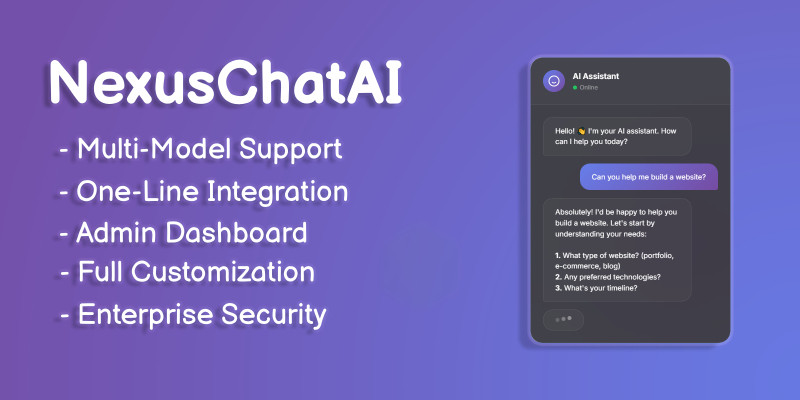
Overview
NexusChat AI - Premium AI Chat Widget
The Most Beautiful & Powerful AI Chat Widget for Any Website
Embed GPT-5.2, Claude, Gemini, Grok and 400+ AI models into your website with just ONE LINE of code!
Features
⭐ Why Choose NexusChat AI?
- ✅ 400+ AI Models - Access GPT-5.2, Grok 1, Claude 4.5, Gemini 3.0, Llama 3.1, and more through OpenRouter
- ✅ One-Line Integration - Just add one script tag, that's it!
- ✅ Stunning Design - Premium glassmorphic UI that impresses visitors
- ✅ Admin Dashboard - Full control over settings, analytics, and conversations
- ✅ Streaming Responses - Real-time typing effect like ChatGPT
- ✅ Conversation Memory - AI remembers the conversation context
- ✅ Mobile Responsive - Works perfectly on all devices
- ✅ Well Documented - Detailed guides for installation and customization
- ✅ Docker Ready!
🎨 What's Included
- 📁 Complete source code (Node.js + vanilla JavaScript)
- 📁 Beautiful landing page
- 📁 Admin dashboard
- 📁 Embeddable widget
- 📁 Comprehensive documentation
- 📁 Easy one-line embed script
💻 Perfect For
- ✓ Business websites needing AI support
- ✓ E-commerce stores
- ✓ SaaS applications
- ✓ Portfolio websites
- ✓ Web agencies (multiple client sites)
- ✓ Developers building AI products
Requirements
🛠️ Requirements
- - Node.js 18+
- - OpenRouter API key (free to sign up)
- - Any hosting (VPS, shared, cloud)
Instructions
NexusChat AI Integration Instructions
Step 1: Get Requirements
- Install Node.js 18+.
- Sign up for a free OpenRouter API key.
Step 2: Set Up
- Download the source code package.
- Run npm install in the project directory.
Step 3: Configure
- Add your OpenRouter API key to the config file (e.g., .env).
- Customize settings via the admin dashboard.
Step 4: Embed on Website
- Add this script tag to your HTML:
Step 5: Launch
- Host on any server (VPS, cloud, etc.).
- Access the widget on your site and test conversations.
For details, check the included documentation. Updates via comments support.


Information
| Category | Scripts & Code / NodeJS |
| First release | 4 February 2026 |
| Last update | 4 February 2026 |
| Files included | .css, .html, Javascript .js |
| JavaScript Framework | Node.js |
| Tags | customer support, SaaS, llama, chatgpt, ai chatbot, ai assistant, conversational ai, gemini, chat widget, claude, openrouter, gpt-5, ai widget, embeddable chat, javascript chat |