Countdown Timer Pro - 13 PresetsCountdown Timer Pro - 13 Presets
Premium HTML5 Canvas countdown/countup timer with 13 presets, animations, responsive design, and server-time mode.
Countdown Timer Pro - 13 Presets
Premium HTML5 Canvas countdown/countup timer with 13 presets, animations, responsive design, and ...
Screenshots
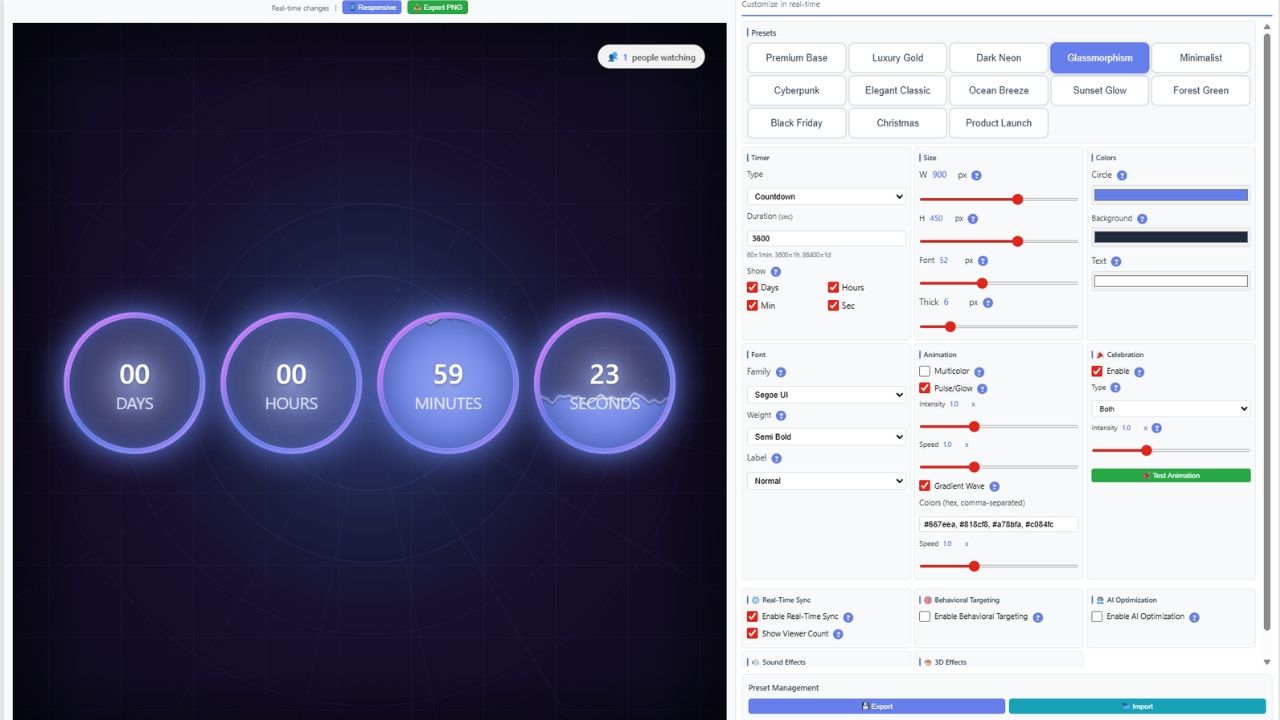
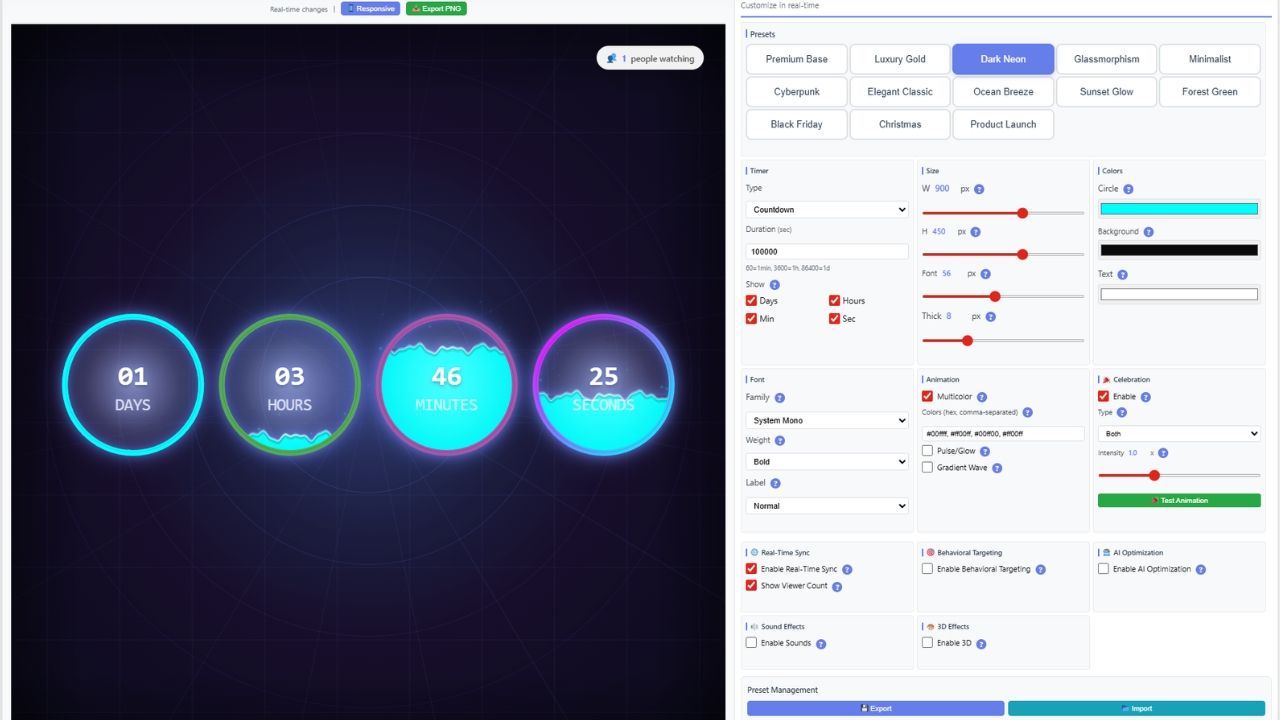
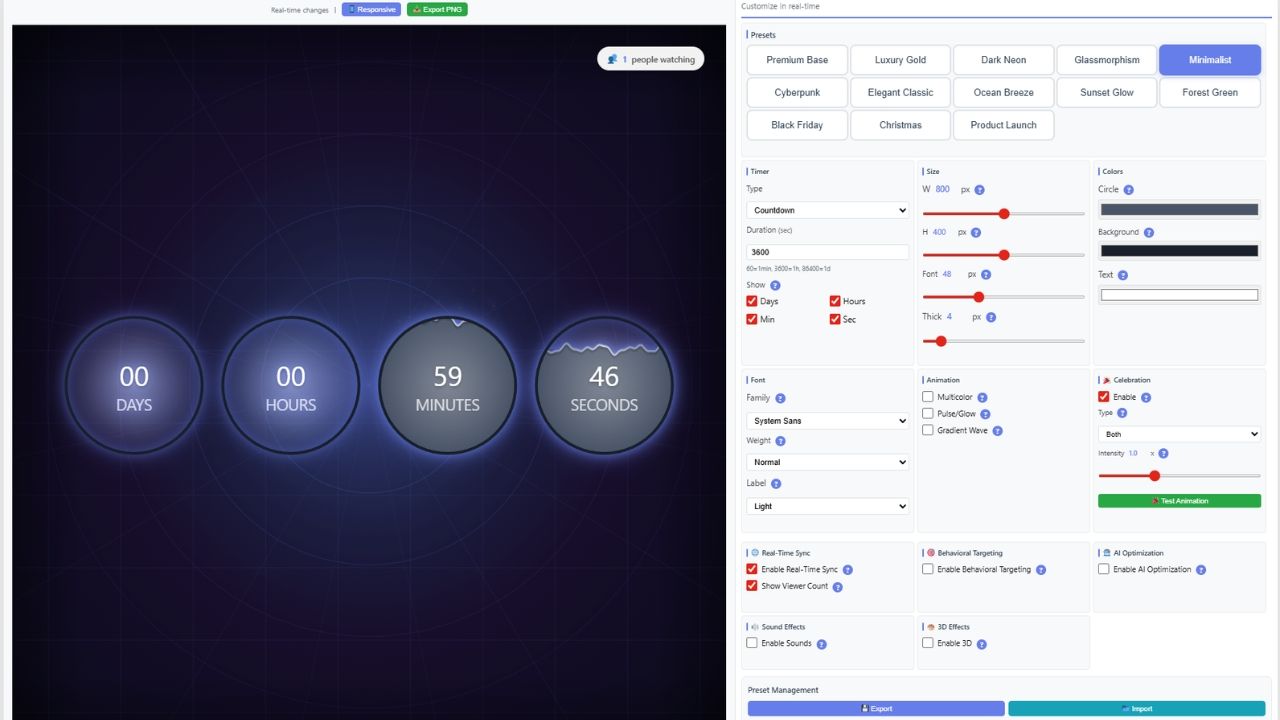
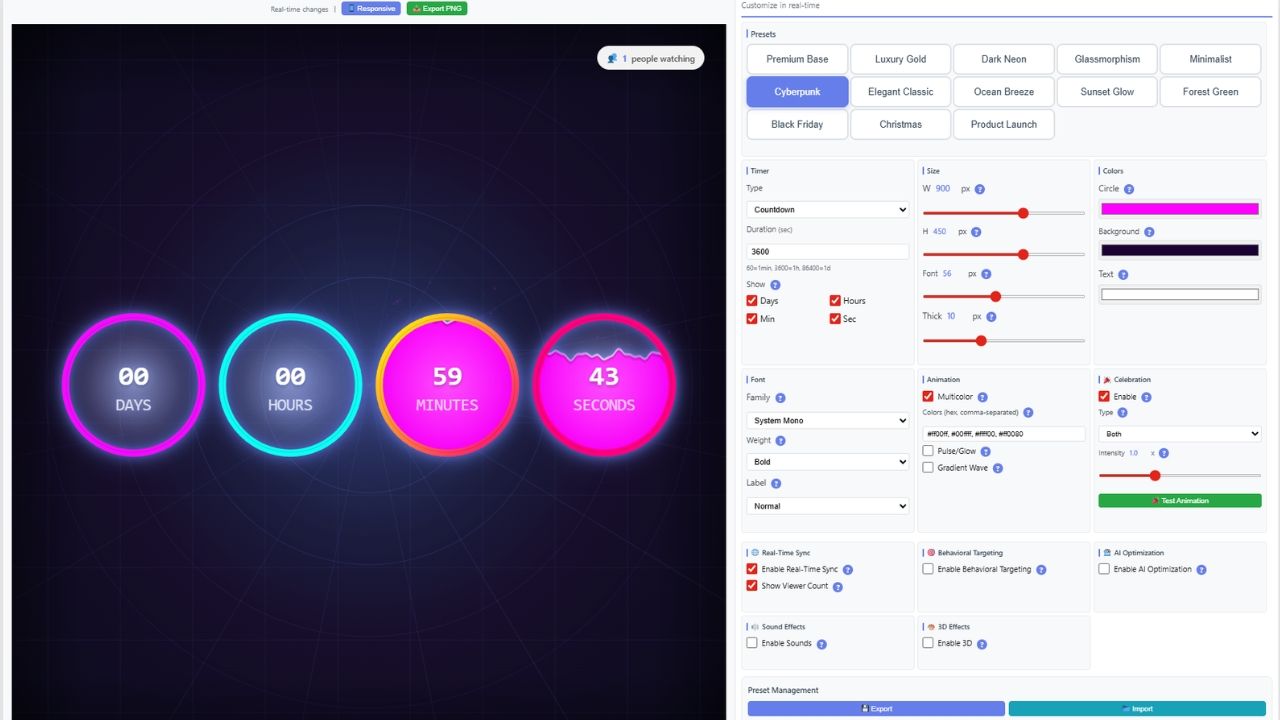
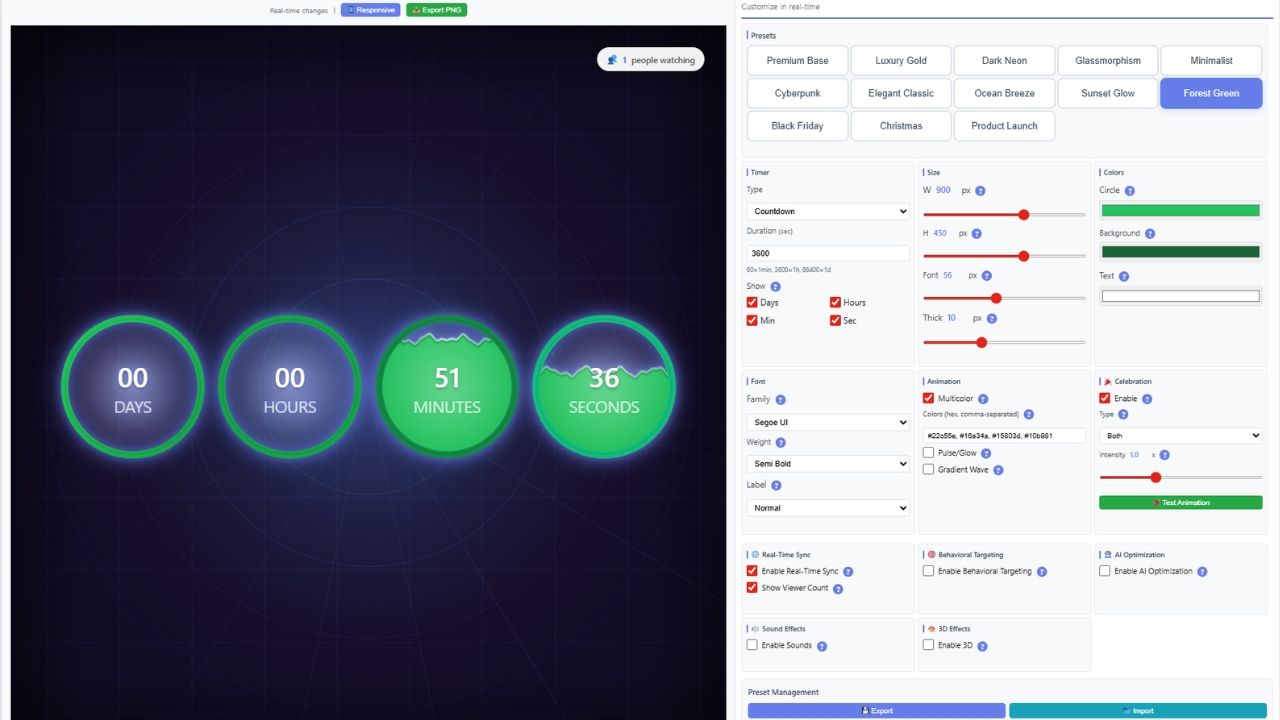
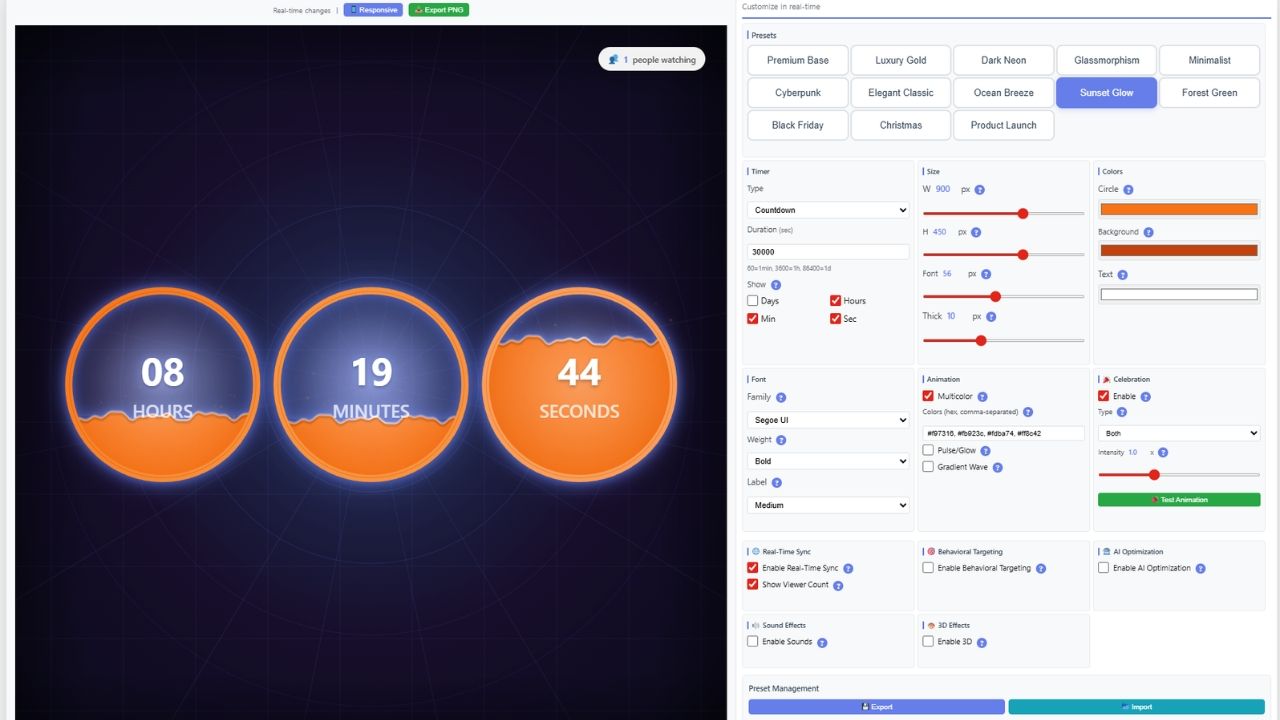
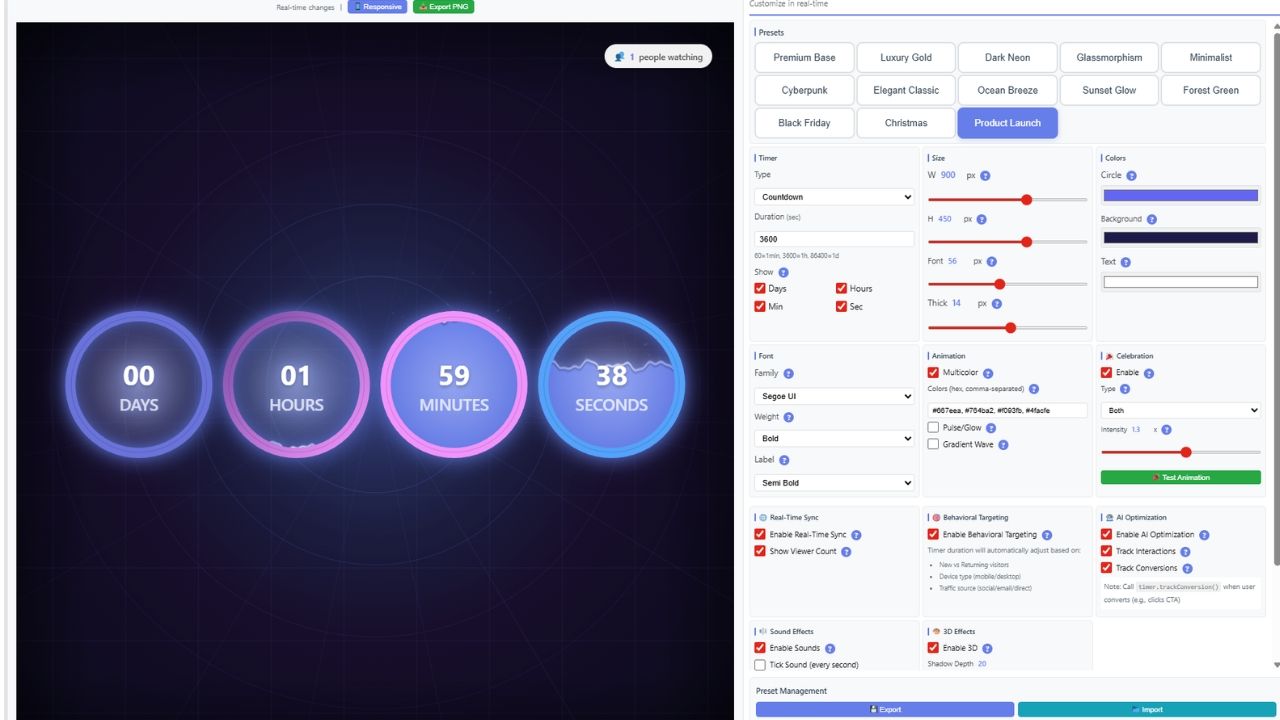
Overview
📘 DESCRIPTION
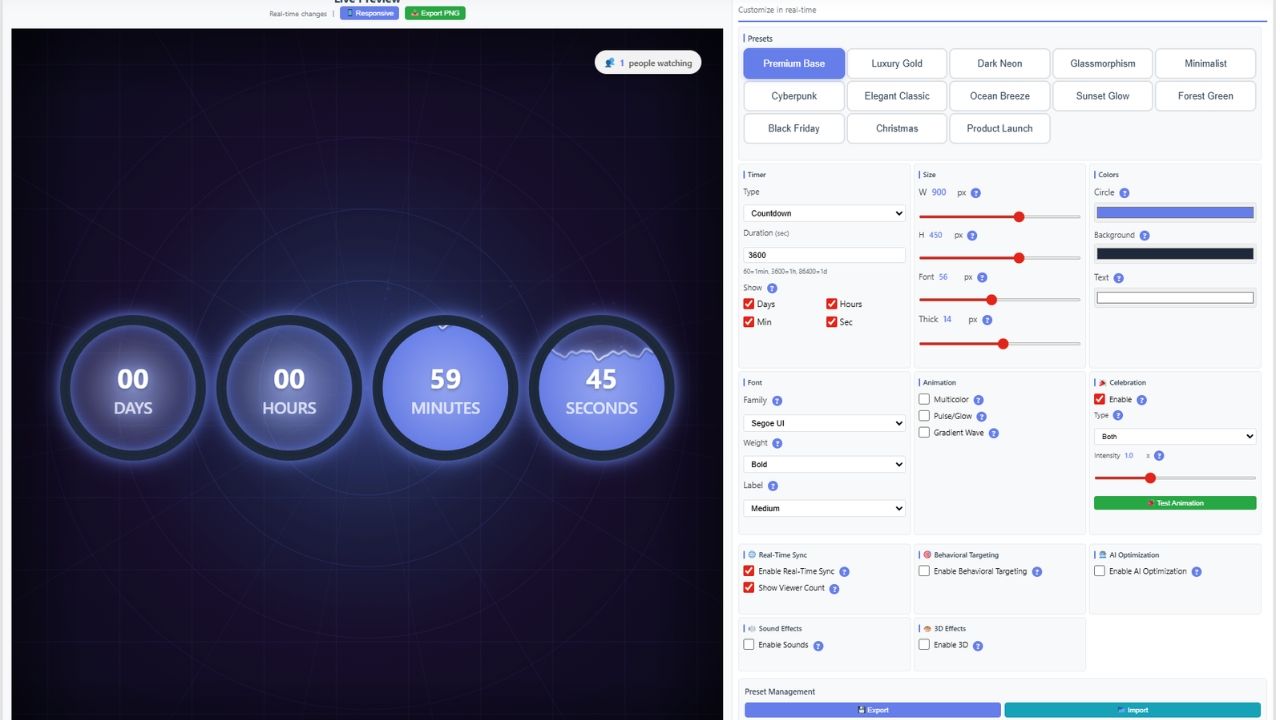
Countdown Timer Pro is a modern, feature-rich HTML5 Canvas countdown / countup timer built with jQuery. It’s perfect for landing pages, product launches, flash sales, events, and marketing campaigns that need urgency and visual impact.
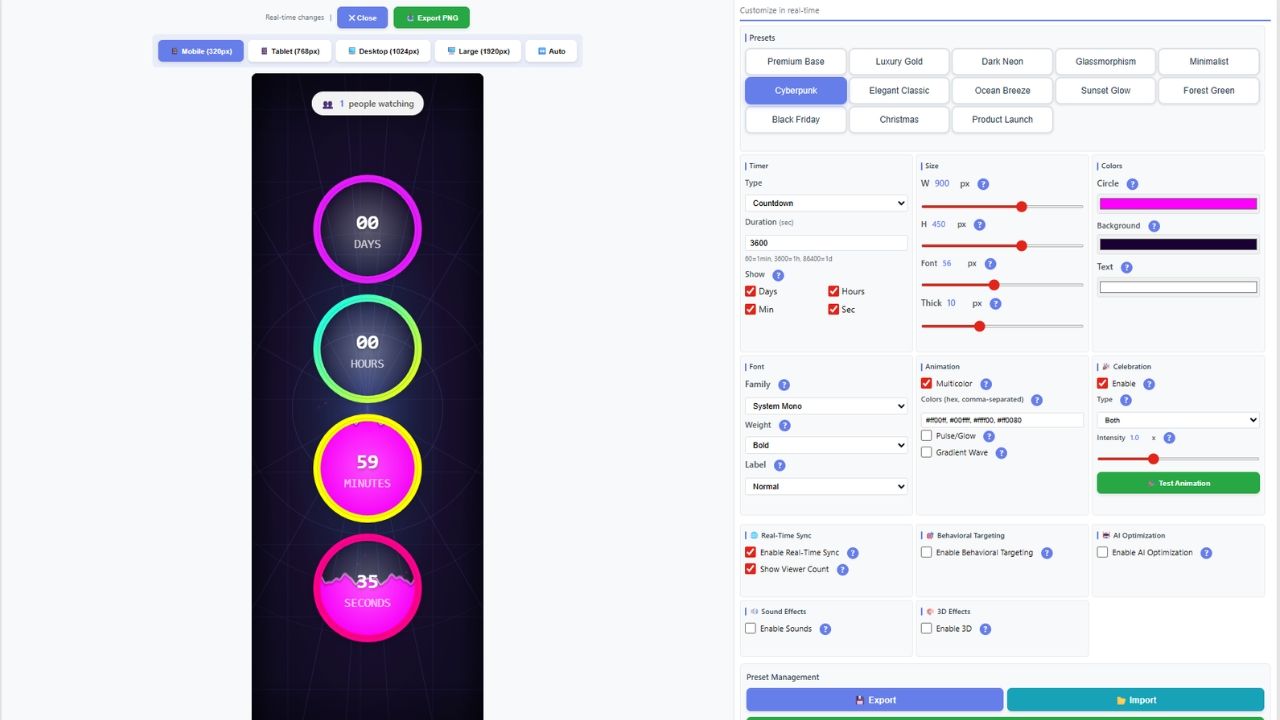
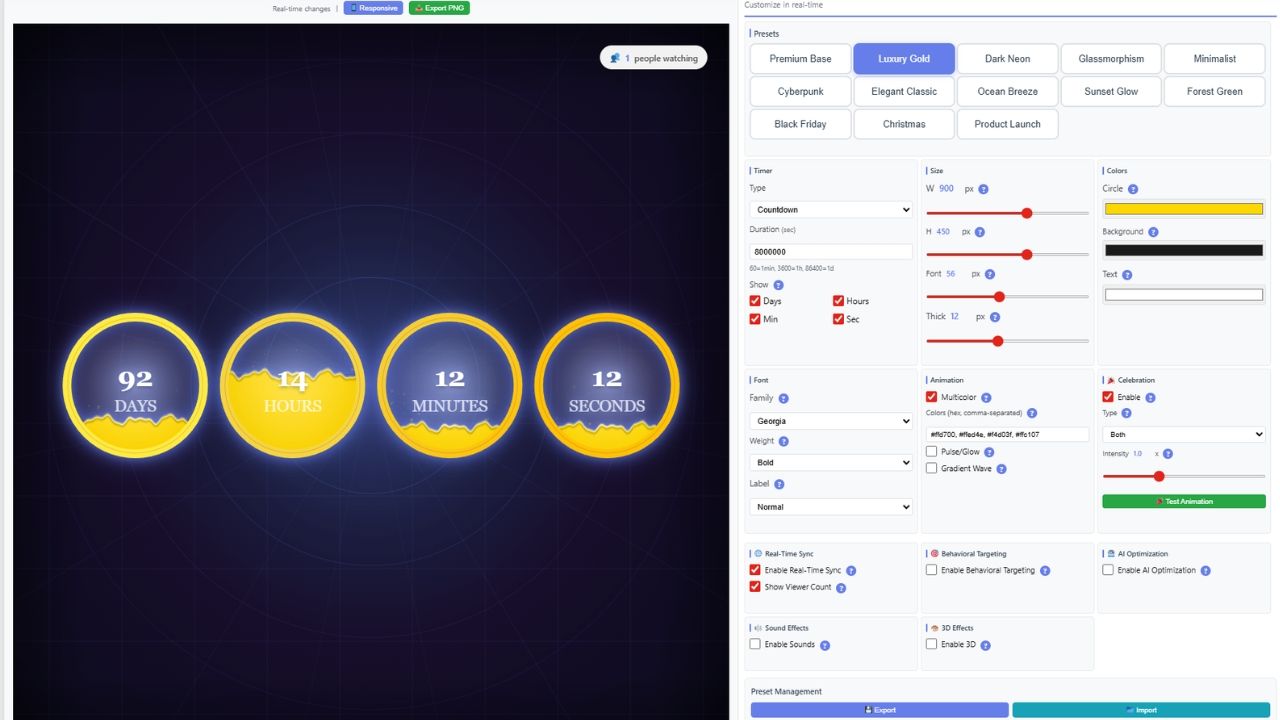
Create your timer using the built-in customizer with 13 ready-to-use presets, then copy & paste production-ready code. You can run multiple timers on the same page, apply smooth animations, and control what happens when the timer expires.
For professional campaigns, enable server-side Unix timestamp mode to prevent client-side manipulation and keep timing accurate across time zones.
🚀 Designed for performance, beauty, and conversions.
✨ FEATURES
- 🎨 HTML5 Canvas + jQuery (lightweight & fast)
- ⏳ Countdown + Countup modes
- 🎯 13 premium presets ready to use
- 📱 Fully responsive (mobile, tablet, desktop)
- 🛠️ Deep customization (colors, fonts, sizes, labels, spacing, effects)
- 💫 Advanced animations: pulse, glow, gradient wave, particles
- 🌈 Animated multicolor palette with smooth transitions
- 🔁 Multiple instances (unlimited timers per page)
- ⚡ Expire actions: message, redirect, hide, or custom callback
- ♻️ Auto-reset (daily, hourly, or custom interval)
- 📡 Events & callbacks: onStart, onTick, onExpire, onReset
- 🔊 Optional sound effects (tick + finish)
- 🔘 Optional CTA button (custom text, URL, style, position)
- 💾 Preset management: Export/Import JSON, Share via URL
- 🕒 Server-side time support (Unix timestamp)
- 🚫 No dependencies except jQuery
⚙️ REQUIREMENTS
- 🔹 jQuery 3.0+
- 🌐 Modern browser with Canvas support (Chrome, Firefox, Safari, Edge)
- 🔊 (Optional) Web Audio API for sound effects
📖 INSTRUCTIONS
- Include required files in your HTML:
<code><link rel="stylesheet" href="countdown-timer-pro.css">


<script src="countdown-timer-pro.js"></script></code>
- Add a container where the timer will render:
<code><div id="my-timer"></div></code>
- Initialize the timer:
<code><script> $(function () { $('#my-timer').countdownTimerPro({ mode: 'countdown', endTime: 1735689600, timeSource: 'server', preset: 'glassmorphism', expireAction: 'message', expireMessage: 'Offer ended!' }); }); </script></code> - Quick integration options:
- 📋 Copy generated code from the customizer
- 📁 Export/Import presets via JSON
- 🔗 Share presets via URL
- 🖼️ Export PNG for previews/mockups
- Multiple timers on one page:
- Create multiple containers (e.g.,
#timer1,#timer2) - Initialize each timer separately
- Create multiple containers (e.g.,
💡 Tip: For real sales deadlines, always use server Unix timestamp mode for maximum accuracy.
Features
✨ FEATURES
- 🎨 HTML5 Canvas + jQuery (lightweight & fast)
- ⏳ Countdown + Countup modes
- 🎯 13 premium presets ready to use
- 📱 Fully responsive (mobile, tablet, desktop)
- 🛠️ Deep customization (colors, fonts, sizes, labels, spacing, effects)
- 💫 Advanced animations: pulse, glow, gradient wave, particles
- 🌈 Animated multicolor palette with smooth transitions
- 🔁 Multiple instances (unlimited timers per page)
- ⚡ Expire actions: message, redirect, hide, or custom callback
- ♻️ Auto-reset (daily, hourly, or custom interval)
- 📡 Events & callbacks: onStart, onTick, onExpire, onReset
- 🔊 Optional sound effects (tick + finish)
- 🔘 Optional CTA button (custom text, URL, style, position)
- 💾 Preset management: Export/Import JSON, Share via URL
- 🕒 Server-side time support (Unix timestamp)
- 🚫 No dependencies except jQuery
Requirements
⚙️ REQUIREMENTS
- 🔹 jQuery 3.0+
- 🌐 Modern browser with Canvas support (Chrome, Firefox, Safari, Edge)
- 🔊 (Optional) Web Audio API for sound effects
Instructions
📖 INSTRUCTIONS
- Include required files in your HTML:
<code><link rel="stylesheet" href="countdown-timer-pro.css">

<script src="https://code.jquery.com/jquery-3.6.0.min.js"></script>
<script src="countdown-timer-pro.js"></script></code>
- Add a container where the timer will render:
<code><div id="my-timer"></div></code>
- Initialize the timer:
<code><script> $(function () { $('#my-timer').countdownTimerPro({ mode: 'countdown', endTime: 1735689600, timeSource: 'server', preset: 'glassmorphism', expireAction: 'message', expireMessage: 'Offer ended!' }); }); </script></code> - Quick integration options:
- 📋 Copy generated code from the customizer
- 📁 Export/Import presets via JSON
- 🔗 Share presets via URL
- 🖼️ Export PNG for previews/mockups
- Multiple timers on one page:
- Create multiple containers (e.g.,
#timer1,#timer2) - Initialize each timer separately
- Create multiple containers (e.g.,
Other items by this author


| Category | Scripts & Code / JavaScript / Miscellaneous |
| First release | 11 February 2026 |
| Last update | 11 February 2026 |
| Files included | .css, .html, Javascript .js |
| Tags | countdown timer, jquery plugin, countup timer, event countdown, html countdown, countdown script, jquery countdown, javascript countdown, canvas timer, animated timer, launch timer, sale countdown, flash sale timer, landing page timer, marketing timer, server time countdown, unix timestamp timer, responsive countdown, multiple timers, customizable timer, animated countdown, js timer, website countdown, campaign timer, deadline timer |