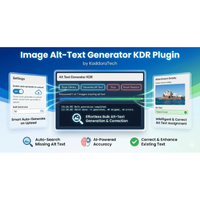
Kaddora AI – Image Alt Text Generator for WPKaddora AI – Image Alt Text Generator for WP
AI plugin that auto-generates SEO-friendly image alt text in WordPress to boost rankings and accessibility instantly.
Kaddora AI – Image Alt Text Generator for WP
AI plugin that auto-generates SEO-friendly image alt text in WordPress to boost rankings and acce...
Screenshots
Overview
🚀 Transform Your Images Into Powerful SEO Assets
Kaddora AI – Image Alt Text Generator for WordPress is an advanced AI-powered plugin designed to automatically generate intelligent, descriptive, and SEO-optimized alt text for your website images.
Images are essential for engagement, branding, and conversions — but without proper alt text, they provide little to no SEO value and reduce accessibility compliance. Kaddora AI ensures every image contributes to higher search engine rankings, better Google Image visibility, and improved accessibility standards.
Built exclusively for WordPress, this plugin integrates seamlessly into your dashboard and works flawlessly with all modern themes and plugins.
🎯 Why Choose Kaddora AI?
Manual alt text creation is time-consuming and inconsistent. Many websites leave alt attributes empty, negatively affecting search rankings and accessibility.
Kaddora AI solves this instantly:
- Automatically generates SEO-friendly image alt text
- Improves Google Search and Google Images ranking
- Enhances accessibility (WCAG best practices)
- Saves hours of manual editing
- Increases organic traffic opportunities
- Ensures consistency across your entire media library
With automation and AI intelligence combined, your website becomes more search-engine friendly without additional workload.
🤖 AI-Powered Image Optimization
Kaddora AI uses advanced artificial intelligence to analyze images and create meaningful, context-aware alt text. Instead of generic file names, your images receive descriptive and keyword-aware alt attributes that help search engines understand your content better.
This results in:
- Better indexing by Google
- Improved on-page SEO
- Higher image search visibility
- Enhanced user experience
✨ Core Features
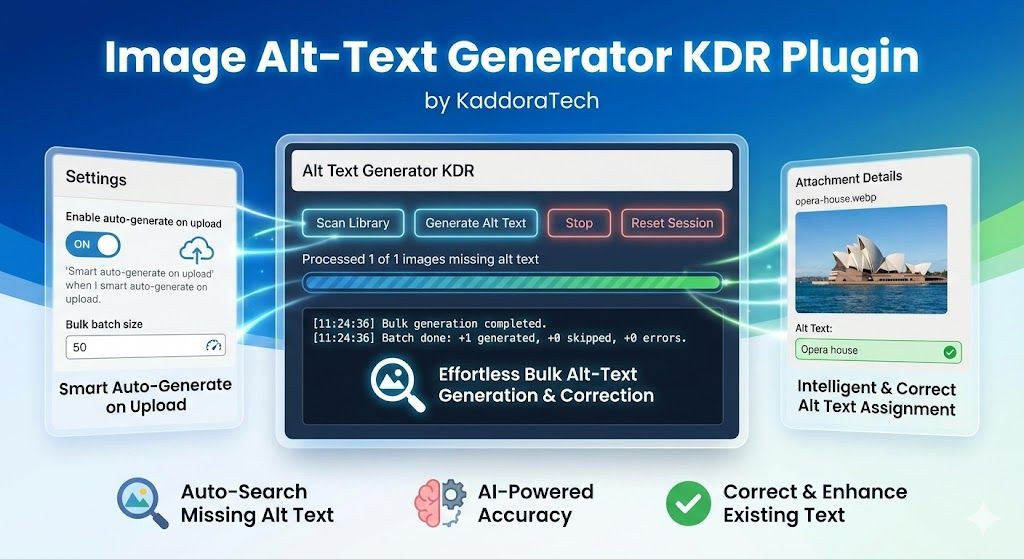
✔ Automatic Alt Text Generation
Generate optimized alt text instantly using AI-driven image recognition.
✔ Bulk Media Library Optimization
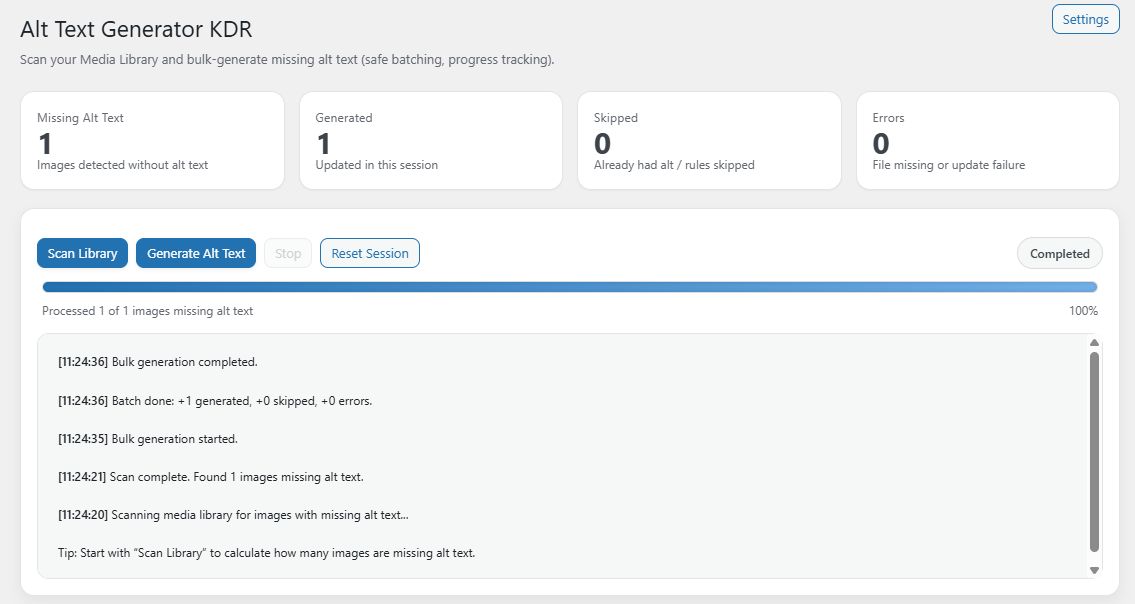
Scan and optimize all existing images in your WordPress media library in one click.
✔ Auto Optimization on Upload
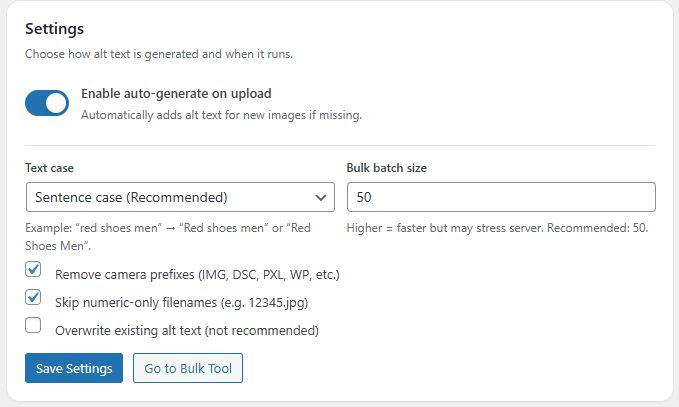
Every new image uploaded is automatically assigned smart, SEO-friendly alt text.
✔ WooCommerce Image Support
Fully compatible with WooCommerce product images to improve eCommerce SEO.
✔ SEO-Friendly & Keyword-Aware Output
Alt text is generated with search engine best practices in mind.
✔ Lightweight & Performance Optimized
Minimal impact on website speed and server resources.
✔ Clean Admin Dashboard
Simple, intuitive interface designed for beginners and professionals.
✔ Full WordPress Compatibility
Works smoothly with popular SEO plugins, page builders, and all modern WordPress themes.
🛠 How It Works
- Install and activate Kaddora AI
- Configure basic plugin settings
- Scan your media library
- Generate optimized alt text automatically
No coding required. No manual rewriting. No technical complexity.
🌍 Improve SEO & Accessibility Compliance
Proper alt text is essential for:
- Search Engine Optimization (SEO)
- Google Image indexing
- Screen reader compatibility
- Accessibility compliance standards
- Better user engagement
Kaddora AI helps you meet modern web standards while improving discoverability.
💼 Perfect For
- Bloggers & content creators
- WooCommerce store owners
- Business websites
- Portfolio websites
- SEO professionals
- Digital marketing agencies
- Web developers managing client sites
Whether you run a personal blog or a large online store, Kaddora AI adapts to your workflow.
🔒 Technical Compatibility
- WordPress 5.8+ Ready
- PHP 7.4+ Supported
- WooCommerce Compatible
- Translation Ready
- Secure & Clean Code
- Regular Updates & Ongoing Support
🎨 Unique Branding & Logo Concept
Kaddora AI features a modern, technology-inspired branding identity with:
- A clean AI-brain style logo symbolizing intelligence and automation
- A modern blue gradient color palette representing trust and innovation
- SEO and accessibility visual elements for strong brand recognition
- Professional marketplace-ready promotional graphics
The visual identity is designed to stand out on TemplateMonster and ThemeForest while maintaining a premium SaaS-style appearance.
📈 Turn Every Image Into Traffic
Most websites ignore the SEO potential of images. With Kaddora AI, every uploaded image becomes a search engine opportunity.
Automate image optimization.
Improve accessibility compliance.
Features
🤖 AI-Powered Alt Text Generation
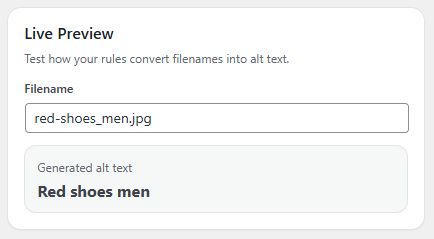
Kaddora AI uses advanced artificial intelligence to analyze your images and automatically generate meaningful, descriptive, and SEO-optimized alt text. Instead of generic file names like “IMG_1234.jpg”, your images receive smart, context-aware descriptions that improve search engine understanding and ranking potential.
This helps boost visibility in Google Search and Google Images.
⚡ Bulk Media Library Optimization
Optimize your entire existing WordPress media library in one click. The bulk processing feature scans all previously uploaded images and generates optimized alt text automatically, saving hours of manual editing.
Perfect for websites with large image collections.
📤 Automatic Alt Text on Upload
Every time you upload a new image, Kaddora AI automatically generates SEO-friendly alt text in real-time. This ensures all future content remains fully optimized without additional effort.
No manual rewriting required.
🛒 WooCommerce Product Image Support
Fully compatible with WooCommerce, Kaddora AI optimizes product images to improve eCommerce SEO performance. Better product image optimization increases the chances of appearing in Google Image results and enhances product discoverability.
Ideal for online stores and marketplaces.
📈 SEO-Optimized & Keyword-Aware Output
The plugin generates alt text following SEO best practices. It creates descriptive, relevant, and structured alt attributes that help search engines understand the content and context of each image.
Improves on-page SEO and overall search ranking potential.
♿ Accessibility & WCAG Friendly
Proper alt text is essential for accessibility compliance. Kaddora AI helps your website support screen readers and meet accessibility standards, improving user experience for visually impaired visitors.
Build a more inclusive and compliant website.
🚀 Lightweight & Performance Optimized
Kaddora AI is built with clean and optimized code to ensure minimal impact on website speed. It runs efficiently without slowing down your WordPress site.
Fast performance is maintained while improving SEO.
🎛 Clean & User-Friendly Dashboard
The plugin features an intuitive and easy-to-use admin interface. Manage bulk actions, settings, and optimization processes directly from your WordPress dashboard without technical complexity.
Beginner-friendly and developer-ready.
🔌 Full WordPress Compatibility
- Compatible with WordPress 5.8+
- Works with all modern themes
- Compatible with major SEO plugins
- Supports custom post types
- WooCommerce ready
Designed for seamless integration into any WordPress environment.
🔄 One-Time Purchase – Lifetime Use
Kaddora AI is sold as a single product purchase with no recurring subscription. Pay once and use it on your website with included updates and support according to marketplace policy.
Requirements
✅ WordPress Requirements
- WordPress 5.8 or higher
- Self-hosted WordPress installation (WordPress.org)
- Administrator access to install and activate plugins
Note: This plugin does not work with WordPress.com free plans.
✅ Server Requirements
- PHP 7.4 or higher (PHP 8.x recommended)
- MySQL 5.7+ or MariaDB 10.3+
- HTTPS enabled (SSL certificate recommended)
- Minimum 128MB PHP memory limit (256MB recommended for large media libraries)
- mod_rewrite enabled (standard on most hosting providers)
✅ Hosting Compatibility
- Shared Hosting (recommended modern hosting)
- VPS or Dedicated Server
- Managed WordPress Hosting
The plugin is compatible with most major hosting providers.
✅ Browser Compatibility
Admin dashboard is compatible with:
- Google Chrome (latest version)
- Mozilla Firefox (latest version)
- Microsoft Edge (latest version)
- Safari (latest version)
✅ Plugin & Theme Compatibility
- Compatible with all modern WordPress themes
- Compatible with WooCommerce
- Compatible with major SEO plugins
- Supports custom post types
🔐 Recommended for Best Performance
- Latest WordPress version
- Updated theme and plugins
- Optimized hosting environment
- Regular WordPress maintenance
Instructions
Step 1: Install the Plugin
- Log in to your WordPress Admin Dashboard.
- Go to Plugins → Add New → Upload Plugin.
- Click Choose File and select the Kaddora AI plugin ZIP file.
- Click Install Now.
- After installation, click Activate.
The plugin is now successfully installed.
Step 2: Access Plugin Settings
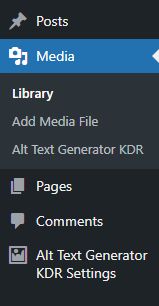
- Navigate to Kaddora AI from the WordPress sidebar menu.
- Open the Settings Panel.
-
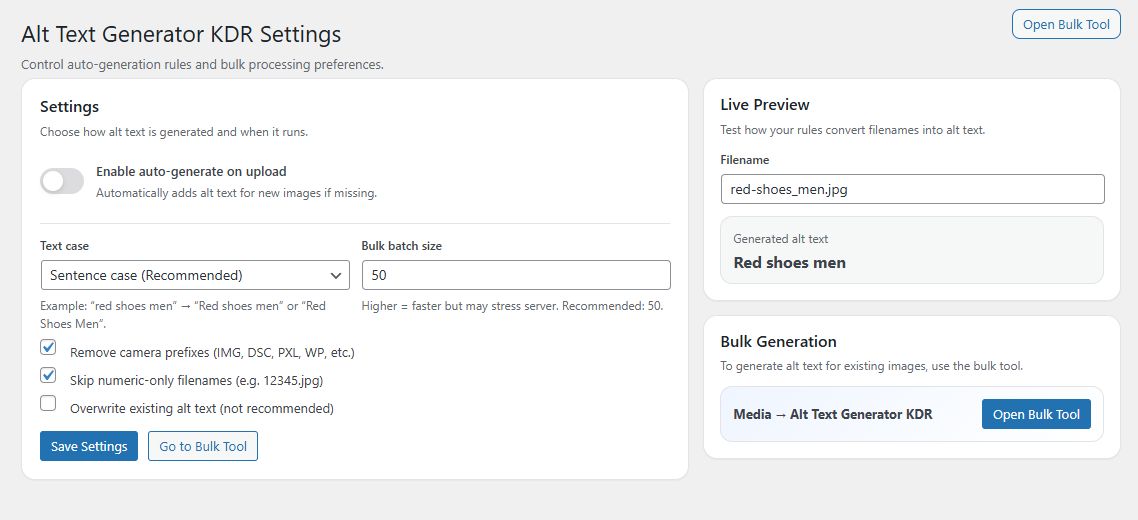
Configure basic options such as:
- Enable automatic alt text generation
- Enable bulk optimization
- WooCommerce image support (if applicable)
Save your settings.
Step 3: Optimize Existing Images (Bulk Optimization)
- Go to Kaddora AI → Bulk Optimization.
- Click Scan Media Library.
- The plugin will analyze all existing images.
- Click Generate Alt Text to optimize images in bulk.
All images without alt text will now be automatically updated.
Step 4: Automatic Optimization for New Uploads
Once enabled in settings:
- Every time you upload a new image,
- Kaddora AI automatically generates SEO-friendly alt text.
No additional action required.
Step 5: Optimize WooCommerce Product Images (Optional)
If you use WooCommerce:
- Ensure WooCommerce support is enabled in settings.
- New and existing product images will be optimized automatically.
This improves product SEO visibility.
Step 6: Review & Edit (Optional)
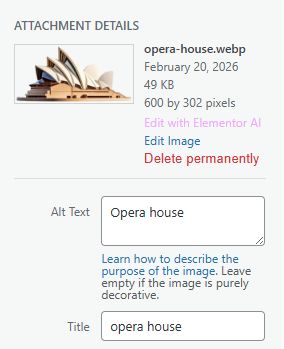
You can manually review generated alt text:
- Go to Media → Library.
- Select any image.
- Edit the alt text field if needed.
Full control remains in your hands.
✅ Best Practices
- Run bulk optimization after first installation.
- Keep WordPress updated for best compatibility.
- Regularly review image SEO performance.
🎯 Result
After setup:
- All images become SEO-optimized
- Accessibility improves
- Google Image visibility increases
- Manual work is eliminated
Other items by this author


| Category | Plugins / WordPress / Miscellaneous |
| First release | 25 February 2026 |
| Last update | 25 February 2026 |
| Tags | wordpress seo plugin, seo automation, wordpress image optimizer, image seo, ai image alt text, image alt text generator, automatic alt text, accessibility plugin, wcag compliance, bulk image optimization, media library optimizer, google image seo, smart alt text, ai wordpress plugin, on page seo. |