Wallvixo: Mobile Content Hub With Admin Panel Wallvixo: Mobile Content Hub With Admin Panel
Wallvixo is a premium mobile content hub for wallpapers, ringtones, and live wallpapers, featuring a powerful admin panel and PWA Recently Updated
Wallvixo: Mobile Content Hub With Admin Panel
Wallvixo is a premium mobile content hub for wallpapers, ringtones, and live wallpapers, featurin...
Screenshots

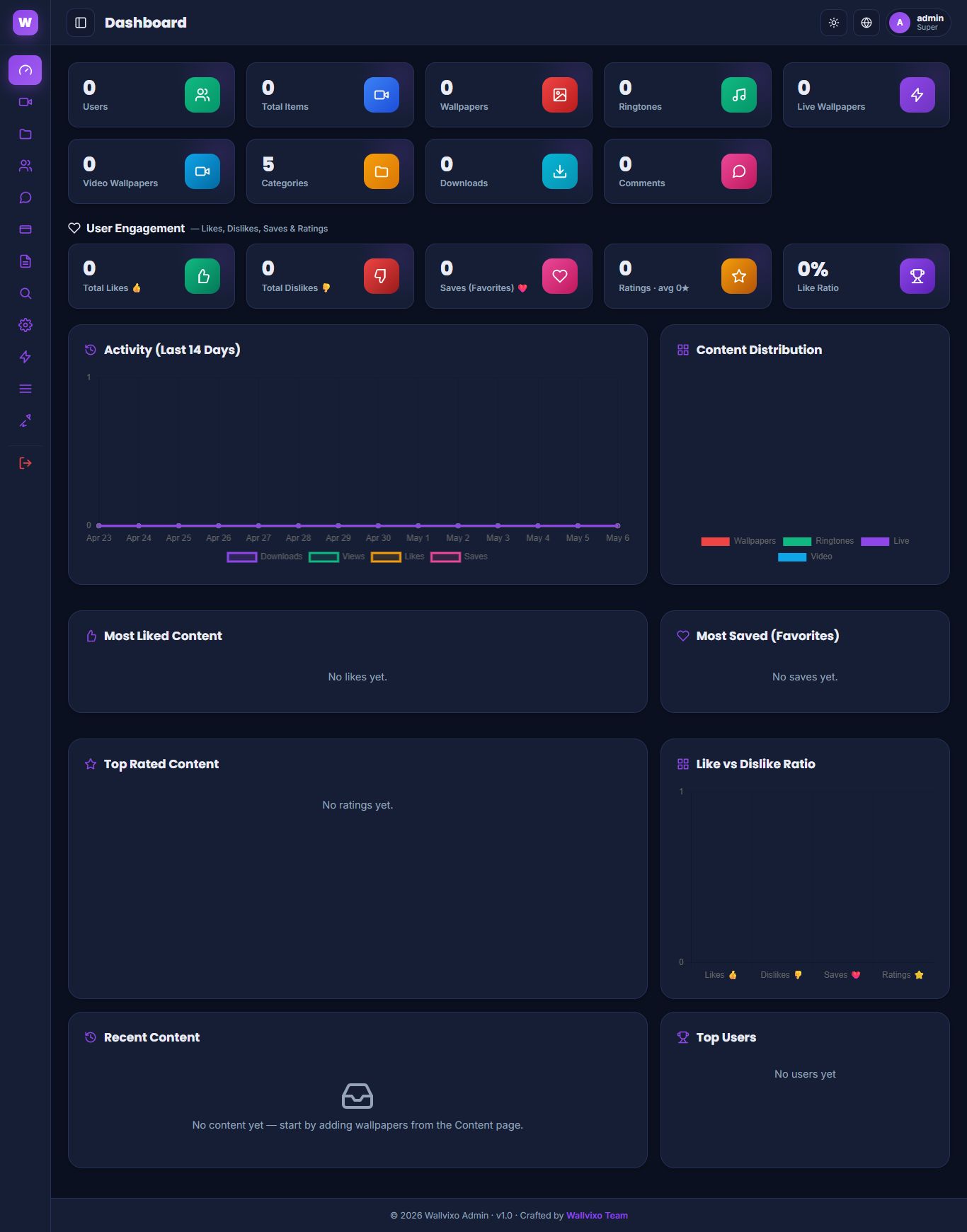
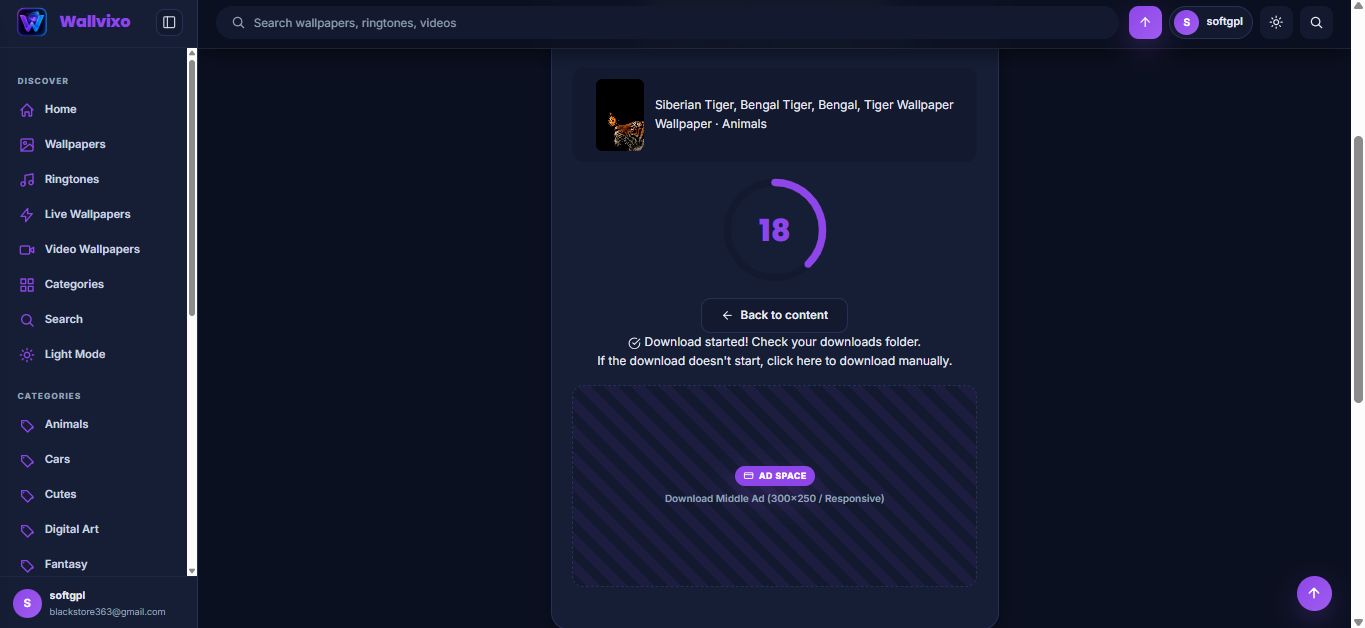
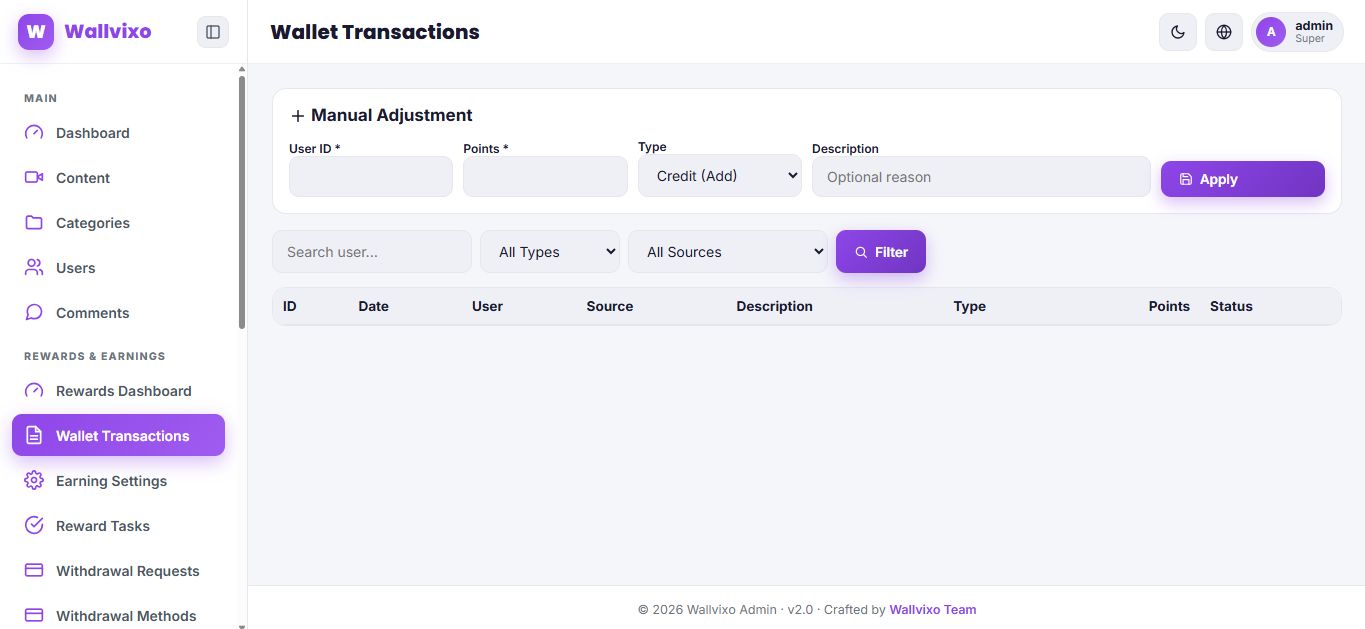


Overview
Wallvixo is a complete mobile content publishing platform built with PHP and MySQL, designed for creators who want to launch a premium mobile content website similar to wallpaper, ringtone, live wallpaper, video wallpaper, app and game download hubs.
The script includes a clean mobile-first frontend, SEO-friendly content pages, category pages, live AJAX search, user accounts, favorites, ratings, comments, like/dislike reactions, downloads tracking and a powerful admin panel to manage almost every part of the website.
Wallvixo also includes an advanced PWA system, allowing your website to behave like an installable app on supported devices. Admin can manage the app name, icons, splash screen, theme color and installation settings without manually editing manifest files.
For monetization and user engagement, Wallvixo includes membership plans, payment gateway management, wallet system, reward points, daily check-ins, referral system, reward tasks, withdrawal methods and withdrawal requests. Admin can control earning rules, reward settings, user wallets, transactions, fraud logs, subscriptions and pending payment approvals.
This makes Wallvixo suitable for launching a content-based platform, reward-based download website, mobile media hub, wallpaper/ringtone portal, PWA content app or premium membership content website.
Why Choose Wallvixo?
Choose Wallvixo if you want to launch a complete mobile content platform without building everything from scratch. It combines content publishing, user engagement, monetization, PWA app support, rewards, wallet, withdrawals and membership features in one ready-to-install PHP script.
Wallvixo is designed for modern content websites where users can explore wallpapers, ringtones, live wallpapers, video wallpapers, apps and games from a clean mobile-friendly interface. The admin panel gives you control over content, categories, users, ads, SEO, PWA settings, payments, memberships and reward settings.
It is not just a simple wallpaper script. Wallvixo includes advanced engagement features like favorites, ratings, comments, reactions, downloads tracking, user wallets, reward points, daily check-ins, referral rewards, membership plans and withdrawal requests.
With its built-in PWA system, your website can work like an installable web app on supported devices. This helps you offer a more app-like experience without needing a separate Android or iOS application.
Wallvixo is a good choice for developers, digital product sellers and website owners who want a feature-rich, monetizable and scalable mobile content hub with full admin control.
Benefits
- Ready-to-launch platform — buyers can quickly start a mobile content website without developing everything from zero.
- Multiple content types in one script — supports wallpapers, ringtones, live wallpapers, video wallpapers, apps and games.
- Mobile-first design — built for users who browse and download content mostly from mobile devices.
- Admin control — site owner can manage content, categories, users, ads, SEO, menus, PWA settings, payments, rewards and withdrawals from one panel.
- More user engagement — users can like, dislike, rate, comment, save favorites and download content.
- Built-in rewards system — daily check-ins, points, wallet, referrals and tasks can help increase user activity.
- Withdrawal system included — users can request withdrawals and admin can approve, reject or manage them.
- Membership monetization — admin can create paid plans and manage subscriptions.
- Payment gateway management — admin can configure manual or API-based payment methods depending on available merchant accounts.
- PWA support — website can work like an installable web app on supported browsers and devices.
- SEO-friendly structure — categories, content pages, sitemap, robots.txt and meta settings help improve search engine visibility.
- AdSense/ads ready — admin can manage ad placements and monetize traffic.
- User dashboard included — users can manage profile, wallet, favorites, downloads and membership information.
- Good for marketplace selling — suitable for Codester buyers who want a complete PHP/MySQL content hub with modern monetization features.
- No Laravel required — easier to install on normal shared hosting that supports PHP and MySQL.
- Scalable concept — can be used as a wallpaper site, ringtone portal, mobile downloads hub, rewards-based content website or PWA content app.
Features
Key Features
Frontend Features
- Modern mobile-first content hub design
- Wallpaper, ringtone, live wallpaper, video wallpaper, app and game content support
- SEO-friendly pretty URLs
- Homepage content sections
- Category-based browsing
- Search page with live AJAX search
- Content detail page
- Download page
- User login and registration pages
- Forgot password page structure
- User profile/dashboard page
- Favorites page
- Wallet page
- Membership plans page
- About, Privacy, Rules and Contact pages
- Responsive layout for mobile, tablet and desktop
- Dynamic header, footer and menu system
- Social login button UI support
- Clean SVG icon-based interface
- User engagement buttons
- Like/dislike reaction system
- 5-star rating system
- Comment system
- Favorite/save content system
- View and download tracking
- PWA install banner support
- Service worker support
-
Dynamic manifest through
manifest.php
Content Management Features
- Add, edit and manage content from admin panel
-
Support for multiple content types:
- Wallpapers
- Ringtones
- Live wallpapers
- Video wallpapers
- Apps
- Games
- Upload thumbnails
- Add file URL or mirror URL
- Add screenshots
- Add tags
- Set content status: published, draft or pending
- Set featured content
- Manage views, downloads, likes and dislikes
- Content resolution field
- File format field
- Category assignment
- SEO-friendly slug support
- Full-text search support in database
Category Management
- Create and manage categories
- Category slug support
- Category type selection
- Category icon support
- Category thumbnail support
- Parent category support
- Sort order support
- Category color field
- Mobile content type organization
User System
- User registration
- User login
- User profile/avatar support
- User bio field
-
User status management:
- Active
- Banned
- Pending
- Local user account support
- Social provider field support
- Last login tracking
- User dashboard
- User favorites
- User wallet
- User downloads/uploads stats
- User comments tracking
- Membership status display
- Referral code support
- Referred-by tracking
- Wallet status support
Admin Panel Features
- Admin login/logout
- Dashboard with engagement analytics
- Content management
- Category management
- User management
- Comments management
- Ads management
- Pages management
- SEO and social meta settings
- System optimization tools
- Branding settings
- Logo and favicon settings
- Menu management
- PWA app manager
- Rewards dashboard
- Wallet transaction management
- Earning settings
- Reward tasks management
- Withdrawal requests management
- Withdrawal methods management
- Payment gateways management
- Membership plans management
- User subscriptions management
- Fraud logs management
- Role-ready admin table structure with super/editor/moderator roles
Engagement & Analytics
- Like tracking
- Dislike tracking
- Favorite/save tracking
- Rating tracking
- Download tracking
- View tracking
- Content views table
- Reaction table
- Most liked content data
- Most saved content data
- Top rated content data
- Like ratio calculation support
- Admin dashboard engagement overview
- User activity tracking support
Rewards & Wallet System
- User wallet system
- Total earned points
- Available points
- Pending points
- Withdrawn points
- Rejected points
- Lifetime earnings
- Today’s earnings
- Monthly earnings
- Login reward tracking
- Daily check-in system
- Check-in streak
- Login streak
- Wallet transaction ledger
- Credit/debit/pending/refund/reversal/adjustment transaction types
- Reward source tracking
- Earning rules management
- Admin manual wallet adjustment
- Content reward milestone support
- Performance reward status support
- Referral reward support
- Reward task system
- User task claim system
Withdrawal System
- Admin-managed withdrawal methods
- Withdrawal request system
- User withdrawal tracking
- Pending withdrawal support
- Approved withdrawal support
- Rejected withdrawal support
- Minimum withdrawal settings support
- Payment/account details support
- Admin withdrawal review workflow
Membership & Subscription System
- Membership plans management
- User subscription table
- Current plan tracking
- Plan expiry tracking
- Plan activation support
- Payment transaction approval workflow
- Pending payment display in admin
- Payment approval activates user plan
- Subscription management from admin panel
Payment Gateway Features
- Admin payment gateway manager
- Manual and API mode support
- Gateway name and slug
- Sandbox mode option
- API key field
- Secret key field
- Merchant ID/account field
- Webhook secret field
- Currency field
- Gateway instructions field
- Gateway logo upload
- Sort order
- Enable/disable gateway
- Payment transactions management
- Pending payment approval
- Payment rejection with admin note
- Sender name/account/TRX ID fields support
- Suitable for manual gateways such as JazzCash, Easypaisa, Payoneer and bank-style payments
- API structure support for gateways such as PayPal, Razorpay and Stripe, depending on configuration and provider credentials
Important: Payment gateway availability depends on your own merchant accounts, API credentials and provider configuration. Manual gateway flow is included for admin-controlled offline/manual payments.
PWA Features
- Installable Progressive Web App support
-
Dynamic
manifest.php - Service worker file included
- Admin-controlled app name
- Admin-controlled app icon
- Admin-controlled splash screen
- Theme color settings
- PWA install banner
- Android browser install support
- Desktop browser install support
- iOS Add to Home Screen guidance support
- Standalone app mode support
- App branding from admin panel
- PWA uploads folder included
SEO & Marketing Features
- SEO-friendly URLs
- Dynamic sitemap API
- Robots.txt included
- SEO settings page
- Social meta settings
- Custom pages support
- Ads manager
- Admin-controlled ad placements
- Menu manager
- Branding customization
- Logo and favicon management
- Search-friendly content structure
- Tags support
- Pretty category and content URLs
Security & Structure
- Installer-based setup
-
Config folder protected with
.htaccess - Upload folders include protection files
- Payment upload folder protection
- Cache folder protection
- CSRF token usage in admin forms
- PDO database usage
- Password hash structure
- Admin authentication pages
- User status control
- Install folder should be deleted after setup
- SQL schema included
- Additive rewards upgrade SQL included
- Backward-compatible upgrade-style SQL statements in rewards schema
Requirements
Requirements
- PHP 7.4 or higher
- PHP 8.x recommended
- MySQL 5.7 or higher
- MariaDB 10.3 or higher
- Apache server with
mod_rewriteenabled - HTTPS recommended
- HTTPS required for best PWA installation support
- PHP PDO extension
- PDO MySQL extension
- JSON extension
- Mbstring extension
- GD extension
- Fileinfo extension
- Writable upload and cache folders
- A web hosting account or VPS that supports PHP and MySQL
- Browser support for modern JavaScript and PWA features
Instructions
Fresh Installation
1.Upload all files to your web root or sub-folder.
2.Set folder permissions (chmod 755) for /config, /uploads (and its subfolders thumbnails, avatars, files, pwa), and /includes/cache.
3.Visit https://your-domain.com/instal... and follow the 6-step wizard to set up your database and admin account.
4.Crucially, delete the /install folder for security reasons after installation.
5.Log in to the admin panel, navigate to System → PWA App, and upload your 512x512 icon, splash screen, and set your app name.
Upgrading from an Earlier Build
Visit https://your-domain.com/install/?upgrade=1. The upgrade wizard will non-destructively update your database schema with new tables and columns for PWA and engagement features.
Other items by this author


|
PHP Script Installation Service
Don't worry about the installation of your script! Have your PHP Script installed for you.
|
$29 | Buy now |
| Category | Scripts & Code / PHP Scripts / Miscellaneous |
| First release | 6 May 2026 |
| Last update | 8 June 2026 |
| Software version | PHP 7.4, PHP 8.0, PHP 8.1, PHP 8.2, PHP 8.3, PHP 8.4 |
| Files included | .php, .css, .sql, Javascript .js |
| Tags | responsive, php script, seo friendly, admin panel, live wallpaper, PWA, social login, Progressive Web App, wallpaper script, download portal, video wallpaper, ringtone script, mobile content hub, wallpaper cms, ringtone cms |