Cardly - PHP Loyalty Card SystemCardly - PHP Loyalty Card System
PHP MVC loyalty system with QR stamps, rewards and role-based admin accounts. Recently Updated
Cardly - PHP Loyalty Card System
PHP MVC loyalty system with QR stamps, rewards and role-based admin accounts.
Screenshots

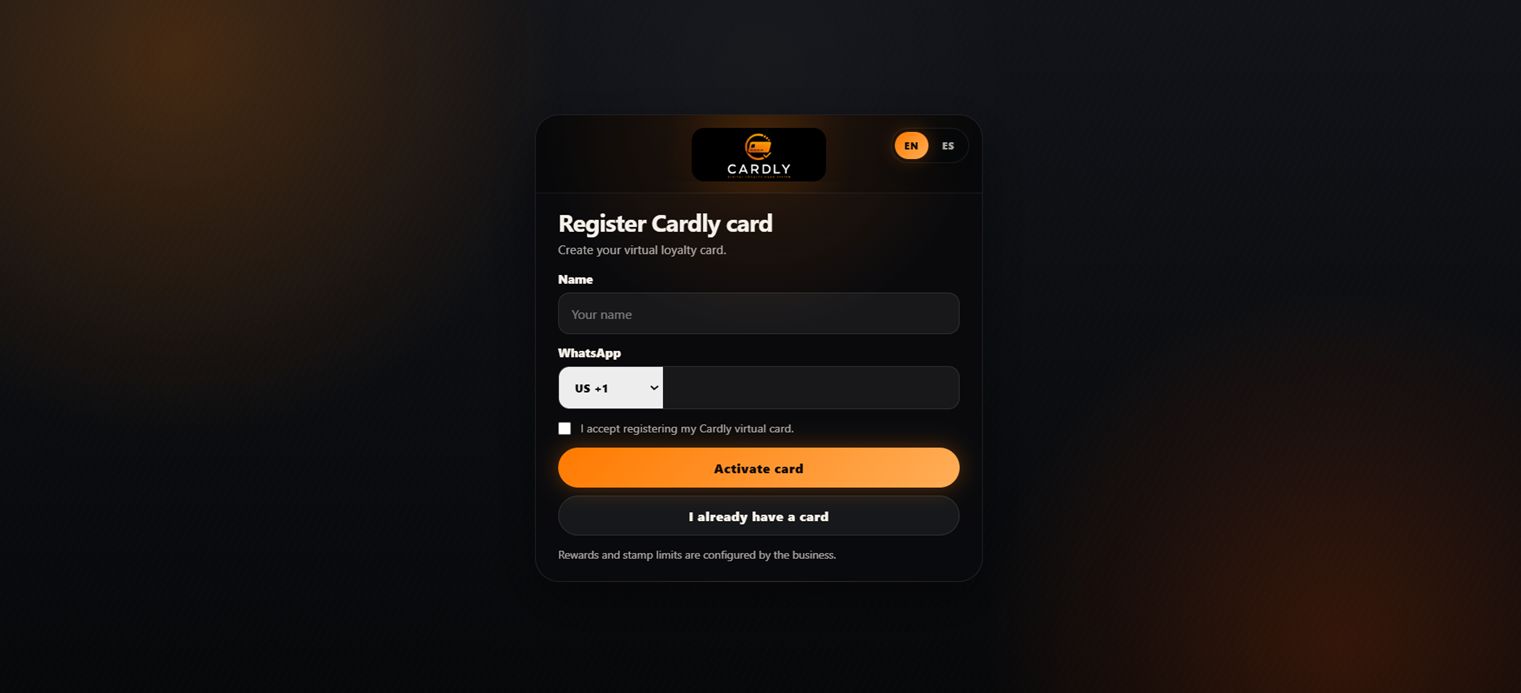

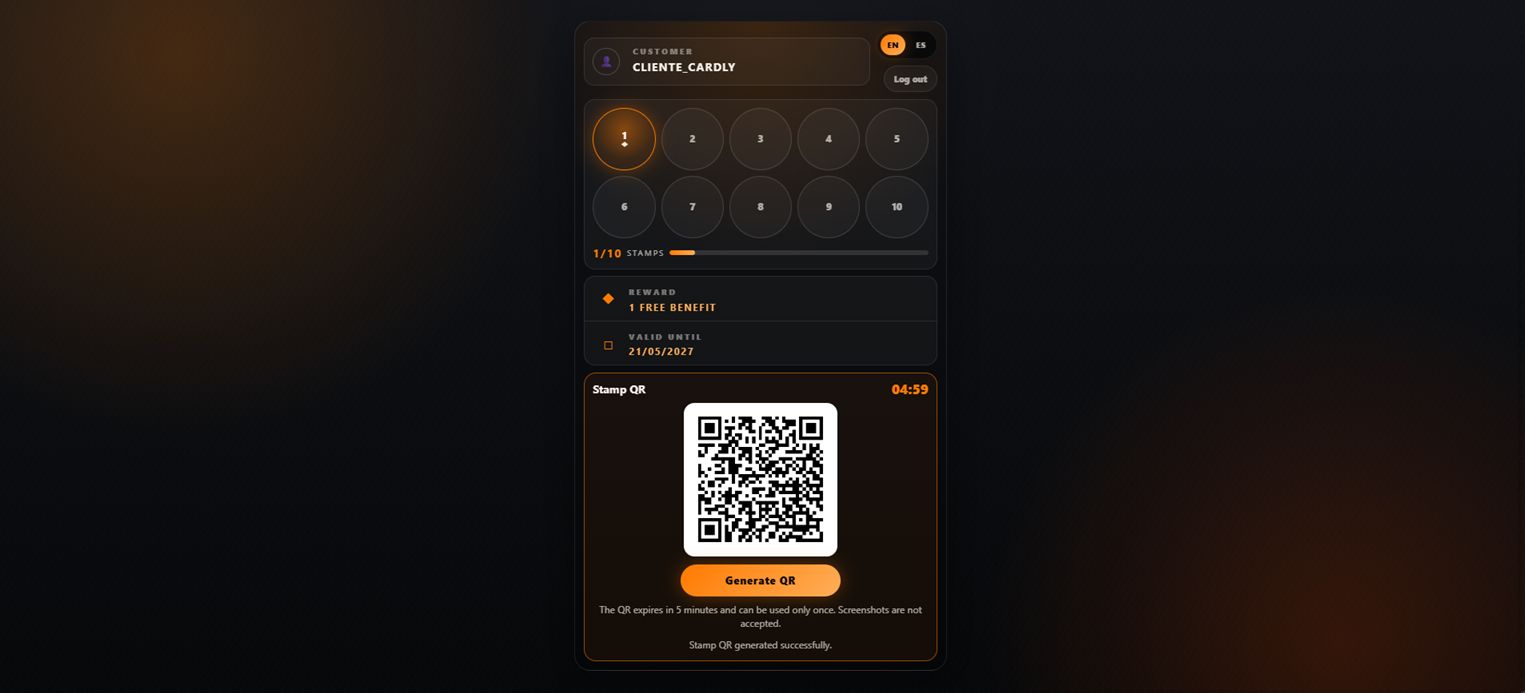


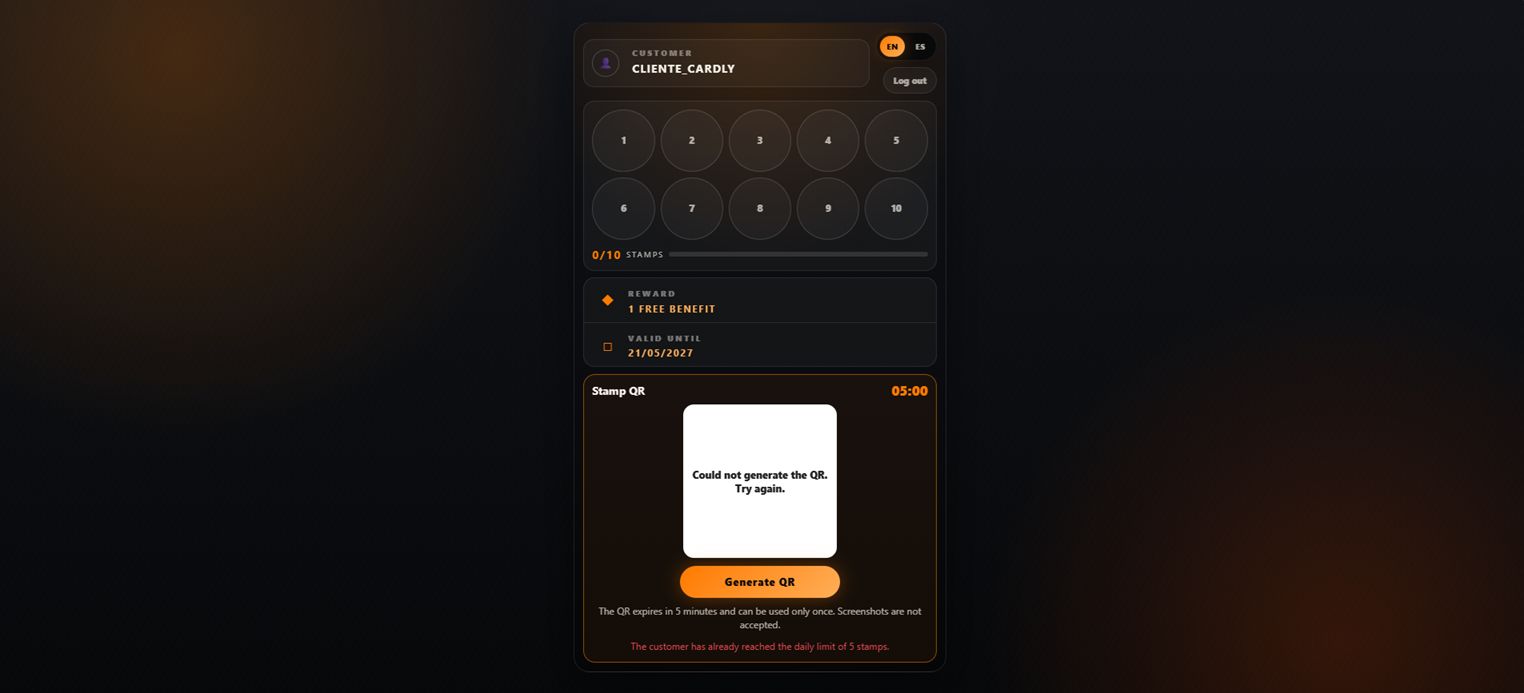

Overview
Cardly is a complete PHP loyalty card system designed for small businesses that want to offer digital reward cards to their customers.
The system allows customers to register their loyalty card, check their stamp progress, generate a temporary QR code, and redeem rewards when the required number of stamps is completed.
Administrators can manage customers, scan QR codes, add stamps, redeem rewards, view reports, manage system settings, and control the loyalty process from a responsive web panel.
Cardly supports multiple administrator accounts with role-based access. Super Admin users can create, edit, activate, deactivate, block, and manage administrator accounts securely. Available roles include Super Admin, Admin, and Staff.
The QR scanner and QR code generation libraries are bundled locally with the system, allowing the scanner to work without relying on external CDN services.
Cardly is built with PHP MVC, MySQL, Bootstrap, and JavaScript. It includes installation documentation, administrator documentation, and a ready-to-import database file.
It is suitable for restaurants, cafes, food businesses, beauty salons, retail stores, service businesses, and any company that wants to manage a simple digital loyalty program.
Features
Responsive customer loyalty card interface
Customer registration and loyalty card lookup
Temporary QR code generation for stamp validation
Local QR scanner for adding stamps and redeeming rewards
QR scanner libraries included locally without external CDN dependency
Admin panel with secure login
Multiple administrator accounts with role-based access
Super Admin, Admin, and Staff roles
Administrator management: create, edit, activate, deactivate, block, and delete accounts
Protection for the last Super Admin account
Reward management after completing the required stamps
Daily stamp limit control
Customer history and activity tracking
Reports for customers, stamps, and rewards
System settings management
Password recovery for administrator access
PHP MVC structure
MySQL database included
Bootstrap responsive design
Installation guide included
Administrator guide included
Ready for shared hosting environments
Requirements
PHP 8.1 or higher
MySQL 5.7 or higher / MariaDB 10.3 or higher
Apache web server with mod_rewrite enabled
PHP PDO extension enabled
PHP mbstring extension enabled
PHP session support enabled
Writable permissions for required storage folders if needed
HTTPS is recommended for QR scanner camera access
Modern web browser such as Chrome, Firefox, Edge, Safari, or Opera
Instructions
Live Demo Access
Customer Demo:
https://cardly.nexflowtechsv.c...
Admin Demo:
https://cardly.nexflowtechsv.c...
Username:
admin
Password:
Admin123456
Installation Instructions
1. Upload the Cardly files to your web hosting account.
2. Create a MySQL database from your hosting control panel.
3. Import the provided database/install.sql file into your database.
4. Configure the database connection values in the .env file.
5. Configure APP_URL in the .env file with your installation URL.
Example:
APP_URL=https://yourdomain.com/cardly
6. Configure a private administrator recovery key in the .env file.
Example:
ADMIN_RECOVERY_KEY=ADMIN_RECOVERY_your_private_secure_key_here
Important:
The administrator recovery key must remain private and must not be shared publicly. It is used for administrator password recovery.
7. Make sure the web server points to the public directory or follows the routing instructions included in the installation guide.
8. Open the system URL in your browser.
9. Log in to the administrator panel using the default credentials included in the documentation.
10. Change the default administrator password after installation.
11. Configure the loyalty settings according to your business rules.
12. Start registering customers and use the QR scanner to add stamps or redeem rewards.
Administrator Accounts
Cardly supports multiple administrator accounts with role-based access.
Available roles:
Super Admin:
Can manage system settings, customers, rewards, reports, and administrator accounts.
Admin:
Can manage daily loyalty operations according to assigned access.
Staff:
Designed for operational use, such as scanning QR codes, adding stamps, and redeeming rewards.
Only Super Admin users can create, edit, activate, deactivate, block, or delete administrator accounts.
For security, the system protects the last active Super Admin account from being deleted, blocked, or downgraded.
QR Scanner Note
The QR scanner requires camera permission from the browser.
For camera access, use HTTPS in production environments. Most modern browsers block camera access on non-secure HTTP websites, except on localhost.
The QR scanner libraries are included locally with Cardly and do not require external CDN services.


|
PHP Script Installation Service
Don't worry about the installation of your script! Have your PHP Script installed for you.
|
$39 | Buy now |
| Category | Scripts & Code / PHP Scripts / Miscellaneous |
| First release | 21 May 2026 |
| Last update | 26 May 2026 |
| HTML/CSS Framework | Bootstrap |
| Software version | PHP 8.1, PHP 8.2, PHP 8.3 |
| Files included | .php, .css, .html, .sql, Javascript .js |
| Database | MySQL 5.x |
| JavaScript Framework | jQuery |
| Tags | restaurant, bootstrap, small business, MySQL, php script, cafe, admin panel, rewards, qr code, reward system, loyalty program, customer rewards, php mvc, digital card, loyalty card |